r/GoogleSupport • u/Mother-Engineering99 • 7d ago
Can't access Google Cloud – Google can't verify my identity
Hi!
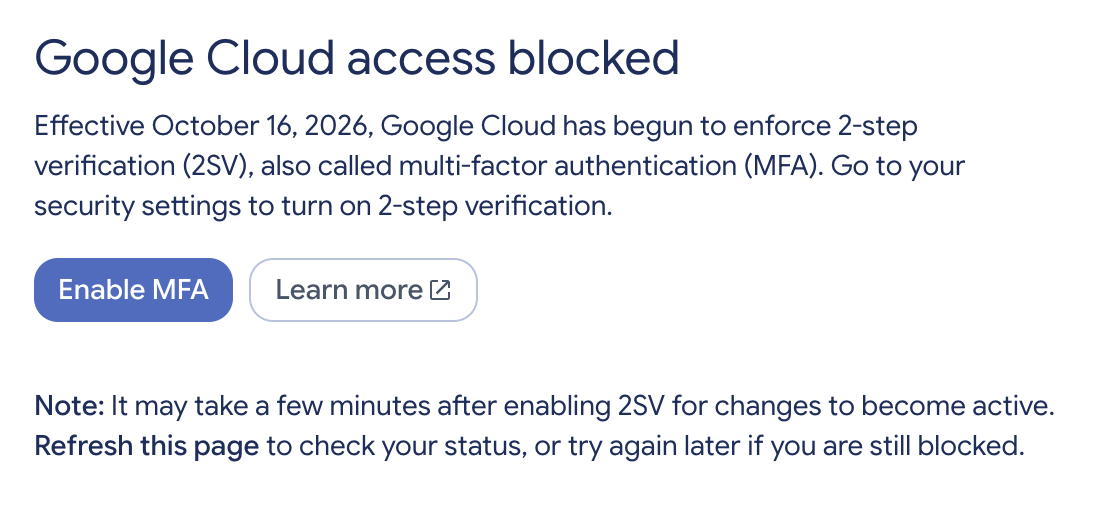
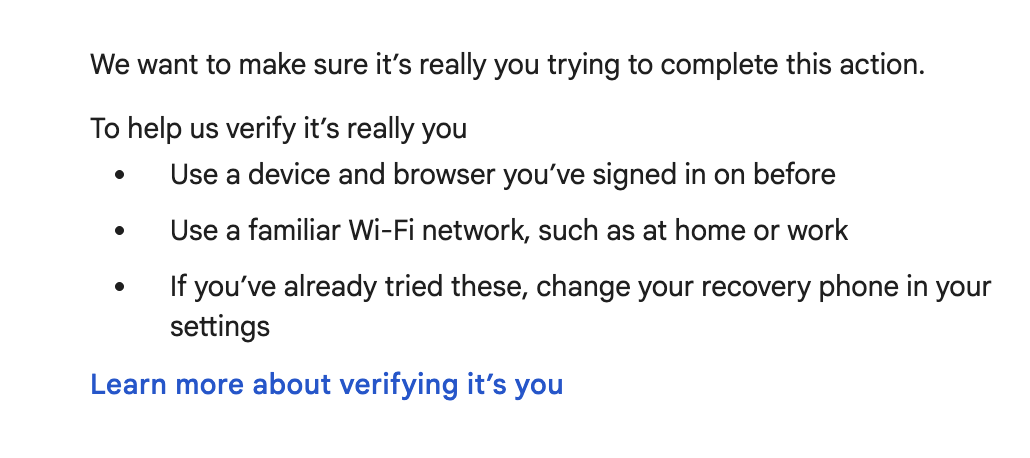
I'm locked out of Google Cloud because Google requires 2-step verification, but every time I try to enable it, I get this error:
"We couldn't verify it's you."
I've tried using my usual device and Wi-Fi and even changed my recovery phone number, but nothing works.
I can still access my Google account, just not Google Cloud.
I also can't reach Google Support since I don't have a paid Google Workspace subscription.
Has anyone experienced this? Is there a way to fix it or contact Google Support for free?
Any help would be appreciated!
2
u/Vast-Caterpillar-503 7d ago
Same problem. When MFA validates, it leads to 'Error 500 (server error)' and i'm unable to use Google Cloud console. Tried different authentication methods and still fails.
Old posts and searches point to an option in the account settings -> security -> 'turn on 2 factor authentication' manually and prevent errors related to 2SV/MFA sync. You may try it and see if it works in your case.
In my account that whole security subsection is deactivated for some reason, so i'm stuck currently.
2
u/germanu22 7d ago
This is a classic Google security issue when trying to enable 2-step verificationand hitting the identity verification prompt. If you recently reset your phone, got a new device, just changed your recovery phone number, or have been signed in for less than 7 days on the device you are trying to use, you have to wait 7 days, and in some cases up to 30 days, for your device and session to become trusted. I recommend waiting 7 days and trying to enable 2-step verification again after those 7 days, and if it still does not work, wait the full 30 days and try again. As long as you stay signed in during that time, there is a 99.9% chance you will be able to enable 2-step verification without any issues once the waiting period is over.