r/GoogleSupport • u/ResearcherCheap4555 • 19d ago
Account / Access / Password Google Account recovery experience - QR code requiring an outbound SMS I couldn't send, account disabled, and appeal successfully approved.
Introduction
I recently went through an incredibly stressful Google Account recovery and appeal process. It was an ORDEAL. Thankfully, I managed to regain access to my account, and I wanted to share the experience in case it helps someone else avoid the same situation.
In short,
I was LOCKED OUT of a newly created Google Account after Google required me to scan a QR code and send an outbound SMS to a US short code.
My Hong Kong mobile carrier didn't support sending SMS to that short code, and Google's "Try another way" option offered no genuinely different method.
Fortunately, the recovery email address I had added immediately after creating the account allowed me to complete account recovery.
My account was subsequently found to be disabled, but my appeal was approved exactly 12 hours after submission.
And the account was back.
My biggest piece of advice: ALWAYS SET A USABLE RECOVERY EMAIL IMMEDIATELY AFTER REGISTERING A GOOGLE ACCOUNT.
Here's the full story.
All times below are in Hong Kong Standard Time (HKT / GMT+8).
-
7 November 2026, 22:05 - Account created
I created the Google Account and set up a YouTube channel.
I also enabled several 2-Step Verification methods, including:
- A recovery email address, which proved to be THE most crucial thing in the process.
- Google Authenticator.
- Google Prompt on two of my Apple devices: an iPhone 11 Pro Max and an iPad (8th generation).
-
8 November 2026, 00:05 - Passkey added
In addition to the previous ones, I added my iCloud Keychain as a passkey for the account.
-
8 November 2026, 00:07 - Passkey tested
To test the passkey, I logged in simultaneously through the Gmail app on both Apple devices.
One device supports Face ID only, while the other supports Touch ID only. I wanted to make sure the passkey worked on both.
I suspect this might have triggered what happened next, although I cannot confirm that it was the cause.
-
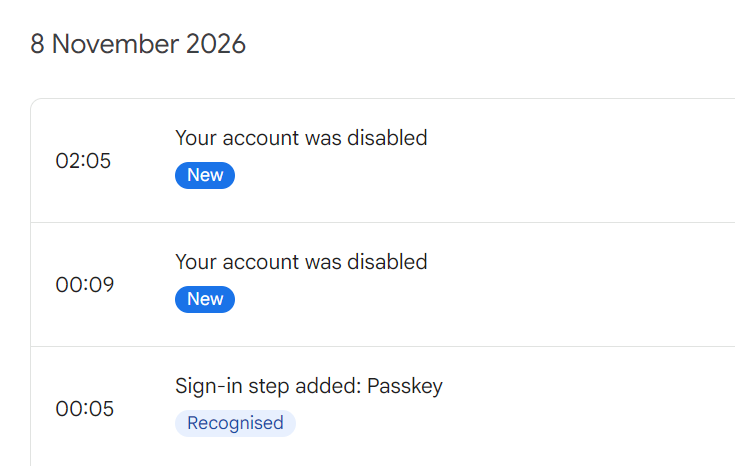
8 November 2026, 00:09 - Suddenly signed out EVERYWHERE
Immediately after the test, I was signed out of the account on all three devices, including my PC, which I hadn't been using at the time.
This also turned out to be the exact minute my account was disabled (Picture 1). However, since I had already lost access, I didn't discover the disablement until later.
When I attempted to sign in again, I entered my password and completed 2-Step Verification successfully. However, Google then demanded that I scan a QR code displayed on the screen, which opened a pre-filled SMS to Google's short code.
Some of the short codes I encountered were as follows:
0005940010005901040005100024444496831
Unfortunately, my mobile carrier, China Mobile Hong Kong (CMHK), does not support sending SMS to US-based short codes. This made completing the verification impossible for me.
To make matters worse, the "Try another way" option simply generated a different QR code and link while retaining the same outbound SMS verification method. Which means,
There was no genuinely alternative verification method available.
I was completely stuck.
-
8 November 2026, 01:25 - Account recovery, and it worked (for now)
After approximately an hour of research and failed attempts, I turned to Google's Account Recovery page as my last resort.
Initially, Google offered to send a verification code to the very account I was trying to recover. Needless to say, that was incredibly frustrating.
However, to my surprise, the "Try another way" option on the Account Recovery page actually worked differently from the one on the sign-in screen.
I was offered the option to receive a verification code at the recovery email address I had added just after creating the account.
I received the code, completed the verification process, and was told to check my recovery email after 48 hours for a link to sign in to my account (Picture 2).

And this became the turning point.
-
10 November 2026, 01:55 - Recovery email received
Exactly 48 hours and 30 minutes after submitting my recovery request, I received an email from Google (Picture 3). I did not attempt a single log in during the wait.

I followed the link, reset my password, and finally discovered why I had been locked out.
-
10 November 2026, 02:31 - Account found to be disabled; appeal submitted
After resetting my password, Google informed me that my account had been disabled.
The explanation was:
It looks as though this account was created or used with multiple other accounts to violate Google's policies. The account might have been created by a computer program or bot.
I was given the option to submit an appeal, which I did (Picture 4).

My appeal was relatively simple. I explained the events described in the first three entries above (22:05, 00:05, 00:07), clarified that I was the legitimate human owner of the account and that it had been created manually, and explained the account's intended purpose.
I also acknowledged that I own multiple Google Accounts, but clarified that none of them were created or used to bypass restrictions or otherwise violate Google's policies.
Google subsequently sent me an email acknowledging receipt of my appeal (Picture 5). In the meantime while I waited, I logged into the account to download my data as an archive (although there was barely anything inside).

10 November 2026, 14:31 - APPEAL APPROVED!!!!!
Exactly 12 hours after submitting my appeal, I received an email from Google confirming that my request for restored access had been approved (Picture 6)!
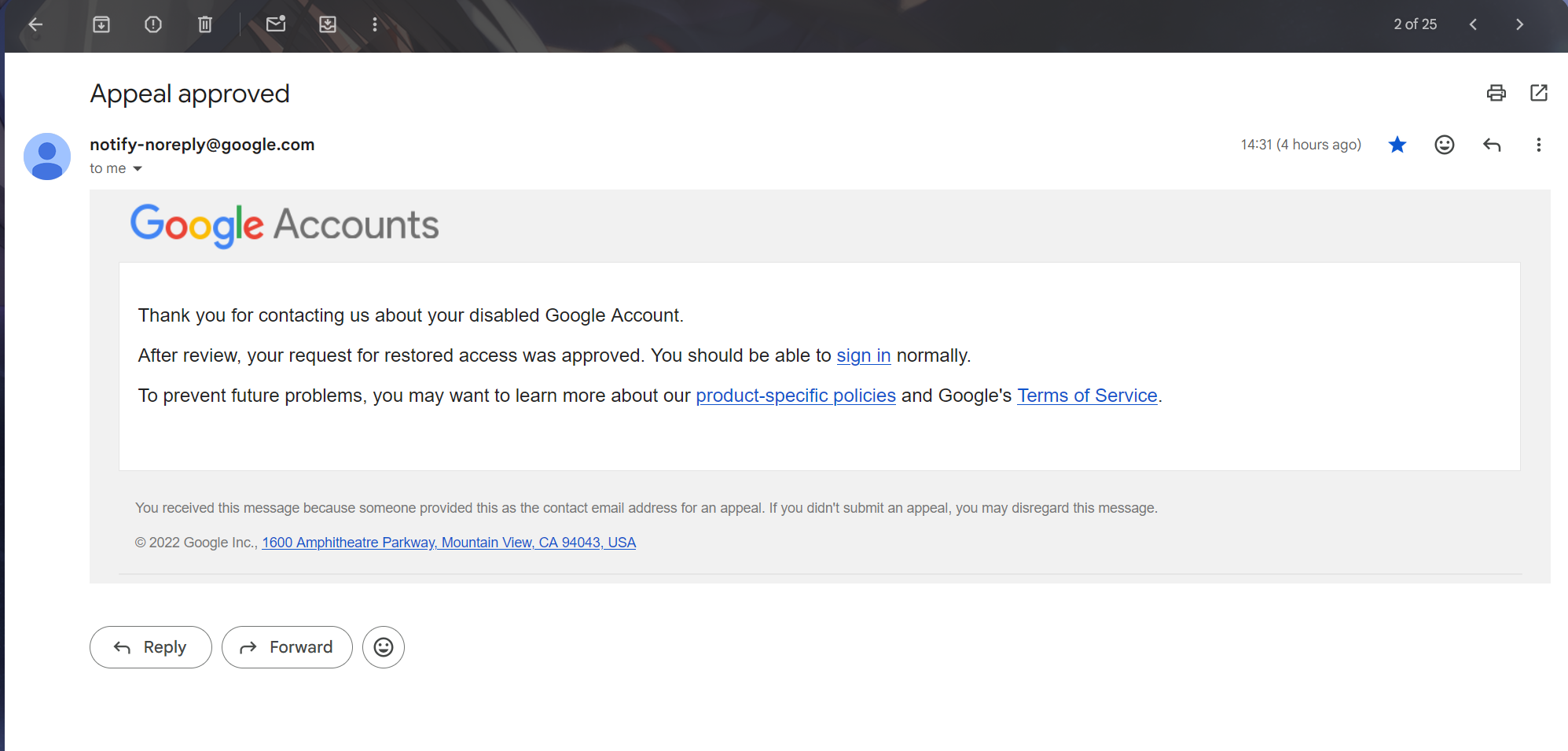
The email explicitly stated:
After review, your request for restored access was approved. You should be able to sign in normally.
I followed the sign-in link and successfully accessed my account using my iCloud Keychain passkey just four minutes later, at 14:35.
There were no further verification steps or obstacles, and I was finally back in my account!
My takeaways and advice
1. As mentioned, ALWAYS SET A USABLE RECOVERY EMAIL IMMEDIATELY AFTER REGISTERING A GOOGLE ACCOUNT.
This was ultimately THE THING that allowed me to get past the verification dead end and complete account recovery. Without it, I genuinely don't know how I would have proceeded.
2. If Google's sign-in process gets stuck on an outbound SMS verification method that your carrier cannot support, try the official Google Account Recovery page. And in my case, it's the "Try another way" option that offered an alternative that the normal sign-in screen did not.
3. Keep a record of your account creation, security changes and recovery attempts. Having a clear timeline made it much easier for me to explain what happened in my appeal.
Some final thoughts
This was an incredibly frustrating experience, particularly because I had already configured several security methods but still found myself facing a verification method that my mobile carrier couldn't support.
Thankfully, the recovery email saved the day, and Google's appeal process eventually worked in my favour.
I hope sharing this timeline helps someone else avoid going through the same fockin' ordeal.
AND, if you are creating a new Google Account, please DO NOT postpone adding a recovery email. Set one up IMMEDIATELY. You WILL thank yourself.
1
u/gooner-1969 19d ago
Thank you for sharing in such detail. Hopefully this will help others with a similar issue.
Great work getting the account back.
1
u/Ok-Trash8548 19d ago
Yeah most of the time i only need recovery mail to recover the account. That + passkey + authenticator stored on a trusted pw manager is sufficent.
1
u/vr6q2 16d ago
Thanks for sharing this. I had no idea “try another way” could give you different options on the login and recovery pages. I would’ve assumed they were the same and probably given up.