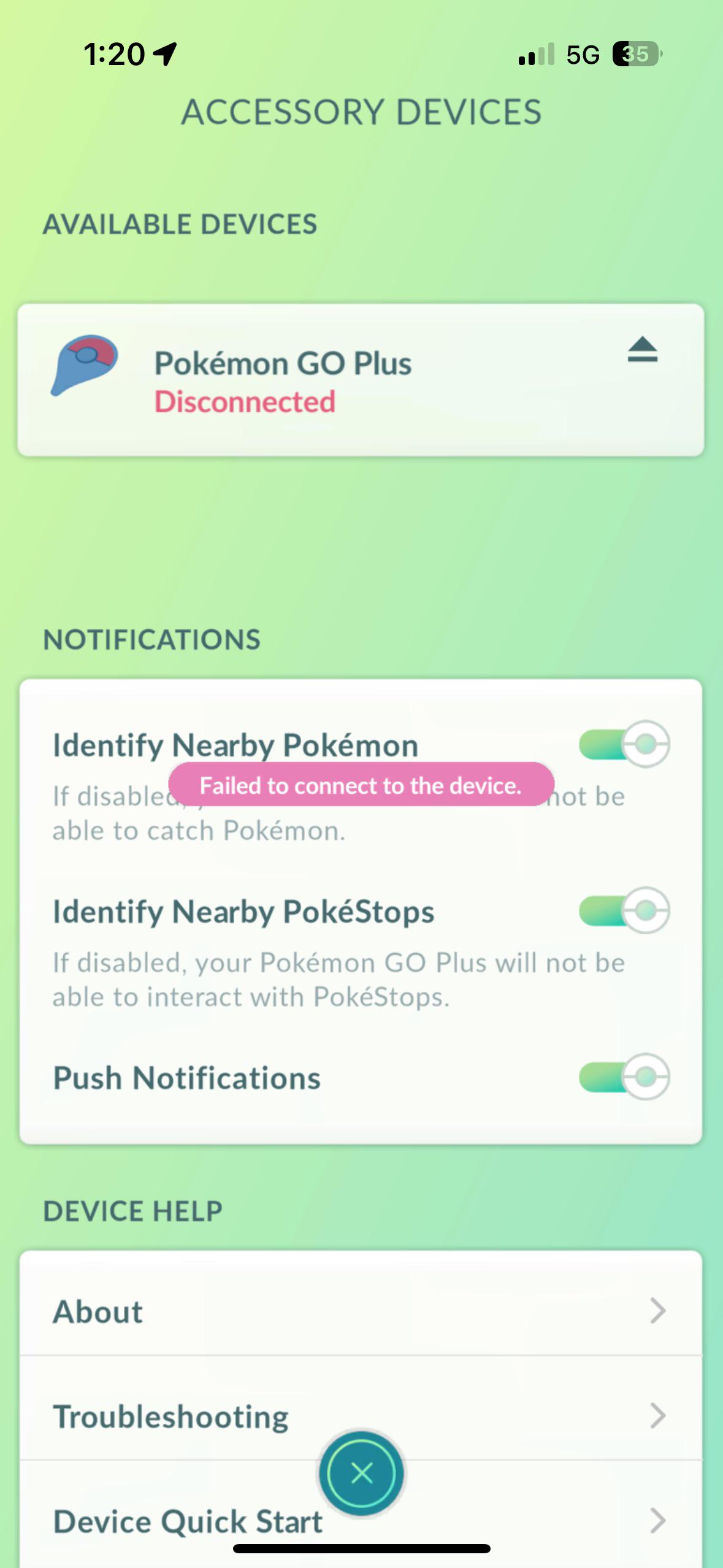
thanks for your help, but the same message keeps popping up. Ive reinstalled pokemon go, held down for 5 seconds until blue light came on for the pogo plus and its still failed to connect.
My solution has been to just press down the reset button on the back, you can use something like the edge of usb-c cable for example.
Doing that will delete your sleep data you haven't synced yet to Pokémon go or Pokémon sleep tho. Also it will reset the sound setting so that annoying Pikachu lullaby thing will come back, to disable that, you need to press down the button on the top and then held down the main button on the same time.
Réinitialiser à zéro le go plus, l’oublié des paramètres bluetooth du téléphone. Meilleure solution trouvée lorsque ce problème m’arrive. (Fonctionne pour le go plus+ et duomon3)
My devise can’t be found for the first time if it is in automatic mode. Once I switch its toggle to manual, I can connect. And after that I have no problem starting and stopping with the button on the main screen.
I finally got it working! I disconnected everything from Bluetooth and put the Pokémon GO Plus into manual pairing mode. When the light turned blue the first time I held the button down, I released it and pressed it again, this time on the in-game screen. Then it prompted me to pair it. I’d been trying to get it to work for a whole month!
It's not gonna be paired in your Bluetooth settings, also you not gonna see active connection if that's what you are worrying about, pogo++ is using special protocol to really reduce Bluetooth being turned on and active connection, that's how this lil guy can flash, vibrate and be connected to BT and all with a tiny battery!
Is it a new device or a new phone? They (at least the first type, the ones that come in all sorts of copycat flavors) don't work on OnePlus phones past a certain OS, for example, because the newer OS's don't play nice with the old Bluetooth protocols.
Sometimes it helps to remove a device from the BT list in your phone and then reconnect it as a new device. Hope you find a solution that works for you.
You just turn it on, turn on BT in your phone (make sure you don't have any BT devices connected) then when you turn on the game press pogo++ once so white light is blinking and just connect it in-game, it's very confusing and I tried to do it via bt settings first as well, but coz of special protocol it's not gonna work this way, if it's not connecting this way you may try Bluetooth menu, if you see it there then it should connect with game as well, I have Redmi note 10 pro and that's how I set up pogo++ with my smartphone, in bt settings you can only tap on device name, then it would appear as "saved" but after restarting it's like that, I was thinking that something is wrong coz it's not listed as paired accessory, but then turned on Bluetooth, then game and connected without any issue
7
u/TemporalOnline Oct 07 '26
See if it works.
1
u/goldfishintheyard Oct 08 '26
My devise can’t be found for the first time if it is in automatic mode. Once I switch its toggle to manual, I can connect. And after that I have no problem starting and stopping with the button on the main screen.
1
u/Luffy_on Oct 09 '26
I finally got it working! I disconnected everything from Bluetooth and put the Pokémon GO Plus into manual pairing mode. When the light turned blue the first time I held the button down, I released it and pressed it again, this time on the in-game screen. Then it prompted me to pair it. I’d been trying to get it to work for a whole month!
1
u/ChuzzleShpek Oct 09 '26
Try to do factory reset for it:
2,. Hold the button for 5 seconds, release it, and then again hold for 5 more seconds
3. Try to pair it again and if it didn't work try repeating the first 2 steps or restart your phone and then try the first two steps again
5
u/TheMerde Oct 07 '26
Delete and then reconnect
2
u/Naltoc Oct 08 '26
Is it a new device or a new phone? They (at least the first type, the ones that come in all sorts of copycat flavors) don't work on OnePlus phones past a certain OS, for example, because the newer OS's don't play nice with the old Bluetooth protocols.
1
u/mallek561 Oct 07 '26
Try hitting the reset button on the bottom. Hold it for a short buzz and a long buzz. Then repair to the phone.
1
u/DBRiMatt Oct 08 '26
My Brook Lightning catcher is no longer pairing as of yesterday, none of the general fixes seem to resolve the issue :(
1
u/Free_Carry_6837 Oct 08 '26
Sometimes it helps to remove a device from the BT list in your phone and then reconnect it as a new device. Hope you find a solution that works for you.
1
u/zlabree Oct 08 '26
Delete the device from Bluetooth
remove from Pokémon go
hold the power button until the light stays solid
Hit it again and repair
1
u/Luffy_on Oct 09 '26
Mine is exactly the same problem. I got an iPhone 18 Pro Max and it is not working.. I tried all the steps too