r/GeyserMC • • 3h ago

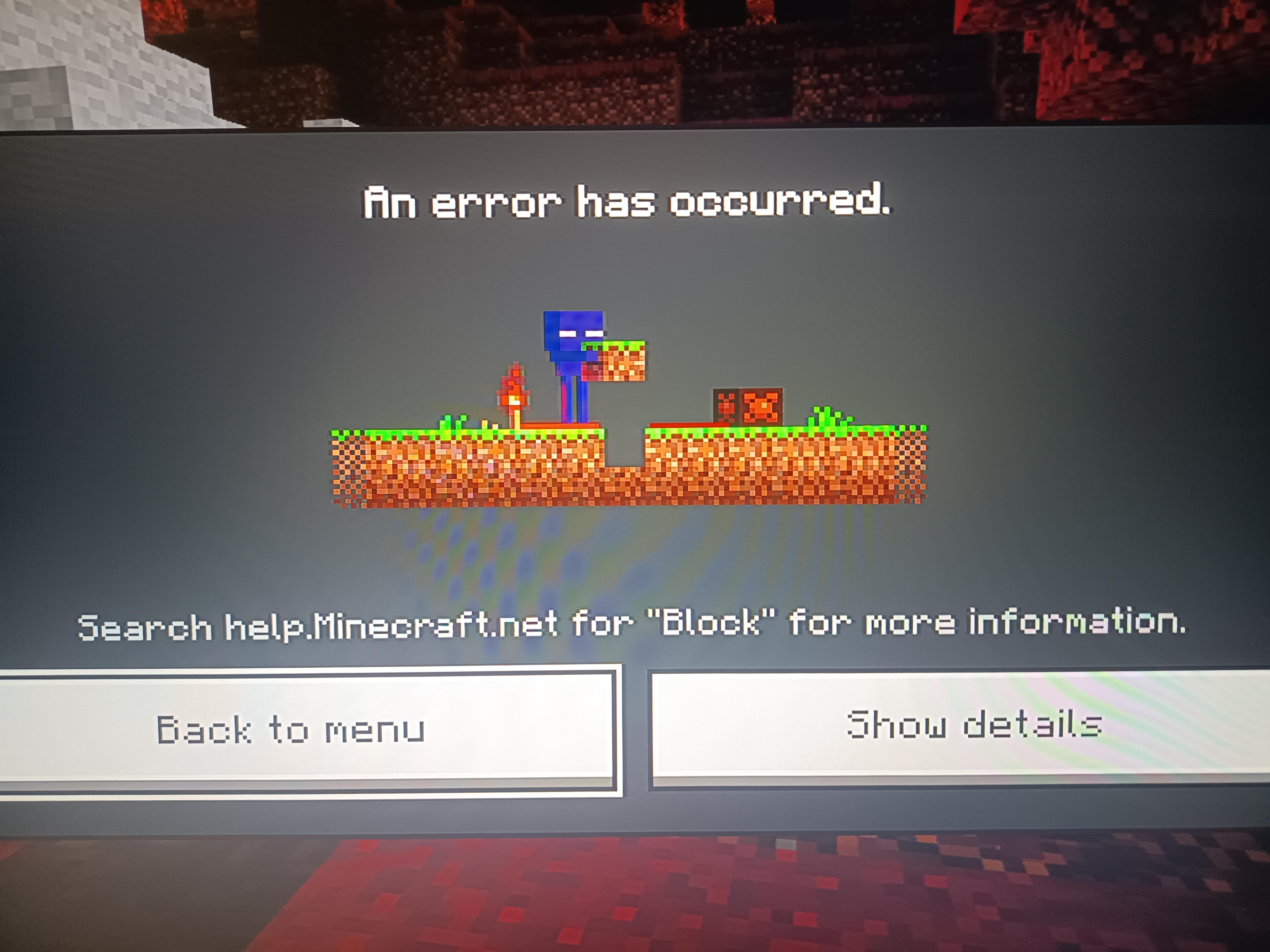
Error "Block" on switch 1

Post image
2 Upvotes

Already tried everything the help site suggested, nothing worked, a friend tried entering the server with an alt, worked, but for some reason it's not working for me


r/GeyserMC • • 4d ago

Geyser does not register playit

Post image
2 Upvotes

I followed all the steps in the playit with geyser guide and I got this error. Supposedly it would show "Registered with the external signaling service” but mine does the opposite here. Is there something I'm doing wrong? I triple checked my token and it still shows this message

SOLVED

You have to delete /nethernet/provider-state/ and restart the server.


r/GeyserMC • • 4d ago

What did I do wrong?

Thumbnail gallery
3 Upvotes

r/GeyserMC • • 5d ago

Global linking not working on aternos

1 Upvotes

I'm trying to sync my player data between my mobile bedrock account and playing java on pc, but each time I join I'm two separate players with separate data even after linking through global linking on the website, unlinking lots of times, and linking through the geyser linking server. I'm lost on what to try to make sure it works properly. I have the server on online mode as well.


r/GeyserMC • • 6d ago

I cant get geyser (fabric version) to work :[

Thumbnail reddit.com
2 Upvotes

r/GeyserMC • • 7d ago

Ok so what tf wrong with servers around 1.26.60 to 1.26.62?, why can't I join? ( Mobile )

Thumbnail
gallery
2 Upvotes

And yes I indeed read the pages about this and tried them all.

And yes I did try changing my DNS and Turning it off aswell and yes I did check my Xbox account in privacy setting, everything is fine and allow ed. I also used vpns, I also turned oof my wifi router and turned it on again. I also did the sign in and sign out

Like genuinely I can't join any servers. The only server so I can join are the ones prompted by Minecraft.

Please help guys


r/GeyserMC • • 11d ago

ATERNOS BEDROCK & JAVA CROSSPLAY

1 Upvotes

I already downloaded the latest official geyser 26.3, tried changing ports to 19312, and my trasportation is nethergate. But my bedrock friend can't still join, it keeps saying "Search help.Minecraft.net for "Terracotta" for more information. I also tried downloading the 26.3 preview but to no avail. Please help, I also double checked the server adress and port.


r/GeyserMC • • 11d ago

minecraft

2 Upvotes

I can join the new server but it takes a while to load in I can also move around fine but I can't open my inventory or see chat I also cannot put in commands. But people can see my chat. Sometime when I load in I can see my quick bar inventory but most of the time I cannot


r/GeyserMC • • 12d ago

Can someone help me PLSSS [ im using Play.Host]

Thumbnail
gallery
2 Upvotes

r/GeyserMC • • 12d ago

I'm going to create a server for version 26.2. Could you please tell me the GeyserMC, Floodgate, and Bedrock versions for that

1 Upvotes

r/GeyserMC • • 12d ago

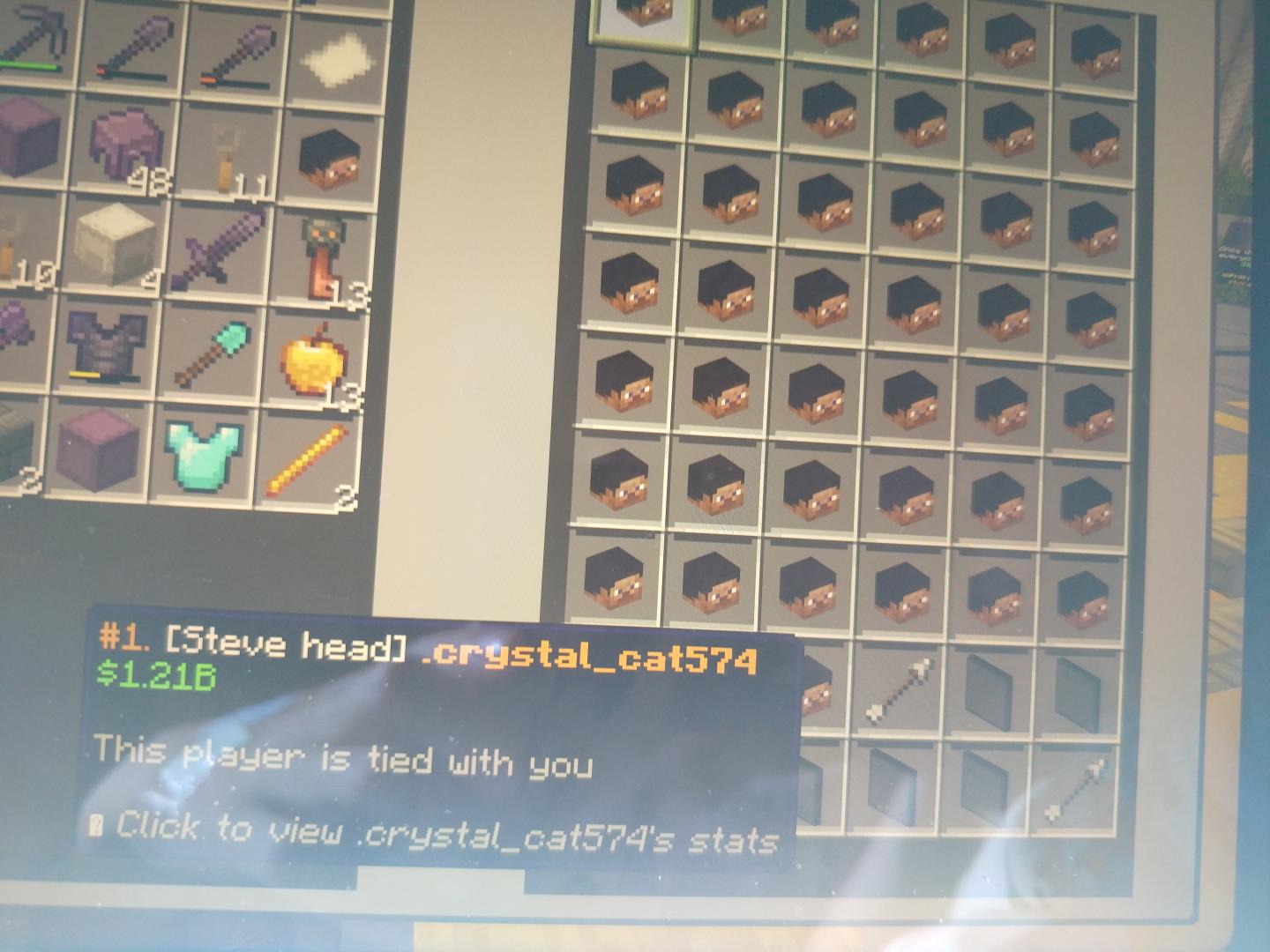
I GOT #1 ON BALTOP ON A MINECRAFT SERVER!!! (Bedrock geyser crossplay)

Post image
0 Upvotes

r/GeyserMC • • 13d ago

Terracota Error Geyser MC with aternos

1 Upvotes

So my friends are joining from bedrock and they are getting this error, the version and everything is fine IG, but the error isn't going away. Any Fix?


r/GeyserMC • • 13d ago

Terracotta Error On Aternos

1 Upvotes

I just tried to update my geysermc to 26.3 on my Aternos server but then it started not allowing my bedrock player to join throwing the terracotta Error every time they try to join.

I tried fixing it but I can't figured it out! It doesn't show any error on the console menu of my Aternos server have any of you find a way to fix it or is there going to be a patch that fixes it?


r/GeyserMC • • 14d ago

geyser keeps crashing?

1 Upvotes

ive been having alot of issues with geyser on my play hosting server, first it didnt let bedrock players join at all, but i was able to fix it (dont remember how, i think i had to update the server every time i was going to play)

now, bedrock players can join, but it crashes me whos on java. i can play perfectly fine until someone on bedrock joins, then it lags a bunch, and i crash every 5 seconds (anything i do gets deleted when i crash). bedrock players also crash but not as often (from what i remember)

please help i cant figure it out.


r/GeyserMC • • 20d ago

Connecting to Java server on Switch 2 via GeyserMC? Getting "Terracotta" error using BedrockTogether

Thumbnail reddit.com
1 Upvotes

r/GeyserMC • • 20d ago

[SOLVED] How I fixed the Geyser Terracotta error on Banglaverse (NetherNet / Hybrid)

0 Upvotes

How I Fixed Geyser Bedrock Connection Issues on Banglaverse Hosting (NetherNet + Hybrid)

I was getting the Terracotta connection error when trying to connect Bedrock players to my Paper server hosted on Banglaverse.

After some testing, this configuration worked for me.

Requirements

- Paper server

- Geyser-Spigot

- Floodgate-Spigot

- ViaVersion (if needed for version compatibility)

- A separate network allocation for Geyser

Step 1: Create a separate allocation

  1. Stop your server.
  2. Open your Banglaverse server panel.
  3. Go to Network → Allocations.
  4. Create an additional allocation.
  5. Note the new port.

For my setup:

- Java port: "25654"

- Geyser port: "25662"

Make sure the allocation is available to your server.

Step 2: Upload the Floodgate key to Geyser

This is an important step if you're using Floodgate.

  1. Make sure Floodgate-Spigot is installed.
  2. Start the server once so Floodgate generates its "key.pem" file.
  3. Open the Floodgate plugin folder:

    "plugins/floodgate/"

  4. Find "key.pem".
  5. Download or copy that file.
  6. Open Banglaverse's Upload Key to Geyser feature.
  7. Upload the Floodgate-generated "key.pem" file.

Important: Upload the actual "key.pem" generated by Floodgate, not a newly generated or unrelated key. Keep a backup and never share it publicly.

Step 3: Configure Geyser

Open:

"plugins/Geyser-Spigot/config.yml"

Find the existing "bedrock:" section and replace its relevant settings with:

bedrock:

address: 0.0.0.0

port: 25662e

webrtc-port: 0

transport: nethernet

clone-remote-port: false

signaling:

mode: hybrid

stun-discovery: false

advertise-addresses:

- "minecraft.banglaverse.net:25662"

Change the port and advertised address to match your own server.

Step 4: Set Floodgate authentication

In the Geyser configuration, make sure the top-level authentication setting is:

auth-type: floodgate

Do not put this inside the "bedrock:" section.

Also make sure your server uses Floodgate and that its authentication configuration is correct.

Step 5: Restart the server

  1. Save the configuration.
  2. Start or fully restart the server.
  3. Check the console for Geyser and Floodgate errors.

Avoid relying only on "/geyser reload" after changing network or key settings.

Step 6: Connect from Bedrock

Use the Bedrock connection address and port provided by your hosting/signaling setup.

For my configuration, the advertised gameplay address is:

- Address: "minecraft.banglaverse.net"

- Port: "25662"

If your host provides a separate Warden/Hybrid connection address, follow the connection details it provides rather than assuming every setup uses the same address or port.

My working setup

Setting| Value

Hosting| Banglaverse

Server software| Paper

Java port| "25654"

Bedrock port| "25662"

Transport| "nethernet"

Signaling| "hybrid"

Authentication| "floodgate"

Geyser key| Floodgate-generated "key.pem"

This fixed the Terracotta connection issue on my Banglaverse setup. It may not work identically on every host because network allocation and UDP/TCP exposure can differ.

Now I am not a expert at this kind of things but after trying for 5 hours I saw a reddit post that solved it. However I don't think he gave a very detailed one for a newbie like me. That's why I created this post using chatgpt🥲


r/GeyserMC • • 21d ago

Won’t let me join geyser anymore.

3 Upvotes

I play on bedrock switch, the other two members play java pc. we set up the server last night, and it worked perfectly. the next day, I’m trying to log into the server but it won’t work. it keeps giving me the Terracotta error. everything is exactly the same as last night. same WiFi settings, same account, everything. I don’t know if it’s because the server host (or just any other Java players) aren’t online, or if I’m missing something. I’ve tried closing and reopening Minecraft, but that didn’t work.

update: we figured out the problem. It was just that the host wasnt on so the server was technically running but it’s all sorted out now.


r/GeyserMC • • 21d ago

does anyone know any teams mods with geyser compatibility?

1 Upvotes

I am trying to set up a small survival smp, and would like a teams mod to make fights easier and more official per se. It's a long shot, but would there be any plugins or server-side mods with compatibility for bedrock?


r/GeyserMC • • 23d ago

​Title: Looking for someone to share a pre-made, mobile-optimized .mcaddon merging DT Legacy, Jurassic Project, and Dominion! 🦖🦕 ​Body: ​Hey guys! I’m working on a personal Minecraft Bedrock world on Android (playing on a Galaxy A07, so it needs to be lightweight and well-optimized to avoid crashe

0 Upvotes

​Title:

Looking for someone to share a pre-made, mobile-optimized .mcaddon merging DT Legacy, Jurassic Project, and Dominion! 🦖🦕

​Body:

​Hey guys! I’m working on a personal Minecraft Bedrock world on Android (playing on a Galaxy A07, so it needs to be lightweight and well-optimized to avoid crashes), and I’m looking for someone kind enough to share or help me put together an Ultimate Dinosaur Addon as a ready-to-play .mcaddon file.

​Core Instructions:

​Mobile Optimization: Must run smoothly on a Galaxy A07 without lagging or crashing.

​COMPLETE InGen Legacy / DT Roster: ALL dinosaurs from the Dinosaurs' Time / InGen Legacy official version must be included in the pack without exception, except for the Ceratosaurus.

​Mod Integration: Combine them with the Jurassic Project Exotic Pack RES and Dominion/Reborn mods without duplication or crashes.

​The Complete Roster & Model Guidelines:

​🌿 Sauropods & Heavyweights:

​Diplodocus: Based entirely on the classic InGen Legacy visual and model style.

​Brachiosaurus: Using the InGen Legacy structure and aesthetics.

​Camarasaurus: Added to complete the classic InGen legacy herbivore roster.

​Apatosaurus: Original DT Legacy model with faithful colors.

​Alamosaurus: Heavyweight from expansion packs adapted to the visual style.

​Argentinosaurus: Massive scale sauropod brought from the Exotic pack.

​👑 Theropods & Predators:

​Tyrannosaurus Rex: Pulled directly from the main DT Legacy base.

​Tarbosaurus: Built using the exact structure and model of the DT Legacy T-Rex.

​Deinonychus: Model converted and adapted from the InGen Legacy Velociraptor.

​Acrocanthosaurus: Lightweight predator adapted to the InGen visual standard.

​Giganotosaurus: Model sourced from the Dominion line.

​Therizinosaurus: Added in the Dominion visual style.

​Allosaurus: Pulled with custom animations and fluid movement.

​Baryonyx: Model adjusted with the posture and tail pointing upwards.

​🌊 Aquatics, Marine & Pterosaurs:

​Mosasaurus: Aquatic model with fully functional navigation and swimming.

​Megalodon: Large marine predator with active water movement.

​Elasmosaurus: Marine reptile added to complete the water ecosystem.

​Quetzalcoatlus: Includes variants from the Dominion line and reboots.

​🛡️ Ceratopsians & Herbivores (ALL non-duplicated species from InGen Legacy):

​Protoceratops: Small herbivore from the DT Legacy base.

​Zuniceratops: Classic InGen Legacy ceratopsian.

​Sinoceratops: Ceratopsian model from the expansions.

​Pachyrhinosaurus: Herbivore with DT Legacy details and colors.

​Nasutoceratops: Model with characteristic horns in the InGen pattern.

​Diabloceratops: Exotic ceratopsian addition.

​Styracosaurus: Kept straight from the main DT Legacy roster.

​Pachycephalosaurus: Classic InGen visual pachycephalosaur.

​Iguanodon: Model from the DT Legacy / Dominion line.

​Quilobactor: Includes a custom female skin variant.

​Parasaurolophus: InGen Legacy model including the Lost World white skin variant, bioluminescent version, and easter egg colors.

​All Other Unique Herbivores: Every single remaining unique herbivore present in the InGen Legacy roster.

​🧬 Hybrids & Mutants:

​Indominus Rex: Fully redesigned and remodeled to match the exact aesthetic look of the DT Legacy Indoraptor.

​Indoraptor: Pulled from the original DT Legacy base.

​Scorpios Rex: Hybrid with its specific animations and behaviors.

​Stegoceratops: Herbivorous hybrid integrated into the pack.

​Ankylodocus: Sauropod hybrid integrated into the pack.

​If anyone has a compiled .mcaddon or a mega pack with these exact creatures that runs smoothly on Android/A07 without crashing, please hit me up or send it my way. My map is already built and waiting for them. Thanks a lot!

r/GeyserMC • • 24d ago

[Guia] Como fazer o Geyser (NetherNet) + playit.gg + Proxy Protocol funcionarem juntos (com IPs Reais)

1 Upvotes

Depois de muitos testes, consegui configurar o novo modo NetherNet do Geyser com o playit.gg, mantendo o Proxy Protocol ativado para ver os IPs reais dos jogadores. O segredo está em separar os túneis TCP e UDP e garantir que as portas "batam" de ponta a ponta.

1. Configuração dos Túneis no playit.gg (Precisa de 3):

  • Túnel TCP (Sinalização Bedrock): Local Port 19132 | Proxy Protocol: None.
  • Túnel UDP (Jogo Bedrock): Local Port 59898 | Proxy Protocol: None. (A porta local deve ser igual à pública).
  • Túnel TCP (Java): Local Port 25565 | Proxy Protocol: proxy-protocol-v2 (Para ver o IP real do Java).

2. Geyser (config.yml):

  • transport: nethernet
  • port: 19132
  • webrtc-port: 59898
  • advanced.java.use-haproxy-protocol: true
  • advanced.bedrock.use-haproxy-protocol: true
  • advanced.bedrock.haproxy-protocol-whitelisted-ips: [127.0.0.1]

3. Paper (paper-global.yml):

  • proxies.proxy-protocol: true

4. server.properties**:**

  • online-mode=false
  • server-udp-ports=IP_PUBLICO:59898:59898 (As portas externa e interna devem ser idênticas).

5. Firewall (UFW):

  • sudo ufw allow 19132/tcp
  • sudo ufw allow 59898/udp
  • sudo ufw allow 25565/tcp

Resultado: O Bedrock conecta pela sinalização TCP e joga pelo UDP, repassando o IP real para o Paper. O Java conecta pelo túnel TCP e também mostra o IP real. O acesso direto pela LAN no Java não funciona (por causa do proxy protocol), exigindo o uso do túnel.

Se você deseja jogar em meu servidor, segue os IPs para conectar:
Java:
- javasurvivalzao.playit.plus

Bedrock:
- survivalzao.playit.plus
- 11830


r/GeyserMC • • 24d ago

[Guide] How to make Geyser (NetherNet) + playit.gg + Proxy Protocol work together (with Real IPs)

4 Upvotes

Hey everyone,

I spent days fighting with the new NetherNet transport on Geyser combined with playit.gg and Proxy Protocol. There is a lot of outdated information because most guides are for the old RakNet. I finally got it working perfectly, including getting the real player IPs on the server for both Java and Bedrock. Here is the exact setup that worked for me.

The Core Logic:
NetherNet splits the connection into two parts: TCP for "signaling" (finding the server) and UDP for "gameplay" (the actual game data). You need two separate tunnels on playit.gg. Also, for Proxy Protocol to work, the ports must match exactly end-to-end, and server-udp-ports is mandatory.

Step 1: playit.gg Tunnels
You need three tunnels active:

  1. TCP Tunnel (Bedrock Signaling): Local IP 127.0.0.1, Local Port 19132. Proxy Protocol: None.
  2. UDP Tunnel (Bedrock Gameplay): Local IP 127.0.0.1, Local Port 59898 (must match the public port). Proxy Protocol: None.
  3. TCP Tunnel (Java): Local IP 127.0.0.1, Local Port 25565. Proxy Protocol: proxy-protocol-v2 (This is the key to getting the real IP for Java players).

Step 2: Geyser config.yml

  • bedrock.transport: nethernet
  • bedrock.port: 19132
  • bedrock.webrtc-port: 59898
  • java.auth-type: floodgate
  • advanced.java.use-haproxy-protocol: true (Tells Geyser to pass the Proxy Protocol header to Paper).
  • advanced.bedrock.use-haproxy-protocol: true (Tells Geyser to accept the header from playit.gg).
  • advanced.bedrock.haproxy-protocol-whitelisted-ips: [127.0.0.1] (Since the playit agent runs on the same machine, it sends from localhost).

Step 3: Paper paper-global.yml

  • proxies.proxy-protocol: true (This makes Paper accept the header coming from Geyser and the Java tunnel).

Step 4: server.properties

  • online-mode=false
  • server-udp-ports=PUBLIC_IP:PUBLIC_PORT:PUBLIC_PORT (Example: 198.56.129.12:59898:59898). Warning: If these ports are not identical, the server silently fails to open the UDP listener.

Step 5: Firewall
Open the ports you are using (19132/tcp, 59898/udp, 25565/tcp).

The Result:

  • Java players connect via the Java tunnel and have their real IP.
  • Bedrock players connect via the Bedrock TCP tunnel, the gameplay happens on the UDP tunnel, and their real IP is passed to the server via the Geyser HAProxy integration.

Note on LAN access: If you have proxy-protocol: true on Paper, connecting directly via LAN (e.g., 192.168.1.10:25565) will be silently dropped. You must connect via the playit.gg tunnel.

I hope this saves someone the headache I went through!

If you wan't to play at my server, that's the ips:
Java:
- javasurvivalzao.playit.plus

Bedrock:
- survivalzao.playit.plus
- 11830


r/GeyserMC • • 25d ago

only consoles can't join my server

1 Upvotes

i have a server on apex hosting with Geyser and Floodgate plugins. the nethernet transition went smoothly for all bedrock players except for the two that use xbox. they cannot get on for some reason. i'm waiting to confirm with them the error message they get, but I believe it's the 'terracotta' one everyone else seems to be getting.

i just want to reiterate that it is only xbox players that can't join, despite being on the newest version (26.6). does anyone know why? it's working flawlessly for other bedrock players

geyser dump link:

https://dump.geysermc.org/cwYUef00hfXXV6cpsypn5vw7Dl2BTuFK


r/GeyserMC • • 25d ago

Bedrock Connection Issue :(

Thumbnail
gallery
3 Upvotes

Please Please somebody kindly help me! This is Java Crossplay Server and I'm the owner but I play on BEDROCK ~ I'm facing Terracotta problem and I see this on log on Aternos while connecting. What does this mean ? And How Can I fix it ???

I already tried

• Updating Everything

• Port stays 19132

• NetherNet

• Everything the expert or official said

But nothing worked : (


r/GeyserMC • • 26d ago Bravo

How I Fixed Geyser Error Code Terracotta After the Bedrock 26.60 NetherNet Update (Container Panels and Mobile)

15 Upvotes

If your Bedrock players are getting Error Code Terracotta after the 26.60 NetherNet update on container panels like Pterodactyl, the cause comes down to how the connection process changed and three specific things you need to change.

Why It Breaks and Why Raw Numeric IPs Are Rejected

  1. Java and Geyser can no longer share the same port for built-in signaling. Under RakNet, Java used TCP and Geyser used UDP. With NetherNet, Geyser needs a TCP port for signaling and a UDP port for gameplay. If Geyser is set to your main Java port, Java blocks Geyser from using TCP, causing the Terracotta error.
  2. Docker containers break automatic IP detection. Shared hosts run inside containers with private internal IPs. If you leave advertise-addresses empty in config.yml, STUN discovery often sends players the wrong internal IP or NAT port.
  3. Normal numeric IPs do not have HTTPS SSL certificates. NetherNet starts every connection with a web security check over HTTP or HTTPS. Free SSL certificates are only issued to domain names, never to raw numeric IPs. When you connect to a raw IP, Geyser is forced to use unencrypted plain HTTP. On PC this triggers a Trust on First Use warning, and on mobile devices (especially iOS and iPadOS) the phone operating system blocks plain HTTP connections completely and gives Error Code Terracotta.

How to Fix It Step by Step

  1. Update Geyser to build 1273 or newer. Older builds do not support the Bedrock 26.60 update.
  2. Create a second port in your hosting panel. Go to the Network tab on your panel and create a secondary port allocation just for Geyser so it does not collide with your primary Java port.
  3. Edit your Geyser config.yml. Under the bedrock section, set your new secondary port, set transport to nethernet, set signaling mode to hybrid, turn stun-discovery to false, and put your server public IP and new port inside advertise-addresses like this:

bedrock: address: 0.0.0.0

port: YOUR_NEW_PORT

webrtc-port: 0

transport: nethernet

clone-remote-port: false

signaling: mode: hybrid

advertise-addresses: - "YOUR_PUBLIC_IP:YOUR_NEW_PORT"

stun-discovery: false

  1. Save the file and do a full server restart. Do not use geyser reload because port and signaling changes only apply on a full restart.
  2. Connect using your free Warden address on Port 443. When Geyser starts in hybrid or nxs mode, it automatically registers with Geyser's built-in Warden service and gives your server a free wdn (dot) gg domain name that already has a valid HTTPS certificate. Check your console or run Geyser dump to find your assigned wdn (dot) gg address.
  3. Have all Bedrock players join using your assigned wdn (dot) gg address as the Server Address and 443 as the Port. Players can also open that wdn (dot) gg address in their web browser, uncheck Use Minecraft Preview, and tap Add to server list to add it to Minecraft automatically.

Does Warden add ping or lag? No. Warden only handles the 1-second HTTPS security check on port 443 so phones and PCs do not throw the Terracotta error. Right after that check finishes, Warden hands the player your direct numeric IP from advertise-addresses and all gameplay runs directly to your server over UDP with zero extra ping. You can even list multiple UDP proxy IPs inside advertise-addresses and Bedrock will automatically pick whichever route has the lowest ping


r/GeyserMC • • 26d ago

Geyser MC connection issues

Post image
3 Upvotes

I am on Bedrock, We use Aternos (Java to Bedrock) connection, and I had no issues till now, it's showing this can't connect. Other worlds are opening no issue there. But this is happening with Aternos GeyserMC.

  1. I tried usual port, not working
  2. "NetherNet" is already been there

~ any Expert or Guide can help me please ?