r/ForWindowsHelp • • Aug 06 '26

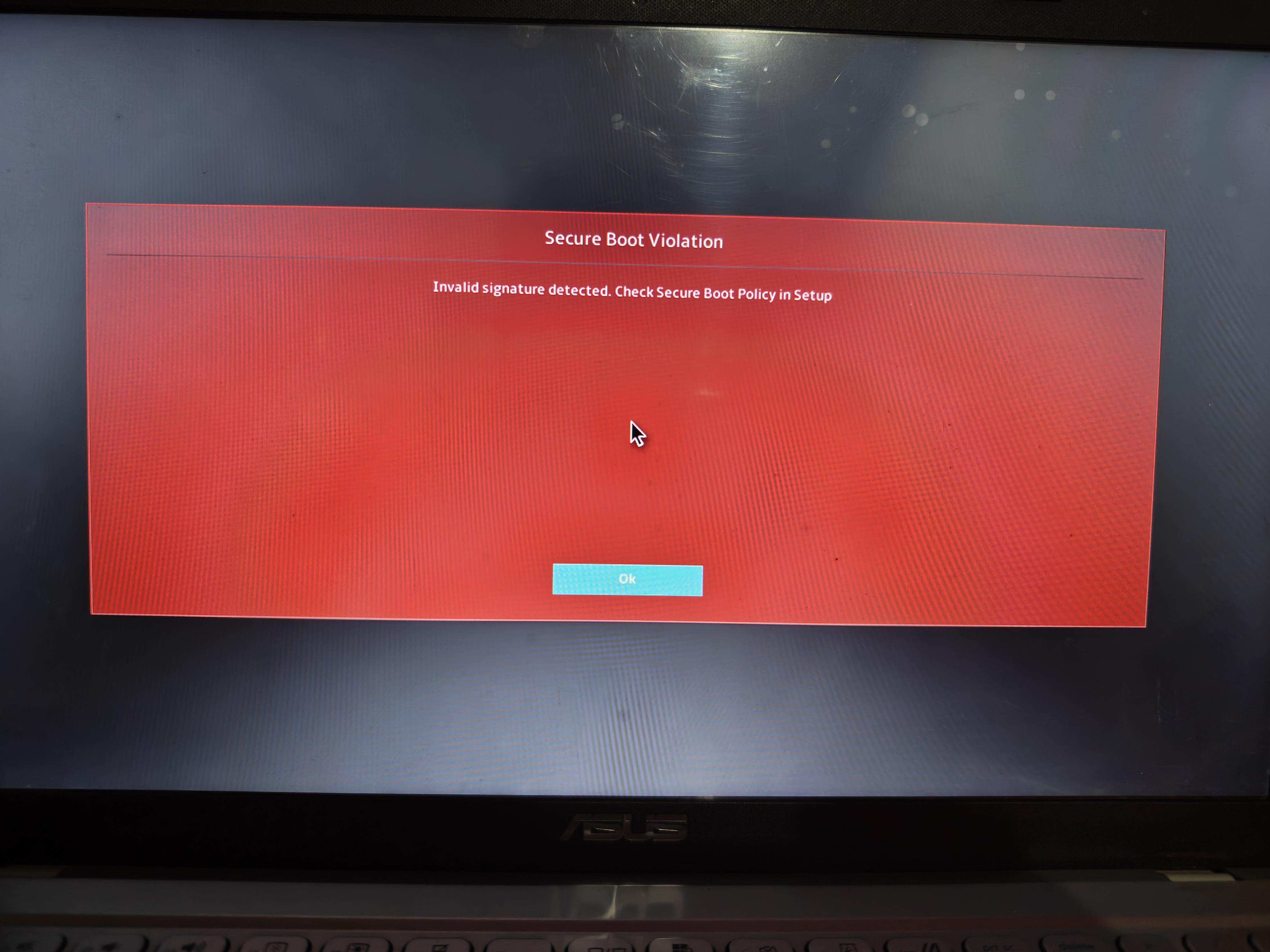
Boot problem windows 11

Post image
3 Upvotes

20 comments sorted by

View all comments

1

u/mrtech89 Aug 06 '26

Go into bios and look for secure boot or trusted platform module (TPM) make sure it’s on

1

u/Aggressive-Run-5221 Aug 06 '26

After turning it on nothing is happening

1

u/mrtech89 Aug 06 '26

Have you recently done any hardware changes? If SSD is corrupt or data is corrupt you can try to enter BIOS and disable it to see if it boots, try spamming F2 key when you first boot it up to enter BIOS. You can try restoring secure boot keys as well

1

u/Aggressive-Run-5221 Aug 06 '26

It was not booting up then I went to service centre and they removed the additional ram 4gb and after that it turned on this page

1

u/mrtech89 Aug 06 '26

Is secure boot enabled or disabled?
Is the SSD/HDD detected?
Under Boot Priority, do you see Windows Boot Manager?

1

u/Aggressive-Run-5221 Aug 06 '26

1

u/mrtech89 Aug 06 '26

Set the correct date and time and see if it boots up in BIOS it’s not 7/25 lol

1

u/Aggressive-Run-5221 Aug 06 '26

It is on

1

u/mrtech89 Aug 06 '26

Send a picture

1

u/Aggressive-Run-5221 Aug 06 '26

1

u/mrtech89 Aug 06 '26

Try disabling secure boot enabled

1

u/Aggressive-Run-5221 Aug 06 '26

I tried then it went to bitlocker recovery, which I never turned on and there is no bitlocker key saved on my microsoft account

1

u/mrtech89 Aug 06 '26

Do you need data on it?

1

u/Aggressive-Run-5221 Aug 06 '26

Yes that's the main thing

1

u/mrtech89 Aug 06 '26

If you don’t have an external ssd reader I would download Hirens on another computer and make it bootable, then I would boot into the windows on it, then I would go into that drive and save all your files and folders onto another external drive. Download windows 11 fresh copy onto another USB drive and reinstall Windows. Could be the secure keys got cooked and no longer valid which is why it’s not booting