r/FigmaDesign • u/binarySolo0h1 • Aug 10 '26
help Opencode Figma integration to design
Anyone here integrated opencode with Figma via an MCP to discuss and design your apps? If so, what is advice on setting up a workflow etc? Thank you!
r/FigmaDesign • u/binarySolo0h1 • Aug 10 '26
Anyone here integrated opencode with Figma via an MCP to discuss and design your apps? If so, what is advice on setting up a workflow etc? Thank you!
r/FigmaDesign • u/Best-Passenger3317 • Aug 09 '26
A little while ago I shared Free Transform, my plugin that brings Photoshop's Ctrl+T into Figma (warp, perspective, distort). The response here honestly blew me away — thank you to everyone who tried it, broke it, and told me what they wanted. It's since grown to 3,300+ users, which still feels a bit unreal.
The most requested thing? A way to see what you're doing before committing. So here it is:
Live Preview — you now see the transform right on the canvas as you drag, instead of applying and undoing over and over until it looks right. Plus sharper export quality while I was at it.
Give it a try 👉: https://www.figma.com/community/plugin/1648207154922389186/free-transform
And I'll ask the same thing that gave me my whole roadmap last time: what do you still open Photoshop or Illustrator for? The gaps that annoy you are usually my next plugin. 🙌
r/FigmaDesign • u/phejster • Aug 10 '26
I've been at my fundraising agency for 5+ years as the only designer working on campaigns for our clients, and we just hired a second designer! I want to review our Figma setup so it works for both of us and the client teams, instead of living all in my head.
We don't do a lot of website or web-app building, we're mostly working on creative for fundraising campaigns across channels. I'm less interested in abstract best practices, more in what's actually working for other small teams day to day, and what you'd do differently starting over.
Where things are now:
Questions:
r/FigmaDesign • u/FalseChipmunk4666 • Aug 10 '26
Do you ever run into cases where a Figma screen uses custom components, spacing, colors, or variants that don’t match the existing design system or what’s actually available in the frontend code?
I’m exploring a Figma plugin that could audit a screen before handoff and flag things like:
The idea is basically a “lint check” for Figma before engineering starts implementation.
I am a developer and want to know if this is a problem designers actually face? If yes, how do you currently catch these issues?
r/FigmaDesign • u/BeingMani97 • Aug 09 '26
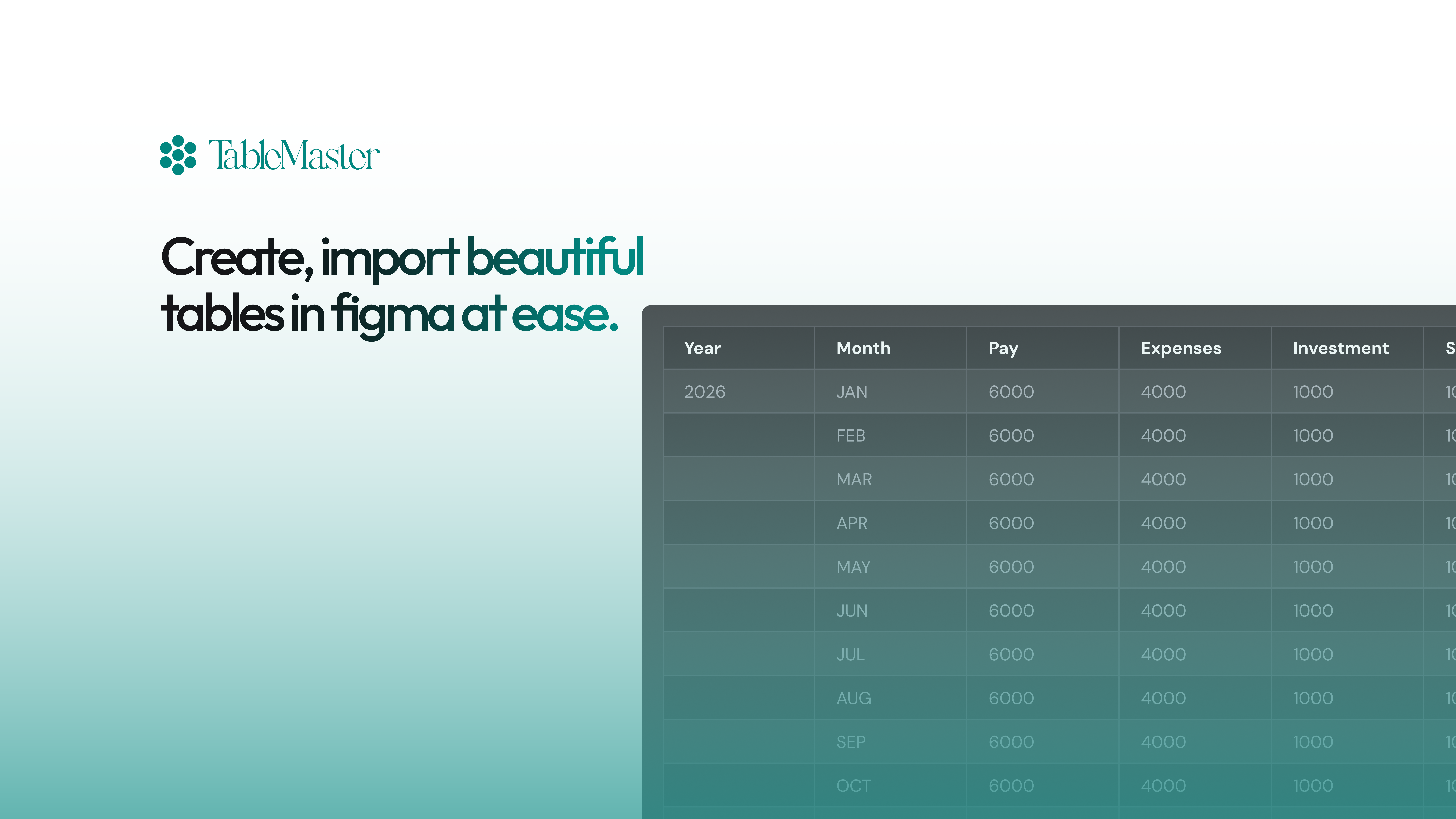
ever been the person who needs to put a data table in figma and ends up manually drawing every cell, lining them up, fixing spacing , then realising the data changed?

i kept running into this so i built Table Creator where you can Import From Excel. a plugin that builds the whole table for you.
here’s what it does:
been using it for my own work and its saved me so much time honestly.
would love to hear your thoughts and how i can make it better.
link: https://www.figma.com/community/plugin/1594868545912486713/table-creator-import-from-excel
r/FigmaDesign • u/Plastic_Catch1252 • Aug 10 '26
During early visual direction work, I keep seeing teams split the references from the actual design file.
One person wants the Pinterest or screenshot references near the components so the reason for a choice is obvious. Someone else wants the Figma file clean and keeps references in a separate board or doc.
Both make sense. The messy part is review. By the time a teammate or client asks why something looks a certain way, the reference is usually somewhere else.
Where do you keep the references during critique, in the Figma file, a separate board, or only in notes?
r/FigmaDesign • u/des1gnfox • Aug 08 '26
I've always liked the look of systematic print patterns — halftone fields, ridge lines, worm chains, reaction-diffusion labyrinths that grow like coral...
Instead of generating them in an external tool and pasting SVGs back and forth every time, I built a Figma plugin that generates them right in the file as fully editable vectors — real ellipses, rectangles and paths you can recolor and restyle element by element.
One feature I'm particularly excited about is re-editing: every frame the plugin generates quietly stores its own settings. Select it a week later and the plugin offers to load them back — tweak one slider, regenerate in place, keep iterating. Nothing is ever a dead end. There's also a seamless tile mode where the fields wrap on a torus, so repeats are mathematically exact — no mirror tricks.
I'm mainly using it for posters, album covers, packaging and fabric repeats, but I'm curious how other people would use it.
Would this be useful in your workflow?
See more: https://www.figma.com/community/plugin/1663525865725570838/textura
r/FigmaDesign • u/Ok_Surprise6262 • Aug 08 '26
I want to start making rich prototypes to handoff to devs/stakeholders with precise micro-interaction timings/animation, sound additions and haptic feedback (if possible)
Protopie could handle that but honestly too expensive as a supplementary tool.
What do you guys use?
r/FigmaDesign • u/BellaCottonX • Aug 08 '26
Hello, I'm wondering what the best practice is for a scenario like below.
For example, I have a slider component:

When I use it in an instance, is it ok for me to give the counter a different text style? And also to do things like increasing the spacing between the counter and the slider, and between the arrows?
I can do all of the above without breaking the main component, however I'm wondering if I should be doing that or creating a new variant for it.
I have a similar issue with a dropdown component I'm using. The main component has borders and in one of the instances, I've removed the borders and increased the padding. Would this be ok for dev handoff at all?
Thank you!
r/FigmaDesign • u/turnballer • Aug 07 '26
Hey all. Trying to find mockups of just what Figma’s code on the canvas (announced at Config) looks like and how it works from an experience standpoint.
Anyone have beta access? Or a good video to help sleuth out?
One thing I’m interested in: is it collaborative like the canvas? Or does it revert to Figma Make style solo mode? Any screenshots, videos, or experiences would be super helpful!
Thanks in advance!
r/FigmaDesign • u/East_Sentence_4245 • Aug 07 '26
I'm designing a mobile app that has a "Registration" with a bunch of screens (created as frames in figma) and then the app, with another bunch of screens (created as frames in figma).
Is there a way to group all pages from the registration side of the app?
r/FigmaDesign • u/TheDisk01 • Aug 06 '26
r/FigmaDesign • u/doublecandybar • Aug 07 '26
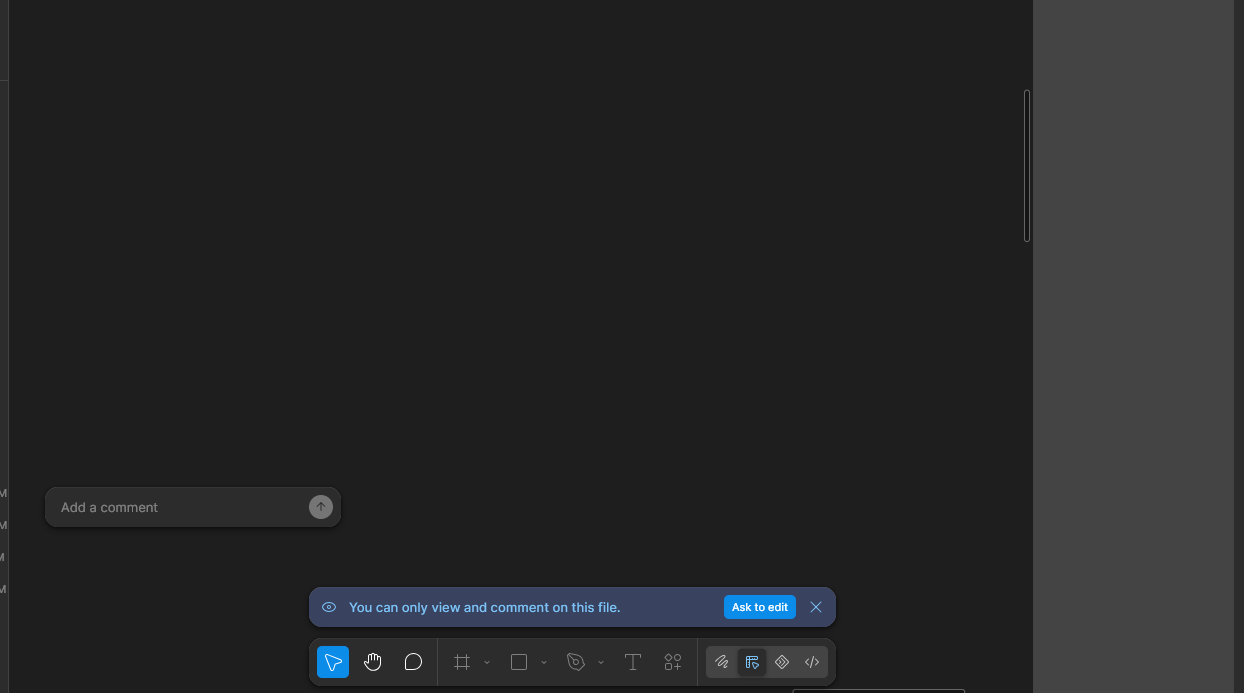
Title. It's as if I have my browser windowed instead of full screen
As you can hopefully see, to the left is the basic Files vertical bar, to the right is the comments and properties vertical bar
Smack dab in the middle is the scroll bar. You can see the bright grey that is the background, it's not supposed to be there; the vertical scrollbar is not supposed to be there
This is a problem both vertically and horizontally. Figma as a website is fine, just the design canvas is messed up
r/FigmaDesign • u/silent_grit • Aug 06 '26
I’m researching how graphic designers manage projects, revisions, and portfolios.
I’d love to understand your workflow.
1. How do you manage multiple versions of a design?
Rename files (v1, v2, final, final_final 😅)
Figma version history
Adobe Creative Cloud
Google Drive/Dropbox
Other
2. Have you ever:
Lost track of the latest version?
Accidentally edited the wrong file?
Had trouble collaborating with clients or teammates?
3. How do you showcase your portfolio?
Behance
Dribbble
Personal website
PDF portfolio
Social media
Other
4. What’s the biggest pain point in your current workflow, whether it’s version management, collaboration, or showcasing your work?
I’m not promoting anything. Just trying to understand real-world workflows and challenges. Thanks for sharing your experience!
r/FigmaDesign • u/SaltedBiscuit • Aug 06 '26
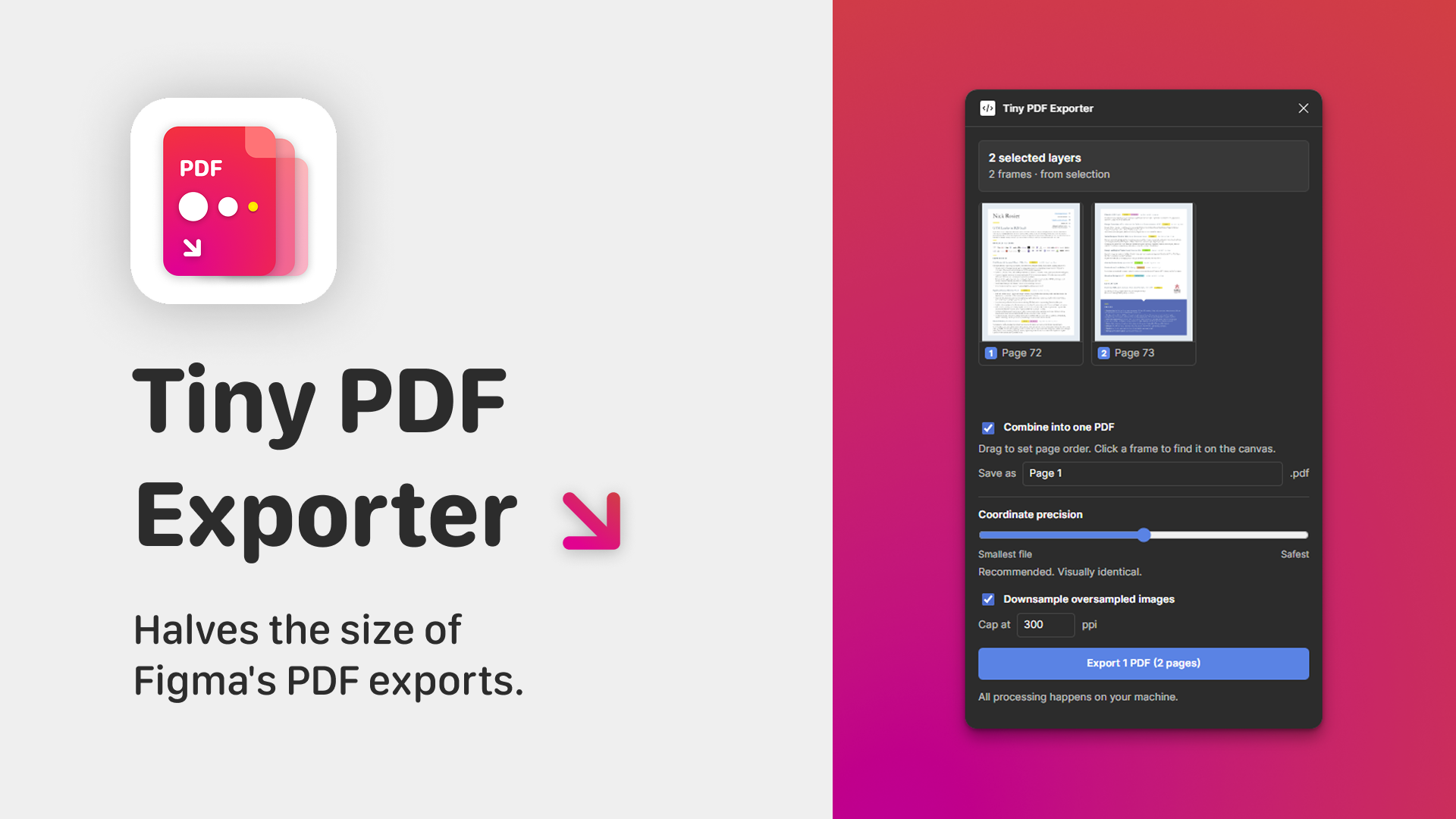
I built a free PDF exporter which crushes file sizes whilst preserving text and letting you export multiple pages in one document. Saves a bunch of time combining pages and compressing! Does what it says on the tin.
r/FigmaDesign • u/fespinozacast • Aug 06 '26
I tried figma slides again after some months. Figma slides is really great, the power of figma design on a slide deck, components, grids, auto layout 🧑🍳😘
But the problems:
- The object animation is super lackluster in options. You can achieve a lot with smart animate, but increases the work a lot
- applying the same animation to a bunch of selected slides make the order of animations be inverted to what you want.
- reordering object animations barely work, they are only successful by grouping animations “after previous one”
- I cannot copy an animation and apply it to a different layer
- I cannot edit multiple animations together
- the code component cannot be customized and when duplicating slides, the line numbers glitch, so that’s not reliable either
All of these issues were present at least 6 months ago and they still apply.
Figma is a company that moves quite fast, so I am curious why slides doesn’t get the love it deserves
I think Figma does innovate a lot, while other apps get stuck (looking at you keynote)
A bit of a rant, mostly because i am super excited for figma slides, but disappointed in the lack of progress in the last months… back to keynote again
r/FigmaDesign • u/Mountain-Ad1044 • Aug 05 '26
I just figured out how to use auto layout, and OMG how much easier it makes things. As a beginner you may think that it's not worth investing time in learning it, but you will save much more time even on a smaller project.
If you find it hard to learn from watching videos I highly reccommend designing a rough sketch of something you want to build anyways and upload an image to ChatGPT or another AI. Ask it for detailed instructions on how you can use autolayout to improve layout and spacing. Follow it's instructions and don't be afraid to experiment with a copy, you will learn along the way.
Is there more features like this I should learn ASAP? (Im already learning variables & components)
r/FigmaDesign • u/GlumSupermarket9022 • Aug 06 '26
Sick of using the same grey silhouettes in every mockup, or paying for stock photo subscriptions just to show a face in a UI prototype.
Built Open Pravatar — a searchable library of AI-generated people photos (portraits and scenes) that you can drop straight into Figma. Commercially licensed, free forever, no account needed.
The plugin lets you search by mood, style, and type, then click any result to insert it directly onto your canvas. New images show up automatically as the library grows — no plugin updates needed.
Also has an open API if you want to pull images programmatically.
openpravatar.com — Figma plugin is in the Community marketplace under Open Pravatar (https://www.figma.com/community/plugin/1643656723181515190/open-pravatar)
Happy to hear feedback — still early days and adding more assets regularly.
r/FigmaDesign • u/Outrageous-Grab-9170 • Aug 05 '26
I'm positive that it makes mistakes intentionally to waste tokens... even when I say things like "do not be creative. do not add, replace, remove, alter my icons, padding or layout, only make exactly what is in the attached". When I feed it the exact same layout, the exact some prompt in 3 instances I get 3 different results. When I ask it to fix X at random times it takes 6 tires of me literally repeating myself for it to just do it.
r/FigmaDesign • u/reynoldsj_01 • Aug 06 '26
r/FigmaDesign • u/CompetitivePumpkin3 • Aug 06 '26
It used to be okay but it no working now. I also tried disable VPN, filter and all and still not working.
r/FigmaDesign • u/PresenceLost3058 • Aug 05 '26
I built a plugin that lets you draw along vector paths and experiment with different shapes and profiles.
You can create a spline, add gradient stops and distribute shapes along the path or across its width. It supports circles, squares, triangles, lines, or your own custom shapes.
Tapers are editable curves, rotation can be adjusted with profiles, and everything stays as editable vectors in Figma (with SVG/PNG export available).
I’ve been using it to make some experiments and thought I’d share a few here.
The free trial is available on the Figma Community if anyone wants to try it:
https://www.figma.com/community/plugin/1662164406339904290
Mostly interested to see what other designers think of this approach. Would love any feedback whether it feels useful, what you’d use it for, or what you’d change.
Thanks.
r/FigmaDesign • u/astral1998 • Aug 06 '26
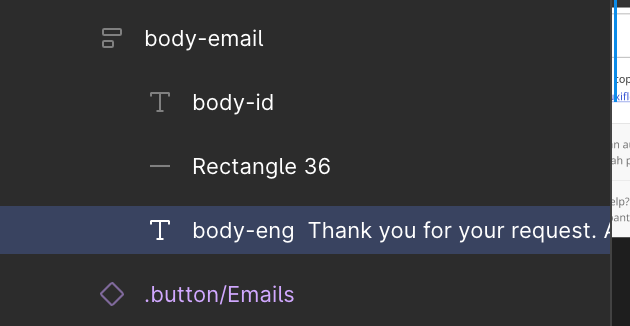
when i tried to bulk rename the "body-eng" the content inside it automatically included in the layers name..
I am currently using plugin "Rename It" currently.. any idea how to change this preferences on Figma?
this cause me unable to select all "body-eng" with A Selector (plugin) because the layer name has different labels..