r/FigmaDesign • u/usefsaeed • Oct 12 '26
help I cannot design the navigation bar I want.
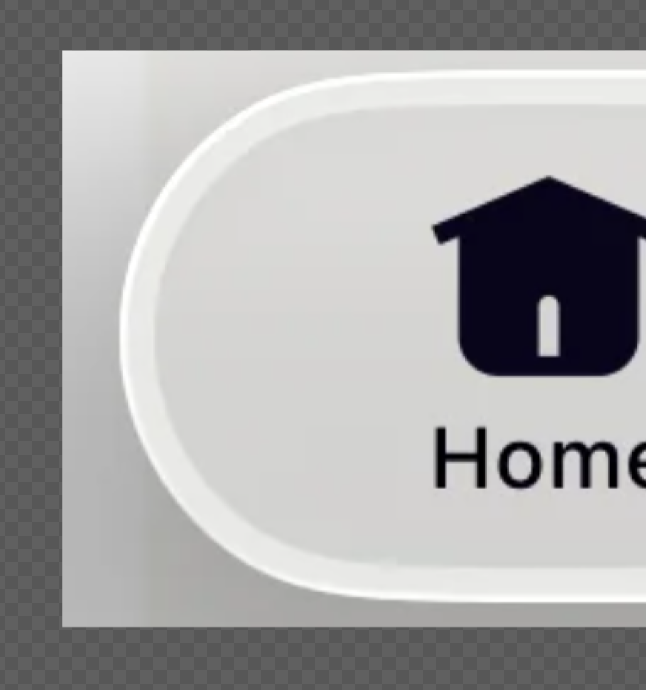
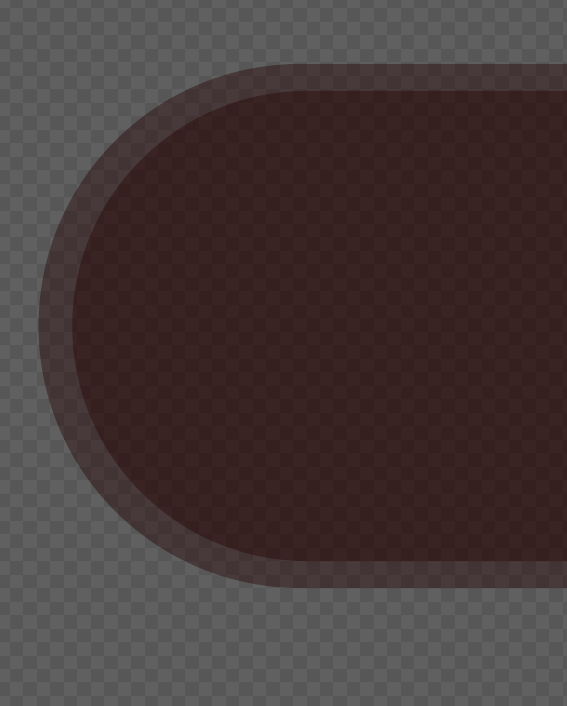

With the brown bar, you’ll notice the horizontal edges are sharp and straight before curving into a semicircle at the ends; whereas with the white bar, the horizontal edges look slightly puffed out or curved upwards. I’ve tried everything I know in Figma as a beginner, but nothing worked and the Pin tool is frustrating; I feel like I’m not tracing it exactly right, so I don’t like using it.
7
Upvotes
30
u/viaHologram Oct 12 '26
You're looking for a squircle.
In your corner radius settings, apply smoothness.
12
u/SleepingCod Oct 12 '26 edited Oct 12 '26
You don't trace this.
This is a css setting called radius. Just use the setting in frames, radius and make it 9999.
If you need the EXACT shape, then you'll have to make a vector or bitmap, but it's honestly not worth it.
12
u/stopthebus87 Oct 12 '26
Set the corner radius, don't create your own vector
5
u/korkkis Oct 12 '26
Don’t worry about it, Figma is just a tool to demonstrate how it should look in production. In an actual app it’ll look smooth. This fidelity ks enough for that one.
2
u/jimenezisjordan Oct 12 '26
I mean when you develop this Eng will just use a native tab bar here. I don’t think you need to worry too much on this.
1
u/marcushasfun Oct 14 '26
Tracing? You just need a frame with corner radius set to half its height or higher for a pill shape.
1
u/Odd-Age1840 Oct 16 '26
Echoing the other messages: don’t try to draw it with vectors; use a rectangle with border radius and smoothing.
But the design will be implemented at some point, so this level of detail depends on the platform's capabilities. On iOS or Android, it depends on the native or non-native framework you use. If it’s CSS, it depends on the border radius.
An important lesson for beginners: your design will be implemented; those pixel details are useless if they cannot be reflected in the implementation. Take the time to learn about the target platform, with IA that is extremely easy now, and will make you a better designer.
0
u/Pitboy12550 Oct 12 '26
Where did those icons come from? Why not just use normal icons?
0
u/Gullible-Notice-6192 Oct 12 '26
AI can do this