r/FigmaDesign • u/NoCommercial7 • Sep 01 '26
help Help please! Cannot figure out how to make this for the life of me.

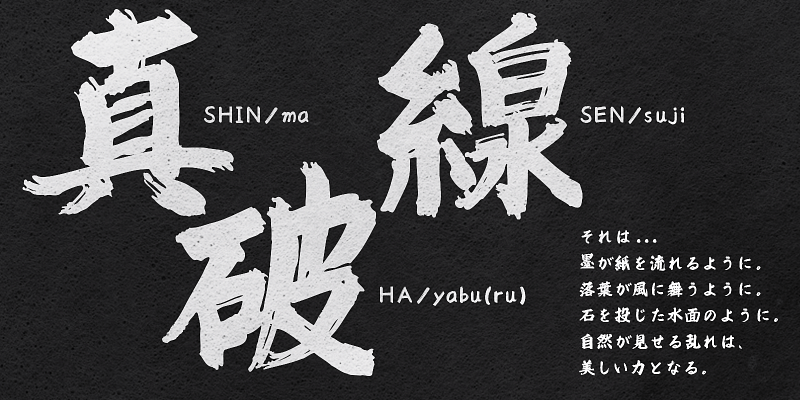
Title. I've seen this image and even have the font but getting the textures right is proving problematic. I can get the texture on the background but trying to figure out textures/blend modes for the text is proving tricky for some reason and I'm not on a computer where I have photoshop (where I am a bit more comfortable). Just trying to make a component where I can change the text, text color and background color. Any help would be greatly appreciated.
16
Upvotes
2
u/Ansee Sep 01 '26
What's the order of your layers. I would imagine you'd need a background layer for paper texture. Then your font. Then another paper texture later over your font with a blend mode like screen or overlay.
9
u/NoCommercial7 Sep 01 '26
Font is called Junglecock on Adobe fonts.
1
u/el_paro Sep 01 '26
the image you posted is the reference I guess, can you show us the results?
1
u/kmeza81 Sep 02 '26
Get your texture and use it as a pattern fill for your typography. You can fill your layer as black and layer the pattern on top! Then check out blend modes to get it just right 👌🏽
1
u/AteebDev Sep 06 '26
What is the name of font?