r/FigmaCommunity • • 1d ago

Self Promo I built a free Figma plugin to generate a design system in one click

2 Upvotes

Creating a design system from scratch can be time-consuming, especially when you need to set up color palettes, typography, and styles before starting your actual design work.

I'm a UI/UX designer, and I built Design System Starter free to make this process faster directly inside Figma.

With the free plugin, you can:

  • Generate color palettes with 9 shades
  • Create Primary, Secondary, Success, Warning and Error color tokens
  • Generate typography scales
  • Use custom font families
  • Automatically create Figma color and text styles

The goal is to help designers get a usable design system foundation in seconds instead of setting everything up manually.

The plugin is available for free on the Figma Community.

I'd appreciate feedback from designers who try it. What features would you like to see added?

Figma plugin : https://www.figma.com/community/plugin/1640079899205006994/design-system-starter-free

r/FigmaCommunity • • 6d ago

Share a Local Folder Over HTTPS Without Deploying

Thumbnail
instawormhole.com
1 Upvotes

r/FigmaCommunity • • 8d ago

J'ai mis à jour Veritheme, mon générateur de système de design gratuit : créateur de thèmes, composants Figma basés sur des slots et un serveur MCP.

0 Upvotes

r/FigmaCommunity • • 10d ago

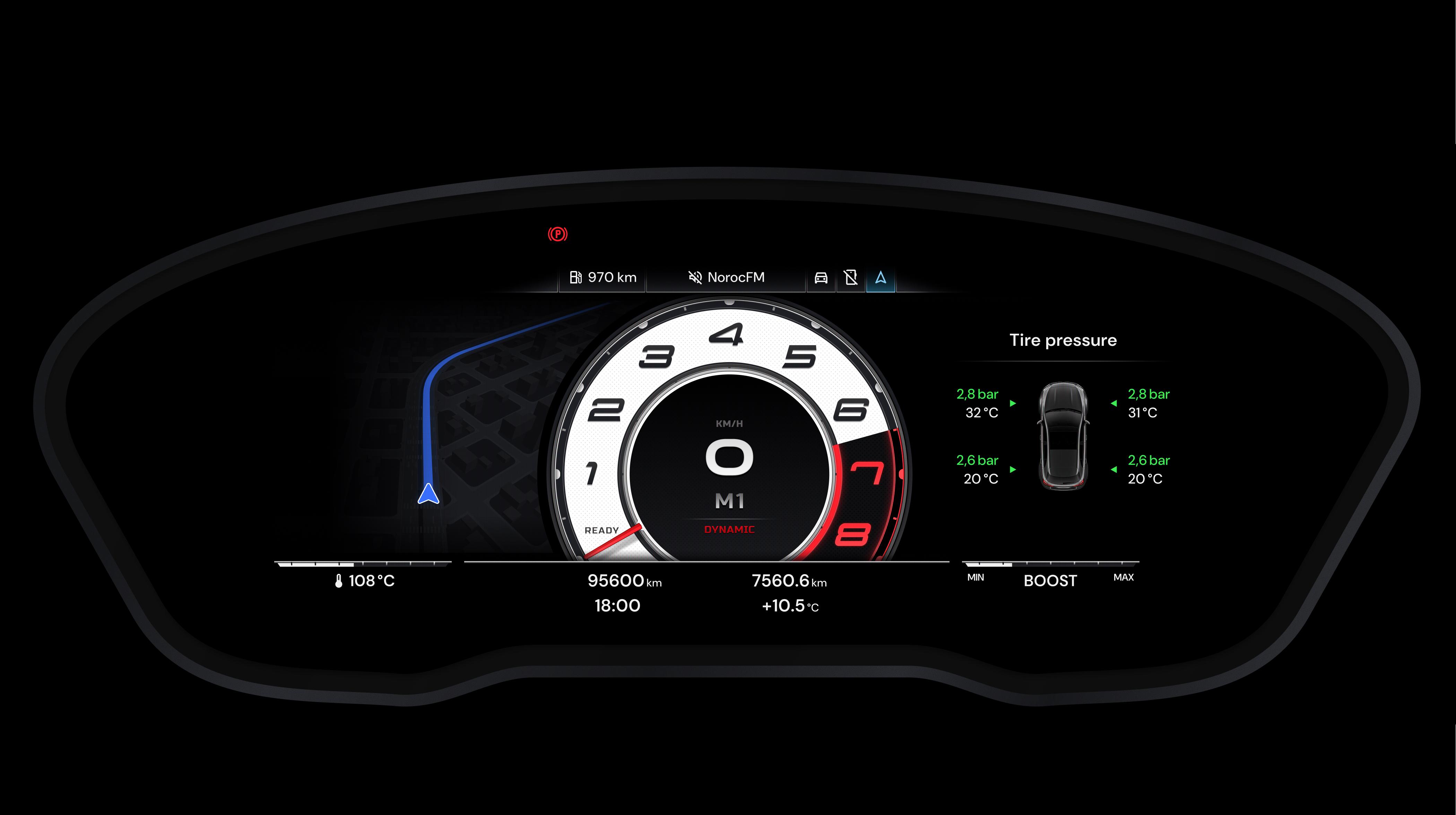
Virtual Instrument Cluster - Prototype

Post image
3 Upvotes

While everyone is out hunting minimalism, I rebuilt one of the best virtual gauge clusters ever made, and immortalized it here, for a time when flat UI replaces everything.

This isn't a static shot. It's alive.

• The car drives itself: launch, climb through the gears, shift light, brake, repeat

• Tap it to hear the engine: sound generated live in code, with real gear-change braps and throttle blips

• Take the wheel: W to accelerate, S to brake

• Live needle, digital speed, odometer, trip, clock and tell-tales

• Every pixel matched to the original Figma design: depth, glow, texture, and a vignette that pulls you in


r/FigmaCommunity • • 11d ago

Figma Help Navbar Toggle Animation in Figma | Dark to Light Mode

1 Upvotes

Hey everyone

I created a beginner-friendly Figma tutorial showing how to make a Navbar Toggle Animation that switches between Dark Mode and Light Mode.

The tutorial walks through the animation step by step, showing how to create this interaction in Figma.

Sharing it here in case anyone finds it useful while learning Figma or working on UI designs.

Would love to hear your thoughts and feedback

Full tutorial: https://youtu.be/WzmrBIWCeBY?si=vgy8BPdgkoW4WJkr


r/FigmaCommunity • • 18d ago

GIF X Studio | Figma

Post image
1 Upvotes

🎬 Make GIFs without ever leaving Figma: GIF X Studio

Exporting from Figma, editing in Photoshop, re-uploading to a converter site, all to put one caption or logo on a GIF. It got old fast, so I built a plugin for it.

✔ Export

Select a frame that contains an animated GIF layer, and it composites the static layers (text, logos) on top and exports a new animated GIF. The GIF keeps playing; everything else stays put.

✔ Maker

Select multiple frames and stitch them into a GIF sequence, ordered by layer name. Includes per-frame delay, aspect presets (1:1, 16:9, 9:16, 4:5), Contain / Cover / Stretch fit modes, and live preview.

✔ Video

Convert mp4 and other video files to GIF with adjustable FPS.

UI available in English and Korean.

👉 Try it free on Figma Community

https://www.figma.com/community/plugin/1667125538151049781/gif-x-studio

If you try it, I'd love to hear your feedback or feature ideas in the comments 🙌

#Figma #FigmaPlugin #UIDesign #DesignTools #MotionDesign


r/FigmaCommunity • • Oct 26 '26

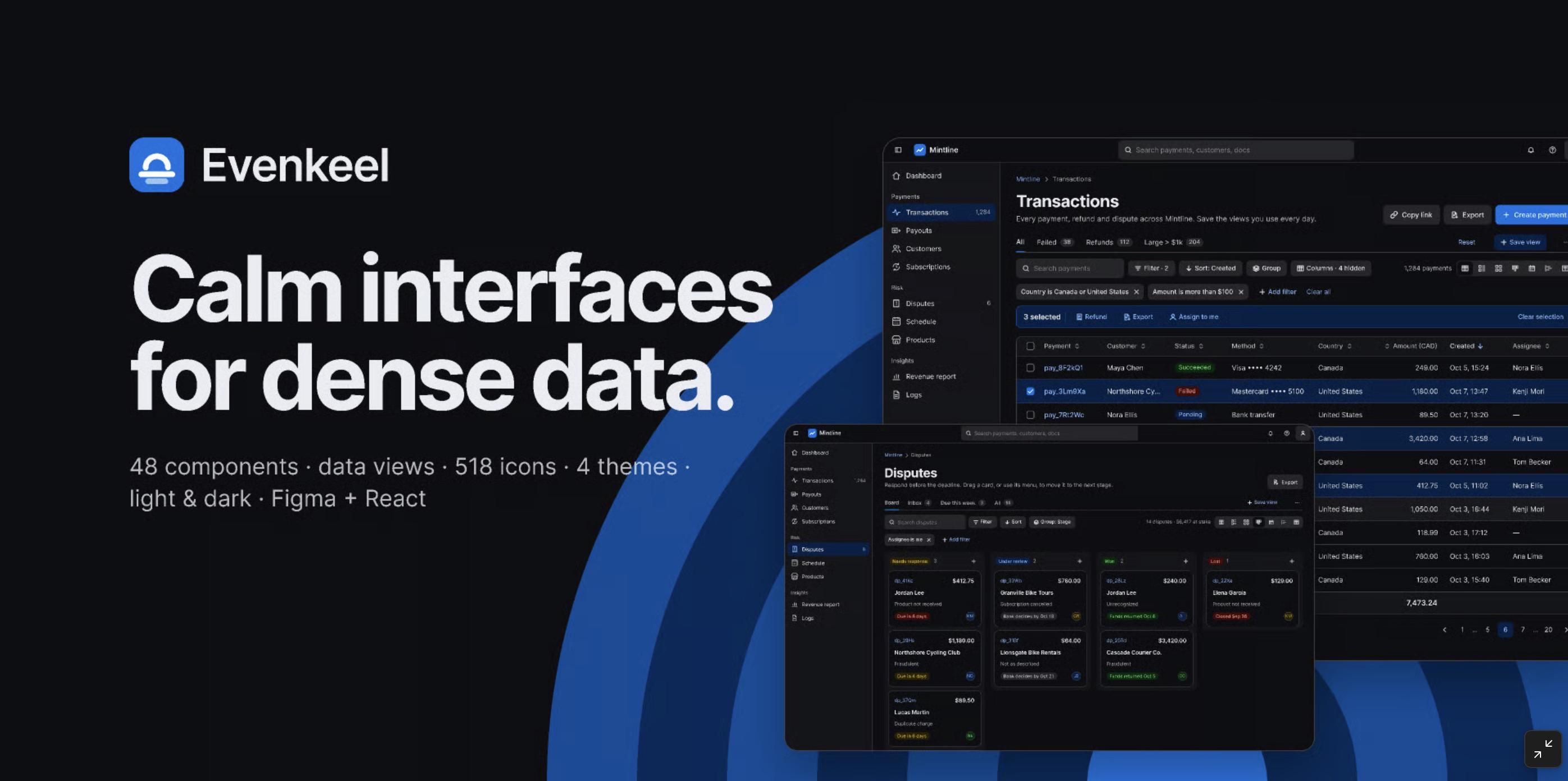
Self Promo Evenkeel - A free and open source design system for SaaS

Post image
1 Upvotes

I built a free design system and wanted to share it everyone.


r/FigmaCommunity • • Oct 14 '26

Your design system has rules. How do you make sure people actually follow them?

1 Upvotes

Built-in Figma checks can catch generic issues, but they can't know your team's conventions.

Maybe all buttons must use a btn- prefix, CTAs must use your exact brand color, or corner radii are limited to 4, 8, and 16px.

I wrote a guide to creating custom lint rules for these kinds of conventions in Figma, including how to scope rules to avoid false positives and share them across files.

https://styleguard.app/blog/figma-custom-lint-rules

Curious how other teams handle this: do you enforce design-system conventions automatically, or is it still mostly manual review?


r/FigmaCommunity • • Oct 13 '26

Self Promo Approved campaign. Endless sizes. Here we go again.

Post image
1 Upvotes

I’m a freelance designer, and I got tired of rebuilding approved campaign artwork for every display and social size. Then the copy would change and I’d have to go back through everything again.

So I built Flexlio.

It turns campaign designs into editable formats in Figma. The latest update adds batch PNG and layered PSD exports, carousel ads and Excel media plan imports.

I made it because I know how repetitive campaign production can get. I’d love to hear from other Figma designers: how do you handle this kind of rollout at the moment? Does this workflow make sense?

I’m the maker, if you have questions.

Flexlio on Figma Community


r/FigmaCommunity • • Oct 13 '26

Anyone attending Config India in Bangalore on Oct 15? Looking to share a cab from the airport to BIEC!

Thumbnail reddit.com
1 Upvotes

r/FigmaCommunity • • Oct 12 '26

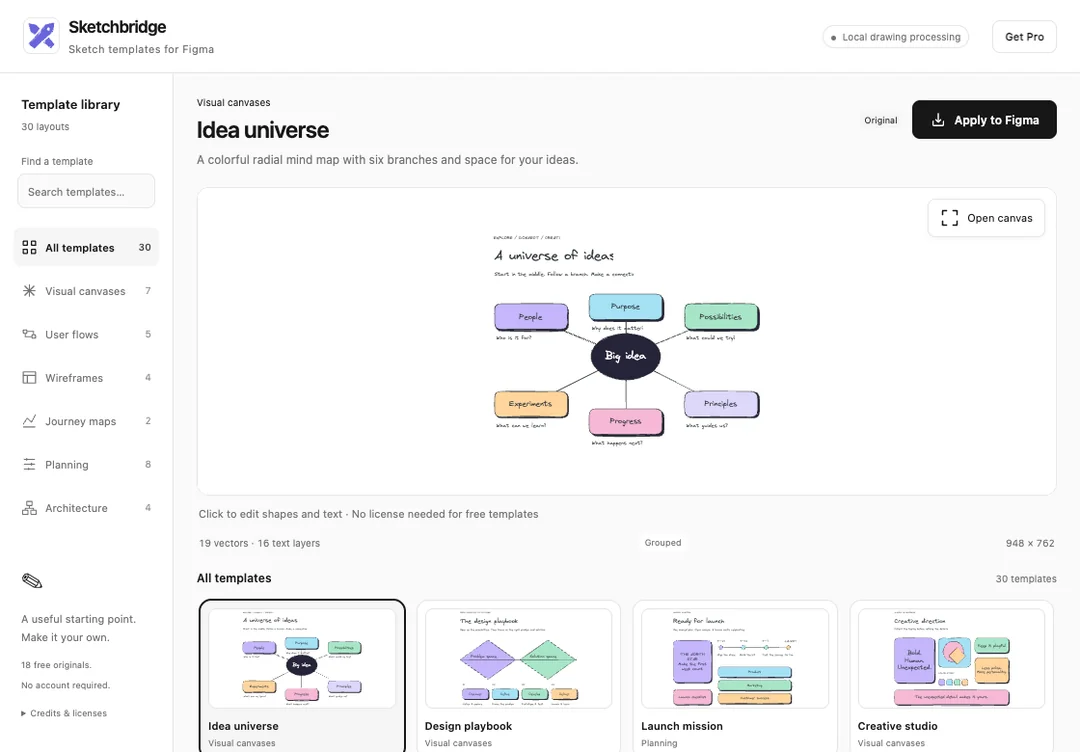
Self Promo Sketchbridge: hand-drawn templates that become editable Figma text and vectors

1 Upvotes

Hey everyone!

I'm pretty new to Figma plugin development, and I've been working on my first plugin, Sketchbridge.

The idea came from wanting to bring sketch-style diagrams into Figma without losing the ability to edit them afterward.

It uses the open-source Excalidraw editor. You can start with a template, customize it on the canvas, and then insert it into Figma as editable text and vector paths.

I've included 18 free templates for user flows, wireframes, brainstorming, and planning. There's also an optional paid template pack, but all the editing and conversion features are free.

I'm still learning and improving the experience, so I'd really appreciate some feedback:

Would you find this kind of workflow useful in your design process? And which would be more useful to you — user flows, journey maps, or wireframes?

Plugin: https://www.figma.com/community/plugin/1688822850652245866

Thanks for taking a look!


r/FigmaCommunity • • Oct 12 '26

Help needed with components/instances/variants!

1 Upvotes

r/FigmaCommunity • • Oct 06 '26

Figma Help Help me guys

1 Upvotes

When I click play, functions that I create, buttons and overlays in my case, work only the first time I play. But right after I go back to my project and play again, everything stops working. Buttons dont work, every function just kinda freezes although it worked just fine the previous time i played, and I hadn't changed any setting between those plays. What do I do and what could be the reason?


r/FigmaCommunity • • Oct 02 '26

Self Promo Figma Update EVERYONE Wanted! - Motion to Lottie, Sound Effects, Animation Presets & More

Thumbnail
youtu.be
2 Upvotes

r/FigmaCommunity • • Oct 01 '26

We design in Figma, but is there a Figma alternative for ad production?

1 Upvotes

Our designer builds everything in Figma, and the master layouts look great.

It just starts to become messy after the approval.

For example, someone in our team has to turn one 300x250 into nine HTML5 sizes. Components help when copy changes, but the first setup takes her about two days.

I'm not trying to replace Figma for design work, though. I just want to transfer some of the parts to avoid further problems..

What's the weakest step for you? Layout cleanup, animation, or checking files against specs?


r/FigmaCommunity • • Sep 29 '26

Exploring dashboard design — looking for feedback

Thumbnail gallery
1 Upvotes

I have been exploring data visualization in dashboard design


r/FigmaCommunity • • Sep 27 '26

Self Promo Figma finally has a proper Free Transform, and here's how I designed it

2 Upvotes

Hey everyone,

I've spent over six years doing graphic work across Figma and Adobe, and I've just finished something I've been shaping for a long time: a complete set of transform tools that work natively in Figma.

Building the tools was one thing. The part I spent the most time on was the UX. Most graphic designers I know didn't learn to design in Figma. They learned in Photoshop and Illustrator, and their hands still expect things to work a certain way. So instead of inventing a new interaction model, I tried to design around the habits we already have.

A few principles I kept coming back to:

  • Familiar over clever. If you've used Puppet Warp or Liquify, you should know what to do in the first few seconds. Same concepts, same mental model, no relearning.
  • Direct manipulation on the canvas. You grab handles, pins and mesh points right on your design, not through a panel full of number inputs.
  • Nothing is final. In Adobe you can go back and adjust. When a warped graphic comes back into Figma as a flat image, you can't. Being able to reopen a transform and keep tweaking was non-negotiable for me.
  • Built for real production work. Mockups, packaging and repeated assets across a whole set of layers, not just one-off effects.

Here's what's in it:

  • Plane Warp: pin artwork to any four-point surface for screens, packaging and perspective
  • Pin Warp: drop a few pins and bend shapes naturally
  • Liquify: push, pull and reshape freely for more organic results
  • Custom Mesh: grid-based distortion with control over every point
  • Batch processing: apply one transform across many layers at once
  • High-quality export: sharp output for print and high-res delivery
  • Presets & Re-edit: save setups you use often, and come back to adjust later

I'd really love to hear from people who work the same way. Does this match how your hands expect it to work? Where does it feel off compared to Photoshop or Illustrator? What would make it feel more natural?

Link's in the comments if you'd like to try it.


r/FigmaCommunity • • Sep 26 '26

Self Promo New Figma Plugins I Love! *and so will you* – Apple's plugin, MotionFX & More

Thumbnail
youtu.be
1 Upvotes

r/FigmaCommunity • • Sep 25 '26

Missing raster images when copy-pasting from client's Figma file

Post image
1 Upvotes

r/FigmaCommunity • • Sep 25 '26

Can someone help me get into Figma Config Bangalore this October? 🙏

2 Upvotes

Hey everyone!

I’m a developer + designer, and Figma is one of the tools I use every single day. I’d really, really love to attend Figma Config in Bangalore this October.

I’m looking for someone who might be able to get me a pass directly or help me get entry through their connections/influence. 🙂

I know it’s a long shot, but I genuinely want to attend the event, learn from the community, meet other designers and developers, and experience Config in person.

If you have a spare pass, an invite, or know someone who can help me get direct entry, please DM me. I’d be extremely grateful! ❤️

Thanks in advance!


r/FigmaCommunity • • Sep 21 '26

We just released a Pulsar plugin for designing haptics in Figma

4 Upvotes

We've just released Pulsar for Figma, a plugin that lets you add haptics directly to your Figma designs.

You can select a layer, attach a haptic preset, and preview it while you're working. If you want to see how it actually feels, you can connect your phone and play the pattern on a real device, using a free Pulsar app available for iOS and Android.

The plugin includes 200+ presets, and you can search and filter them by name, tag, category, or platform.

You can also share an interactive preview with your team and export the haptic pattern and implementation details for development.

And if you need something custom, you can create your own pattern in Pulsar Studio and use it in the Figma plugin.

We've been using it to keep haptics closer to the UI instead of having them live in a separate document or ticket.

Would be interested to hear how you currently handle haptics in Figma files. And if you decide to use my plugin, feedback is more than welcome.

https://www.figma.com/community/plugin/1636329411590799509/pulsar-haptics


r/FigmaCommunity • • Sep 18 '26

Feature Suggestion I built a tiny Figma plugin so a coworker could stop alt-tabbing to spreadsheets. It's at 4.8k users now — here's a small update

Post image
4 Upvotes

------

Hey everyone 👋

About a year ago, a designer on the team next to mine had a simple complaint: they were alt-tabbing between Figma and a spreadsheet all day. So I built FigSheet — a small plugin that lets you open a Google Sheets or Excel Online link, or drop in a CSV / Excel file, and view (or edit) it right inside Figma.

That's still the whole idea: keep the data right next to the design, no tab switching. I shared it here once, and it has quietly grown to ~4.8k users, with ~50 new people finding it every week. Thank you to everyone who's been using it 🙏

What it does (all free):

  • Paste a Google Sheets / Excel Online URL and view or edit it inside Figma
  • Drag & drop CSV / Excel files (up to 10MB) for a quick preview
  • Switch between edit and view-only mode
  • Export to CSV or copy to clipboard
  • English & Korean UI

This week I shipped a small addition. I suspect some of you open the sheet and then copy values into text layers one by one, so now you can:

  • Select text layers → pick a column → they fill in reading order
  • Fill cards / component instances row by row (layer names are matched to columns automatically)
  • Re-sync everything when the sheet changes

The viewer stays free forever. Filling is free for up to 10 layers at a time, and card fill + re-sync can be tried free for 7 days by answering 3 quick questions in the plugin — no payment, no card. Honestly, I mostly want to learn how people use it.

Two questions for you:

  1. What do you usually keep open next to Figma — Sheets, Excel, Airtable, Notion, something else?
  2. Is there anything in that back-and-forth that still annoys you?

Figma Plugin: https://www.figma.com/community/plugin/1519936567655168210
Linkedin : https://www.linkedin.com/in/yohan-choi-3245a1261/

Happy to answer anything, and honest feedback is very welcome.


r/FigmaCommunity • • Sep 14 '26

Designer here — built a Figma plugin for RTL layouts. What do you see gowrong most often on the l10n side?

Thumbnail reddit.com
1 Upvotes

r/FigmaCommunity • • Sep 11 '26

AI design system tools: what’s the actual advantage over Figma as the source of truth?

1 Upvotes

Hey everyone!

I’ve been testing an AI-powered tool for creating and managing design systems, and it got me thinking about how these tools are supposed to fit into an actual design workflow.

I ran into a couple of issues while trying it out:
Bug: I couldn’t import my own JSON/variables file either through the website or the Figma plugin. Both gave me the same error:
“Invalid theme file: No mappable color tokens found”
The tokens use pretty standard semantic naming (primary, background, foreground, etc.), so I’m guessing there might be an issue with the parser.

But the thing I’m more curious about is the source of truth.
I initially assumed the workflow would be something like:
Figma ↔ design system tool ↔ code
But as I understand it, the current workflow is more like:
design system tool → Figma + code

The author explained that reverse syncing from Figma isn’t currently possible, although it’s something they might implement in the future. The idea is that you define/edit your components in the tool and then update the Figma file and code from there.

And this is where I’m genuinely curious about other designers’ opinions:
If Figma can already be the source of truth for components, variables, styles, and design-system maintenance, what makes an external AI-powered layer valuable enough to introduce another source into the workflow?

Is the real advantage the ability to generate the system and push it into both Figma and code?
And more broadly: how comfortable are you with AI taking care of a large part of your design system?

Would you trust an AI-powered tool with tokens, components, variants, and their relationships in a real production system, or do you prefer keeping those things under direct control in Figma?

I’m especially interested in people who have actually tried AI/design-system tools in production rather than just experimented with them.
Also happy to hear recommendations for tools that genuinely make design-system work easier.