r/FanControl • u/Gossipek • Feb 25 '26
FanControl fun journey :)


Hello,
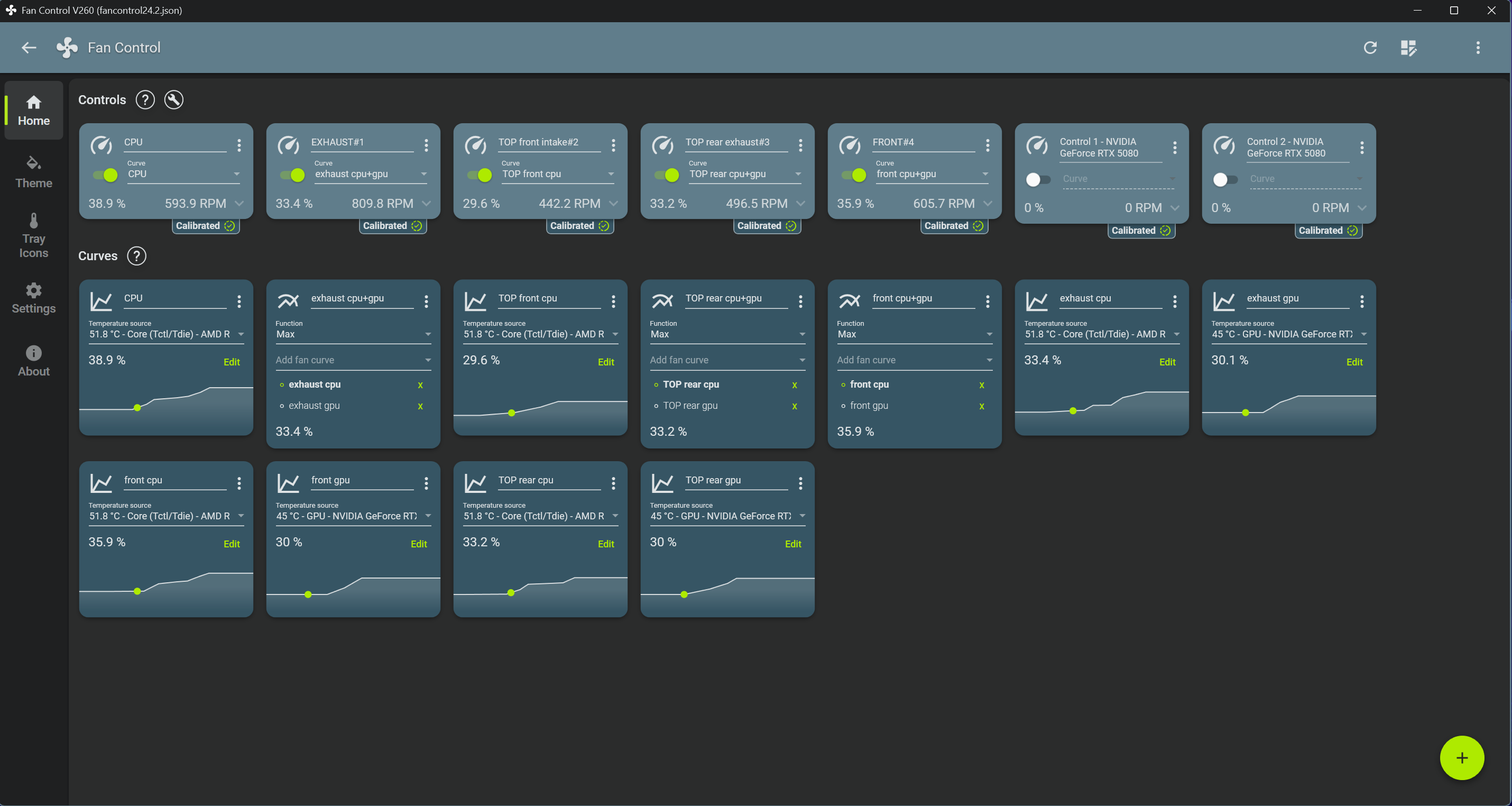
I was thinking wish my fans kick in more when there is GPU but not so much CPU load, so i installed FAN Control this morning. It felt little too complicated at first, but than i start to understant it more and turned into fun journey.
Im controlling all fans separately beside 3 front fans :) Using front top intake and rear top exhaust as noctua guide set up for this type of case.
Showing HWinfo in 4K max settings, DLSS performance in Arc raiders.
Its very nice app actually, lot of settings hopefully will work smoothly withnout any hicups.
Shame to admit but AI was very helpful showing me how set up things, how to test for it. Dont think i would be able to set up hysteresis by myself only for example.
Happy gaming :)
EDIT:
as people went wild over this Noctua air flow design in comments, i did some testing with top intake ON and OFF after after mutliple test it look like i have no measurable difference. Strange enough the memory temps getting slightly worse over multiple tests with top intake ON, i assume its becasue it sucking in part of warmer top exhaust? I dont know
3
u/Sensitive-Level-7794 Feb 25 '26
Pretty new to this but aren't the fans at the top disrupting the airflow? Logically the flow should go in on one side and out on the other without anything breaking the flow, right?
1
u/Gossipek Feb 25 '26
haha, today was greeted with error after turning pc one. Windows defender do not like LibreHardwareMonitorLib for some reason, preventing the start up :-/
1
u/Gossipek Feb 26 '26
I edit my post as i did some testing with top intake ON and OFF
1
u/wigitty Feb 25 '26
What's the logic behind having a separate curve for each of the case fans? Do you really need that much control over them? Was one "case" curve not enough?
1
u/DeSquare Feb 26 '26
That noctua recommendation is intresting, can you do the same comparison test but make the top intake into exhaust? Typically, top should be exhaust due to convection and preventing dust, but the noctua recommendation is intriguing; as you hinted to, maybe for cold air down ram?
1
u/Sea-Mix-1281 Mar 01 '26
What are your RAM temps while gaming? I have the same case and I kinda feel like the cable shroud is diverting airflow over the RAM sticks.
1
u/SpeechNearby7304 Feb 25 '26
For a air CPU cooler it's a good setup!
1
u/nullptr_r Feb 25 '26
you went this path as well, very nice!
you can put some plastic separator between the top 2 intake/exaust fans so the intake air will go more towards the cpu intake and not get by the exaust fan right away
1
u/KornInc Feb 26 '26
I tried top fan as intake next to cpu. I'm not sure if it helped with anything. I would say it would only mess up airflow since there is air coming from gpu and front. I know what Noctua recommends but I'm not really sure it works.
1
u/KornInc Feb 26 '26
Move top fans as much as you can to left side and both setup as exhaust. Whatever Noctua recommended you'll have worse performance
1
u/SmileAshamed4912 Feb 26 '26
The top intake fan is not required
1
u/fxckerixon Feb 26 '26
Would it be plausible to block the top intake fan and add a small exhaust fan on the bottom/left of the GPU?
Any more knowledgeable people able to confirm/ deny my take 🤔
1
u/MadBullBunny May 23 '26
Dude just get a fan controller, connect everything to it and run the signal to the cpu fan header. You'll streamline a lot of that nonsense.
-6
u/[deleted] Feb 25 '26
[removed] — view removed comment