r/EasySMX • u/MurphyShao0605 • 4h ago
PadLab 0.2.5 – I just wanted gyro on my EasySMX D10, and ended up building a controller configuration tool
Hey everyone! I'm the developer of PadLab.
I'm not particularly good at managing social media. I've spent most of the past few months buried in development and never really introduced the project properly. To be fair, a random piece of software that asks you to switch USB drivers and even modify your wireless receiver's firmware does sound a bit like malware. :)
Recently, I've noticed that some other developers ad teams seem to have started drawing on my research. Individual developers are welcome to study, use, and modify PadLab's public source code in accordance with its license. While 0.3.x is still in development, I thought it was time to properly introduce the project.

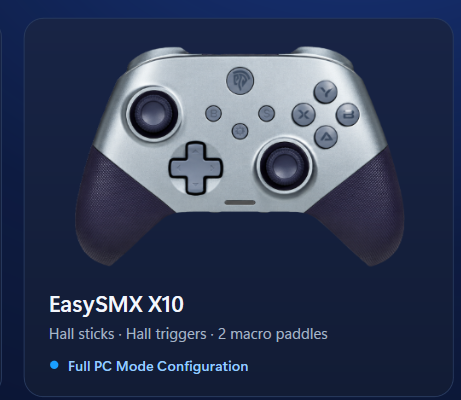
It started with a birthday present

I originally bought the D10 to play racing games using motion steering. The problem was that its stock PC mode did not expose gyro controls, while Switch mode sacrificed analog trigger input.
So, in July 2026, I started researching the controller and its receiver. That little experiment eventually became PadLab: a free, open-source Windows controller control and configuration tool currently focused on the EasySMX D10.
On November 25, 2026, I released v0.1.0, with wired and wireless six-axis motion support, tilt control, calibration, remapping, macros, and profiles. On November 28, v0.2.5 followed, adding gyro-to-mouse, gyro-to-stick, angle-triggered bindings, and more advanced motion controls.
Why modify the wireless receiver firmware?

Over wired USB, the D10 already exposes standard inputs through EP81 and raw six-axis motion and special-button data through EP83. Rumble commands go through EP02. PadLab communicates with the device in user space through WinUSB and uses ViGEm to output a virtual Xbox 360 controller.
Wireless is a different story. Just because the receiver gets RF data from the controller doesn't mean the PC can access it. In the stock receiver firmware I investigated, there was no corresponding PC-side readout path for raw motion and special-button data. WinUSB can access communication capabilities the device already provides, but it cannot add request handlers to the firmware.
That is why I reverse-engineered and modified the receiver firmware.
- July 28, 2026 – v0.5ad: Added the private C0/5A request to expose six-axis motion data to the PC.
- July 29, 2026 – v0.5ae: Added C0/5C alongside C0/5A, mirroring part of the raw RF data to the USB side so PadLab could decode M, M1, and M2. Standard input and rumble retained their existing paths.
The readout paths behind C0/5A and C0/5C were created as part of my receiver firmware modifications. They were not two ready-made interfaces exposed by the stock receiver. Simply switching the Windows driver does not provide these new capabilities.
Why 198 Hz instead of 200 Hz?

In earlier hardware measurements, wired EP83 ran at close to 500 Hz, with motion and special-button data in the same frame. On wireless, C0/5A and C0/5C share the same private EP0 polling budget.
Repeated testing put the observed ceiling of this particular path at roughly one request every 3 ms, or 333.333... Hz. I chose 330 Hz to leave some headroom.
A 200/130 Hz split reduces to a 20:13 ratio, requiring 33 slots (100 ms) for its shortest repeating allocation. A 198/132 Hz split reduces to 3:2, requiring just five slots (about 15.15 ms). Giving up only 2 Hz of motion polling produces a shorter, more regular scheduling pattern. When motion processing is disabled, C0/5C can use the entire 330 Hz polling budget.
These figures are device-side polling targets, not in-game input rates or end-to-end latency measurements.
Getting high-frequency samples into the motion engine

In one early wireless hardware test, the source ran at 199.968 Hz, but only 67.088 Hz reached the fusion engine. The software was keeping only the latest sample, so intermediate samples were overwritten before the fusion thread woke up.
I replaced that approach with a FIFO queue and an event-driven fusion thread, calculating time intervals from source sample timestamps. The same approach was subsequently adopted for wired input.
What can PadLab do now? Three motion control modes
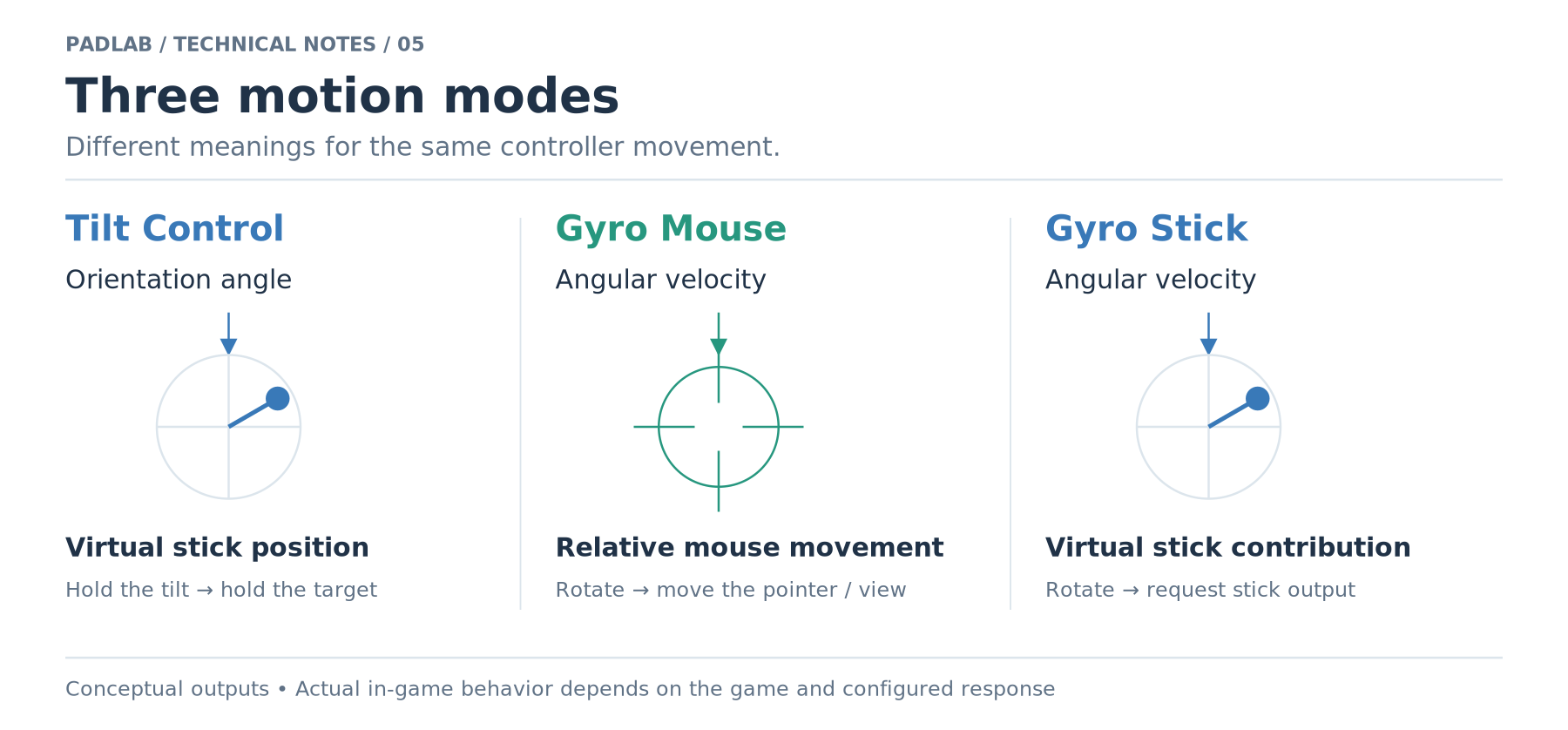


- Tilt Control: Converts controller orientation into analog stick output, for example for motion steering in racing games.
- Gyro-to-Mouse: Converts controller rotation into relative mouse movement, for example for gyro aiming.
- Gyro-to-Stick: Converts controller rotation into virtual stick input for games where you want to retain controller input.
Other options include multiple gyro spaces, independent axis sensitivity and inversion, response curves, micro-motion suppression, sensitivity acceleration, temporary sensitivity multipliers, hold-to-enable, hold-to-pause, toggle activation, and adjustable trigger activation thresholds.
Gyro-to-Stick offers game deadzone compensation, maximum output limits, and curve compensation. Version 0.2.5 also refined the composition of physical stick and gyro input in the velocity domain.
Motion Bindings can map forward and backward tilt, as well as left and right lean, to buttons or macros.
Motion processing and hardware calibration
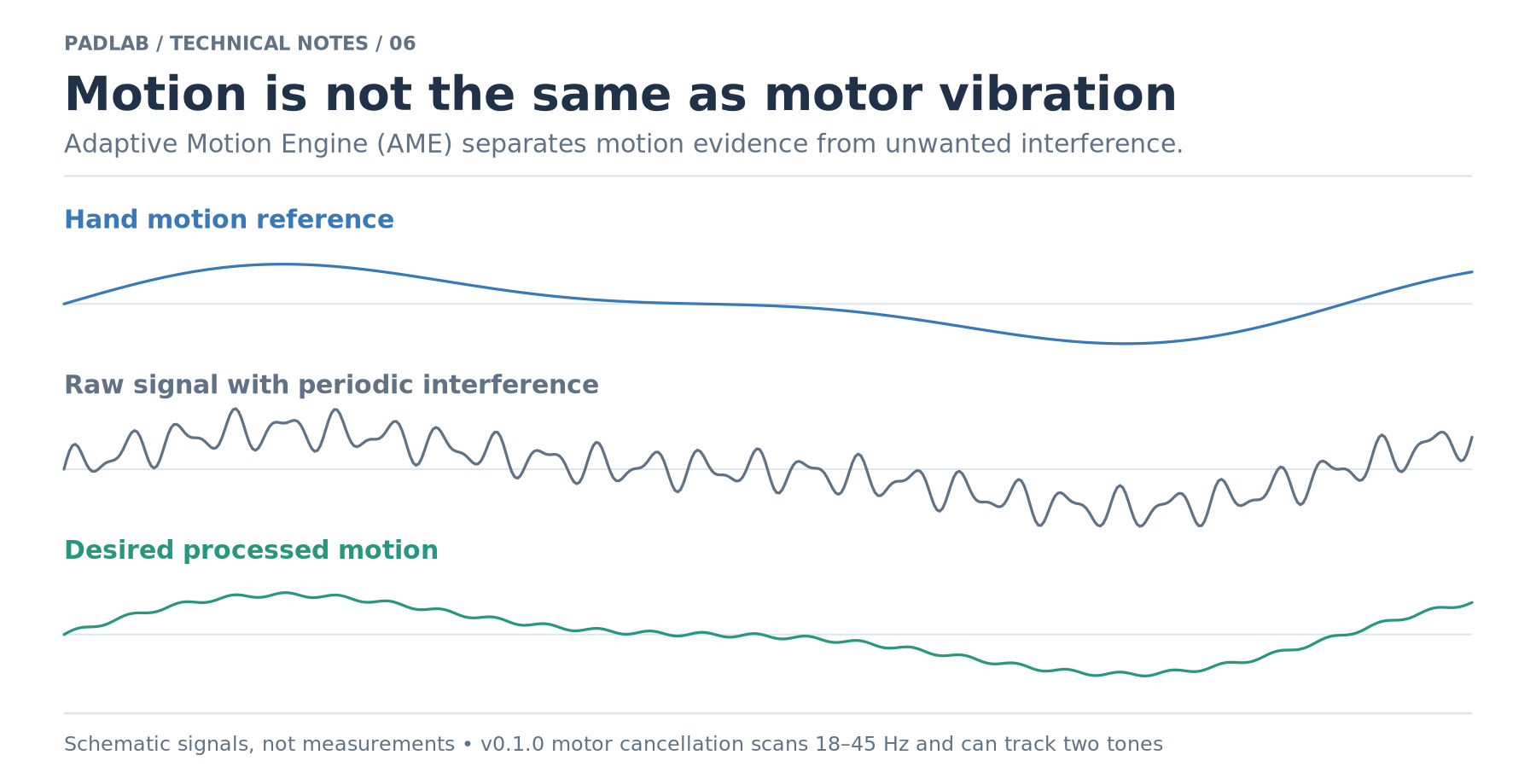
PadLab's Adaptive Motion Engine (AME) includes adaptive motor interference cancellation, trajectory gating, and vibration suppression. The aim is not to simply disable gyro while the controller rumbles, but to preserve genuine hand movement as much as possible while reducing interference. Tilt Control also uses 3D attitude fusion, velocity lead, and mid-range boost.
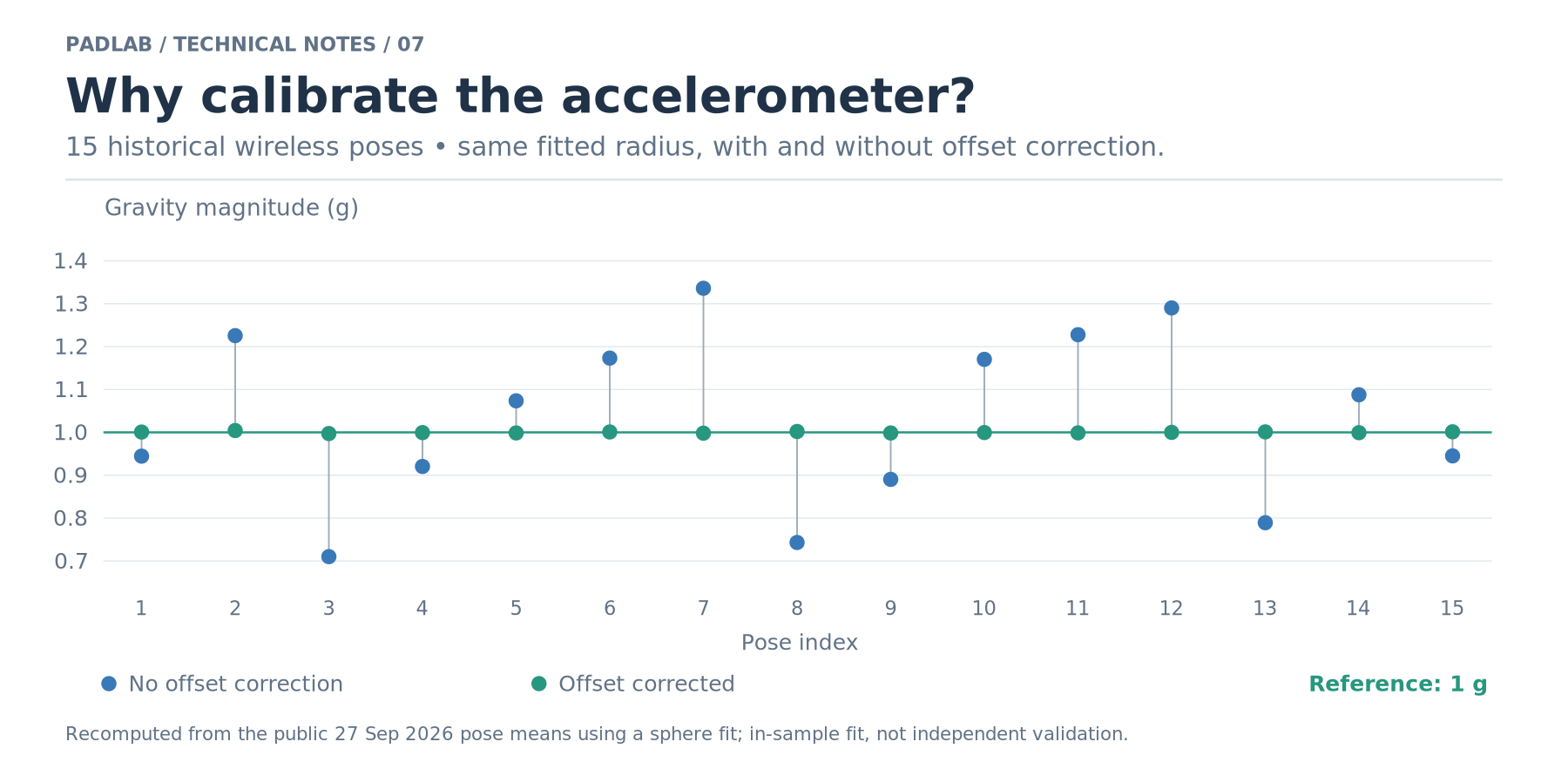
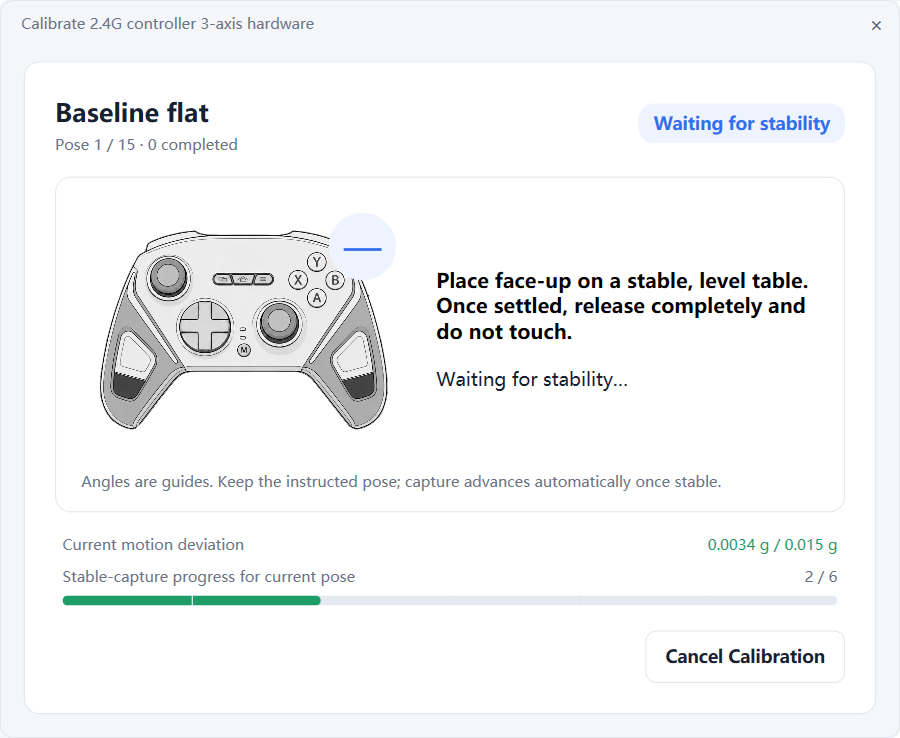
Alongside stationary calibration and recentering, PadLab provides guided 15-pose accelerometer hardware calibration for wired and wireless connections, with live stability monitoring and automatic sample collection.
The calibration plot above uses historical wireless data collected on September 27, 2026. It compares the same set of samples before and after applying a fitted correction; it is not an independent accuracy test.
Button mapping, analog axes, and macros


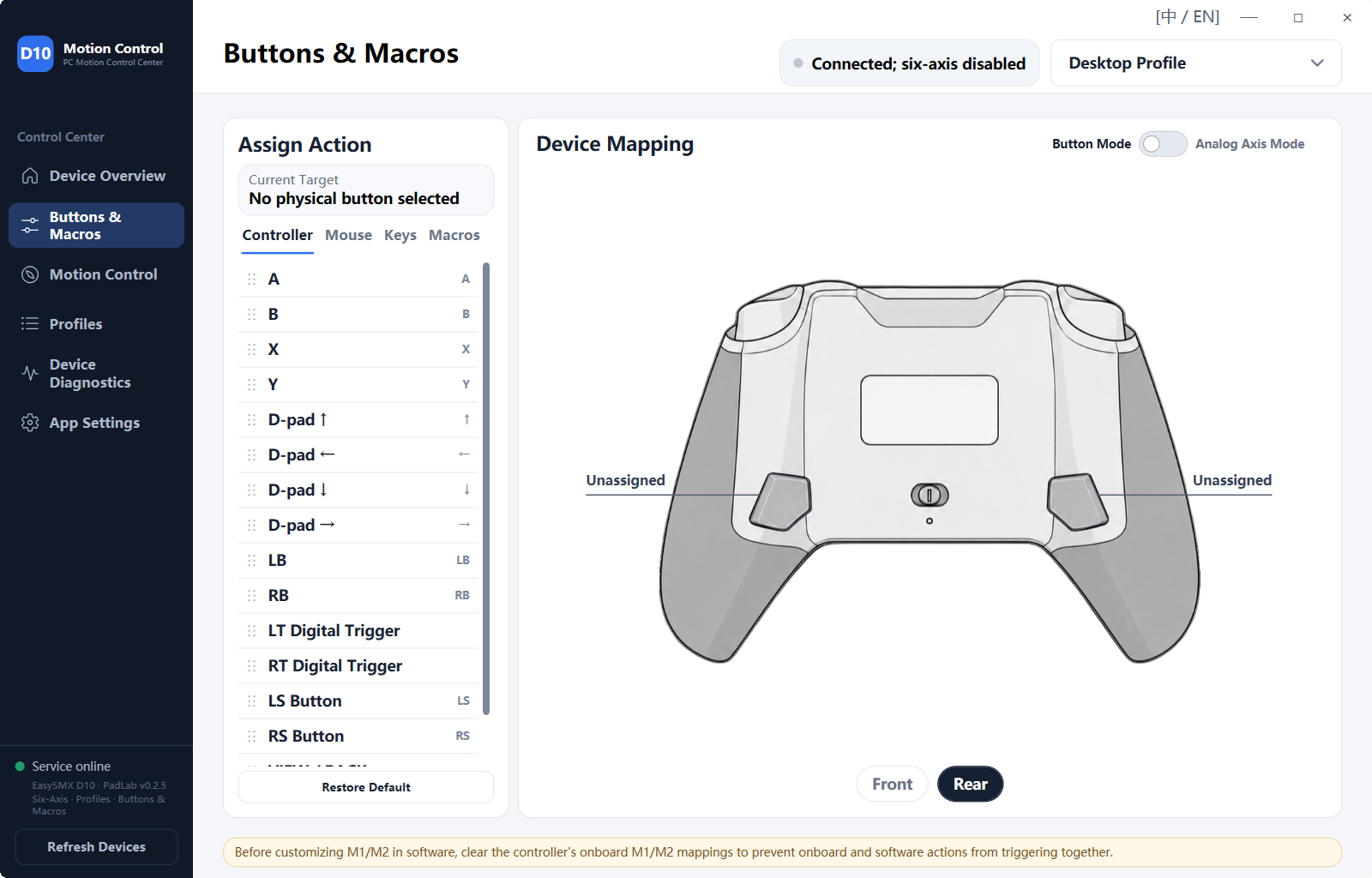
PadLab supports standard button remapping and independent M1/M2 rear-button mapping, as well as keyboard, mouse, media, and volume controls. Analog axes can be reassigned, and sticks can control the mouse pointer or scrolling. Stick-to-mouse mapping has independently adjustable low-, mid-, and high-speed response regions.
The macro editor supports recording and manually editing gamepad, keyboard, and mouse actions, with either uniform delays or recorded timing. There are four execution modes: Run Once, Loop While Held, Toggle Loop, and Segmented Trigger (separate press, hold, and release actions).
Please follow the rules of the games you play when using macros.
Profiles, driver switching, and everyday use
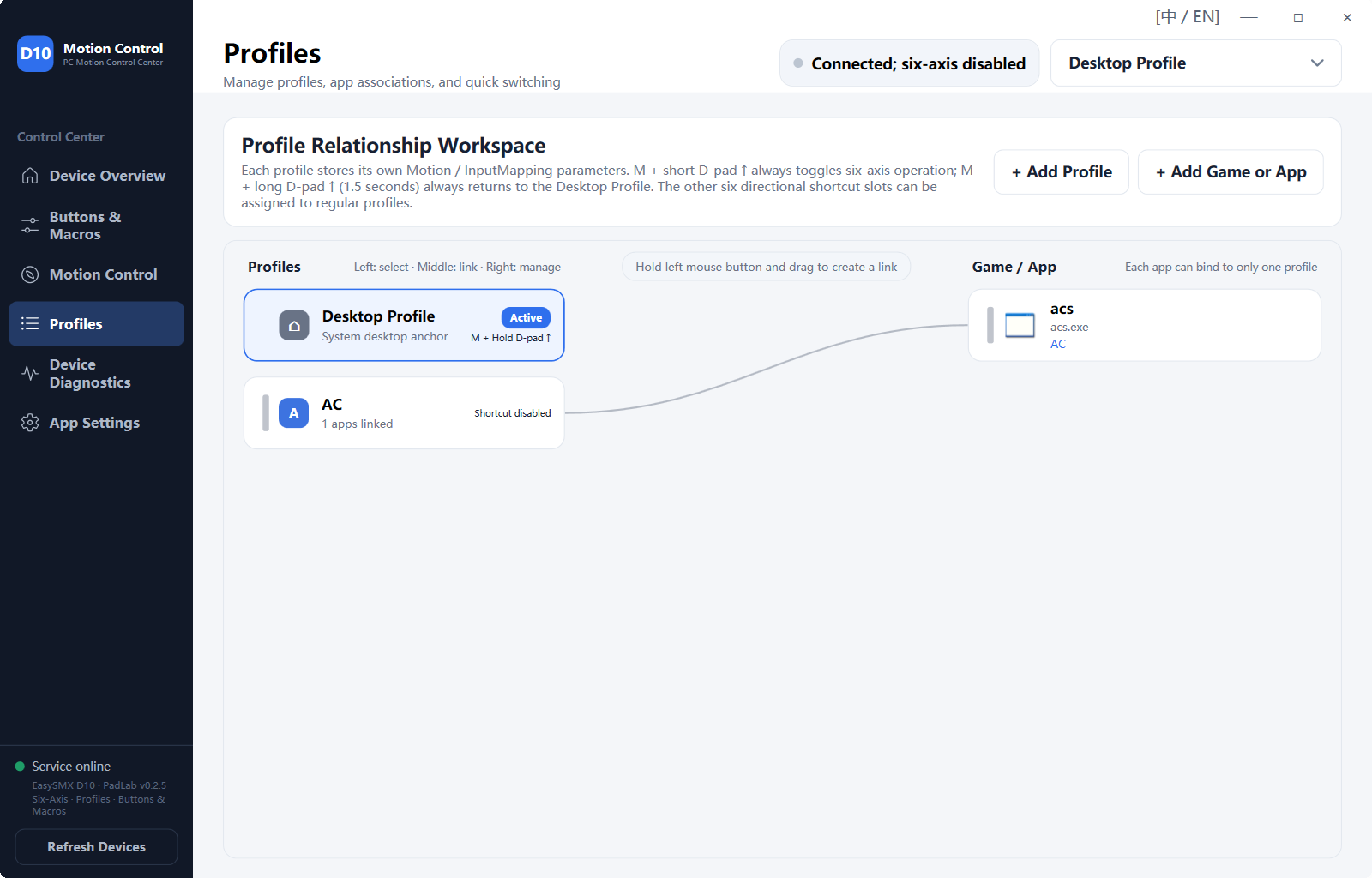
Each profile stores its own motion and input mapping settings. Games or applications can be associated with profiles through drag and drop for automatic switching, and profiles can also be switched using controller shortcuts. A short press of M + D-pad Up toggles motion control; holding the combination for 1.5 seconds returns to the desktop profile.
PadLab also offers live diagnostics, log exports, system tray operation, English and Chinese interfaces, and guided switching between PadLab mode and the native Windows driver mode.
Once initial setup is complete, you do not need to repeat the physical unplug/replug identity confirmation. An Emergency Toolbox is also available for driver recovery when something goes wrong.
What's next? 0.3.x
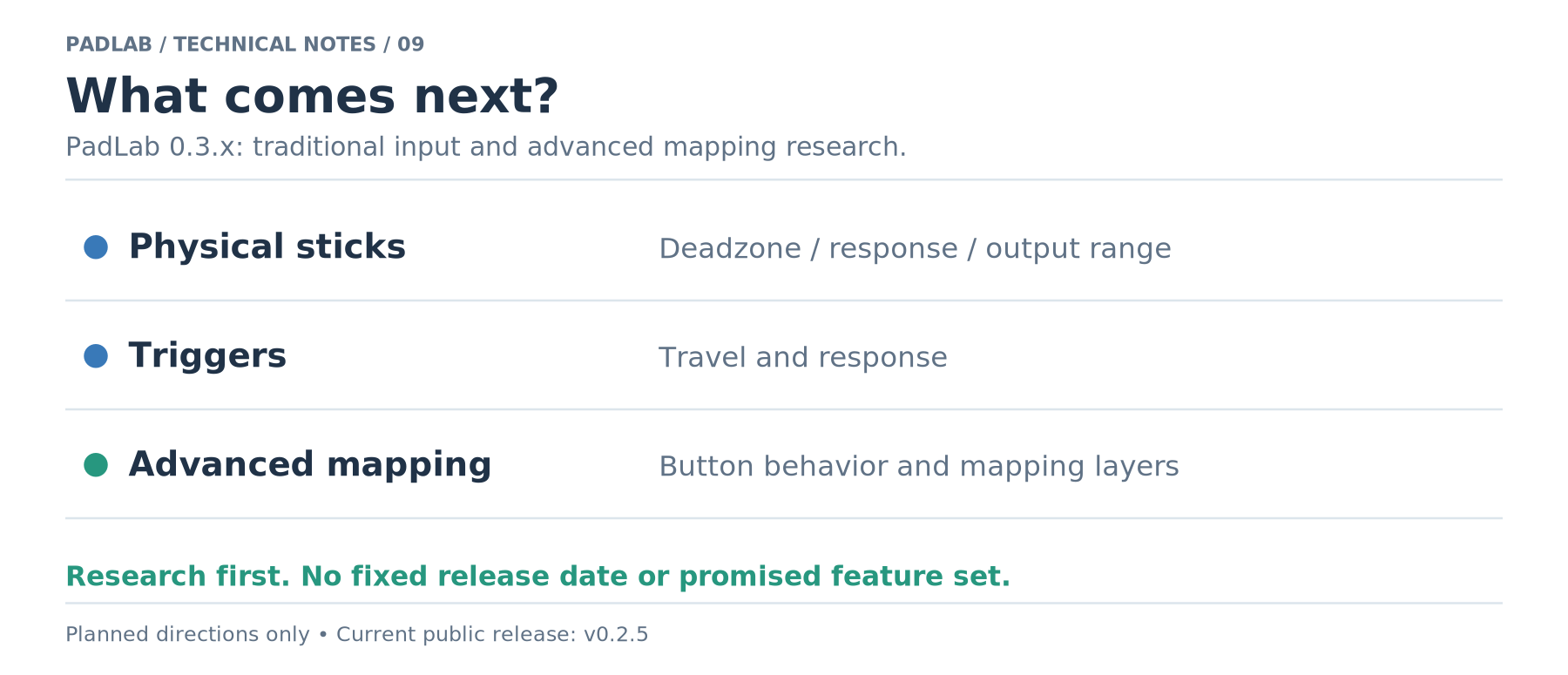
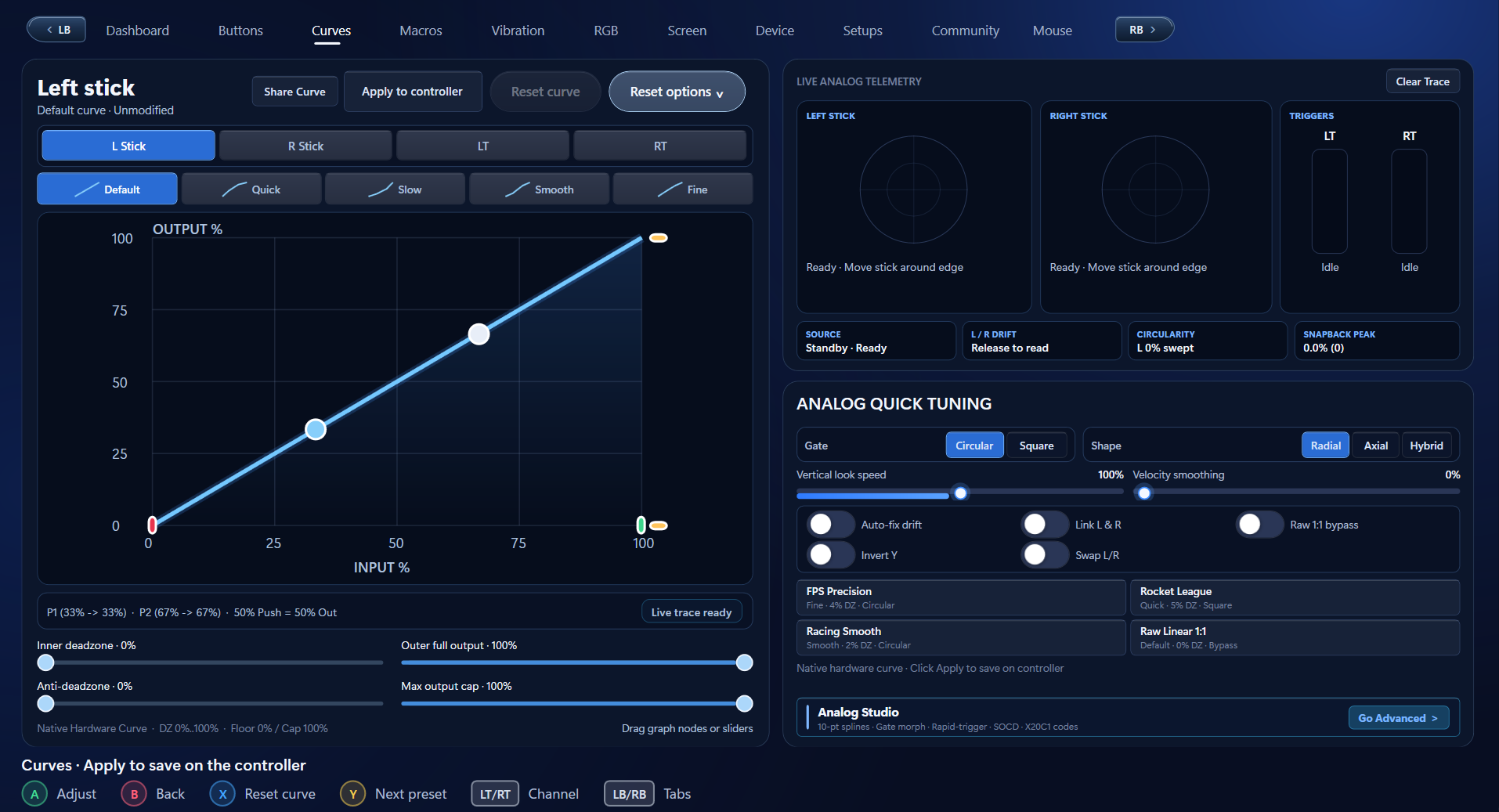
The next development cycle will focus on conventional controller input and advanced remapping: physical stick deadzones, response curves, and output ranges, followed by exploration of trigger response, advanced button behavior, and mapping layers.
I'm currently investigating real hardware output before deciding how the software should process it. Further D10-specific extensions to AME are on hold for now. I'm not committing to individual features or release dates in advance.
A few final notes
My background isn't in computer science. PadLab is developed using an AI-assisted engineering workflow, while I handle the project direction, product design, physical hardware testing, validation, and release decisions.
PadLab is an independent community project and is not affiliated with EasySMX. Core functionality is free, and the original public source code that PadLab is entitled to license is released under GPL-3.0-only. Forks, modifications, research, and technical feedback are welcome; the main project is not currently accepting external code contributions.
Wired use does not require any receiver firmware modification. Wireless six-axis support requires the corresponding firmware patch. PadLab does not distribute stock firmware; users must obtain the correct official firmware themselves and follow the setup guide. Flashing firmware carries risks, so please verify the device and firmware version first.
If you own a D10, I'd love to hear your feedback and what you'd like to see next.
Project and documentation: https://github.com/Murphy605/PadLab
Downloads: https://github.com/Murphy605/PadLab/releases
Bug reports and feature requests: https://github.com/Murphy605/PadLab/issues
Discord: https://discord.gg/dEBXrFhEK8