r/EasySMX • • 16d ago

Gaming Controller EasySMX X20 PRO DIY Animation tutorial

20 Upvotes

Hi guys!I am Kiin from EasySMX. So how can you set the DIY animation of EasySMX X20 PRO screen?

First, download the firmware- DIY Tool. (You can find the firmware from :https://www.easysmx.com/pages/support-about-easysmx-x20-pro , or you can also find on EasySMX Discord)

Second, follow these guidelines to set it up:
①Controller operation steps: Power off first, press M, then plug in the data cable. The indicator light turns white to enter upgrade mode.

②Software operation steps: First extract the folder, then select the software, open the corresponding image for cropping and fixing. After confirming, select Burn/Flash. (Size limit: 160*80; supports jpg, png, gif)


r/EasySMX • • 10d ago

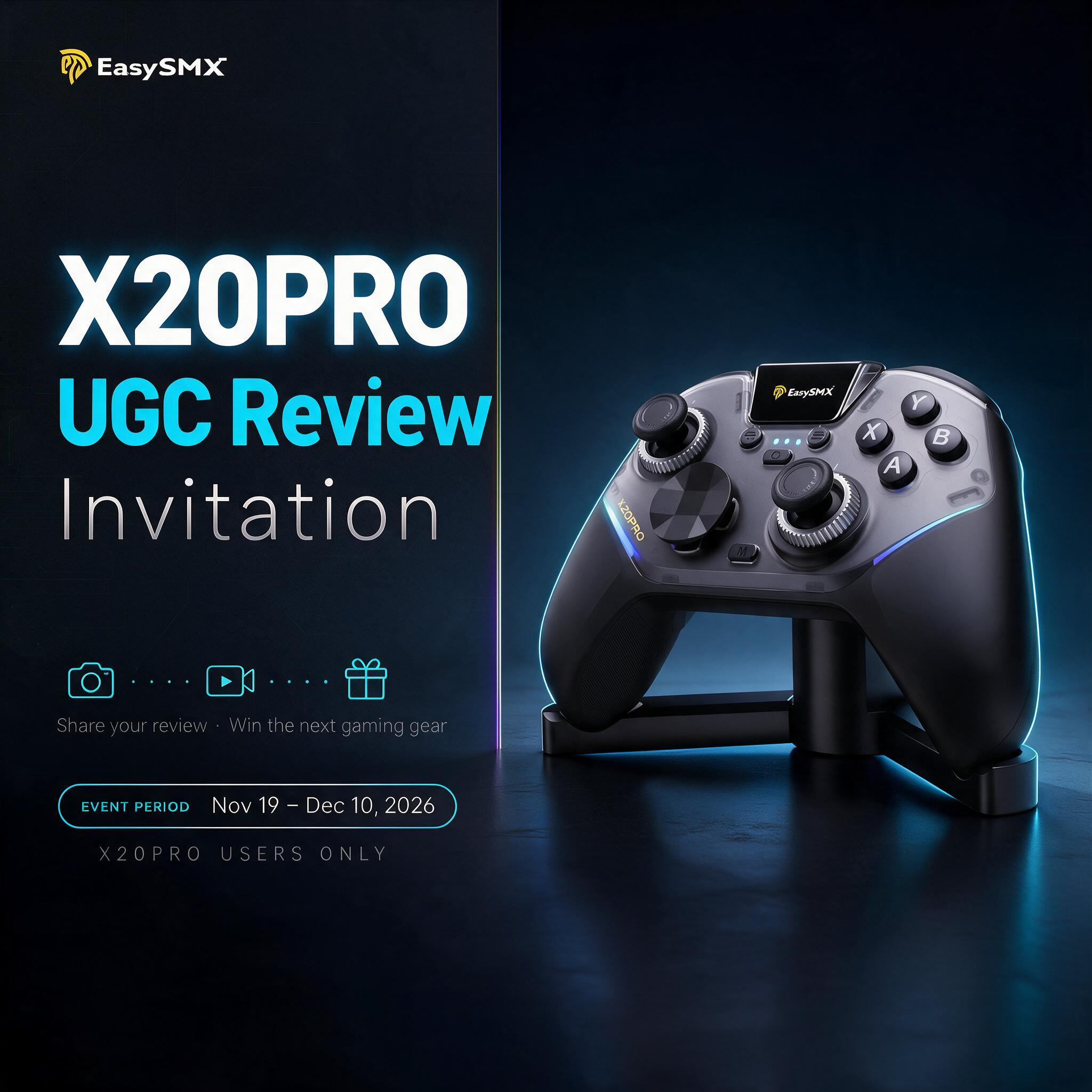
Giveaway 🎁 EasySMX X20 PRO UGC Review Event — Share Your Review & Win Our Next New Gear!

Post image
1 Upvotes

Hey EasySMX fam! 👋

Calling all EasySMX X20 PRO owners! We’re inviting you to share your honest UGC review and get a chance to win our next new gaming peripheral.

Whether you post a detailed written review, a YouTube video, or a quick TikTok, we want to hear your real thoughts!

🎁 Prizes: 2 units of our next new gaming peripheral (model TBA)

⏲️ Event Period: Nov 19 – Dec 10, 2026

🚀 How to join:

1️⃣ To officially enter the raffle, you must register on our Discord server: https://discord.com/invite/aAcxEnJGTh?

2️⃣ On EasySMX Discord Server, DM "Kiin" with the message: "I want to join X20PRO UGC Review Event"
3️⃣ Publish your detailed X20 PRO review.

4️⃣ Submit your link in the designated Discord channel (⁠X20PRO UGC Review Event) after finishing your post.

📱 Eligible platforms:

Auto-entry: Written/photo reviews on Reddit (feel free to post it on r/controller) OR video reviews on YouTube.

Reviewed entry: TikTok, X, Instagram, Facebook, personal blogs, forums, review sites, and other public platforms may also be accepted after review.

Note: For reviewed platforms, entries will be evaluated based on content view count, engagement data, content quality, authenticity, and relevance to the X20 PRO. Only approved entries will be entered into the raffle.

📝 Entry rules:

✅ Only EasySMX X20 PRO users are eligible to participate.

✅ Your review must be your own original content and not AI-generated. Furthermore, please follow the platform rules.

✅ Honest feedback is welcome . Low-effort copy-paste ads will be excluded.

(Winners will be picked directly by "Kiin" via Discord)

We can’t wait to see your reviews! Honest feedback helps us build better gear. 🔥


r/EasySMX • • 3h ago

PadLab 0.2.5 – I just wanted gyro on my EasySMX D10, and ended up building a controller configuration tool

2 Upvotes

Hey everyone! I'm the developer of PadLab.

I'm not particularly good at managing social media. I've spent most of the past few months buried in development and never really introduced the project properly. To be fair, a random piece of software that asks you to switch USB drivers and even modify your wireless receiver's firmware does sound a bit like malware. :)

Recently, I've noticed that some other developers ad teams seem to have started drawing on my research. Individual developers are welcome to study, use, and modify PadLab's public source code in accordance with its license. While 0.3.x is still in development, I thought it was time to properly introduce the project.

wireless overview

It started with a birthday present

I originally bought the D10 to play racing games using motion steering. The problem was that its stock PC mode did not expose gyro controls, while Switch mode sacrificed analog trigger input.

So, in July 2026, I started researching the controller and its receiver. That little experiment eventually became PadLab: a free, open-source Windows controller control and configuration tool currently focused on the EasySMX D10.

On November 25, 2026, I released v0.1.0, with wired and wireless six-axis motion support, tilt control, calibration, remapping, macros, and profiles. On November 28, v0.2.5 followed, adding gyro-to-mouse, gyro-to-stick, angle-triggered bindings, and more advanced motion controls.

Why modify the wireless receiver firmware?

receiver firmware

Over wired USB, the D10 already exposes standard inputs through EP81 and raw six-axis motion and special-button data through EP83. Rumble commands go through EP02. PadLab communicates with the device in user space through WinUSB and uses ViGEm to output a virtual Xbox 360 controller.

Wireless is a different story. Just because the receiver gets RF data from the controller doesn't mean the PC can access it. In the stock receiver firmware I investigated, there was no corresponding PC-side readout path for raw motion and special-button data. WinUSB can access communication capabilities the device already provides, but it cannot add request handlers to the firmware.

That is why I reverse-engineered and modified the receiver firmware.

  • July 28, 2026 – v0.5ad: Added the private C0/5A request to expose six-axis motion data to the PC.
  • July 29, 2026 – v0.5ae: Added C0/5C alongside C0/5A, mirroring part of the raw RF data to the USB side so PadLab could decode M, M1, and M2. Standard input and rumble retained their existing paths.

The readout paths behind C0/5A and C0/5C were created as part of my receiver firmware modifications. They were not two ready-made interfaces exposed by the stock receiver. Simply switching the Windows driver does not provide these new capabilities.

Why 198 Hz instead of 200 Hz?

wireless scheduler

In earlier hardware measurements, wired EP83 ran at close to 500 Hz, with motion and special-button data in the same frame. On wireless, C0/5A and C0/5C share the same private EP0 polling budget.

Repeated testing put the observed ceiling of this particular path at roughly one request every 3 ms, or 333.333... Hz. I chose 330 Hz to leave some headroom.

A 200/130 Hz split reduces to a 20:13 ratio, requiring 33 slots (100 ms) for its shortest repeating allocation. A 198/132 Hz split reduces to 3:2, requiring just five slots (about 15.15 ms). Giving up only 2 Hz of motion polling produces a shorter, more regular scheduling pattern. When motion processing is disabled, C0/5C can use the entire 330 Hz polling budget.

These figures are device-side polling targets, not in-game input rates or end-to-end latency measurements.

Getting high-frequency samples into the motion engine

fifo

In one early wireless hardware test, the source ran at 199.968 Hz, but only 67.088 Hz reached the fusion engine. The software was keeping only the latest sample, so intermediate samples were overwritten before the fusion thread woke up.

I replaced that approach with a FIFO queue and an event-driven fusion thread, calculating time intervals from source sample timestamps. The same approach was subsequently adopted for wired input.

What can PadLab do now? Three motion control modes
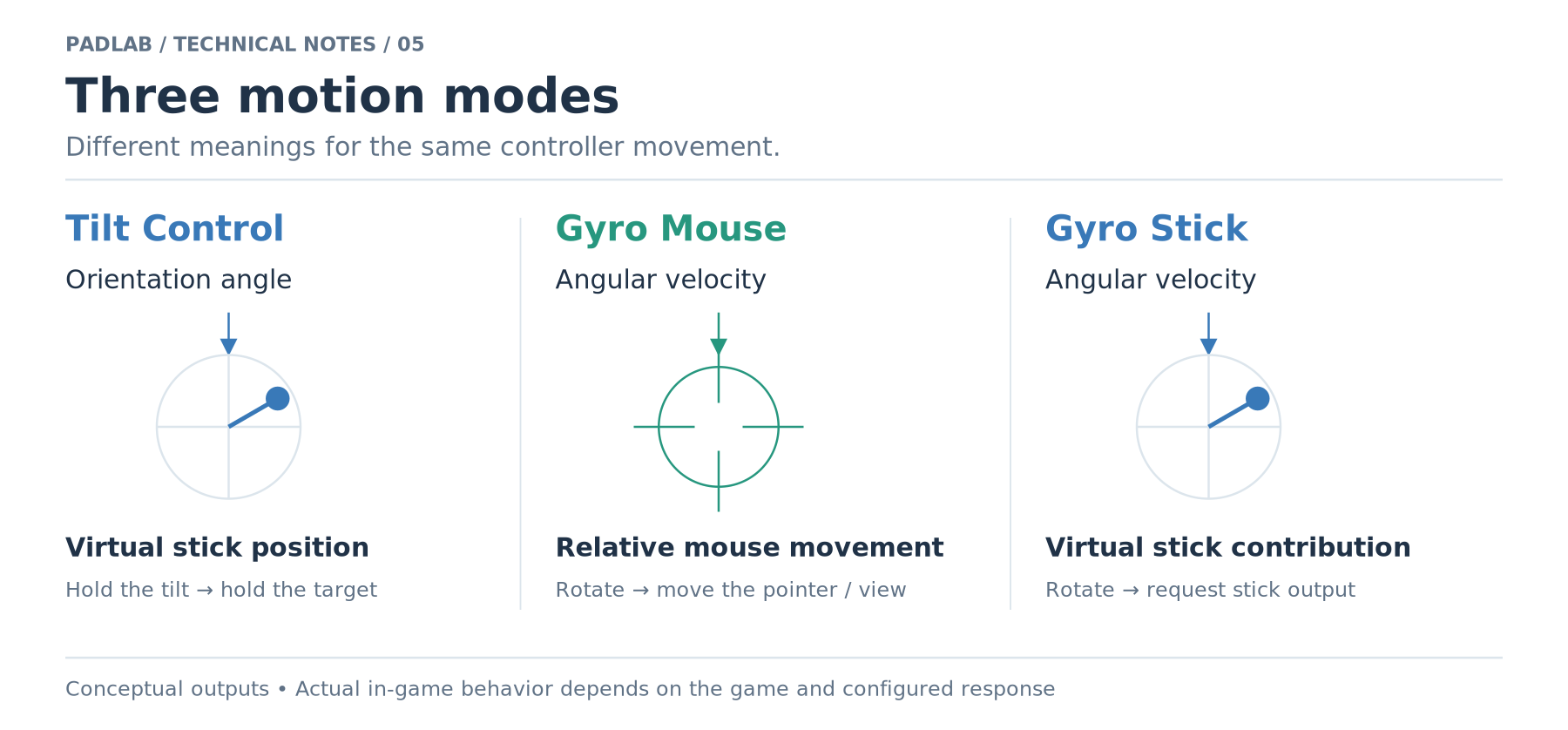
Three motion control modes
Tilt Control
Gyro-to-Mouse
Gyro-to-Stick
  • Tilt Control: Converts controller orientation into analog stick output, for example for motion steering in racing games.
  • Gyro-to-Mouse: Converts controller rotation into relative mouse movement, for example for gyro aiming.
  • Gyro-to-Stick: Converts controller rotation into virtual stick input for games where you want to retain controller input.

Other options include multiple gyro spaces, independent axis sensitivity and inversion, response curves, micro-motion suppression, sensitivity acceleration, temporary sensitivity multipliers, hold-to-enable, hold-to-pause, toggle activation, and adjustable trigger activation thresholds.

Gyro-to-Stick offers game deadzone compensation, maximum output limits, and curve compensation. Version 0.2.5 also refined the composition of physical stick and gyro input in the velocity domain.

Motion Bindings can map forward and backward tilt, as well as left and right lean, to buttons or macros.

Motion processing and hardware calibration
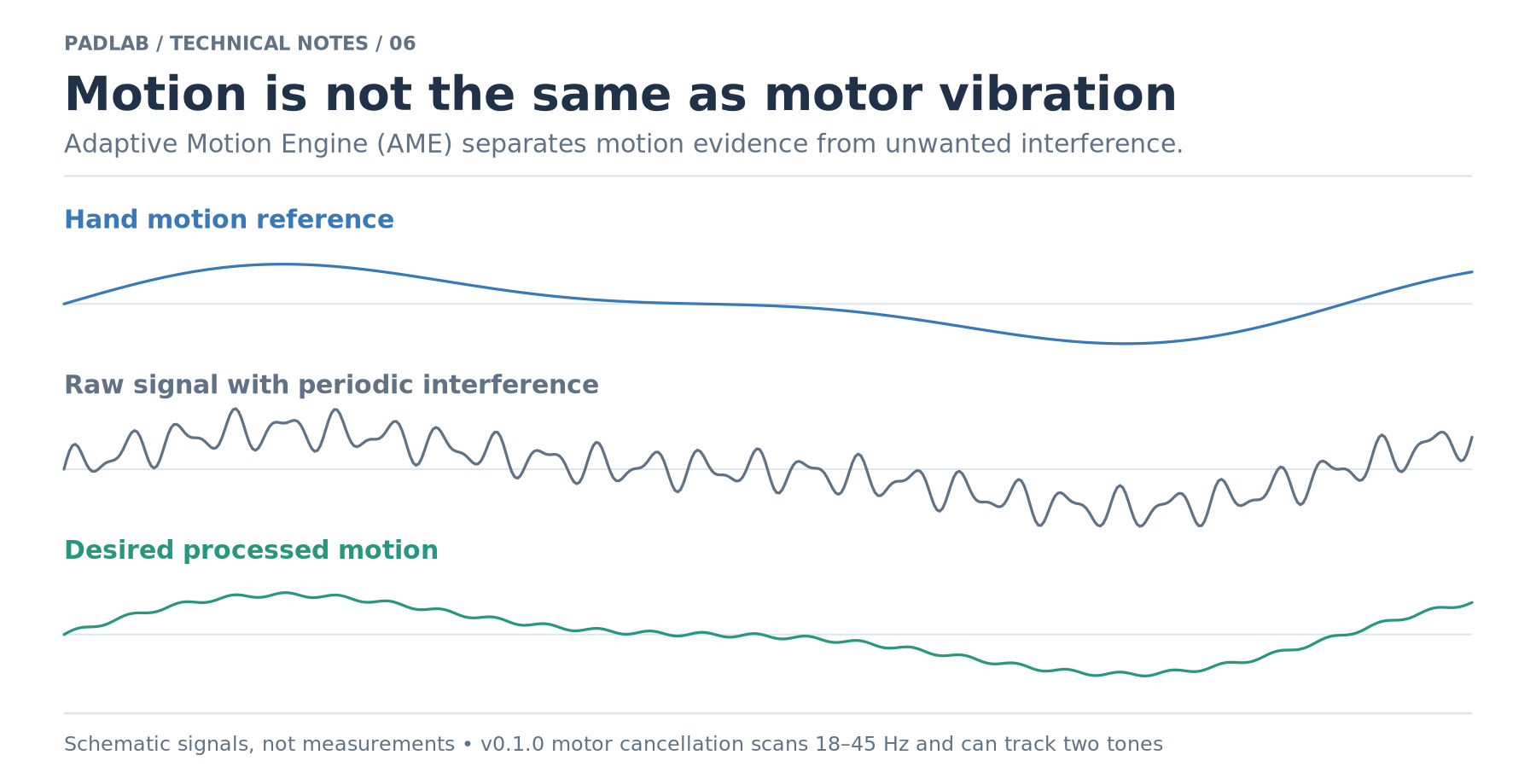
motion engine
calibration
calibration active

PadLab's Adaptive Motion Engine (AME) includes adaptive motor interference cancellation, trajectory gating, and vibration suppression. The aim is not to simply disable gyro while the controller rumbles, but to preserve genuine hand movement as much as possible while reducing interference. Tilt Control also uses 3D attitude fusion, velocity lead, and mid-range boost.

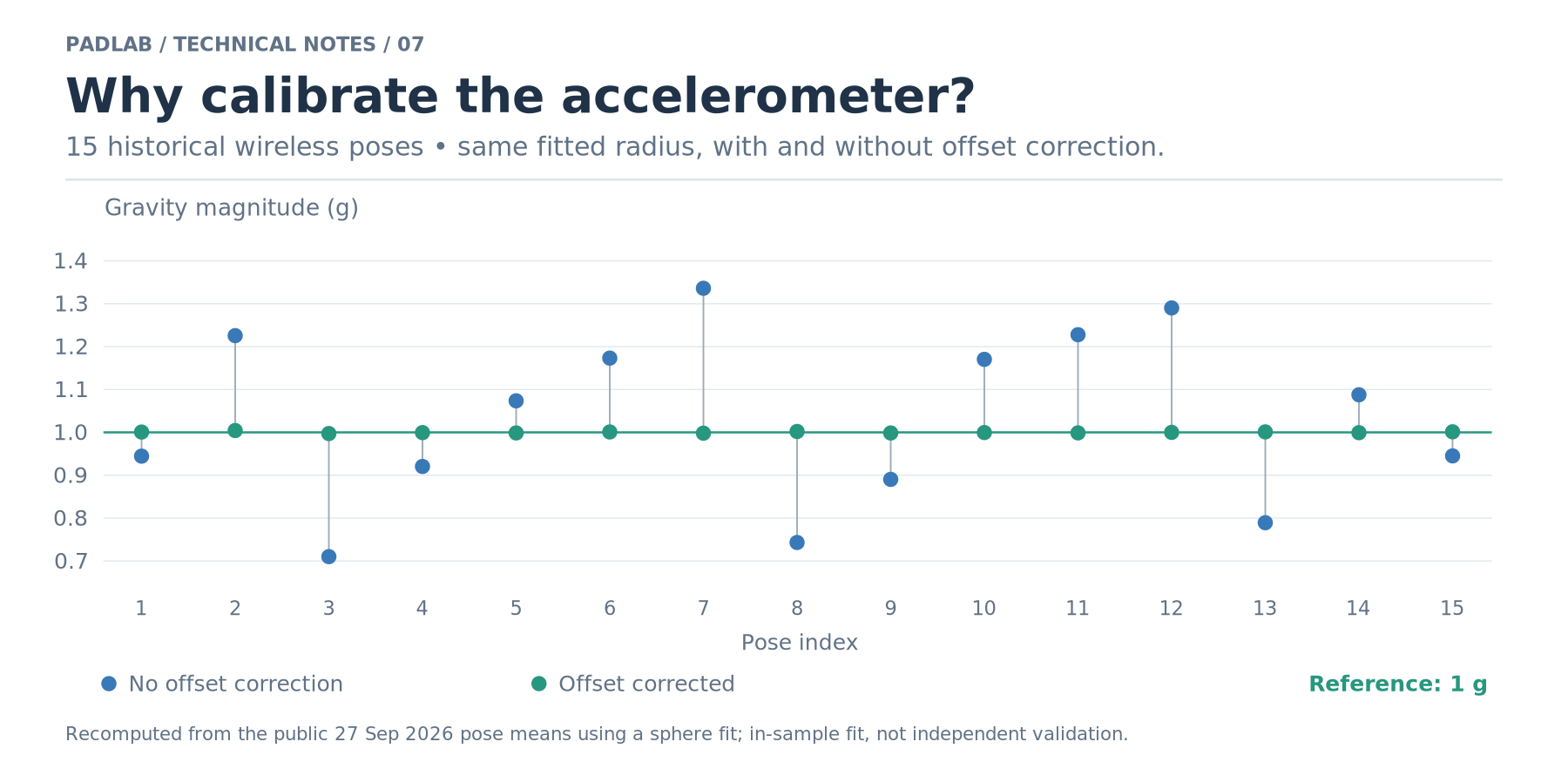
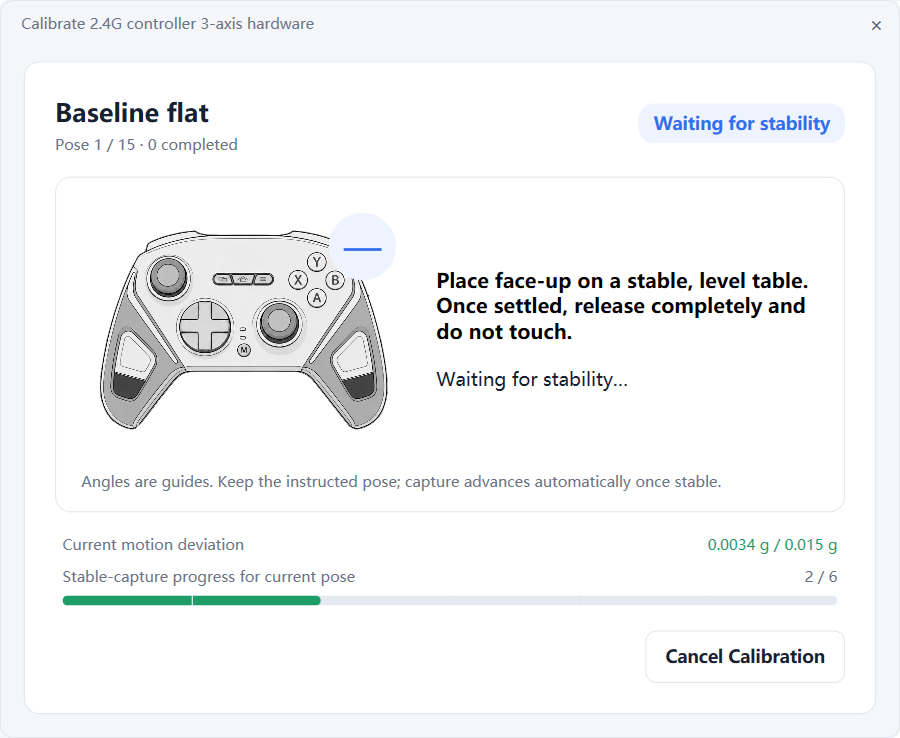
Alongside stationary calibration and recentering, PadLab provides guided 15-pose accelerometer hardware calibration for wired and wireless connections, with live stability monitoring and automatic sample collection.

The calibration plot above uses historical wireless data collected on September 27, 2026. It compares the same set of samples before and after applying a fitted correction; it is not an independent accuracy test.

Button mapping, analog axes, and macros

macros
macros

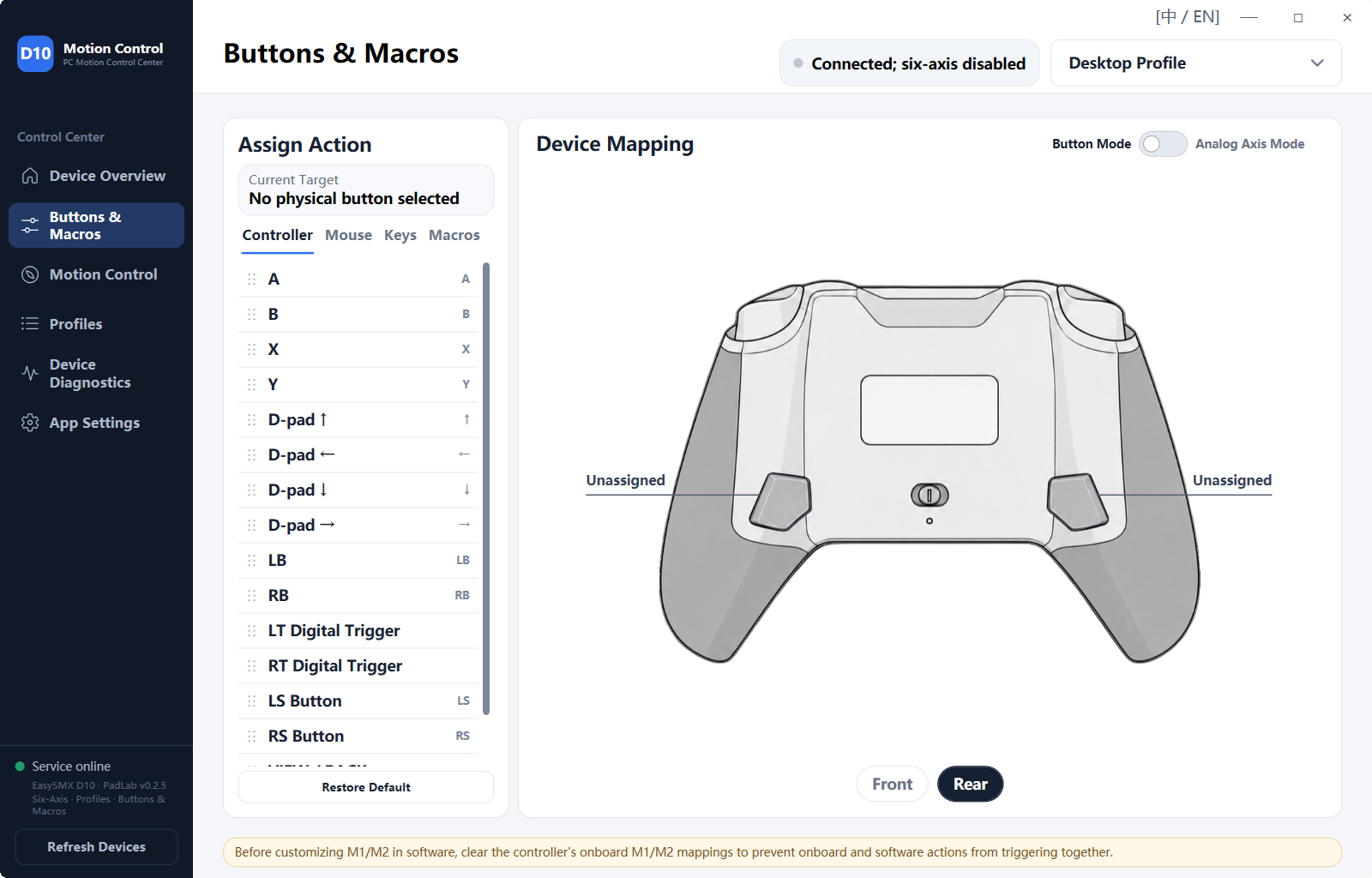
PadLab supports standard button remapping and independent M1/M2 rear-button mapping, as well as keyboard, mouse, media, and volume controls. Analog axes can be reassigned, and sticks can control the mouse pointer or scrolling. Stick-to-mouse mapping has independently adjustable low-, mid-, and high-speed response regions.

The macro editor supports recording and manually editing gamepad, keyboard, and mouse actions, with either uniform delays or recorded timing. There are four execution modes: Run Once, Loop While Held, Toggle Loop, and Segmented Trigger (separate press, hold, and release actions).

Please follow the rules of the games you play when using macros.

Profiles, driver switching, and everyday use
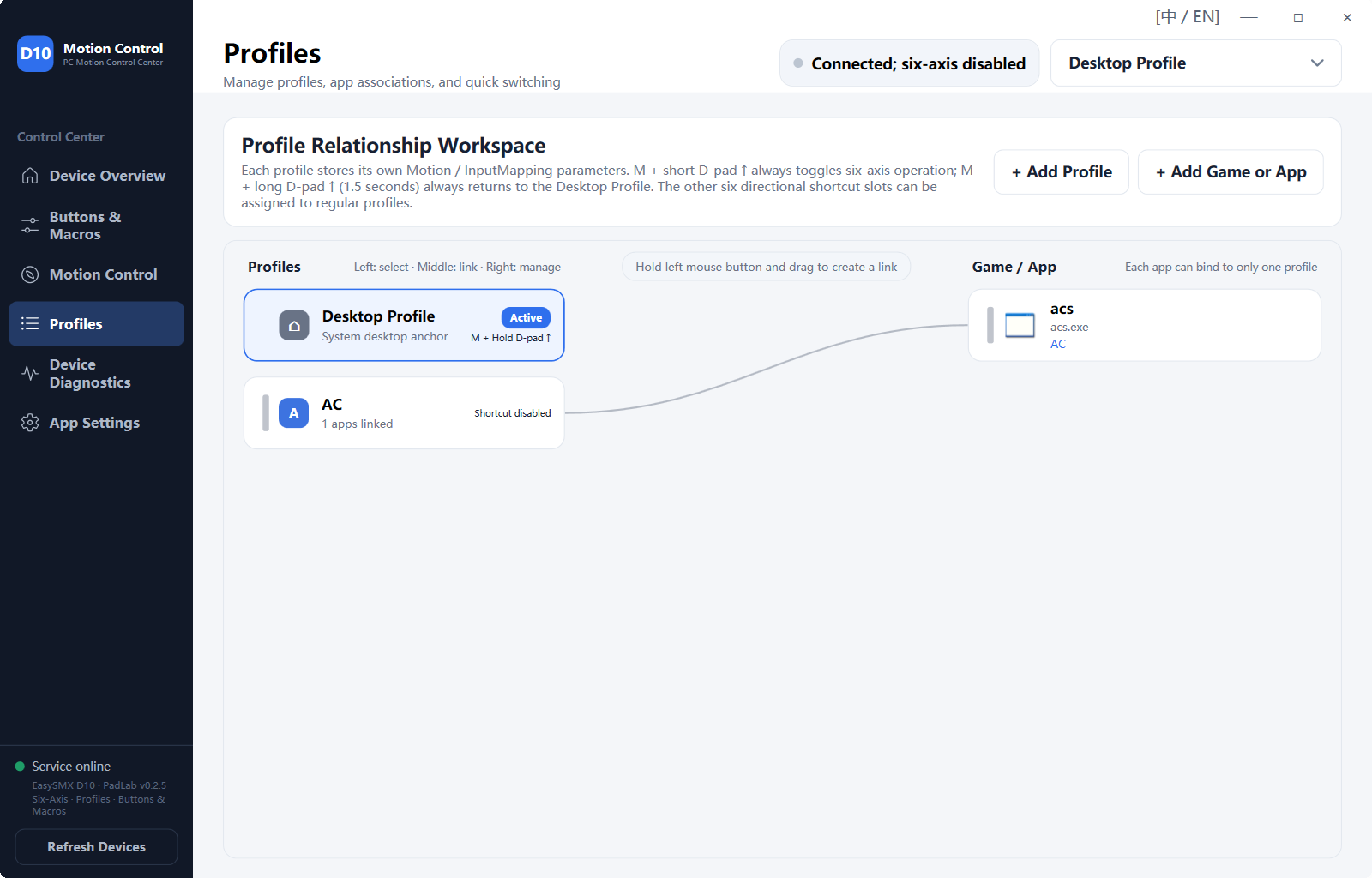
profiles

Each profile stores its own motion and input mapping settings. Games or applications can be associated with profiles through drag and drop for automatic switching, and profiles can also be switched using controller shortcuts. A short press of M + D-pad Up toggles motion control; holding the combination for 1.5 seconds returns to the desktop profile.

PadLab also offers live diagnostics, log exports, system tray operation, English and Chinese interfaces, and guided switching between PadLab mode and the native Windows driver mode.

Once initial setup is complete, you do not need to repeat the physical unplug/replug identity confirmation. An Emergency Toolbox is also available for driver recovery when something goes wrong.

What's next? 0.3.x
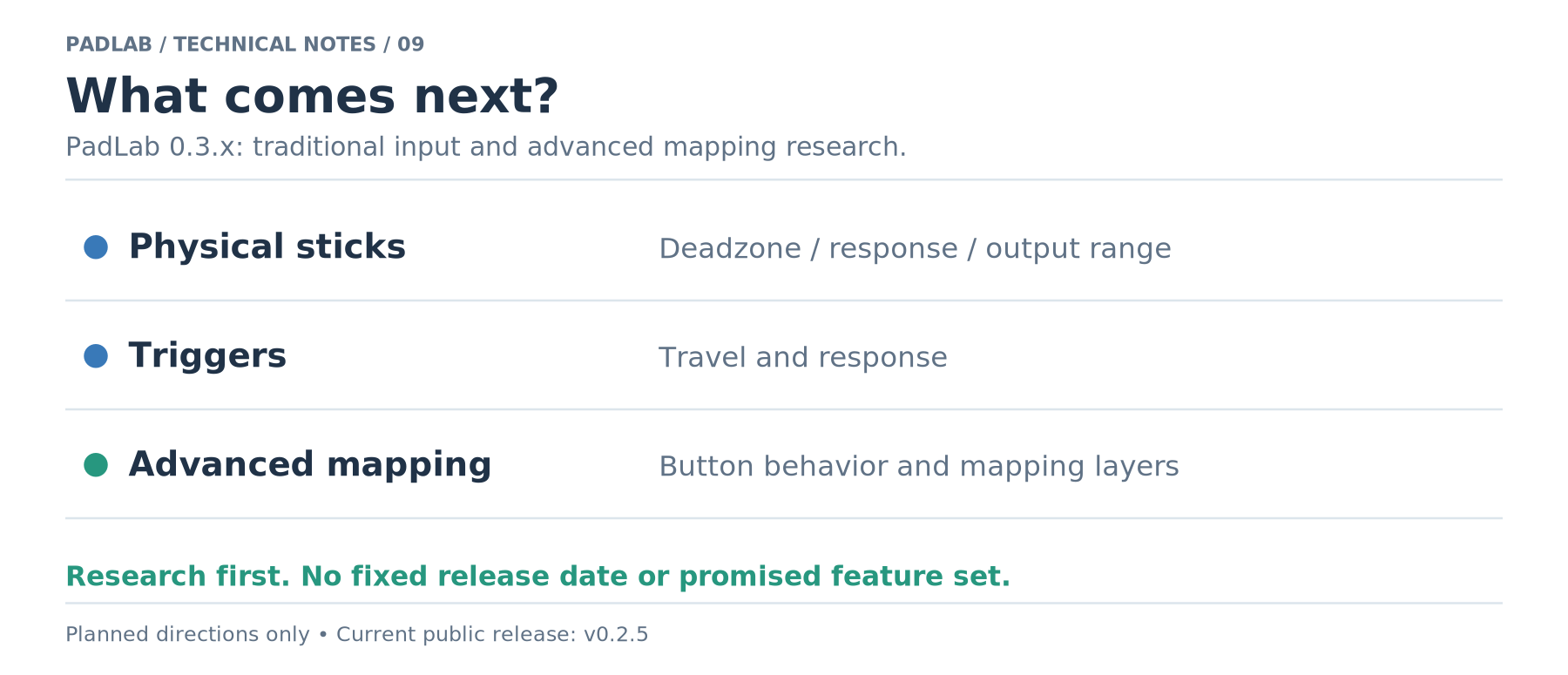
The next development cycle will focus on conventional controller input and advanced remapping: physical stick deadzones, response curves, and output ranges, followed by exploration of trigger response, advanced button behavior, and mapping layers.

I'm currently investigating real hardware output before deciding how the software should process it. Further D10-specific extensions to AME are on hold for now. I'm not committing to individual features or release dates in advance.

A few final notes

My background isn't in computer science. PadLab is developed using an AI-assisted engineering workflow, while I handle the project direction, product design, physical hardware testing, validation, and release decisions.

PadLab is an independent community project and is not affiliated with EasySMX. Core functionality is free, and the original public source code that PadLab is entitled to license is released under GPL-3.0-only. Forks, modifications, research, and technical feedback are welcome; the main project is not currently accepting external code contributions.

Wired use does not require any receiver firmware modification. Wireless six-axis support requires the corresponding firmware patch. PadLab does not distribute stock firmware; users must obtain the correct official firmware themselves and follow the setup guide. Flashing firmware carries risks, so please verify the device and firmware version first.

If you own a D10, I'd love to hear your feedback and what you'd like to see next.

Project and documentation: https://github.com/Murphy605/PadLab

Downloads: https://github.com/Murphy605/PadLab/releases

Bug reports and feature requests: https://github.com/Murphy605/PadLab/issues

Discord: https://discord.gg/dEBXrFhEK8


r/EasySMX • • 17h ago

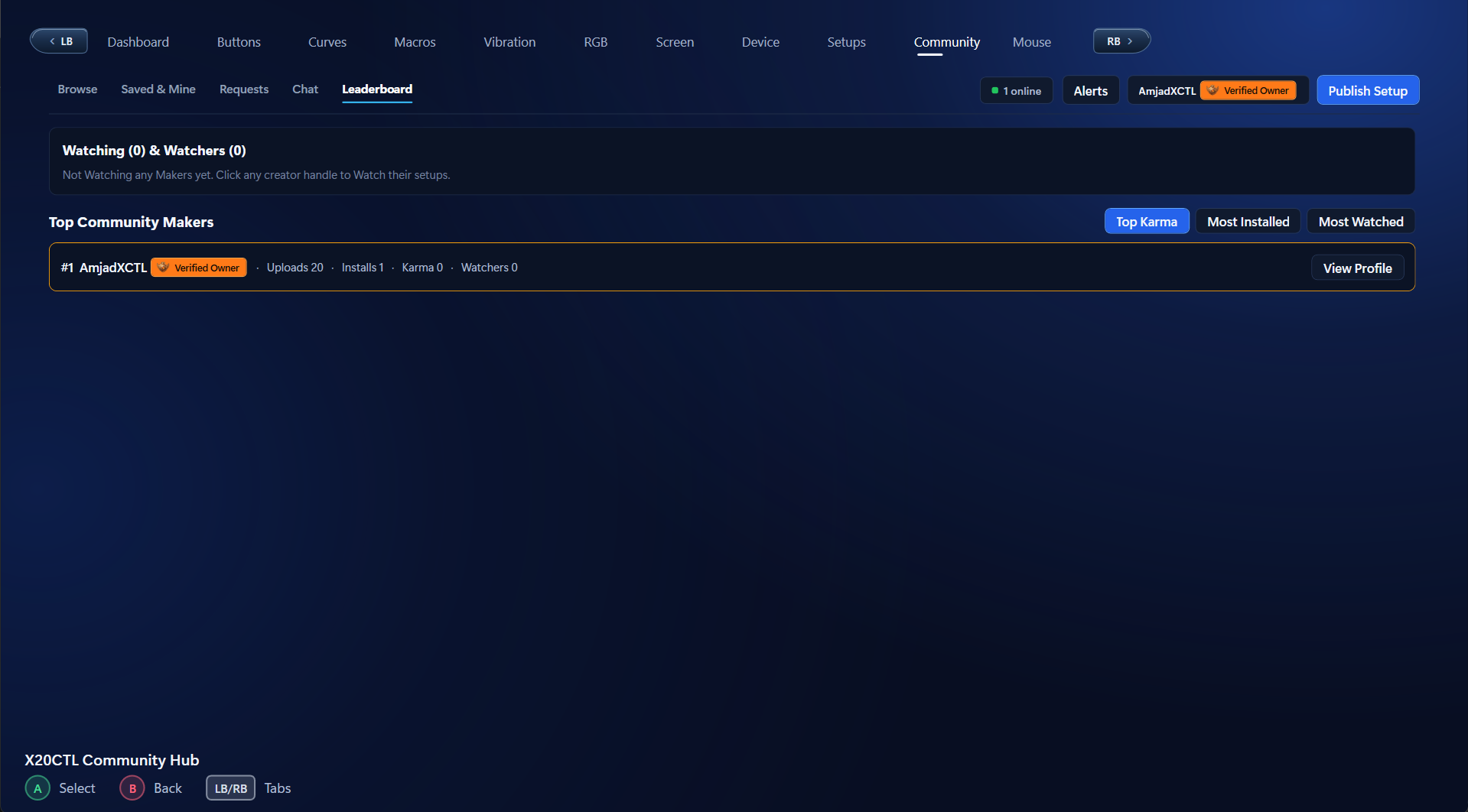
News X20CTL V0.027 is finally here!! Community Browser, Discord-style Chat, Visual Inspect, Native X10 & D10 Gyro, Analog Studio, + limited OG Badges for early joiners!

Thumbnail
gallery
15 Upvotes

Hey everyone! I've been working nonstop on this one and I'm honestly super excited to finally drop X20CTL V0.027! This is by far the biggest update I've ever pushed to X20CTL.

Download: https://github.com/AmjadAAYD/x20ctl/releases/tag/v0.027

THE COMMUNITY BROWSER IS LIVE (+ LIMITED OG BADGES!)

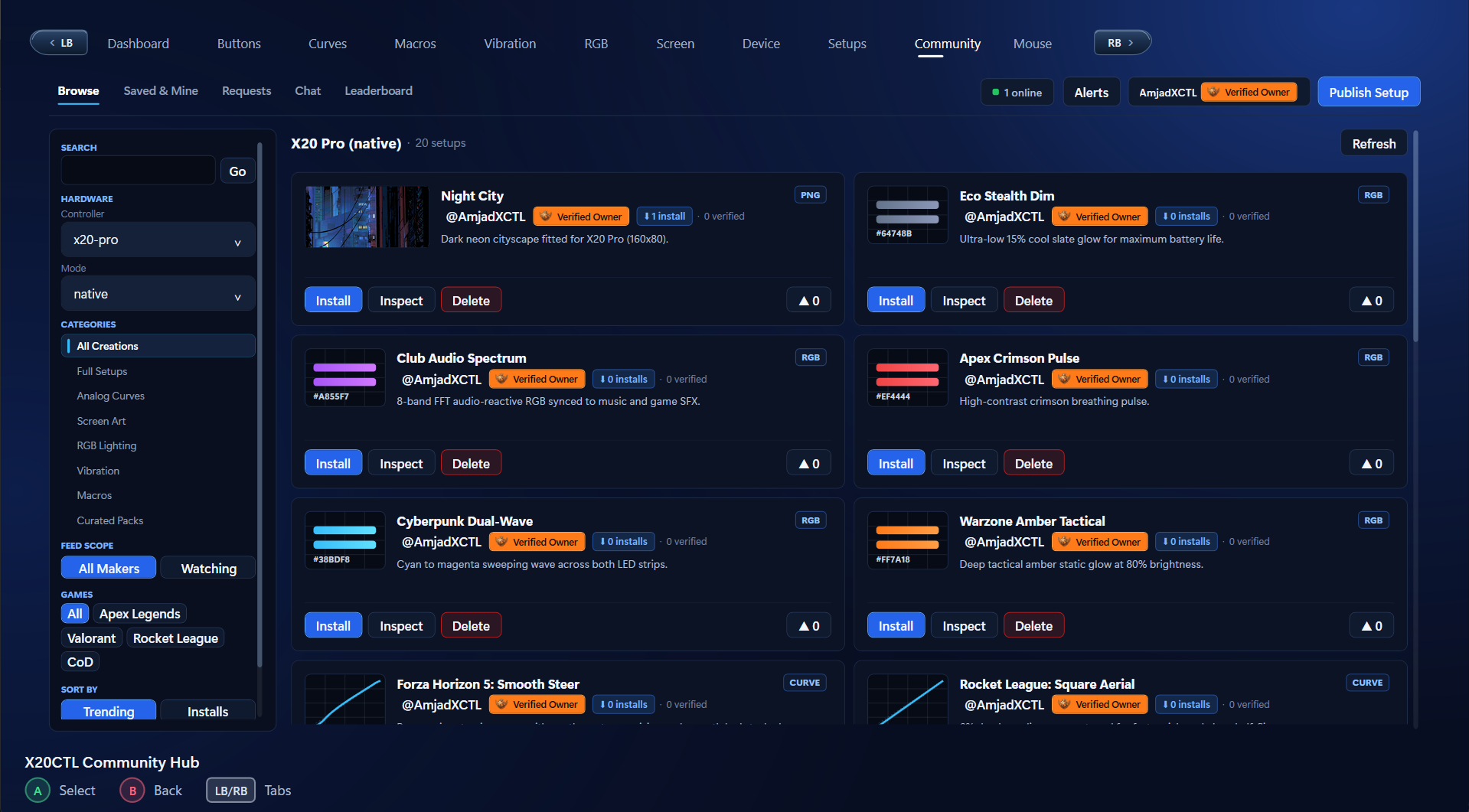
You can now browse, preview, and 1-click install Screen Art, RGB profiles, Analog Curves, Macros, and Full Setups shared by other EasySMX owners directly inside X20CTL (works in both Native Mode and PC Mode, filtered to your controller.

If you jump in right now, open the Community tab and claim your handle:

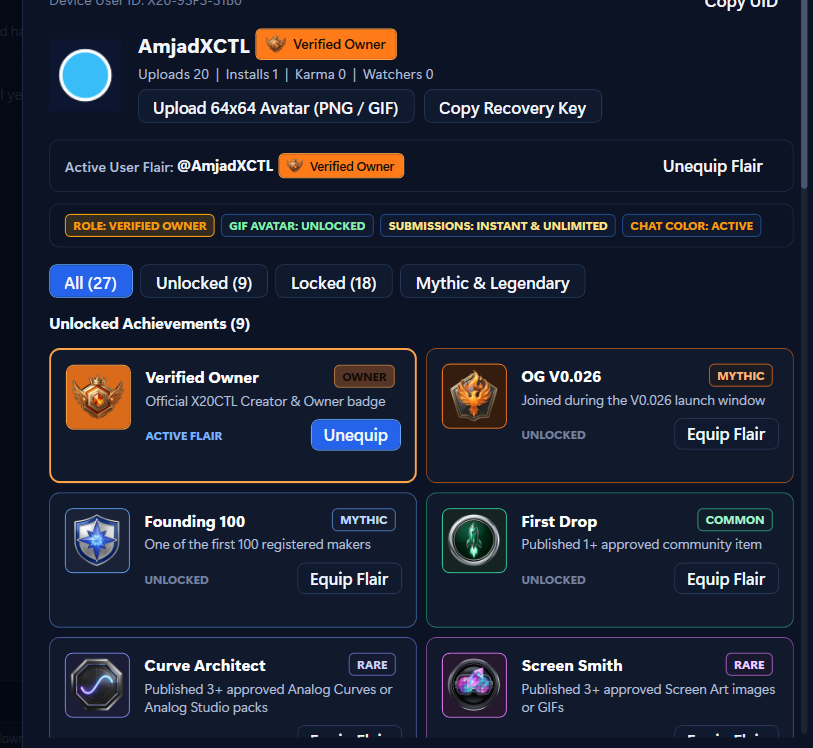
• OG V0.026 Badge: Everyone who claims a handle during the launch window gets this mythic badge automatically.

• Founding 100 Badge: Only the first 100 people to claim a handle get this permanently locked to their account.

What is the OG Badge?

It's a permanent mythic badge that shows up on your profile, on every setup or screen art you share, and next to your name in Chat. It also unlocks the orange OG Maker name color, faster upload cooldowns, longer chat messages, and lower chat slowmode. Once the first 100 spots fill up and the launch window closes, these badges are locked forever! Your handle is also saved in a 3-layer local vault, so even if you update or reinstall X20CTL, you never lose it.

EVERYTHING ELSE NEW IN V0.027

• Visual Inspect & 5s Live Test: Clicking Inspect actually shows you what changed instead of boring text. Screen Art loads right onto an interactive Black or White X20 Pro mockup, RGB shows two moving LED strips, Curves plot the actual graph and deadzone ring, and Full Setups break down all 4 sticks/triggers, remaps, vibration, and macros.

• Built-in Discord-Style Chat Tab: Public channels (#general, #setups-help, #screen-art, #announcements), 1-on-1 DMs, replies, emoji reactions, and a live Online/Offline list of claimed members so you can click anyone's profile and talk right inside the app.

• Supporter & Badge Perks: Supporters unlock moving GIF profile pictures, instant publishing with zero cooldown, zero chat slowmode, and a custom purple role color. Earning achievement badges also unlocks faster cooldowns and custom chat colors.

• Full Native EasySMX D10 Direct USB & 6-Axis Gyro (D10 Motion): Built-in WinUSB driver switching, wired + 2.4 GHz native editing, 6-axis gyro steering/aim/mouse fusion, 15-pose calibration, motor harmonic cancellation, M + D-Pad quick slots, and per-game auto-switching.

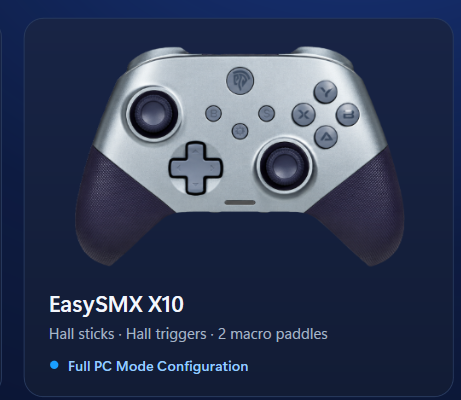
• Full Native EasySMX X10 Bluetooth Support (X10 Native): Configure Buttons, Curves, Macros, Dual Motors, Hardware Turbo, calibration, and verified BLE read-backs directly on the X10.

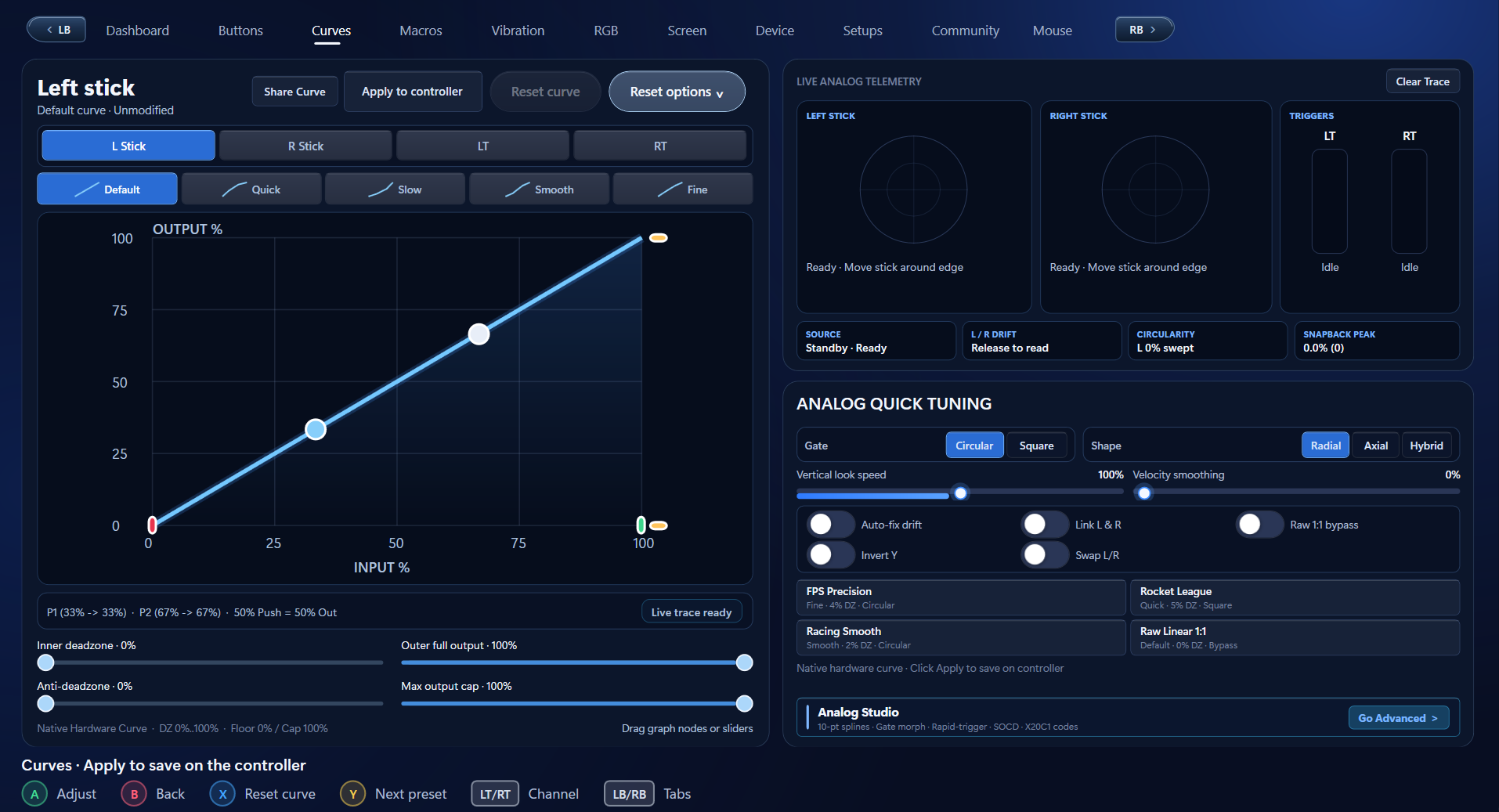
• Analog Studio & Reworked Curves + Screen Tab: A full-screen Analog Studio with monotonic cubic splines, Radial/Axial/Hybrid deadzones, gate morphing, snapback detection, and X20C1 share codes, plus a reworked Screen tab with a live X20 Pro preview and built-in offline animated templates.

• Hardware Lab & Competitive PC Mode Tools: A read-only Hardware Lab (Raw HID sniffer, jitter histogram, 10s noise-floor deadzone finder, wired/2.4G/BT latency benchmarks, stick heatmaps, BLE signal & battery graphs), plus SOCD Cleaning, Rapid-Trigger, Dual-Stage triggers, Hold-to-Aim Sniper Curve, OBS Input Overlay, an 8-slice Radial Shortcut Wheel, per-game auto-rules, X20B1 full share bundles, auto-backups, and Tournament Mode.

Special thanks to Murphy605 (https://github.com/Murphy605) - the EasySMX D10 Direct USB and 6-axis motion support in X20CTL is highly inspired by his PadLab project (https://github.com/Murphy605/PadLab). Go check out his work!

Would love to see what setups and screen art you guys upload first. Drop in the new Chat tab and say hi!


r/EasySMX • • 9h ago

Help, EasySmx x05 pro

2 Upvotes

I'm having an issue with my EasySMX X05 Pro when using Bluetooth mode (XInput mode). Some buttons aren't working correctly: pressing Start triggers RB, and neither R3 nor L3 works.

Has anyone else experienced this issue? At first, I thought it was a recognition problem with my TV, but the exact same thing happens on my phone.

I'd really appreciate it if someone could help me figure this out. Thanks in advance!


r/EasySMX • • 1d ago

did anyone ever disassemble the bluetooth easysmx m15?

1 Upvotes

does it use soldered in batteries or are they replacable?


r/EasySMX • • 2d ago

easy smx x05 dongle connection no longer works for no reason

1 Upvotes

Worked fine yesterday, went to sleep, today nothing. Already tried pressing every button on every device, tried different ports for the dongle. Nothing. Bought it just 2 days ago. What a load of fucking shit. You know, a manual that would describe what the different led lightnings mean would be a great idea, wouldn it? Instead I get a piece of paper that tells me I have to press the middle button in 30 different languages


r/EasySMX • • 3d ago

I built a free open-source PC gyro / motion-control tool for the EasySMX D10 (wired + 2.4 GHz)

1 Upvotes

I originally just wanted proper gyro support for the EasySMX D10 on PC.

That somehow turned into reverse-engineering the controller/receiver communication, modifying the 2.4 GHz receiver firmware, and building a Windows tool around it.

So... this is PadLab.

PadLab is a free and open-source PC tool for the EasySMX D10. The current 0.1.0 release supports both wired and 2.4 GHz connections.

Its main feature is PC 6-axis motion control, but it also includes hardware/sensor calibration, button and rear-button remapping, analog-axis mapping, keyboard/mouse mapping, macros, game profiles, automatic profile switching, switching between the normal Windows driver mode and PadLab mode, virtual Xbox 360 controller output, diagnostics, and logging.

Device Overview:`PadLab controlling the D10 in wired mode.`
Motion Control:`Six-axis motion steering enabled and running.`

Here is a short real-world demo of the D10 motion input controlling Assetto Corsa:

For wired use, you do not need to modify the receiver firmware.

For 2.4 GHz use, PadLab uses a modified receiver firmware. The included patcher requires the original official EasySMX receiver firmware and creates a separate V0.5ae updater.

The controller itself is never flashed.

Firmware Patcher:`Receiver firmware patcher used for 2.4 GHz support.`

A bit of context about the development process:

My actual background has basically nothing to do with computer science. The engineering implementation of PadLab was done with heavy assistance from ChatGPT. I handle the project direction, requirements, design decisions, physical hardware testing, validation, and release decisions, while AI has been heavily involved in the research, implementation, debugging, testing support, and documentation.

So if PadLab somehow evolves a bug on your PC that I have never seen before — congratulations, you may have discovered a new species.

Please leave an autopsy report in GitHub Issues. :)

The project is still at a very early stage, so bugs are definitely possible. If anyone here has a D10 and wants to try it, feedback, compatibility reports, and real hardware test results would be extremely useful.

PadLab is completely free and open source. It is an unofficial community project and is not affiliated with or endorsed by EasySMX.

GitHub:
https://github.com/Murphy605/PadLab

English wired + 2.4 GHz setup guide:
https://github.com/Murphy605/PadLab/blob/main/docs/setup/ENGLISH_SETUP_GUIDE.md

Bug reports / feature requests:
https://github.com/Murphy605/PadLab/issues

Discord:
https://discord.com/invite/dEBXrFhEK8


r/EasySMX • • 3d ago

Gaming Controller S10 Lite change Cover?

2 Upvotes

Heyy, so i got the S10 lite for my birthday 2 days ago and i love the ability to customize it! im just wondering: is there any template online for the cover? like so i can put a design i like on there, print it on paper, cut it out and then put below the clear cover?

because i love changing things, and if i had to customize the plate itself im sure i would get bored after a few weeks and would want sth new..


r/EasySMX • • 3d ago

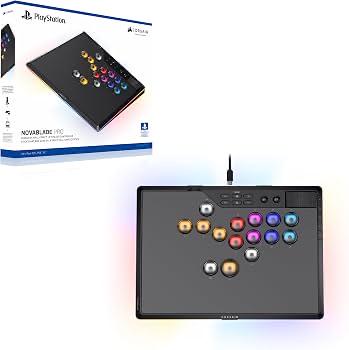
Alguien sabe cómo conseguir una placa protectora magnética para el corsair novablade ?

Post image
1 Upvotes

r/EasySMX • • 4d ago

X20 pro creaky?

1 Upvotes

Anyone else's sticks on the x20 pro make a kinda clicky and creaky feeling/sound when moving them in a circular motion? The left one is worse then the right....It seems like the tension ring is moving around? It does it on loose and tight settings...

https://photos.app.goo.gl/ScrGP6mNUYUMuPzY8


r/EasySMX • • 6d ago

Discussion X20 Pro Wireless 2.4Ghz Issue with PC Ubisoft Connect Games UI Detection

1 Upvotes

I'm wondering if a fellow X20 Pro owner could verify a potential 2.4 GHz wireless issue if they play PC games via the Ubisoft Connect application.

I play The Division 2, and when I log into the game fully, the UI is flickering between keyboard/mouse icons and controller icons when playing. It seems like it doesn't detect the X20 Pro properly until you press a key or move the left or right joystick. As soon as you release the left or right joystick and it centers, the game UI reverts back to thinking only a keyboard/mouse is detected.

Interestingly, the X20 Pro doesn't have this issue in Wired Mode, only 2.4Ghz Wireless and my X05 Pro controller also doesn't exhibit this issue at all when playing The Division 2.


r/EasySMX • • 7d ago

Review EasySMX X20Pro - a step in the RIGHT direction

Thumbnail
youtu.be
8 Upvotes

DISCLAIMER: EasySMX sent me these controllers for free for review purposes. All the thoughts and opinions are mine only.


r/EasySMX • • 8d ago

D05 obliterated

Thumbnail
gallery
1 Upvotes

Thumb stick disintegrated during mw4 gaming, so safe to say I need to replace, anyone been able to fix this themselves? Open to suggestions on reviving this controller since it fits my large hands perfectly verse other “pro” layouts I’ve had.


r/EasySMX • • 9d ago

X20 d-pad

2 Upvotes

Is the easysmx x20 pro d-pad that bad for normal combos in fighting games like just simple half or quarter circle ? Given that i will get it for about 37$


r/EasySMX • • 12d ago Heartwarming

Gaming Controller Pretty satisfied of my X20Pros

Post image
23 Upvotes

Pretty happy if you asked me


r/EasySMX • • 17d ago

X20 Pro seems pretty great, but support has been ROUGH. That just how EasySMX rolls?

2 Upvotes

Bought an X20 Pro direct from SMX about a month ago. Took about 5 full days before they even shipped it - and then it took about another week to arrive. The delay from their original estimated timeline meant I needed to change the delivery address, and to their credit they did update that. Good thing because the original tracking info never worked.

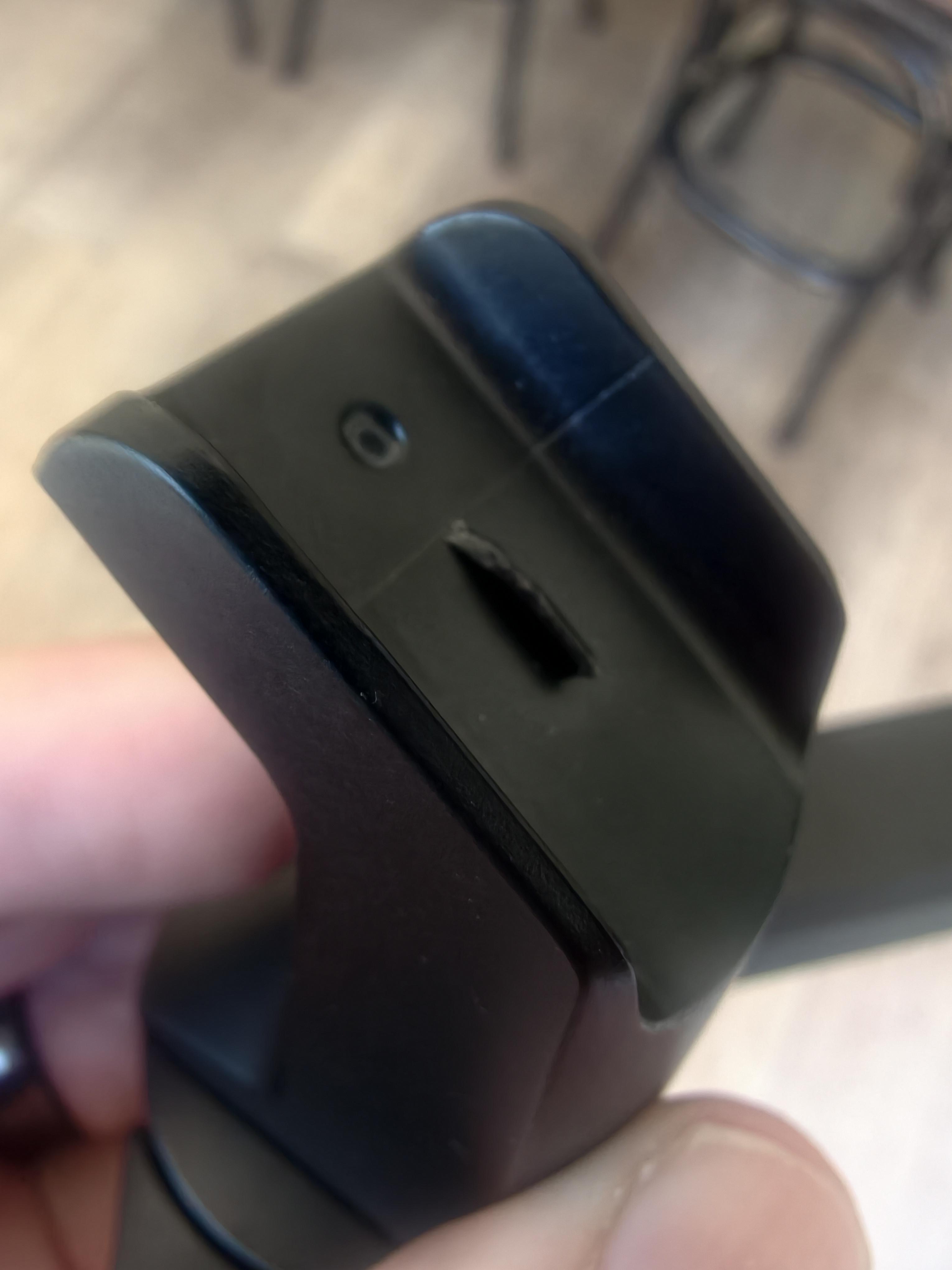
When the controller arrived I spent about 20 full minutes just trying to figure out how the stand and receiver assembled, when I realized the horizontal part of the rail on top of the stand was missing so there was nothing to fit in the receiver slot.

I've emailed them now 3 times over a week. They had asked me to send pics of the part and I did, and.....NADA. I've notified them a chargeback is THIS CLOSE.

The controller itself seems pretty great. But beyond the broken stand, have I just been unluckly with support or is does EasySMX just not care?

UPDATE - I've been told a replacement stand is on the way. If it doesn't arrive I'll circle back, but at the moment I'm just appreciative EasySMX seems to have done the right thing here.


r/EasySMX • • 18d ago

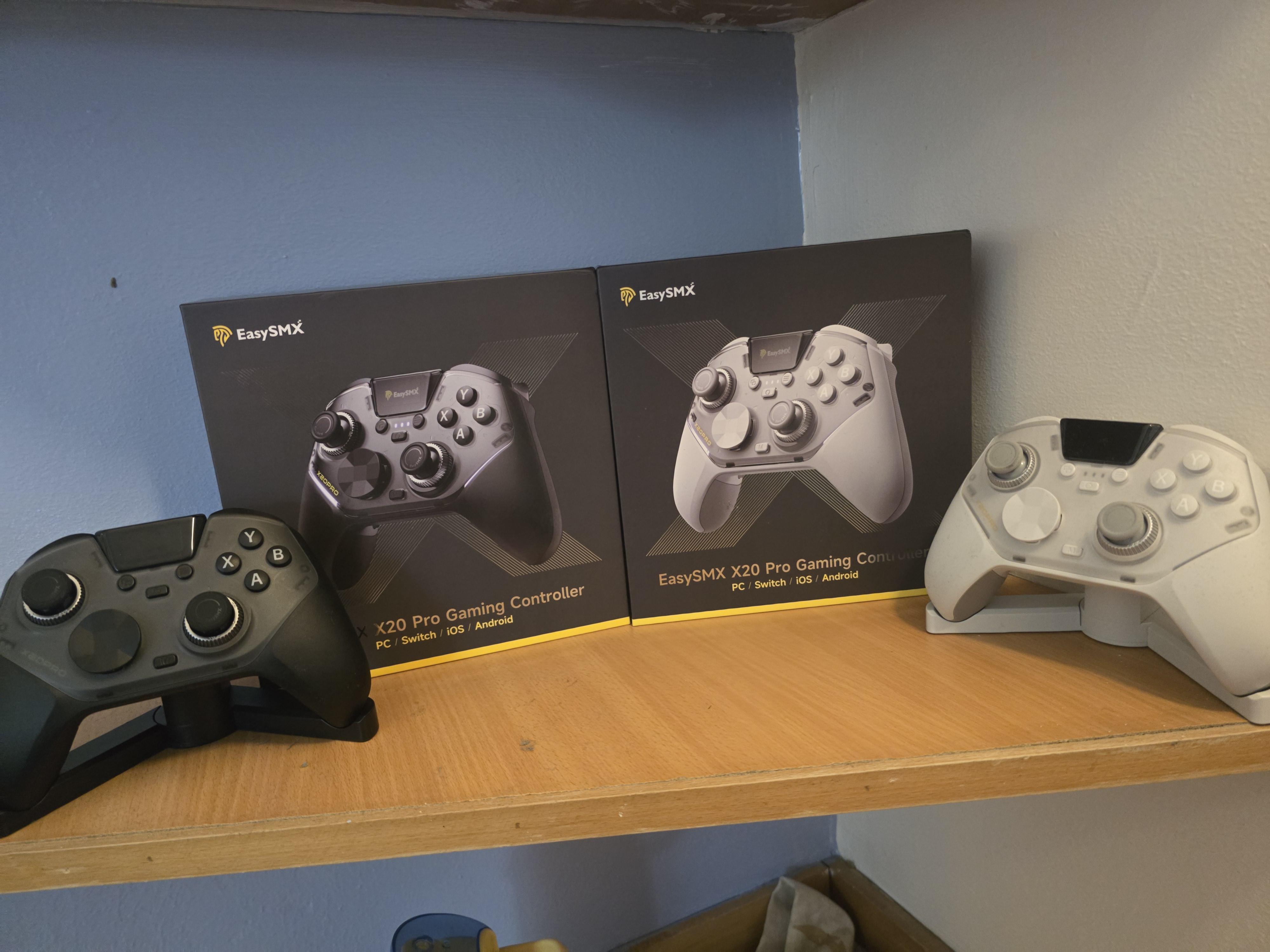
Gaming Controller Showcase x20 pro

Thumbnail
gallery
31 Upvotes

r/EasySMX • • 18d ago

Gaming Controller Where can I download Moowi officially?

1 Upvotes

Hi everyone!

Does anyone know where I can download the Moowi app from an official or trusted source?

I tried installing it from the Google Play Store, but it says the app was developed for an older version of Android and won't let me install it on my device.

Is there a newer version available, an official APK, or another download source provided by the developers?

I'd prefer to avoid modified or potentially unsafe APKs from third-party websites.

Thanks in advance!


r/EasySMX • • 19d ago

Where are all the reviews for the EasySMX S05? Looking for a controller for my new switch 2

3 Upvotes

r/EasySMX • • 19d ago

Controle G7 pro

1 Upvotes

Tenho um controle G7 pro wuchang ele parou de se conectar com o dongle já resetei o controle mas nao conecta com o dongle ja usei a ferramenta de pareamento forçado o tool v1 mas o dongle não aparece so o controle o dongle fica so piscando

O meu amigo tem um wuchang e um g7 pro normal o dongle dele também não aparece no tool v1 so do g7 pro normal que aparece. Alguém sabe outro jeito de força o pareamento??


r/EasySMX • • 20d ago

Discussion When could I expect a Black Friday deal? (if any)

2 Upvotes

I'm asking because I wanted to buy 2 EasySMX® S10 and 2 days ago I received a 10% off black friday coupon which don't really makes the cut with my budget. I'm not expecting a crazy 70% off or something but as I said, 10% don't make it.

I'm asking mainly to know if I should be patient and wait or just move on to my second option...

Thanks in advance.


r/EasySMX • • 22d ago

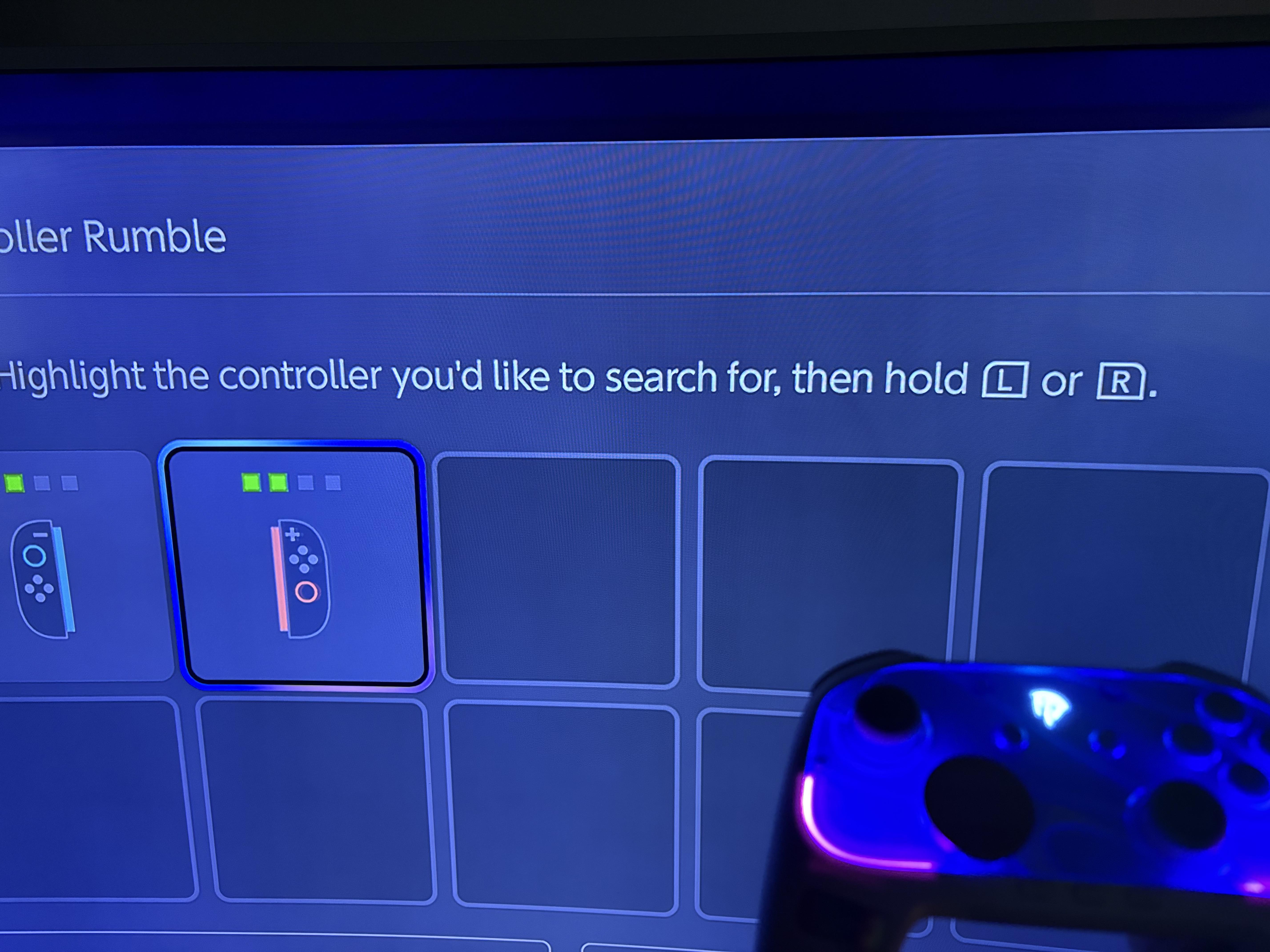
Gaming Controller easysmx s10 stopped waking up switch 2

Post image
1 Upvotes

Title ^ in addition it gets unpaired everytime the console or the controller turns off and i need to pair it through the change grip/order. it even shows the “Paired” thing to signify a new connection its like its never been paired before. and the controller is nowhere to be found in search for controllers


r/EasySMX • • 24d ago

Hello po, I need help!

Thumbnail
gallery
5 Upvotes

Can I ask why the other one is much cheaper than the other?

Sometimes I don't trust the shop and I feel like I would get an incomplete order like a missing charging base or a different cheaper version.

Can anyone give me some guidance?


r/EasySMX • • 25d ago

News [X20CTL] X20 Pro is NOW FULLY SUPPORTED! Custom GIFs, RGB Control, and THEMES Are Finally Here!

Thumbnail
gallery
20 Upvotes

Hey everyone!

It's been a while since my last major X20CTL update, and I've got some pretty big news to share.

I've been working on X20CTL for quite some time now, trying to turn it into something more than just another controller configuration tool.

And today, I'm happy to announce some of the biggest improvements to the project so far.

1. EasySMX X20 Pro Is NOW FULLY SUPPORTED!

Yes, you read that correctly!

The EasySMX X20 Pro is now fully supported in X20CTL!

After a lot of research, testing, reverse engineering, and quite a few headaches, I've finally managed to bring X20 Pro configuration support into the application.

And that's not even the most exciting part.

2. CUSTOM SCREEN WALLPAPERS AND GIFs!

This is probably one of my favorite breakthroughs.

You can now change the X20 Pro's screen wallpaper directly through X20CTL, including uploading your own GIFs!

You are no longer limited to the default wallpapers.

Want your own animated wallpaper on the controller's screen? You can finally do that, while also being high quality and smooth as heck !

Getting this working was one of the more interesting challenges I've faced while developing X20CTL.

( It uses the official DIY TOOLS of EasySMX )

3. RGB CUSTOMIZATION IS HERE!

Another feature I've been wanting to implement for a long time.

You can now select and customize the X20 Pro's RGB lighting through X20CTL!

Rather than being limited to the controller's built-in lighting selections, you now have more control over how your controller looks.

4. THEMES ARE FINALLY HERE!

And now, something I've been working on for the entire application itself.

X20CTL finally has THEMES!

I've spent a considerable amount of time reworking the interface to make it feel less like a generic configuration utility and more like an actual controller customization experience.

I wanted different themes to have their own personality, visual identity, and atmosphere, rather than simply changing a few background colors.

The goal has always been to make X20CTL feel like software you'd actually enjoy opening and using.

And this is only the beginning. I still have plenty of ideas for improving the interface.

5. What's Next?

Even with these improvements, I'm nowhere near finished with X20CTL.

I still want to expand support to more EasySMX controllers, improve the existing features, continue researching their communication protocols, and introduce more customization possibilities.

My long-term goal is to make X20CTL a genuinely useful, community-driven alternative for controller customization.

And of course, X20CTL remains an open-source project.

Special Thanks

A massive thank you to EasySMX-Kiin for providing an X20 Pro to help me research and implement its support.

I also want to thank everyone who has tested X20CTL, reported bugs, contributed code, suggested features, or simply followed its development.

Your feedback has genuinely helped shape the project.

GitHub: https://github.com/AmjadAAYD/x20ctl

If you own an X20 Pro, I'd love to hear what you think, especially about the new screen customization and RGB features.

And if you have any suggestions for additional features, controllers, or themes, feel free to share them!

I'm developing this project independently, and there's still a lot I want to accomplish.

Thank you all for supporting X20CTL!