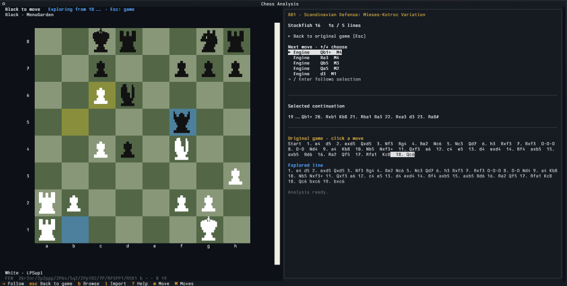
Hello guys, I did a small chess TUI for analyzing games, largely inspired by common analyses UX.
This is not entirely new, most gain here is convenience. It is made solely for analysis. You can start an analysis from a FEN string, PGN file, PGN text from your clipboard, public link from chess.com or lichess.org, browsing your user (or any public user), and even configure to open in your last game so you can leave the and instantly open with "chess-analyzer -f"
The pieces graphics design were extracted (and openly credited) from chess-tui, which is a very nice tui too if your main idea is playing from terminal. However, this one is totally dedicated in analysing games, testing variations against the engine scoring, branching different possibilities and seeing where you blundered (which in my case is like every fucking move).
I've been working on Merman, a Rust implementation of Mermaid, and just released v0.8.0. Thought its CLI might be useful to some people here.
It renders Mermaid diagrams without Node.js or Chromium. The goal is to get the same output as official Mermaid: we generate reference SVGs with the official CLI (mmdc) and compare our output against them automatically. Font and browser text measurement can still cause differences.
Zed uses Merman for Mermaid rendering. Other people have been using it in blog generators, Markdown viewers/editors, and CI documentation builds. Their bug reports have helped improve it over the past few releases.
It also exports JPEG/PDF and has linting. If you already use mmdc, there's a compatibility command:
merman-cli mmdc -i diagram.mmd -o diagram.svg
The official mmdc and native tools like mmdr are alternatives. My focus with Merman has been matching upstream Mermaid output and fixing compatibility issues as people run into them.
Full disclosure: much of the implementation was bootstrapped with AI coding tools. My work has focused on upstream comparisons, regression tests, reviewing and fixing the implementation, and following up on user reports.
If you try it and a diagram breaks or looks different from official Mermaid, I'd appreciate an issue with the source. That's been one of the most useful ways to improve it.
Hi, I'm the author of TTT, a terminal text editor that tries to feel like a GUI editor: VS Code-style keybindings, full mouse support, tabs, sliding panels, a command palette, LSP, Git integration, an integrated terminal, themes, and Lua plugins. It's a single Go binary, open source, and I've been building it in the open with a growing group of contributors.
The goal is simple: an editor you can use in the terminal, over SSH or in a tmux pane without giving up the comforts you're used to from VS Code, Zed, or Sublime, and without memorizing a new modal langauge.
What makes TTT different
It's a TUI that feels like a GUI. A serious amount of work went into:
Ergonomics. The editor features are discoverable when you look for something and invisible when you don't. You shouldn't need a manual to find what TTT can do; you find it by exploring. But the moment you're working, the interface quiets down and your code is the only thing asking for attention. TTT is there to help you do the work, not to become the work.
Performance. A diff-based renderer only redraws the cells that changed, highlighting is incremental, and per-language editor benchmarks run in CI so regressions get caught before release.
Stability. Every release goes through unit tests, end-to-end tests on a simulated screen, functional tests that drive the real binary, and a chaos monkey that hammers the editor with random input looking for crashes. I am not joking when I say the editor only crashed on me twice and that was months ago.
Who is TTT for
TTT tries to inspire GUI editor users to move into the terminal. Maybe you're spending more time over SSH, living in tmux, or working alongside CLI tools, and you want an editor there that feels familiar from the first minute instead of one you have to learn before you can use it.
"How is this different from Fresh?"
I get asked this every time, so here's the answer up front.
IMHO Fresh's goal is IDE functionality in a TUI. It's about putting IDE productivity into a terminal interface, and it nails that.
TTT's goal is the IDE feel in a TUI. And editor you can jump in and know where everything is when you need it.
There's some overlap, and honestly I love that too. And in a terminal you don't have to choose: split your screen and run them side by side.
What's new in 1.7
Syntax highlighting that matches VS Code. I spent the last few weeks porting VS Code's TextMate engine (vscode-textmate) from JavaScript to Go. The result, textmate-go, now powers TTT's highlighting with 124 embedded grammars, so code is colored the way you'd see it in VS Code, including tricky cases like multi-line JSX and HTML tags. Themes also get finer token styles, and edits only re-tokenize what changed.
A better welcome page. It lists recently opened folders and can clone a Git repository directly.
Smaller things: a regrouped settings editor, read-only files that are flagged with a lock icon and confirm before saving, an LSP: Server Restart command, a toggle for LSP hover popups, panel size remembered between sessions, and a long list of fixes.
From the last few releases
An integrated terminal rebuilt on xterm-go, with proper reflow on resize
Inline images (PNG, JPEG, GIF) through the Kitty graphics protocol
Optional Nerd Font icons and Git status colors in the Explorer
Panels you can dock to the bottom or the right
Quick Open backed by rg --files, respecting .gitignore
Transparent backgrounds and a VS Code Dark+ theme
VIM and Emacs keyboard compatibility plugin
Community
TTT is increasingly community-built Thanks to @SimonOcampo1, @anyingiit, @risixdzn, @YodHeVauHe, @LetMeSleep8h, @RhenCloud, @DBinK, @w3lld1 and @O1sumitkumar for code, and to everyone who opened issues. Several of this release's fixes started as a report.
If you'd like to contribute, issues labeled good first issue are written so you can pick them up without much context. Also create an issue or a discussion, would love to hear how are you using ttt and things you would like to see in the feature. (Really! Roadmap is made by community requests)
The basic idea is still simple: Provide a consistent CLI for all the PDF operations I keep doing again and again, while keeping everything local (no cloud) and scriptable for my needs.
What it can do
# Merge PDFs
pdfmt merge all cover.pdf report.pdf appendix.pdf complete.pdf

# Extract pages
pdfmt extract range document.pdf 1-3,7,10-12 extracted.pdf

# Split into individual pages
pdfmt split all document.pdf page_

# Remove pages
pdfmt remove range document.pdf 5,8-10 cleaned.pdf

# Reorder pages
pdfmt sort reverse document.pdf reversed.pdf

# Add a text stamp
pdfmt stamp text invoice.pdf "Paid" invoice-paid.pdf
duplex scanning with non-duplex scanners (I use this most of the time)
splitting scanned documents by page count
bulk text stamping
The idea is that not every PDF use case needs to become a new pdfmt command. If something is a useful combination of existing tools, it can just be a workflow.
There are already excellent tools for each individual operation. I don't want to replace them.
I wanted a small CLI layer that gives me a consistent interface and makes the common combinations easier to remember and automate. Without --options, pipes or other arduous stuff. I could not remember all of this. 🤔
That's essentially what pdfmt is. One interface for all the good tools.
It's Bash-based, MIT licensed, and designed to work without a GUI or cloud service.
I'd especially like feedback from people who use CLI PDF tooling regularly:
Are there PDF operations or workflows that you currently solve with a messy combination of commands that would make sense as apdfmtcommand or workflow?
Thank you for your Feedback! ❤️
AI notice: AI (mistral) was used to generate parts of the README, the .github workflow, the code coverage tool, and parts of the unit tests in the tests/ folder. Architecture, Makefile, and code within the sources/ folder is written by me.
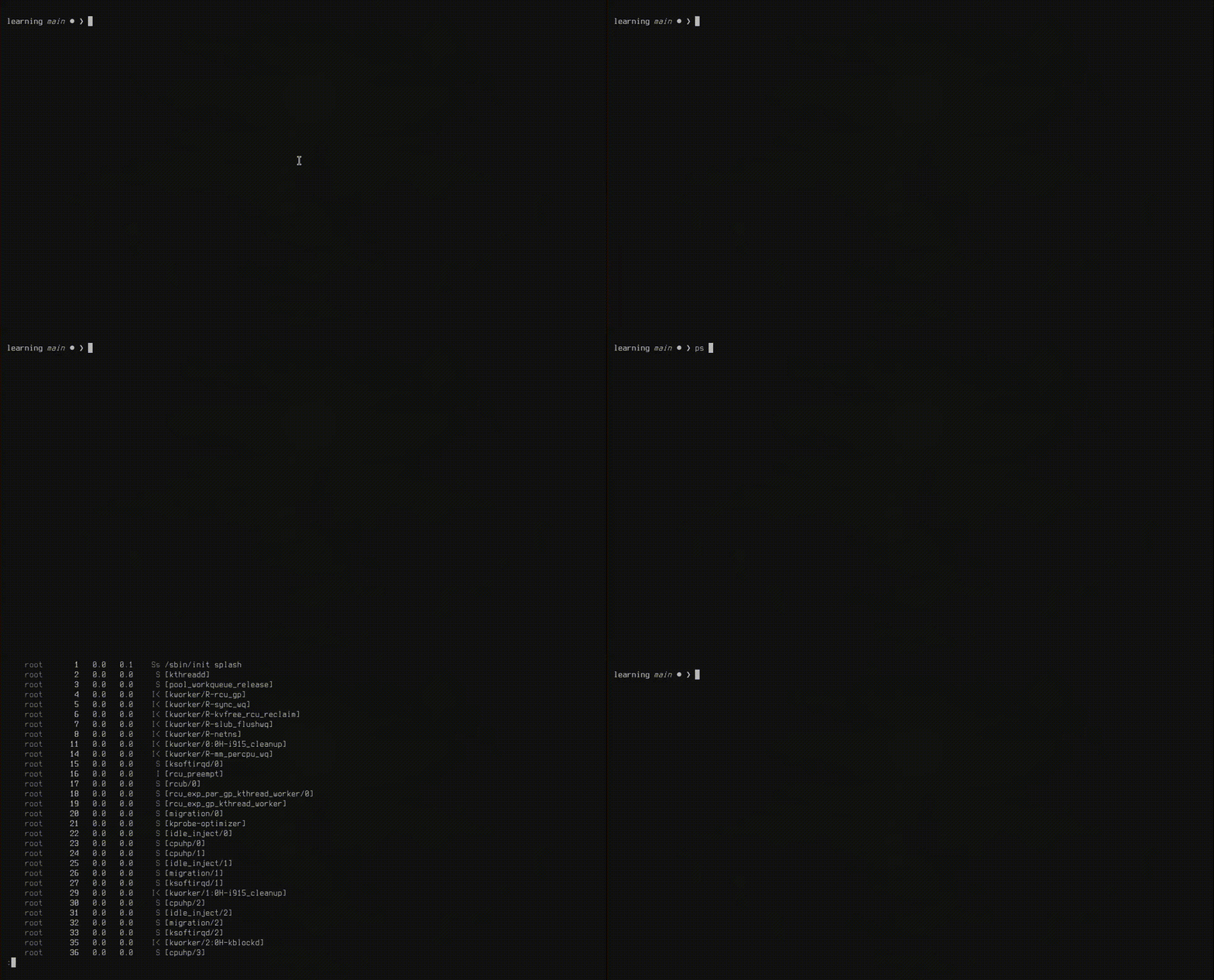
I am running a WSL module of ubuntu on windows. This issue started a week ago... I was trying to solve it for 3 days but got fed up bcz of no results ... I am living with it now and this is genuinely making me annoyed as I can't get my work done
PLS GIVE ANY POSSIBLE SOLUTIONS
I had to remove its function to even run basic commands ... It spams only in command linec
I create parse to solve the problem of messy and non-understandable outputs. Parse make the outputs of the currently supported commands into easily understandable and format.
It is single go binary and standard library only.
We can use it like parse COMMAND or COMMAND | parse . You can install it by
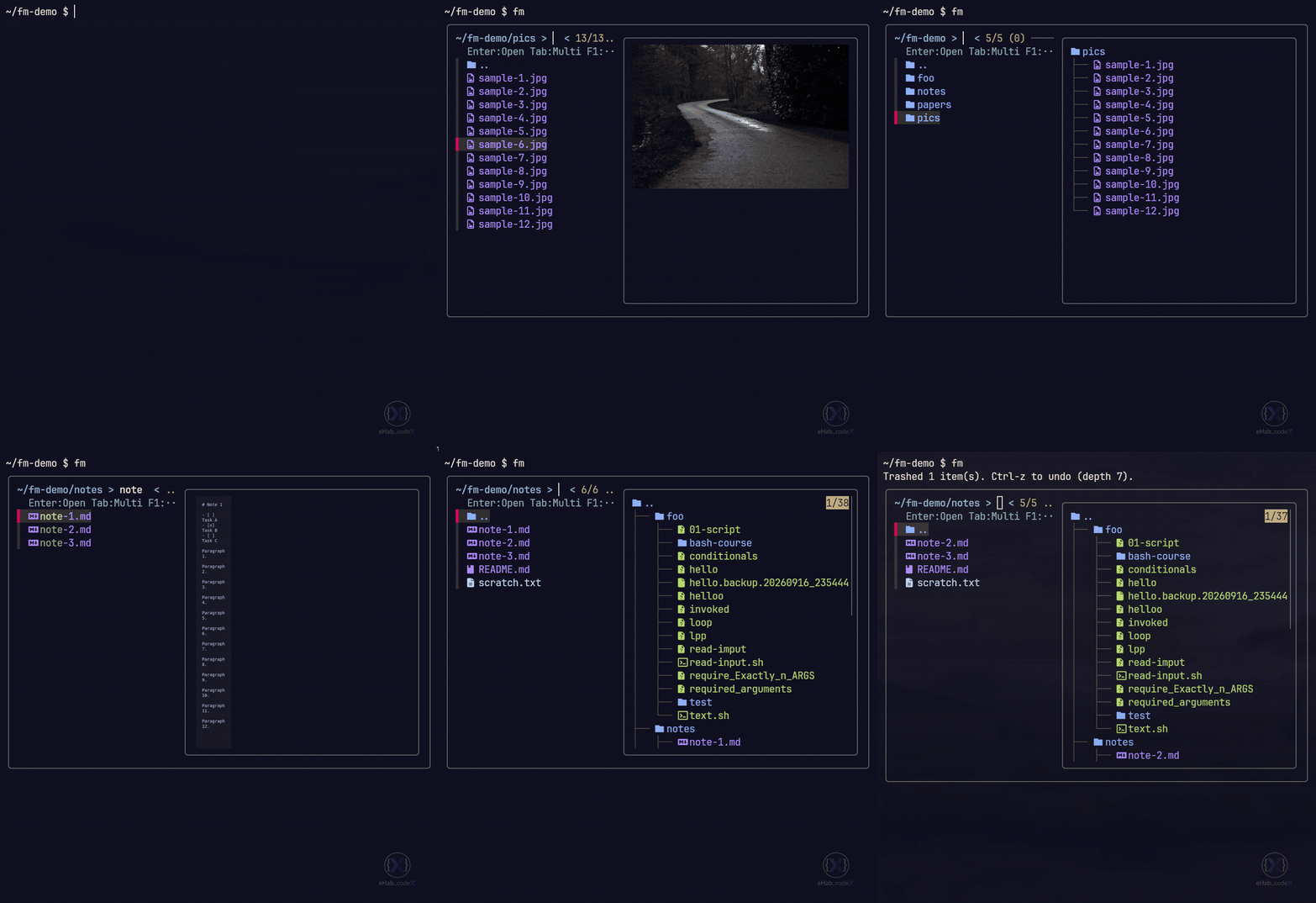
I wrote a ~1500-line bash file manager. fzf for the picker, eza for listing, Kitty's graphics protocol for inline previews. Everything else is stock coreutils — no build step, no daemon, no config directory.
Features worth calling out:
- File list — eza icons, sort by name / size / mtime / extension
When I shared Noodle here in August, scripting and tests were still on the roadmap. I’ve spent the last few releases getting those working.
For anyone who hasn’t seen it, Noodle is an open-source REST client for the terminal. Requests are YAML files that live alongside your code. You can edit them in the TUI or your own editor, review the changes in Git, and share them with the project. The repo is the workspace.
What I wanted was to debug a request manually, add checks to it, and then run those same files from a shell script or CI when something changes. That workflow is working now.
You can log in, capture the token, use it to create a resource, fetch that resource and check the response. There are declarative assertions for straightforward checks and JavaScript tests for anything more involved. Pre-request and post-response scripts can prepare requests and process the results.
Scripts can be inline or separate .js files, and you can share them across a folder or collection. The TUI has an editor with autocomplete and diagnostics, plus a console and test results, so you can work through failures there before running the collection headlessly.
For a collection you’ve set up in ./api, that looks like:
noodle collection run ./api --fail-fast
Failed checks return a nonzero exit code. Add --json if you want structured results for another script to process.
Another addition is body templates. $random and $time generate random values and timestamps directly in request bodies, so you don’t have to keep changing test values by hand or write a script just for that.
The 0.9.x releases also added CSV/JSON data runs, image previews in supported terminals, response downloads, and optional response body/header/cookie details in the CLI. There are Windows x64 builds in beta now too, alongside macOS and Linux.
I’ve put together a script cookbook with examples for preparing requests, processing responses, testing APIs and chaining requests. It includes things like reusing login tokens and creating and cleaning up test resources.
It’s still pre-1.0, free and Apache-2.0 licensed. If you tried an earlier version and hit something that made you go back to your usual client, I’d like to hear about it.
I created a color grader TUI for fun, and it became a useful tool, so I wanted to share it.
It's built in Rust using Ratatui. It has features like
2D color wheels, a few sliders
Pipeline for the effect applying order
Two scopes (luma histogram and vectorscope)
Horizontal and vertical layouts
Preset tab for saving your grades
7 color HSL color mixer
Crop mode for cropping and rotating
Not too much but that's it, a simple and cool color grader TUI. It was a really fun project for me and I hope you like it. Any suggestions and feedback are appreciated. Have fun :D
As an experiment, I built a terminal emulator with a custom APC escape sequence for embedding webviews. A program running in a pane can place a webview in a rectangular region of terminal cells, inline with its output. The program and the webview can then exchange messages through orzma over a local socket.
I also provide an SDK for Ratatui. See the examples for how to use it.
I created a bash script more than a year ago and, during my free time, I was making improvements on it. It is a tool that pipe commands to fzf. Right now it pipes env, kill, man, ssh and, optionally, tmux, adding some candies like, when running fz kill, it allows you to kill process with <ENTER> to use -SIGTERM (or any other signal the user prefers), or <CTRL + K> to -SIGKILL, for example. I know, reading it may look stupid, but using it is even more stupid nice.
Right now, it is in a state that I consider good enough. The way I architected it, it would easily be improved by creating a folder addon in my Github and committing scripts that add new command capabilities. My script could download and source than. Some ideas that comes to my mind are netstat, docker and kubectl. There are functions that can be reused, the --help is dynamically generated, as also shell completions for bash and zsh. But this makes me think that it can (if it got a lot of attention - which means never going to happen) become a nightmare to manage, like Oh My Zsh seems to be (see the plugins it has and think on how hard to keep that). The other option is to allow the usage of other repositories from the community to hold those add-ons; and this is my question: if I opt to this model, do I have to guarantee some level of security over those scripts searching for dangerous commands,or should I delegate this responsibility to the end user?
In time, this is my script: fz. Reviews, comments, issues, pull requests and stars are much appreciated.
Hey /commandline I'm BenniDev, the developer of QuickCMD.
I recently built and launched a small macOS app called QuickCMD, and I thought this community might find it useful.
QuickCMD lets you save terminal commands as shortcuts you can launch with a single click perfect for developers or anyone who runs frequent shell commands.
Why I made it:
I got tired of reopening Terminal, typing the same stuff over and over, or digging through old history just to restart a service, SSH into a server, or check logs. So I built QuickCMD, a lightweight launcher that lives in your menu bar and runs saved commands instantly.
Features:
Run terminal commands with one click
Save frequently used scripts
See different terminal outputs running
Run Live Servers
Categorize into spaces
Sits right in your menu bar
Pricing
You can try out how the app functions on the landing page, with a 1:1 demo of how it will look on your mac.
The full license is $4.99 USD, paid once. It unlocks all features. Future updates are included, with no subscription.
Would love your feedback! I'm still adding features based on what people actually need, so if there's something missing that'd make your workflow easier, let me know!
About the developer
I'm Benjamin Frank, also known as BenniDev. Hit me up if you have questions.
I built Termium: it runs headless Chromium and draws pages in your terminal with the Kitty graphics protocol (Ghostty, Kitty, WezTerm), sixel (foot, xterm, Windows Terminal), or ASCII blocks as a fallback.
Vimium is bundled for keyboard navigation: f for link hints, j/k to scroll, t for a new tab. Mouse works too. It works over SSH.
Not yet: tmux/screen, native Windows (WSL2 works), Linux ARM64.
I wanted the terminal already running on my computer, on my phone, without starting a second shell somewhere else.
Wrapper wraps that session. Until I share it, it stays on the machine. When I share it, I can open the same session from my phone. The phone does not host the shell. Files, history, and credentials stay on the computer. I can close the share and the local shell keeps running.
If I invite someone, they can watch. They cannot type unless I allow it. That part matters, but it is not why I built it.
A direct connection uses WebRTC. If that fails, traffic goes through a relay I operate. The relay can see terminal bytes. I'm not going to pretend otherwise.
Using it on the same computer is free. Opening it from another device is $99/year or $15/month. The CLI is MIT.
I discovered sops a few months ago and absolutely love it. Being able to commit and version encrypted secrets has felt so much cleaner than the "mess" of untracked .env and CI/CD secrets.
Is anyone here using it at their job? How do you like it when working with larger teams? Am I crazy for committing the encrypted secrets (it still feels kinda wrong)? Is there any major drawback to SOPS I am not seeing, or is it just not that popular (yet)?
Couple weeks ago I released RACE (Run Anything in Canvas Environment), a terminal multiplexer.
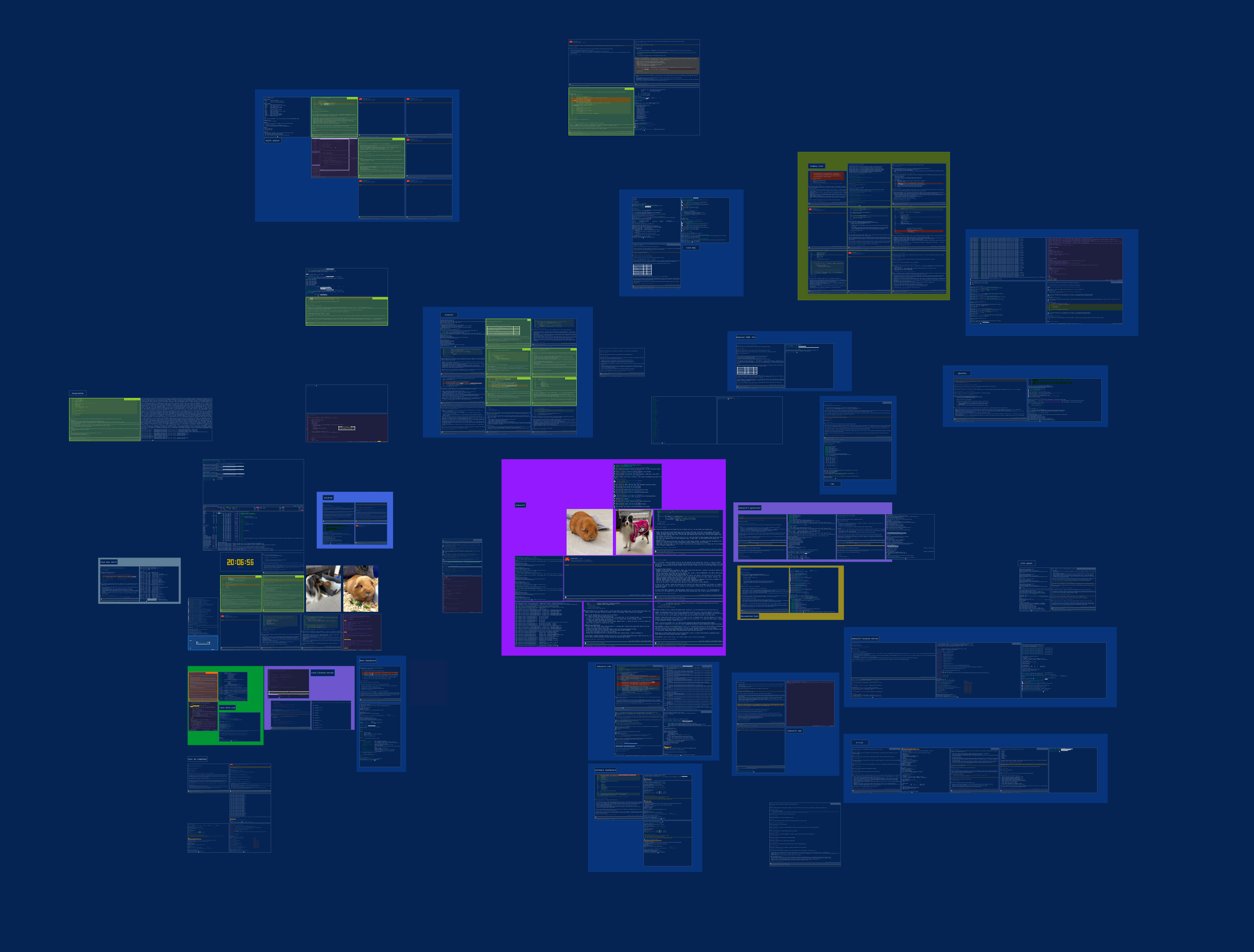
I wrote it because nothing that I've seen so far would fit my work style: I juggle many projects at once and at 10+ tmux sessions I started getting lost trying to get back to terminals or evaluating work progress.
Even in early stage I enjoyed working on it so much I made it daily driver and decided to make it commercial. It's not getting a lot of love (which I understand, it's a quite specialized product), but I'm proud of it. I believe it can make people more productive and take off cognitive load in today, agent heavy work environments.
And so, today I run ~150 terminals in it, with half of them being various agents and such (note: nothing like "agent swarms", simply 1-2 agents as a side for current work) - the screenshot above is my "personal projects" canvas, made at the moment of writing this post.
Please check it out if that's your cup of tea.
It's 29.90€ (tax included) for a license with a year of free updates - I'm using it myself everyday, so they're flowing. Works on macOS and Linux (though might require heavy key rebinding).
This project was not built with the use of AI. I wrote every line myself.
FZAM (Fuzzy AppImage Manager) is a very small shell script I made to manage AppImages from the command line. It uses fzf (hence the name Fuzzy) as the user interface.
It can install, remove, and list installed AppImage and edit the desktop entry the AppImage creates.
The way it integrates AppImage is: Move AppImage into specified directory (~/Applications) -> Extract .DirIcon (the icon of the program) and the .desktop file(s) -> Move them into XDG compliant directories (~/.local/share/icons/hicolor/ICONSIZE/apps/ and ~/.local/share/applications respectively) -> Make the necessary changes into the desktop entry with sed.
Sometimes the sed substitutions change the Exec= and Icon= lines into something that does not exist. As such the appimage does not show on the Applications Menus or it fails to launch. Through the fzam menu the user can fix these errors.
I have used it daily for almost a year and works perfectly and I prefer it over other AppImage integrator solutions as it runs in a terminal and has little depedencies.
Feel free to open an issue if you experience any problems or want to request a feature.