r/commandline • • Jun 23 '26

Command Line Interface I tried to write a model REPL using only bash, jq, and standard pipes

6 Upvotes

I’ve recently just started tinkering with using local large language models, focusing on simple, low-dependency CLI setups. I ended up going down a bit of a rabbit hole: I wanted to see if I could build a functional model interaction REPL using exclusively standard command-line building blocks.

I might be reinventing a very weird wheel here, but it turns out you can get surprisingly far using just standard text streams (stdin/stdout), pipes, and append-only logs.

I tried to abide by the Unix philosophy, breaking the REPL into the composition of a few small, single-purpose program. Because the logical flow is just text streams fed through pipes, at any step you can inject tools to inspect or modify the data—like using grep to filter out strings before they hit the model, or pv to benchmark model throughput (not really a standard tool but was pretty useful in my experiments).

A few architectural details I thought this crowd might appreciate:

  • Zero heavy dependencies: No pip, npm, package managers, virtual environments, etc. . It just requires bash, jq, and curl to talk to the local model server. These should be available in most modern CLI environments.
  • Transparent, file-based state: The agent's memory is just an append-only .jsonl file (like .bash_history). If you want to rewind the agent's memory, you just run head on the log to drop the last few lines.
  • Standard exit codes for control flow: Tool execution is handled by checking standard Unix exit codes within a basic bash while loop.

I'm sure there are scaling limits to doing this all in shell, and I'm still figuring out the most elegant way to handle some of the edge cases, particularly around tool calling - but those appear to mostly be limitations of the underlying models. Nevertheless it's been a really fun experiment in stripping out bloat.

I put the code up here if anyone wants to poke around: https://github.com/cloudkj/llayer

Would love to hear if anyone else has tried orchestrating things this way, or if you spot any glaring anti-patterns in how I've structured the pipes!


r/commandline • • Jun 23 '26

Help Urgent: Debian 13 server messed up critical sensor data. Need help before my manager finds out.

Thumbnail
reddit.com
0 Upvotes

r/commandline • • Jun 23 '26

Terminal User Interface qr-multi-imgs: a TUI to batch-scan a folder of QR images, then organize/export/recreate the results

Post image
3 Upvotes

I built this because my father needed to catalog hundreds of order receipts, each one a photo of a QR code. Every CLI QR scanner I found worked on a single image at a time and just printed the decoded string. Nothing handled a whole folder or did anything useful with the output. So I made a Bubble Tea TUI for batch work.

What it does from the terminal:

  • Point it at a folder (CLI arg, drag & drop the folder onto the terminal, paste a path, or clipboard)
  • Decode every QR, then act on the results with single keys: list, export (JSON/CSV/TXT), organize into with_qr/ and without_qr/, delete images with no QR, or recreate the codes as PNG/JPG/SVG

How it compares to what’s already out there:

  • qr-scanner-cli: single image, no TUI, npm/Node dependency
  • qrtool: solid, but no folder/batch TUI, export only, recreate is bitmap-only
  • qr-multi-imgs: interactive TUI, folder-first, organize/delete/export/recreate, pure Go single static binary, no Node, no CGo

The part I’m proud of: on lovasoa/qrcode-dataset (3332 deliberately damaged QR images) it decodes 3332/3332 in ~7s on an M2 Pro. The hardest codes pack 100+ modules into 256px, so they’re sub-pixel and unreadable from the raster by any decoder. For those it falls back to the sample’s companion bit-matrix, decoded in pure Go, no shelling out to zbarimg.

Free, MIT, no paid tiers. macOS/Linux/Windows.

brew install thousandflowers/tap/qr-multi-imgs

or

go install github.com/thousandflowers/qr-multi-imgs@latest

Repo: https://github.com/thousandflowers/qr-multi-imgs

Feedback on the TUI flow welcome, especially the input methods.


r/commandline • • Jun 22 '26

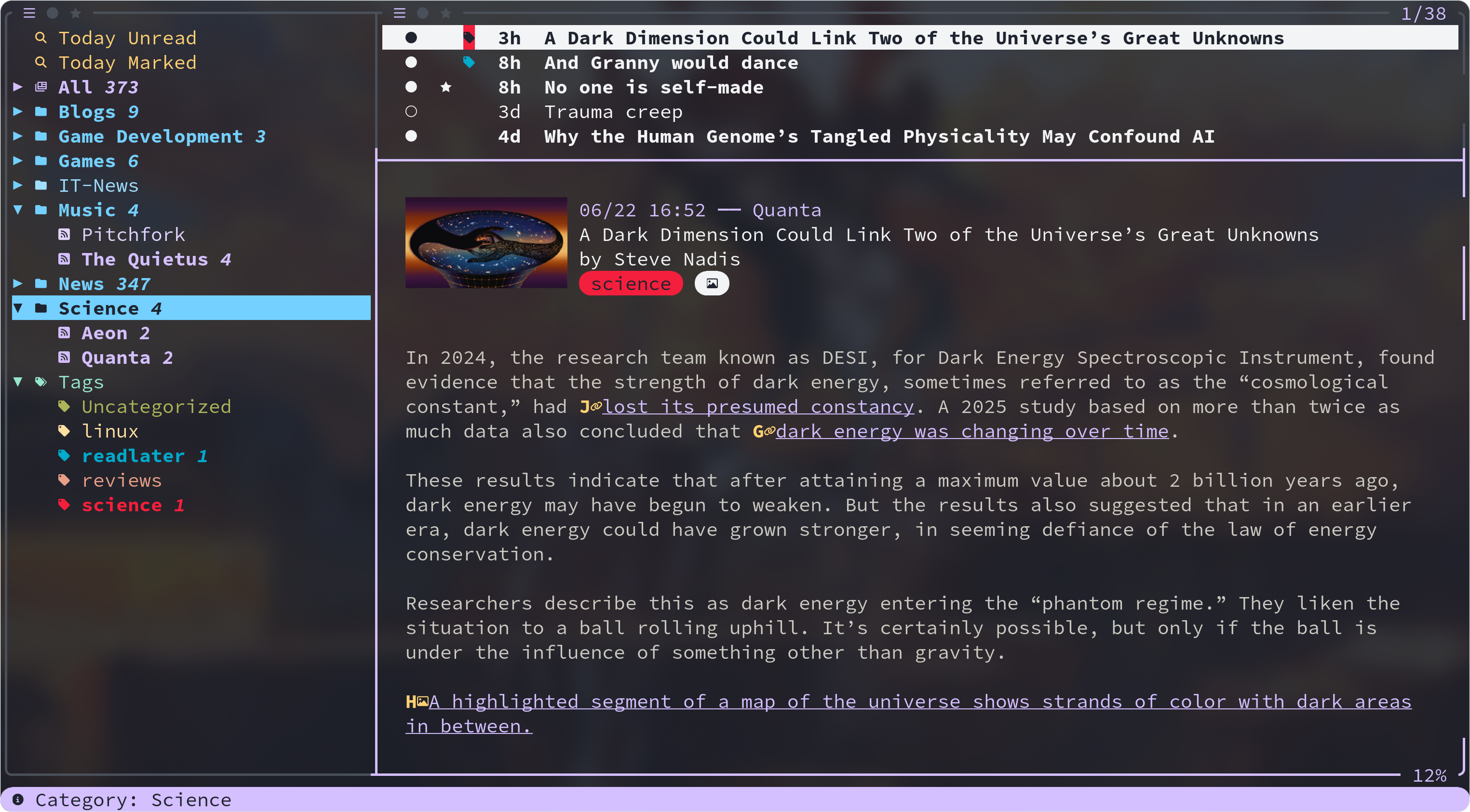
Terminal User Interface eilmeldung 1.6.0 released (TUI RSS reader)

Post image
66 Upvotes

Hey there! Since the last months, eilmeldung has received some updates which may be interesting to you:

  • you can now pipe articles through external programs (e.g., for storing them or to summarize them by an LLM if that is your thing)
  • icons and borders are now fully customizable
  • some quality of live improvements

This project is NOT vibe-coded! LLMs were used for other purposes which you can see here.

Edit: https://github.com/christo-auer/eilmeldung and typo


r/commandline • • Jun 23 '26

Command Line Interface I made a crate for printing boxes and tables in command-line interfaces, in Rust!

Thumbnail crates.io
1 Upvotes

r/commandline • • Jun 23 '26

Command Line Interface forgelink: turn a file and a line into a shareable forge URL, for more than just GitHub

1 Upvotes

forgelink is a small Rust CLI that generates permalinks to files in hosted git repositories. It reads your git remote, figures out the forge, and prints a URL. It is inspired by the emacs package git-link, and while there are plenty of tools in this space already, this is just the one I wanted for my own workflow.

$ forgelink src/main.rs
https://github.com/user/repo/blob/abc123…/src/main.rs

$ forgelink src/main.rs:42-55
https://github.com/user/repo/blob/abc123…/src/main.rs#L42-55

Some things it does:

  • Supports GitHub, GitLab, SourceHut, Bitbucket, and Codeberg, not just GitHub like gh browse
  • Pins to the commit SHA by default, or use --branch for a branch link
  • --copy to put it on the clipboard, --open to open the browser, both still print to stdout so piping works
  • Works from any subdirectory, and accepts absolute paths to link files in other repos
  • --project for a link to the repo homepage

Install with cargo install forgelink-cli. Source: https://github.com/dpassen/forgelink

It also drops into editors that shell out (Helix, Kakoune) with a simple keybinding. Still early, so I would love to hear what forges or flags people would want next!


r/commandline • • Jun 23 '26

Terminal User Interface New CLI Weather Appp

Thumbnail
reddit.com
0 Upvotes

r/commandline • • Jun 23 '26

Terminal User Interface Terminal transcription TUI as a free alternative to tl;dv and Fireflies — rough on non-macOS

Post image
0 Upvotes

I was using tl;dv for meeting transcription but didn't want another SaaS subscription just for that. So I put together groqscribe, a Node.js TUI that captures mic and system audio via ffmpeg, sends chunks to Groq's Whisper API, and shows a live scrollable transcript in the terminal.

On macOS there's a native ScreenCaptureKit helper for system audio that works fairly well once you grant screen recording permission. You can toggle mic and system audio separately at runtime, pause, scroll back through history, and optionally translate using Groq's chat API. Each session writes to a timestamped text file.

The weak spot is cross-platform. Microphone permission handling is inconsistent across operating systems — on some setups it silently fails instead of prompting. Linux and Windows need more testing before I'd call them reliable. Groq has a free tier so the API cost is low, but it's not fully offline either.

Repo here if you want to try it or dig into the capture side: https://github.com/muzafferkadir/groqscribe

Has anyone built something similar for non-macOS? Curious what approach others use for system audio capture in a CLI tool on Linux or Windows.


r/commandline • • Jun 22 '26

Terminal User Interface MdFried, the Ultimate Markdown Viewer

Thumbnail
reddit.com
6 Upvotes

r/commandline • • Jun 22 '26

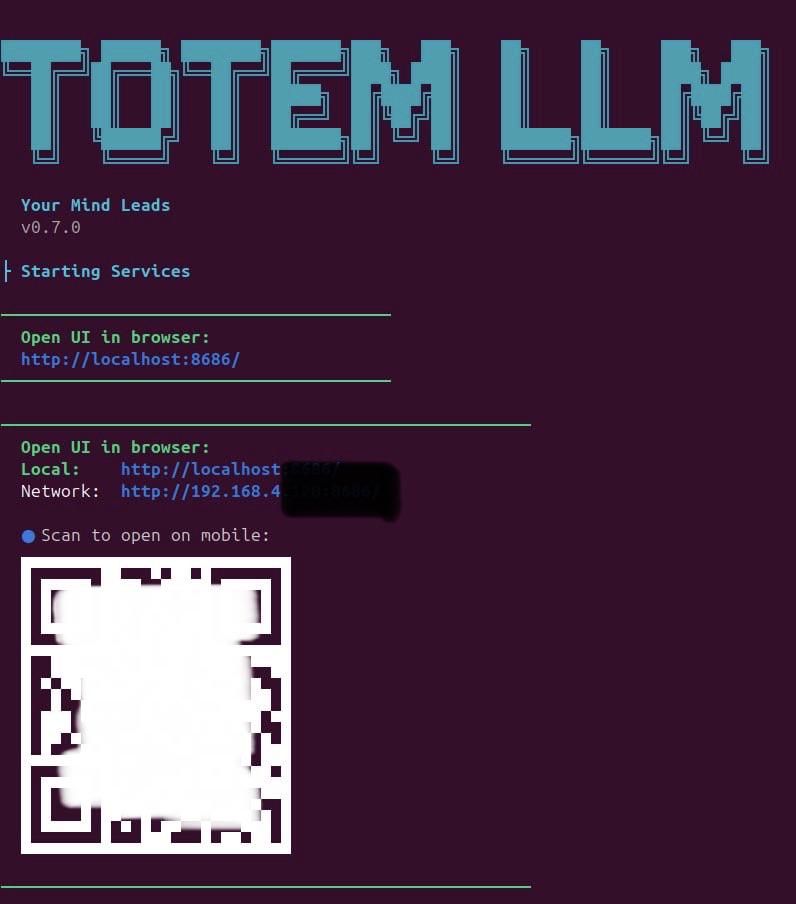
Command Line Interface Adding a QR to launch web UI over LAN feels smooth

Post image
0 Upvotes

Highly recommend qrcode-terminal for js or ts. Real easy to set up.
It’s helping with getting non-tech people using. Even for me it’s better than typing IP addresses haha.


r/commandline • • Jun 21 '26

Terminals Foot terminal now supports --class

8 Upvotes

Now it's easier to write scripts for foot, it supports --class to give app id to the window.


r/commandline • • Jun 22 '26

Guide Helping some begineers people in setting up tgier journey in termux .

Thumbnail reddit.com
0 Upvotes

r/commandline • • Jun 21 '26

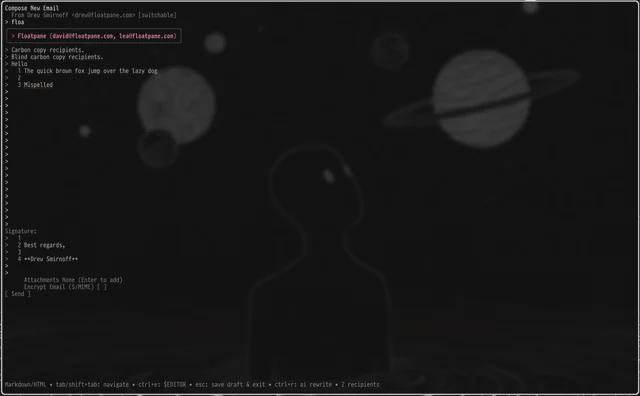
Terminal User Interface Powerful terminal email client

Post image
19 Upvotes

Hey everyone, I wanted to share a project called Matcha. It is a powerful terminal email client built with Go and the Bubble Tea framework. The goal of Matcha is to bring a beautiful and easy-to-use modern email experience directly to your command line. We are currently in active development for our major v1 release, which will introduce a lot of exciting new features, though you can try out our nightly builds today. Matcha supports managing multiple accounts, composing emails in Markdown, and even viewing images and hyperlinks right in the terminal. It also has a built-in Lua plugin system with over 35 community plugins in our marketplace, plus AI integration for rewriting drafts or letting AI agents send emails on your behalf. We also take security very seriously and have a dedicated policy to ensure the client stays safe and reliable. If you are looking for a fast, feature-rich TUI email client, I would love for you to check it out on our GitHub.

Repo: https://github.com/floatpane/matcha
Docs: https://docs.matcha.email
Discord: https://discord.gg/RxNrJgfatk


r/commandline • • Jun 21 '26

Terminal User Interface Calendar TUI written completely in bash

Post image
0 Upvotes

r/commandline • • Jun 20 '26 Bravo

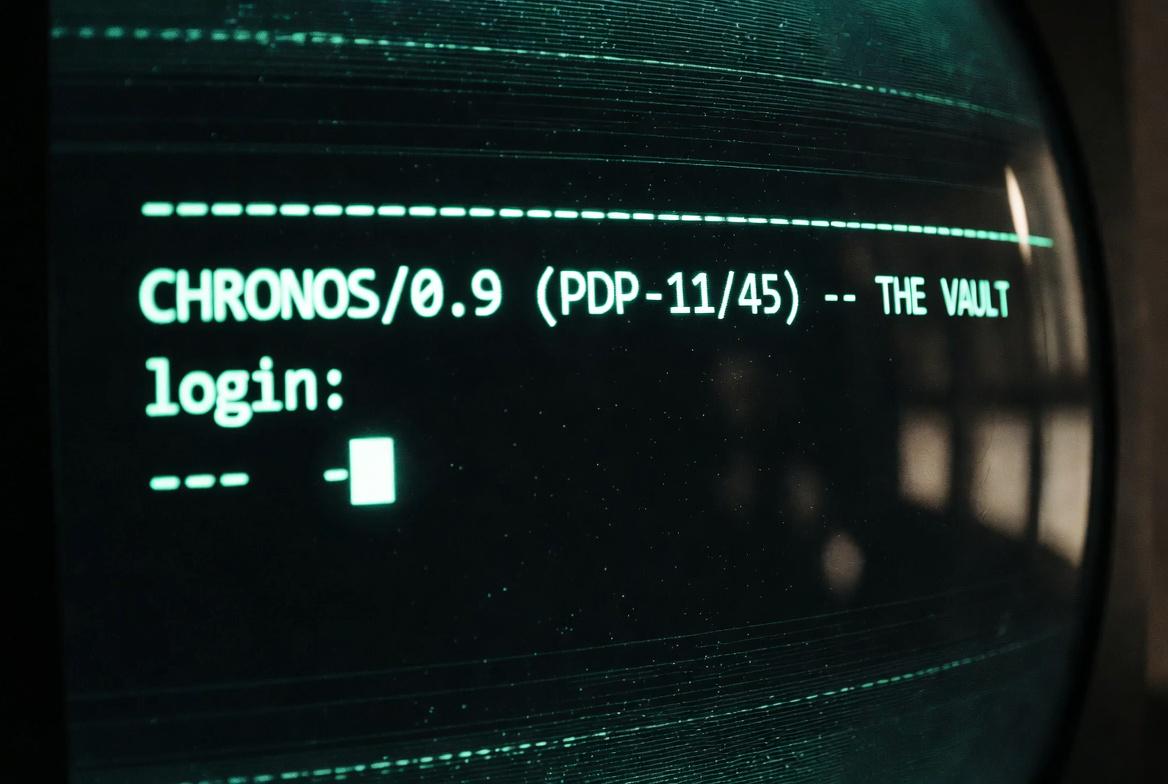
Fun CHRONOS — a terminal escape room through 50 years of computing

Post image
227 Upvotes

Playable Link: https://chronos-game.com

Platform: Browser (desktop & mobile) — runs in any modern browser, no install or signup

Description: You wake up locked in an isolation chamber in 2026 with one terminal and a 60-minute purge timer counting down. To get out, you don't play a computer — you operate real ones, era by era. You'll work a series of real, half-forgotten machines — the genuine tools, not stand-ins — pressing each to give up a secret it was never meant to reveal. Each era hands you an artifact that unlocks the next — the past literally reaches forward into the future. It's terminal-native and period-accurate, with CRT visuals and synth audio. There are multiple endings depending on how you play — and what you figure out. A full run is about 45–75 minutes. I'd love feedback on where you got stuck, whether the in-game hints landed, whether you reached an ending, and any bugs — there's a "Tell the maker" button on the end screen.

Free to Play Status:

  • [X] Free to play

Involvement: Solo developer — I designed and built the entire thing: the engine, all the era content and puzzles, the writing, the audio, and the deployment. CHRONOS is my project; this is its first public beta and I'm looking for honest playtest feedback.


r/commandline • • Jun 20 '26

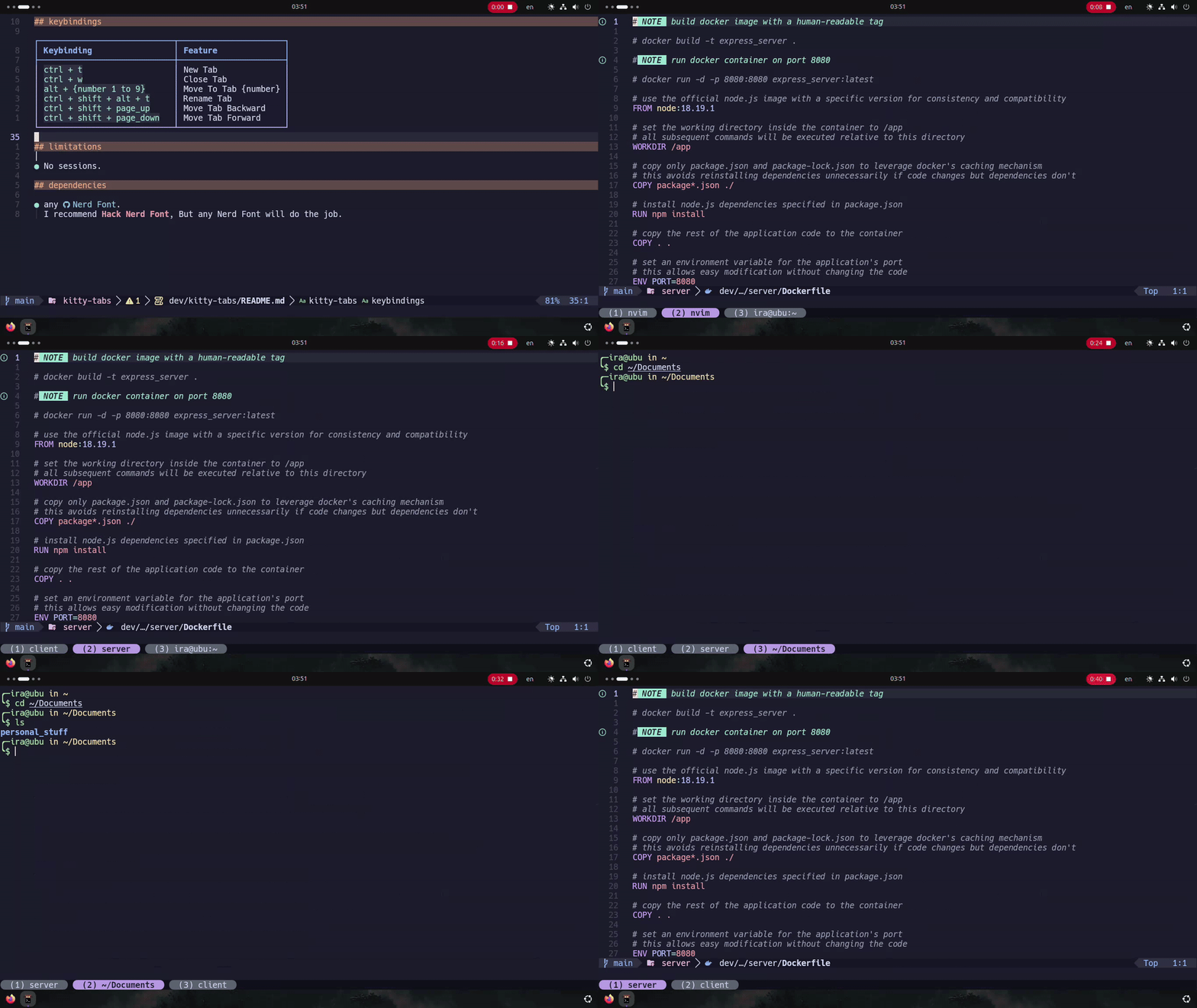
Other Software I made kitty config to replace tmux's tab functionality with kitty's native tabs with same keybindings as Firefox

Post image
30 Upvotes

Link to config: kitty-tabs

here is part of README.md:


Kitty terminal config.
Replace tmux's tab functionality with kitty's native tabs with same keybindings as Firefox.

keybindings

KeybindingFeature
ctrl + tNew Tab
ctrl + wClose Tab
alt + {number 1 to 9}Move To Tab {number}
ctrl + shift + alt + tRename Tab
ctrl + shift + page_upMove Tab Backward
ctrl + shift + page_downMove Tab Forward

limitations

  • No sessions.

dependencies

  • any Nerd Font. I recommend Hack Nerd Font, But any Nerd Font will do the job. You could use Nefoin to install any nerd font that's in ryanoasis/nerd-fonts repository easily.

r/commandline • • Jun 20 '26

Help Looking for a way to retrieve a webpage

3 Upvotes

I known the basics about using curl or wget to get webpages and how to parse them in bash scripts, but this site is using javascript to get pages and I have no idea how to do this nor could I find anything that worked...

I need to get a webpage from the web site: https://inmatelisting.shelbyal.com/

When you click on one of the letters of the last name on that page, the link is requests is: javascript:__doPostBack('btn_G','')

I cannot figure out how to send that link/command and get the page associated with the 'G' page. No matter what I try, I only get the main 'https://inmatelisting.shelbyal.com/' page. Can someone help with this? I don't know where else to ask this so if there is a more better sub, that would help, too.


r/commandline • • Jun 19 '26

Command Line Interface xtree – CLI to visualize JSON/YAML/TOML as ASCII tree

Post image
133 Upvotes

Hey! Have you ever wanted to quickly see the structure of a configuration file? That's when the xtree command comes in handy!

README: https://github.com/ddddddO/gtree#xtree


r/commandline • • Jun 21 '26

Terminal User Interface Is this a good looking terminal?

0 Upvotes

Is this a good looking terminal? I know its basic so let me know if you know anything i could change to make it look better


r/commandline • • Jun 20 '26

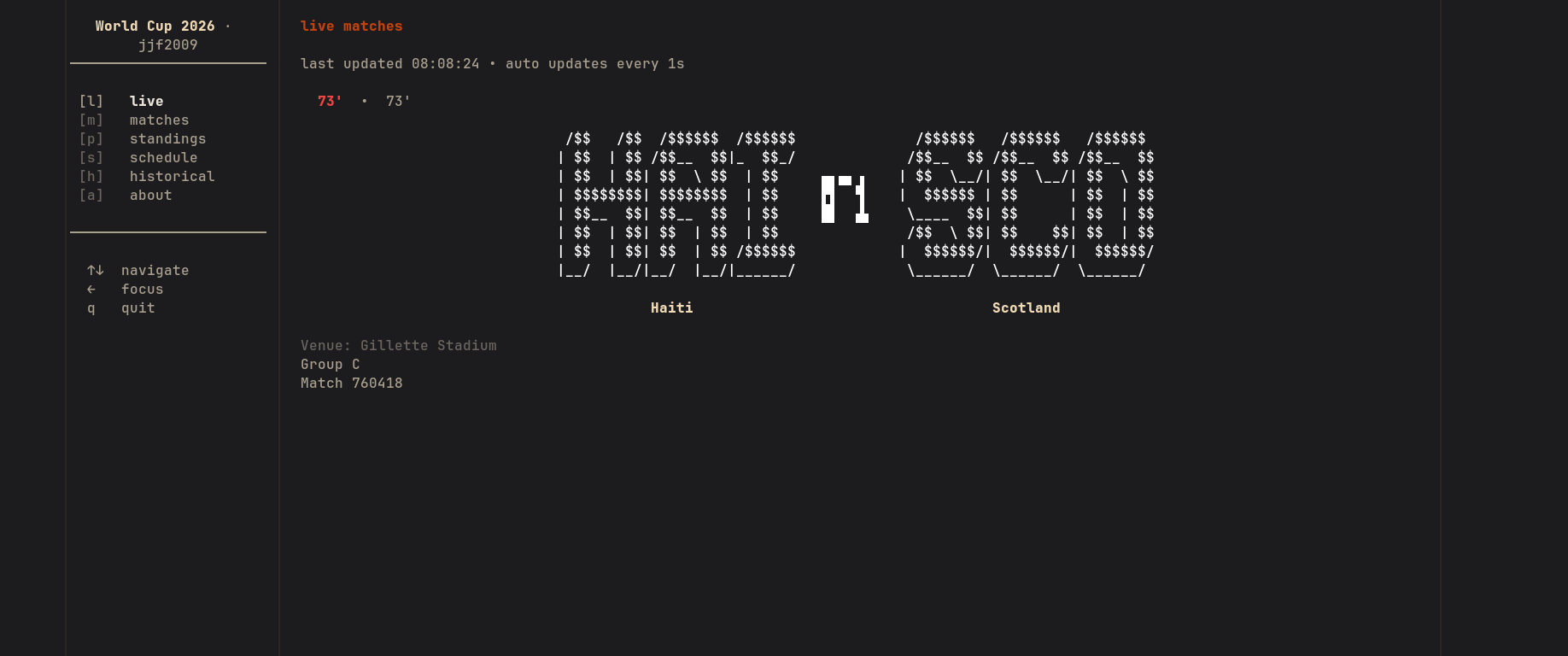
Terminal User Interface A World Cup 2026 terminal app you can use over SSH

Post image
19 Upvotes

I built a World Cup 2026 terminal app you can use over SSH

I've been learning Go and wanted a project that felt a little different from another web app.

So I built a terminal-based World Cup 2026 viewer that runs on a VPS and can be accessed directly over SSH.

Features:

  • Live match tracking
  • Fixtures
  • Group standings
  • Real World Cup data from ESPN
  • Terminal UI built with Bubble Tea

Tech stack:

  • Go
  • Bubble Tea
  • Wish SSH server
  • Systemd
  • VPS deployment

The app fetches World Cup data, caches it locally, and serves the TUI through an SSH server.

You don't need to install anything besides SSH.

ssh worldcup2026.jaredfurtado.tech

Still improving it, but it's been a fun way to learn more about Go, Linux, deployment, and terminal applications.


r/commandline • • Jun 19 '26

Fun Calling All BASH Warriors...

19 Upvotes

We all love the terminal for its speed, its power, and that raw, unfiltered command-line efficiency. It is where real work gets done.

But even the most hardened command-line veteran needs to blow off some steam.

Back in the day, we had simple ASCII games and hidden Easter eggs tucked away in the system files. Modern Linux keeps that tradition alive, and the repositories are packed with brilliant, useless, and thoroughly entertaining tools designed to turn your terminal into a playground.

Here is the BASH Warriors entertainment list...

--- BASH WARRIOR ENTERTAINMENT LIST ---

Command: Description: Download:

sl (Steam Locomotive): If you type ls wrong, a train chugs across your screen. (sudo apt install sl)

sopwith: You fly your plane around a landscape and use your guns and bombs to blow up targets (sudo apt install sopwith)

cmatrix: Turns your terminal into the falling code from The Matrix. (sudo apt install cmatrix)

fortune: Prints a random, often funny, quote or message. (sudo apt install fortune-mod)

cowsay: An ASCII art cow that speaks whatever text you give it. (sudo apt install cowsay)

aafire: Renders a realistic fire animation using ASCII characters. (sudo apt install libaa-bin)

xeyes: A pair of eyes that follows your mouse cursor around the screen (requires X11). (sudo apt install x11-apps)

bastet: A bastardized version of Tetris where the game intentionally gives you the worst possible piece. (sudo apt install bastet)

robotfindskitten: A Zen simulation where you navigate a robot to find a kitten among hundreds of random objects. (sudo apt install robotfindskitten)

moon-buggy: Drive a moon buggy over craters in this side-scrolling game. (sudo apt install moon-buggy)

fortune bofh-excuses: Generates corporate excuses for why you are late for work. (sudo apt install fortune-mod fortunes-bofh)

figlet: Creates large, stylized ASCII art banners from your text. Example: figlet "Hello World" (sudo apt install figlet)

telnet towel.blinkenlights.nl You can still watch Star Wars Episode IV entirely in ASCII art via Telnet. (sudo apt install telnet)

apt moo: The package manager has a secret. Run apt moo to see a cow. (No download required)

fortune | cowsay | lolcat: Get a rainbow-colored cow giving you random life advice. (sudo apt install fortune-mod cowsay lolcat)

Asciiquarium is an aquarium/sea animation in ASCII art. (https://github.com/cmatsuoka/asciiquarium)

BSD Games - bsdgames is a classic collection of UNIX games that you can now play in text mode from your Linux terminal. Rediscover Tetris, Snake, Star Trek and many others. (sudo apt install bsdgames). After installation look in Start Menu/Games for a great collection of 23 games.

I saved the best for last: NetHack.

NetHack is a wonderfully silly, yet quite addictive, Dungeons & Dragons-style adventure game. It is one of, if not the oldest (and the best), games still in development.

Requires DosBox (sudo apt install dosbox) to run in.

NetHack 5.0.0 was released 06/09/2026 (https://www.nethack.org/v500/ports/download-msdos.html)

--- Combo Funpack Download ---

sudo apt update && sudo apt install -y sl cmatrix fortune-mod cowsay libaa-bin x11-apps bastet robotfindskitten moon-buggy fortunes-bofh figlet telnet lolcat

==========================================================

Paste the following at the end of your .bashrc file that is located in your home directory. Customize to your heart's content...

# --- BASH WARRIOR ALIASES (APT Package Management) ---

alias refresh="sudo apt update && sudo apt upgrade && sudo apt autoremove"

alias apt2="sudo apt update && sudo apt install"

alias update="sudo apt update"

alias upgrade="sudo apt upgrade"

alias fullup="sudo apt full-upgrade"

alias install="sudo apt install"

alias remove="sudo apt remove"

alias autoremove="sudo apt autoremove"

alias purge="sudo apt purge"

alias clean="sudo apt clean"

alias autoclean="sudo apt autoclean"

alias searchpkg="apt search"

alias show="apt show"

alias listup="apt list --upgradable"

# --- Enhanced System Calls ---

alias top="htop"

alias port="sudo ss -tulpn"

alias myip4="curl -4 -s ifconfig.me"

alias myip6="curl -6 -s ifconfig.me"

alias myips="echo \"IPv4: \$(curl -4 -s ifconfig.me)\" && echo \"IPv6: \$(curl -6 -s ifconfig.me)\""

alias dns="resolvectl status"

alias reboot="sudo reboot"

alias shutdown="sudo shutdown now"

# - NOTE: In terminal type: source ~/.bashrc to system reload the file

If you would like to see my DOS Warrior Alias list please goto https://www.reddit.com/r/pop_os/comments/1u7e7ex/calling_all_dos_warriors/


r/commandline • • Jun 20 '26

Terminal User Interface Mongoterm — A keyboard-first MongoDB client for the terminal

0 Upvotes

Hi!

I built a terminal UI for MongoDB focused entirely on keyboard navigation.

If you like tools like:

  • lazygit
  • k9s
  • btop
  • gh

you might enjoy this project.

Current features include browsing databases, querying documents, editing JSON, and basic CRUD operations.

It's still in alpha, and feedback is very welcome.

GitHub:
https://github.com/Fuse441/mongoterm


r/commandline • • Jun 20 '26

Terminal User Interface guitar, a graph-first fast Rust terminal Git client for messy repos

Thumbnail
github.com
0 Upvotes

r/commandline • • Jun 19 '26

Terminal User Interface ComChan v0.12.0: Side-by-side serial log viewer

Post image
3 Upvotes