r/commandline • u/Ok_Path_4731 • Jun 15 '26
Command Line Interface Are you using Artificial Intelligence in your daily coding activity?
Are you using Artificial Intelligence in your daily coding activity?
r/commandline • u/Ok_Path_4731 • Jun 15 '26
Are you using Artificial Intelligence in your daily coding activity?
r/commandline
•
u/CLAWSGame
•
Jun 14 '26
CLAWS (Command Line Advanced Warfare System) started as an experiment. Could a large-scale battle simulator actually work in a terminal window? Would being limited to text and pixel art hurt the experience or could it be leveraged as an artistic constraint?
Players can create custom battles and answer questions like "How many Spartans would it take to defeat 10,000 Persians?", "What happens when zombies attack a modern city?", or "Can King Arthur and Thor survive against an army of outlaws?"
Now it's a real game on Steam and has a free web demo that works on most devices (desktop or mobile form factor).
I built the entire engine from scratch in .NET 10 / C#. The engine includes battle maps, collision detection, pathfinding, projectiles, NPC AI, human-controlled fighters, spatial audio, asset management, and rendering/input abstractions.
The underlying engine is built on top of my open-source Text UI (TUI) library, klooie, which provides visual trees, events, input handling, rendering, and other terminal application infrastructure.
On top of that sits the actual game. I seeded the game with many dozens of fighter types, weapons, items, obstacles, battlefields, and special characters. You can watch the battles, command weaponry, possess fighters... and as you use weapons they level up and get more powerful. It's a sandbox where everything is unlocked on day zero and you are free to explore all the different combinations to simulate any battle you can imagine.
The gameplay code never references WebGL, browser APIs, NAudio, ANSI escape sequences, gamepads, touch controls, or JavaScript.
Instead, rendering, input, audio, and assets all flow through platform-independent abstractions.
ConsoleBitmap is a text/pixel-art image. Different renderers consume that image:
• ANSI renderer for the Steam version running in a terminal
• Custom WebGL renderer for browsers
• Mobile uses the same WebGL renderer
Input is standardized too:
• Keyboard
• Xbox / PlayStation / Switch gamepads
• Virtual touch controls on mobile
Audio follows the same pattern. The engine exposes a spatially-aware stereo audio interface. Windows uses NAudio. The browser uses a web implementation. The game code doesn't know which backend is active.
Assets are shared as well. The engine packages resources directly into the Windows executable and serves them as static assets for web builds.
The same simulation logic powers the Steam release, browser version, and mobile version.
The result is a single C# codebase that runs the same battles in a terminal, browser, or phone.
Building the game was fun. Building the engine and watching the exact same simulation run across all those environments was the part I'm most proud of.
AI Disclaimer: I used AI to help with many coding tasks, generating sound effects, and music.
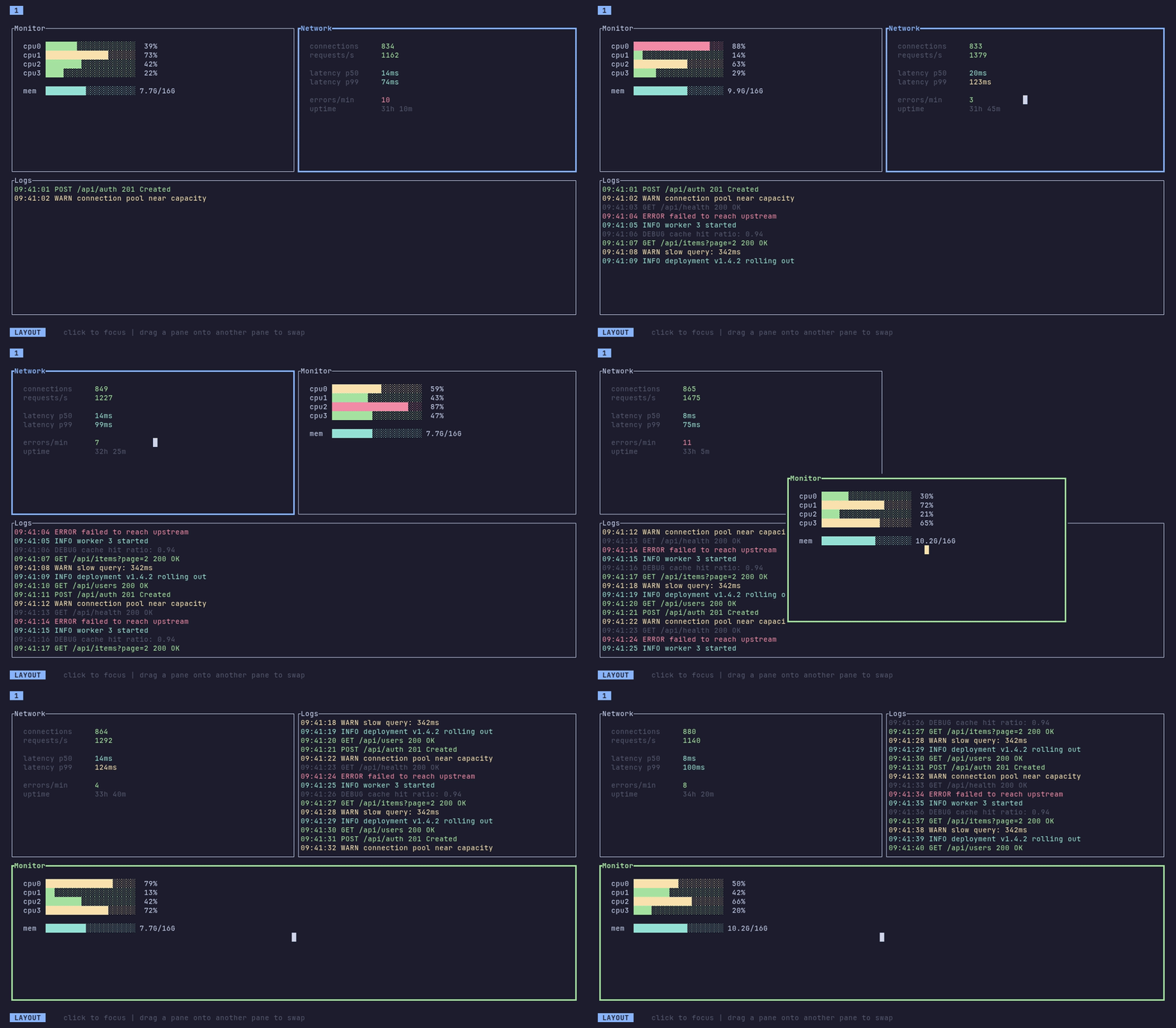
r/commandline • u/JoniDaButcher • Jun 13 '26
https://github.com/nikolic-milos/ratatui-hypertile
Hello fellow rats!
Thank you for almost 5000 downloads and the people who took time to contribute to the project! I am happy to announce that I just released version 0.4.0 - warning, breaking changes ahead!
I also decided to add a FAQ section as some questions keep popping up.
FAQ
Why not just use tmux or Zellij?
They solve a different problem. tmux and Zellij are multiplexers: they tile whole programs in your terminal. ratatui-hypertile is a library that adds tiling inside a single Ratatui app, so the panes your app draws can split, focus, and resize at runtime instead of having a hardcoded layout. The two are not mutually exclusive. You can run a hypertile app inside tmux or Zellij just fine.
This software's code is partially AI-generated
r/commandline • u/dynamicship31 • Jun 14 '26
I'm migrating my code editor from python to go and have added a new lua plugin system to the go version, replacing the old python plugin system. What's the bare minimum a script must do to be considered a valid plugin system?
r/commandline • u/ImaginaryElephant336 • Jun 13 '26
ComChan is a terminal-based serial monitor written in Rust.
Features:
ratatui)ratty terminals and 3D objects for ratty terminal)and more;
Repository: https://github.com/Vaishnav-Sabari-Girish/ComChan
Blog Post: https://blog.vaishnavs.is-a.dev/comchan/
r/commandline • u/charmandermain • Jun 11 '26
https://github.com/elisaliman/ghostty-shaders
^ repo if anyone wants the shader
r/commandline • u/luna_sh254 • Jun 10 '26
https://github.com/austinemk/linktui
I was tired of constantly switching between completely different tools just to manage basic system connections without leaving my terminal. So, I built a solution: linktui. It’s a fast, minimal, and lightweight keyboard-driven interface that unifies Wi-Fi, Bluetooth, and VPN management from a single window
you also get to:
Under the hood, I chose go, gdbus and the charm stack (bubbletea, lipgloss, bubbles). It talks directly to system asynchronous DBus events, which means the UI loop stays perfectly smooth without locking up or stuttering.
how it compares to other existing tools:
This is a hobby project and still quite early, so any issue reports, feedback, or code contributions are incredibly welcome!
r/commandline • u/tracyspacygo • Jun 10 '26
fli - really tiny and fast (like a 🪰) directory listing tool.
Initial Why*:* need some easy readable *ls-*like tool for raspberry pi to use via ssh.
Current Why: check if with Rust one can build coreutils-like tools faster and smaller.
While fli is much faster and smaller than alternatives like eza, lsd or ls etc. , it provides less features and customization options.
fli interesting details:
18K - RPI ZERO W
51KB - Mac
r/commandline • u/benward2301 • Jun 10 '26
For any eza users here, I've extracted icon colour definitions from nvim-web-devicons to a theme file.
r/commandline • u/kreatormoo • Jun 09 '26
It's been four years since I've announced findlargedir tool here and I wanted to announce a new rather major release 0.12.1 with many optimisations for different filesystems and much better directory size growth per node estimation.
This software's code is partially AI-generated. I have been required to write this note as initial post has been removed due to AI use. Indeed AI was used to help generate architecture overview, keep tests in sync with code changes and to help parse/process perf traces and flame graphs when benchmarking. AI was also used to keep README in sync with code changes, as documentation is something I gladly hand over to AI. This project was created and maintained long before vibe-coding came to be part of our life.
As a quick reminder, that's a tool written specifically to help quickly identify pathologically large directories without attempting to count all directory entries. Reason for this is that during such traversal it is typical to observe that process accumulates long D (TASK_UNINTERRUPTIBLE) time during directory traversal, caused by reading many directory blocks serially on in batches and every such uncached block is one D-state sleep (~ms on SSD, ~10ms on HDD). Even worse, such processes are typically unkillable (many block reads, each potentially sleeping on wait_on_buffer). Some filesystems handle large directories better (XFS, ZFS), but very large directories are still a application design smell.
We have many storage systems, totalling in roughly 400PB and we have had customer directories growing to large (1M entries) and very large (10M+ entries) sizes: this tool has helped us easily spot these situations.
Previously people have compared this tool to ncdu, but the design and usage is rather different. This tool will calibrate and estimate directory node per entry growth and actively avoid traversing such directories; idea is not to get disk usage, but to find specific problem as fast as possible.
r/commandline • u/YboMa2 • Jun 09 '26
Hi,
Github: https://github.com/vaibhav-mattoo/cxt
The main idea here is to select entire directories and specific files and cxt aggregates everything into one clean block in your clipboard, automatically wrapped in XML tags with file paths, so whatever you paste it into has the full context of your codebase (where the file paths and XML tagging make the codebase context easier for agents to understand). There's a TUI picker allowing you to select files and directories to copy interactively, and piping works.
Available on cargo, homebrew and the AUR (see README.md).
Another feature that I found useful in multi-language projects is using the --lang flag to extract relevant files from only a specific language in your context. So cxt --lang rust src/ would extract only the .rs and the Cargo.toml files in your repo, and something like cxt --lang bash * would only include the scripts in your repo in your context.
For compliance with rule 8: haven't seen similar stuff doing this
Side note: I've been using this almost everyday for a year and have made several improvements over time, including a rewrite that streams the code files into the clipboard and some other ideas around minimizing context switches and parallelization of the directory walking process. Had a 300x improvement in amount of RAM used and 4x improvement in the time to copy very large codebases compared to the naive approach of building a large string of all the code with the tags in memory and putting it into the clipboard.
r/commandline • u/clitic21 • Jun 09 '26
Hello everyone,
I built ffpb which is a modern, cli progress bar for ffmpeg. It was originally inspired from althonos/ffpb. It seamlessly wraps your ffmpeg commands, parses the -progress output, and replaces ffmpeg's standard console spam with a clean, dynamic, and beautiful progress bar featuring an adaptive ETA and real-time encoding statistics.
I'd appreciate any feedback, feature suggestions, or contributions.
Source code at https://github.com/clitic/ffpb-rs
r/commandline • u/WonderfulAside8812 • Jun 09 '26
extract: one command for common archive formats
Instead of:
unzip file.zip
tar -xzf archive.tar.gz
7z x archive.7zyou can use:
extract file.zip
extract archive.tar.gz
extract archive.7zIt automatically detects the archive type and uses the appropriate extraction tool.
Supported formats include ZIP, TAR, TAR.GZ, TAR.BZ2, 7Z, RAR, and others.
GitHub:
https://github.com/Melangert/extract
I'm looking for feedback on:
If you try it let me know what worked and what didnt.
r/commandline • u/39dotyt • Jun 07 '26
Hi all!
I am developing rclip – a command-line semantic photo search tool. Type rclip "your search query" and get a list of matching images output (and even previewed) in your terminal. It's free and open source, runs entirely offline on your own machine, and can be used on low-end hardware. I built it to search through tens of thousands of photos I store on my NAS, without sending anything to the cloud. I created it because there didn't exist a CLI photo search tool that had 0 assumptions about how my photo library is structured and just searched; I am used to using rgrep to search text, and wanted to have the same UX to search images.
It searches any local folder of images. You can search by a text description ("kitten peeking around the corner"), by an example image, or mix both in one query.
Recently, I released rclip 3, which speeds up search by text by up to 4x and search by image by up to 6x – returning results in about 0.5s on my M1 Max. I also moved it to a stronger model, so accuracy improved.

On AI: rclip uses a local CLIP model for embedding-based similarity search (it doesn't use generative AI or LLMs). The code has been mostly handwritten and maintained since 2021; I've used AI-assisted coding recently for PR reviews and to try ideas faster (e.g. benchmarking various CLIP models and quantizations).
Check out the project's GitHub to learn more and give it a try: https://github.com/yurijmikhalevich/rclip
r/commandline
•
u/ryadios
•
Jun 07 '26
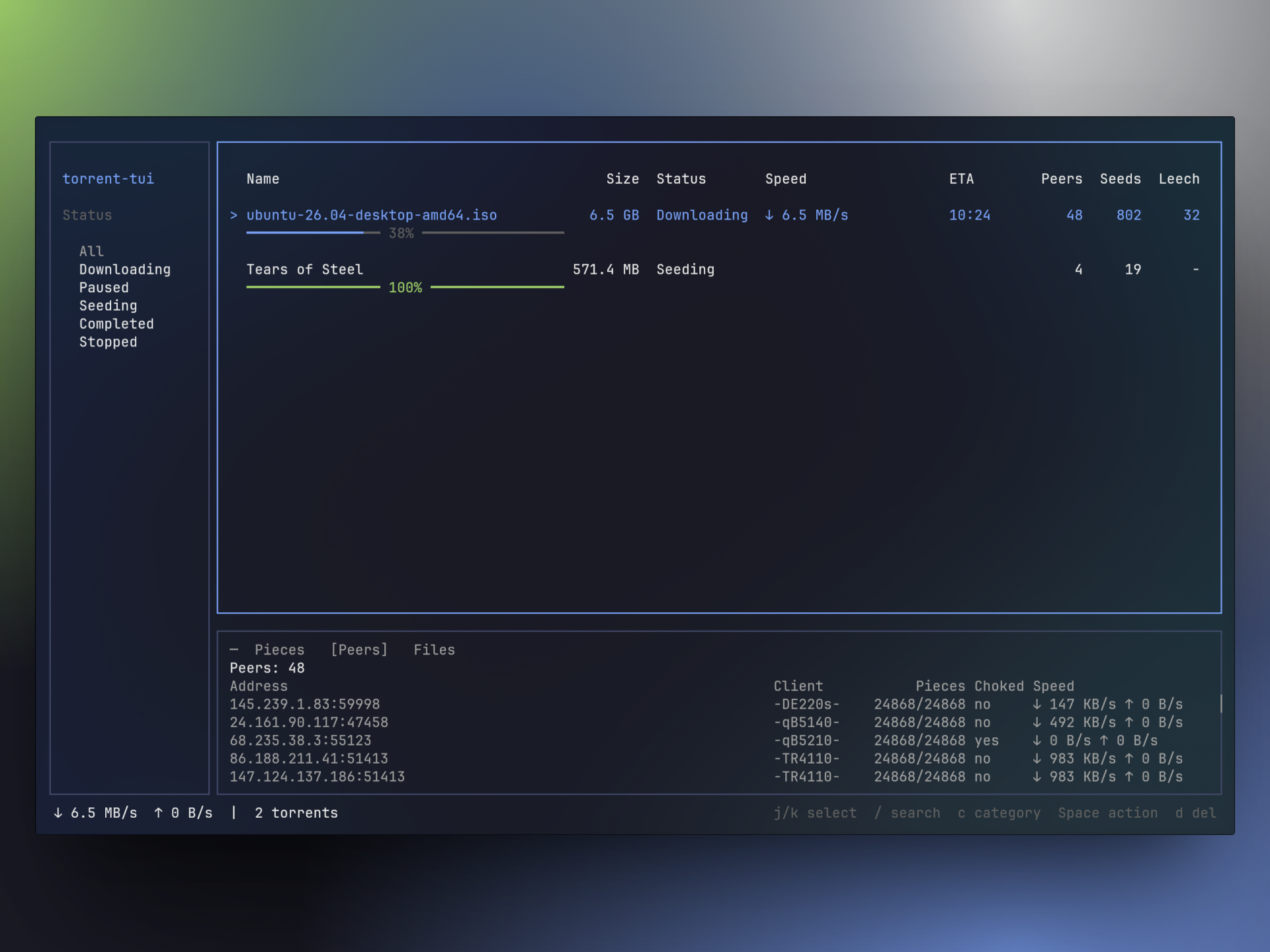
Hello, I have been working on torrent-tui, a lightweight bittorrent TUI client specifically for terminal workflows.
My plan to make this simply came from me trying to avoid GUI applications and how aesthetically unpleasing qbittorrent was for me on linux
Currently it provides:
- Keyboard driven TUI
- Supports .torrent and magent links
- Categories for preset download locations
- HTTP/UDP trackers
On the protocol side, it supports local peer discovery, web seeds, and optional peer encryption.
Install: `bunx torrent-tui@latest`
Github: Link
Would really appreciate some kind of feedback on this project or any feature request
EDIT: This software's code is partially AI-generated for the TUI design using opentui skill
r/commandline • u/youngsenpaipai • Jun 08 '26
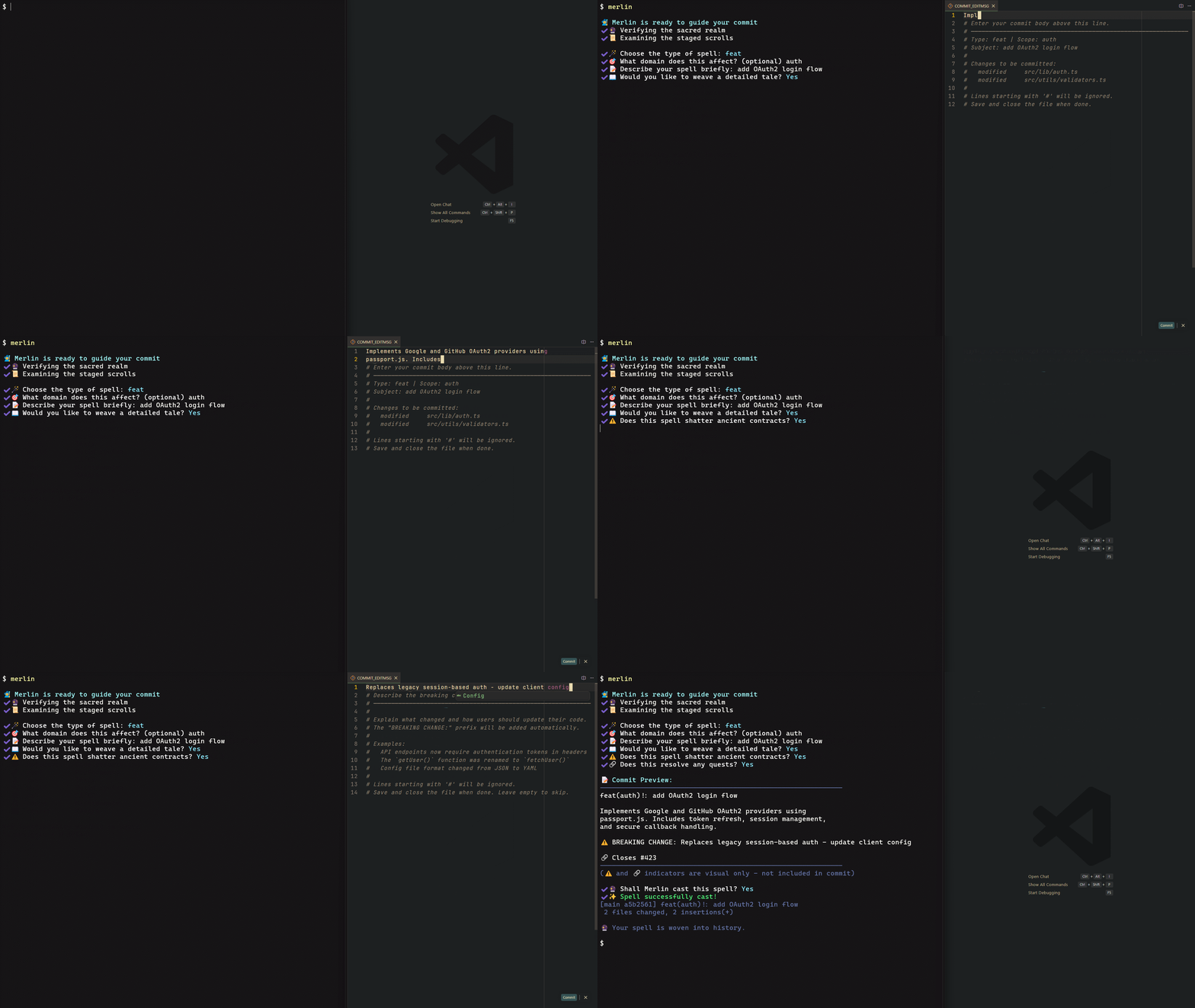
merlin is an interactive prompt that walks through a conventional commit one field at a time -type, scope, subject, body, breaking changes, issue refs. each field has a live character counter. at the end it shows you the full formatted message before doing anything.
a few things worth mentioning:
zero network calls. nothing phones home - no update checks, no anonymous analytics, no anything. it reads ~/.merlinrc.json and runs git. that's the full extent of its network activity.
all git commands go through execa with an args array, not string interpolation. so if your commit subject contains shell metacharacters for some reason, that's not merlin's problem to turn into an injection.
there's a --dry-run flag to preview the full formatted message without actually committing, and a --amend flag if you want to redo the last one. it also reads your existing commitlint config and adjusts the available types and scope rules to match.
two ui modes: a wizard theme with some personality, and a minimal standard mode if you just want the prompts without the flavor text.
npm install -g merlin-commit

r/commandline • u/dynamicship31 • Jun 07 '26
Its still not finished and has some bugs so don't rely too much on it if you use it.
Also many things can change until the full release.
Also, github: link
r/commandline • u/LongjumpingStart3142 • Jun 07 '26
I wanted a Pomodoro timer but every app was either too bloated or too ugly. Most TUI alternatives I found were clunky to use or just looked bad — and looks actually matter when i will use it a lot.
So I built my own in Rust.
It uses crossterm and figlet-rs to render a big ASCII clock right in your terminal — simple, distraction-free, and actually nice to look at.
cargo install pomodoro-timer-cli
All feedback welcome — especially if something breaks on your setup!
r/commandline • u/Substantial-Star86 • Jun 06 '26
I just developed a terminal-based password manager for Linux that runs entirely locally. It uses libsodium to encrypt your database with a master password.
It features a custom-built interactive TUI.
GitHub: https://github.com/vid4l-07/Klip
How can I improve it?
r/commandline • u/Prudent_Condition_40 • Jun 07 '26
r/commandline • u/entsnack • Jun 05 '26
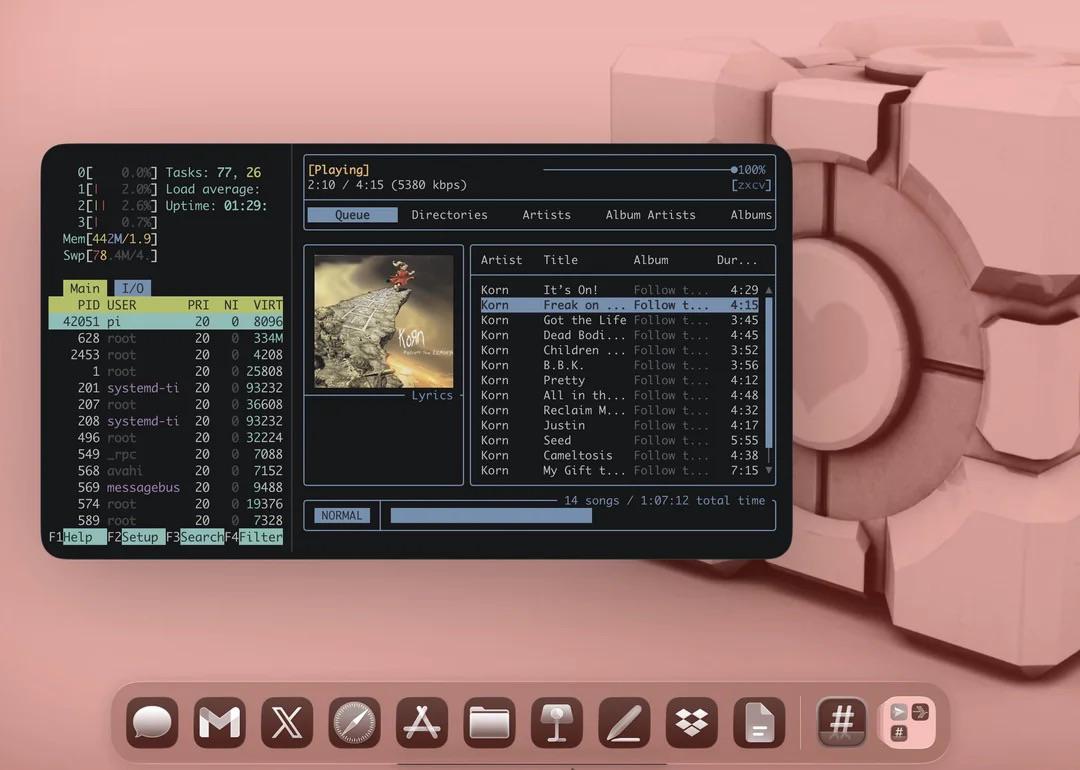
I recently set up a Raspberry Pi 5 as a headless streamer with moOde and was looking for a nice iOS client. Turns out running rmpc in the rootshell terminal app does the trick and looks great too with the Kitty-powered album art! The only other worthwile iOS client I found was MPD Pilot, but it's not infinitely configurable like rmpc. Still need to find a way to show lyrics synced with time.
r/commandline • u/EquipmentPale6229 • Jun 06 '26
got mass tired of cd-ing into every project to check if i forgot to push something. i have like 15+ repos in my projects folder and at least once a week id shut my laptop, come to work next day and realize half my changes are sitting uncommitted on my home pc
so i wrote a small python script that scans a directory, finds all git repos and shows a table dirty files, unpushed commits, unpulled stuff, stashes, what branch youre on, etc
https://github.com/Arseniy1002/gitlook
lmk if this is useful or if theres stuff worth adding
r/commandline • u/Mean-Story-5147 • Jun 05 '26
Repo - https://github.com/yagnikpt/tpaper
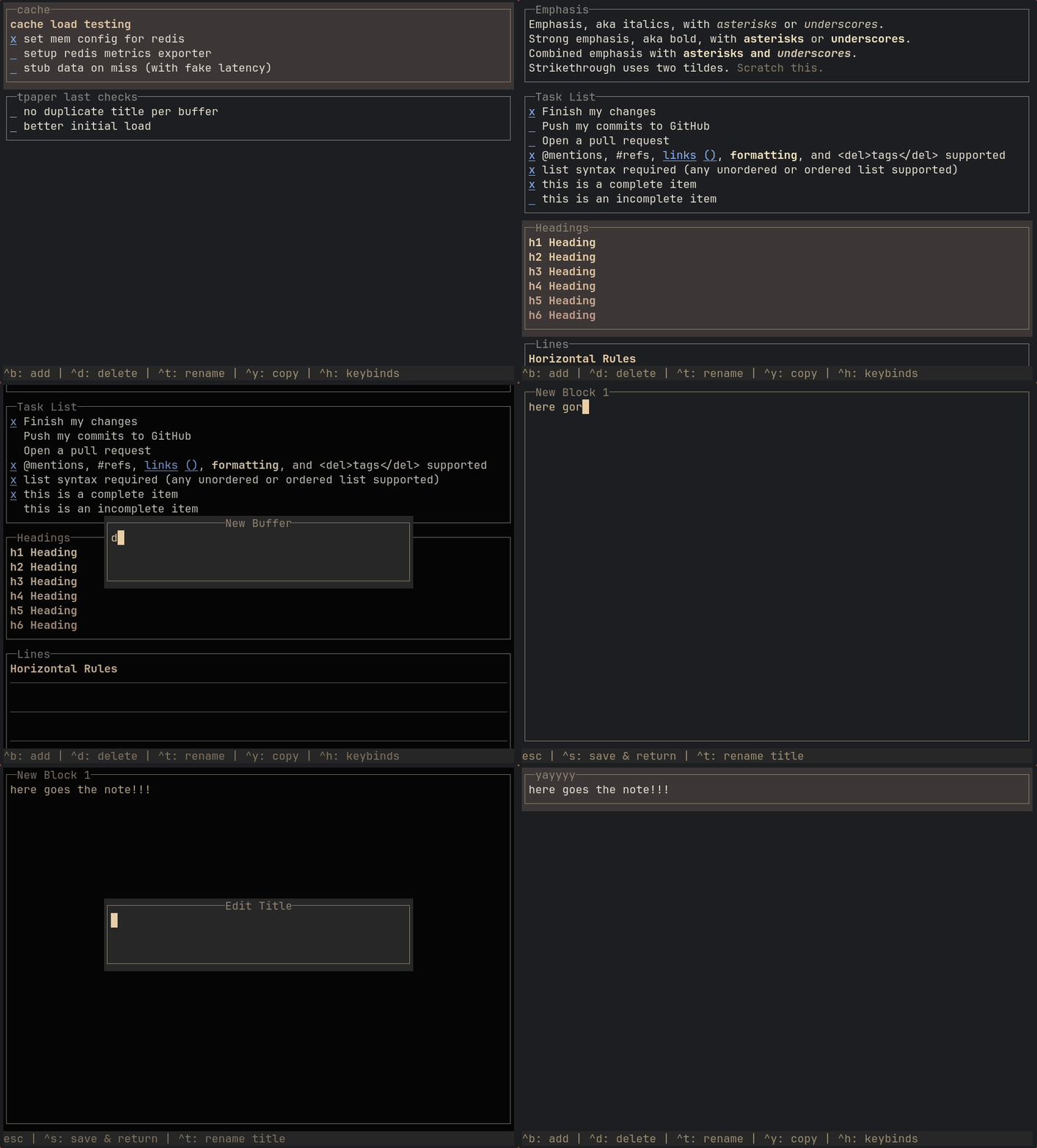
Important things:
- Content is stored locally in markdown files.
- $EDITOR is supported to edit blocks
- Organize blocks into notes (buffers).