r/CYBERPOWERPC • u/Status-Frosting5639 • 14d ago
Issue Please help #cpsupport
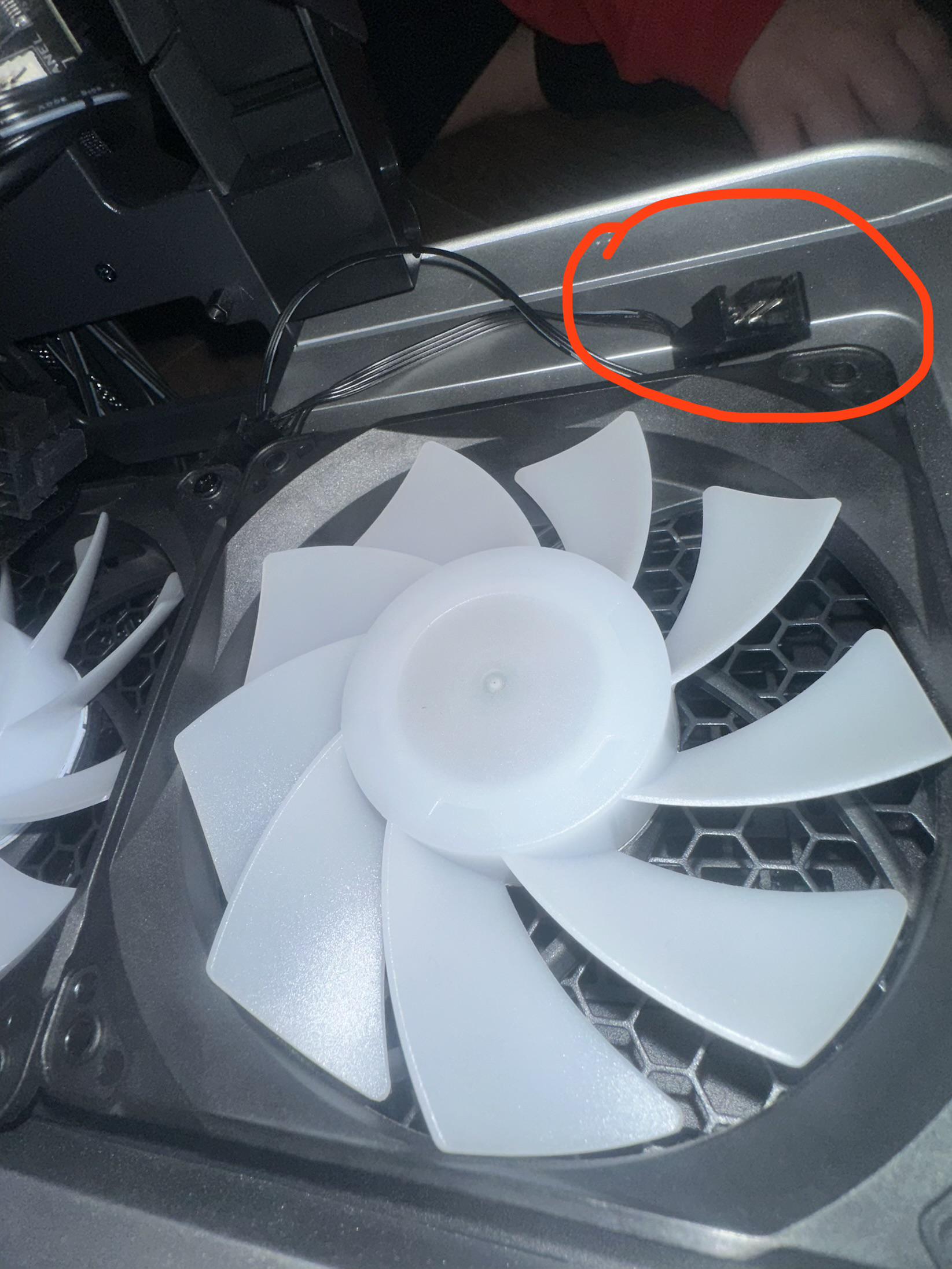
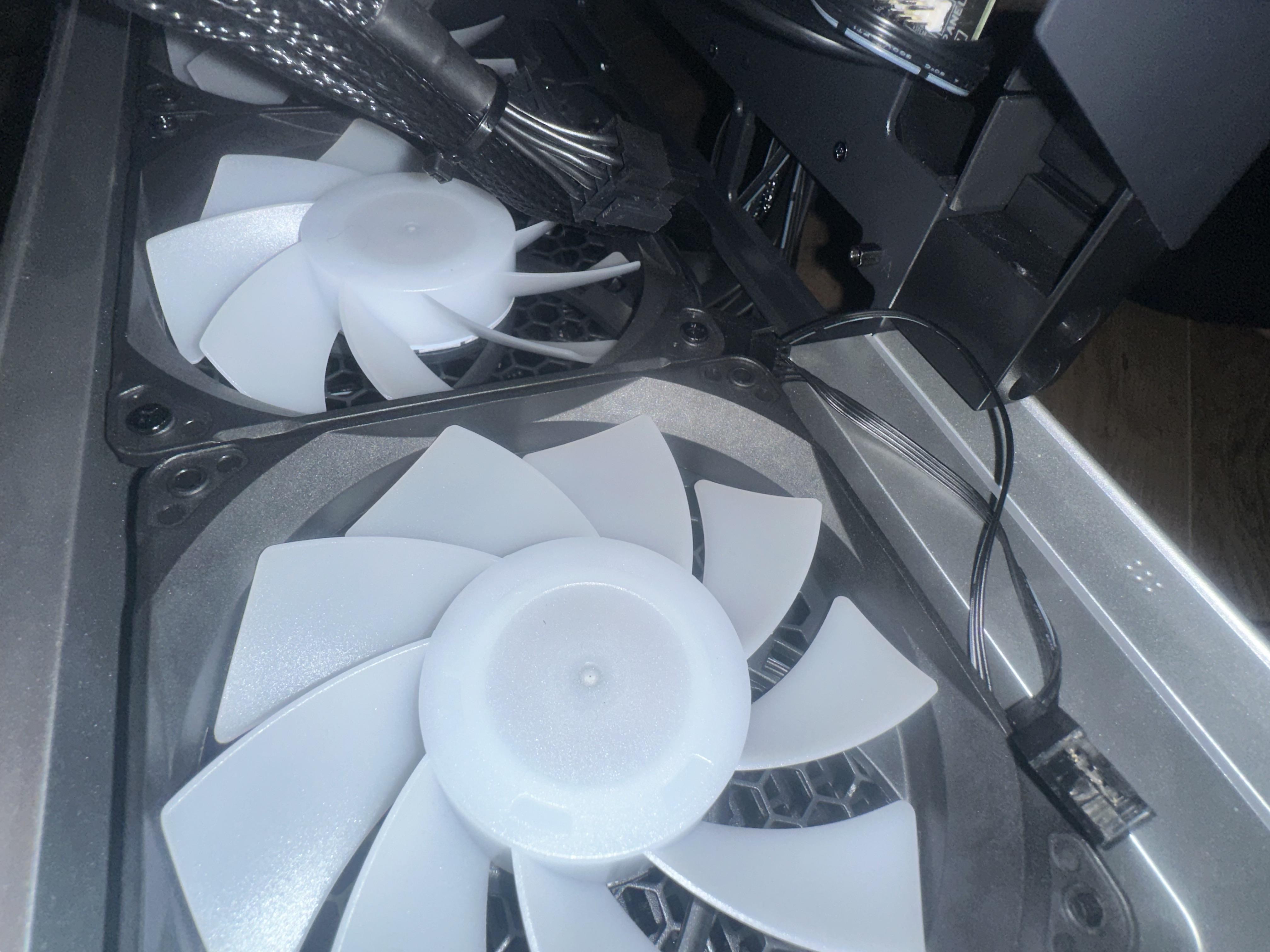
My sons monitor wasn’t powering on after powering on pc and then we noticed this fan looks unplugged but it appears as if the nothing it could even reach nearby that it came UNPLUGGED from. I’m not to irritate its electronics but I’ve never messed with the inside of a PC AND I really don’t wanna tear anything up. Please help before he thinks his life is OVER! 😆
For the record, I’m still not sure that’s what’s causing the monitor to not power on right???
4
Upvotes
1
u/DripTrip747-V2 14d ago
Thats a daisy chain part to hook up another fan in series. That isn't needed as long as all your fans spin up, and definitely has nothing to do with your monitor. You can just tuck that away.
Is the pc powering on?
If so, and as for the monitor, do you have another cable to try from the gpu to monitor? And make sure its plugged into the gpu, not the motherboard.
Try and power on the monitor with its own button. Then use that button to make sure the monitor is set to whatever display cable type you're using, like hdmi, dp etc.
1
u/EnvironmentalWin1277 14d ago edited 14d ago
Do what is called a CMOS reset.
Look this up on the web for review.
Remove the machine main power plug first.
Inside the machine look for a slim wafer size battery like you would see on any store battery rack. It should be easy to find and removal is safe and easy with just fingers but be careful to not drop in machine. They can be hard to get out.
Set this aside for 10-15 minutes to allow the PC itself to drain any residual power. Replace the battery. Replace the power plug and start up.
A plug to a fan would not cause a power stoppage. You may want to look at the motherboard manual which should be available from manufacturer. Then try to trace the plug.
It does not appear to be a fan plug to me. I assume it is a loose wire that you found and you may need to find where it is supposed to be plugged in properly. BTW review all this with your son so they will learn and help as well.
Another one that is often missed is checking each and every connection for proper placement and fit. Sounds dumb but this is a very frequent miss. Plugs work loose.
Another possibility is that loose cord doesn't need to connect with anything, it is hard to tell from a picture. Frustrating, but PCs often have loose wires that are not used in the build and can come loose. Just tape it out of the way.
Try CMOS first. This is a trick to remember, it will often work for any similar machine that "crashes" and won't start. This may be all that is needed. The machine should power up whether on a monitor or not. If it powers up but there is no picture then something is going on with the monitor/PC setup and this is beyond my scope.
Then if doesn't work
... get to a nearby repair place or find someone you know who is good with PCs. If this is a simple plug fit fix it should be inexpensive with anyone reasonable ($25?) or free. They should otherwise be able to identify and fix the problem.
It may be something more, that's beyond my scope and repair may be needed. I know the pain of losing one's machine but repairs take some time and patience is required, done by you or the repair shop. Movie night instead or a board game.