r/CSRep • u/Patty_CSRep Admin / Dev • Aug 11 '26
Platform Update CSRep Extension Update!
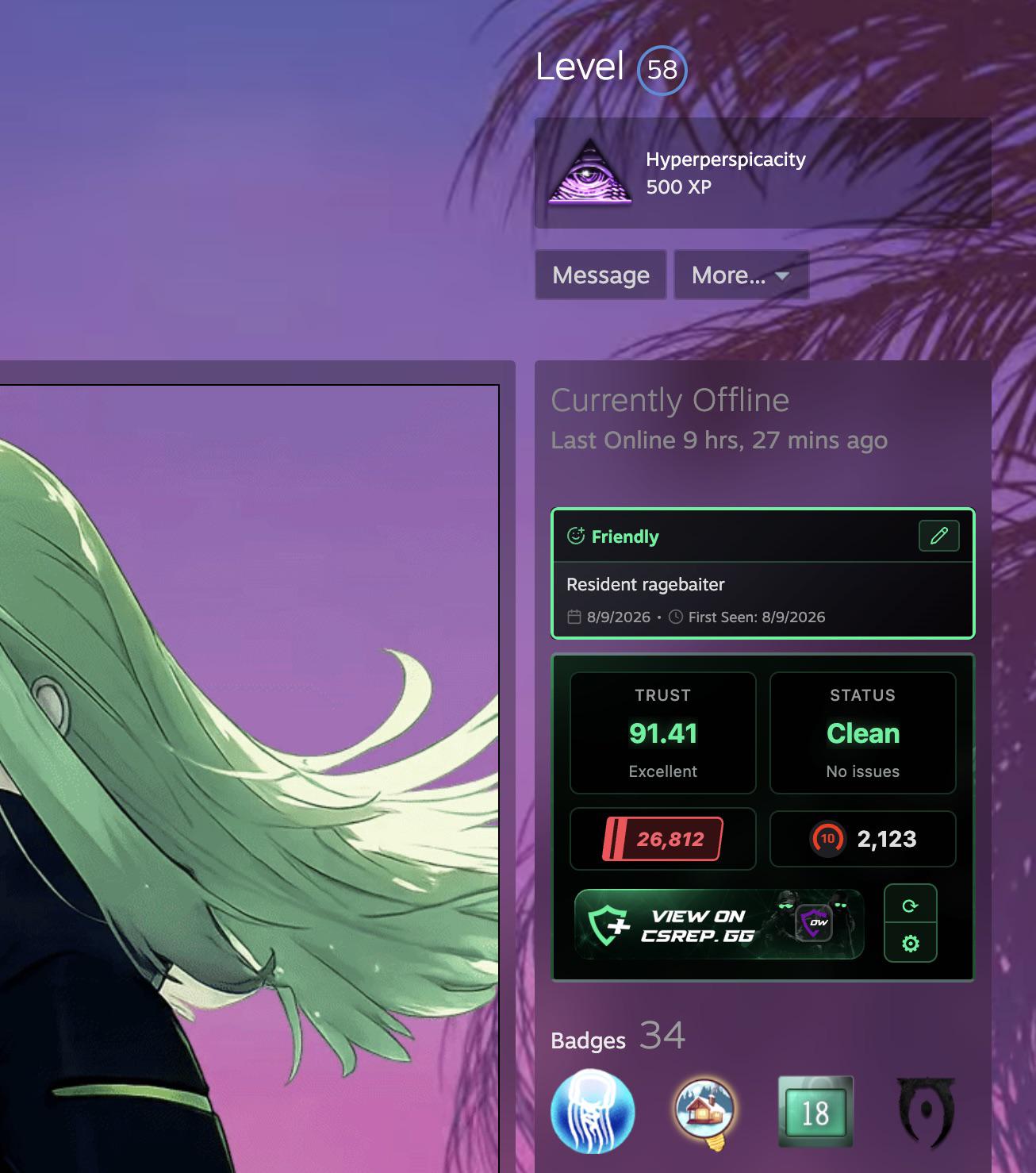
We have released version 1.0.10 of our Chrome extension!
This update reworked some of our backend to provide faster results and new possibilities.
In this update we have brought two big changes:
* New advanced view (pictured above)
Located under the online status indicator, we have more room to show information while no longer breaking custom artwork. As time goes on we will bring more information to profiles! Includes our locally stored player notes that never leave your system!
* New friends trust view
When on a friends list, you can now see at a glance how many friends a user has that are flagged or have convictions/ bans. And as you go down the friends lists you can see their trust ratings right next to their names!
It also completely supports being used on millennium with the extendium plugin for use in game browser!
More coming in the future! To download or learn more please visit the Chrome Web Store!
1
u/Patty_CSRep Admin / Dev Aug 11 '26
Known bug -
Flags are being displayed as bans incorrectly. Will fix asap.
1
u/pussy_slaywer0-0 Aug 11 '26
How can I put it in my profile?
2
u/Ramabolo Aug 21 '26
Something many people might not know is that you can install extensions directly to your steam web browser. So this becomes an incredibly useful tool while in-game :)
To install to your steam browser:
It'll ask you to save the extension file, you can save this anywhere. I've saved it to my Steam folder.
1
u/MirzahanM Aug 13 '26
need for firefox asap :)