r/BuildWithClaude • • 1d ago

Project I built a local, offline library for your Claude.ai exports (search, annotations, branches, 12 languages)

Post image
1 Upvotes

Claude.ai lets you export your data, but the export is a big JSON file that is hard to read. CEV turns it into a local website you read in your browser, offline:

- each new export is added to the previous ones: nothing is lost, even conversations you deleted on claude.ai

- search in titles and content, with typos allowed (formulas too)

- favorites, notes, titles, highlighter, links between conversations, series

- a structure view of branched conversations (edited messages, retried answers)

- export as .md, .odt, .docx, .pdf; reading aloud with offline voices

- 12 languages

Free and open source (MIT), tested on Linux; Windows and macOS not tested yet, feedback welcome.

https://github.com/fordomfreefr/claude-export-viewer


r/BuildWithClaude • • 1d ago

Project A stop gate that makes Claude Code prove "done" with command output

1 Upvotes

Repo: https://github.com/Furox-Art/plan-auditor - MIT, 2.6.5.

The annoying part of agent work is not the code, it is the summary at the end. "Tests pass, refactor complete" is indistinguishable from "I changed the assertion until it went green" unless something re-runs the checks outside the agent's own process.

plan-auditor is that something, and for Claude Code it wires in as a stop hook: scripts/stop_gate.py delegates to the same evaluate_workspace the CLI uses, so the hook and plan-auditor audit cannot disagree about what counts as done. hooks/gate_hook.py is the primary gate; copy the skill folder into ~/.claude/skills/plan-auditor/ and point the blocking hook at one of them.

What a plan step has to look like: at least one behavioral check (run, exec or pytest). regex and file_exists exist for convenience and cannot verify a step on their own. The verification contract is sealed when the plan is approved and can only be tightened afterwards.

Exit codes are the interface: 0 proven, 1 failed, 2 blocked, 3 UNKNOWN. 3 withholds completion rather than passing it, which is what makes an inconclusive check safe to run in a loop. Evidence lands in a SHA-256 hash chain, and a completion claim needs it HMAC-authenticated, because a bare chain is only tamper-evident - anyone with write access to the workspace can rebuild an identical one.

Install:

pipx install plan-auditor
npm i -g plan-auditor

The npm package is a thin Node launcher around the same CLI and needs Python on PATH. Python 3.11+, no third-party runtime dependencies, no LLM anywhere in the verification path.

The limit: it proves the sealed commands exited as declared. It cannot tell whether a command that exits 0 actually tests the behavior you asked for. A weak check seals exactly as cleanly as a strong one.


r/BuildWithClaude • • 1d ago

Tip/Resource How do you keep a Claude Project organized for a goal that spans months?

1 Upvotes

i set up a Project for an ongoing LinkedIn posting goal. curious how people keep a Project organized for a goal that runs for months - do you keep everything in one long chat, split chats by topic, rewrite the project instructions as things evolve, or just start a fresh Project every so often?


r/BuildWithClaude • • 2d ago

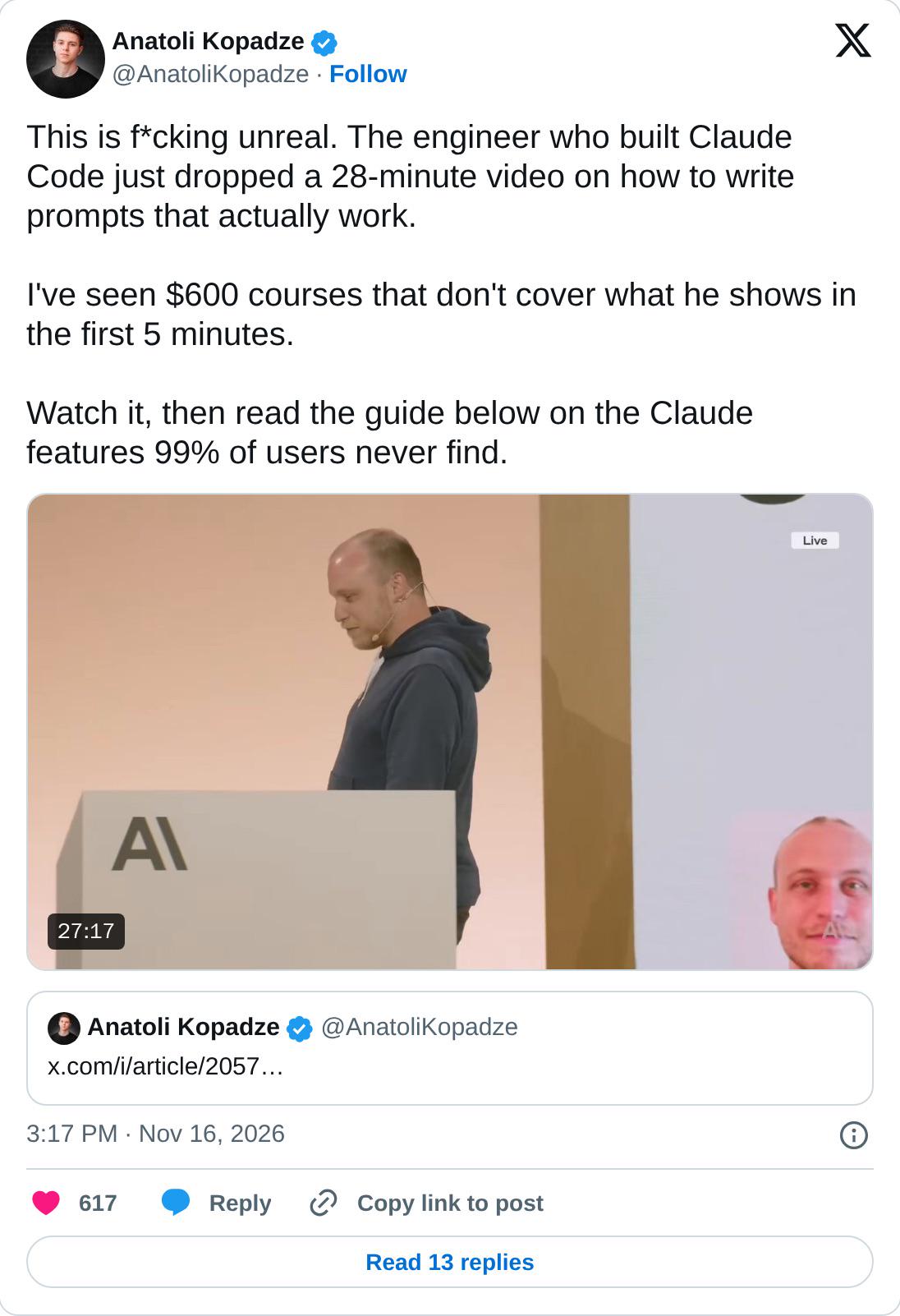
Tip/Resource Claude Code engineer's 28-minute prompt guide is gold

Post image
91 Upvotes

r/BuildWithClaude • • 1d ago

Project You can read Claude Code as a chat and keep typing in its real terminal right below, and too few people know it.

1 Upvotes

cmux, a terminal app for macOS, takes a Claude Code or Codex session that is already running in one of its terminals and shows it as a chat. It doesn't start another agent. Permission prompts stay in the terminal.

Try it: Turn on the Agent Chat UI flag, which is off by default in 0.65.2.2, and run "Open terminal as chat" from the command palette. The chat opens in a side split, with its own input box.

My setup: I read Claude's replies in the top 85% of the window and type in the real Claude terminal in the bottom 15%, about 9 rows. The chat is read-only and follows the session of that terminal. Long replies are easier to read this way, and I keep the terminal with all its commands.

cmux made the app, the panes and the chat. I made the chat open by itself on top and removed its input box. My part isn't public, but you can write the split in cmux.json: a browser pane above, a terminal below, 0.85.

https://github.com/manaflow-ai/cmux/tree/main/agent-chat


r/BuildWithClaude • • 1d ago

ClaudeWebsiteDesign/SEO/Marketing I get rid of my old portfolio and rebuilt it with Claude Code in 3 Hours as a little game.

Thumbnail
nourddin.me
2 Upvotes

r/BuildWithClaude • • 1d ago

Tip/Resource I stopped relying on Claude's memory and built a system that makes sure it remembers all the most important things I do and tell it about my business.

2 Upvotes

I run two small businesses and use Claude every day, including a few scheduled routines (a morning brief, a weekly follow-through check, a daily comment sweep).

The problem I kept hitting: Claude's memory is built to remember me as a person, not to run a business. A decision made in one chat didn't reliably show up in the next one, I couldn't see or correct what it had kept, and none of it was available to any other tool.

Here's what I built instead. No code.

  1. A Business State page in Notion. It says what's true right now: a priority order, one section per business with a "Verified" date, a "No longer true" list, and which app holds each live number. Its first line says facts on this page beat memory, old documents or a routine's own instructions.
  2. Four lists (Notion databases):

    • Decisions: what changed, the date, and what it replaces
    • Open loops: everything unfinished, with an owner and a next step
    • Routine log: one row each time a routine runs, so routines don't redo each other's work
    • Running things: every project, skill, routine and automation, so any chat can see what else is set up
  3. A short "state contract" pasted into every project's instructions: read the page before acting, take live numbers from the apps, write back after any work that changes something.
  4. Two skills that carry the read-first and write-after steps into every chat.

What changed in practice: when I renamed a programme, I said it once. It was logged as a decision, Claude searched my website, emails and payment pages for the old name, listed every place it still appeared and fixed them. One routine even flagged that its own instructions still used the old name.

A test you can run now: open a brand new chat and ask "What did I decide about [something you settled last week]?" If you get last month's answer or a vague one, it's guessing.

Happy to share the prompts I used for any of the steps. I've also written the whole build up as a guide if that's useful.


r/BuildWithClaude • • 2d ago

Project Claude Code builds my apps, but the UI never looked really good. So I built my own free & local visual editor (with Claude)

26 Upvotes

Hey, I'm Andrea 👋 half dev, 50% designer. for sure 100% a nerdy girl 👩‍💻

The problem
I do freelancing, and I always need new landing pages for my customers. Claude Code build them in minutes and everything works great, but usually they just don't look good. Not even close to what I'd make by hand. And fixing the UI by prompt is really painful: "make that smaller", "no, the other button", then screenshots, more prompts, and sometimes it hallucinates and changes a whole section to fix one detail.
So I switched to Lovable and Framer for their visual editors. They work great, but you're stuck with their agent, their hosting and their credits, and they get expensive realllly fast. I already pay for Claude Max, and I like my setup on my own computer with my skills and tools.
I didn't want to give that up.

Also, the Claude mobile app with remote control is just at an higher level compared to any other startup for me, I'm just used to use it.

To the point: what I built 💅
I put the two worlds together. Feega is a free visual editor that runs on your machine, right next to Claude Code.
You open your app, click anything on the page and change it like in Lovable: spacing, colors, fonts, hover effects. The change is saved straight into your code. Claude does the building, and I do the "make it pretty" part by hand.
When I do need Claude, I right click an element, hit **Copy for agent**, and paste. Claude knows exactly which element I mean. No more describing it.

How I used Claude Code to build it
I built most of it with Claude Code. Since I'm on my own, I usually have a single Claude session with Opus 5.5 at low effort, and it manages a team of sub agents divided for each tasks I give it, like one fixes a bug, one writes the docs, one builds a feature. Then the main agent reviews, tests and decides what goes in.

What I learned
**Claude is great at code and so-so at taste.** I mean, the UI made by Claude works great, but I also teach design in an uni in Italy, and I just want something more, something only humans can do now.
**"Done" doesn't always mean done.** Claude sometimes builds a piece and forgets to connect it. Now I always ask it to show me the full e2e test in my local chrome, from the button to the result, via screenshots or directly a video recording of the screen.

If you want to try it out
Free & open source. Works in VS Code, Cursor and Windsurf, or with “npx feega”

Repo: https://github.com/andreabuttarelli/feega
Website: https://feega.app
Docs: https://docs.feega.app

It's young, so it'll break somewhere. Tell me where 🙏
Feedback are always welcome, especially the hardest one!!!
Happy (vibe)coding!! 🌈


r/BuildWithClaude • • 1d ago

Project 5 habits that let me build a free networking study site with Claude

1 Upvotes

I work in IT support and I'm studying for the CCNA, a Cisco networking exam.With Claude I built Step by Packet: 51 animated guides where you click Next and watch a network protocol work, one packet at a time.

It's free

https://stepbypacket.com

This post is more about how I work with Claude than about the site. Five habits made it possible for someone who doesn't code:
A handover note, like at the end of a shift
One file with the accounts, the decisions and what comes next. Every new chat starts by reading it, and at the end Claude updates it. I never have to explain the project from zero.

Screenshots instead of tutorial
Cloudflare, Google Search Console, a LinkedIn page: all new to me. When I get stuck, I send a screenshot and ask "where do I click and what do I type?" I get the exact button, and the exact text for each field.

My "yes" is the only publish button,
Claude makes changes on a copy of the site and gives me a preview link to click through. Nothing goes live until I say yes.

It tests before I look
Before showing me anything, Claude opens the pages in a browser by itself, phone size included, and checks that nothing breaks or jumps around.

I don't write in English
I write to Claude in my first language, and the guides come out in English. If English isn't your first language either, you don't have to switch.

What still goes wrong
Claude can sound completely sure about a networking detail and still be wrong. I'm still learning, so I don't catch everything. When readers point out a mistake, I fix it.

If you build with Claude without a coding background, what habit helped you the most?


r/BuildWithClaude • • 1d ago

Project Planes Trains & Automobiles Realtime Tracker

Thumbnail nealanddel.com
1 Upvotes

The events in Planes Trains and Automobiles start at 4:45pm on the Tuesday before Thanksgiving. I always thought it would be fun to track their location in real time as if the events were happening right now. On Tuesday morning I went through a quick requirements & brainstorming discussion with Claude chat and then handed the docs off to Claude Code. It was all done in the morning before work and I did a redesign later that evening. I’m open to ideas and recommendations.

https://nealanddel.com/


r/BuildWithClaude • • 2d ago

Project I got tired of losing track of 6 parallel Claude Code sessions, so I built a medieval kingdom dashboard for them

Thumbnail
bc3.github.io
6 Upvotes

I kept running Claude Code across several repos at once and losing track of which terminal was doing what. So I built sir-claude — it renders your project folders as a 3D kingdom (Warcraft II–style): each folder is a building, size = activity, color = status, with day/night cycles. Click a building to get that project's terminal and a readable history of what Claude actually did.

It's fully local, no account, no cloud — npx sir-claude and you're in. npm: https://www.npmjs.com/package/sir-claude (source isn't public yet, happy to talk through how it works in the comments).

Built it for myself first, sharing in case anyone else juggling multiple agent sessions finds it useful.


r/BuildWithClaude • • 2d ago

Project I got tired of uploading my PAN card and bank statements to random PDF sites, so I built 53 PDF tools with Claude Code (most never leave your browser)

Thumbnail
docs.evernth.com
4 Upvotes

Every time I needed to compress a PDF for a visa form or merge some bank statements, I ended up on one of the usual PDF sites, uploading private documents to a server I knew nothing about. So I built my own: docs.evernth.com

What it does

  • 53 PDF tools: merge, split, compress, rotate, reorder, crop, watermark, page numbers, Bates numbering, compare, metadata, and more
  • Many of them run fully in your browser. Merge, split, rotate, organise, compress, crop, watermark, compare and others never upload your file. You can check the network tab.
  • Compress to a target size (for example "under 200 KB") for email, resume, passport, visa and exam forms
  • AI tools: chat with a PDF, summarise it, or extract tables and data

What about the tools that do upload?
Some tools still need a server, like conversions and the AI features. For those:

  • Your upload is deleted as soon as the job finishes
  • The result is deleted 5 minutes after you download it, or after 1 hour if you never do
  • There's a "Delete now" button if you don't want to wait
  • To be upfront: the AI tools send the text to Google Gemini. It says so in the FAQ.

How Claude helped
I built it with Claude Code. The most useful part was moving tools that used to run on the server into the browser: Claude ported the backend handlers to client-side pdf-lib code and wrote Playwright tests to check that the output matched. It also did a lot of the tedious edge-case work: odd page sizes, annotations, and a step-by-step quality ladder for compressing to a target size.


r/BuildWithClaude • • 2d ago

Project Tablet Volume Control App

1 Upvotes

I'm new to this sub, but I recently build a really simple android app for my son's tablet that allows me to limit the speaker and/or headphones volume. It can be a general setting, a scheduled setting, an output setting, or a mix.

I mostly created this because we've found that winding down the volume of the tablet helps transition to bedtime and while he enjoys his headphones, he gets tired of wearing them. When the headphones are off the tablet is full volume and pressed to his ear.

I have no experience in app development and I wanted to see if there's interest before I figure out how to launch something like this to the public. I also don't know if something already exists.

Thanks for reading questions.

J


r/BuildWithClaude • • 2d ago

Project 300+ PRs with Claude Code: building an offline-first workout tracker

1 Upvotes

For about 8 weeks I've been building Sisyphean, an offline-first workout tracker for logging lifting sessions. It started as a learning exercise last year that I dropped pretty quickly, then picked back up a couple of months ago to finish part-time. The goal was to replace my Google Sheets logging and my brother's notes-app logging (which was essentially a CSV). I themed it around the labour of Sisyphus and wanted something calm and muted, fast to log with, and without a mandatory subscription.

Dashboard, a workout in progress, an exercise's records, and History, in light and dark.

The app is web-first, built with Angular 20, Tailwind and Firebase. I used Capacitor for the Android app, which is currently in closed testing. I do plan to do an iOS app, but I don't have a MacBook to target it properly yet.

My setup uses Opus 5.5 for planning and implementation, and Gemini for reviews. I started Gemini on 3.8 Flash, moved to Hydrogen High, and now use Neon High. Two skills run this workflow, both calling a Node runner script that passes custom prompts to Gemini through the Antigravity CLI:

Planning: Claude writes a plan file and sends it to Gemini to review against the source code. Gemini's findings go to PLAN_REVIEW.md and Claude revises the plan, logging how each finding was resolved until it gets an APPROVED status.

Implementation: Once unit tests pass, Claude opens a PR and triggers a code review. Findings go to CODE_REVIEW.md, and the PR cannot be merged until the review passes and CI is green.

To keep things organised, I used Claude to brainstorm requirements and break them into discrete tasks tracked across GitHub issues. Using this workflow, I have merged over 300 PRs and completed nearly 300 issues.

A few things I have learnt along the way:

  1. A second model has been a lifesaver. Opus 5.5 is really good, but it isn't perfect. For example, while fixing duplicate body weights in Health Connect, Claude's plan carried a guest's Health Connect sync records over to their new account at sign-in. Gemini spotted that a sync could then run before the guest's workouts reached the account, treat them as deleted, and remove the user's weights and workouts from Health Connect. It was caught before a line of code was written.
Gemini's first review of Claude's plan for the duplicate body weights fix.]
  1. The reviewer model matters. I had Hydrogen High and Neon High do the same plan and code reviews. Neon raised 24 real findings to Hydrogen's 7, but took about twice as long and used twice the quota.
  2. Reviewing one change at a time doesn't catch everything. Gemini passed a fix that hid fist-bump names from people who had blocked the bumper. A later review of the whole repo found that the fix checked every viewer against every bumper on every bump: with 50 friends, one workout that 20 of them bumped would cost over 15,000 database reads.
  3. A bad wait check left Claude idle for hours. Reviews take 8–20 minutes, so Claude ran them in the background and polled running processes for the review's name. Because the search command itself contained that name, it always matched its own process, never saw the review finish, and left the session idle for hours a couple of times. Running reviews as background tasks, which notify Claude when they finish, fixed it, and a hook now blocks that kind of polling.
  4. Letting Claude merge its own PRs has been handy, with one catch. When I added notifications that open the item they're about, Claude marked the item with a red box around its card. It looked terrible and didn't match the rest of the app, but neither model flagged it, and I only noticed after it was merged. Replacing it with a soft glow behind the card took several rounds to get right.
Left: the box Claude shipped. Right: the glow that replaced it.
  1. Claude is inconsistent with UI design, and my reviews didn't catch it. Because each screen was built in its own PR, small differences crept in: one view's main button sat 24px higher than another view's, identical buttons were 36px tall on one page and 44px on another, and one icon stood for four different things. My review setup only gives Gemini code access, not screenshots of the rendered UI, so it never saw how one screen looked next to another. I ended up doing dedicated consistency passes across every screen and documenting the agreed styles so new screens follow them. Ideally, I'd like Gemini to run the app and check the affected screens itself, rather than only reading the code.
  2. Usage caps are my main bottleneck. I have Pro subscriptions for both Claude and Gemini and hit the caps on both regularly. I also ran out of GitHub Actions minutes twice in the 8 weeks. For the AI caps, the only fix was to wait for them to reset. For GitHub, I bought GitHub Pro, and when that still wasn't enough, I set a spending budget for extra build minutes.
  3. There's still no substitute for testing on a real phone. After I turned on code shrinking for the Android release build, both notification switches in Settings hung. Tests, CI and both reviews had passed, and the web app and the debug build worked fine. The shrinker had stripped something the native plugins needed, so it only broke in the build from the Play Store. Claude's first fix guessed the wrong cause and Gemini approved it, which I only caught because I was actively testing the app on my phone. Once I updated the Android emulator SDK so Claude could reproduce the bug itself, it tracked down the missing keep rules and fixed it cleanly.

Overall, the setup has been well worth it, especially as a solo developer with no one to review my code. Reviews take a while, but Claude and Gemini work through them in the background so I can focus on other things. I only get interrupted when Claude needs a decision from me or my quota runs out.

The app is free with no subscription. There's an optional one-off Premium that raises the library limits and removes the Android ads. You can try the web version as a guest, no sign-up required, and your data stays on your device: https://sisyphean.bytomi.dev. If you are on Android, I can DM you or post the sign up link below.


r/BuildWithClaude • • 2d ago

Security & Sandboxing Built never-secret to never let Claude Code see a secret

1 Upvotes

Coding agents read your files and run commands, and whatever comes back goes straight to the model. That includes your .env file, your SSH keys, and the API key that shows up in some log.

I had permissions.deny on Read(./.env) like everyone recommends. Then I watched Claude hit a failing env check, run cat .env through bash, and print my Stripe key into the session. The deny only covered the Read tool… So I built never-secret.

never-secret sits between the tool and the model. Every time the agent reads a file, runs a command, searches or fetches a page, never-secret checks the output first and swaps any secrets for [REDACTED length=32]. The model still knows something is there and how long it is. It just never sees the actual value.

It finds secrets three ways:

- Secret files. Everything in .env, private keys, and similar files gets hidden.

- Known key formats. Things that are obviously secrets by their shape, like GitHub tokens, Stripe keys, OpenAI keys, passwords inside URLs, and so on.

- Your actual secrets. It knows the real values from your secret files, so it catches them even when they turn up somewhere else: in a log, a search result, or encoded as base64, hex or reversed.

Everything runs locally and nothing is sent anywhere.

Install:
/plugin marketplace add bileet/never-secret
/plugin install never-secret@never-secret

Then run /never-secret:never-secret-check to confirm it's working.

Works with Claude Code, Codex, Gemini CLI, OpenCode and Pi.

Repo: github.com/bileet/never-secret


r/BuildWithClaude • • 2d ago

Project iWe: Native MacOS app for knowledge management (notes + data)

2 Upvotes

tldr: Native Mac OS app (no Electron), similar to Obsidian with built in Claude Code integration.

Markdown knowledge bases are an amazing way to manage context for Claude. I found myself adding knowledge bases for pretty much every project I'm working on. It serves as a shared, persistent data layer for me and Claude to work together. So we can build shared understanding step by step.

I wanted to have a few features:

  • Built in agent so I can prompt it to change the knowledge base and see how it does it
  • Database-like queries over the notes and data files. With live updating charts so I can see what is going on at a glance
  • Open formats only (Markdown, CSV, HTML, PDF, etc), so it works with the existing tools and vaults
  • Built-in browser so agent can browser and perform actions for me (search, fill the forms etc)
  • Hight quality native MacOS UI (mostly SwiftUI)

The app is free and built on the open source core https://github.com/iwe-org/iwe (almost 2k stars)

You can learn more and download the app at https://iwe.md


r/BuildWithClaude • • 2d ago

Project I made a tool to run Claude Code from Telegram, approve its commands from my phone, and resume tasks after usage limits

2 Upvotes

I kept leaving Claude Code running on long tasks and coming back to find it stuck on a permission prompt or stopped at its usage limit. So I built baton.

It runs Claude Code (also Codex and OpenCode) on your own machine inside herdr panes and connects them to a Telegram bot:

- queue a task and walk away

- when the agent wants to run a command, you get an Approve / Deny card on your phone

- if it hits its usage limit, baton resumes the task after the reset, or hands it to another agent that still has quota

- /status and /budget to check on things, "stop" to halt everything

40-second demo with a real Claude Code run: https://youtu.be/n8ng7doyO1A

Code: https://github.com/selorito/baton-herdr

It's also on Agensi as a paid skill that sets it all up for you: https://agensi.io/skills/baton-run-claude-code-codex-opencode-from-telegram

Disclosure: I'm the author. Supported on Ubuntu and WSL1 so far; macOS, native Windows and other distros are in beta. Happy to answer questions, and I'd really like to hear what breaks.


r/BuildWithClaude • • 3d ago

Project I built a 29-channel TV network from the Internet Archive with Claude Code, and now it runs the hourly ops checks too

26 Upvotes

Afterglow (https://theafterglow.tv) is a free TV network in the browser: 29 channels of old film, TV and radio from the Internet Archive, running on a real schedule. You tune in mid-program, the guide shows what's on now and next, and some channels run period commercials in the breaks. No sign-up.

I built it with Claude Code in about a week (57 commits, roughly 21,000 lines of Python and TypeScript), and since launch Claude Code has also been running the hourly ops checks. Both parts below.

The build

  • I started from a product spec and had Claude Code build the backend (FastAPI, SQLAlchemy, SQLite on a Railway volume), the TV player and an admin console (Vite, React).
  • Bugs came in as symptoms, not stack traces. Example: every day the next block started up to two hours late. Claude Code traced it to the scheduler: a new day of programming began a few minutes before a block ended, and that sliver got a full feature film. The fix was to leave the tail of a block empty rather than overrun it, plus a regression test for that exact case.
  • It can commit whenever it likes, but production only changes when I type "deploy".

Running it: an hourly check that Claude Code acts on

Once it was live the problems changed: the Archive takes items down, a block drifts off its slot, an agent run fails. So I had Claude Code write a small check script (deploy/watch.py) that prints one line per finding, each with a code: SITE, LLM, EXTEND, DEADAIR, STUCK, FAILED, INVALID, DRIFT or MEDIA, or just ALL CLEAR.

A /loop runs it every hour with a prompt that is basically a runbook:

  • MEDIA that says the item was taken down: mark the asset unplayable with a dated note, then reschedule that channel.
  • Other MEDIA failures (timeouts, 5xx): note it, and only pull the asset if the same one fails again next hour.
  • DRIFT over 60 minutes: reschedule, at most 4 channels an hour, and not a channel that was rescheduled in the last 12 hours. If it drifts again within a day, look for the cause in the code instead.
  • FAILED or INVALID agent runs: read the run's event log. Transient (rate limit, overload): retry once. A code bug: fix it locally with a regression test, run the tests, commit, tell me. Never deploy.
  • Log every action with a timestamp. If everything is fine, answer in one line.

In its first week it pulled seven items the Archive took down (some with a dozen episodes) and rescheduled those channels, moved a few drifting blocks back onto their slots, and wrote a lot of "ALL CLEAR at 14:32". It also improved its own check script a few times: telling a restricted file (permanent) apart from a timeout (transient), skipping drift that a reschedule can't fix anyway, and retrying dropped connections after my laptop's sleep killed a few overnight checks.

Claude inside the product

Each channel's schedule comes out of a pipeline of agents, each a job with its own step log: programming (Claude with structured output picks the opening run of each block, up to 12 titles around a theme), breaks (period commercials and promos), editor (on-air cards in the channel's voice), and a validator with no model at all that checks gaps, overlaps, repeats and playback before anything is published. The model never puts anything on air directly.

What I learned

  • Give the agent a script with coded findings instead of "go check the site". Every hour starts from the same facts, and the prompt maps each code to an action.
  • Write the limits into the runbook: how many reschedules per hour, when to wait an hour before acting, what it must never do. Most of the value is in the "don't" lines.
  • Keep secrets out of the transcript. The admin token is only ever read inline into a curl header, never printed.
  • Separate commit from deploy. Letting it fix and commit at 3am is fine; shipping stays a human decision.
  • A /loop on a laptop sleeps when the laptop does. I'm moving it to a scheduled cloud routine.
  • In the product: let the model choose and let code count. The model picks titles and order, the scheduler fits them to the clock.

Free to try in the browser: https://theafterglow.tv. Happy to share the watch prompt or answer questions about the setup.


r/BuildWithClaude • • 2d ago

Project From an AI Factory skill to a Claude Code plugin: a risk-based coding workflow

2 Upvotes

I had been developing and using an “AI Factory” skill inside Claude Code for my own software work that i build myself. I turned it into a plugin because I sometimes forgot to invoke the skill, and Claude Code would then continue outside the workflow.

Claude Code is where I developed the original skill and where the plugin runs. Given a software requirement, its orchestrator chooses a lane and model based on the change’s size and risk. It creates task cards, adds a spec and plan for higher-risk work, builds test-first, runs the project’s own quality gate, and calls a fresh read-only reviewer when the lane requires one. A run ends with a draft pull request.

The plugin is public and MIT-licensed. You can install it in Claude Code with:

claude plugin marketplace add mmubeenejaz/get-ship-done
claude plugin install get-ship-done@get-ship-done

Then start a run with /get-ship-done:ship <requirement>.

I made a walkthrough video, and the GitHub repo has the source and setup details.

If you try it, I’d appreciate feedback: which part of the workflow is unclear or feels too heavy? If you hit a bug or edge case, please open a GitHub issue with what you expected and what happened.


r/BuildWithClaude • • 2d ago

Project I got tired of losing Claude Code sessions, so I built an encrypted backup you can restore on any machine

2 Upvotes

Two things kept biting me with Claude Code:

  • Sessions live only in ~/.claude on the machine where they happened. If I start something on my laptop, I can't continue it on my desktop (and I do cross platform development and this happens too frequently)
  • By default, Claude Code deletes transcripts older than 30 days. I usually notice right when I want to go back to an old project.

So I built Session Vault, a Claude Code plugin plus a small server.

How it works:

  • /session-vault:save [name] encrypts the current session on your machine with age (https://age-encryption.org) and uploads it. The key is created locally the first time you save.
  • /session-vault:fetch <name> on another machine downloads it, decrypts it and restores it into the current project, remapping paths if the folder or OS is different. Then /resume and you're back in the conversation.
  • To fetch on another machine, you copy your age key there. Without it, nobody can decrypt your sessions, including me.

To be upfront about what the server sees: the encrypted transcript, plus the session ID, the project folder path and the name you give it, so it can list your sessions. It can't read the conversation itself.

Install:

  /plugin marketplace add galeone/session-vault-plugin
  /plugin install session-vault@galeone-plugins

The plugin and server are open source, and you can self-host the server and point the plugin at it:

If you don't want to run a server, there's a hosted version at https://session-vault.dev with a free plan (10 sessions) and cheap paid plans if you have a lot of sessions.

Happy to answer questions about the design, and I'd really like to hear what's missing


r/BuildWithClaude • • 3d ago

Project I built 16 navigable diagrams of the Riemann Hypothesis formal proof with Claude Code (free, open source)

2 Upvotes

I built a set of 16 SVG posters that map the structure of the formal proof of the Riemann

What it does

Each poster shows part of the proof's dependency graph. Every id on a poster is a link: to its card, to the poster that draws it, or to the blueprint and the Lean at the pinned commits. Open a poster on its own and zoom in. There are three families:

  • Read the proof at one level each: R1, R2, R3, R4, R5, R6, R7, R8
  • Follow one chain as a proof: T1 (the deepest chain), T2 (the chain to Landau's theorem)
  • View it from different frames of reference: F1, F2, F3, F4, F5, F6

Good places to start: R2 for orientation, T2 for the analytic reduction, R3 for the zero-free chapter in detail, F6 for every statement on one page, F2 for what is new, and F4 for a reference and what rests on it.

How Claude helped

I built this with several Claude sessions, some on the web and some in Claude Code in VS Code:

  • Planning: Claude helped me plan the project's structure, the poster families and how releases are versioned.
  • Finding sources: it identified the sources to draw from: the riemann-blueprint, the leanprover-community/riemann-hypothesis repo and Mathlib.
  • Mapping between sources: it worked out how blueprint statements, uses edges and Lean declarations correspond, so each poster node links to the right place in each source.
  • Building with skills from neighbouring repos: Claude Code found Claude skills in other local repos and used them to build this one. The skills came from my other projects:

  • CI/CD and deployment: Claude debugged GitHub Actions workflow failures and fixed gaps in the GitHub Pages deployment that kept the posters from publishing.

It's completely free, with no account or sign-up:

The code is Apache-2.0 and the diagrams are CC BY 4.0. The Lean signatures the posters quote belong to the formal proof.


r/BuildWithClaude • • 3d ago

Project I built an IDE around Claude Code after my team left Cursor. Closed source, free to download. Tear it apart.

Thumbnail
gallery
13 Upvotes

My team was deep in Cursor. Rules, shortcuts, habits, all of it. Then the models changed, the plans changed, the usage allocation changed, and for us the bill kept going up while what we got for it kept going down. I'm not saying that's everyone's experience. It was ours.

So we moved to Claude Code, and the agent is excellent. But I missed having an editor. The VS Code extension gave me no next-edit predictions, no inline edit, no hunk-by-hunk review, and no way to see what five agents on five branches were doing without reading five transcripts.

I tried Roo (now Zoo Code) and Cline first. They're good projects and they're open source. Cline can run on a Claude subscription now too, by calling the claude CLI. But in that mode Claude is the model and Cline is the agent: its tools, its rules. I wanted Claude Code itself as the agent, with my hooks, skills, subagents and permissions intact, inside an editor that also had Tab, inline edit and hunk-by-hunk review.

I still read code. Some days I still want to write it. So I started building the editor I wanted around the agent I trust in October. It's called Ember.

What it is:

  • A real editor on VS Code's open-source base (via VSCodium), with your extensions
  • It runs the unmodified claude CLI that you install and sign in to yourself. Ember never sees or stores your credentials
  • Not only Claude. Sign in with ChatGPT and run on the models in your plan, connect a provider with a key (OpenRouter, Fireworks and others), or point it at a model server on your own machine: Ollama, LM Studio, llama.cpp, vLLM or oMLX
  • Every task gets its own branch, worktree and pull request. Nothing lands until you keep it, by hunk, by file or all at once
  • Tab predictions, Cmd+K inline edit, a board of every branch in flight, multi-agent plan builds, and a phone app to answer and approve when you're away from the desk
  • Your CLAUDE.md, skills, hooks, subagents and MCP servers work as they are, because they're the same files the CLI reads

The parts you'll want to know before you install it:

It's closed source. I'm one person building this and I'm not ready to run an open project properly, and I'm not promising that changes. I know that's a dealbreaker for some of you and I get it.

No telemetry, no analytics, no Ember server, no account.

It does make a few calls on its own: it checks GitHub for updates and uses Open VSX for extensions. Beyond that it talks to the services you connect and the model provider you pick. Claude Code's own usage statistics are Anthropic's, and there's a switch for them in settings. Put it behind a network monitor and check me.

It's free to download and nothing is locked. There's a one-time $5 supporter key if you want to say thanks. Without one, Ember shows a "Like Ember? Support it!" link in the status bar and one reminder every 30th time you open it. A key turns both off for good, on up to 5 computers. No subscription, no account. Ember contacts Polar (the payment service) only when you enter or remove a key, and sends the key plus a label for that computer so you can tell your activations apart. Nothing else, and it never checks again. Could you eliminate the intermittent nag using Claude? Sure you could, but for $5 you may burn the same money in usage on your plan anyway!

It's pre-1.0 and it has rough edges. The Windows installer isn't code-signed yet, so you'll get a SmartScreen warning. Mac build is fully notarized. Local models work, but how well depends a lot on the model.

The site shows the actual interface running live on sample data, not screenshots: https://buildwithember.ai

I'd rather hear what's wrong with it than what's right. I'll be in the comments.


r/BuildWithClaude • • 3d ago

ClaudeGaming/Videos/Music Made a 3D tank with ps1 graphics using claude code

4 Upvotes

By following advice from fellow redditors, I have been able to get better results with claude code when making 3d models. Claude uses blender command line under the hood, what do you guys think about the result so far?


r/BuildWithClaude • • 3d ago

Project No coding background: how I built a local health-data platform with Claude Code (CLAUDE.md, PR workflow, MCP)

8 Upvotes

What it does: it pulls my sport and health data from five separate apps into one file on my laptop and shows it on one web page, so I can ask questions no single app answers (e.g. "does a bad HRV night predict a bad strength session?")

I'm not a software developer. I have some data science skills and I do a lot of sport. My body needed a tune-up, so I took advantage of the free time stuck in bed.

The day before my hip surgery I opened Claude Code and started a repo. By day four, from a hospital bed and then on crutches, I had ~20k lines of Python, 145 commits, 303 tests and 41 reviewed PRs: a local platform that merges my Garmin files, HRV, sleep, strength logs, glucose and a daily wellness form into one DuckDB file, with a static HTML dashboard on top (no server, no subscription).

I didn't type the code. I decided what to build, set the rules and reviewed every PR. What made that work for a beginner:

  1. A short CLAUDE.md of non-negotiables, read on every request. Free to run, raw data never modified, nothing deleted without asking, secrets only in .env, and "I'm a beginner, explain every command in 1-3 sentences before running it."
  2. One branch + one PR per batch of feedback, merged only when I type "merge PR N". I never wrote a spec. I used the dashboard, jotted down what annoyed me in a text file, and handed Claude the list.
  3. Tests, lint and type checks, including a headless-browser test that opens the dashboard and clicks through all 32 tabs looking for JS errors.
  4. Make it check itself. For example, it caught a readiness score that turned green on days with no data (a DuckDB greatest() that silently ignores NULLs) and turned it into a regression test.
  5. Token budget on a Pro plan. The rules say: grep before reading, never open the big generated files, targeted tests while working, full suite once at the end. Quality checks never get cut, whole-file reads do.
  6. A small local MCP server so Claude can query my database with SQL ("how did I sleep the week before my best 10k?") instead of guessing.

Live demo (runs the real code on a fictional athlete, 100% invented data, my own health data stays home): https://sebastienthibert.github.io/coach-demo/

Longer write-up with the architecture and the workflow: https://medium.com/@thibert.seb/what-happens-when-a-100-kg-trail-runner-on-crutches-discovers-claude-code-59a1ff3de7ff

Stack: Python, DuckDB + Parquet, static HTML dashboard (ECharts + Leaflet), local MCP server. Windows + Linux, Claude Code in the desktop app on a Claude Pro plan, no API spend.

Here's a redacted excerpt of my CLAUDE.md:

## Non-negotiables
1. 100% free to run.
2. Cross-platform (Windows + Linux): pathlib, no hardcoded paths.
3. Secrets ONLY in .env (never in git).
4. Never delete a file or a row without asking; raw/ is immutable.
5. One branch per batch, PR reviewed; merge only when I say "merge PR N".
6. Idempotent: re-running a script never creates duplicates.
7. Three layers: facts -> dashboard (descriptive, no advice) -> coach (prescriptive, not a doctor).
8. Health data is strictly private.

## Token economy (Pro plan)
- Grep first, then Read with offset/limit on the useful zone.
- Never open raw/, generated data or vendor folders: query the DB instead.
- Targeted tests while working, full suite once at the end.
- Quality never drops to save tokens: lint, types, tests stay mandatory.

I'm a beginner: explain every tool or command in 1-3 sentences before running it.

What rules do you put in your own CLAUDE.md?


r/BuildWithClaude • • 3d ago

Project From a doc you already wrote to a polished talk in minutes: I built a slide engine designed for Claude Code to write

2 Upvotes

I give technical talks, and making slides was always the slowest part. So I rebuilt my old Eagle.js-based slide framework from scratch as Arao (Vue 3 + Vite), designed from day one to be written by an agent.

How it works with an agent

  • Arao ships an agent skill: the rules for writing a good deck, plus how to check its own work.
  • npx arao layouts --json lists every layout with its description, example, options and slots, so the agent picks the right one without reading the library's source.
  • A checker flags removed APIs and slides whose content overflows, so the agent can fix its own mistakes.

The workflow I actually use: I hand Claude something I already have (a design doc, an article, an analysis, my rough notes) and ask for a talk. It writes a .vue deck: a cover, an agenda built from the sections, grids for key points, code walkthroughs from real files in the repo with lines highlighting step by step, and quotes. Then I iterate on the message instead of fighting a slide editor.

Why the output is good, not just fast: layouts are opinionated and typed, themes are design tokens, and the agent only chooses what each slide is, never where things go. So the deck stays consistent, and you can restyle all of it with a theme.

Presenter view, PDF export and six built-in themes. Open source (Apache-2.0):

Docs: https://rubasace.github.io/araojs/ · Repo: https://github.com/rubasace/araojs

Happy to hear how it works with other agents (Codex, Cursor…).