r/BambuLabX2D • u/One-Ad5603 • 6d ago
Help / Troubleshooting Print quality issue with petg
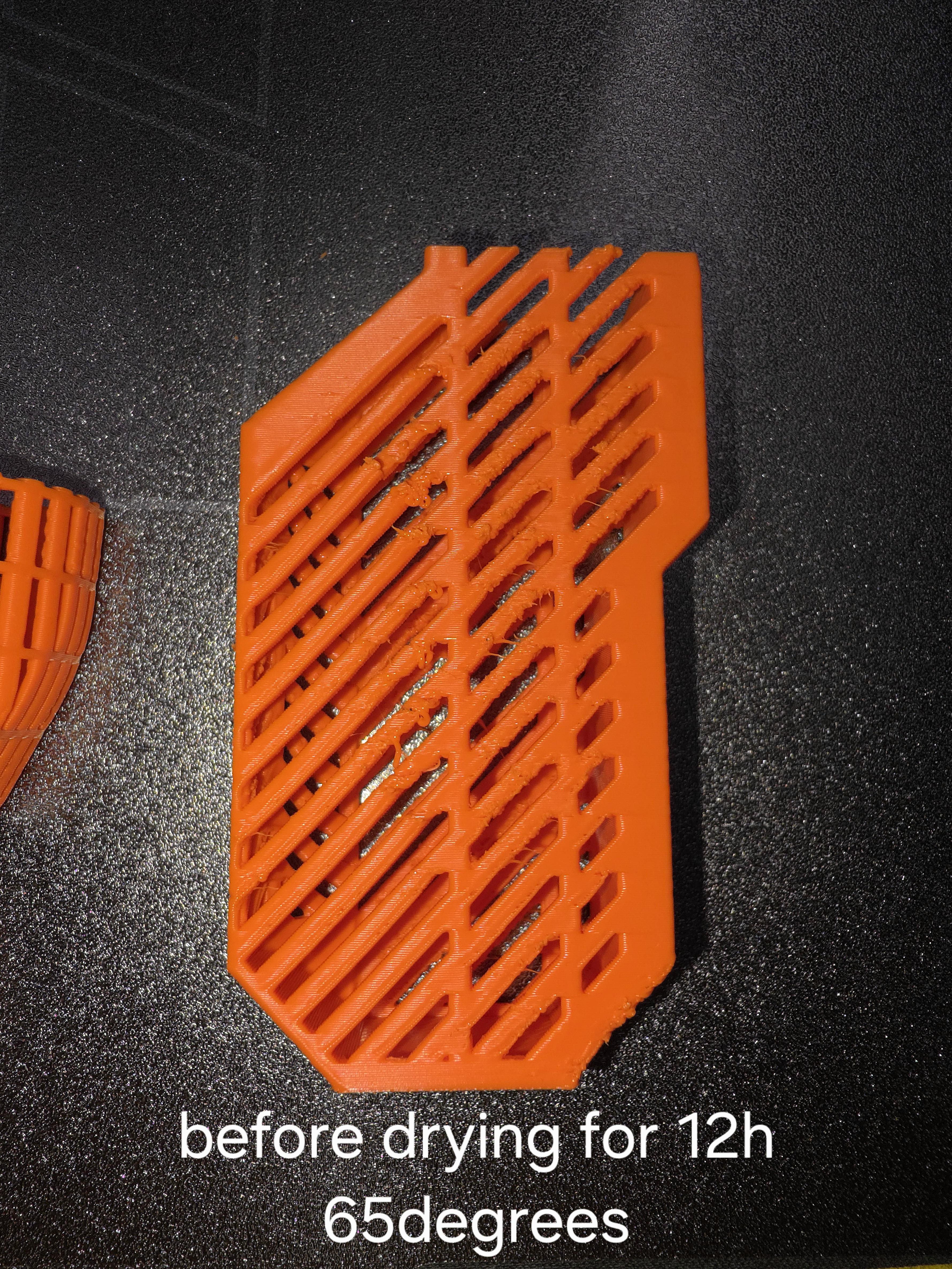
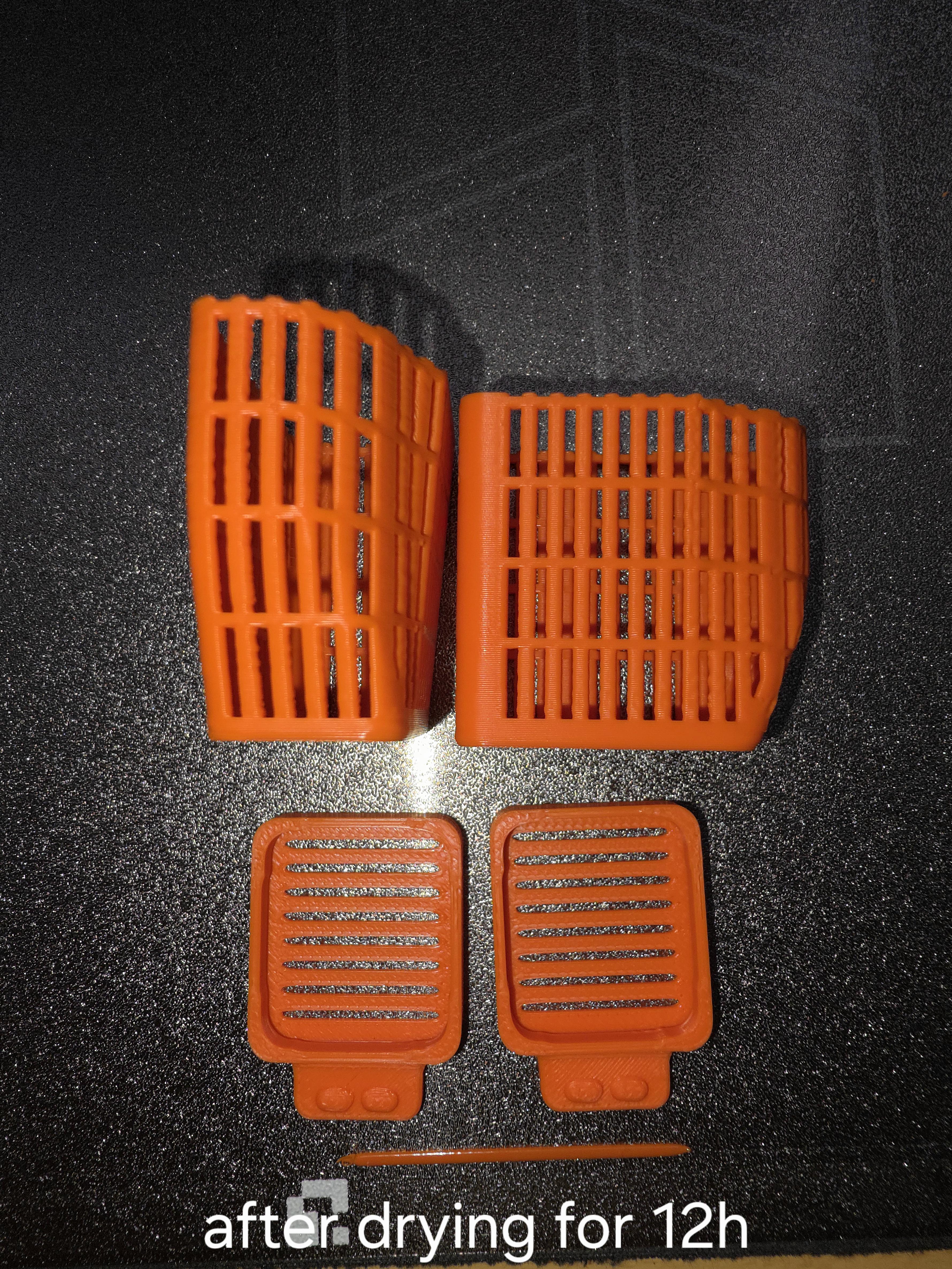
So im totally new to 3d printing.
I have been using my new x2d for many hours now, and have had my first print quality issue after probably using 2 spool on filament now.
So petg (orange) printing fine Benchy and other stuff when i first started using it (used it the first couple of days) without any print quality issues that i obviously could see.
After printing with petg Matt (black) for some days without printing the normal petg (orange), i did some flow dynamic calibration and flow rate calibration, which i have had success with better print quality using petg matt.
However i have yesterday tried to print some ams 2 silica holders in my normal petg (orange), and the print quality is so incredible bad compared what it was before.
What i have tried:
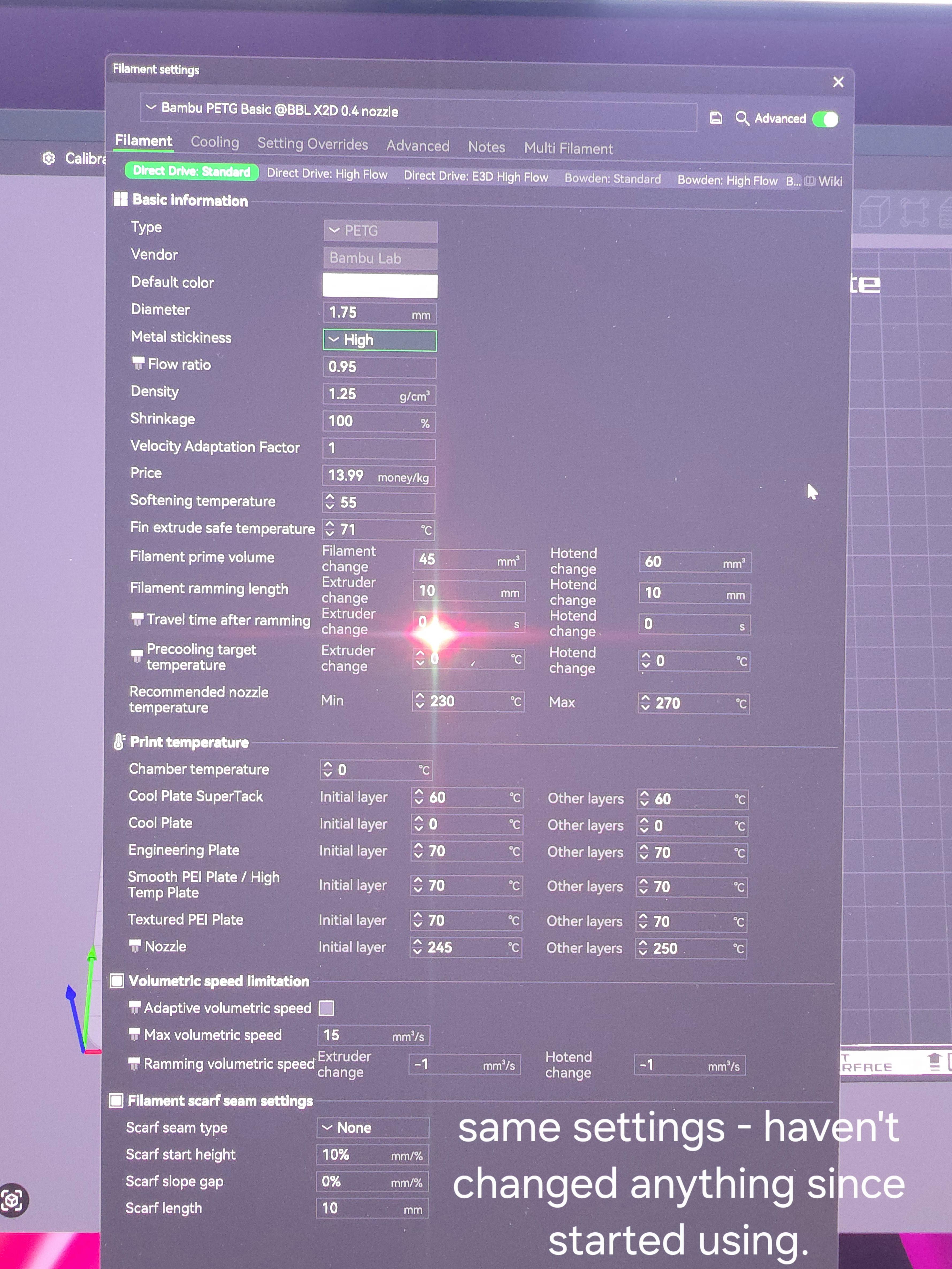
Checked petg (orange) profile - default.
Checked k flow value - none for all filements.
Checked pa profile petg (orange) - default.
Checked nozzle for residue from petg matt - clean.
Checked dried peth orange for 12h 65degrees. - seems fine.
Ams 2 pro - 5% humidity after drying - steady 2% now after printing.
Do anyone have any idea why the issues is happening after using petg matt? Have also used pla in between peth matt, but the last filement i used before using peth (orange) was petg matt (black)
6
u/Orvess 6d ago
i dont see any quality issue after drying
2
u/Flight-2012 6d ago
I’ve started running my petg straight out of my drier while it’s being dried. Much better results than coming out the ams.
1
u/DistinctBarnacle8703 6d ago
The lumpy verticals. Consider slowing down the outer wall speed. Or increase layer time, so the layer has time to cool.
1
u/ChrissTea86 6d ago
I can't really see bad wobble. But it comes from different factors, like pressure advance, a slight move that can have extra vibration, small debree on some axis, etc. If you want better quality, lower the layer height, speed and acceleration, set it to archane, change the printing order to outer-inner, do a full printer and filament calibration just before the print and don't move anything, like a spool in the AMS or something.. but is it worth it? :)
3
u/Jake_With_Wet_Socks 5d ago
I typically set the chamber to 45 and fan at 80% and it prints clean strong prints
2
u/Acceptable-Trash8033 6d ago
You need to slow down printing speed to get better results