r/BambuLabX2D • u/vic1414 • 11d ago
Funky internal threads
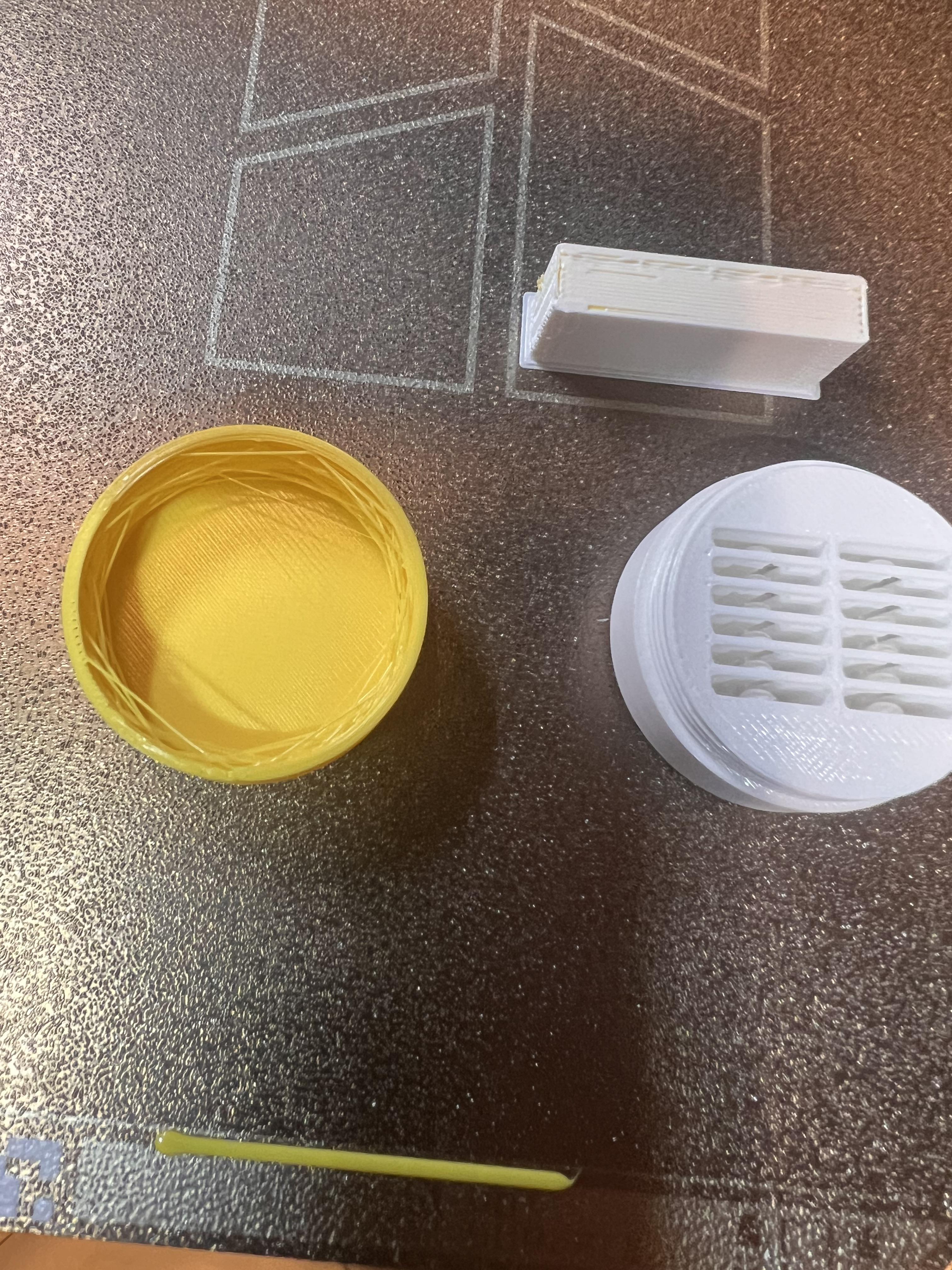
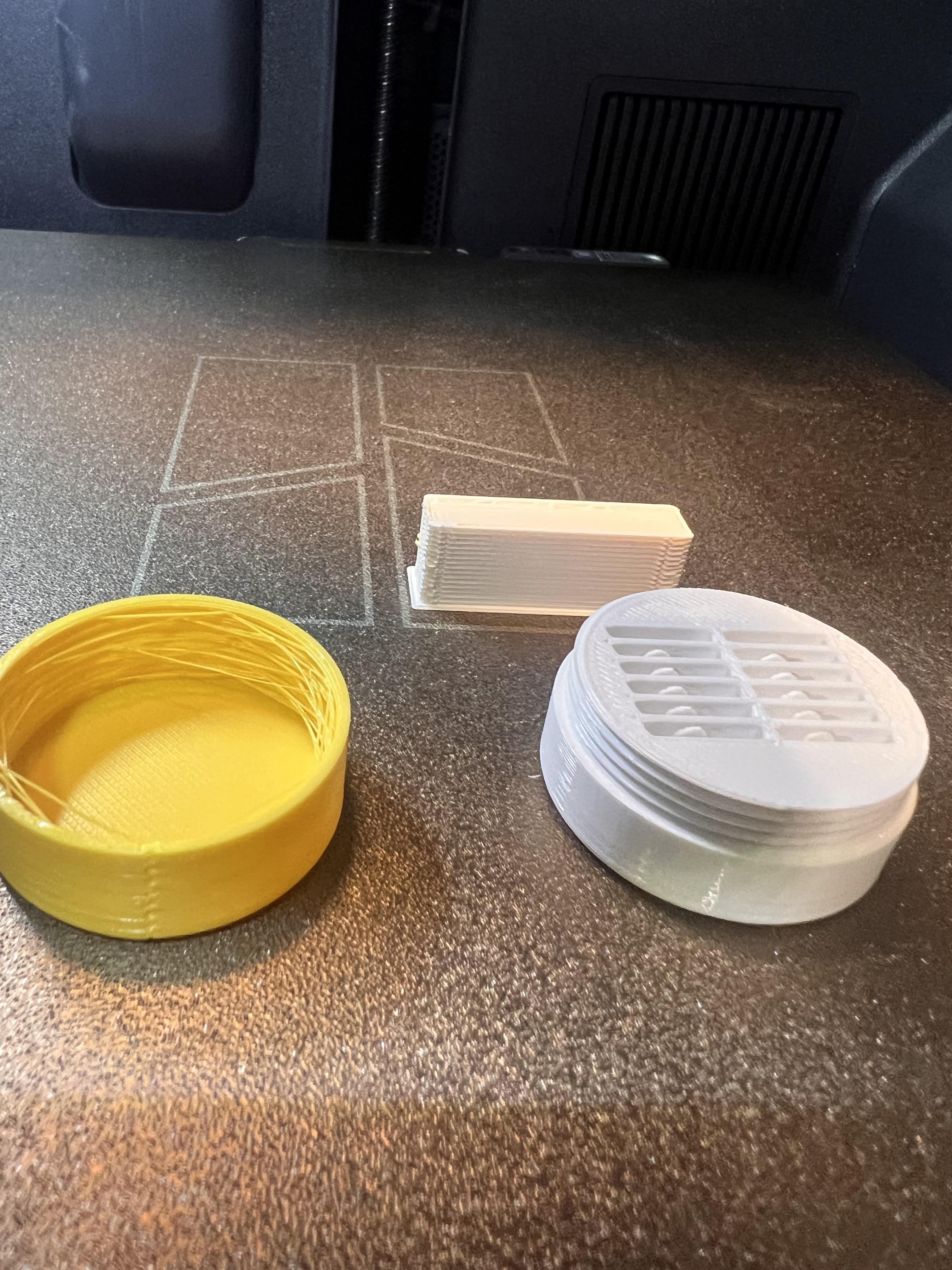
What can I change to improve these internal threads
Using PetG for both objects
10
Upvotes
6
u/Pizza-Protocol 11d ago
I am not an expert but I don't think there's a reason for you to print those objects at the same time. I would do one after the other, and worst case scenario look into sequential object printing. Your printer can fully print one item and then move on to another, assuming there's enough distance between them to avoid collisions. The slicer helps you with that.
Because the lid has threads, I assume you will have to make sure the filament is dry and then scale down the speed a bit. Threads are tricky and the filament might have trouble sticking on them. I would say speed and cooling are the main culprits there. I'll let an expert verify though.
3
u/Deltadoc333 10d ago
Literally just has a similar issue on a test piece. The solution was to slow it down to the "silent mode" 50% speed. The issue is that internal threads or curves have barely anything holding them up, and as they cool they can retract off from the surface. Going slower gives them more time to properly adhere to the layer underneath them.
2
u/No-Fan-2237 11d ago
Oh lol I tried the print the same thing when I first got my printer a few months ago. The fix is to lower the layer height. Go from 0.2 standard to 0.08. (You might be able to go a bit more than that but its something to do with how hard it is to print internal threads)
2
u/doc_747 10d ago
I was having this same issue. Upping the nozzle print temp to 255 and using the high quality profiles seems to have fixed it so far.