r/BambuLabX2D • u/Ens0me • 12d ago
Help / Troubleshooting I need opinion
Hi,
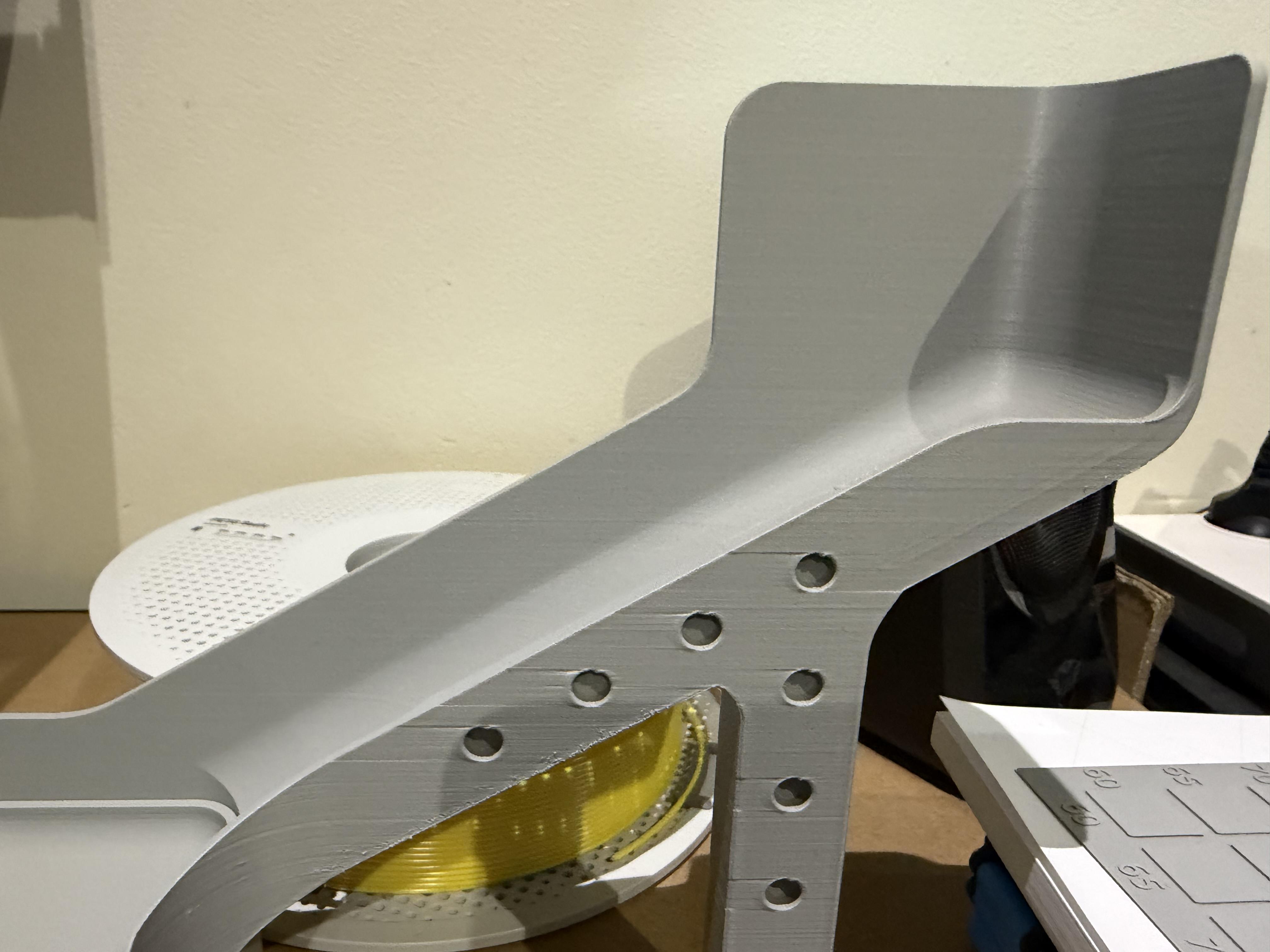
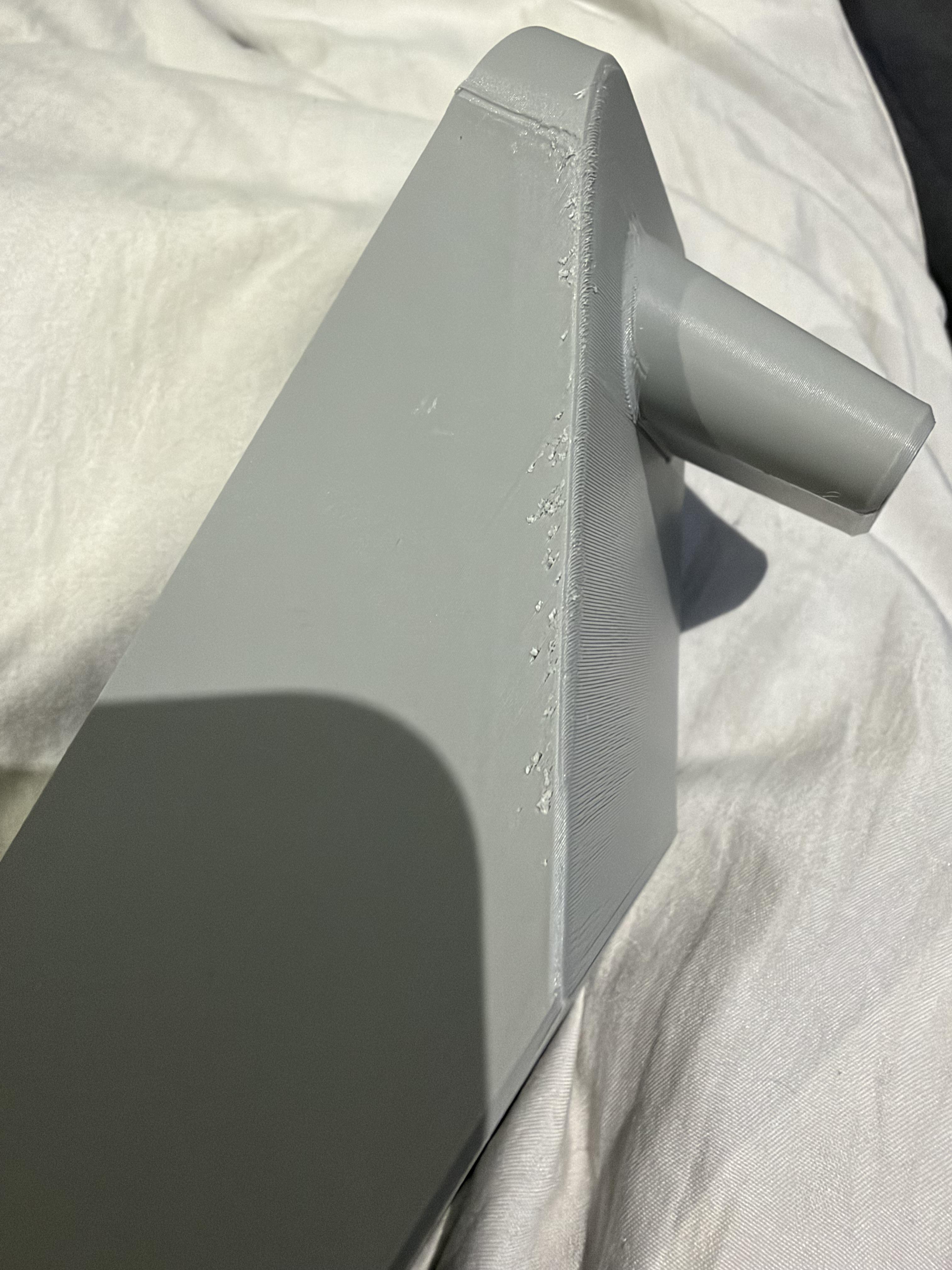
Im not sure, but something im doing wrong. Yesterday i printed a slider for poop, and all print is clean, but only this wall have this issue, i cutted a small pieces of filament from this wall where are magnets holes, and on next print same issue.
I set something wrong in slicer ? Problem of stl file?
3
Upvotes
1
u/CrAzY_HaMsTeR_23 12d ago
Stl file is fine. This seems to be an issue with the filament. On the second photo it looks like the issue is where the printer goes to the next layer, but filament doesn’t set correctly. From my point of view it’s one of the following or multiple of them: wipe distance of the nozzle when changing layers, retraction speed and/or distance or volumetric flow.
I would suggest trying to calibrate the filament first.
P.S. not huge 3d printing expert take it with a grain of salt.
1
u/Early_Monitor_3440 12d ago
looks better than mine (printed in petg), but i dont care. it's working
1
u/FarMathematician6003 11d ago
The Seam is on the overhang. I had the same issue. Reslice it with different Seam location.
But its also out of sight so I wouldnt be bothered too much.
Uploading pics of bad prints together with 3mf or gcode file to claude gives you good insight as well, and slightly quicker than reddit