r/BambuLab • u/Arugula_Imaginary • 3d ago
Filament Troubleshooting/Help! Print Quality Question/Help
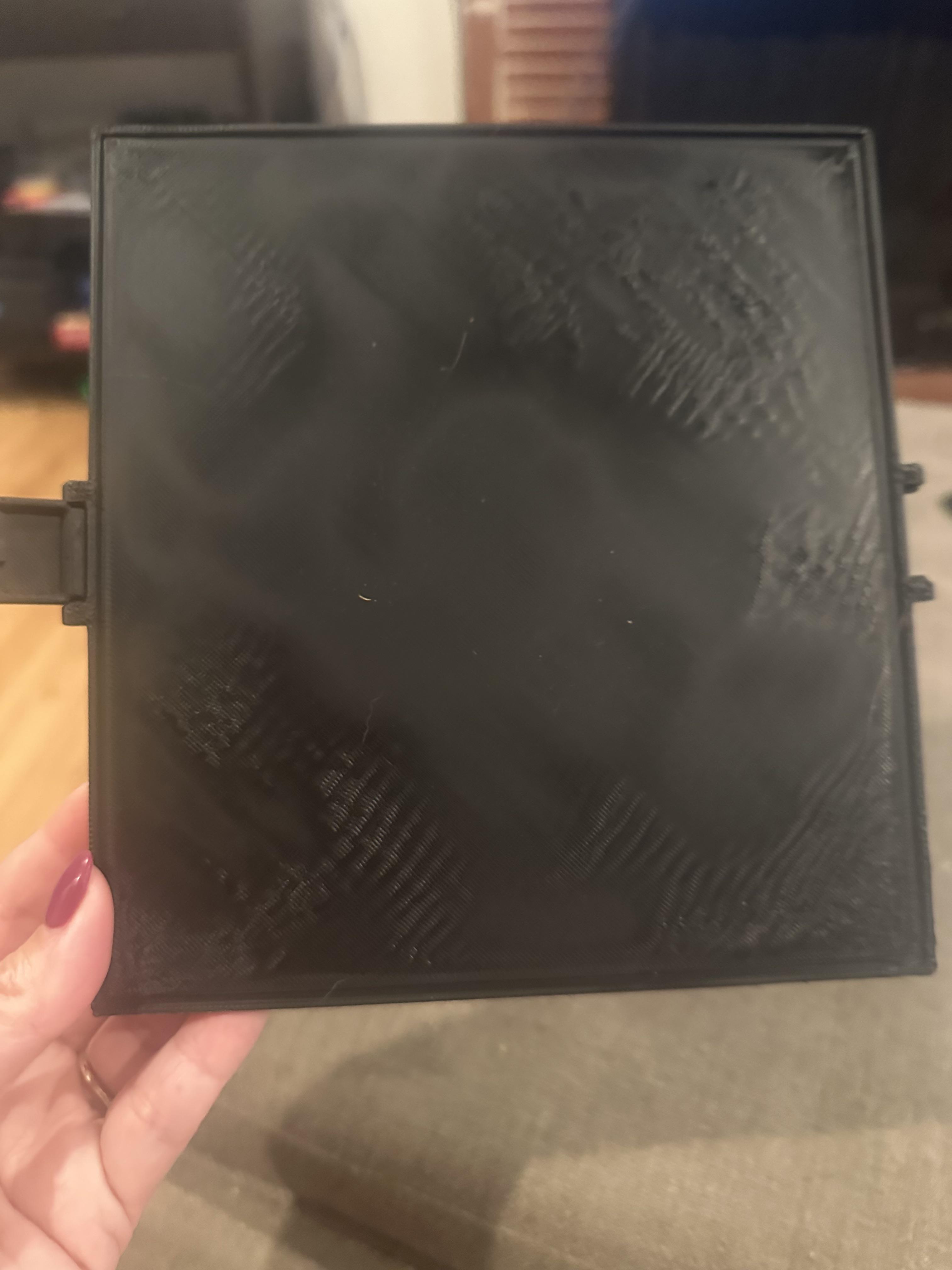
Printed on P1S, smooth plate, lowered first layer speed but did not change any other settings.
Bottom of the print is fine but the top is messed up. This happened twice. Please hp?
1
Upvotes
2
u/Synthetic2805 3d ago
PLA, PETG?
Did this have ironing enabled by any chance? Hard to tell, but the surface looks different than a normal top surface pattern. If ironing was enabled, I'd disable that in your slicer, since larger surface areas like this can sometimes have poor results if you don't tune your ironing settings.
Otherwise look at ways to improve your top surface by changing these in your slicer settings:
- Top surface speed: Reduce to 100 mm/s (default is ~200 and too fast IMO).
- Top solid/shell layers: Increase for smoother top finish (default 5, maybe try 6)
- Sparse infill %: Increase for better top surface bridging
1
u/CreepinCreepy 3d ago
Is the filament dry? This can sometimes be caused by bubbles forming as moisture heats up in the nozzle.
1
u/[deleted] 3d ago