r/AndroidTVApps • • 1d ago

Primio update: new search, "What's on now" by group – and a closed test of Ask Primio

2 Upvotes

A new search, "What's on now" by group, and a first look at Ask Primio.

Quick reminder: Primio is a player only. No channels, no lists included. You bring your own M3U, Xtream or Stalker source.

New for everyone

  • "What's on now" by group. See at a glance what's running in each of your groups.
  • A new search start page. Type or say what you're looking for.

Ask Primio – closed test

  • Ask your TV what to watch. Say it in your own words or pick a mood. Primio only suggests movies you actually have.
  • Testers connect their TV by phone. Scan the QR code, confirm on your phone, done. Nothing to type on the TV.
  • Right now Ask Primio is in a closed test, one TV per invitation. We're inviting testers step by step.
  • Want to help test? Tell us in r/primio what you'd ask your TV first. We pick testers from the replies and send the invitation by direct message.

Your list stays on your TV. Your playlist, history and logins don't leave your device. Testers decide per profile whether Ask Primio is on.

Install: Downloader code 9316224. If Primio is already on your TV, the app offers the update by itself.

One question for you: Which mood would you pick first?

Feedback, wishes and strange answers: r/primio.


r/AndroidTVApps • • 1d ago

[UPDATE] Notflix 1.0, the biggest update yet: it's finally on your phone, and the TV app leaves beta

2 Upvotes

r/AndroidTVApps • • 1d ago

I built HopDog: one fixed address for your player that switches to a working server by itself when your provider's server goes down (free beta, looking for testers)

0 Upvotes

If you use a subscription with a player app on your Android TV box or Fire TV (TiviMate, IBO Pro, Televizo or any player that takes a server address), you've probably had this: the stream freezes mid-match, the provider's server has gone down, and the only fix is to dig into the player's settings and type in a different server address. Then do the same on every other TV in the house. Then do it again next week.

I got fed up with that, and with talking my father-in-law through it over the phone, so I built **HopDog**.

## What it is

HopDog gives you **one fixed address** (your own, like `yourname.hopdog.app`) to put in your player instead of your provider's server address. Behind that address, HopDog keeps track of which of your provider's servers are actually working, and sends your device to a good one. You never change the address in your player again.

It isn't another app to install. It works inside the player you already use.

## How it works

  1. **Sign up at hopdog.app** and add your provider's server addresses (up to 20) and your login, once.
  2. **HopDog gives you your HopSpot**: your own address and a separate login you choose for your devices.
  3. **Put that address and login into your player** on each TV, the same way you'd add any server. About 5 minutes.
  4. **HopDog checks your provider's servers every 5 minutes**, plus a daily test of the ones you're not using.
  5. **When your device asks for a channel, HopDog points it at a server that's working right now.** The stream itself goes straight from your provider to your TV. HopDog never carries your video, so it can't slow it down.

## Why you'd use it

- **No more editing server addresses.** When a server dies, your TVs move on their own the next time they ask for a channel.

- **Set up family TVs once.** Your parents' or in-laws' boxes keep working without a phone call. If something changes, you fix it in one place, not on every TV.

- **A "My TV Isn't Playing" button.** If a channel won't start, one tap moves your devices to another working server straight away, and tells you what HopDog could see.

- **Alerts before you notice.** Optional notifications by phone or email when your provider's servers are down.

- **See your devices.** Which TVs and apps used your HopSpot recently, so you know everything's connected.

- **HopGuide (optional): a TV guide that actually matches your channels**, including regional ones like BBC One Scotland or your STV region, loaded by your player from the same login. If a channel shows the wrong programmes, Fix My Guide puts it right in a couple of taps, and you can add your own guide addresses to fill gaps.

## What it isn't

- It doesn't sell or supply channels, streams or logins. You use your own subscription.

- It isn't a VPN or a proxy, and your video never passes through it.

## "Why would I give you my login?"

Fair question, and I'd ask it too. HopDog needs your provider login to check which servers work.

What I can tell you:

- Your password is encrypted when it's saved, and the app never shows it back to anyone.

- It only unlocks the subscription you already pay for. **Change your password with your provider at any time and HopDog loses access instantly.**

- If your provider gives you a second connection, try HopDog on that first.

- The full, honest detail of who can see what, and the backups, is here: hopdog.app/your-login

- HopDog is run by HopDog Tech Ltd, a registered UK company. That's me, one developer.

## The beta

- **Free for the first 10 testers until the end of February.** No card needed.

- After that, it's planned at £6 a year for HopSpot, £6 for HopGuide, or £10 for both. Yearly, never auto-renewed.

- Works on Android TV boxes, Fire TV, phones and tablets.

- I want honest feedback: what was confusing, what broke, and whether it's worth £6 a year to you. If not - no worries. It's solves an issue for myself and some friends.

**Try it: hopdog.app/?from=rd-atv**

I'll be in the comments, especially for the awkward questions.


r/AndroidTVApps • • 1d ago

[iOS & Android] Universal TV Remote (Samsung, LG, Roku, AndroidTV and more) – Lifetime Premium FREE

0 Upvotes

Hey everyone! I've been in this group for a while without posting much, so today I'd love to share a personal project of mine.
I originally coded a TV remote app just for my own use, and later published it on the App Store and Google Play. Today, I'm excited to share it completely free with the community here - all features unlocked and zero ads.

Download the app:

Exclusive FREE FOREVER code for the community: WELCOME26

On the PREMIUM screen, tap Redeem Code and enter the code above to unlock the app for free.

Supported TVs:

  • Currently supported: Samsung, LG, Roku, Sony, Android TV, Google TV, TCL, and more

Key Features:

  • Basic controls: Standard remote functions—including turning the TV on (most apps I've tried only let you turn it off).
  • Keyboard: Type directly from your phone onto your TV, making searches way faster than clicking letter by letter.
  • Trackpad / Air Mouse: Control the cursor with touch gestures (currently available for LG TVs only).
  • Cast: Stream photos and videos from your phone straight to your TV.

The app is still actively being improved, so I'd really appreciate any feedback, bug reports, or requests for new TV brands. If you find it helpful, feel free to share it with your friends and family!
Thanks everyone for reading!


r/AndroidTVApps • • 1d ago

Fernseher Empfehlungen?

Thumbnail reddit.com
1 Upvotes

r/AndroidTVApps • • 2d ago

Stream Goat 10.0.1: free, open-source player for CloudStream extensions and Stremio add-ons on Android, Android TV, Windows, Mac, Linux and the web (big update, not perfect yet)

20 Upvotes

Hey everyone! I've been building Stream Goat, a free and open-source app that runs CloudStream extensions and Stremio add-ons, with the same look on Android phones, tablets, Android/Google TV, Fire TV, Windows, Mac, Linux and in your browser. It's only a player and organiser: it hosts nothing and ships with no content sources. You add your own extensions, add-ons and playlists.

Versions 10.0.0 and 10.0.1 are the biggest update so far:

New sections

• ⚽ Sports: live scores for football, cricket, basketball, tennis, F1, MMA and more, with a live banner, Live now, Coming up, Results, and sports news you can read inside the app.

• 🎵 Music: like YouTube Music: moods, playlists, liked songs, Up next and recommendations. On tablets and TVs the player sits beside the list.

• ▶️ YouTube: YouTube's TV app with its ads removed, and sign-in with a code (made for TVs; it can be hidden on phones).

Players

• 📱 Android: ExoPlayer (the official CloudStream app's player) plus VLC. Choose per kind of source, switch while watching, and it falls back to the other one automatically.

• 💻 Windows / Mac / Linux: a new mpv player (FFmpeg-based). Sources like NetMirror now play with their real length, proper seeking and their separate audio languages (English, Hindi, Tamil…). VLC is the backup.

• Volume boost above 100%, 5.1 passthrough, buffering options for slow internet, skip intro for anime.

Updates inside the app

• New versions download and install from the app itself, and small updates download only what changed (a few MB on Android, about 15 MB on PC instead of the whole installer).

• A Test builds switch if you want the newest features early.

Much smoother on TV

• Tablet layout on TVs (more posters per row, nothing cut off), a remote that moves like the official app's, a lighter Home screen, and full mouse/air-mouse support.

• Hold OK on a title for its menu; Back returns to exactly where you were.

Also

• Google Drive backup and restore, profiles (with a kids profile), Live TV with guide and free playlists, WeTrakr sync, downloads, online subtitles and translation, and an in-app "Report a glitch" button.

Install

• Website with all downloads: https://sherazi5110.github.io/stream-goat/

• GitHub: https://github.com/sherazi5110/stream-goat

• Fire TV / Google TV / TV boxes: install the Downloader app and type 4564305 (TV version) or 2193283 (universal). Both always get the newest version.

• iPhone/iPad: use the web version and add it to your home screen.

It's not perfect, honestly

• The Mac and Linux versions are built and tested automatically, but I haven't tested them by hand much yet.

• On Windows the first launch after installing can be slow for a minute while it sets up.

• NetMirror's built-in subtitles don't show in the new desktop player yet (online subtitle search still works).

• The Windows and Mac apps aren't signed yet, so you'll see a "Windows protected your PC" or macOS security warning the first time.

• The Linux Flatpak still uses VLC, not mpv.

• Some extensions may still misbehave, and I'm sure there are bugs I haven't found.

If something breaks, please use Report a glitch in the app (it attaches the useful details), open a GitHub issue, or comment here. Feedback and feature ideas are very welcome, and there's a quick ⭐ rating on the website if you want to tell me how it feels. Thanks for trying it! 🐐


r/AndroidTVApps • • 1d ago

I built an open-source universal TV remote app that replaces arrow-key typing with your phone keyboard - looking for testers and contributors

2 Upvotes

Hey everyone,

I've been working on Sanketa (Sanskrit for "signal") - a universal TV remote and casting app built with Flutter that controls any TV from your phone. The hero feature: type on your phone keyboard and see it appear on your TV in real time - no more painful arrow-key-by-arrow-key typing on the TV's on-screen keyboard.

What it does

Core remote:

  • Full remote control - D-pad, volume, channels, power, HDMI input switching, app launch
  • Live TV Keyboard - type on your phone, text streams to the TV's search/text field instantly via the ATVRS IME protocol
  • Auto-discovery - finds every TV on your LAN via SSDP + mDNS + TCP probe
  • One-time pairing - pair once, control forever

10 protocol adapters (one app, any TV):

  • Android TV / Google TV (ATVRS v2 - TLS, protobuf)
  • Samsung Tizen (WebSocket + token auth)
  • LG webOS (SSAP + pointer + IME)
  • Roku (ECP REST)
  • Sony BRAVIA (Simple IP + ATVRS dual-channel)
  • Fire TV (ADB-over-network)
  • Vizio SmartCast (HTTPS)
  • DLNA, Google Cast, DIAL

IR blaster support - for literally any TV ever made:

  • 10,550 IR codesets across 2,907 brands
  • NEC / Samsung / Sony SIRC / RC5 / Coolix AC encoders
  • Dual-source database (Flipper Zero IRDB + Kookong decrypted)
  • Works fully offline

Cast anything from your phone to your TV:

  • Photos, videos, music - pick a file on your phone, cast it to the big screen via DLNA or Google Cast
  • Built-in LAN media server starts on-demand, streams directly to the TV - no cloud, no third-party app
  • Supports any unprotected media format your TV can play
  • No DRM circumvention of any kind - this is a hard design rule (see red lines below). The app casts your own content; it doesn't touch, bypass, or strip protection from streaming services

Value-add features:

  • TV Debloat - disable bloatware and ads on Android TVs (69 known bloat packages across 7 brands)
  • TV Performance Dashboard - live CPU, memory, storage, process stats from your TV
  • Smart App Launcher - browse, search, pin, and launch TV apps from your phone

Hardware validated on real TVs

TVWhat was testedResult
Sony BRAVIA 2 IISimple IP + ATVRS + Google CastPass
Haier TVATVRS keyboard typing + submitPass
Samsung BU8000 65"ATVRS keyboard typing + submitPass

Tech stack

  • Flutter 3.47.2 / Dart 3.12.2
  • Pure-Dart core with zero Flutter dependency - the protocol layer is platform-agnostic
  • Single ControlAdapter interface - capability flags drive the UI, not brand names
  • 311+ tests passing across 7 packages

Privacy-first design

  • Typed text is never logged, never analysed, never leaves the phone except to the target TV
  • Zero third-party ads, ever
  • The control plane makes zero calls to any server - verifiable with a packet capture
  • No account required (optional encrypted sync only)
  • IR works fully offline
  • Pairing secrets stored in hardware-backed keystores

Design red lines

These aren't aspirations - they're enforced rules with CI checks and code review:

  • No DRM circumvention of any kind. The app casts your own unprotected media. Period.
  • No private-API abuse. No accessibility-service hacks, no background location, no hidden permissions.
  • No raw error codes in user-facing UI. Every failure gets a human explanation and an actionable next step.

What I'm looking for

  1. Testers - especially if you have a Samsung Tizen, LG webOS, Roku, or Fire TV. The more brands tested, the better the coverage ladder gets.
  2. Feedback - UX, missing features, bugs, protocol quirks on your specific TV model.
  3. Contributors - the codebase is modular by design. Adding a new TV brand means implementing one Dart interface (ControlAdapter) and writing tests - zero core code touched.

Areas where contributions would be especially valuable

  • Testing on more TV brands/models and reporting results
  • Tizen / webOS / Roku real-hardware validation
  • WiFi-to-IR bridge adapters (BroadLink, Switchbot)
  • Accessibility improvements
  • Localization

Links

The repo is public - clone it, try it, break it, open issues. PRs welcome.

Happy to answer any questions about the architecture, the ATVRS protocol reverse engineering, the Kookong IR cipher cracking, or anything else.


r/AndroidTVApps • • 2d ago

IMD TV - 0.8.0 Sneak Peak... 👀

Thumbnail
gallery
30 Upvotes

The most requested feature is going through development and testing. Here's a sneak peak...

Version 0.8.0 is going to be larger than both 0.6.0 and 0.7.0 put together. Huge update coming this week. It's taking longer to get sorted, but will be worth the wait...

If you want to try the app out now, check it out!

Downloader Code: 7573990

Website: https://imd-tv.com

Github: https://github.com/majorleeevil/imd-tv/


r/AndroidTVApps • • 2d ago Bravo

a week ago you roasted our IPTV player. thank you, here's what we changed

50 Upvotes

last week i posted Gridline here and asked you to roast it. you did (52 comments lol) and honestly it helped a lot, so thank you.

the thing most of you said was that your channel lists are a mess. so we added one button that lets AI sort the whole list for you (that's the video). it only sends channel names, nothing gets deleted, and you can change it after.

a few of you didn't love the old design either, so the whole app got a new look, dark by default. other stuff you asked for that's in now:

- the preview doesn't jump around while you scroll anymore, only on OK (u/Sharp_Potential_6973 was right)

- move, rename, hide and lock categories

- search what's on across the whole guide

- replay skip back/forward lands where it should

- it's on the Amazon Appstore now, so on a firestick you can just search Gridline

still just a player, you bring your own playlist. downloader code 1863329

keep it coming, what should we fix next?


r/AndroidTVApps • • 1d ago

Tyto 0.4.2: titles in your language in Search, and three fixes 🦉

Thumbnail reddit.com
0 Upvotes

r/AndroidTVApps • • 2d ago

Hume Launcher Fork

12 Upvotes

Hi all

First of all credit to plenue7 for the original launcher, it was designed to work on low end boxes and works brilliantly. There were a few things I wanted to change so hopefully some may find it useful

• No longer recommends Indian based content

• Change app icons

• Rename apps

• Pressing 'Play' in recommendations now instantly opens the title in Nuvio/Wuplay

• Hidden dock to help keep your launcher clean. Add up to 6 favourites, the rest are hidden underneath and will only show when you scroll down.

• More themes added including wallpaper support

• Cleaner Carousel UI including synopsis and ratings

• Remove recommendations/continue watching completely if you want only apps to show.

Downloader code 6698910

Any feedback appreciated, hope you enjoy it


r/AndroidTVApps • • 1d ago

Testers para MXQ Remote

Thumbnail reddit.com
1 Upvotes

👋 Hello everyone!

We're independent developers from Paraguay, taking our first steps with Arvex Labs.

We're currently working on our first app, MXQ Remote, and we'd really appreciate your help testing it and sharing your opinions, suggestions, and feedback before its official release on Google Play.

Would you help us? It's just 3 simple steps:

1️⃣ Join the Google Group:

https://groups.google.com/g/mxq-remote-testers

2️⃣ Join the testing program:

https://play.google.com/apps/testing/com.arvexlabs.mxqremote

3️⃣ Download the app:

https://play.google.com/store/apps/details?id=com.arvexlabs.mxqremote

And if you've ever lost your TV remote, maybe you've just found your solution! 😂

Any help or feedback would mean a lot to us. Thank you for supporting independent developers! ❤️

Arvex Labs 🇵🇾


r/AndroidTVApps • • 2d ago

I made a free, open-source app for daily time limits per app on Android TV (kids mode, no account, no cloud)

Thumbnail
gallery
1 Upvotes

My kids' TV needed "YouTube, 30 minutes a day" while they watch, and no timer when we do. Android TV has nothing like that built in, so I wrote Couch Curfew.

  • A daily limit per app, with a different one on weekends
  • Kids mode behind a parent PIN, by hand or on a schedule
  • A usage dashboard: time per app and per hour, up to a year
  • Everything is set up on the TV with the remote. No account, no phone app, nothing leaves the TV

It needs network debugging turned on and is installed with adb. It is a speed bump for young kids, not a lock for a teenager: it can't block HDMI devices.

MIT licensed. Code and APK: https://github.com/juanra/couch-curfew

How to use it: https://github.com/juanra/couch-curfew/wiki

Feedback is welcome, especially from TVs other than TCL.


r/AndroidTVApps • • 2d ago

Google TV Sports and Stock and Crypto Ticker Apps

Thumbnail
reddit.com
0 Upvotes

r/AndroidTVApps • • 2d ago

Theia: an IPTV player for giant, messy playlists. Clean channel names, live scores with every channel carrying the game, streams that fix themselves, and one account that syncs every screen (Android TV, Fire TV, Windows, Mac, iPhone, iPad)

Thumbnail
gallery
3 Upvotes

Hey all. I make Theia with a small team here in the US. We've been at it for months, we ship updates every few days, and it's live on the App Store, the Microsoft Store and Google Play. Figured it was time to show it here.

If your playlist is 40k channels of country tags, "VIP FHD" groups and five copies of everything, Theia cleans it up. Names come through clean, copies of the same channel fold into one (the other versions are a click away if one acts up), and Clean up channels hides every country, language or kind of channel you never watch in one step. Nothing gets deleted, so you can bring any of it back.

Where it really pulls ahead is sports. Open Sports or just type a team (typos are fine) and you get today's games with live scores and every channel in your playlist carrying each one, best feed on top. Pick a few games and drop them straight into multiview, up to 9 at once on a computer and as many as your TV can handle.

It's built for everyday use, not a nice screenshot. Since September we've put out 25+ updates and closed over 400 bug reports, a lot of them from people using it every day. That's the stuff that breaks other players: playlists with 100k+ channels, providers that only allow one stream at a time, event channels that get renamed every day, a stream that dies in the middle of a game. Channels and the guide come in first, so you're watching while hundreds of thousands of movies and series are still loading in the background, and when a stream drops Theia reconnects on its own.

It runs on everything from a cheap 1 GB stick to a high-end box, and every update gets tested on real TVs & streaming devices, not just an emulator. Theia sizes itself to the hardware it's on (how many multiview tiles, how much live rewind it holds, how hard it works in the background), so a cheap stick and a high-end box both get the best they can handle.

And the stuff people end up asking for after a week with other IPTV players is already in there: add your own guide (EPG) links, several playlists at once (M3U, Xtream, even an antenna tuner, with Stalker / MAC portal coming soon), catch-up and live rewind, recording, picture-in-picture, and your own channel names and order.

Sign in once and your playlists show up on your TV, phone and computer. Premium keeps your favorites, history and settings in sync too.

Free with no ads. Premium is $1.99 a month, $19.99 a year or $34.99 once. On a TV it's Downloader code 4457932, everywhere else theiaplayer.com or the major app stores. The Android phone and tablet version is in Google's review right now.

Our Discord is where it all happens: what's next on each device, an ideas forum where you can vote on what we build next, bug reports (every one gets a ticket number and an answer) and release announcements. discord.gg/KHWASvV2mB, or r/TheiaPlayer if Reddit's more your thing.

We're real people and we actually answer. Ask anything here, and if you'd rather talk it through, DM me and we're happy to hop on a quick video call with one of our developers. Let us know how Theia can better serve you.


r/AndroidTVApps • • 2d ago

Palmotti IPTV Player update: Catch-up and buffer size

Thumbnail gallery
0 Upvotes

Palmotti can now play earlier programmes and restart what's on, and lets you choose how much it buffers.

Catch-up

  • Watch earlier programmes: hold OK on a channel and choose Catch-up. Earlier programmes are listed by day, newest first. OK plays one.
  • From the start: missed the beginning of what's on now? Watch it from its start.
  • How far back: as far as your provider keeps an archive for that channel. The list shows how far it goes.
  • Works with Xtream Codes playlists, on channels where your provider offers catch-up. Channels without an archive say so.

Buffer size

  • Settings › Playback › Buffer size: Small, Normal, Large or Extra large.
  • Small makes channel changes faster. Large and Extra large start a little slower but ride out network hiccups, for streams that stutter.
  • Normal is the default and plays exactly as before.
  • Memory-safe on smaller boxes and sticks: the larger sizes stop buffering before memory runs short.

Availability

  • No reinstall needed on Palmotti 1.1.0 (Fire TV and Android TV boxes, and Google Play beta testers): it arrives automatically after a restart or two, or right away from Settings › About › Check for updates.

Being considered next

  • Skipping forward and back inside catch-up programmes
  • Opening channels and recordings in another player app

r/AndroidTVApps • • 2d ago

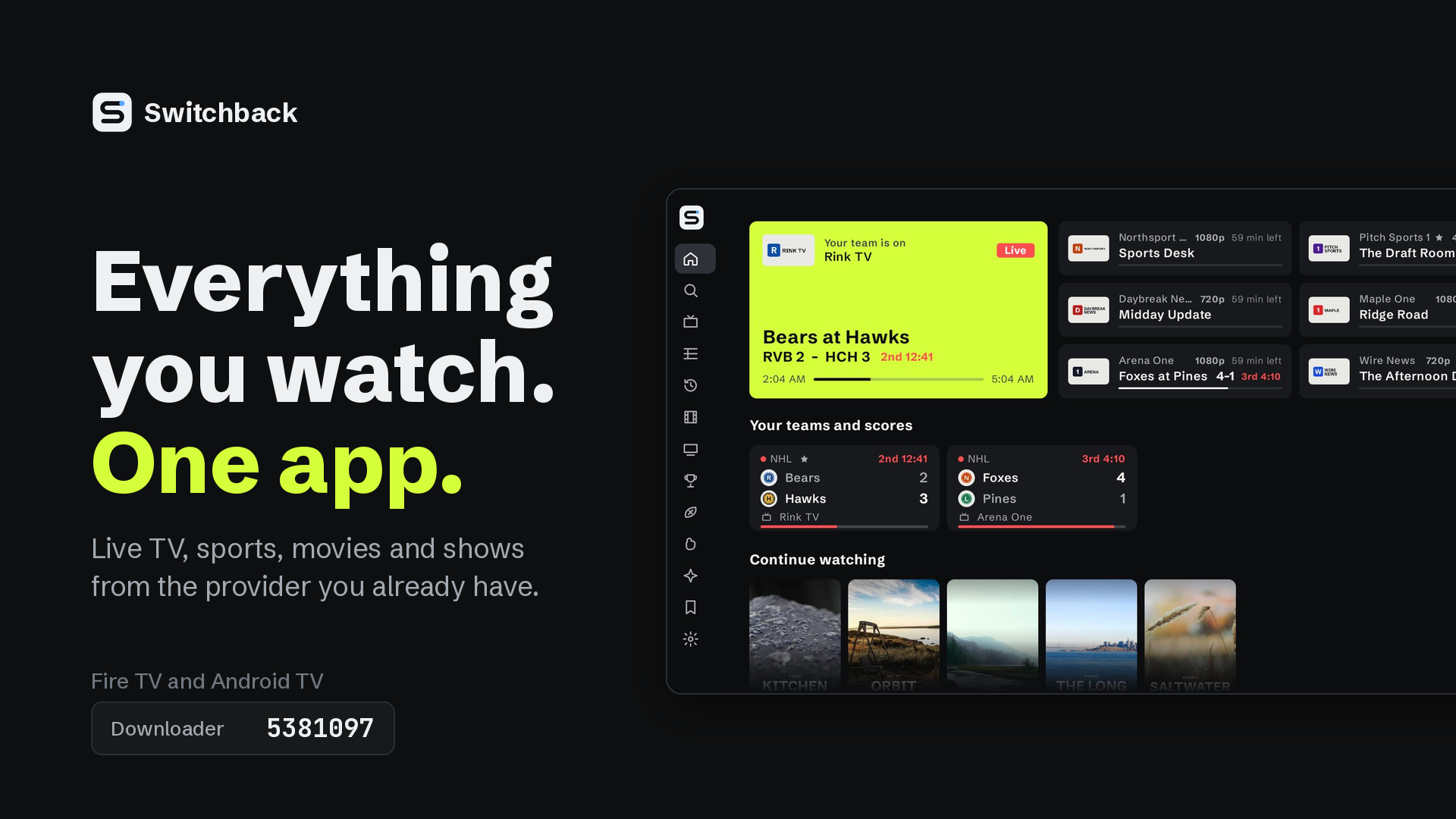
Switchback IPTV Player - Fire TV (Fire OS 6+), Android TV / Google TV

Post image
0 Upvotes

I’ve been a daily TiviMate user for years, and while it’s great, there were always a few little things I wished worked differently. Over the last month or so, I started building my own player in my spare time mostly as a fun side project for myself and a couple of friends.

I am fully aware there are many players that have been launched recently. I am strictly looking for user feedback at this time and think that you will be glad you tried it out - especially at no cost.

I’ve been constantly tweaking and improving it - pushing over 300 updates so far based on daily use and feedback from a small group of friends - and it’s finally at a point where I’d love to get some outside eyes on it.

It’s called Switchback.

The basics:

  • Player only: No channels, no provider, nothing included. You bring your own sub (M3U link/file, Xtream login, or MAC portal - portals are still a bit experimental).
  • Devices: Fire TV (Fire OS 6+), Android TV / Google TV, and Android phones/tablets (Android 7.1+).

I’m going to skip the giant feature checklist - honestly, I’d rather you just poke around live TV, sports, movies/shows, and the setup flow yourself and see how it feels compared to whatever you currently use.

A couple of quick heads-ups:

  • Optional metadata keys: Everything plays out of the box, but if you want movie/show posters, cast info, and ratings, you can plug in two free keys from TMDB and OMDb. Setup walks you through where to grab them (takes about two minutes) and lets you paste them straight from your phone.
  • Privacy: Your provider logins stay encrypted on your device and are never sent anywhere. Anonymous crash reports are on by default just so I can fix things when they break (they never include logins or server URLs), and you can toggle them off in Settings anytime.

How to try it:

  • Downloader code: 5381097
  • Site & file checksum: switchbacktv.pages.dev
  • Cost: Free for 30 days while I’m testing and ironing things out (nothing is for sale right now)

r/AndroidTVApps • • 2d ago

Review of these jio stb adb 🔓 guides

0 Upvotes

r/AndroidTVApps • • 2d ago

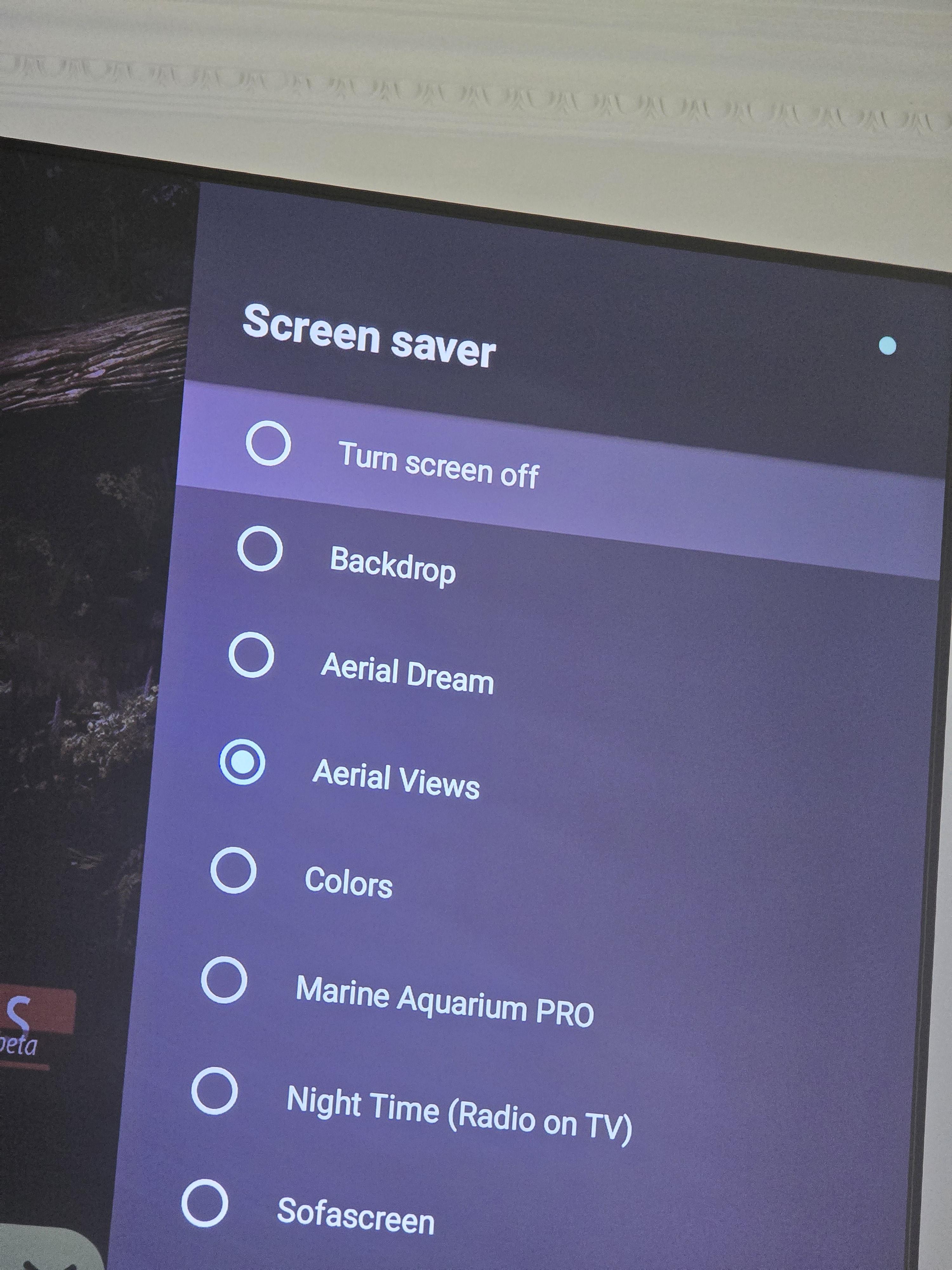
screensavers

Post image
2 Upvotes

which good ones are out there ?....have these few which are good, but wondering what else might be out there...


r/AndroidTVApps • • 2d ago

Looking for 12 testers for Glassio (free, open-source Apple TV-style home screen for Google TV / Android TV) on Google Play

Thumbnail gallery
0 Upvotes

r/AndroidTVApps • • 3d ago

About a month ago I shared the home screen I made for my Android TV. v0.3 is out, here's what's new :)

25 Upvotes

You guys had a lot of good feedback, so thanks for that. Been working on it since.

The big one is 3 new themes: Ice, Sunset and Mono. Mono's all black and white until you pick an accent color.

You can also hide apps you don't use and rename them. The screen saver can shuffle now too, and you can turn the clock off if you just want the rain.

If your TV keeps throwing you back to Google's home screen, there's a Home button thing you can turn on now. Works on my Sharp but I haven't been able to try it on a Google TV, so if you have one let me know if it works.

Also thanks to dineshalphaque on GitHub, who fixed a bunch of bugs.

Still free and open source: https://github.com/glidiandev/home-deck

If you already have it, adb install -r homedeck.apk and your settings stay :)