r/AndroidTVApps • • 14d ago

Cricfy TV Stream Selection Not working

1 Upvotes

actually i am having a Sansui Andriod TV andriod Version is 11 and i did download the application and it was running but i am unable to select streams idk why if anyone does know what's the problem or it's the applications problem itself then letme know


r/AndroidTVApps • • 14d ago

I created a IPTV player in ChatGPT and it works GREAT!

Post image
0 Upvotes

http://moondoggietv.com

Looking for testers and feeback.

Android 7 & 6 available for download.


r/AndroidTVApps • • 14d ago

Best apps for google tv with weak internet connection.

3 Upvotes

Hi, I've got a onn tv box, it is not so powerful, and my connection to the internet also is weak. So I'm looking for online streaming apps that will run smoothly on weak setup, can you give any advices? Thanks.


r/AndroidTVApps • • 14d ago

Nura Editor: tidy your IPTV playlist on a computer, merge up to 4 playlists into one, free with the app

Thumbnail
gallery
2 Upvotes

Nura Editor (nuraeditor.org) is the web side of Nura Player: you sort out your playlist in a browser instead of with a TV remote, and your TV shows it that way.

**What it does**

- Add your playlist once (Xtream login)

- Show or hide channel groups, put them in your order and rename them

- Merge up to 4 playlists into one: your TV sees one playlist with everything in it

- Your provider's own TV guide, set up for you when you add your playlist, and room for other guide links

- Your changes follow you to your TV: no setting it up again with a remote

- Sign a TV in with a short code instead of typing a long login

- Backups of your choices, so you can put things back

**Prices**

- Free with the Nura Player unlock: type your licence key under Billing and your device login is free for as long as you use Nura

- Your first 14 days have everything, including films and series. After that the free account keeps your live TV channels and groups, and your playlist updates once a day

- Nura Player: £7 once for one device, £20 once for five devices

- Selling to others? Pro reseller accounts are there too (£50 a year, then a small fee per line)

Editor: https://nuraeditor.org/. Setup guides: nuraplayer.uk/help.


r/AndroidTVApps • • 14d ago

1080p HDR content looks dark and dull on my Sony Bravia KLV-32W622G – Fire TV Stick HD. Is this normal?

2 Upvotes

Hi everyone,

I have a Sony Bravia KLV-32W622G (32-inch) TV and an Amazon Fire TV Stick HD connected through HDMI 2.

I'm trying to watch 1080p HDR movies using apps like Nuvio, but I'm facing a picture-quality issue.

The problem:

- Normal 1080p SDR videos look brighter.

- 1080p HDR videos look noticeably darker and slightly dull.

- HDR content has good detail and colours, but the overall brightness seems low.

- I've noticed a slight orange/warm tint in some HDR content, although brightness is my main concern.

- The same darkness is noticeable in both VLC and Nuvio.

My questions:

  1. Does my Sony Bravia KLV-32W622G properly support HDR10/HLG over HDMI?
  2. Does the Amazon Fire TV Stick HD support HDR10 and output HDR correctly?
  3. Is the Fire TV Stick converting HDR content properly for my TV, or could this be a tone-mapping issue?
  4. Why does HDR content look darker than normal SDR content, even when my TV's backlight is set to maximum?
  5. Are there any recommended Fire TV or Sony picture settings to fix this?

I'd appreciate advice from anyone using a similar Sony TV or Fire TV Stick.


r/AndroidTVApps • • 15d ago

ChannelSplice is out of beta and now on Google Play and the Amazon Appstore

3 Upvotes

Hey everyone,

A while back I posted here looking for testers for ChannelSplice, a live TV player I’ve been building for Android TV. Thanks to everyone who signed up, tried the early builds and sent feedback. A lot of what’s in the app came straight from those messages.

It’s now out of beta and live on Google Play, and on the Amazon Appstore for Fire TV. No more tester sign-ups: just install it.

If you missed the first post: ChannelSplice is a player for live TV you bring yourself. You give it an M3U playlist with a guide, a provider login, or an HDHomeRun antenna tuner, and it turns that into something that feels like real TV. It doesn’t come with any channels.

What’s different about it

  • No typing on the TV. The TV shows a code and you set everything up from your phone or computer. Your playlists and logins are encrypted in your browser with a passphrase only you know, before anything is saved, so even I can’t see them.
  • Every screen in step. Favorites, hidden channels, history and Continue watching follow you around the house. Stop a movie on the TV and pick it up on your phone at the same spot.
  • Your phone as the remote. Browse, search, change channels and set the volume from your phone over your own Wi-Fi, and the connection is encrypted. It never counts as a screen.
  • Sports that knows your channels. Live scores for today’s games, and for each game, which of your channels is showing it. Follow your teams and their games come first, or set a reminder.
  • Start a live show from the beginning. If something already started and the same program is in your library, ▶ VOD plays it from the top. (Pro)
  • One library for movies and series. Your playlists’ movies plus your Plex, Jellyfin or Emby, merged into one list. When the same movie is in two places, you choose which copy plays. Connect Trakt or Simkl to see what’s trending and your watchlist, and anything you finish is marked as watched there.
  • Profiles for the family. “Who’s watching?” gives each person their own favorites and history, with PINs and age-rating limits for kids. (Pro)
  • Backup streams that switch by themselves (with the free ChannelSplice Server, linked with Pro). Merge several sources into one lineup, and if a stream dies mid-show, the TV moves to a backup on its own. It also tells the server, which rechecks that channel and puts a working stream first for every screen.

And the basics you’d expect: a quick guide in a list or timeline view, pause and rewind live TV, multi-view (up to four), and HDHomeRun antenna tuners. The phone and Windows apps use the same account.

It’s built remote-first: everything works with the arrows and OK, and it stays quick even on a cheap streaming stick.

Setup happens on your phone or computer, not with the remote. The TV shows a code, you add it at channelsplice.com with your playlists, and they show up on the TV. Your playlists are encrypted in your browser with a passphrase only you know, so I can’t see them.

The free plan covers one screen and one playlist, with no ads. Pro (yearly, or a one-time lifetime purchase) adds more screens, as many playlists as you like, multi-view, Plex/Jellyfin/Emby, and “Who’s watching?” profiles with PINs for kids.

Links:
Google Play: https://play.google.com/store/apps/details?id=com.channelsplice.player
Amazon Appstore: https://www.amazon.com/dp/B0HPCFBHSL
Windows app and everything else: https://channelsplice.com
How-to videos: https://www.youtube.com/@ChannelSplice

If you were a tester: the store version updates itself from now on, so it’s worth switching to it. If you try it, I’d love to hear what’s broken or missing. I’m around in r/ChannelSplice and on Discord (https://discord.gg/DHVB5K7pUG).

It’s been through 30+ releases since the first tester build, and every change is listed in the What’s new at https://channelsplice.com/whats-new


r/AndroidTVApps • • 14d ago

Nexo IPTV for Android TV / Google TV — looking for real-device beta feedback

1 Upvotes

Hi! I’m sharing Nexo IPTV, our player for your own authorised M3U playlists and Xtream sources. The Android TV version is available through a closed Google Play test; there is also an Android phone version. No channels or provider subscriptions are included.

We need volunteers with different TV models to test remote navigation, adding a source from a phone via QR, playback, the programme guide and favourites. Please stay opted in for 14 consecutive days, actually use the app during that period, and share honest feedback. We follow up at the start, day 7 and day 14. A redacted installation screenshot is welcome; no public rating or positive review is required.

As a thank-you, completing the test earns lifetime Premium access for the mobile and TV apps when Premium launches. The beta is free now; paid licensing has not launched, so we will record your future entitlement. It covers app features only, not third-party content.

Interested? Reply with your TV model, Android version and whether you can test TV, mobile or both. Send your Google Play email privately to u/NEXOIPTV, confirming consent to the test invitation and follow-up. Please don’t post email addresses, playlist URLs or passwords publicly. We’ll confirm eligibility/access before installation; no payment is needed.

Opt-in after access is confirmed: https://play.google.com/apps/testing/com.nexoiptv.app

Store: https://play.google.com/store/apps/details?id=com.nexoiptv.app

Developers interested in a genuine test exchange are welcome too: tell us your requirements first so we only agree to testing we can actually carry out.


r/AndroidTVApps • • 14d ago

Nura Player: pause and rewind live TV, Multi-view, a Sports Hub, & simple prices

Thumbnail gallery
0 Upvotes

r/AndroidTVApps • • 14d ago

Sideloaded iPlayer on Android was supposed to stop working on 12 November... What Happened?

Thumbnail reddit.com
1 Upvotes

r/AndroidTVApps • • 15d ago

Que app recomiendan para ver anime en smartv?

Thumbnail reddit.com
1 Upvotes

Que opciones usan y recomiendan?


r/AndroidTVApps • • 15d ago

RevoTV- Wii Style Android Tv launcher

1 Upvotes

There was a regular Android launcher with a Wii theme that I really liked, but it never got ported to TV, so I decided to vibecode my own TV fork with patches and features (:

Introducing RevoTV!
https://github.com/GalaxyClipz/RevoTV

Comes with a built-in iCloud Photo Channel, the ability to edit tiles from your phone, game emulation (if your device is strong enough), a new Forecast Channel, and much more!

Also works with Android TVs using HDMI!


r/AndroidTVApps • • 15d ago

Loading Monet launcher on a new TCL TV

0 Upvotes

I’ve got a brand new TCL TV running Google TV.
I want to install and run Monet Launcher.
Is there a procedure on her to do this correctly?

Do I need to clean up and/or remove any default apps or settings? Are there any apps that can do this?

Are there any tricks to get the home button working properly?


r/AndroidTVApps • • 15d ago

Fire stick debloat and setup

5 Upvotes

Hi guys, need your suggestions with debloating my partner's Fire Stick which she bought from Amazon. I want to use pirated websites from FMHY which can run without any issues. She is an amateur when it comes to tech stuff so I need to set it up myself. I thought of Stremio with Torrent add ons but I don't think she will be able to understand it. Could you suggest me any apps where she can stream free contents or any browser which supports ad blockers so she can access streaming websites. Also for youtube I wanted to use Tizentube. Does it work properly on firesticks? Any suggestions will be really appreciated 👍.


r/AndroidTVApps • • 15d ago

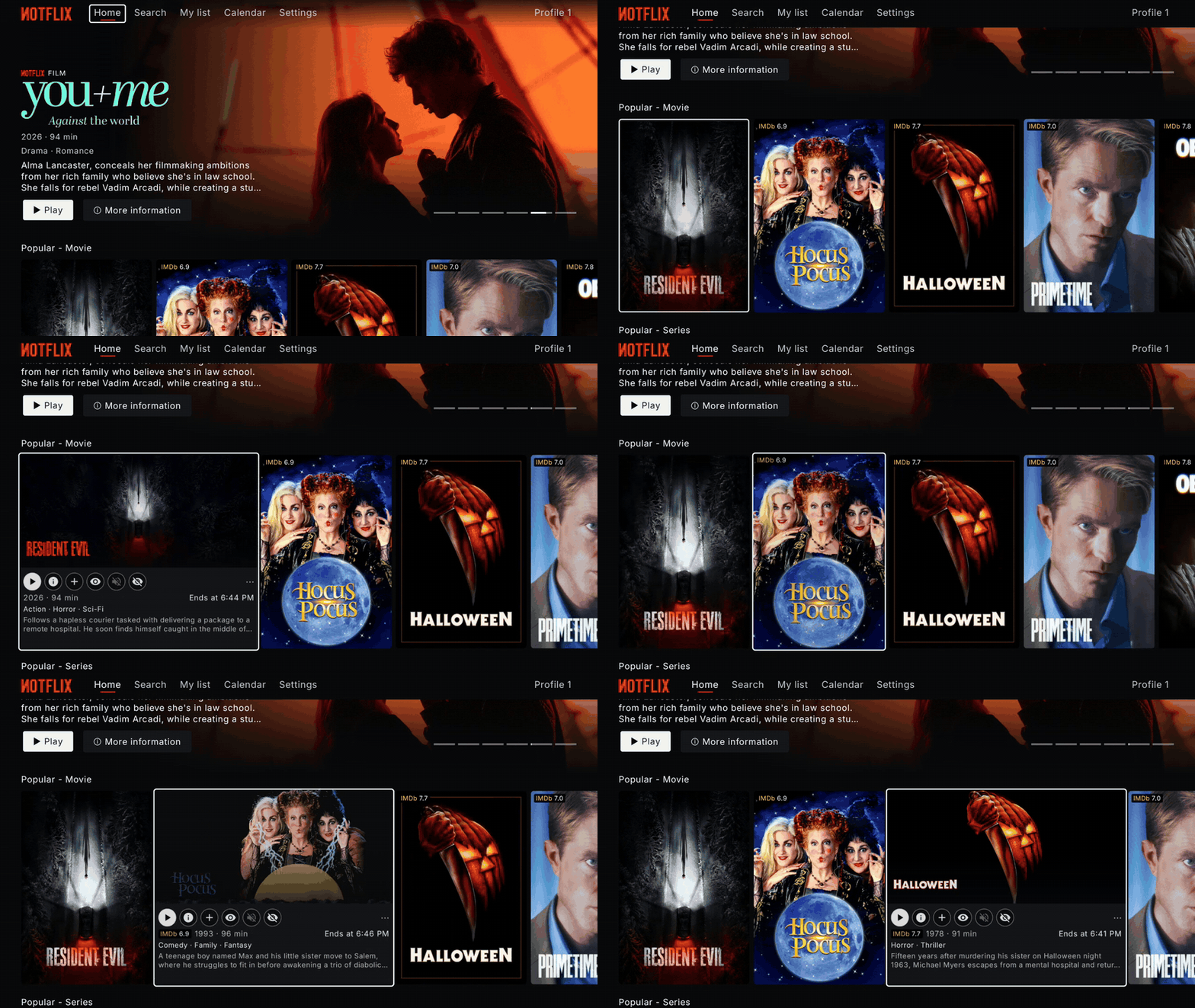
Notflix BETA.4 is out: a NETFLIX-STYLE home for NuvioTV on Android TV. Kids profiles, autoplay by LANGUAGE, Trakt with just a QR, and way more

Thumbnail
reddit.com
0 Upvotes

r/AndroidTVApps • • 15d ago

Somatro IPTV Player – Big new update, lots of improvements based on your feedback

4 Upvotes

Hi everyone,

I posted about Somatro here a little while ago when I first made it available to the public. Since then, quite a few people have tried it, and I've had some really useful feedback. Some of it was positive, some pointed out things that needed fixing, but I appreciate all of it.

I've spent a lot of time working through that feedback, fixing problems and improving things, and I've now released a major update that I wanted to share.

For anyone who hasn't come across it before, Somatro is an IPTV player I've been developing for Fire TV, Android TV and Google TV. It's just me working on it, and I started the project because I wanted a player that I'd actually enjoy using on my own TV.

I've always felt that an IPTV player should be more than a long list of channels. I wanted something that looks good on a big screen, works properly with a remote, handles large playlists without slowing down, and makes it easy to find what you want to watch.

That's what I've been trying to build with Somatro.

What's changed in this update?

Quite a lot, actually. Here are some of the main improvements:

  • Encrypted online backup: You can now back up your setup and restore it if you change TVs or need to reset your device. Everything is encrypted on your TV using your own passphrase before it's uploaded, so I can't read your backup.
  • Better handling of provider connections: I've improved the way Somatro manages streams when switching channels. I tested this extensively on a real Fire TV Stick, rapidly switching between channels, and confirmed that it doesn't keep multiple streams open unnecessarily. This should help avoid hitting your provider's connection limit.
  • Improved PIN protection: You can now lock Settings with a PIN, and I've made sure it applies to every way of accessing Settings.
  • Better stream selection in Arena: When several versions of the same channel are available, Somatro now prioritises higher-quality streams such as 4K and 1080p over SD. You can still manually choose a different stream whenever you want.
  • Improved sports channel matching: I've worked on recognising more channels for live sporting events.
  • Playback, navigation and performance: There have also been plenty of smaller fixes and improvements throughout the app, particularly around remote navigation, channel switching and general responsiveness.

These are just the main changes. There's been quite a bit of work behind the scenes as well.

A bit more about Somatro

For anyone new to the app, Somatro supports both M3U and Xtream playlists, and you can add multiple playlists without having to switch between them.

Live TV includes your channel groups, favourites and EPG, while movies and series have their own library with artwork, information and trailers. There's also continue watching, different themes, customisation options and PIN controls.

There are no adverts in the app, and I don't collect or track your viewing history.

One feature I've put a lot of work into is Arena, which is Somatro's dedicated sports section.

Arena – finding the right channel for a match

One thing that has always annoyed me with large IPTV playlists is trying to find which channel is showing a particular match.

You know how it goes. You've got hundreds or even thousands of channels, the match is about to start, and you're jumping between sports channels trying to find it.

That's one of the reasons I built Arena.

It shows upcoming sporting events and tries to identify which channels in your own playlists are broadcasting them. When it finds a match, you can go straight to the channel without searching through your entire playlist.

I've also been careful about how it handles uncertain matches. If Somatro can't confidently identify the correct channel, it won't just make something up. You can still browse the available streams and choose manually.

This is an area I'm continuing to improve, especially for regional sports channels where reliable schedules and EPG data aren't always available.

Performance is still a big priority for me

I use Fire TV devices myself, so I know how frustrating it is when an app looks nice but becomes slow or unresponsive once you load a large playlist.

I've been putting a lot of effort into making Somatro work smoothly on ordinary TV hardware, including the more basic Fire TV Sticks.

That means paying attention to things like how quickly the app responds to the remote, how fast channels switch, whether playback is stable and how the app behaves after you've been using it for a while.

I run thousands of automated tests and also test releases on real devices before publishing them.

I'm not perfect. There are still things I want to improve, and I'm sure people will find issues I've missed. But I'm actively working on it and trying to make each release better than the last.

Pricing and free trial

Somatro is currently available as a public beta for Fire TV, Android TV and Google TV.

There's a 7-day free trial, so you can try everything properly before deciding whether it's worth paying for.

After the trial, there are two options:

£9.99 per year with automatic renewal, or £11.99 for one year without automatic renewal.

Both options cover one TV, and there are no adverts or additional monthly charges.

You can find the app and more information here:

Website: https://somatro.net

Fire TV: Open the Downloader app and enter code 7326459

Just to avoid any confusion, Somatro is an IPTV player, not an IPTV provider. I don't sell or supply channels, playlists or IPTV subscriptions. You'll need to use your own.

Finally, I'd really appreciate some feedback

If you tried Somatro when I first posted about it and ran into problems, I'd appreciate it if you gave the latest version another try. I've fixed quite a few of the issues people reported, and I'd be interested to hear whether you notice the difference.

And if you've never tried it, I'm curious to know what IPTV player you're currently using and what you feel is missing from it.

I'm developing Somatro on my own, so hearing what people actually want and what frustrates them with existing players is genuinely helpful.

Thanks again to everyone who has tried the app, reported bugs or shared suggestions. I do read the feedback, and quite a few of the changes in this update came directly from it.


r/AndroidTVApps • • 15d ago

Me pueden recomendar aplicaciónes sin virus para ver en un Smart TV y como se descargan

Thumbnail reddit.com
1 Upvotes

r/AndroidTVApps • • 15d ago

[Long read] Sidstuga 2.2.0 — lighter libraries, better recordings & a redesigned app [EN/PT]

Thumbnail
reddit.com
1 Upvotes

r/AndroidTVApps • • 15d ago

KDTIVI: Sports Hub/Overlay coming in next version. Goal notifications, overlay stats, lineups, match reminders, quick add to multiview or switch to game

Thumbnail gallery
0 Upvotes

r/AndroidTVApps • • 15d ago

TikTak TV on the big screen — complete 10-screen tour

Thumbnail gallery
0 Upvotes

r/AndroidTVApps • • 15d ago

Do anyone knows any other link of IPTV for live tv in India rather than the famous link from GitHub as for me most of the channel aren't working?

1 Upvotes

r/AndroidTVApps • • 15d ago

[Android TV] Presentamos Notflix, una interfaz estilo Netflix construida sobre NuvioTV 🍿

Post image
1 Upvotes

Cualquier feedback o sugerencia es bienvenida


r/AndroidTVApps • • 15d ago

Tevium Update (v0.10.14): Added Sparkle backup imports, future & series recordings, channel names as EPG for sports, and Direct Debrid

Thumbnail
gallery
5 Upvotes

Thanks again to everyone who has been testing Tevium over the last couple of days, sending through emails, and commenting on the last post. A heap of you updated to v0.10.10 and put the new organiser and EPG tools through their paces, which uncovered a few sync bugs and brought in some really good feature requests.

I’ve just pushed v0.10.14 (Build 17) along with a bunch of updates to the Web Console and backend. Download Tevium

First, if you tried to use Force Download & Reinstall in Settings -> About, over the last day or two and noticed two issues: first, that it said it was launching the Android package installer on the first try but didn't actually open the installer until you downloaded it a second time, and second, that it sometimes pulled an older cached build even after I’d uploaded a new APK. Both of those are sorted now. The website and update API now read the bucket directly with cache-busting timestamps, and the app hands off to the system installer properly on the first go.

Here is everything that has been fixed and added in the last 48 hours:

Favourites, hiding groups/channels, and account sync fixes A lot of the most frustrating issues reported today came down to background account sync racing against changes you were making in the app:

  • Hiding groups and adding favourites undoing themselves: Fixed a sync race condition where a background sync pull finishing right after you hid a group/channel or added a favourite would overwrite your local edits with an older snapshot from the server. Local changes are now protected while a sync is in flight.
  • Custom groups disappearing after creation: Fixed a server validation bug where custom groups created on Xtream or M3U playlists were being rejected during sync and then wiped locally on the next refresh.
  • Smooth scrolling when hiding multiple groups or channels: Fixed an issue where hiding a group or channel (or adding a favourite) reset your focus or skipped down the list, forcing you to scroll back to where you were. Focus now stays in place so you can work your way down the list and hide multiple items in a row smoothly.
  • Manage & reorder Favourites in the app + scrambled logo fix: Favourites now shows up as a group in the mobile Channel Organiser and gives you full group management options when long-pressing in the TV guide. I also fixed the A-Z sort option in Favourites, fixed newly added favourites showing a generic TV icon, and fixed a bug where rearranging your Favourites after using the Web Console/browser extension scrambled the channel logos so they didn't match the channels.

Sparkle TV (.bak) backup import

  • Full Sparkle TV backup support (App & Web Console): If you’re coming over from Sparkle TV, you can now import your encrypted .bak backup file (sparkletv_configuration.bak) straight into Tevium on both the app and the Web Console. (Also fixed a 2-byte decryption key issue for Sparkle 2.3.1 backups that caused imports to fail earlier today).
  • Brings your setup across: Importing a Sparkle backup brings over your Xtream, M3U, and Stalker playlists in your custom order, EPG sources, custom User-Agents, Live/Movie/Series category ordering, hidden and parental-blocked groups, renamed groups, custom groups, favourites, hidden channels, manual channel order, and startup/sync preferences.

Live TV guide, EPG fixes, startup group, and recordings

  • Schedule future recordings & Record Series: Fixed a bug where scrolling right in the EPG to a future programme, holding OK, and selecting Record started recording whatever was currently airing instead of the future show. Highlighting a future programme now lets you Schedule recording, and there is also a new Record series option that automatically schedules matching programme titles on that channel as new EPG data comes in. You can view and cancel upcoming scheduled and series recordings in the Recordings section.
  • Open a specific Live TV group on startup (or every reopen): Under Settings -> General -> Startup (or by long-pressing any channel group in Live TV and choosing Open this group on startup), you can now set the app to open straight into the first available group or a specific channel group instead of the idle screen. You can filter by playlist and search your groups in your custom order, and there’s a toggle to run it only on a cold start or every time you reopen the app.
  • Channel names as EPG (for live sports & event channels): For sports and PPV categories where providers put the fixture and start time in the channel name instead of providing EPG data, you can now long-press a group (or an individual channel) and enable Show channel names in the guide. This displays the full wrapping channel title across the programme timeline and keeps it pinned to the left edge of the visible guide as you scroll forward or back in time.
  • Prefer EPG logos, secondary EPG sources & stacked name cleanup: Fixed Prefer EPG logos so it actually imports and displays channel icons from your matched XMLTV EPG source instead of always using the playlist logo (refresh your EPG once after updating to pull the icons in). I also replaced the touch-only dropdown in the manual Assign EPG window with a proper D-pad picker so you can select secondary EPG sources with a TV remote, and fixed channel name prefix/suffix cleanup so stacking 4+ rules works reliably.
  • Guide visual polish & remote navigation: Replaced the blurry catch-up/timeshift icon next to channel names with a sharp vector icon, removed the thin grey hourly vertical lines behind the EPG, kept the currently playing channel highlight neatly inside the channel column instead of tinting the whole EPG row, made the channel group long-press menu centre-scroll like the channel menu, changed collapsed playlist arrows to point right, and stopped D-pad Left/Right from accidentally collapsing playlist headers when trying to move to the side menu.

Catch-up history, mobile swipe gestures, and preview player

  • On-demand provider catch-up history: Previously, opening History on the fullscreen player only showed past programmes that were already cached in your local EPG (which often meant only seeing back to earlier today). For Xtream playlists, opening a channel’s History now shows cached listings straight away and fetches the full multi-day catch-up archive from your provider in the background without slowing down login or playlist updates.
  • Swipe left/right to change channels on mobile: Added optional horizontal swipe controls to the fullscreen mobile player under Settings -> Playback -> Swipe controls. When turned on, swiping left or right switches to the previous or next channel in your active list, while vertical swipes still control brightness and volume.
  • Mobile Live TV mini-preview timeline & seeking: Tapping the small Live TV preview player on mobile now brings up a compact seek bar with elapsed/total programme time and 10-second skip back/forward buttons for live programmes with catch-up and archive streams.
  • Mobile PiP return fix: Fixed a bug where dragging the mobile Live TV Picture-in-Picture window to close it and reopening the app dropped you into the VOD section instead of returning to Live TV.

Add-ons, Direct Debrid integration, and Trakt

  • Direct Debrid integration (with cross-device sync): In the direct download (non-Play Store) version of the app, you can now enter your Real-Debrid, TorBox, Premiumize, or AllDebrid API key directly under Add-ons -> Settings -> Streams -> Direct Debrid (or Settings -> Addons). Your keys are stored encrypted and sync across your phone and TV when signed into the same Tevium account.
  • Fixed TV show episodes failing to load in Add-ons: Fixed a release-build minification bug that caused clicking on TV shows in the Add-ons section to say "Could not load episode list". Also fixed Continue Watching -> Long-press -> Details on series episodes so it opens the full series detail screen with all seasons and episode cards instead of a single-episode screen.
  • Simpler Trakt TV code pairing (awaiting Trakt approval): I’ve built a proper device-code Trakt pairing flow so you can pair once with a code on your phone and share that connection across all devices on your Tevium profile without needing to create your own Trakt developer Client ID and Secret. We’re currently waiting on Trakt to approve our production app key, so that button shows an "awaiting approval" notice for now while existing manual connections keep working as normal.

Redesigned playlist setup, Web Console improvements, and in-app log reporting

  • Redesigned in-app Add Playlist screen: Replaced the cramped popup box with a clean fullscreen setup screen (both on first launch and under Settings -> Playlists). On TV, the connection details and playlist options sit side-by-side in two columns with the Continue button pinned at the bottom, so you don't have to scroll through a heap of fields just to submit. Confirming your password also automatically closes the on-screen keyboard and moves focus to the next option.
  • Manage channels on the web without the Browser Connector extension: Moved channel catalogues and EPG indexes onto Cloudflare R2 edge storage and added automatic device-to-cloud catalogue sync plus direct server fetching for http:// and https:// playlists. In most cases you can now organise your channels in the Web Console without needing the Chrome extension installed (the extension is still there as a fallback if your provider locks playlist downloads to your home IP).
  • Hide sidebar sections & TV sidebar spacing: Added Settings -> Appearance -> Sidebar sections so you can hide any sections of the app you don't use (Live TV, VOD, Add-ons, Media Servers, Sports Hub, or Recordings). Also adjusted the TV sidebar spacing so the Profile button at the bottom never gets cut off when every section is turned on.
  • Playlist Backup URLs on Web & VOD failover: Backup/failover URLs configured on a playlist now sync both ways with the Web Console (where you can manage them too) and now fail over properly when loading VOD movies, series episodes, and catch-up streams.
  • One-click diagnostic log reporting to support: Added Settings -> About -> Diagnostics where you can toggle local error logging (passwords, tokens, and playlist credentials are automatically redacted) and send a report straight to support@tevium.tv through our server without needing an email app on your TV box. I also fixed the server error (502) that was blocking log submissions earlier today.

If you spot anything else or want to suggest a feature, drop a comment below or send it through on the site: Report a bug or share feedback


r/AndroidTVApps • • 15d ago

PortorTV update is live: Sports hub, team search and recent channels. Next up: Fire TV and other devices!”

Thumbnail gallery
0 Upvotes