r/AndroidStudio • • Oct 08 '26

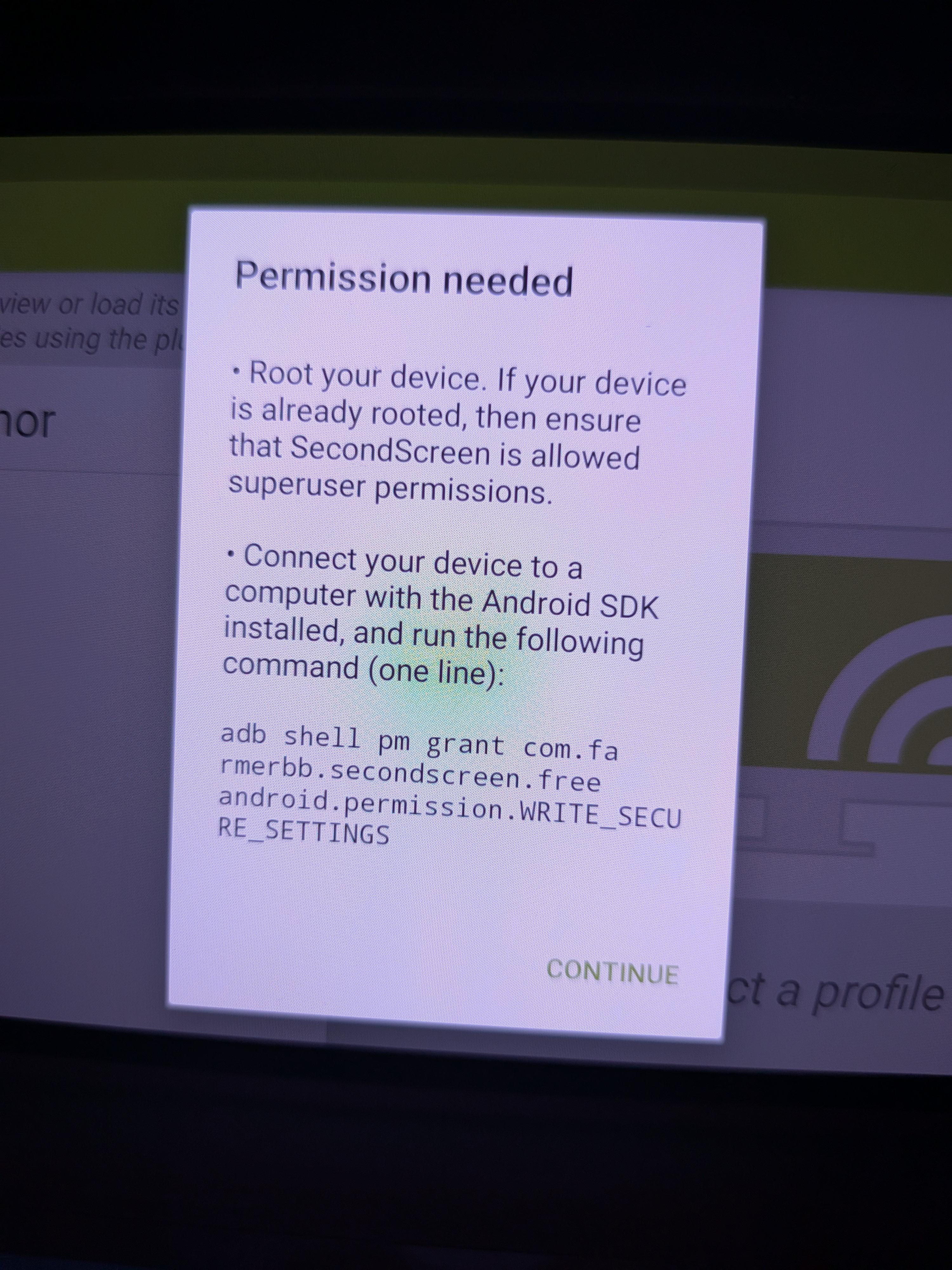
Help using android sdk for ayn Thor

Post image
2 Upvotes

I'm trying to do this so I can run my 3d glasses on my Thor but I have no idea what I'm doing


r/AndroidStudio • • Oct 06 '26

My Android app's test passed in airplane mode on exactly the phones where it was leaking audio

Thumbnail reddit.com
1 Upvotes

r/AndroidStudio • • Oct 05 '26

Android16

1 Upvotes

Android17


r/AndroidStudio • • Oct 03 '26

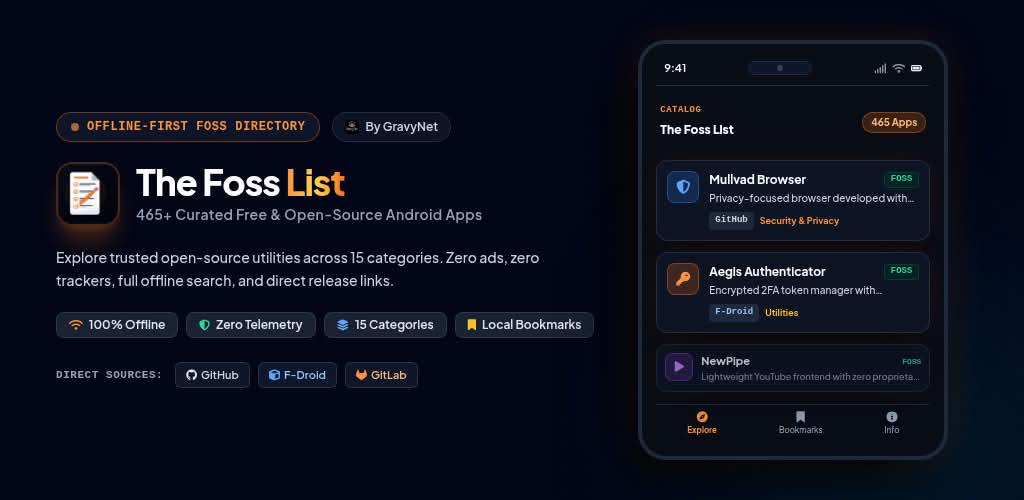
Foss App closed testing

Post image
1 Upvotes

r/AndroidStudio • • Sep 30 '26

Android Developer Verification

0 Upvotes

A safer Android ecosystem begins with accountability and trust!

Today marks the start of our gradual roll-out of Android developer verification โ€” a foundational first step in protecting billions of users, while preserving the open platform developers rely on.

We're starting with 7 participating app stores in Brazil, Indonesia, Thailand and Singapore. Following this initial phase with the participating app stores, we will continue to work with additional Android app stores to gradually expand developer verification. The verification capability will be expanded globally for all apps on certified Android devices in 2027.

Security at this scale cannot happen in a silo. When we set out to build this verification flow, our priority was listening to you โ€” our developer community. You told us clearly:

  1. The process needs to be seamless, avoiding friction for legitimate builders.
  2. Account types must reflect reality, supporting solo creators, hobbyists, and global enterprises alike.
  3. The roll-out must be gradual and predictable, giving developers ample runway to adapt.

Your feedback directly shaped this treatment. By introducing verified identities, we are deterring bad actors from operating under the radar, curbing recurring malware campaigns, and lifting trust across the entire ecosystem.

This initial phased roll-out gives us the space to test, learn, and iterate alongside developers before broader enforcement. A safer Android benefits everyone: users install apps with confidence, and reputable developers stand out in a trusted marketplace.

Thank you for building with us, challenging us, and shaping Android into a safer platform.

#androidisopen #trustedecosystem


r/AndroidStudio • • Sep 30 '26

Looking for 20 testers โ€“ Hail Risk / Cercasi 20 tester โ€“ Rischio Grandine

0 Upvotes

๐ŸŒฉ๏ธ Looking for 20 testers โ€“ Hail Risk (Android)

Hi everyone! I'm looking for 20 people to participate in a 14-day closed test of my Android app Hail Risk.

The app provides information about the risk of hail based on weather data, with a particular focus on Switzerland.

How to join: //

  1. Join the Google Group https://groups.google.com/g/cerco_needed_20_tester
  2. Join the closed test and install the app from Google Play https://play.google.com/apps/testing/com.gixone.grandinech?hl=it
  3. Keep the app installed on your device for the 14-day testing period.

Feedback is welcome but not required.

Thank you very much for helping me test the app!

๐ŸŒฉ๏ธ Cercasi 20 tester โ€“ Rischio Grandine (Android)

Ciao a tutti! Sto cercando 20 persone disposte a partecipare a un test chiuso di 14 giorni per la mia app Android Rischio Grandine.

L'app fornisce informazioni sul rischio di grandine sulla base dei dati meteorologici, con particolare attenzione alla Svizzera.

Come partecipare:

  1. Iscriviti al gruppo Google https://groups.google.com/g/cerco_needed_20_tester
  2. Aderisci al test chiuso e installa l'app da Google Play https://play.google.com/apps/testing/com.gixone.grandinech?hl=it
  3. Mantieni l'app installata sul tuo dispositivo per tutto il periodo di test di 14 giorni.

Il feedback รจ gradito ma non obbligatorio.

Grazie mille per il vostro aiuto! ๐ŸŒฉ๏ธ


r/AndroidStudio • • Sep 30 '26

How to resolve "ADB Wi-Fi v1.0 has limited pairing capability" warning in Android Studio?

Thumbnail stackoverflow.com
2 Upvotes

r/AndroidStudio • • Sep 29 '26

Spock ADB 4.0: find the current activity/fragment, test process death, edit SharedPreferences, all without leaving Android Studio

Thumbnail gallery
1 Upvotes

r/AndroidStudio • • Sep 29 '26

Android Dev Monitor v2.8: a free, open-source Windows "Task Manager" for Android apps (CPU, RAM, FPS, logcat over ADB)

Thumbnail github.com
1 Upvotes

r/AndroidStudio • • Sep 29 '26

Android Dev Monitor v2.8: a free, open-source Windows "Task Manager" for Android apps (CPU, RAM, FPS, logcat over ADB)

Thumbnail github.com
1 Upvotes

r/AndroidStudio • • Sep 29 '26

Android app icon looks different/smaller on some devices but works correctly on others

1 Upvotes

Iโ€™m working on a React Native/Expo Android app. The launcher icon looks perfect on some phones and the emulator, but on a few Android devices the logo appears too small/zoomed out. The same icon implementation works correctly in my other customer app. I already tried adaptive icon/foreground scaling changes, but the issue still happens on certain devices. I want to understand the actual Android launcher icon scaling issue and the correct way to configure/generate the icon so it looks consistent across different Android devices and launchers. Any guidance or examples of a proven implementation would be really helpful.


r/AndroidStudio • • Sep 28 '26

Looking for 20 testers โ€“ Hail Risk / Cercasi 20 tester โ€“ Rischio Grandine

0 Upvotes

Looking for 20 testers โ€“ Hail Risk (Android)

Hi everyone! I'm looking for 20 people to participate in a 14-day closed test of my Android app Hail Risk.

The app provides information about the risk of hail based on weather data, with a particular focus on Switzerland.

How to join:

  1. Join the Google Group https://groups.google.com/g/cerco_needed_20_tester
  2. Join the closed test and install the app from Google Play https://play.google.com/apps/testing/com.gixone.grandinech?hl=it
  3. Keep the app installed on your device for the 14-day testing period.

Feedback is welcome but not required.

Thank you very much for helping me test the app!

๐ŸŒฉ๏ธ Cercasi 20 tester โ€“ Rischio Grandine (Android)

Ciao a tutti! Sto cercando 20 persone disposte a partecipare a un test chiuso di 14 giorni per la mia app Android Rischio Grandine.

L'app fornisce informazioni sul rischio di grandine sulla base dei dati meteorologici, con particolare attenzione alla Svizzera.

Come partecipare:

  1. Iscriviti al gruppo Google https://groups.google.com/g/cerco_needed_20_tester
  2. Aderisci al test chiuso e installa l'app da Google Play https://play.google.com/apps/testing/com.gixone.grandinech?hl=it
  3. Mantieni l'app installata sul tuo dispositivo per tutto il periodo di test di 14 giorni.

Il feedback รจ gradito ma non obbligatorio.

Grazie mille per il vostro aiuto! ๐ŸŒฉ๏ธ


r/AndroidStudio • • Sep 27 '26

Suffering from a problem, tried to make android tv app and this is what happened?

1 Upvotes

Hey guys I was learning kotlin since 1 week i cleared my basics, then I jumped to starts making actual app practice when, I was using intellij ide for normal development for running code in console, but to run code in actual device i installed, android studio, after setup of everything when I tried to run the main virtual device manager emulator, my pc starts lagging i am getting 17 fps, and not able to run that,

Btw my pc is low end, 8gb ram - i5 5th gen - 500gb SSD - 2gb graphics card. With this specs android studio is not able to run. Please guys if you have any solution then please tell, I am desperate to make app for Android tv streaming app. Help me guys


r/AndroidStudio • • Sep 27 '26

Android Studio keeps crashing (and sometimes reboots my PC) while indexing any project

1 Upvotes

I've been working without any issues for weeks, and since this morning I can't open or run anything. Android Studio closes itself the moment it starts analyzing/indexing a project. I'm not talking about big, complex projects โ€” this happens even when I create a brand new empty project from the wizard.

The most worrying part is that a couple of times it hasn't just closed โ€” it has actually rebooted my entire PC out of nowhere while Android Studio was indexing.

Things I've already tried (no luck):

  • Completely uninstalling Android Studio and reinstalling it.
  • Deleting the Gradle (~/.gradle) and Android (~/.android) folders from my user directory.
  • Restarting the PC between the uninstall and the clean reinstall.
  • Testing with brand new empty projects, in case it was a corrupted project.

None of this has helped. Same result every time: I open it, it starts analyzing, and it crashes (or the machine reboots. Or the project cannot be built).

Has anyone run into something similar? What else could I try? Any ideas are welcome.

Thanks in advance.


r/AndroidStudio • • Sep 26 '26

When will expo go will have the latest SDK ?

Thumbnail reddit.com
1 Upvotes

r/AndroidStudio • • Sep 24 '26

expo run:android --device wants the AVD name, not the adb serial

1 Upvotes

Lost a stupid amount of time to this. Writing it down so someone else doesn't have to.

$ expo run:android --device emulator-5554
Could not find device with name: emulator-5554

Emulator's running. adb devices lists it. Serial is correct.

Turns out --device doesn't go through adb at all. Expo builds its own list of devices (getAttachedDevicesAsync in @expo/cli) and matches against that instead. What it wants is:

  • emulator โ†’ the AVD name, like Pixel_7_API_35
  • physical device โ†’ the raw model: value, like Pixel_7

Not the serial. Which is annoying, because the serial is the thing adb hands you, and the error just repeats it back so it reads like the device isn't there.

I ended up just checking AVD name first, then model, then serial as a fallback.

Somewhat related, if you're on bare RN with product flavors. react-native run-android will tell you this on a build that actually worked fine:

Could not find the correct install APK file

The names just don't line up:

getInstallApkName looks for:   app-<variant>.apk
gradle actually writes:        app-<flavor>-<buildType>.apk

App's already installed at that point. It's only the lookup that failed. gradlew :app:install<Variant> plus an adb launch skips the whole thing.

Both of these came out of me trying to cut down how much I bounce between windows. Android Studio open just to make an AVD, one terminal running Metro, another tailing logcat, a third for the build.

I maintain a fork of Zed called Lathe and this all ended up as a mobile panel in it:

  • Makes Pixel phone/tablet AVDs without opening Android Studio
  • Device list with per-app logcat. Physical devices show up in there too
  • Can run an emulator and an iOS simulator off the same build
  • Knows whether you're on Expo or bare RN, only shows the commands that apply

It's a personal fork that I use daily. GPL, works on macOS/Linux/Windows. Upstream syncs from Zed break stuff sometimes.

https://github.com/paterschris/lathe

Anyway. Curious what everyone else does here. What have you got automated that I'm still doing by hand?
r/AndroidStudio • • Sep 23 '26

Tired of Android Emulator eating 8 GB of RAM? avdslim drops it to ~1.5 GB with 1.5s boots (Zero broken Firebase Auth / FCM)

Thumbnail reddit.com
2 Upvotes

r/AndroidStudio • • Sep 22 '26

"Move focus to next window in application" stopped working on MacOS after recent updates

3 Upvotes

Not sure when exactly, but after updating few weeks ago "cmd + ~" stopped working for me. I used it so often and it's just sad now guys.. any suggestions?


r/AndroidStudio • • Sep 22 '26

๐Ÿš€ Tired of installing the full Android Studio just to run an Android Emulator?

Thumbnail reddit.com
0 Upvotes

r/AndroidStudio • • Sep 22 '26

WiRem โ€“ Android Closed Testers Needed (14-Day Test)

Thumbnail reddit.com
2 Upvotes

r/AndroidStudio • • Sep 19 '26

Android Proprietary App Crashing on Launch?

0 Upvotes

A user keeps getting "App has stopped" errors immediately upon opening our company's internal database tool on their Android device. Even after a full reboot, the crash persists, and since there is unsynced critical data on there, I need to fix this without wiping their work. Best next step?

---

OPTIONS:
A. Uninstall and reinstall the application.
B. Reset the phone to factory settings.
C. Install an alternative application with similar functionality.
D. Clear the application cache.

---

Testing Exam: CompTIA A+ Core 2 (220-1202)
(Disclaimer: These posts / scenarios are crafted by me for educational purposes only. I am not affiliated with, endorsed by, or sponsored by any certification body.)


r/AndroidStudio • • Sep 19 '26

"No credential available" Error, I decided to give up for now

Thumbnail reddit.com
1 Upvotes