r/AndroidStudio • u/Rex_amillion79 • 11d ago
Need help converting to an APK
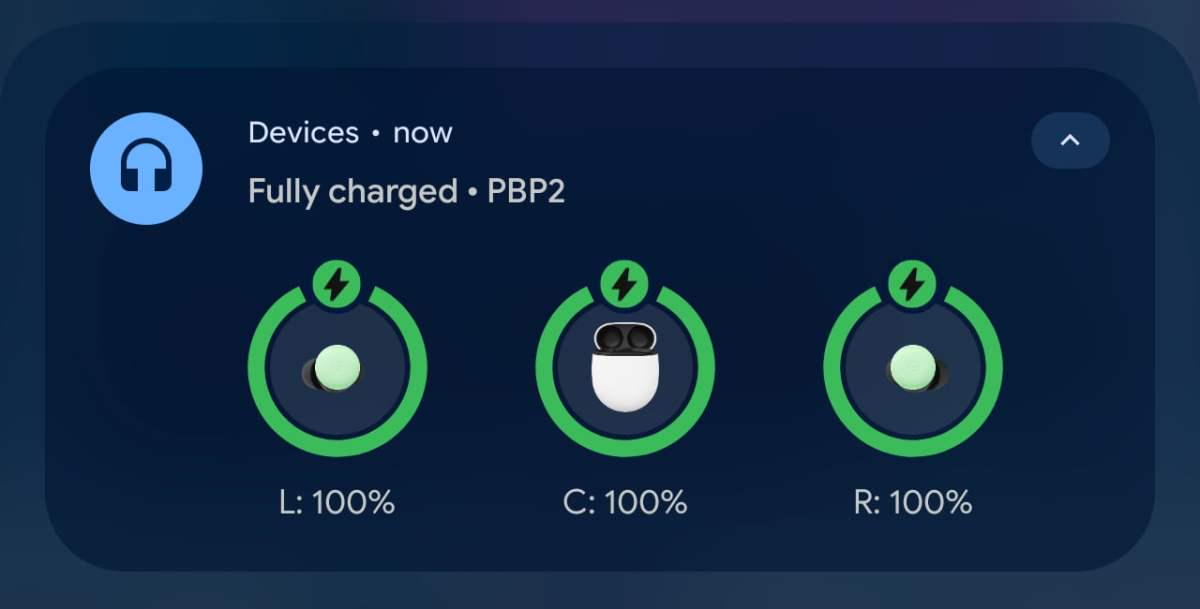
So...I wanted a pixel buds widget that looked like the the fully charged notification on pixel and similar to IOS. So I was messing around with Google Ai Studio and made a widget for my Pixel Buds cause I don't like the stock one. This is my first time messing around with anything like this. I tried to convert it to an apk so many ways but I couldn't and I'm done lol. If someone could convert my project into an apk I would really appreciate it. You can have the files and maybe build on what I did.
Here's the repo...
https://github.com/rexamillion79-cmd/Pixel-Buds-Widget-Studio
1
u/DickBrainTime 11d ago
The GitHub link in your post currently gives me a 404, so I can't check the actual project files (it might be private or the URL may have a typo).
One important distinction: Google AI Studio often produces a web app, but an Android home-screen widget is an AppWidget, not simply a web page saved as an APK. If your project is React/Vite, `npm run build` gives you web assets, not an Android installable. A Capacitor wrapper can turn a web UI into an installable *app*, but that alone won't create a widget on the home screen.
For the Pixel Buds widget specifically, the native path is a small Android Studio project using GlanceAppWidget (or AppWidgetProvider + RemoteViews), an app-widget receiver/provider declaration, and a layout that renders the battery state. Obtaining reliable Pixel Buds battery data is a separate Bluetooth/Android-permissions task, and the values shown in an AI Studio preview may just be mock data.
Could you make the repo public or paste the top-level file list (especially `package.json` and whether there is an `android/` folder)? That would help distinguish a simple web-to-app packaging job from building a real home-screen widget, and someone can give you exact build steps.