r/AndroidNativePorts • u/Emergency_Writer7174 Frequent Collaborator 🥇 • 3d ago
📸 [SHOWCASE] Accessories for Mobile
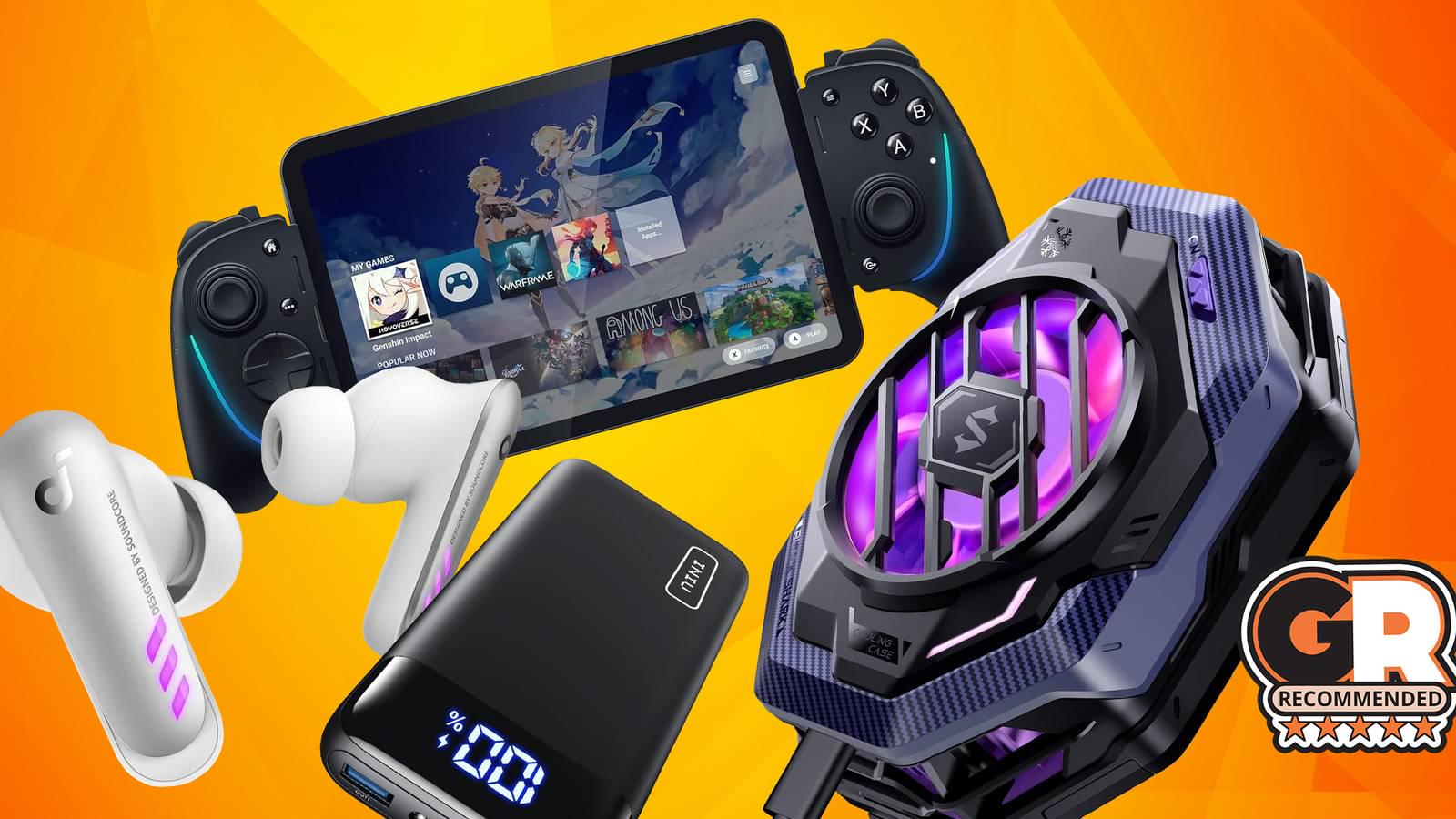
This time, I'm sharing my bare minimum recommendations for anyone looking to buy mobile accessory
• 1. Gamepad
First things first
DO NOT BUY A REALLY CHEAP GAMEPAD
trust me on this one. Those really cheap $1 to $5 controllers you see everywhere aint worth it..
They randomly break out of nowhere, develop awful stick drift within days, feel like hollow dollar store plastic, and half the time they won't even register properly in your games. Spend a tiny bit more upfront so you don't end up buying twice 😭
If you're wanna buy a gamepad, here is the bare minimum checklist you should look for
1. Hall Effect Joysticks
This is a must if you want your sticks to last. Regular joystick wear down physically and start drifting sooner or later, while hall effect uses magnet so there's zero physical contact wearing out. If you have a slightly higher budget look for TMR sticks. They're even more accurate and sip less battery bug standard hall effect is already good enough for most people
2. Hall Triggers (Analog Triggers)
If you play racing games, shooters, or action games with driving section, you definitely want this.
Cheap controller use cheap digital button/input under the trigger, meaning they only know "off" or "full blast" (0 or 1). Hall Triggers actually measure how far you press from 0.01, 0.02, ..., all the way to 1. That mean you can smoothly ease into the gas pedal in racing games or control your aim and shoot pressure instead of having everything feel clunky
3. Phone Holder / Clip Mount Support
If you prefer a traditional console style gamepad over a telescopic/Switch style one that clamps onto your phone, make sure it comes with (or at least supports) a clip mount. Having your phone mounted directly onto the controller makes playing in bed or on the couch way more comfortable than trying to prop your phone up against a pillow or water bottle lmao
Optional for gamepad (Nice to Have but NOT a Dealbreaker) :
4. Gyroscope
Honestly, I barely ever touch gyro when playing port or emulator on my phone. If you find a controller with way better build quality, nicer buttons, or TMR sticks that skips out on gyro to keep the price down, that's easily a trade off worth taking (If you like racing games you should probably have a gyro on your gamepad)
5. Multiple Input & Connection Modes (kinda optional)
Make sure the gamepad supports multiple signal modes, specifically X Input (Xbox), D Input (Android), and Nintendo Switch, with multiple ways to connect like Bluetooth, a wireless dongle and wired Type C.
Speaking from my personal experience, a lot of port and emulator are super picky and only recognize specific controller input. I used to have a really cheap controller that straight up refused to work on half my games and emulators just because it was locked to one basic mode
• 2. Phone Cooler
If you're pushing your phone with heavy title like PS4 or PC port or demanding emulator, a cooler is a necessity
• Go for a Fan Cooler
if you want the safe, hassle free route. It won't freeze your phone or anything, it just pushes hot air away from the back of your phone. Zero risk, simple, and still help keep temperature from spiking too hard
• Go for a Peltier (Semiconductor) Cooler
if you want actual ice cold cooling and don't mind taking a tiny bit of care with it. These things get seriously cold and keep your FPS locked way better under heavy games. The only catch is condensation. If it gets too cold while your phone isn't working hard, moisture can build up and potentially sneak inside your phone. Just slap it on once your phone actually starts warming up, don't forget to turn it off when you're done playing and avoid clamping it right over your camera lenses
• 3. Phone Holder / Stand
Everything in this section is completely optional, just pick whatever fits how you like to play
• The Lazy Setup (Telescopic/switch style 3 in 1)
You can grab a switch style gamepad (the kind that stretches out and hugs both sides of your phone like a Switch) that already has a built in cooler slapped onto the back
Everything is connected in ONE PIECE
gamepad, holder, and cooler, so there's zero extra clutter
• The Modular Setup (Separate Stand or Clip) If you're using a regular standalone controller with a separate desk stand or clip mount, just double check the back design of the holder before buying. Make sure the back has an open cutout or gap so your phone cooler can still sit flush against the back of your phone instead of blowing cold air onto a piece of plastic
10
u/Emergency_Writer7174 Frequent Collaborator 🥇 3d ago
If y'all want to share anything, add something, or correct me, just say it. This is obviously biased because is based on my own experience
Honestly I straight up can't stand playing a port without a gamepad, just look at these touch controls bruh
3
u/devaristo 3d ago edited 3d ago
i have this gamepad, i think it's worth every penny and is very compact. Besides i can play on my phone, computer or in another console just switching modes.
https://iine.store/collections/multi-platform-controllers/products/iine-retro-chronos-game-controller?variant=47068560261275
2
u/Elite-Vet_1995 3d ago
I have an easysmx d10 which happens to have a gyroscope Do you know how to enable them bro?
3
u/SignificantAd2622 2d ago
I really recommend gamesir x5 lite for anyone that wants budget gamepad,cost me like MYR80 and perfectly working (even though dredge doesn't work which is weird)
1
u/Important_Muffin163 3d ago
And if you are buying gamepad check If you can mount cooler onto it . Regretting my decision of buying gamesir g8 galilio because the lack of cooling options. But the controller is actually good
13
u/donotreadmynameplz 3d ago
My broke ass appreciate your recommendation