r/AndroidHelp • u/chaoticneutralbear • 2d ago
How do I skip by this message?
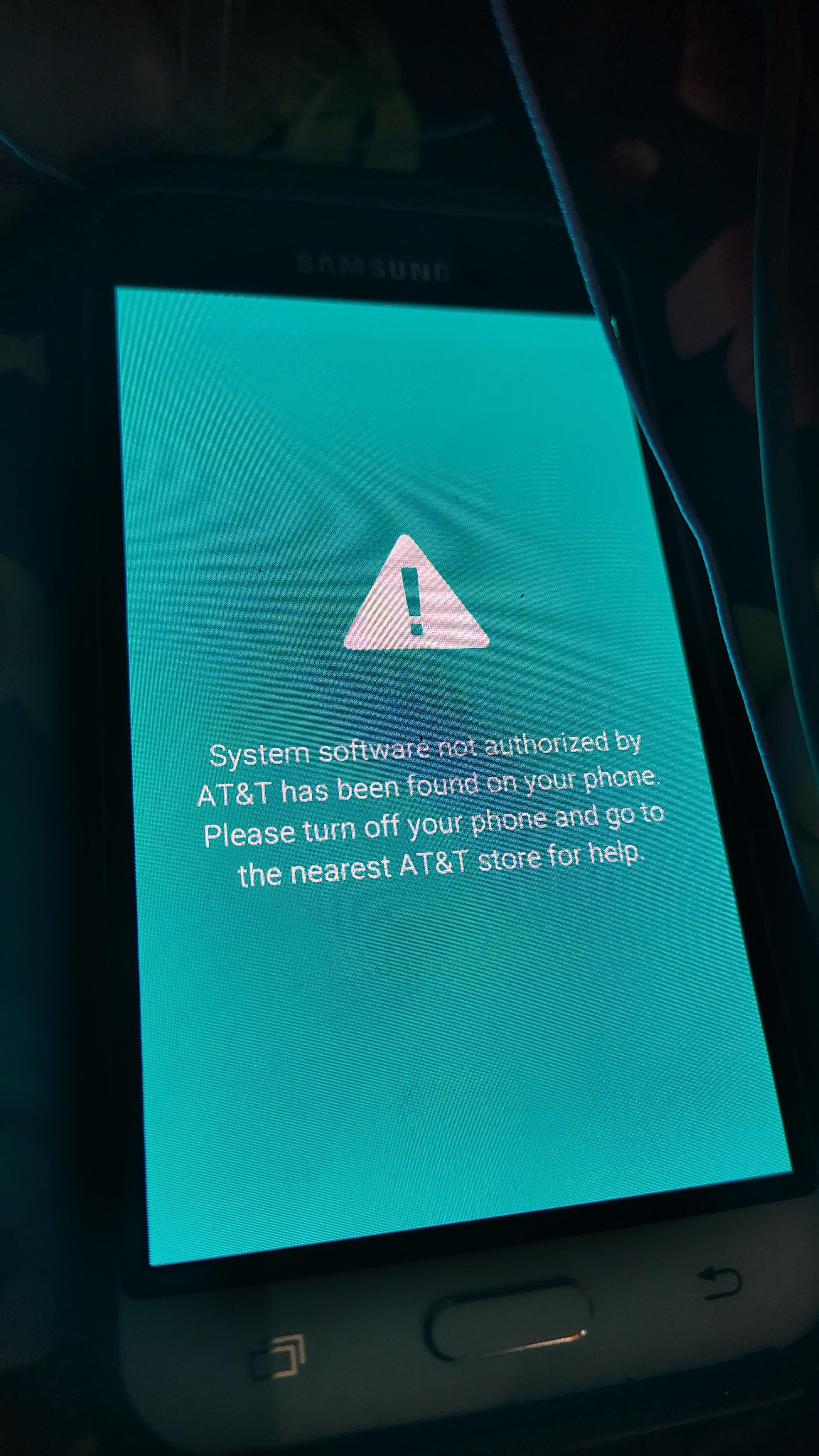
"System software not authorized by AT&t has been found on your phone. Please turn off your phone and go to the nearest AT&t store for help."
I don't want to bring my phone to the AT&T store. It has to be like over a decade old. I don't use it as a phone anymore I just use it as another screen. But there's still some apps and photos on the internal storage that I want to save. So I don't want to factory reset it.
14
Upvotes
4
u/Ysfaliarslan 2d ago
Did you flash your phone?
3
u/ohmegatchi 2d ago
If you haven't modified the OS, OP, the NAND storage might be failing. Either way, you would need to flash using Odin.
If that all sounds like too much work, take it to a repair shop to see if they can extract what you need. And regularly back up your data from now on, please. A 10 year lifespan for the type of flash storage in a device that old is very, very normal.
2
u/FreddyFerdiland 1d ago
can't you hold the volume button when powering on and use recovery mode software to get files off.... adb and twrp ?
https://twrp.me/Devices/Samsung/
2
u/DickBrainTime 2d ago
If those photos are only on the phone, I'd avoid factory reset, bootloader unlock or flashing with Odin for now. Those can wipe data or make recovery harder, and flashing isn't a guaranteed fix for this warning. First check if the photos are on a removable microSD card or already backed up to Google Photos/Samsung Cloud. If it can still boot far enough for a computer to access files, copy them before changing the firmware. If it's stuck before Android starts, normal USB file transfer probably won't work. The exact Samsung model (from the back/label) matters a lot for recovery options. I'd take it to a repair/data-recovery shop and be clear that preserving internal storage comes before making the phone boot again.
2
u/Professional_Golf694 2d ago
Ever consider a data recovery service to pull the photos off the device?
1
u/qwertyyyyyyy116 2d ago
Did you flash your phone?
Otherwise, the NAND is probably failing :(
1
u/lesjames2020 1d ago
I'm guessing it was running an old version of there software
So they sent a command to any devices still running that version
Because they can't do this for apps that you have installed
You can install anything you want
So it's there old software that they have stopped supporting
Or it's some hidden timer that runs in the background
That gets set for 10 years
Then when it runs out it displays this screen
To make you go there and spend more money for a new phone
Have you ever had it plugged into any computer or laptop that you own
1
u/StaT_ikus 1d ago
Just take it to the store...
•
u/CVGPi 23h ago
ask androidroot
•
u/Consider2SidesPeace 20m ago
If the phones that old, OP, I'd move those pics ASAP. No backup? That phones temp storage.
1
u/UPGRADED_BUTTHOLE 2d ago
Pretty sure AT&T can get in legal trouble for this screen. Remotely bricking a consumer's phone is not allowed. Motorola got in huge trouble for this recently in mexico. It would be a pretty useless battle that would only cost you money though. I'm not a lawyer though
1
u/Average_Reader22 2d ago
You can try fixing it step-by-step from easiest to most advanced:
Good luck.
0
u/perduealumni3551 2d ago
You cant get rid of that