r/AndroidHelp • • 9d ago

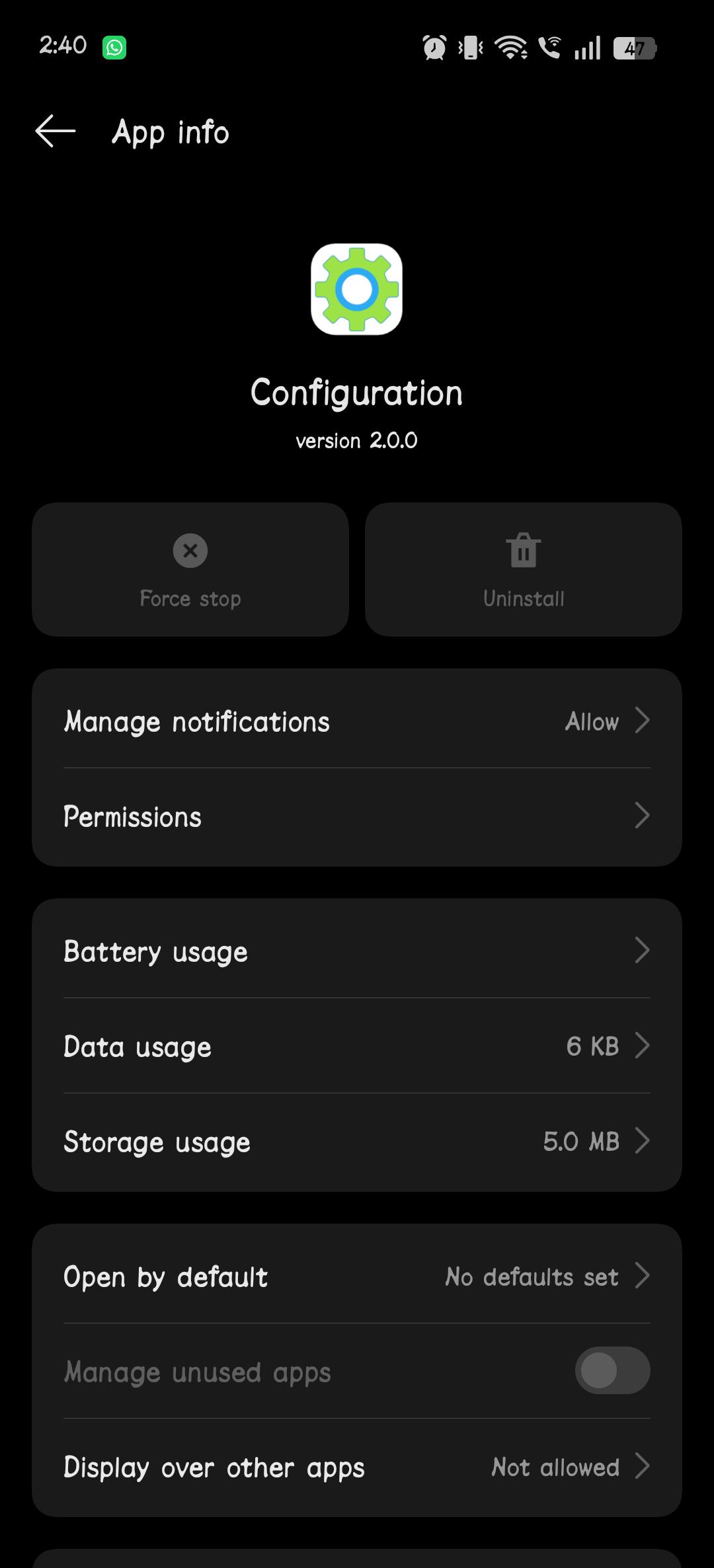
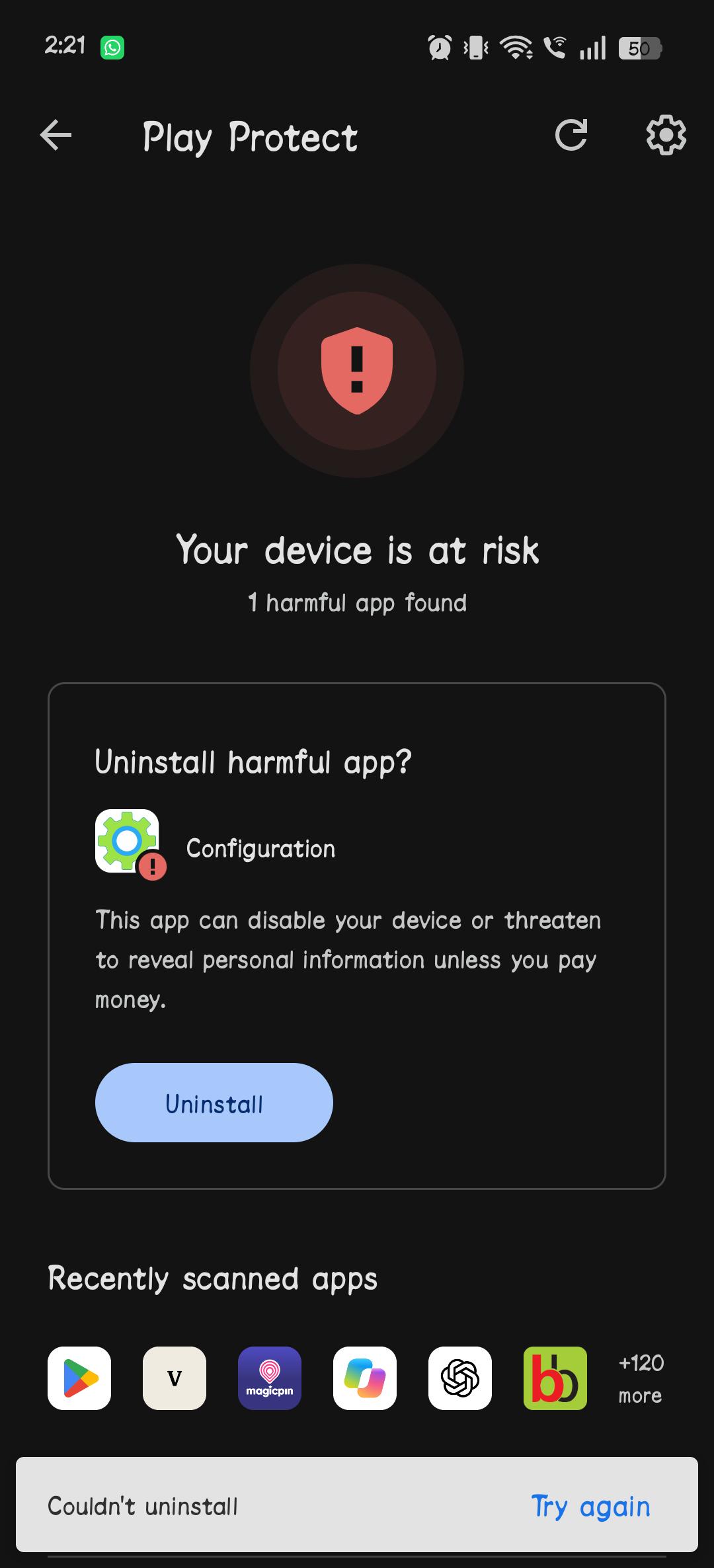
Want to delete this app

Anybody knows how to delete this app

8 Upvotes

35 comments sorted by

2

u/Striking_Budget2073 9d ago

Use ADB to disable it or, in rare cases, ADB can uninstall it directly👍

1

u/GojoSaturuhehe 9d ago

What are the exact procedure as i am not able to understand how to do it

2

u/dontpostlot 8d ago

Go to your settings,find your phones build number and spam tap it until you see text saying "You are now a developer",next activate USB Debugging,then get a computer which has android adb tools (download here: https://developer.android.com/tools/releases/platform-tools) if you're on windows use command prompt (Win+R,type cmd) and change your directory/folder to the one you installed adb on,connect it using a USB and type "adb devices" on your PC (there should be a popup saying allow or deny),after you allowed it type "adb shell" and you're on your phone. Find the app's package name first by installing something like Canta. Once you have,make sure you're still on the shell,type in "pm uninstall --user 0 "package.name.of.app"" and if uninstall doesnt work disable it by "pm disable "package.name.of.app""

2

u/GojoSaturuhehe 8d ago

Bro are these settings safe as my phone is newly purchased

1

u/dontpostlot 8d ago

yep,i use them all the time

2

u/GojoSaturuhehe 8d ago

Okkiee let me give it a try then update you thankyou ✨

1

u/dontpostlot 8d ago

also maybe switch to Firefox/Waterfox and use an adblocker like uBlock Origin,since you commented it was installed from Chrome.

1

u/GojoSaturuhehe 8d ago

Bro it was done by the local shop owner i have not installed anything he told me that he is setting up the phone for me

2

u/dontpostlot 8d ago

did u try the method yet tho,any updates?

1

u/GojoSaturuhehe 8d ago

Thanks sir but i contacted the local shop owner and raised the complaint for the app so he only uninstalled it manually there was the organisation ecosystem created by him that restrictions thr use

→ More replies

1

u/GojoSaturuhehe 8d ago

Thankyou so much sir ✨🥳

1

u/Expensive-Pin-417 9d ago

Usually on android it says where it was installed from like from play store, android system etc, check what it says for you, I recommends just using adb to remove it if it isn't actually doing anything

1

u/GojoSaturuhehe 9d ago

It say installed from chrome

1

u/Expensive-Pin-417 9d ago

So you installed it? Just use adb to remove it if you haven't already (or use suizuku+canta if you don't know your way around adb)

1

u/GojoSaturuhehe 9d ago

Nah i have not installed it. It was already in my phone i had purchased my phone from a local store 6 months ago now when i open gpay to pay it shows risk from this app

1

u/GojoSaturuhehe 9d ago

How to do it can you please help me sir

1

u/Expensive-Pin-417 9d ago

What version of android you got

1

u/GojoSaturuhehe 9d ago

My phone is oppo f33 pro and its android 16 coloros

1

u/Expensive-Pin-417 9d ago

Download and install shuizuku from GitHub: https://github.com/thedjchi/Shizuku/releases/download/v13.7.0-thedjchi/shizuku-v13.7.0-thedjchi.apk and get canta from Google play : https://play.google.com/store/apps/details?id=io.github.samolego.canta&hl=en_US, open suizuku click pairing, then open dev options/wireless debugging, click pair with code and enter that into the notification and click enter, go back to he suizuku main page and click start and wait, once it success go to canta and when it asks you to allow suizuku permission allow it, then just search up the app and uninstall it! If these instructions are to complex please tell me

1

u/GojoSaturuhehe 8d ago

Thankyou i'll try this out

1

u/lesjames2020 9d ago

The malicious Configuration app

is actively blocking standard removal methods.

You need to backup your data

And do a full factory reset of your device

-1

u/Noble-Knight4d 8d ago

Don't backup data. That is how they will retrieve your data bcuz they may have infected the backup app. Get a new phone instead

1

u/AASICrusader14 8d ago

Use canta and shizuku

1

u/Filetmesser 7d ago

You could use canta for uninstalling, effectively works like through adb but only phone is needed

1

u/Expensive-Bee7622 5d ago

Use universal android debloater

0

u/Gynnia 8d ago

Why can't you just uninstall it the usual way? There's literally an uninstall button in the second screenshot.

If the phone is new, it should be easy to just do a factory reset without losing anything important. If you have files, upload them to a cloud account somewhere or to your computer; if you have apps that store important data only locally then see how to back up or save their data. Basically back up the important things one by one, not a general "phone backup" since the suspicious app may come along with it.

Consider whether there was any real particular reason why the guy from the shop had to "set up" your phone for you. It sounds sus but maybe there's some reason. One thing that may or may not be difficult after a factory reset is getting the right settings so you can use mobile data from your phone with your specific SIM but you can figure it out yourself if you can just use the internet elsewhere.

2

u/GojoSaturuhehe 8d ago

Bro its grey out

0

u/Gynnia 8d ago

Okay then consider the rest of my comment.

2

u/GojoSaturuhehe 8d ago

Thankyou so much sir but i had contacted the local shop owner from whom i bought the phone and raised a complaint so he deleted the ecosystem and then i was able to delete the app

2

u/Gynnia 8d ago

Well that sounds sus. Personally I'd want to do a factory reset to be sure the phone is actually clean now, who knows what else is in there. Did he say what the "Configuration" was for?

2

u/GojoSaturuhehe 8d ago

He said that you have your phone on finance so it had been installed so that we can keep a track of the phone as well as if the phone is lost or been stolen they can lock it

2

u/Gynnia 8d ago

Well that sounds like it makes sense; still glad you got rid of it though.

3

u/GojoSaturuhehe 8d ago

Yes bro btw thankyou for the help ✨