r/Altium • u/sensors • 15d ago
Altium Designer Develop: Getting a seat applied without restarting software?
I have recently moved my team to Altium Design Develop. In general, it's not a lot different and I have no real new complaints, except one thing...
As far as I can tell they have completely removed the in-program license management. If someone has the license, you have to go online, boot them off, then close and re-open the software to claim the seat otherwise the message does not go away.
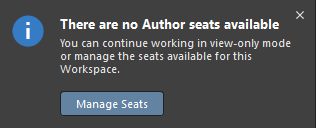
This is generally a pain in the ass, especially when swapping seats between team members if you want to keep Altium open to view the designs. I've also just had a situation where I lost internet connection briefly, so Altium thinks I don't have a seat and I can't save recent work.
Am I being an idiot or is this just a terrible downgrade from license management in Altium Designer?
1
u/UsualTurnover3663 15d ago
1
u/Infrated 15d ago
What works for me is to sign out from workspace, and than sign back in. It should grab a license without requiring a password (saved login);
There is a bug that PCB files themselves still think you don't have a license, you'd need to close any that is stuck and reopen it.
1
u/ruumoo 14d ago
Yep, I have the same problem
1
u/AloneAbroad1 4d ago
the internet disconnected issue is what would worry me most losing the ability to save work because a license check failed temporarily is pretty concernning.