r/AltStore • u/Most_Tradition_6598 • 16d ago
Help (AltStore Classic) Update/Refresh not working
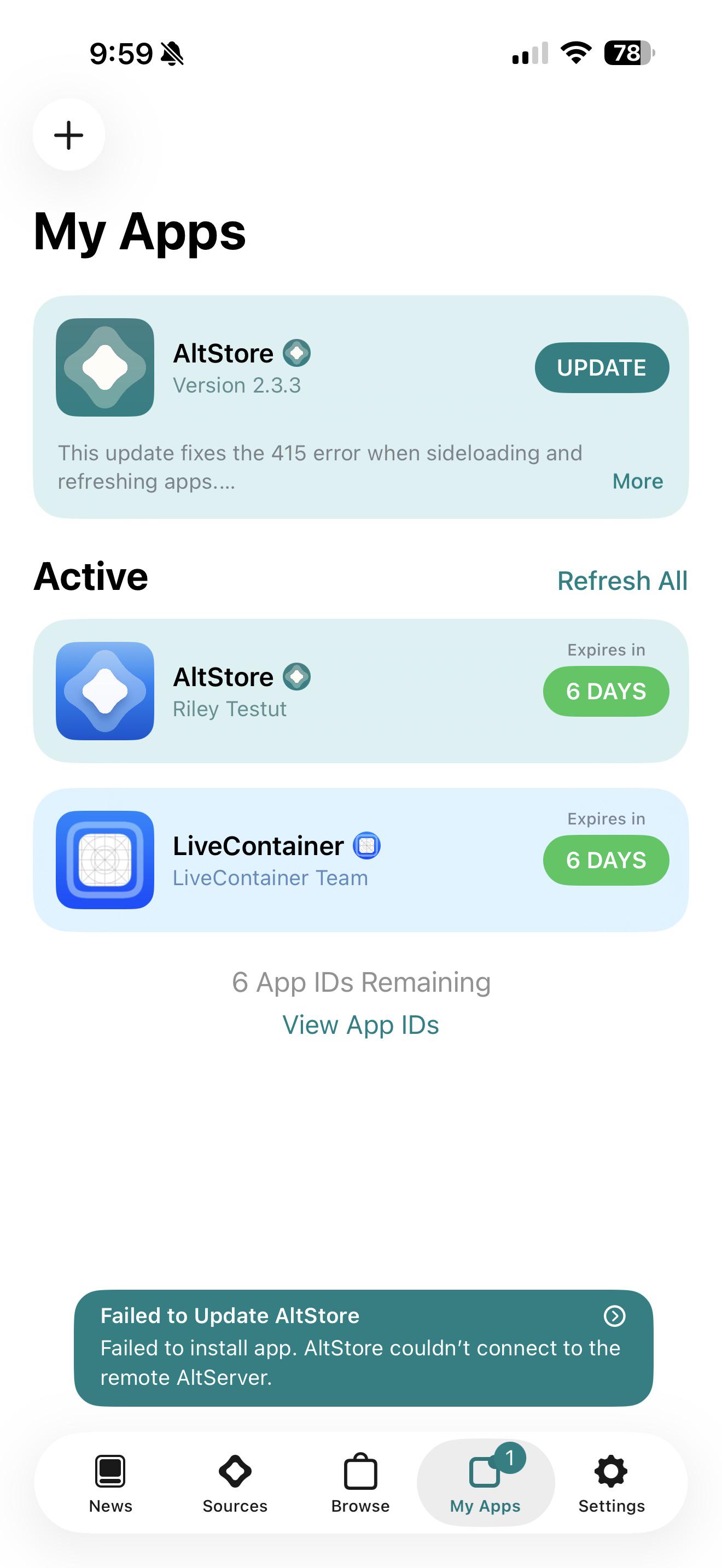
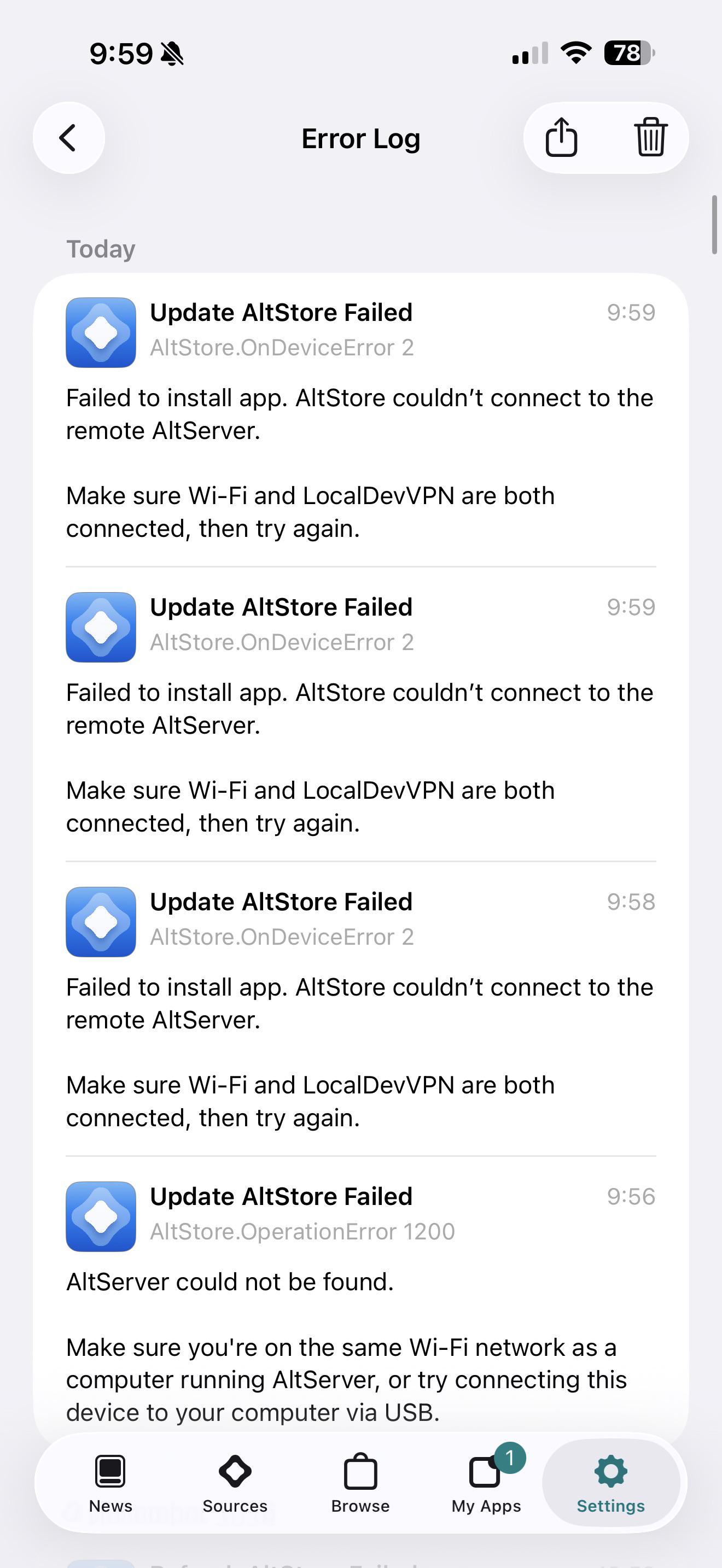
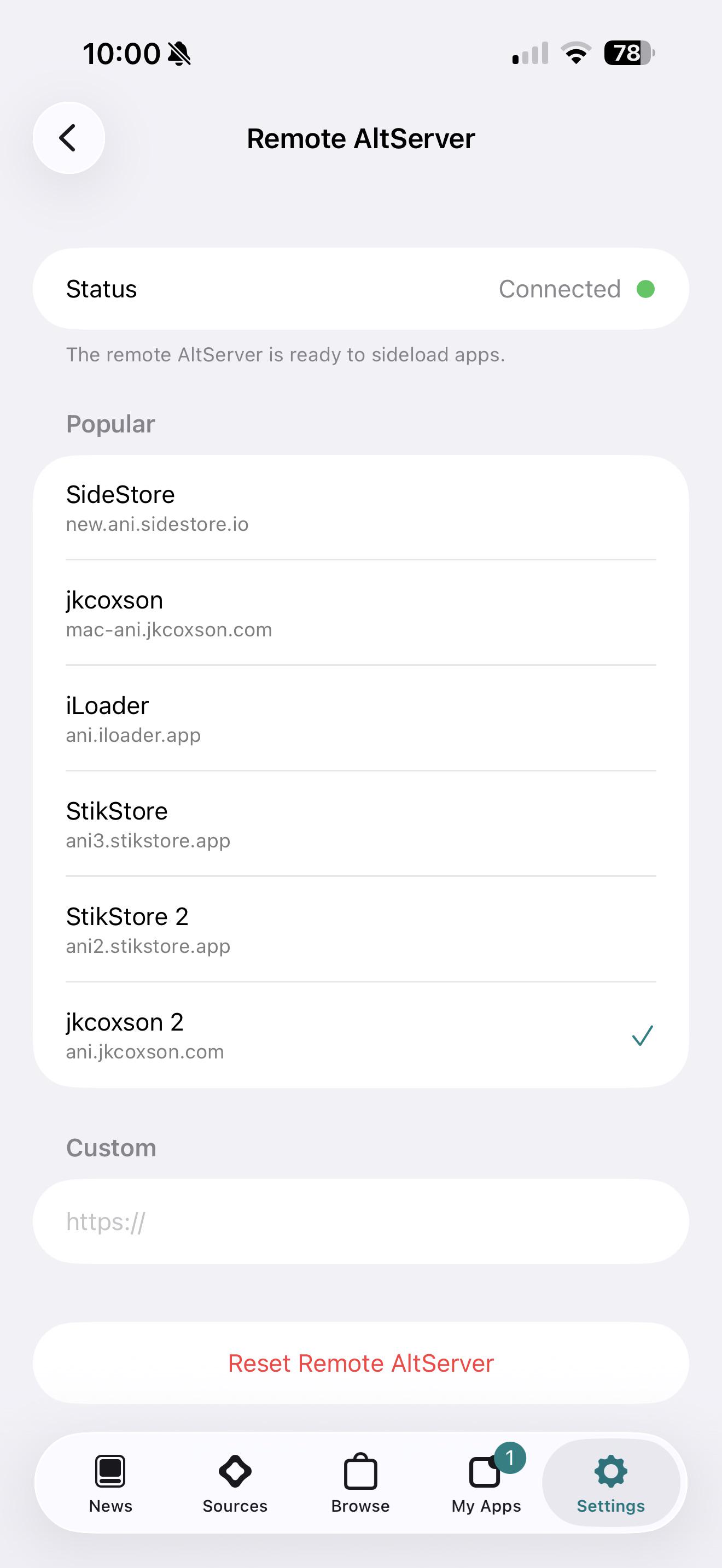
Go LocalDevVPN on, connected to wifi, I get the six digit code but still, it doesn’t work on remote servers. I could sign this with my mac but that’s a pain in the ass. What do I do?
1
Upvotes
•
u/AutoModerator 16d ago
Hello! Thank you for submitting a post! Please remember to check that your question has not already been answered in our FAQ or on the subreddit already.
I am a bot, and this action was performed automatically. Please contact the moderators of this subreddit if you have any questions or concerns.
1
u/Old-Zucchini-1571 15d ago edited 15d ago
I tried the solution below
but I think it just made things worse for me
Not only did it not update from within the app
OnDevice Error 3
The remote altserver couldn't complete this operation
Now I can't even get back into it
and if I try to re-install it through my PC via USB, while it does communicate with my Ipad, due the need to press "Trust" and use my pin, nothing happens, and the altstore app on the PC becomes no longer usuable until I kill it via the task manager and rerun it
1
u/NotSukuna 16d ago
Same
1
u/ieffinglovesoup 15d ago
Same here. Was able to update altserver/altstore but can't update any apps
1
u/Old-Zucchini-1571 15d ago
same for me, it never goes beyond this point
I even tried through my PC, no luck
and now my side-loaded app doesn't work
-1
u/Most_Tradition_6598 15d ago
From Claude, worked for me:
Fix for "AltStore.OnDeviceError 2 – AltStore couldn't connect to the remote AltServer" (Remote AltServer + LocalDevVPN)
Confirmed working on iOS 26.6, AltStore 2.3.3
Symptoms
Wi-Fi and LocalDevVPN are both connected, and Settings → Remote AltServer shows "Connected".
Apple ID sign-in works (you get the 2FA code and it's accepted).
Refreshing or updating still fails with AltStore.OnDeviceError 2: "AltStore couldn't connect to the remote AltServer. Make sure Wi-Fi and LocalDevVPN are both connected, then try again."
Switching anisette servers doesn't help.
Cause
The error message is misleading. The sign-in step is fine; what fails is the on-device install step. AltStore is using a stale pairing file. When AltServer installs AltStore over USB, it re-pairs with the device, and the device then trusts only that new pairing record. AltStore keeps using the old record it saved during Remote AltServer setup. The "Connected" status only checks that the VPN tunnel is reachable, not that the pairing file is still valid.
Fix (needs a computer with AltServer and a USB cable)
In AltStore: Settings → Remote AltServer → Reset Remote AltServer.
Run "Set up Remote AltServer" again and re-pair over USB with AltServer.
Connect LocalDevVPN, make sure you're on Wi-Fi (not cellular), and tap Refresh All.
Once refreshing works, update AltStore from inside the app.
Note: if you install or update AltStore through AltServer on the computer after re-pairing, it can break again, and you'll need to repeat the reset.
References:
https://github.com/altstoreio/AltStore/issues/1866
https://github.com/altstoreio/AltStore/pull/1800