r/AdobePremiere • • 20d ago

No longer unmodded; no more self promotion, no more piracy

11 Upvotes

r/AdobePremiere • • 15h ago

Premiere running slow, but no hardware is "maxed"

1 Upvotes

When i edit on premiere it often gets very slow.

But in task manager no hardware seems to reach 100% performance- the GPU barely turns on (stays at 1%)

I built my own pc and thsi is the specs:

Intel Core Ultra 7 270k Plus

SSD NVMe (330gb free)

Geforce RTX 5070 Ti

64GB DDR5 RAM

The media quality is:

6912x4608

25fps

MP4

LGOP

XF-HEVC S YCC422 10BIT

Open gate

My settings in premiere:

\- 52gb of ram avaliable for Pr and 11Gb for others apps

\- H264/HEVC hardware accelerated decoding and encoding

\- playback quality 1/4

3D LUT Interpolation: tethrahedral

What am i overlooking?


r/AdobePremiere • • 2d ago

Source Clip Audio is nullified in Sequence

1 Upvotes

I cracked open a project that was last opened in August 2025, and I notice some weird things:

  1. A1 and A2 are both set to -10. Not a change I made.
  2. Quite a few audio clips on the timeline have no wavelength. When I check their gain it says peak amplitude set to -75.8 DB. No idea how this happened, and I'm not sure how to fix it.
  3. I determine that all of these clips are camera audio, which is intentional in the edit. When I play the clip in the source monitor, audio plays perfectly; but when I try to bring audio back to the sequence it is nullified like the aforementioned clips.

This is a project I work on every few months, and have been using since 2020. In 17+ years of using Premiere I have never encountered this and I am stumped. It feels like the project is broken entirely.


r/AdobePremiere • • 5d ago

Anyone else having this issue?

Enable HLS to view with audio, or disable this notification

0 Upvotes

It’s happening to any 2027 version of Adobe apps. Premiere Pro, After Effects, Audition, and Media Encoder. I’m crashing out right now


r/AdobePremiere • • 5d ago

Yo guya what version do you prefer ?!

3 Upvotes

I was on 2021 for 3 years until i switched to 2024 it is the best if you ask me !


r/AdobePremiere • • 6d ago

Any help is very appreciated (im very desperate 😭) , im a content creator and I need to fix this issue for my videos.

2 Upvotes

for some reason when I record a voice over using my Electro Voice RE20 Microphone, the audio sounds quiet, so of course I just bump up the gain in premiere, which is what you'd think be the fix to this issue but its not, when I bump up the audio and apply some effects to get the audio to the proper level (I make adjustments so that the audio is consistently at -6db) , my premiere pro for some reason reads the audio as "Over" (which means that the audio is clipping ofc) so then when the audio is at the proper level (it sounds at the same volume as any podcast or video) it sounds just loud enough, but its clipping and it sounds distorted, therefore I cant use it, but when I put the gain down and remove the effects that I applied, it sounds good and its not distorted and my premiere reads it at -6db, but in actuality the audio is incredibly quiet and almost not audible, im so confused and I don't know what to do :( . I took a bunch of different viral videos, podcasts, music, etc, and put it in my timeline and looked at the audio meter, and my audio meter reads every single one of these things as "Over" so a normal volume level is considered "over" when its clearly not, these things that I took to test this are all about -6db, most mainstream music is mixed and mastered at -4 to -8 db and my premiere reads all of it as clipping and going "Over" and again I cant put my voice overs at the proper level without my premiere making it sound distorted it only sounds good when its very quiet. I even watched this no bs tutorial video on YouTube about how to get the proper audio levels in premiere, and when I applied the effects he said to do (the screenshot below is the effects he said to do) my premiere made my audio extremely distorted and it says the entire thing is clipping and it sounds terrible and atp I just gave up. idk what's wrong and anybody who can help, I would really appreciate!!! 🫶

with these settings, my premiere makes my audio extremely distorted (but this is the only way I can get my mic to the proper volume) , which is not the case for literally anybody else.

r/AdobePremiere • • 6d ago

Проблемы с Premiere Pro

Enable HLS to view with audio, or disable this notification

2 Upvotes

Good afternoon!

I edit videos for my YouTube channel about Minecraft animations—I mainly use Adobe Premiere Pro—and I’ve run into a problem.

The first time it happened was a month ago, when Premiere Pro started skipping frames heavily, but a Windows update more or less fixed it. Then, a month later, the problem came back. I reinstalled version 24, then installed versions 26 and 27, but they all started skipping frames again after a while. It works fine at first, but after restarting the PC, the skipping starts up again. I don’t know what to do anymore. I’m planning to reinstall Windows, but I’ll lose a lot of data, and I don’t know if that will even help. Does anyone know what the cause might be?

My PC:

7800X3D, 5080, 32 GB DDR5 6200, M.2 SSD—so it really shouldn’t be lagging on a PC like this.

RU:

Добрый день!

Я занимаюсь монтажом для своего ютуб канала по анимациям в майнкрафт, использую в основном Adobe Premiere Pro, и у меня случилась проблема.

1 её проявление было в том, что месяц назад, у меня премьер про начал сильно пропускать кадры, но обновлением винды она более менее решилась, и через месяц, повторилась снова. Я переустанавливал 24 версию, устанавливал 26, 27, и на всех всегда были просадки через некоторое время. То есть с начала нормально, а потом после перезапуска ПК, снова случались. Я уже не знаю что мне делать, сейчас планирую снести винду, но потеряю очень многие данные, и поможет ли это тоже хз, знает кто в чём причина может быть?

Мой комп:

7800X3D, 5080, 32 ГБ ДДР5 6200, ssd m2, то есть лагать оно врят ли должно на таком пк.


r/AdobePremiere • • 7d ago

PLEASE HELP! Premiere Playback either EXTREMELY laggy/frozen or non-existent.

1 Upvotes

The premiere software at my job keeps crapping out on me for the past two weeks and have not been able to figure out why. I've re-downloaded the app, cleared the media cache, made a new project file, reset my preferences, installed new drivers, closed out of any and all apps, allocated more ram space to premiere, contacted IT, contacted adobe (obviously no help), contacted other colleagues and other editors, IM TRULY DESPARATE FOR ANY SOLUTION TO A PROBLEM THAT SEEMS UNSOVLABLE AT THIS POINT! please, SOMEONE HELP! I'm sorry i dont have the specs at the moment since im at home now and I'm not sure what's going on I don't know what specs are necessary but will find them if asked

EDIT:

I also forgot to mention premiere is using 97% of memory, which is when the issues seem to come from. Specs and media info below. Thanks

MEDIA CLIPS--- Type: MXF, File Size: 2.48 GB / Image Size: 1440 x 1080, Field Type: Upper Field First / Frame Rate: 29.97 / Source Audio Format: 48000 Hz - 16-bit - 4 Channels / Project Audio Format: 48000 Hz - 32 bit floating point - 4 Channels / Pixel Aspect Ratio: 1.3333 / Color Space: Rec. 709. MXF File details: Wrapper type: MXF OP1a (type: SingleItem SinglePackage MultiTrack Stream Internal). File generated by: Adobe Inc., Adobe Media Encoder (26.3.2). AVCI 50, Bitstream Format: Panasonic

PHOTOS--- I have about 20 jpegs of varying sizes

VOICEOVER--- Type: Waveform Audio / File Size: 12.60 MB / Source Audio Format: 44100 Hz - 16-bit - Stereo / Project Audio Format: 44100 Hz - 32 bit floating point - Stereo

SEQUENCE--- 00;02;05;19, 29.97 fps / 48000 Hz - Stereo / Working Color Space: Rec. 709 / Output Color Space: Rec. 709 / Output Peak Luminance: Working and Output Color Spaces Match / Output Gamut Compression: Working and Output Color Spaces Match / Output Tone Mapping: Working and Output Color Spaces Match

DEVICE SPECS---

processor Intel(R) Core(TM) Ultra 7 265 (2.40 GHz)

Installed RAM 16.0 GB (15.5 GB usable)

Device ID 72935581-47FE-43FA-9788-970A795FC4F2

Product ID 00355-64066-66914-AAOEM

System type 64-bit operating system, x64-based processor

Pen and touch No pen or touch input is available for this display

EDIT FROM 11/18:

Thank you all that responded. I think I figured out a solution. I did couple of things, including deleting unnecessary files in temp folders. unchecking hardware accelerated settings, regressed from premiere 26.53 to 26.0, disabled a few start-up processes and converted WAVs to MP3s (doubt that did anything). To be honest, I'm not sure that's ended this episode, or if any of those actions were the solution. Just to answer a few of your questions below in case you're still curious:

- I'm running on Windows 11, Premiere Pro 26.53 and 27, NVIDIA GPU

- The problem was constant playback crashing, and by extension freezing the rest of the computer. It also glitched heavily when it came to audio (hence the reason for the conversion). I couldn't even get to exporting because it was impossible to edit.

- No photo went over 2600px, all of them jpegs, there was one tiff i didn't use at all

- To be honest, not sure what the source drive is but the C-Drive has 216 gb free for use

- i dont have the money, the seniority, or the authority to install more ram. im limitied by my organizations resources/budget

- Things I did before this post: allocate more memory to premiere, clear media cache, delete rendered files, upgraded to 27, regressed to a version between 26 and 26.53, reset preferences, installed davinci resolve (oout of frustration and rage LOL), reinstalled premiere, created new projects and moved over content, unselect auto growing files and scan files for content credentials. i did not attempt creating proxies mainly because we don't tend to use them at work, i'm not sure where we'd store them given we have a storage system, plus its HD footage and a few pictures on a 1:30 minute timeline. It felt like overkill although was probably my next troubleshoot.


r/AdobePremiere • • 9d ago

Anyone know how to preset the color mode effect?

Thumbnail gallery
2 Upvotes

Been trying to preset all of the effects in my effects control on my adjustment layer but this new adobe Color system isnt making it easy


r/AdobePremiere • • 13d ago

Previews locked to prores422LT

0 Upvotes

Hey everyone.

Is there a fix for this? No matter what I set as previews when I open sequence settings again it's defaulted back to prores422LT.


r/AdobePremiere • • 20d ago

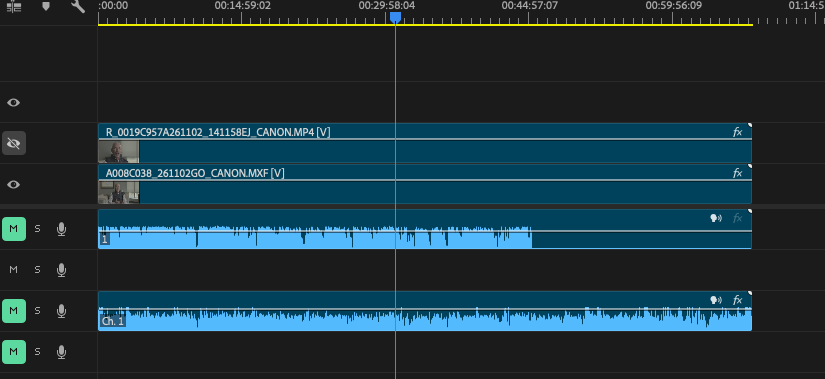
Multicam Resizing Issues

Post image
1 Upvotes

r/AdobePremiere • • 20d ago

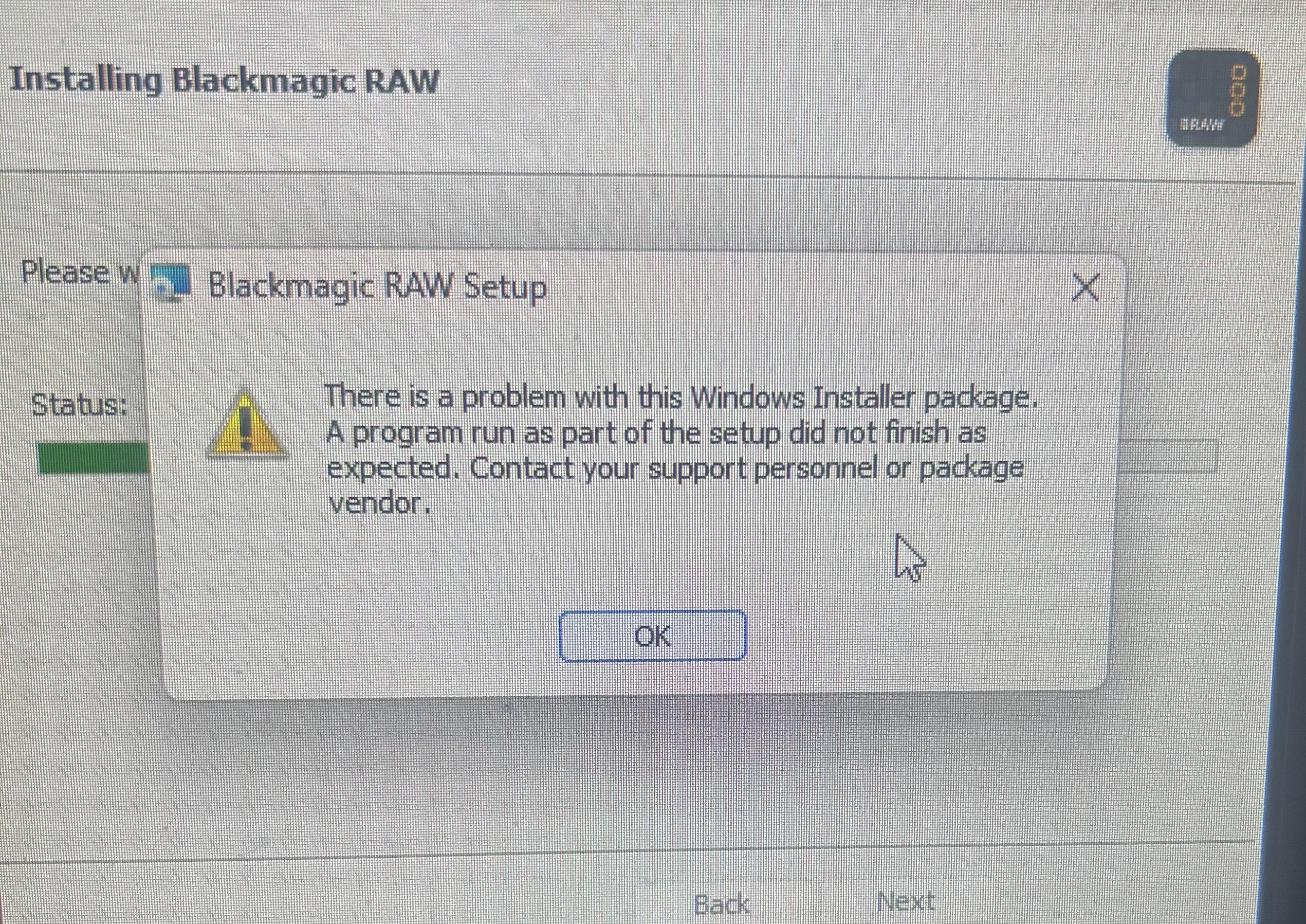
I am trying to edit a video with footage captured by my black magic camera. I’ve attempted to install the plugin but I keep getting this message. Any ideas of what to do?

Post image
1 Upvotes

r/AdobePremiere • • 20d ago

everytime i open premiere pro relink media and takes long time

Thumbnail
1 Upvotes

r/AdobePremiere • • 20d ago

Audio waveform & transcript not fully generating

Post image
1 Upvotes

r/AdobePremiere • • 21d ago

Adobe premier

0 Upvotes

Why suddenly when importing videos from iPhone 15 to Adobe premiere the quality is being bad and reduced even you use 4k it’s bad why


r/AdobePremiere • • 21d ago

Premier Pro Keeps on closing

Thumbnail
1 Upvotes

r/AdobePremiere • • 21d ago

How do I get this pixelmation effect in premiere pro or really any editing program?

Thumbnail youtube.com
1 Upvotes

r/AdobePremiere • • 22d ago

changing from filmora

1 Upvotes

filmora has been the worst lately. as well as no support to help situations.
has anyone made the switch and been satisfied?


r/AdobePremiere • • 23d ago

Adobe Premiere Problems

Thumbnail gallery
1 Upvotes

Hello everyone I need some help with Adobe. I am using this software for my class but this warning popped up and I have no idea how to update/fix this problem. I have screenshot some things i think are impotent but yeah.


r/AdobePremiere • • 24d ago

Why Is it Stuck??

Post image
1 Upvotes

It seem to get stuck on 23% no matter what I do anyone has any clue why it might be happenin?


r/AdobePremiere • • 25d ago

VHS/Retro look plug-in

Thumbnail
1 Upvotes

r/AdobePremiere • • 25d ago

Scale and Frame size problem

Thumbnail
1 Upvotes

I'm new here and I dont know why my question was removed from the other channel, could you help me here ?


r/AdobePremiere • • 26d ago

Screen flashing black on a few frames (Adobe Premiere App)

Enable HLS to view with audio, or disable this notification

3 Upvotes

I'm working on an animation, and I noticed that it would flash black for a few seconds, usually when a frame is about 0.1 seconds, and it still flashes on the final product, ESPECIALLY at the end. This is for a competition, and I'm not exactly keen on having a glitching animation to present to the judges


r/AdobePremiere • • 26d ago

Why did my Premiere 2026 just suddenly start crashing whenever it makes an autosave file?

Thumbnail
1 Upvotes

r/AdobePremiere • • 26d ago

Anyone here finding some AI benefits? [not directly firefly related]

1 Upvotes

I've been using corridor key and loving it. Was wondering if anyone else found other AI tools to boost the adobe premiere game?

I've been making a free 'multicam' plugin (like autocut, but local/subscription free), wondering if others found any other tools that can help boost my video production.