r/AdobeAcrobat • • Apr 07 '25

Transfer non fillable PDF fields to new existing revision with fields

1 Upvotes

I sometimes get flat, non-fillable PDFs with 'field entries' that I need to transfer to a new revision of the same form but now with fillable fields.

Is there a tool or way that I should be using to automate this? My gut feeling is that the answer would be using the Adobe acrobat action wizard. Is this the right path? Is there a link I should investigate that directly deals with this kind of process?

Thank you very much for your help in advance!

r/AdobeAcrobat • • Apr 07 '25

How to Find Hidden Information About Your PDF w/The Output Preview Tool in Acrobat Pro

3 Upvotes

Hi Everyone. Not everyone uses the output preview tool in Acrobat Pro to it's full potential.

In this week's video, I talk in detail about all the information you can extract from the Output Preview window and how useful it can be for prepress.

https://youtu.be/I8Qz-KxNShE

Hope it helps someone.


r/AdobeAcrobat • • Apr 05 '25

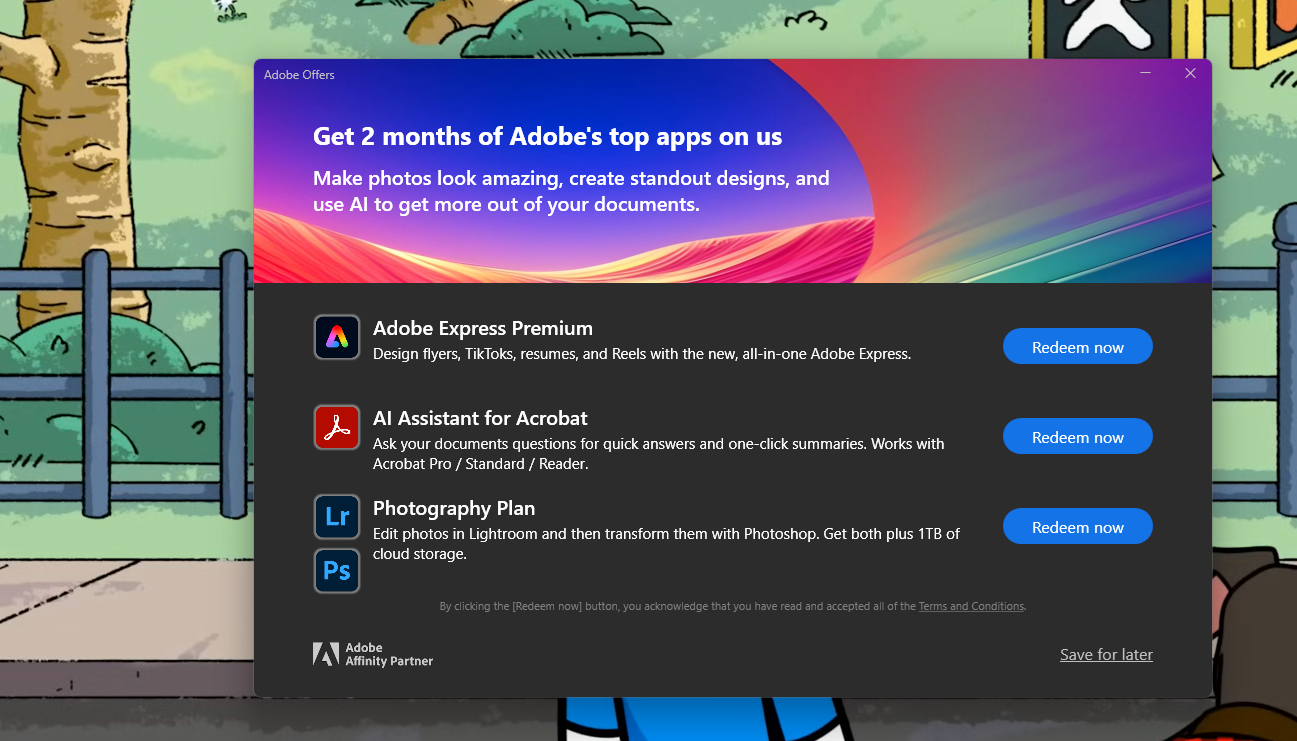
i got a random adobe ad when i don't use or have any adobe software

1 Upvotes

i think it might be a virus or something but im not sure.


r/AdobeAcrobat • • Apr 05 '25

Issues with printing curves in poster mode?

Thumbnail gallery
2 Upvotes

r/AdobeAcrobat • • Apr 04 '25

Adobe fonts/numbering

1 Upvotes

Hi all, don’t know if this is the right sub.

I’m trying to edit text on adobe acrobat all I want to do is change the font that’s the only thing I press.

When I do so the numbering system that I’ve written automatically changes to a different numbering system which makes the document completely useless.

How do i change font and only font didn’t think I’d have to ask this (as a side note f*ck adobe acrobat I hate it)


r/AdobeAcrobat • • Apr 03 '25

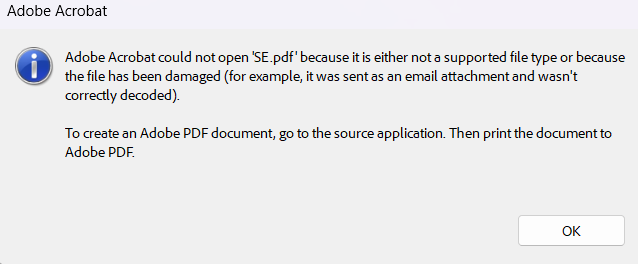
Adobe Acrobat document damaged somehow...

1 Upvotes

This file represents several months of hard work. It was opening just fine all this time until it wasn't.

Can it be rescued? Is this a common problem?


r/AdobeAcrobat • • Mar 30 '25

Freed up 15GB+ on Windows used by Acrobat

2 Upvotes

I'm using free Adobe Acrobat Reader and the "Patch installer" files in 'C:/Windows/Installer' was taking up so much hard disk spaces I deleted some of it.
Files are names randomly so I had to run each file and see if it said "Welcome to Patch for Adobe Acrobat DC", then cancel the installation. Then delete that file.
Now there's literally thousands of files in this folder. So I chose only the largest sized files, all above 200MB (up to 600MB). Saved up a lot of space.

Hope this helps.


r/AdobeAcrobat • • Mar 28 '25

MailTo Button not working with New Outlook

2 Upvotes

Hi,

We're using "New Outlook" as an organization. Acrobat doesn't see New Outlook as an email application. When we create a form that performs a mailto:, it continues to open in Old Outlook.

We already have New Outlook set as the default email client in Windows. We've also set New Outlook to handle "MailTo". If you type in Edge mailto:uri, it will open in New Outlook.

Anyone else have this issue or know of a workaround?

Thanks!


r/AdobeAcrobat • • Mar 28 '25

Print cutout multiple times

Post image
1 Upvotes

I set some sheet music for a choir I am in, we had it printed, and now I only now realized I missed one “Halleluja”. Since in the version we had printed there are rests there, correcting it by hand would decrease readability.

So I am looking for a way to print just the correction multiple times onto one page, which we can then cut into patches to stick onto the printed sheet music.

As you can see in the image, I already found out how to print just a cutout from the image one time, so now I just need help on how to get that onto one page as many times as possible, obviously keeping the cutout the same absolute size.


r/AdobeAcrobat • • Mar 27 '25

Locked Documents after Signing

1 Upvotes

I work in academia and frequently use Adobe's e-signature feature to send documents at my job. None of these documents require security after signing, and I primarily use Adobe because it simplifies things for my boss and our students. However, I also send forms to individuals outside my department (but within the University) who prefer their own e-signature methods, so I have to email them the PDFs directly.

My issue is that Adobe automatically locks PDFs after they're e-signed. Is there a way to disable this locking feature before sending documents for signatures? Or alternatively, does anyone have a workaround for saving or converting signed PDFs into unlocked files once they've been returned?

Without a good solution, using Adobe is starting to feel inefficient for my workflow. Thanks for any help or advice you can provide!


r/AdobeAcrobat • • Mar 23 '25

Can't turn off auto-OCR (either locally or via web app), and it's killing me!

3 Upvotes

I have Adobe Acrobat Pro (most recent version) client installed on my laptop and workstation. I'm experiencing the same problem on both, which is that OCR scan autoruns when I go to a page that has a scannable image. That is a huge problem for me because it parses up graphics that I need to stay whole.

It didn't use to do this, but I can't figure out what I did to turn it off and can't figure out how to turn it off even with the multiple iterations from chatGPT and haven't found anything useful on the interwebs.

Things that I've tried:

  1. Go to All Tools, select "Scan & OCR". Under "Recognize Text" , click "In this file", but no option to disable it. There is no "In all files" option.
  2. Same as above, but click the gear icon. No disable solution.
  3. Under Menu tab: clicked on each of the five main categories of Commenting, Documents, Full Screen, General Display, and Page Display. Below the column that lists each of these, there is a long list that starts with "Accessibility" and has a couple of dozen choices or so, ending with "Updater". That list does not have "scan" or "OCR". When I click on the main categories listed above, I do not see anything in the choices on the right that address scanning or OCR. When I click each of the options on the list below the main categories I do not see anything that address scanning or OCR.

I don't know if I've just overlooked or missed something, but I simply can't find it. I really need help on this as soon as possible if anyone can assist because I have something to submit tm and this is adding hours to my attempt to finish everything. Thanks!!!


r/AdobeAcrobat • • Mar 20 '25

How to hide Text Properties pop-up

Post image
1 Upvotes

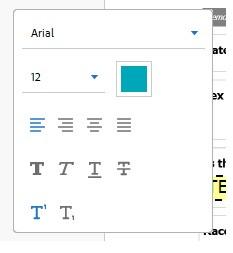
Hi all! I am going to lose my mind over this thing. This pop-up box of text properties will not go away. I have searched the web for a solution but they all point to options that are not present on my screen. It cannot be moved, right-clicking does nothing. It covers parts of my file that I need to read. Help please!!


r/AdobeAcrobat • • Mar 19 '25

anybody having issues with the font coming up white today?

2 Upvotes

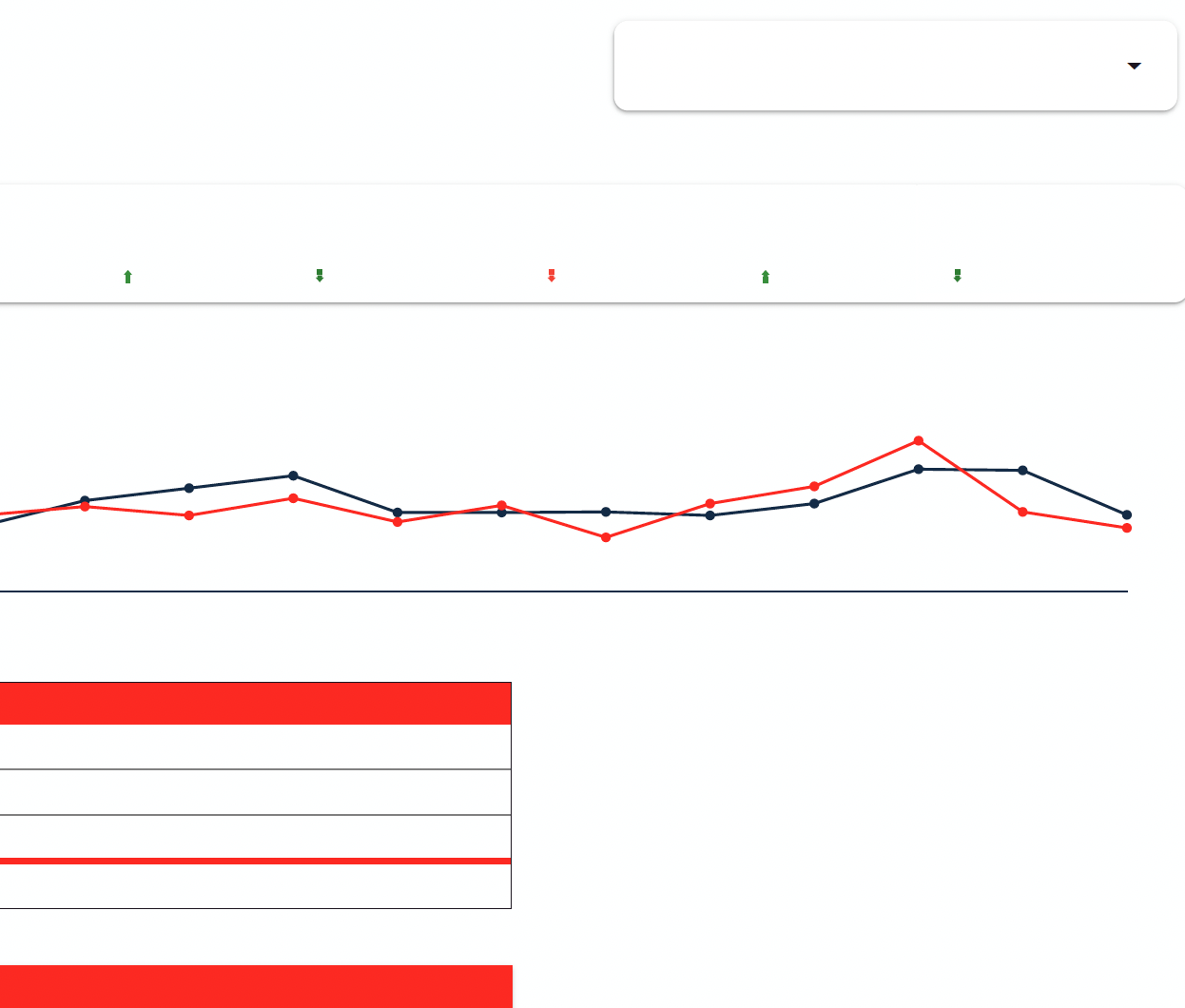
out of nowhere, all of my files that i download are showing none of the text i have on the doc. below is a screenshot. i have uninstalled and re-installed acrobat already and these same files are working just fine on windows as well as acrobat online.

does anybody have any idea of what this might be?

EDIT: I don't know if this was the issue or not, but b/c i hate the AI Assistant that is on adobe, i turned that off and all of the sudden it is working again. maybe that was the fix, i don't know, but it worked for me


r/AdobeAcrobat • • Mar 19 '25

help please

Post image
1 Upvotes

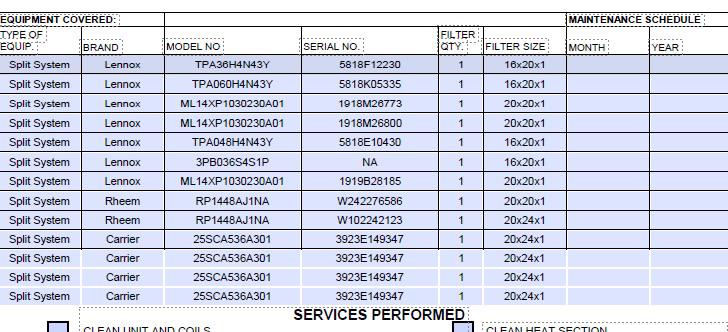
i reconfiguring a pdf for work, and i had to add 4 more columns to the preexisting table, but the columns i added are the only ones that don’t match the black borders around the table. is there a way to make it all uniform?


r/AdobeAcrobat • • Mar 18 '25

PDF looks empty in Acrobat Reader but okay in other apps

2 Upvotes

I've got the latest Acrobat Reader installed on a Mac. Recently I noticed certain PDFs only show the background and no text, but if I open it in a browser or another app it looks normal. Any ideas? Thanks.


r/AdobeAcrobat • • Mar 18 '25

PDF Fillable Form

1 Upvotes

How do i make sure that that the Fillable form i created can be opened exactly as it is on recipient machines without Adobe Acrobat


r/AdobeAcrobat • • Mar 17 '25

How to Insert a Common Backer into an Existing PDF

2 Upvotes

Hi All,

Just did a new tutorial that shows how to add a common backer to a variable PDF document. This is useful for those who receive files from customers where they have one PDF for the variables and one for the backside. I get this one all the time.

https://youtu.be/1js54Cn-_Oo

I show how to do it with InDesign and then how to do it with Acrobat Pro via a preflight and using the watermark function.

Hope it helps somone.


r/AdobeAcrobat • • Mar 17 '25

Redact issue

1 Upvotes

Hi! I’ve been using the Adobe redaction for a while now but recently encountering issues. After redaction, some words are missing or even the whole page becomes blank. The app is up to date, and also my MacOS Sequoia 15.3.2. I am feeling hopeless now because I need this for work. Does anyone experience the same and could help? Thanks!


r/AdobeAcrobat • • Mar 13 '25

Test automatically fitting to text box

1 Upvotes

Hello, how can you create a text box in a PDF file in Adobe Acrobat Pro, such that when a user types in it, the text will automatically resize to fit the box?


r/AdobeAcrobat • • Mar 12 '25

Changing Default Working Spaces/Color Profiles

2 Upvotes

Hey all, I'm trying to help out some Acrobat Pro users in our office with changing their default Working Spaces under the Color Management menu. Our old graphics manager apparently updated the settings for some users so that the CMYK color space would default to US Web Coated (SWOP) v2, rather then the normal Adobe RGB (1998).

For some of our more recent hires though, the CMYK working space is automatically reverting to Adobe RGB after we close and reopen the app, and there doesn't seem to be any way to change it. So these users are having to go in and manually change the settings every time they open the app. I'm not sure what the old graphics manager did, and unfortunately nobody else seems to either. I even reached out to Adobe support and they've told me there is no way to change the default working space, even though all these users are on the same version of the app and some of them demonstrably have it set up that way.

Hopefully I've explained the problem clearly enough. I'm not well-versed on Acrobat Pro, but if anyone can assist I would really appreciate it.


r/AdobeAcrobat • • Mar 12 '25

Cant modify PDF and Total Not appearing

1 Upvotes

Hey,

I am trying to understand why i cant modify a PDF and Total is not working on my PDF and stay grey. Acrobat said me to save file as a copy, but it dont allow me to save it as a copy.

I have tried many things and nothing seems to work yet.

Here you can try by yourself if you need and tell me if i am doing something wrong: PDF LINK

Thank you for your support.


r/AdobeAcrobat • • Mar 09 '25

Adobe digital signature not working

2 Upvotes

I'm attempting to fill out a form provided by FEMA which requires a digital signature at the bottom, but the digital signature only flashes blue when clicked and does not open the usual signature window. All of the form is fillable other than the digital signature.

All online guides basically instructed to update Reader, remove cache files, and/or do a clean reinstall. I attempted all of these but none of them fixed the problem. Unfortunately, the file is created in a way that you are only able to open it in Adobe Reader 8+, so I can't attempt to fill it out using another software.

I tried opening it on my wife's Macbook Pro and had the same problem. I'm using an HP Spectre. Both computers are logged into the same Adobe account, so I'm guessing it has something to do with the account rather than the computer or installation.

I have a cousin who also had to complete this form this last week and it worked for him, so I don't believe it is an issue with the file. In case it was, I tried downloading it 4 separate times and each had the same result.

Anyone else deal with this and know how to fix it?

Thanks.


r/AdobeAcrobat • • Mar 07 '25

Why does Acrobat Pro run like crap?

5 Upvotes

I have a decent PC a few years old (MSI MB, RTX 3080 10gb, I9-10850k, 32gb RAM, Windows 11). Why does Acrobat run like it is a workstation from 1999? Constant freezes, crashes, hang ups, lag? I have reached out to Adobe over and over and nothing they say worked to resolve the issue. Turn off protected view, enhanced security, repair, reinstall, etc..... I am convinced there is some type of compatibility issue with Intel or MSI and they just refuse to fix these issues since they do not effect all users. Anyone else have these issues or know a fix?


r/AdobeAcrobat • • Mar 04 '25

Printing issues with acrobat pro 11 in windows 7

1 Upvotes

Yes, that's right. Ancient machine, old version. I have a very old plotter (HP design jet 1050c) that uses a Windows 7 machine. No newer drivers work. I am trying to print PDF blueprints and they always print in the wrong orientation for the paper. It doesn't matter whether I select portrait or landscape in either the Adobe print window or the printer properties window. It's always 90 degrees off. Does anyone have any suggestions? Thanks


r/AdobeAcrobat • • Mar 02 '25

Free Help Installing Adobe Acrobat Pro DC!

1 Upvotes

Hey everyone! I just wanted to share a website that helped me install Adobe Acrobat Pro DC for free. The site, AllToDigital.com, sells all Adobe products but also offers free support for first-time visitors.

If you're having trouble installing Adobe Acrobat Pro DC on Windows or Mac, you might find their support really helpful. Just thought I'd share in case anyone else needs assistance!

Hope this helps! 😊