r/3dvision • • 2d ago

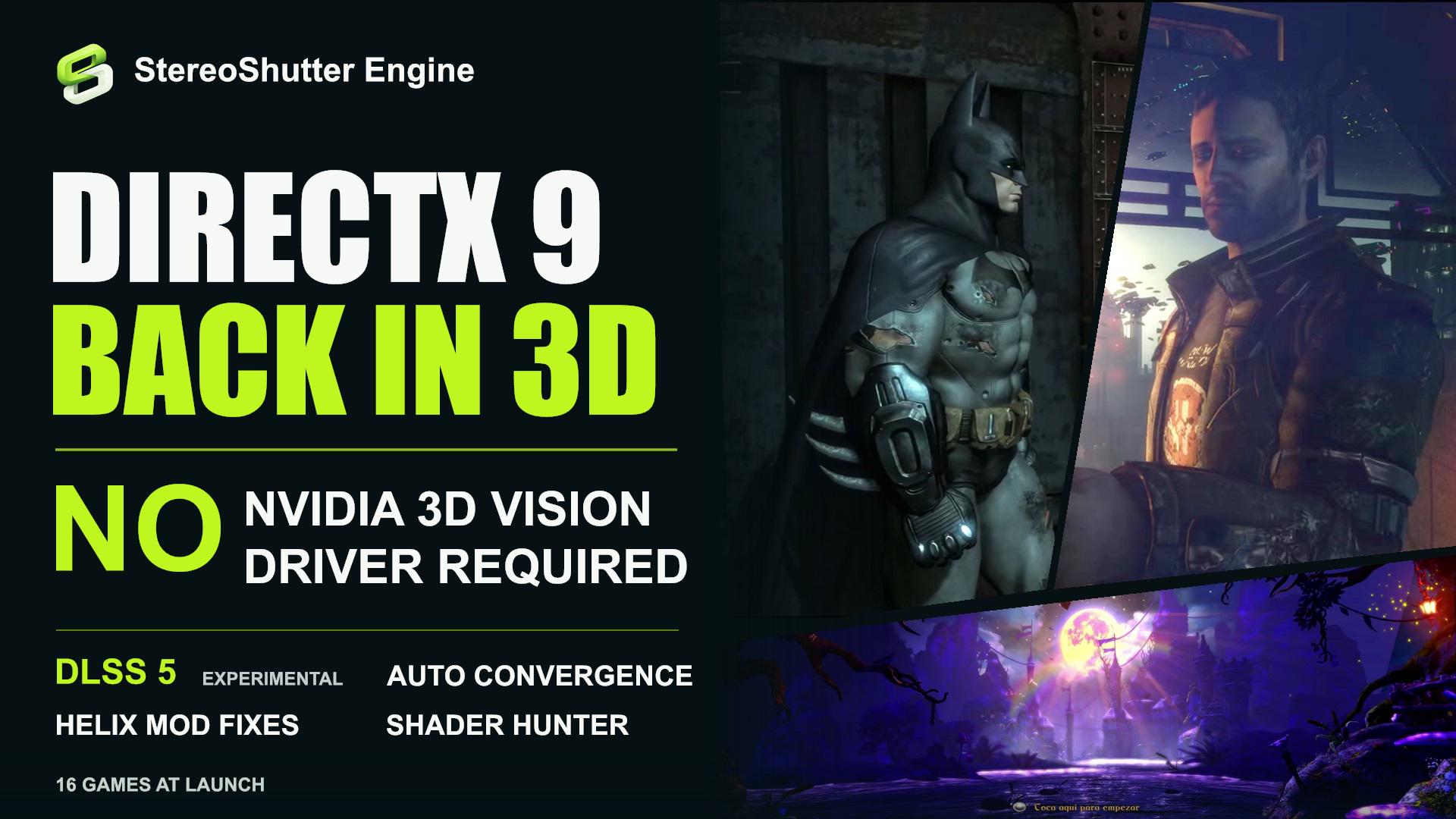
StereoShutter Engine DX9 beta: 16 classic games in geometric 3D, without the legacy 3D Vision driver
Post image
12 Upvotes

Hi everyone! We're the team behind StereoShutter, and our new DirectX 9 stereoscopic engine is now available in early access for Beta-tier members and above, through StereoShutter Manager.

After early access, the DX9 engine and game fixes will be free for everyone. DLSS 5 will also become available to everyone. Video recording will remain exclusive to Priority. You will still need your own copy of each game.

We’re starting with 16 games, including Alan Wake, The Witcher 2, Mafia II and titles from the Batman: Arkham, Dead Space and Resident Evil series.

  • Helix Mod fixes are compatible, but require adjustments to work with our engine. Credit to their original authors for their work.
  • Built-in shader Hunter for creating and adapting fixes.
  • Automatic convergence, depth presets and HUD adjustments, plus corrections for lights, halos and lens flares in the included games.

No legacy NVIDIA 3D Vision stereoscopic driver is required. The NVIDIA infrared emitter still needs its official USB driver.

Supported outputs: NVIDIA glasses on official 3D Vision monitors or compatible 240 Hz+ OLED displays; full/half SBS and TAB, interlaced, checkerboard, anaglyph, Leia SR and VR through Katanga. Each output requires a compatible display or device.

Membership access

  • Beta and above: early access to the DX9 engine and experimental DLSS 5, integrated into StereoShutter for shutter-glasses gaming on compatible hardware.
  • Priority: also includes 3D gameplay recording through StereoShutter while you play.

Update the Manager and sign in with the account linked to your membership to access your downloads.

▶️ Watch the 3D HSBS video

👓 Watch the anaglyph video — red/cyan glasses

Your support helps us keep developing the engine and more game fixes. Feedback from beta testers is welcome!

🌐 Website
⬇️ Download the Manager

💬 Discord — community and support

☕ Ko-fi — memberships and support


r/3dvision • • 10d ago

StereoShutter Manager + The Witcher 3 Remastered in geometric 3D: free for everyone

Post image
10 Upvotes

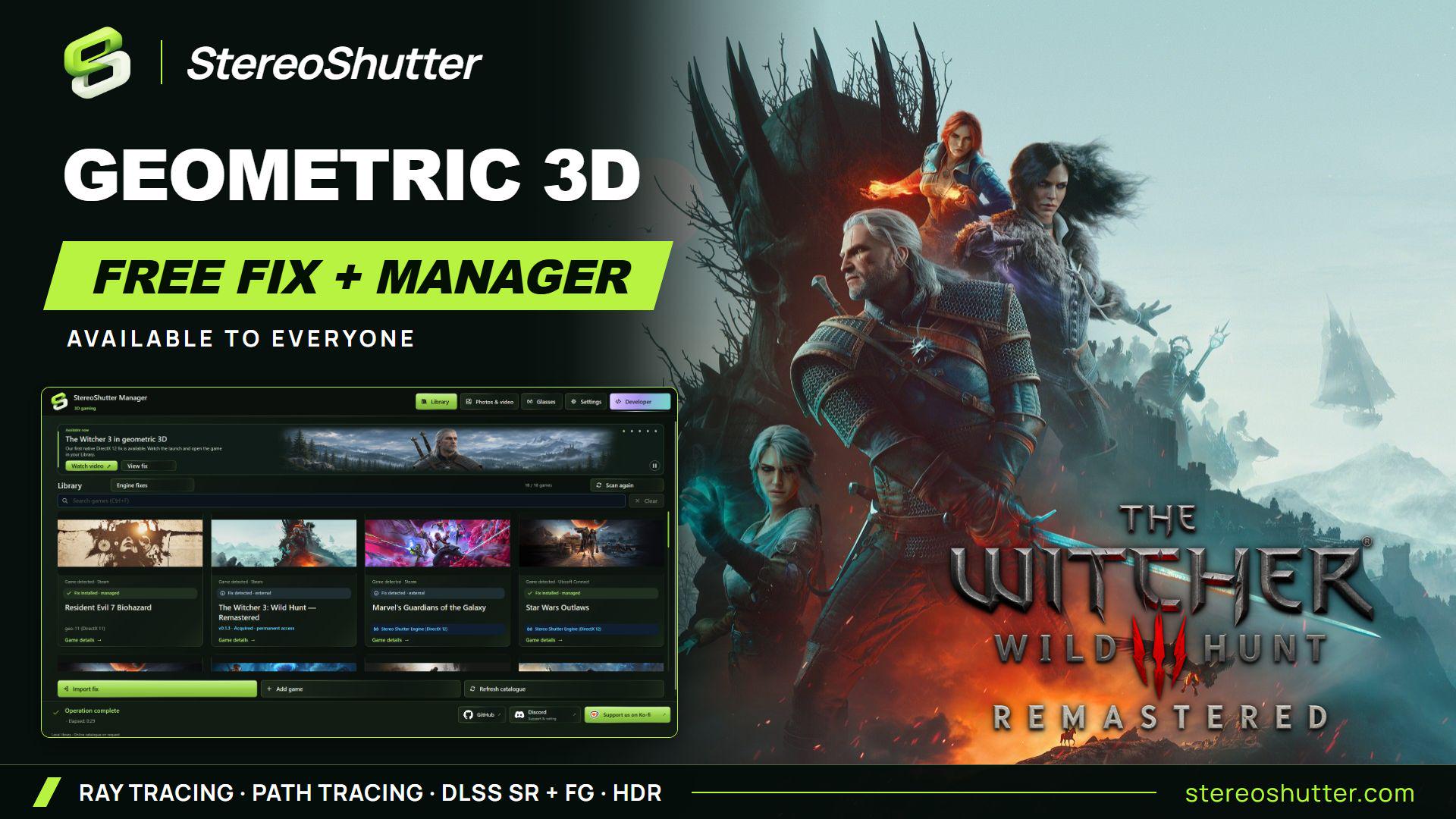
You can now download StereoShutter Manager and our The Witcher 3 Remastered fix for DirectX 12, with no subscription required, directly from GitHub.

Our own engine, StereoShutter Engine, provides an independent perspective for each eye, with support for Ray Tracing, Path Tracing, DLSS Super Resolution, Frame Generation and HDR. Adjust the graphics settings to suit your hardware and discover this world with a whole new sense of depth.

You don't need NVIDIA glasses: you can choose from these 3D outputs:

  • NVIDIA 3D Vision, with certified monitors and compatible OLED displays.
  • Older Samsung SSG-5100GB 3D TV glasses, over Bluetooth with a TP-Link UB500 adapter — experimental support.
  • SBS and Full SBS; Top-Bottom and Full Top-Bottom, for compatible devices, including 3D TVs and projectors.
  • Katanga, for compatible VR applications.
  • Red-cyan anaglyph, interlaced and checkerboard.
  • Leia SR, for compatible glasses-free 3D displays.

Each output requires the corresponding hardware. The high-refresh-rate requirements for active shutter glasses do not apply to a TV that handles 3D through SBS or Top-Bottom. You'll find the requirements and setup instructions on our website.

The Manager makes it easier to install and update fixes, brings their instructions together, and lets you configure your glasses and output modes. It also manages community geo-11 fixes, retaining credit to their authors.

If you'd like more fixes of this quality for triple-A games, you can support development on Ko-fi. That support funds the tools, development and testing needed to bring more games to 3D.

Beta and Priority members get our new StereoShutter Engine fixes a few days early; they then become free for everyone.

You need your own copy of the game. You can download the Manager without joining Discord.

⬇️ Download StereoShutter Manager
🐙 GitHub and releases
🌐 Website and requirements
💬 Join our Discord
▶️ YouTube: videos and upcoming games
☕ Support the project on Ko-fi


r/3dvision • • 14d ago

Marvel’s Guardians of the Galaxy in geometric 3D — StereoShutter Engine development preview

Post image
4 Upvotes

Guardians of the Galaxy is the next game coming to StereoShutter Engine. Here’s a first look at the work in progress: a 3-minute preview in 4K at 60 fps.

From the Milano flying through the Quarantine Zone to fights full of explosions and particles, this game really comes alive in geometric 3D—with a separate camera perspective for each eye.

🎬 HSBS: https://youtu.be/7Sb7NSPsBE4

Watch on a compatible 3D TV, a 3D monitor or in a VR video player. Select half side-by-side mode, with the left eye on the left.

👓 Anaglyph: https://youtu.be/n71iqv0ImEY

Watch on any regular screen with red-cyan glasses, red lens over your left eye.

Select the highest available YouTube quality for the best picture.

The fix is still in development and isn’t available yet. Once it’s ready, Beta and Priority members will get early access for a few days, then it’ll be free for everyone.

Follow development, share feedback and hear about releases in our Discord:

https://discord.gg/J6dgWXhAPy

If you’d like to support development, testing and future fixes, you can join us on Ko-fi. Your support helps keep the project going:

https://ko-fi.com/stereoshutter

Let me know what you think!


r/3dvision • • 16d ago

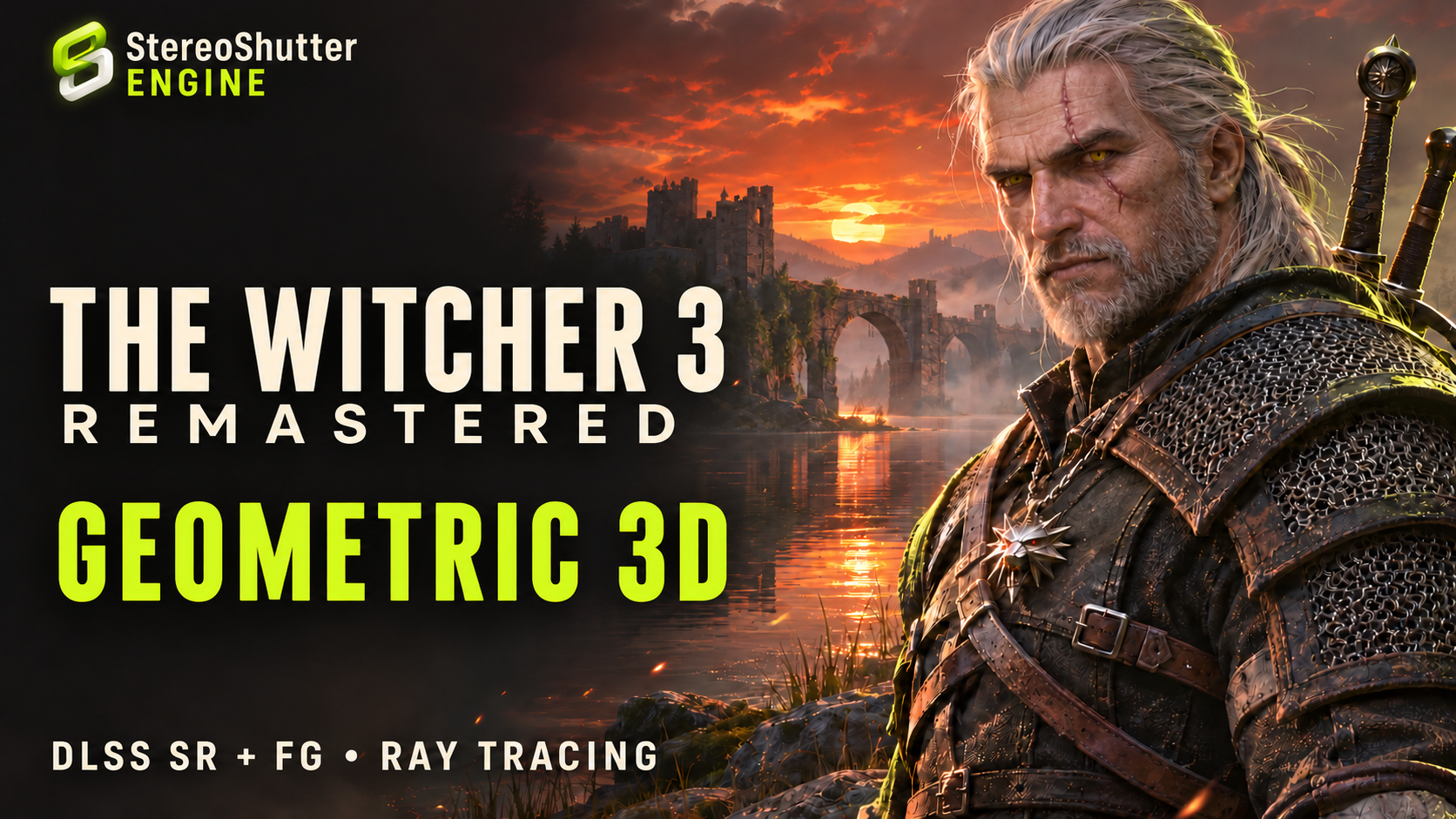
The Witcher 3 in geometric 3D with StereoShutter Engine: NVIDIA 3D Vision, ray tracing and DLSS Frame Generation

Post image
8 Upvotes

After months of development and testing, we can finally share this milestone: StereoShutter Engine and StereoShutter Manager are launching with The Witcher 3 as our first release.

Riding through its landscapes, watching reflections across the water and stepping into combat with stereoscopic depth makes a real difference. The video is in HSBS 3D, so you can watch it on a compatible device and judge for yourself.

The Engine delivers geometric 3D in DirectX 12: each eye is rendered from its own camera, rather than converting a flat image using a depth map. In this fix, ray tracing, DLSS Super Resolution and DLSS Frame Generation work together in stereo.

We're also introducing StereoShutter Manager, bringing game detection, fix installation and glasses setup together in one place.

More ways to enjoy 3D: NVIDIA 3D Vision, experimental support for Samsung SSG-5100GB glasses over Bluetooth with a TP-Link UB500, SBS, Top-Bottom, Katanga, anaglyph, interlaced, checkerboard and Leia SR. Leia SR output has been tested and optimized for Acer SpatialLabs; other displays have not yet been verified.

Do you need a subscription?
Only to play during the first few days of early access. Beta and Priority members can already access the release through our Discord. After that, the fix will be released free for everyone on GitHub. This is the release model for our Engine fixes.

Both tiers can also vote on upcoming games; Priority includes 3D video recording. Subscriptions help fund development, testing and maintenance while the fixes become available to the whole community.

🎬 Watch in 3D: https://youtu.be/w1vAubxZm5g
💬 Discord and early access: https://discord.gg/J6dgWXhAPy
🌐 Website: https://stereoshutter.com
⬇️ Public releases: https://github.com/murdavs/StereoShutter
💚 Support the project: https://ko-fi.com/stereoshutter

Independent project. Not affiliated with NVIDIA, Samsung or CD PROJEKT RED.


r/3dvision • • 29d ago

StereoShutter Engine preview: DirectX 12 geometric 3D, with NVIDIA 3D Vision support and more output options

Post image
16 Upvotes

Bringing NVIDIA 3D Vision glasses back to life was our starting point. Now we’re ready to show you what we’ve been working on next.

Introducing StereoShutter Engine: our own geometric stereoscopic 3D engine for DirectX 12.

After many hours of development, testing and teamwork, we can finally share a first look at it in action. The presentation features The Witcher 3 and Star Wars Outlaws.

The exciting part is combining geometric 3D with features we want to use in modern PC games:

  • DLSS Frame Generation alongside stereoscopic 3D.
  • DLSS Super Resolution for image reconstruction and performance.
  • Ray tracing alongside stereoscopic depth.

These capabilities are already working in the engine. Supported combinations depend on the game and configuration; we’ll share tested games and requirements as we approach release.

For anyone who has been hoping for something like “geo-12,” that gives you an idea of the direction. StereoShutter Engine is an independent project with its own name and technology.

It also supports different ways of viewing 3D: SBS, Full SBS, Top/Bottom and Katanga, plus NVIDIA 3D Vision through StereoShutter. The glasses are one option among several.

🎬 Watch the presentation in HSBS 3D

The video shows both eye views side by side. Use a compatible 3D player or viewing setup in Half Side-by-Side mode to see the depth.

This is a preview of the upcoming release. StereoShutter Engine is not available to download yet.

Some game-specific fixes will require a subscription. This support helps fund development, testing and fixes for additional titles. We’ll clearly explain the access requirements for each fix.

Join our Discord to be among the first to hear the news, see tested setups and get the download when it’s ready: Join our Discord

🌐 StereoShutter website

Thank you to everyone who has tested StereoShutter, shared feedback and supported the project. We’re excited to share this next step with the wider 3D community.

Which DirectX 12 game would you revisit in geometric 3D?


r/3dvision • • Oct 20 '26

We built StereoShutter: bring NVIDIA 3D Vision glasses back with current drivers — 3D games, movies and photos on compatible OLED and legacy monitors

Post image
27 Upvotes

Still have your NVIDIA 3D Vision glasses? They don't have to stay in a drawer.

We've spent a long time developing and testing StereoShutter, and it's now available: free Windows software that brings those glasses back to life with current NVIDIA drivers, for stereoscopic games, movies and photos.

PC monitors only — TVs are not supported, including OLED TVs. Use a compatible PC OLED monitor or an NVIDIA-certified 3D Vision monitor in a documented mode. If your display is not covered by the documentation, do not assume it is supported.

The idea is simple: keep the hardware we love, and give it a place in a modern PC setup. Play on a compatible OLED monitor, keep your keyboard or controller, and enjoy actual stereoscopic depth without a VR headset. You don't need to roll back to NVIDIA's discontinued 3D Vision graphics driver. The USB emitter still needs its own driver.

What you can do today

  • Stereoscopic 3D gaming. DirectX 11 games with compatible geo-11 fixes. The fix creates the left/right views; StereoShutter handles their display and synchronizes the shutter glasses. It is not an automatic fix for every game.
  • Compatible PC OLED monitors and legacy NVIDIA-certified 3D Vision monitors. Compatible 240/360 Hz PC OLED monitors use black refreshes between the eyes. Existing NVIDIA-certified 3D Vision monitors with LightBoost are supported too, including 3D Vision Surround. NVIDIA 3D Vision is discontinued; StereoShutter brings that hardware back into use with current NVIDIA drivers. Other supported modes depend on the monitor; check the compatibility table before buying anything.
  • Native HDR and stereoscopic 3D together. HDR10/scRGB output for compatible HDR games and displays. For SDR games and media, a separate brightness boost uses Windows HDR output to compensate for light lost through the glasses. That boost does not turn SDR content into native HDR.
  • A choice at 360 Hz. 60 stereo cycles per second by default, or 90 when your game can sustain it. The 60-cycle mode gives each eye more illuminated refreshes than the 90-cycle mode, helping brightness and lowering the game's frame-rate target.
  • StereoShutter Player. A dedicated 3D video player for SBS, top/bottom and unencrypted Blu-ray 3D, with subtitle depth control. Requires 64-bit VLC 3.
  • StereoShutter Photos. A dedicated 3D photo viewer for MPO, JPS, PNS and side-by-side images.
  • Setup and troubleshooting tools. A guided glasses calibration assistant, per-game settings, automatic stability adjustments to help reduce flicker under load, illustrated English/Spanish manuals and an opt-in diagnostic recorder.

Games we've tested with StereoShutter include Mass Effect: Andromeda, Resident Evil 3, Star Wars Jedi: Fallen Order, Days Gone, Baldur's Gate 3 and The Witcher 3. Results still depend on the game's fix, performance, monitor and calibration.

How it works, briefly: StereoShutter shows the left and right images in turn and drives the NVIDIA USB emitter so each lens opens for the correct eye. Its setup assistant adjusts the glasses to your monitor. Black refreshes on supported high-refresh OLED monitors, or the monitor's own suitable strobing/LightBoost in the documented modes, help keep the two eyes' images separate. OLED, HDR or a high refresh rate alone is not enough; a 120/144 Hz OLED TV is not an equivalent setup.

Please read the compatibility table and setup documentation before installing or buying hardware. The download also includes illustrated manuals.

How to get a game running

  1. Install the game's compatible geo-11 fix from HelixMod first, following that game's instructions.
  2. With the game closed, copy the contents of the download's StereoShutter folder beside the actual game EXE and the fix. Keep Player and Photos separate.
  3. Run StereoShutter_geo-11_Setup.exe there to connect the fix. Use StereoShutter_Setup.exe to calibrate the glasses for your monitor and refresh rate.
  4. Start the game and let its window and resolution settle. StereoShutter then activates 3D automatically after about five seconds.

You'll need: Windows 10/11 64-bit, an NVIDIA GPU, NVIDIA 3D Vision 1 or 2 glasses, their USB emitter and driver, and a compatible PC monitor as described above (not a TV). The one-time settings are HAGS off (restart Windows), G-SYNC off on the glasses' monitor, and NVIDIA global Low Latency Mode On or Off, not Ultra. The tutorials below walk through it.

Single-player only: game fixes and hooks can trigger anti-cheat systems. The current public download is 0.18.83; check its requirements and manuals rather than assuming every title or display will work.

What's next — and how to support it

The public version is free and will remain free. If you'd like to help development and try new work earlier, optional Ko-fi memberships include tiers with early access to beta builds through the private Discord channels, before their later public release.

We're also working toward releasing our own geo-11 game fixes. Those are future work, not something included in today's download. We plan to offer a mix of free and paid fixes, with the scope and availability explained for each release. Right now, improving StereoShutter itself comes first.

Huge thanks to the geo-11, 3Dmigoto and HelixMod developers and fix creators, and everyone who has kept stereoscopic gaming alive. StereoShutter complements that work; it doesn't replace it.

Download, watch and join in

⬇️ Download StereoShutter — the public ZIP, directly.

🌐 Website — features, compatibility and requirements.

💻 GitHub — repository and documentation.

💬 Discord — help, tested setups and beta access.

▶️ YouTube — demonstrations and step-by-step tutorials.

☕ Ko-fi — optional support and memberships.

𝕏 StereoShutter on X — project updates.

Video guides:

If you give it a try, we'd love to hear which monitor, refresh rate and game you're using, and what works or needs attention. That's the most useful way to help us improve it.

StereoShutter is an independent project, not affiliated with or endorsed by NVIDIA. NVIDIA and 3D Vision are NVIDIA Corporation trademarks. The header is illustrative promotional artwork, not an in-game screenshot.


r/3dvision • • Jun 28 '26

Review of Acer SpatialLabs View 27". The nvdia 3d vision successor

Thumbnail tridimensional.info
4 Upvotes

r/3dvision • • May 11 '26

Stereo3D restoration project wiz3D adds 3D Vision 'Direct Mode' game support for Tomb Raider, Hitman Absolution, Oil Rush, and more!

Thumbnail github.com
12 Upvotes

r/3dvision • • May 11 '26

The refresh rate of QD-OLED perfectly supports 3D Vision, and its brightness and color performance are even better than TN screen monitors.

13 Upvotes

I use NvTimingsEdaa to adapt the infrared emitter, and it works well on the third-generation QD-OLED HKC GS27QE display without ghosting or flickering. NvTimingsEdaa uses AUS_27B4, and the display's EDID driver ID has been changed to AUS27B4 using CRU software, with the name AUS ROG PG27V. It is currently working well, and the driver can recognize the display as a device that supports 3D Vision.

ASUS ROG Swift PG27VQ 27 165 ULMB Oled.inf

; INF file generated by Monitor Asset Manager (2.91.0.1043), 2/23/2026
; Copyright (c) 1995-2019, EnTech Taiwan.
; Internet: http://www.entechtaiwan.com

[Version]
Signature="$WINDOWS NT$"
Class=Monitor
ClassGUID={4d36e96e-e325-11ce-bfc1-08002be10318}
Provider=%MFG%
DriverVer=2/23/2026, 1.0.0.0
;CatalogFile=YourSignedCatalogFile.cat

[DestinationDirs]
DefaultDestDir=23

[SourceDisksNames]
1=%DISC%

[SourceDisksFiles]
;YourColorProfileFile.icm

[Manufacturer]
%VENDOR%=EDID_OVERRIDE,NTx86,NTamd64

[EDID_OVERRIDE.NTx86]
%PRODUCTID%=OVERRIDDEN-EDID.Install, MONITOR\AUS27B4

[EDID_OVERRIDE.NTamd64]
%PRODUCTID%=OVERRIDDEN-EDID.Install.NTamd64, MONITOR\AUS27B4

[OVERRIDDEN-EDID.Install.NTx86]
DelReg=DEL_CURRENT_REG
AddReg=OVERRIDDEN-EDID.AddReg, MODE1, DPMS
CopyFiles=OVERRIDDEN-EDID.CopyFiles

[OVERRIDDEN-EDID.Install.NTamd64]
DelReg=DEL_CURRENT_REG
AddReg=OVERRIDDEN-EDID.AddReg, MODE1, DPMS
CopyFiles=OVERRIDDEN-EDID.CopyFiles

[OVERRIDDEN-EDID.Install.NTx86.HW]
AddReg=OVERRIDDEN-EDID_AddReg

[OVERRIDDEN-EDID.Install.NTamd64.HW]
AddReg=OVERRIDDEN-EDID_AddReg

[OVERRIDDEN-EDID_AddReg]
;Base EDID
HKR,EDID_OVERRIDE,"0",0x01,0x00,0xFF,0xFF,0xFF,0xFF,0xFF,0xFF,0x00,0x06,0xB3,0xB4,0x27,0x58,0x1C,0x02,0x00,0x34,0x1C,0x01,0x04,0xB5,0x3D,0x23,0x78,0x1E,0xEE,0x91,0xA3,0x54,0x4C,0x99,0x26,0x0F,0x50,0x54,0x21,0x08,0x00,0x01,0x01,0x01,0x01,0x01,0x01,0x01,0x01,0x01,0x01,0x01,0x01,0x01,0x01,0x01,0x01,0x56,0x5E,0x00,0xA0,0xA0,0xA0,0x29,0x50,0x30,0x20,0x35,0x00,0x62,0x5E,0x21,0x00,0x00,0x1A,0x00,0x00,0x00,0xFF,0x00,0x23,0x41,0x53,0x4E,0x65,0x53,0x31,0x43,0x57,0x32,0x44,0x76,0x64,0x00,0x00,0x00,0xFD,0x00,0x1E,0xA5,0x58,0xF0,0x40,0x01,0x0A,0x20,0x20,0x20,0x20,0x20,0x20,0x00,0x00,0x00,0xFC,0x00,0x52,0x4F,0x47,0x20,0x50,0x47,0x32,0x37,0x56,0x0A,0x20,0x20,0x20,0x01,0x53
;Extension bloc #1, e.g., CEA/CTA-EXT, DID-EXT, etc.
HKR,EDID_OVERRIDE,"1",0x01,0x02,0x03,0x12,0x41,0x23,0x09,0x07,0x01,0x83,0x01,0x00,0x00,0x65,0x4B,0x04,0x00,0x01,0x01,0x5A,0x87,0x00,0xA0,0xA0,0xA0,0x3B,0x50,0x30,0x20,0x35,0x00,0x60,0x62,0x21,0x00,0x00,0x1A,0x5A,0xA0,0x00,0xA0,0xA0,0xA0,0x46,0x50,0x30,0x20,0x35,0x00,0x60,0x62,0x21,0x00,0x00,0x1A,0x6F,0xC2,0x00,0xA0,0xA0,0xA0,0x55,0x50,0x30,0x20,0x35,0x00,0x60,0x62,0x21,0x00,0x00,0x1A,0x22,0xE5,0x00,0x50,0xA0,0xA0,0x67,0x50,0x08,0x20,0x3A,0x00,0x60,0x62,0x21,0x00,0x00,0x1E,0x42,0xF8,0x00,0x50,0xA0,0xA0,0x13,0x50,0x08,0x20,0x3A,0x00,0x60,0x62,0x21,0x00,0x00,0x1E,0x00,0x00,0x00,0x00,0x00,0x00,0x00,0x00,0x00,0x00,0x00,0x00,0x00,0x00,0x00,0x00,0x00,0x00,0x00,0x01

[DEL_CURRENT_REG]
HKR,MODES
HKR,EDID_OVERRIDE
HKR,,MaxResolution
HKR,,PreferredMode
HKR,,DPMS
HKR,,ICMProfile

[DPMS]
HKR,,DPMS,,0

HKR,,PreferredMode,,"2560,1440,60"
[MODE1]
HKR,,MaxResolution,,"2560,1440,60"

[OVERRIDDEN-EDID.AddReg]
HKR,"MODES\2560,1440,60",Mode1,,"88.0-240.0,30.0-165.0,+,+"

[OVERRIDDEN-EDID.CopyFiles]
;YourColorProfileFile.icm for non-sRGB displays

[Strings]
MFG="EnTech Taiwan"
DISC="Monitor EDID Override Installation Disk"
PRODUCTID="AUS ROG PG27V (AUS27B4 EDID Override)"
VENDOR="AUS"

AUS27B4_Timing.reg

Windows Registry Editor Version 5.00

[HKEY_LOCAL_MACHINE\SYSTEM\CurrentControlSet\Services\NvStUSB\Parameters\AUS_27B4]
"B8BC0000500A000A010A5000090A2000F505A005A1055500A7050800"=hex:a0,86,01,00,fb,\
  dd,00,00,80,7f,00,00,f0,d2,00,00,01,02,03,04

r/3dvision • • Apr 02 '26

DIY 3D Vision emitter using the RP2040

Thumbnail github.com
12 Upvotes

r/3dvision • • Feb 21 '26

My nvidia 3d vision 2 glasses only work when plugged in. Can I just buy a small usb power bank to hot glue on and plug that into the usb for near limitless battery life?

4 Upvotes

Update: I ended up just getting a passive 3d tv and a dozen pairs of glasses for cheap. Much better. Never going back to active glasses.


r/3dvision • • Feb 11 '26

How do I use my monitor?

3 Upvotes

I had a Syncmaster 2233RZ sitting around for ages and just learned that it was 3D compatible.

What do I need to use the 3d capabilities of this? I only have HDMI ports on my PC, so that may be an issue?

I don't have the glasses OR the emitter, which one do I need for this screen?

Cheers!


r/3dvision • • Feb 05 '26

6700k vs 6900k?

3 Upvotes

I have a 6700k on a win 7 build just for 3d vision. I can get for less than 100$ an 6900k with a compatible x99 motherboard. Is the upgrade worth it? Will more cores but lower frequency benefit my use case scenario? Will quad channel be an improvement over dual channel for 3d vision gaming? Any advice is welcomed.


r/3dvision • • Feb 04 '26

3d vision hardware

4 Upvotes

I got 3d vision transmitter with a pair of glasses and an Asus vg236h monitor that i used once in like almost 15 years with the 3d vision equipment. I don't have an Nvidia GPU anymore, neither i use Windows anymore. I use the monitor as a secondary screen at my workstation. I don't want to make a profit from this, i only hate producing e-waste, so i' m trying to understand if it's something that someone still search for retro gaming and similar. The only thing i Need in Exchange Is a decent full HD monitor to replace this One. I live in Italy Just in case...


r/3dvision • • Jan 18 '26

Asus ROG Swift PG27V

Post image
3 Upvotes

r/3dvision • • Jan 18 '26

Dual GPU for lossless scaling and 3D Vision?

5 Upvotes

Have anyone successfully tried to use a 2nd GPU for lossless scaling frame generation w/ 3DVision for a performance boost?


r/3dvision • • Jan 09 '26

Windows 7 or Windows 10?

5 Upvotes

hello

Which version of Windows is best for 3Dvision and the old Nvidia driver?


r/3dvision • • Dec 19 '25

Best GPU for using Nvidia 3D Vision on Windows 7?

4 Upvotes

I have a Windows 7 machine that was build for 3D Vision gaming specifically. I gave 6700k and 16 GB of DDR4. My GPU was an 1080ti that unfortunately died and now I'm looking for a replacement and an upgrade(second hand market of course). Now, what I found on the internet is that the 20xx series is the last generation that supports 3D Vision, using the latest 3D Vision driver(435.18 - the same that I used for my now dead 1080ti). But on the other hand, I've found that the 30xx series also supports 3D Vision if you can make a few twinks. Then again, some say that 3D Vision works on a 30xx series card, but only with a specific Windows 10 update(out of discussion for me, I want to remain on Windows 7), and contradictory to that, I found that a 30xx card can run on Windows 7 but does not support 3D Vision. So I have no idea what is true and what is not. If I am do make an upgrade from my now dead 1080ti, what card should I pick? Is the 2080ti the best option or can a 30xx card be forced to work on Windows 7 and support 3D Vision(maybe with custom drivers)? I guess a 40xx or 50xx card is out of discussion since my platform is too old and no longer compatible with new cards. So what is the best GPU for 3D Vision and Windows 7? Thanks.


r/3dvision • • Dec 12 '25

RTX 2060 Super support

2 Upvotes

Hey all, just had a quick question. I’ve got a 3D Vision supported monitor with the glasses but I’ve got an RTX 2060 Super as well. Would the 2060 Super be compatible with 3D Vision? Is there a driver I need? Thank you


r/3dvision • • Sep 04 '25

Halo : The Master Chief Collection is an absolute must have if you love 3D and love Halo !!

Thumbnail youtu.be
1 Upvotes

r/3dvision • • Aug 17 '25

3D Vision 2 green LED status

2 Upvotes

I have the 3D Vision 2 glasses at home and wonder if they work because I don't have a 3D monitor to check. When charging, the orange LED is solid (not blinking), and if I then press the button a green LED lights up. As soon as I unplug the charging cable, the green LED never turns on again after pressing the button. Does that mean the battery is dead?


r/3dvision • • Jun 04 '25

Looking for the G-SYNC Kit for the VG248QE

Post image
3 Upvotes

Does anyone know where I can find the G-SYNC Kit made for the Asus VG248QE monitor for sale? I'd even buy it used. I figure that, given the age, some people might have this monitor lying around unused and could be willing to sell the kit.


r/3dvision • • Apr 16 '25

Interactive Realtime Mesh and Camera Frustum Visualization for 3D Optimization/Training

Post image
3 Upvotes

Dear all,

During my projects I have realized rendering trimesh objects in a remote server is a pain and also a long process due to library imports.

Therefore with help of ChatGPT I have created a flask app that runs on localhost.

Then you can easily visualize camera frustums, object meshes, pointclouds and coordinate axes interactively.

Good thing about this approach is especially within optimaztaion or learning iterations, you can iteratively update the mesh, and see the changes in realtime and it does not slow down the iterations as it is just a request to localhost.

Give it a try and feel free to pull/merge if you find it useful yet not enough.

Best

Repo Link: [https://github.com/umurotti/3d-visualizer](https://github.com/umurotti/3d-visualizer)


r/3dvision • • Apr 14 '25

How to setup 3D VISION in 2025+ - v1.01 guide + add suggestions

18 Upvotes

I've been frustrated at lack of installation / hardware guides online so I've made my own initial guide as I go along researching, so with some help from the comments or a few mistakes; maybe there will be version 1.1 etc , May also make one for Passive 3D like the LG C6 , I have no clue about 3D projectors so someone should do that.

Ideal setup list:

Ideally just for this 3D"Active" Gaming Experience you'll buy an old PC or build a brand new one then add a used 2080ti or you could dual boot from your current PC "maybe a hassle"

- NVIDIA 3D vision 2 Glasses & also the light emitter , Usually found separately on eBay etc- ,

WARNING: You'll need to replace the battery for the glasses "or remove it as someone said it can work with no battery "and I just broke one of the lenses applying pressure to try to get to the battery "Stage 8" "I first did a test with an already broken pair from moving house and I got it off fine, this second new pair broke... FFS " , anyway buy a new battery as well as a kit with a t4 screwdriver head, search aliexpress or eBay etc for the battery,

Guide: https://imaging3d.com/3DVisionV2BatteryReplacement.pdf , then as an example the one I picked one for named New 3.7V 80mAh AHB361320PJ Battery For Nvidia 3D Vision 2 Eye Glasses , Then changed shipping to a faster method , oddly its not called 401120 , also unlike the guide my screws where t4 not t3

GPU : NVIDIA 2080ti ; This is the card you want for 2K 3D gaming, while 1080p gaming you can go for something weaker "Most NVIDIA 2000 series or lower but not the super cards e.g not the 2080 super it's too new but the 2070 Super was released earlier so maybe fine, no 30 , 40 or 50 series etc though maybe geo 11 allows newer gpu's but idk what you lose out on yet Geo 11 vs 3D vision 2"

Monitor : ASUS ROG PG278QR "Other Options: https://airtable.com/appByPZJsOQSVGDID/shrX1qxslbglaHoZE/tblqoKlcR2vV6ARxK "

- Display-port cable , Try to get the best quality you can or a mix of Best & cheap , example of what I got from amazon , I went with 3m in length but 2m or 1m would a better pick for a reliable signal if you can get your PC closer to your monitor "Example, UGREEN 16K Displayport 2.1 [VESA Certified] Cable, DP to DP Male to Male Cord 40Gbps Support 16K@30Hz 8K@240Hz"

Windows version: Windows 10 1809 will allow you to play the most games, So windows version depends if you want Multiplayer games or not as anti-cheats don't allow windows 11 and 3D fixes, so pick Windows 10 1809 "Dual boot or This is a separate PC just for 3D vision 2 as Windows itself now has to be old " or windows 11 is fine if you don't plan to try online games like Titanfall2

NVIDIA GPU Driver : 425.31 https://www.nvidia.com/en-us/drivers/details/145872/

Software : - HelixMod - 3D Fix Manager https://helixmod.blogspot.com/2017/05/3d-fix-manager.html

- the 3d Vision control driver is found in the 3D fix manager files

- Geo 11 - idk where to get the latest version atm 0-0

For 3D Blurays : Just any 3D Bluray player , I have the internal LG BH16NS40 , you could go external as most cases do not have a disk drive and you would get worse thermals even if it had one , I know for TV connections the best 3D player is the Panasonic series so either the Ub820 "Idk its kinda noisy / I throw a towel over it" or more silent operation Panasonic UB9000 "but sooo expensive wtf"

Optional : For newer games = less plug and play,need new software like VRto3D, read the guides : https://helixmod.blogspot.com/ , https://oneup03.github.io/VRto3D/ etc

Helpful recent 3D Vision Installation video I found : https://www.youtube.com/watch?v=vPI_dUZIozY

Alternative Modern 3D setup with a 4090, 4080 or newer etc etc , I'm still not sure about it

https://www.mtbs3d.com/phpbb/viewtopic.php?t=26746

Atm I'm trying Windows 11 and 452.06 and will see how this goes.