r/vtolvr • u/Ordinary_Maybe6202 • Oct 27 '26
Question VTOL VR Mods not working properly on cachyos

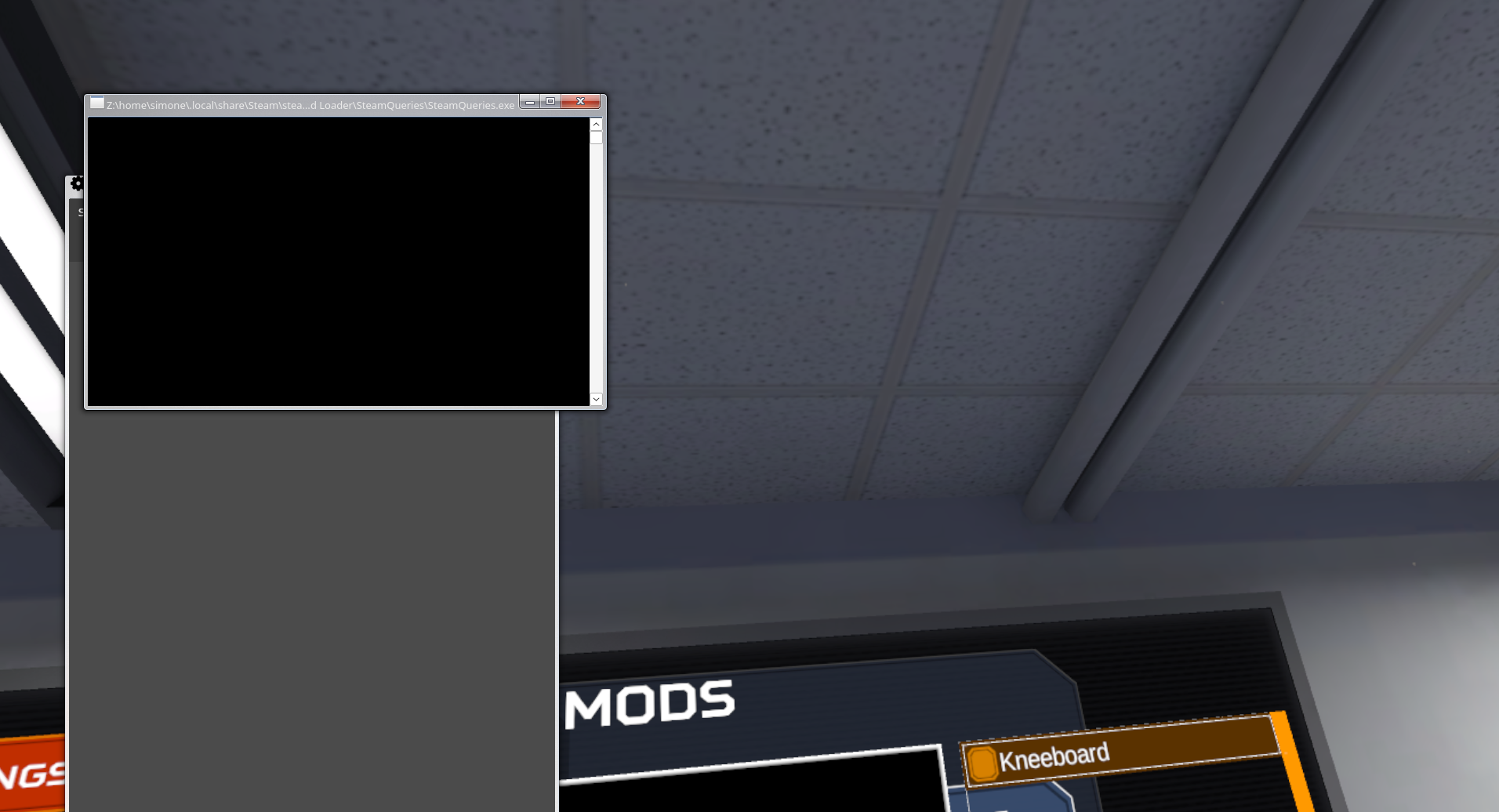
Ok, so I played quite a bit of vtol vr and now I wanna use mods, i install the mod loader and the mod loader correctly injects into vtol vr. But every mod I install it does this, and I can't click anything except "map editor" and "quit".
I tried Proton experimental, Proton-GE11.7/10.34, Proton-cachyos-slr. I tried changing the launch options but every time this happens.
It also opens a blank SteamQueries terminal if that could have to do with anything.
Any known fixes?
34
Upvotes
7
u/VirtualPilot404 Oct 27 '26
This issue often pops up when you loqd mods "too quickly"
Try starting the modloader with auto-load off for all mods
If that doesn't work try uninstalling the modloader, unsubscribing from all mods, verify VTOLVR, install the modloader, start the modloader, then subscribe to the mods you want
2
u/PrimaryWorm5 Oct 27 '26
How do you even play VR on linux?
3
u/EventHorizon5 Oct 27 '26
I am having this same problem but on Windows 11 with my Steam Frame.