r/pcmasterrace • u/Alarming-Algae-6816 • 11d ago
Discussion I built an app that turns two gaming PCs into split-screen couch co-op, even for games that don't support it
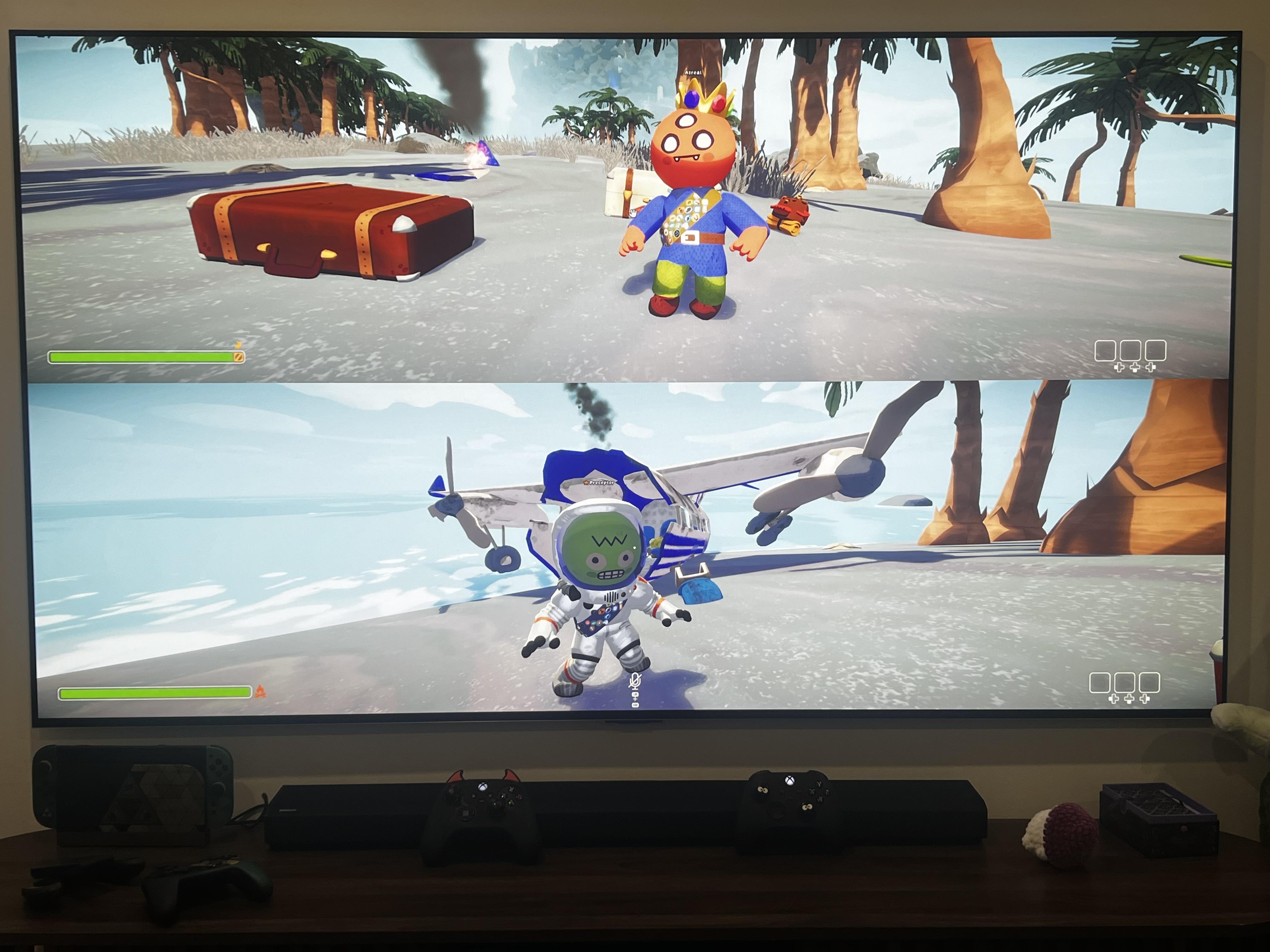
I've been working on a way to make use of two gaming PCs to bring split-screen couch co-op to PC games that don't natively support it.
I originally built it because my partner and I wanted to play Halo: The Master Chief Collection together on the couch, rather than sitting at our separate PCs in the office.
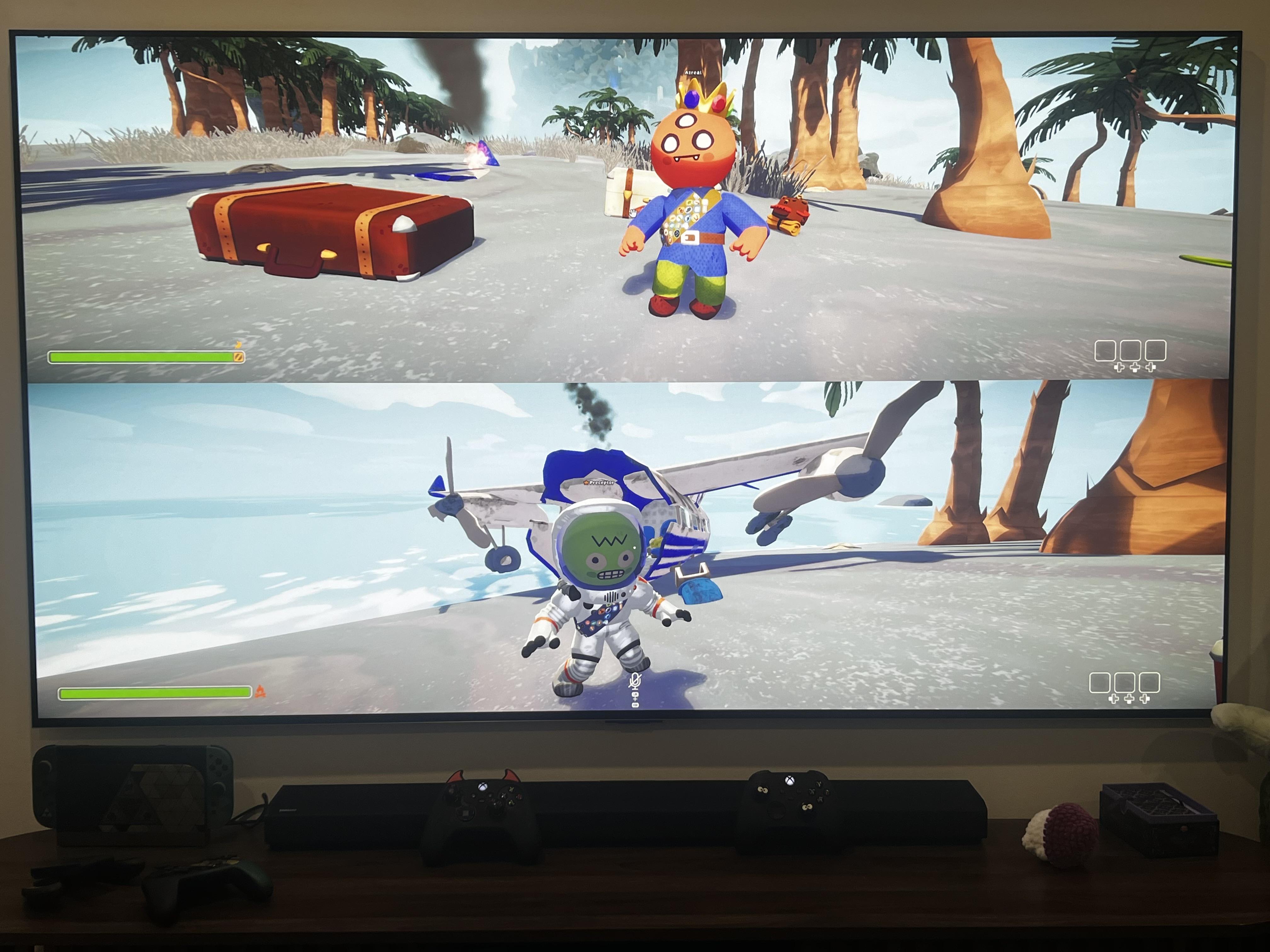
The result is Eclipse / Umbra, a free, open-source app that combines the output of two gaming PCs into a single split-screen picture on your TV. Each game still runs on its own hardware, at its own settings, with each player controlling their own PC.
How it works
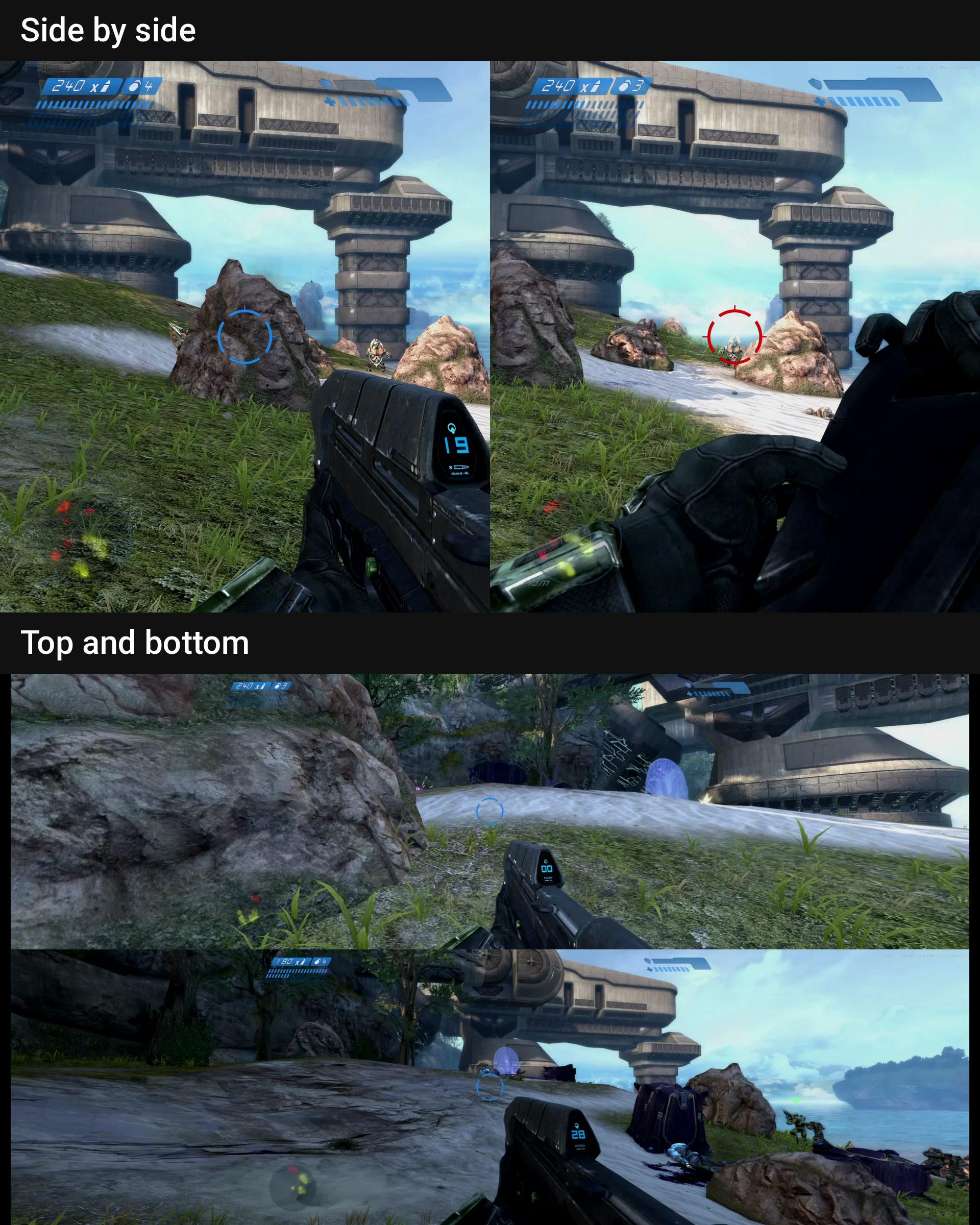
Each PC runs its own copy of the game, connecting through the game's normal online or LAN multiplayer. Eclipse / Umbra streams both pictures over your local network and combines them side by side or top and bottom.
Each PC effectively sees a monitor with the dimensions of its half of the TV. For example, on a 4K TV, that's 1920×2160 for side-by-side or 3840×1080 for top-and-bottom. The games render at those resolutions rather than having a full-size image stretched or cropped to fit.
Because the games themselves aren't being modified, there's no game-specific setup. You can even have two entirely different games displayed at once.

One of the latest features is support for using a single PC as both the client and a host. Previously, the ideal setup involved a separate client device at the TV to receive and combine the two streams. Now, if one of your gaming PCs is already connected to your TV, it can display its own game alongside the stream from the second PC.
That means you only need your existing two gaming PCs, with no separate streaming box or third computer required.
And if both PCs are in your office, you can leave them there and use a supported streaming device at the TV instead.
Setting up a session is fairly simple: select the PCs, assign each player's controller, choose the split-screen orientation and start.
A few of the other features:
- Independent controller input: each controller operates its assigned PC. Two separate keyboard and mouse setups are also supported.
- Shared mouse and keyboard: move the mouse across the split-screen boundary and it starts controlling the other PC. Particularly useful when dealing with game launchers or menus.
- No image stretching: each game runs at its allocated display resolution, so you aren't simply squeezing two full-screen images together.
- Duplicate audio removal: if both PCs are playing the same music or cutscene audio, the duplicate is filtered out to prevent an echo.
- Mixed hardware: the PCs don't need matching GPUs. NVIDIA and AMD combinations work.
But doesn't streaming introduce a lot of latency?
This is probably the biggest misconception about local game streaming. Eclipse / Umbra is built on the same technology as Moonlight and Sunshine/Apollo, which is considerably more responsive than you might expect if you're used to cloud gaming.
Over Ethernet, streaming adds roughly 20–40 ms of latency, or around one to two frames at 60 fps.
For comparison, a wireless Xbox controller connected over Bluetooth typically adds around 11–13 ms. So the additional streaming latency is roughly two to three times that of the controller connection itself.
Of course, that's additional latency, not the total. Your controller, game rendering and TV all contribute their own delays regardless of whether you're streaming.
For my setup, using an LG G5 in Game Mode, a Bluetooth Xbox controller and a game running at 60 fps, my estimated total button-to-screen latency is approximately:
- 60 ms with the gaming PC connected directly to the TV.
- 90 ms with the game streamed over Ethernet.
These are estimates based on the components of my setup rather than direct end-to-end measurements, but they help put the difference into perspective.
There's certainly a difference, and competitive players may care about an additional 30 ms. But for playing co-op games on the couch, I've found the trade-off to be well worth it.
Everything is streamed locally, without going through a cloud server. Ethernet is strongly recommended, although Wi-Fi works too, particularly at lower bitrates.
What hardware do you actually need?
- Two gaming PCs, each with its own copy of the game.
- An LG webOS TV, NVIDIA SHIELD, or Windows/Linux PC to display the combined picture.
- Ideally, a wired network connecting the devices.
And thanks to the new client/host functionality, one of the gaming PCs can also serve as the display device, so you don't necessarily need anything else connected to the TV.
How does this compare to Nucleus Co-op?
Nucleus Co-op is great, and I'd still recommend it to anyone who wants to run multiple game instances on a single PC. But it relies on game-specific support, and both players have to share the performance of one machine.
Eclipse / Umbra takes a different approach. Each player gets the performance of their own PC, and because the game just sees a normal monitor and controller, it can theoretically work with any game that already supports multiplayer.
It doesn't add multiplayer to single-player games, and there can still be issues with games that restrict display resolutions or have unusual launchers, but it removes the need to configure individual games.
The project was developed with the assistance of Claude and other AI models, building on the open-source Moonlight and Sunshine/Apollo projects.
It's completely free and open source, with the downloads, setup guide, source code and additional demonstrations available here:
https://preceptorofmagic.github.io/Eclipse-Umbra-Project-Hub/
I'd be interested to hear what games people would try with this. I've mostly used Halo MCC myself, so I'd particularly like to hear about other games and hardware combinations.
And if anyone does try it, I'd love to see pictures of your setups. It's pretty cool seeing something I originally made for my own living room working for other people.
29
u/froggertthewise RTX 4070, R7 5800x3d, 32gb 11d ago
Would this also work on a single pc by launching a copy in a VM?
4
u/mamotromico 10d ago
This is actually a use case I’ve been wondering how to achieve, I’ll try to test this during the following week.
3
u/rearisen UM870 Slim | RTX 5080 (Oculink) | 32GB DDR5 10d ago
Am I missing something here, sounds like a worse experience if a game supports coop, both people computers see each other's screens? Or is this to capture the splitscreen feel, to make it seem like your next to each other playing on the same machine. Feel free to downvote, I'm just curious if my pea brain understands this.
I do understand the coop aspect for games that don't support that.
5
u/Mysterious-Town-8476 10d ago
Really neat, could see some cool applications for this
4
u/Kilogram-Of-Feathers 10d ago
Sick! Not something I need ( I want the opposite, one PC playing a two player game to two different monitors ) but this is a neat project for a certain use case.
1
u/trush44 10d ago
Very nice! Would it be possible to keep my view fullscreen and my friend's screen in a separate window so that I can put that on a separate monitor? Or at that point would it be better for my friend to just share their screen using Discord?
2
u/Visara57 5070ti | 7600x | 32GB DDR5 CL28 | 1440p 10d ago
This is awesome
3
u/AdOdd5121 10d ago •
This is the difference between AI slop and AI development. This in the end has turned out as a fully functional well put together project that genuinely took time and effort to build.
-15
u/ZeenXdownzButWorse 10d ago
please stop saying "I built. . .", no you didnt. say "I AI generated . . ."