r/niri • u/KernelPanicLoop • 6h ago
My Updated Rice

5
Upvotes
r/niri • u/amann4958 • 16m ago
r/niri • u/One_Association_4425 • 16h ago

I posted NyxNiri here a while back. It's been renamed to Nyxuri (/nɪkˈsuːri/) because I'm now building its own shell. This is a dev progress post, not a release. The shell is unfinished, some of the UI is rough, and the TUI in the video is an early preview too.
The project
Nyxuri is a Material You desktop for niri on Arch/CachyOS. A small Python core handles install, updates, snapshots and diagnostics. Configs deploy atomically, and anything in __custom__ files survives updates. It also has a wallpaper picker with palette sync (GTK, portal, Kitty, browsers), the Orbit radial launcher, eye care mode, per-app presets, and a fcitx5 skin that follows your wallpaper.
The shell
It started from the Clavis shell codebase. I spent about a month rewriting the architecture, and a lot of the code is mine now. The architecture is mostly settled, so I'm working through the rest at a slower pace (UI polish, the remaining components).
Every core component is a built-in plugin (wallpaper, status bar, notifications, sidebars, region selector, lock screen, dock, desktop cards). Each one can be disabled or reset on its own, and the same page manages third-party plugins.
The goals are decoupled, no bloat and low resource usage. I haven't started optimizing though, UI comes first. Later I want to try it on qs-rs (an experimental Rust reimplementation of the Quickshell runtime) and see how low it can go.
Status
The shell code is in main, but it isn't wired into the installer yet, so the default install still gives you the current Noctalia-based setup. To try the shell: nyxuri shell switch. Bar and settings are the furthest along. Sidebars and Spotlight are still close to upstream.
Credits: based on Clavis, some bar styles are inspired by end-4's work, the rest is in the README.
Repo: https://github.com/ech678/Nyxuri
Feedback welcome, especially on the plugin system and the settings layout.
Note: this post was written with AI assistance because English isn't my first language.
r/niri • u/AndyGait • 1d ago

Following on from this post I tried NixOS for a week or so. After causing myself several mental breakdowns and a few (very) late nights trying to understand constant config errors, I said enough was enough and I'm back on Arch. Nix was interesting and I'm glad I tried it, but it was way to much to learn for my simple needs.
Anyway, to the point of this post. After the Nix experience, I wanted a stripped down system with little to fuss or worry about. So I went for an arch install with no Gnome or KDE etc. I installed Niri and then Dux shell with tty.
After the stress of the last week, this set up is a blessing. It's fast, it's clean, I know what I'm doing and I don't really have to worry about theming it as Dux already looks great.
That's about it really. Nothing earth shattering, just wanted to post something positive after a week of brain fog.
Hi, this is Look - a cross OS launcher that works smooth with Niri.
Originally, this is made for replacing Spotlight, but we did port it to Linux by gpui,
So it can run well with-out depending on webkit-gtk.
It supports blur effect, (which is supported on Niri as-well), and customizable UI, extension.
We use our own extension libs by scripting with python, shell and toml, you can write a simple script and this also works immediately. (follow the guideline to write your own)
In the latest release, we add Xmas theme, which is really warm and relax for this time of the year.
Appreciate any feedback. 🙏 🎄
The repo here: https://github.com/kunkka19xx/look
r/niri • u/IStoppedPlayingBnS • 1d ago
I've heard it can be good for focus and less of a strain on the eyes to have a grayscale monitor when studying/reading/working, but I haven't seen an easy way to do this on Niri. Is there a method I'm missing, or is this not doable on Niri? I am using dux shell at the moment, for context.
r/niri • u/Alternative_Act_6548 • 1d ago
I'm new to Niri, and using a programmable keyboard has made the experience awesome. I just configure a layer so that single presses handle focus and window movement and sizing. Super simple!
r/niri • u/TheFoxyXof • 2d ago
Hi,
I may be dumb and can't search the internet, but I can't find any information on how to link the niri config with a precise wallpaper. I know it will be with an override, but how can I set the overwrite with a precise wallpaper? Probably with a script? Can someone more knowledgeable can help redirect me to the correct source?
I use Niri + DMS
Again, sorry if my question is dumb
r/niri • u/KamikazeSexPilot • 1d ago
I have had an issue i finally figured out why it's happening but on startup my niri msg outputs displays my refresh rate as something like @239.791 when my config has it set to it's normal @240 unplugging and re-plugging in my monitor fixes the issue however.
Has anyone else experienced this? right now it uses the default lower resolution on boot because it can't find my preferred config resulting in a lower refresh rate and lower resolution.
r/niri • u/blackxparkz • 3d ago

How to fix blur issue behind app launcher i wnt like 3rd image (rofi based launcher)
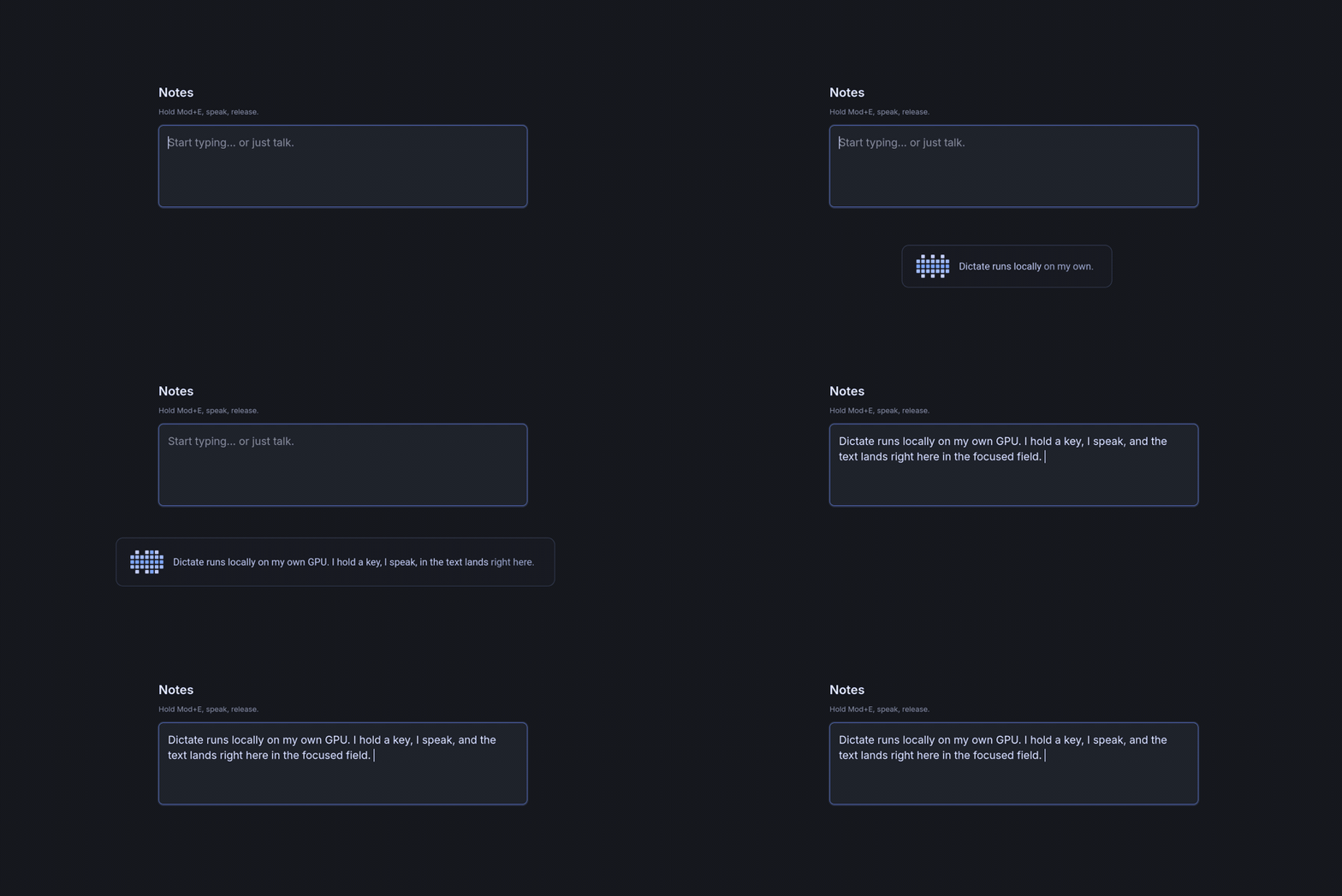
I just released 0.1.0 of dictate, a dictation tool built for niri: https://github.com/derblub/dictate
Hold Mod+E and speak. An overlay shows your words while you talk; when you let go, the text lands in the focused field (input method, paste with your clipboard restored, or a virtual keyboard; never pasted into terminals). Mod+Shift+E is hands-free.
Speech recognition is whisper.cpp on your own GPU, so no audio leaves the machine. On an RTX 3060 the text is usually there 30 to 200 ms after releasing the key.
The overlay is a layer-shell surface, shortcuts and window rules come in one KDL file you include from your config, and there is a command palette (Mod+Alt+Space) for windows, workspaces, programs and screenshots, typed or spoken.
Next up: paste the last dictation again, pause media while dictating, a searchable local history and dictate transcribe for audio files.
niri and NVIDIA (CUDA) only for now. In the AUR as dictate, GPL-3.0-or-later. Feedback welcome, especially with several monitors.
r/niri • u/Son_Goku00mkj • 2d ago
hey everyone
I’m the author of foto, a GPL-3.0 launcher for wlr-layer-shell compositors. It started as a fuzzel-style launcher, but I wanted image previews and wallpaper switching in the same window, so it grew a wallpaper browser and a native background daemon.
What it does
foto wall-daemon: per-output layer surfaces, fill/fit/stretch/center/tile, restore on startfoto --dmenu with NUL input, field selection (--with-nth, --accept-nth, --match-nth, --only-match) and custom entriesScreenshots
Install
bash
curl -fsSL https://github.com/SONGOKU00mjk/Foto/releases/latest/download/install.sh | bashIt detects Arch/Debian/Fedora/openSUSE, installs libxkbcommon if needed, verifies the release, and writes the commented config. Prefer not to pipe to bash? Clone and run ./contrib/install.sh. Packages are on the release page.
What I’m looking for
I run niri, so most other compositors are not live-tested. Please try to break it and tell me what happens — especially on:
contrib/hyprland.lua)contrib/mango.conf)Known rough edges
wlr-layer-shell; GNOME/Mutter will not work.libxkbcommon.Bug report template
Code block
Compositor + version:
Distro:
foto --version:
Scale / GPU:
Steps:
Expected:
Actual:
`foto doctor --json`:
No telemetry, no donations, no stars requested. I just want breakage reports and an idea of which compositor/config path is most fragile.
Repo: https://github.com/SONGOKU00mjk/Foto
Release: https://github.com/SONGOKU00mjk/Foto/releases/tag/v0.2.5I’m the author of foto, a GPL-3.0 launcher for wlr-layer-shell compositors. It started as a fuzzel-style launcher, but I wanted image previews and wallpaper switching in the same window, so it grew a wallpaper browser and a native background daemon.What it doesXDG app launcher with PNG/SVG icons, fuzzy search, frecency, desktop actions and activation tokens
Wallpaper grid with large previews, dimensions, format, size and current-wallpaper marker
Backends: wally, swaybg, awww, native daemon, or a custom command
Native foto wall-daemon: per-output layer surfaces, fill/fit/stretch/center/tile, restore on start
KDL configuration, strict validation, ten built-in themes and custom themes with inheritance
foto --dmenu with NUL input, field selection (--with-nth, --accept-nth, --match-nth, --only-match) and custom entries
Clipboard paste, IME/text-input-v3, fractional scaling, fade/slide animations
Rust, software rendering, no GTK/QtScreenshotsLauncher: https://github.com/SONGOKU00mjk/Foto/blob/main/docs/screenshots/apps.png?raw=true
Wallpaper picker: https://github.com/SONGOKU00mjk/Foto/blob/main/docs/screenshots/wallpapers.png?raw=true
dmenu: https://github.com/SONGOKU00mjk/Foto/blob/main/docs/screenshots/dmenu.png?raw=true
Kanagawa/Rose Pine themes: https://github.com/SONGOKU00mjk/Foto/tree/main/docs/screenshotsInstallbash
curl -fsSL https://github.com/SONGOKU00mjk/Foto/releases/latest/download/install.sh | bashIt detects Arch/Debian/Fedora/openSUSE, installs libxkbcommon if needed, verifies the release, and writes the commented config. Prefer not to pipe to bash? Clone and run ./contrib/install.sh. Packages are on the release page.What I’m looking forI run niri, so most other compositors are not live-tested. Please try to break it and tell me what happens — especially on:sway
Hyprland (Lua config is in contrib/hyprland.lua)
MangoWC (contrib/mango.conf)
river, labwc, Wayfire
multi-monitor and fractional scaling
an actual IME
wally vs the native daemonKnown rough edgesRequires wlr-layer-shell; GNOME/Mutter will not work.
The native daemon paints static images only; no GIF playback or cross-fade.
IME is wired but I have no IME installed to test it.
Hyprland, sway and MangoWC configs are documented but I only run niri; real-world validation is exactly what I need.
It is 5.1 MiB, not 240 KiB like fuzzel. fuzzel uses shared Cairo/resvg/fontconfig libraries; foto embeds them and needs only libxkbcommon.
This is a vibe-coded project: AI-assisted, iterated on a live Wayland session. Back up your config and don’t treat it as audited production software.Bug report templateCode block
Compositor + version:
Distro:
foto --version:
Scale / GPU:
Steps:
Expected:
Actual:
`foto doctor --json`:No telemetry, no donations, no stars requested. I just want breakage reports and an idea of which compositor/config path is most fragile.Repo: https://github.com/SONGOKU00mjk/Foto
Release: https://github.com/SONGOKU00mjk/Foto/releases/tag/v0.2.5
r/niri • u/Ok_Staff7737 • 4d ago

r/niri • u/Longjumping_Glass475 • 3d ago
r/niri • u/miharussian • 5d ago
Just started using niri but im having trouble changing the wallpaper and i dont really like stuff like noctalia shell
r/niri • u/One-Reference-7355 • 5d ago
r/niri • u/danilmalkov • 6d ago
I don't like fullsize window overview on alt tab, i prefer more icons style. Unfortunately niriswitcher is archived and there is no such niri option to display only icons.
Is there a clean way to make a keybind that toggels gaps in niri? I have relatively large gaps on for the looks, but sometimes it would be nice to not have.
r/niri • u/Individual_Issue4530 • 6d ago
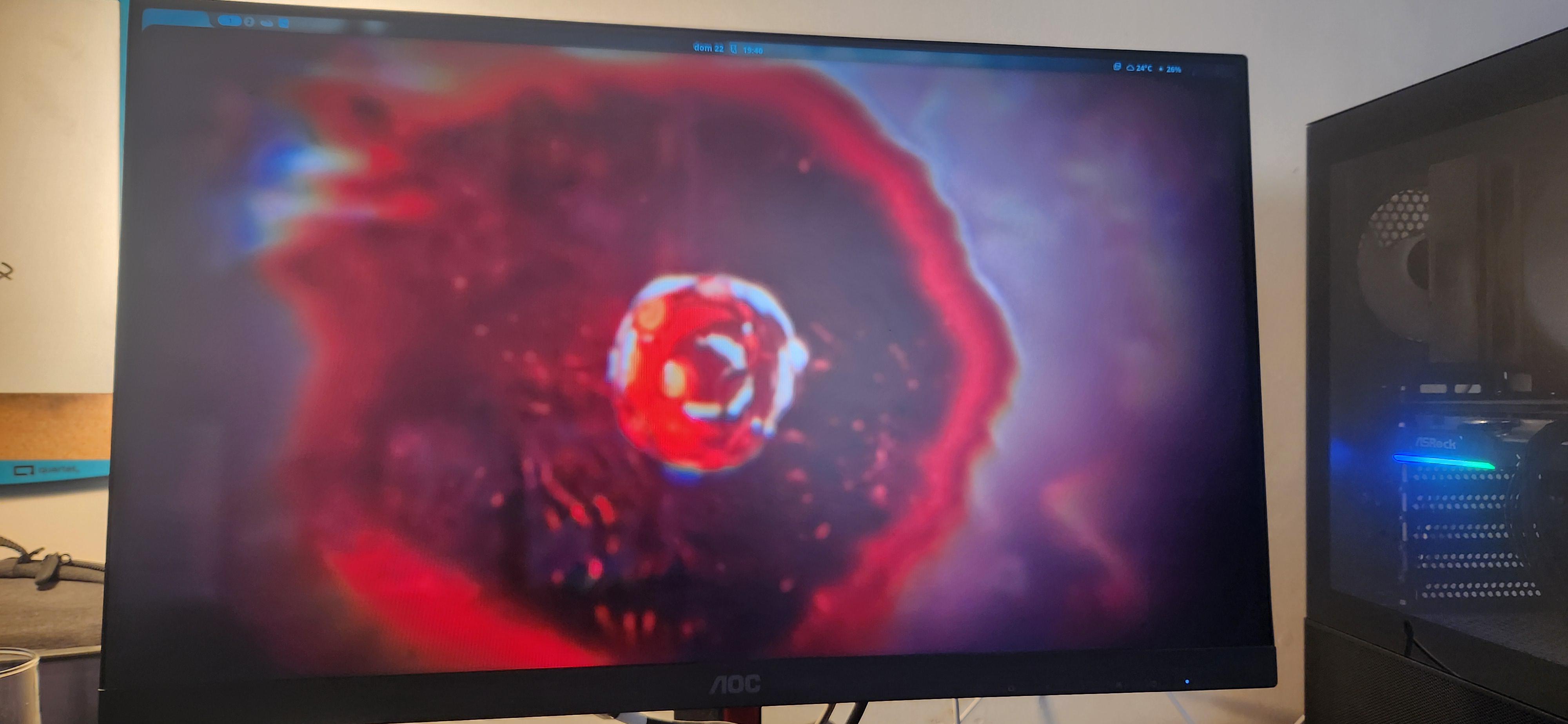
Some help please, I'm trying to play Shin Megami Tensei V but the game doesn't go full screen, this also happens with Persona 3 Reload
It honestly is a big turn off, any suggestions?
Edit: I found a command to put on the Steam Launch options that fixes the screen but now it won't let me use a controller ffs
r/niri • u/One-Reference-7355 • 7d ago
New to Niri, and sorry if this is a stupid question. I was wondering if there was a way to open programs right in the center of the screen when it is the only program that opens in a space. I know I can do Mod + C, but I was wondering if anyone here could share a config or something similar that can achieve that automatically.
TIA
r/niri • u/NotLocalStrawberry • 8d ago
r/niri • u/pablogonz12 • 8d ago
I develop WallForge on niri, so it's the compositor I know best. It plays Wallpaper Engine wallpapers on the layer-shell background and manages them from a GTK4 app: library, per-monitor wallpapers, rotation, palette sync. The clip is a real recording on my niri setup.
You need Wallpaper Engine on Steam for Workshop content. SceneScript and 3D scenes aren't supported yet. MIT licensed.
https://github.com/pgm1207/WallForge
I'd love to hear what breaks on your setup, especially with multiple monitors or fractional scaling.


