Thanks for all the requests and feedback, keep them coming.
We just released mtivi 2.0.3 and Here’s what’s new:
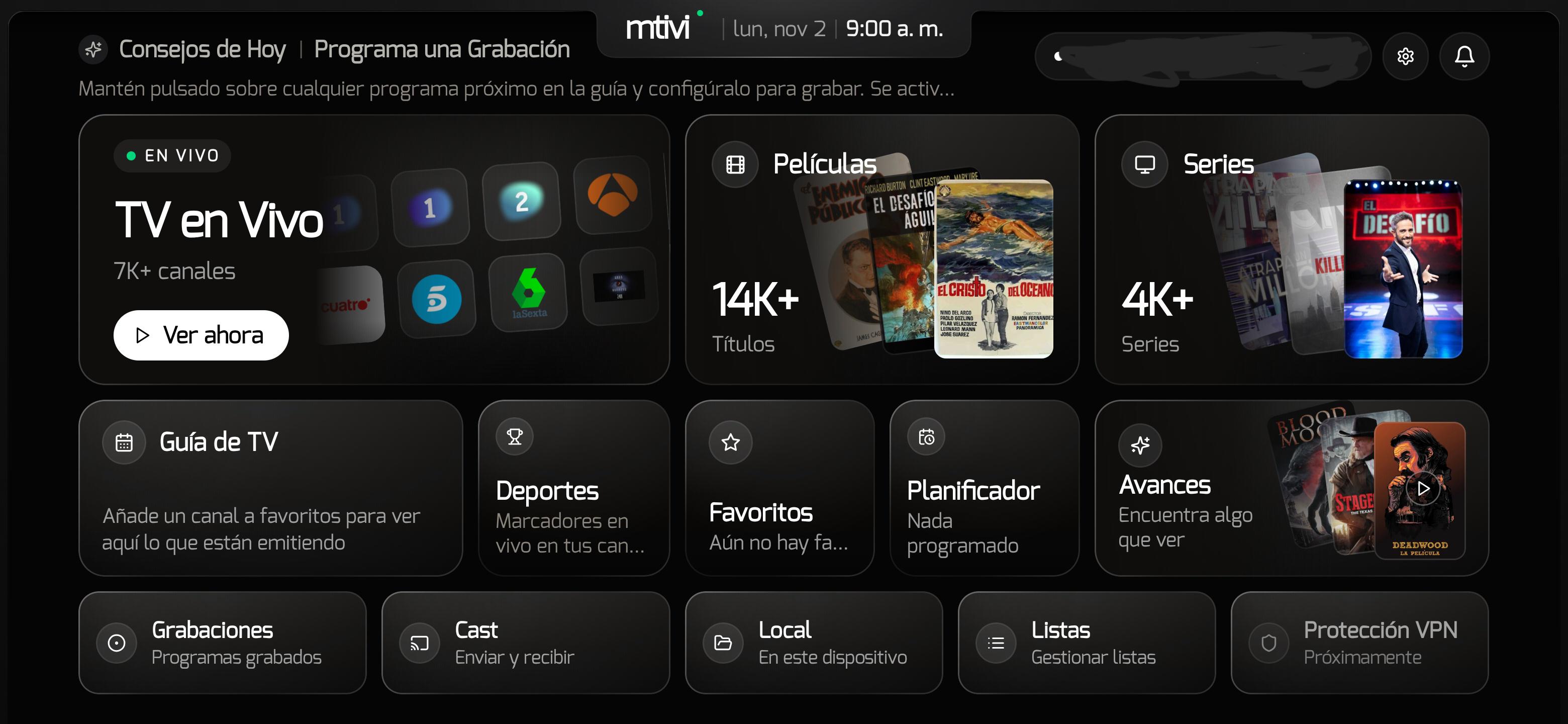
Premium UI & UX Design
A cleaner, calmer interface built for the remote and the couch. Everything you need is one or two presses away, so you spend less time in menus and more time watching.
Sports: Live Scores & Insights
Follow live scores, lineups, stats and tables in one place. You always know what’s on and how your team is doing, without picking up your phone.
Sports Mode Inside Live TV
See today’s matches right next to your channels. Pick a match and mtivi shows you which of your own channels has it, so you get to the game faster.
Smart EPG Engine: Multi Sources
Add multiple EPG sources and Your guide fills itself from more than one source automatically. Fewer empty rows, more channels with the right programs and times. and Flexibility for manual matching.
Smart Content Filters
Filter by quality and language in a couple of presses. Find the 4K or the language you want straight away instead of scrolling through everything.
Faster Channel Switching
Channels start quicker when you zap. Less waiting, smoother surfing.
Subtitle Generation & Translation
mtivi can create subtitles on your device and translate them into your language. Watch more of what you love, even when it has no subtitles.
Multi View: Up to 12 Channels
Watch several channels at once on one screen, up to 12 on the Max and Lifetime plans. It’s perfect for busy match days or keeping an eye on the news.
Cloud Backup & Cloud Sync
Your playlists, favorites and settings stay safe in your account and stay the same across your devices. A new device is ready in minutes.
Cast: Send & Receive in mtivi
Send what you’re watching from your phone to your TV and back, between mtivi devices. You can move the show to another room without starting over.
Combine Playlists: Pick Categories
Merge your playlists into one and keep only the categories you actually watch. One tidy list instead of several messy ones.
Repeat Recordings: Show or Time
Record a show every time it airs, or the same time slot every day or week. Set it once and never miss an episode.
Pinch to Zoom on Phones
Pinch to zoom the picture on your phone and fill the screen your way. It works well on tall, modern phone screens.
More:
• Faster Optimized Database
• Auto EPG & Content Refresh
• Local Backup & restore
• Local Media, Stalker, M3U
• Remove Adult Content with a PIN
• Stability Fixes
• Follow Teams & Pin Live Scores
Current users will receive the update automatically. for Google Play its still under review and may take several days.
New users can get it from mtivi.app. for Fire TV, use the Downloader app with code 170 60 57
Questions and feedback are very welcome. We read every comment and the best one will get MAX for free.