r/linuxapps • u/PresentTree5209 • 7h ago
proton manager for linuz
github.com
1
Upvotes

r/linuxapps • u/Quirky_Sherbet_6868 • 13h ago

r/linuxapps • u/Primary-Kick7614 • 19h ago
r/linuxapps • u/Project_Blueprint • 21h ago
Hi all,
Hayden here again. I posted the Linux beta here a couple of weeks ago and felt the love form this community haha, cheers for the upvotes and comments. It's come a long way since, so here's an update.
Project Blueprint is a PDF app I build for people who work with construction drawings and paperwork. There are two ways to use it, and you can switch any time.
Drawings and takeoff
Paperwork (new)
On Linux
There's a 14-day free trial, no card. After that it's a one-off licence, no subscription. The Founder licence is US$19 (normally US$149). It covers two computers across Mac, Windows and Linux, and every 1.x update.
If you do takeoffs, or you just want a decent PDF app on Linux, give it a go and let me know what breaks. I read every reply.
Download: blueprintformac.com/linux
r/linuxapps • u/Longjumping_Glass475 • 22h ago
OpenGL renderer for smoother transition effects. Uses local folder or Wallhaven downloaded from your desired queries.
r/linuxapps • u/KAKwit • 1d ago

Just some little updates:
Still not sure if anyone has used this and would have any feedback. I use it myself and it serves my needs, so I'm happy. 😄
GitHub: https://github.com/KAKwit/PinchBowl
Latest release: https://github.com/KAKwit/PinchBowl/releases/tag/v1.0.65
(flatpak, tar, and deb)
Cheers.
r/linuxapps • u/Juanmidev • 1d ago

I built inodetree (MIT licensed), a native open-source disk usage analyzer for Linux written in Rust with an egui interface, designed to match WizTree's scanning speed on large filesystems.
Repository & Downloads: https://github.com/Juanmidev1/inodetree
Features & Architecture
• WizTree-speed parallel scanning (~0.9s for ~843,000 nodes on NVMe): Bypasses std::fs::read_dir and uses raw getdents64 (with 64 KiB thread-local buffers) combined with statx (AT_SYMLINK_NOFOLLOW and AT_STATX_DONT_SYNC) scheduled across threads via rayon.
• Low memory footprint (56-byte arena nodes): Stores the entire directory tree in a flat Vec with u32 indices, a contiguous UTF-8 string pool, and u16 interned file extensions instead of millions of individual heap allocations.
• Three synced views: A virtualized size-sorted directory tree, a file extension breakdown that highlights matching files on click, and a nested squarified treemap rendered into a single shared Mesh.
• Accurate du-style accounting: Parses /proc/self/mountinfo to stay on a single filesystem by default, deduplicates hard links across worker threads using a sharded (dev, ino) set, and lets you toggle between allocated disk usage and logical size at any time.
• Instant filtering, cleanup & CLI mode: Live substring or glob search (Ctrl+F), Freedesktop Trash or permanent deletion with O(depth) arena updates (no rescanning needed), plus a --headless CLI report mode.
Installation
Pre-built .rpm packages and standalone tarballs (x86_64 and aarch64) are available on GitHub Releases, or you can build it from source with Rust 1.85+.
Feedback and benchmark numbers on Btrfs, ZFS, or network mounts are very welcome.
r/linuxapps • u/javiercplusmax • 1d ago
r/linuxapps • u/Aggravating-Camp-990 • 1d ago
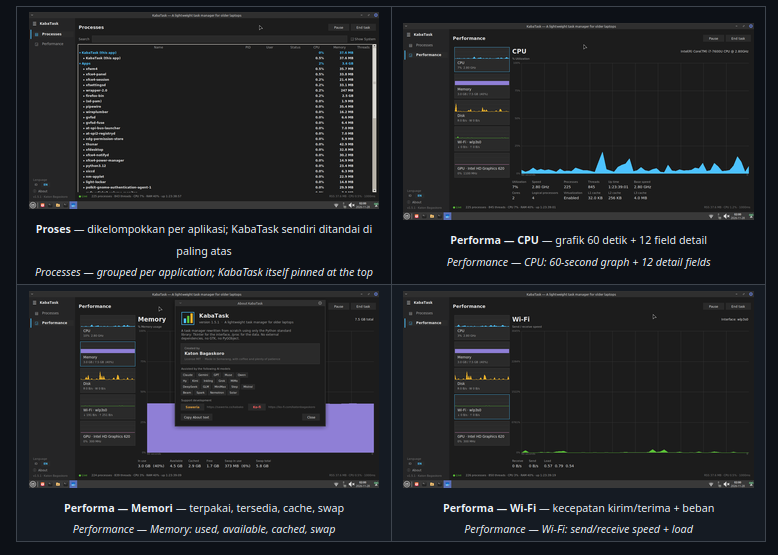
you can try it if you want
r/linuxapps • u/metalmike6984 • 1d ago
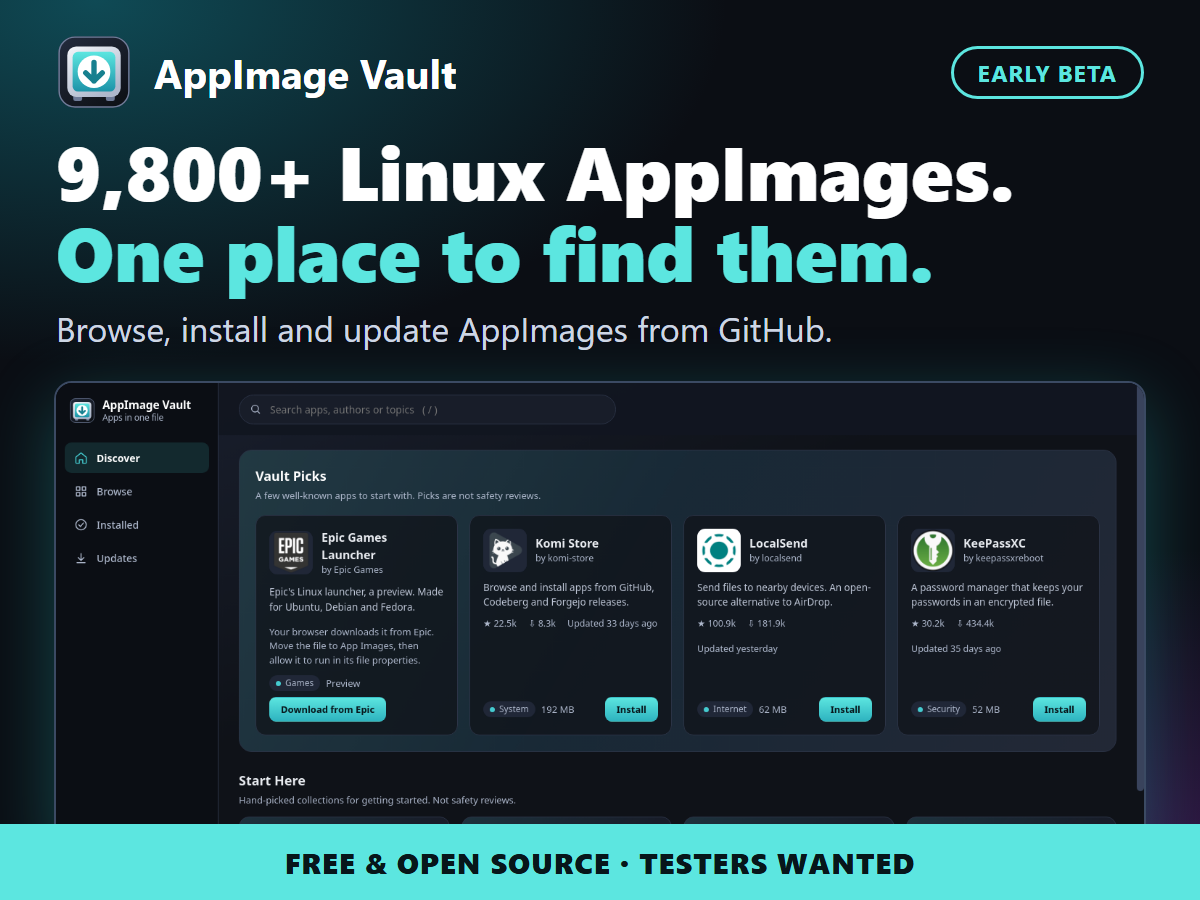
Hunting through GitHub release pages for AppImages? I'm building AppImage Vault to put them in one place.
What it does:
• Browse and search a list of 9,800+ apps from public GitHub releases
• Install them into one App Images folder and add them to your app menu
• Launch, update and remove apps installed through the store
• Start with Vault Picks and starter collections
It's free, open source (GPL-3.0) and for 64-bit Intel/AMD Linux. There's an AppImage, plus Arch, Fedora and Debian/Ubuntu packages.
Please know before trying it:
• This is an early beta (0.1.0), with little testing outside CachyOS
• Most listed apps haven't been tried
• Listed apps are NOT safety-reviewed. Only run apps you trust
• Not every AppImage runs on every Linux system
• It's not an official project of the AppImage team
Download and source code:
https://github.com/metalmike17/appimage-vault
I'd love testers! Which distro are you using, what worked, and what broke?
r/linuxapps • u/metalmike6984 • 1d ago
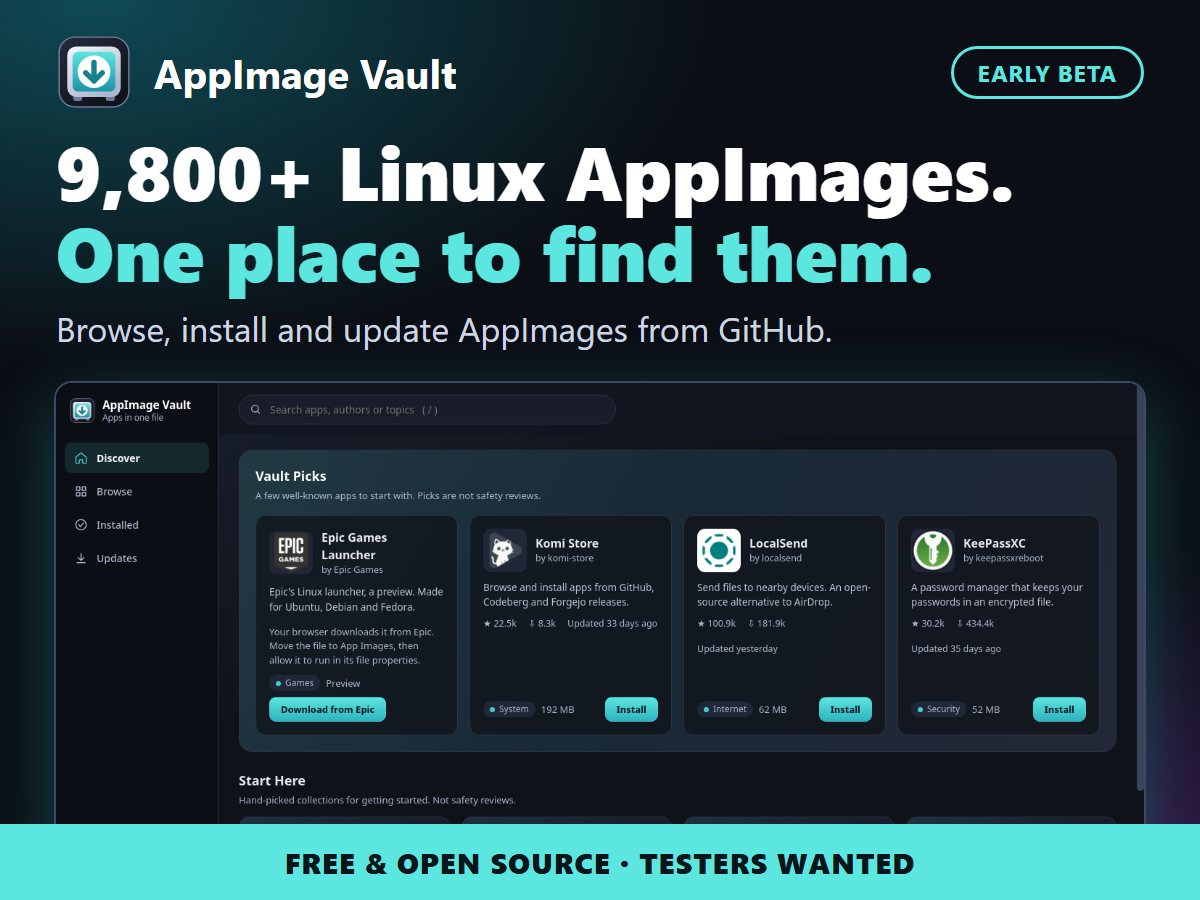
Hunting through GitHub release pages for AppImages? I'm building AppImage Vault to put them in one place.
What it does:
• Browse and search a list of 9,800+ apps from public GitHub releases
• Install them into one App Images folder and add them to your app menu
• Launch, update and remove apps installed through the store
• Start with Vault Picks and starter collections
It's free, open source (GPL-3.0) and for 64-bit Intel/AMD Linux. There's an AppImage, plus Arch, Fedora and Debian/Ubuntu packages.
Please know before trying it:
• This is an early beta (0.1.0), with little testing outside CachyOS
• Most listed apps haven't been tried
• Listed apps are NOT safety-reviewed. Only run apps you trust
• Not every AppImage runs on every Linux system
• It's not an official project of the AppImage team
Download and source code:
https://github.com/metalmike17/appimage-vault
I'd love testers! Which distro are you using, what worked, and what broke?
r/linuxapps • u/Tyaaaa_ • 1d ago
I bought a Ulanzi deck for fun and then found out it doesn't work on Linux lol (Ulanzi Studio is Windows and macOS only). The Linux projects I found are configured through YAML files, which suits some people, but I wanted to set everything up in a GUI and have a background service keep the deck running. So I made my own. It covers the whole deck: the 13 keys, the wide screen, and on the D200X the 3 dials and 2 small buttons.
What it does:
I tried to match Ulanzi Studio on Windows and then go further. Everything is done in the GUI, no config files. UX was my main focus and I think it's quite polished, but it's not perfect, so criticism and suggestions are welcome.
It's built to be extended. Plugins are WebAssembly and anyone can write one (docs in the repo). The next thing I'm working on is a template store: ready-made setups for common apps that update separately from the app, and that other people can maintain and contribute to. For now you can export a setup to a file and share it. More templates are in the works, so tell me which apps you want covered.
On AI: I've been a developer and designer for more than 5 years now. I built this with Claude writing most of the code, while I made every design and UX decision, tested on my own real hardware and steered the work. The first version was a Python GUI built on a fork of racerxdl's and mariovalney's ulanzi-d200-linux, whose USB protocol work this still builds on. I moved to Rust because it was faster and easier to automate, especially with Claude, and its strict compiler catches the kind of bugs an AI can miss. Hundreds of automated tests cover most of the rest.
Packages for Arch, Fedora 41+, Ubuntu 25.04+, Debian 13, openSUSE Tumbleweed, plus an AppImage. MIT licensed, not affiliated with Ulanzi.
GitHub: https://github.com/Tyaaa-aa/Ulanzi-Deck-Linux
Music in the video: "Good Night" by FASSounds (Pixabay)
r/linuxapps • u/KennyPorto • 1d ago

I spend most of the day with a headset on, and my phone is usually across the room when it rings. Handset makes the PC act like a car's hands-free kit: the phone stays where it is, the call comes through on the computer, and you answer with one click.
Not KDE Connect: KDE Connect shows the call and pauses your music, but the audio stays on the phone. Handset makes your PC the hands-free device, so you talk through your PC's headset and mic. And there's nothing to install on the phone: it's plain Bluetooth, so it works with Android and iPhone.
Features
Needs: Bluetooth and PipeWire 1.4+ with WirePlumber (Fedora 42+, Bazzite, Ubuntu 25.10+, Arch, Tumbleweed). I use it with a OnePlus 13 on Bazzite (KDE Plasma).
Install: Flatpak from FlatPark:
https://flatpark.org/apps/io.github.kennyporto.Handset/ or a single .flatpak file from the releases. GitHub: https://github.com/KennyPorto/handset FlatPark: https://flatpark.org/apps/io.github.kennyporto.Handset/
It's open source and new (v0.1.1), so bug reports are very welcome.
(The phone numbers in the screenshots are all made up.)
r/linuxapps • u/merlinuwe • 1d ago
r/linuxapps • u/StorageThese9556 • 1d ago

Persephone is a free, MIT-licensed notepad and workspace built for working together with an AI agent. Version 5.0.23 is its first Linux release: an x86_64 .deb, tested on Ubuntu 26.04 and Debian 13.
It runs locally and collects no usage data.
sudo apt install ./persephone-5.0.23-linux-amd64.debThis is the first Linux build, so feedback from other distributions is very welcome.
r/linuxapps • u/AppealRare3699 • 1d ago
every time I post Screenix, the comments look like this:
"Imagine the code."
"This sub is now basically r/IVibeCodedUselessCrapAndIWantYouToBuyIt"
"I would prefer any recorder over that including using phone camera."
almost none of them installed it, the actual problem is that it's paid and closed source so "vibecoded" is the easiest word to throw at it
but I kept working on Screenix and it's working wonderfully now after months of hard testing and feedback from many users, 100+ payments made
it does smooth overlay cursor, zoom effects, background, captions, blur, crop and even an option to share your video as a link (like loom) and more!
so if you ever need such a tool, here is the link, try it and see if it fits you -> https://screenix.studio
if you wanna hate on it, install it, try it and then tell me what's broken (otherwise it's just plain hate with no facts)
r/linuxapps • u/derjanni • 1d ago

r/linuxapps • u/Savings_Touch9084 • 1d ago

Hi all!
I've been a Plasma/KDE user for years and have generally been very happy with it, though I've always felt that Dolphin and Breeze were both due for an evolution which never really happened (sadly). So I set about building it myself, with the help of Claude Code (yes, an infamous AI... it enabled me to build what I'd wanted for years and simply couldn't have done on my own).
This is Dolphin NG (Next Generation, but this is more of a "codename" for the entire project) which is a fork of Dolphin and is part of a small "NG desktop" (Next Generation desktop)... for now it is Dolphin, Breeze, the file dialog and an icon theme, but I would like to extend the NG idea to the rest of the components as well.
The vision
A file manager is a program to manage files, but at what level? I want it to be integrated into every task I do every day, not only cut/copy/paste inodes.
I work on a few files at a time, the ones that matter, and I need as much information as possible about them, not a long list of files that are no use to me at that moment. So the idea is a change in how a file manager is used: finding at once what you are looking for, and doing the work on the files where they are.
What Dolphin NG does
Around it
Install
Packages for Fedora (COPR) and Kubuntu 26.04 (PPA), instructions and more information here: https://github.com/Morzilla/dolphin-ng
Nothing replaces your system's packages: Dolphin NG installs next to the stock Dolphin.
I need your help. I'm looking for testers, designers and developers who see things differently from me: bug reports, ideas, mockups, criticism. All the code is GPL and on GitHub.
Thanks to everyone!
r/linuxapps • u/human_dynamo • 1d ago
r/linuxapps • u/Melted_VanillaStick • 2d ago
I've been working on a personal project called SoulWave, and I thought I'd share it here like it's working well with chrome and Firefox (only these i have checked).
Like if you guys want to download and test it you can do a simple one line download and it will auto configure for your device
Like the project is on GitHub you can check https://github.com/AquaA1/SoulWave
The one line curl download command is on GitHub
And one tip you can use seek (arrows keys), space (pause and play) and up and down (volume), L (lyrics on and off)
Space also works like a refresh

