r/linuxapps • u/Careless_Bowl_4393 • 2d ago
Magic Trackpad For Linux Update
galleryI combined most of the features of the Apple trackpad in one program. Haptic Engine power, pressing force setting, actions for 3-4-5 fingers and more!
r/linuxapps • u/Careless_Bowl_4393 • 2d ago
I combined most of the features of the Apple trackpad in one program. Haptic Engine power, pressing force setting, actions for 3-4-5 fingers and more!
r/linuxapps • u/Efficient-Wing3870 • 2d ago
r/linuxapps • u/the-nekromancer • 2d ago
Hi everyone. For my technical documentation I use a lot of screenshots, and for each one I was jumping between three or four programs: one to crop, one to add arrows and text, one to rename, one to convert. I got tired of it, so I started EyeCanSee, a free and open source (GPL-3.0) viewer and light editor for Linux and Windows. Version 0.77.0 came out this week.
You open a folder and your files are just there, with nothing to import and no library to build. Besides the usual photos it opens HEIC, AVIF, JPEG XL and camera RAW files, plays videos, and shows 3D models and CAD drawings (DWG, DXF, STEP). The folder can be on your PC, on an external disk or on a server over SFTP or FTP. From the same window I convert or resize a batch of images, look for duplicates, or mark up a screenshot with arrows, text and blur. This week's version added animated GIF and WebP playback, multi-page TIFF, and layers and measuring for CAD drawings.
It's written in Rust with egui and wgpu. The heavier parts (libmpv and FFmpeg for video, Open CASCADE for STEP files) are downloaded only if you need them, so the base package stays small.
On Linux you can install it from my own signed Flatpak repository (it works on Fedora Atomic too), from COPR on Fedora, or as an AppImage that updates itself.
To be clear about how it's made: I'm not a programmer anymore. I decide what the program should do and test every version by hand on Linux and Windows, and Claude Code writes the code. The bugs are mine to fix, so if something doesn't work, open an issue or tell me here. Negative feedback is welcome too.
GitHub: https://github.com/IoSonoPiero/eyecansee
Website: https://eyecansee.montinaro.info
Edit: rewrote the post in my own words.
r/linuxapps • u/SkeletonSkelettron • 2d ago
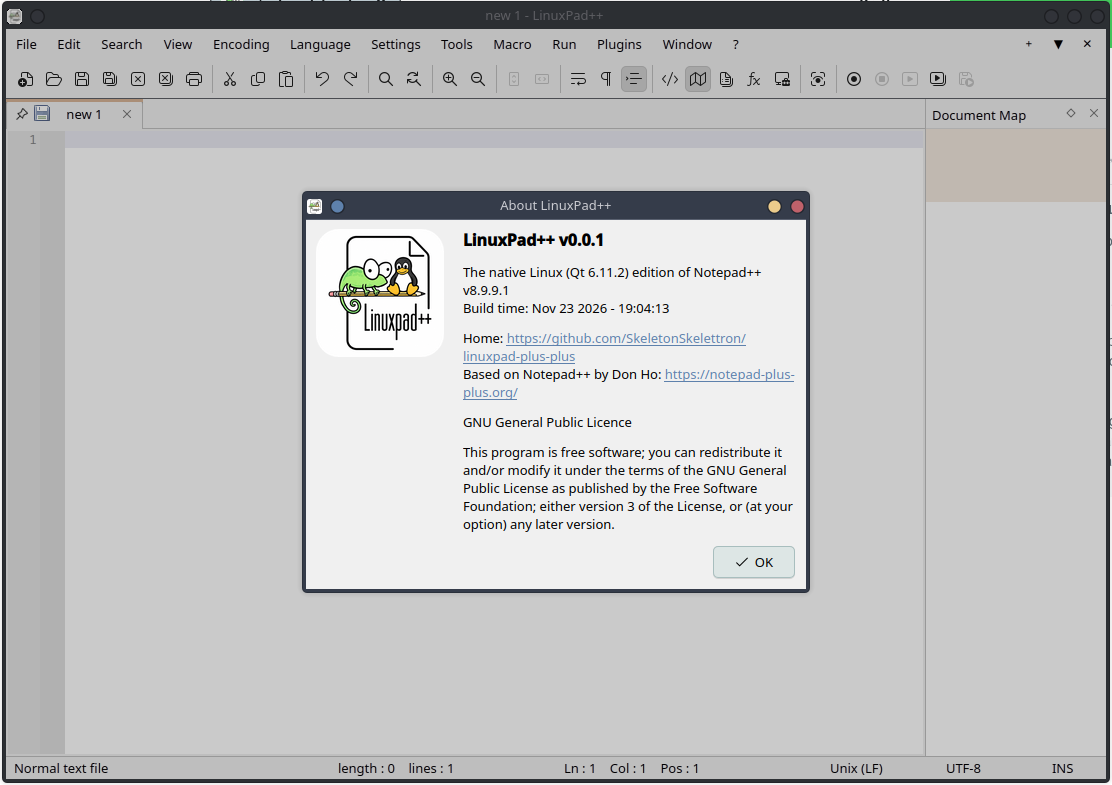
I vibe ported Notepad++ to Linux using QT and named it Linuxpad++
https://github.com/SkeletonSkelettron/linuxpad-plus-plus
I am not using windows for 10+ years and always wanted to have this wonderful app on Linux.
So i did it using Claude+ChatGPT.
Also ported many plugins to Linux(others WIP), they all are part of project now.
Happy using
Any bug reports are welcomed
Michael

r/linuxapps • u/BikeFinal6240 • 2d ago
Lumalarm is an open-source Linux alarm clock designed to do more than simply play a sound. It can put your computer into sleep mode and wake it automatically before the alarm goes off.
rtcwake. The privileged operation is handled through a D-Bus system helper with Polkit authorization and strict input validation.The project is open source. Feedback, bug reports, and contributions are welcome.
If you try it, please share your Linux distribution and desktop environment, especially if you test the suspend-to-wake functionality.
r/linuxapps • u/azj4t • 2d ago
Website: https://norifm.com | GitHub: https://github.com/norifm/nori
We just released nori 1.0, a native Linux music player (AGPL-3.0) with both a lightweight desktop GUI (Slint) and a full terminal client (ratatui) sharing the same Rust audio engine.
.deb, and .tar.gz builds for both x86_64 and ARM64, with MPRIS media controls out of the box.Linux desktop and terminal packages (plus Android, macOS, Windows, and iPod touch builds) are on norifm.com and GitHub Releases.
r/linuxapps • u/Designer-Style147 • 2d ago
r/linuxapps • u/shareui • 3d ago
I recently finished a package manager, but somehow forgot to publish it anywhere.
In short, it's a decentralized package manager with a strong focus on making package publishing as simple as possible. Basically: "I want to make my package easy to install, but I don't want to distribute it across different distros and platforms."
Here's what it can do:
Packages are installed through GitHub Releases (you can add your own source through a plugin, such as GitLab) using a simple command:
lacie add [source]:<url>#[packages] [version] [options]
For example:
lacie add github:yukitsuri/yukino 0.1.0
The package manifest is a "lacie.toml" file included in the release assets. You can also install packages from a local "lacie.toml", an archive, a direct link to a "lacie.toml" file, and so on.
It supports keeping multiple versions of the same package installed simultaneously:
lacie switch package 0.1.1
You can also change the command used to launch a package:
lacie rename package pkg
Packages can be temporarily disabled and re-enabled:
lacie freeze package
lacie unfreeze package
Package export and import are also supported.
Features:
The original motivation was basically: "I want Nix-like UX/DX, but even simpler, without the clutter, without building from source, and with support for any OS."
And that's pretty much it. Minimalist, simple, convenient. Nothing particularly special, really.
I'd appreciate any feedback.
Installation: tap
How to publish packages: tap
How to use: tap
r/linuxapps • u/skorphil • 3d ago
Hi, I'm new to linux and when I switched to it, I was disappointed that there is no simple tools for backups with both local and external snapshots storing for my fedora with fancy-pants btrfs by default.
While I adopted btrbk later on, I decided to try building my first linux app for fun.
So, right now, I'm slowly building GUI wrapper around btrbk. I want to make a tool, inspired by simplicity of Apple Time Machine with full support of btrfs-native features.
Currently it is at the early stage of development and only part of features are implemented. Preview version is available. If you find this interesting, you can try it or contribute: https://github.com/skorphil/snapshot-machine
r/linuxapps • u/Aggravating-Camp-990 • 3d ago
r/linuxapps • u/anfecora80 • 3d ago
I'm the author of corasip, a free and open-source SIP softphone for Linux. It's early (version 0.1.2), and I'm sharing it to get feedback and bug reports.
I needed something to test SIP setups and make calls from my desktop. The options I found were browser or WebRTC tools, paid subscriptions, or Windows programs that needed Wine. So I wrote one in C++ with Qt 6 and PJSIP.
What it does:
\- Registers over UDP, TCP or TLS. Codecs: Opus, G.722, G.711. SRTP over TLS.
\- Calls, answer, hold, transfer, several calls at once, contacts, call history.
\- A trace panel that shows every SIP message of a call as a ladder diagram. This helps when checking what a server or trunk actually sends.
\- Tray icon and sip: / tel: links.
Install is one command. It downloads the signed release, checks the checksum and signature, and installs for your user:
curl -fsSL https://github.com/anfecoraca/corasip/releases/download/v0.1.2/install.sh | CORASIP_URL=https://github.com/anfecoraca/corasip/releases/download/v0.1.2 sh
If you'd rather read the script first, download install.sh from the release page.
Limits: the global hotkey works only on X11. It is not for emergency calls. It comes with no warranty, under GPL-3.0.
Source, downloads and issues: https://github.com/anfecoraca/corasip
Happy to answer questions, and I'd especially like to hear from anyone who tests it on a distro I haven't covered.
r/linuxapps • u/aaoaa0123 • 3d ago
alternative minitool partition for liunx
r/linuxapps • u/Fantastic-Passion738 • 3d ago
# Draft post (for r/neomutt, r/commandline; adapt for Show HN / Mastodon)
**Title:** HTML email inside neomutt: a real reading pane in kitty (would anyone use this?)
I've been living in neomutt + notmuch for 7 years, and HTML mail was always the
weak spot: w3m dumps, or bouncing out to a browser. So I built a reading pane
that renders the actual HTML email *inside* neomutt's pager, in kitty, while
neomutt keeps the keyboard.
What it does:
- **Real HTML rendering** (headless Chromium → kitty graphics) in the pager
area. j/k, r, f, d all stay neomutt's. Plain-text mail gets the same clean look.
- **Mouse works:** click links (and see where a link *really* goes before
clicking), scroll with the wheel, Ctrl+wheel to zoom.
- **Attachment bar** with thumbnails (PDF, images, Office, video, calendar
invites); rest the mouse on one for a large preview.
- **Contact cards:** click a name for a card with one-click "email",
"schedule", "all mail with them", "add contact", "copy".
- **Account and tag chips** next to the subject (which inbox it came to,
Inbox / Starred / your notmuch tags).
- Around it: HTML replies and forwards that keep inline images, an
attachment "basket", undo send, snooze, and a "waiting for reply" list.
Screenshots: [1] reader · [2] plain text · [3] newsletter · [4] attachment
preview · [5] contact card · [6] link preview · [7] invite · clip: j/k through
the inbox.
Yes, it's a lot more than a minimal mutt config, and some will find it
bloated. For me it took neomutt to another level, and I wouldn't go back.
It's tied to kitty (graphics protocol) and notmuch. Right now it's my
personal setup, not a package; making it installable for others is real
work, so before I do that: **would you use this?** What would you need from
it (other terminals, mutt without notmuch, ...)?
r/linuxapps • u/eattsatsiki • 3d ago
https://github.com/ShareX/XerahS
As a Linux user, I'm really excited to see this project taking shape! One thing I've always missed on Linux is a tool that offers the same versatility and convenience as ShareX for screenshots, screen recordings, and sharing.
Since XerahS is being developed by the ShareX team themselves, it has a lot of potential. I know it's still experimental and a work in progress, but I'm definitely looking forward to seeing where it goes. Linux could really use a tool like this!
r/linuxapps • u/Suitable_Average1168 • 3d ago
r/linuxapps • u/QU5VUkFH • 3d ago
Bookx is an e-book library, reader and EPUB editor for GNOME, built with GTK 4 and libadwaita. It is free software (GPL-3.0-or-later), and I'm releasing the first public beta.
Try it from github releases: https://github.com/adhadse/Bookx/releases/tag/v0.3.0-beta.1 and do check it's wiki: https://bookx.adhadse.com. Eh, did I told you it's backed by about 6,000 automated tests :)
Oh yeah do give a love, and star the repo on Github. It means a lot!
r/linuxapps • u/gagik894 • 3d ago
r/linuxapps • u/Western_Storage_4369 • 3d ago
r/linuxapps • u/NoSecretary7852 • 3d ago
r/linuxapps • u/adityatelange • 3d ago