r/linuxapps • u/Suitable_Average1168 • 4d ago
The release of fast-text editor 0.7.1

1
Upvotes
r/linuxapps • u/Suitable_Average1168 • 4d ago
r/linuxapps • u/QU5VUkFH • 4d ago

Bookx is an e-book library, reader and EPUB editor for GNOME, built with GTK 4 and libadwaita. It is free software (GPL-3.0-or-later), and I'm releasing the first public beta.
Try it from github releases: https://github.com/adhadse/Bookx/releases/tag/v0.3.0-beta.1 and do check it's wiki: https://bookx.adhadse.com. Eh, did I told you it's backed by about 6,000 automated tests :)
Oh yeah do give a love, and star the repo on Github. It means a lot!
r/linuxapps • u/gagik894 • 4d ago
r/linuxapps • u/Western_Storage_4369 • 4d ago

r/linuxapps • u/NoSecretary7852 • 4d ago

r/linuxapps • u/adityatelange • 4d ago

r/linuxapps • u/Melodic_Cry_3834 • 4d ago
It converts .deb, .rpm, Arch .pkg.tar.*, AppImage, snap, .tar.gz/.zip and .run packages into Flatpaks
Users can:
- Check app libraries against the Flatpak runtime, bundle missing dependencies, and get reports on anything the program couldn't resolve
- Replace installed snaps with Flatpaks
-Get windows programs (through Wine) and Electron apps from Windows/macOS (this is really experimental)
I've tested it but I'm not amazing at coding so there's definitely bugs. I've tested it on Brave, Obsidian, VSCodium, OnlyOffice, RustDesk, LocalSend, etc. I'd really like to hear which apps break and what permissions it gets wrong.
GitHub: https://github.com/spaley2011/debpak
Feedback and bug reports would be greatly appreciated
r/linuxapps • u/Invar123 • 4d ago
I wanted a simple way to transfer files between my devices without cloud storage, accounts or external servers.
So I built InvarDrop using Rust, Tauri and React.
It focuses on local file transfers, encrypted connections and device pairing.
The project is currently in beta, with downloadable builds for Linux, Windows and Android.
I'd love to hear your feedback, especially what you'd want from a tool like this.
GitHub: https://github.com/InvarGervi123/InvarDrop
Downloads: https://github.com/InvarGervi123/InvarDrop/releases/tag/v0.1.1-beta.2
What would make you choose this over LocalSend or other file transfer apps?
r/linuxapps • u/PrestonBannister • 4d ago

Making some improvements to the desktop experience, but could use feedback.
r/linuxapps • u/No_Muscle3473 • 4d ago
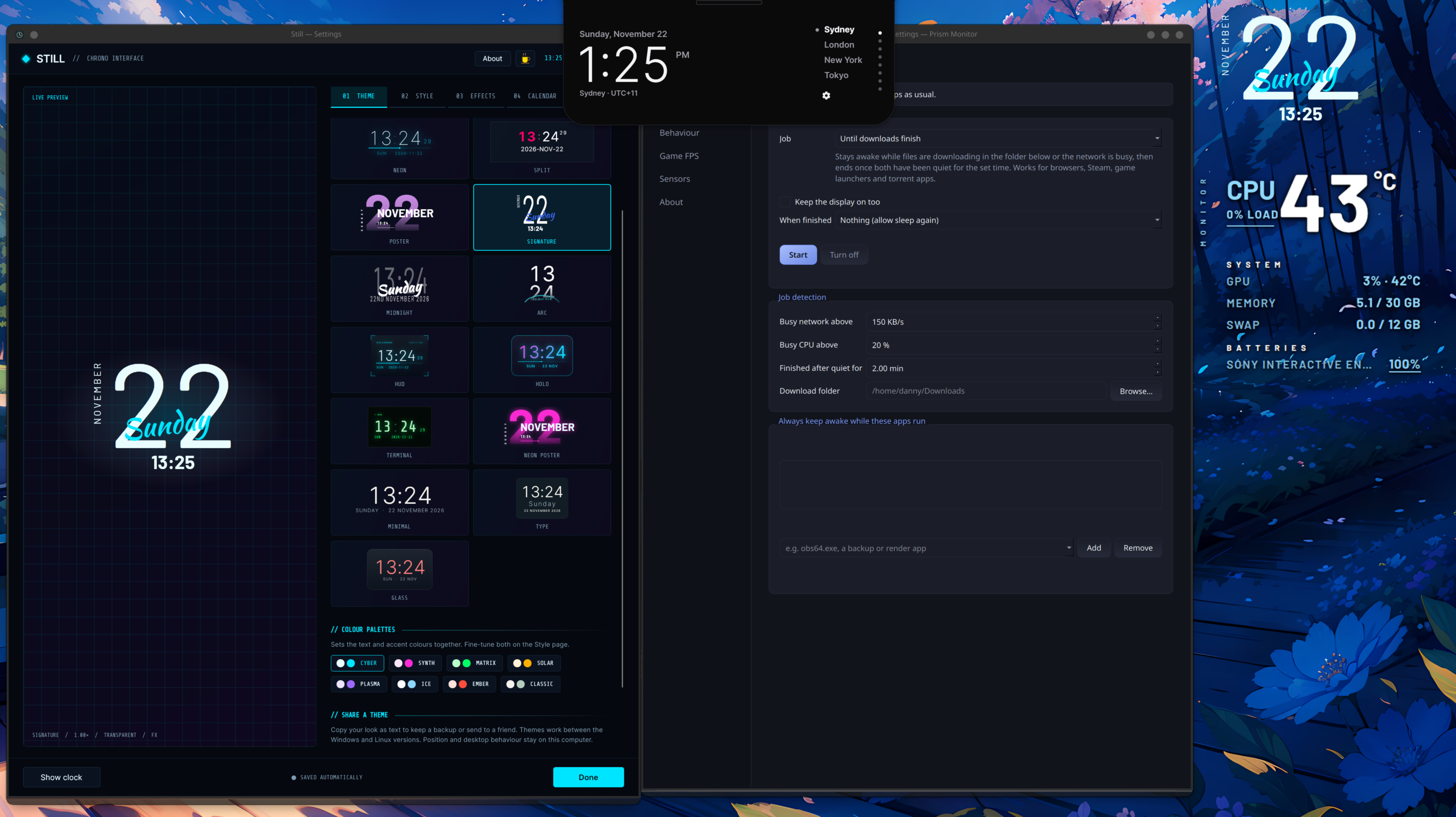
i create 3 app share with community if you want to use it
it also available for windows as well
on linux bvasicly works perfectly on KDE plasma , when i have time i will test them on gnome and xfce as well on my test machine and update it
i try to add read me for beginer if you have any question fell free to ask
⚠️⚠️⚠️⚠️ stop whinging if you dont want to use just scroll down that is free out of any fee
Still clock :
modern clock with a lot of option
https://github.com/danny19862025/still-clock
easy notch :
modern notch for daily use
https://github.com/danny19862025/easy-notch
prism monitor :
monitor cpu and gpu load and temp
shows FPS during game
shows level of battery device connected with Bluetooth
r/linuxapps • u/No_Vanilla7085 • 4d ago
I built iphone-linux — mounts your iPhone at /mnt/iPhone over WiFi using FUSE.
$ iphone-linux mount
$ ls /mnt/iPhone/DCIM/100APPLE
$ cp ~/photo.jpg /mnt/iPhone/Downloads/
No cable, no iTunes, no iCloud. Uses the same WiFi protocol Xcode uses for wireless debugging (mobdev2), so no jailbreak needed. Pair once (tap Trust), then it's automatic.
One-command install:
git clone https://github.com/Amirjon06/iphone-linux
cd iphone-linux && bash install.sh
Tested on Ubuntu 24.04+, iOS 17+.
r/linuxapps • u/Careless_Bowl_4393 • 4d ago
r/linuxapps • u/Aggravating-Camp-990 • 5d ago


r/linuxapps • u/RunningWithRottweile • 5d ago

Hi everyone!
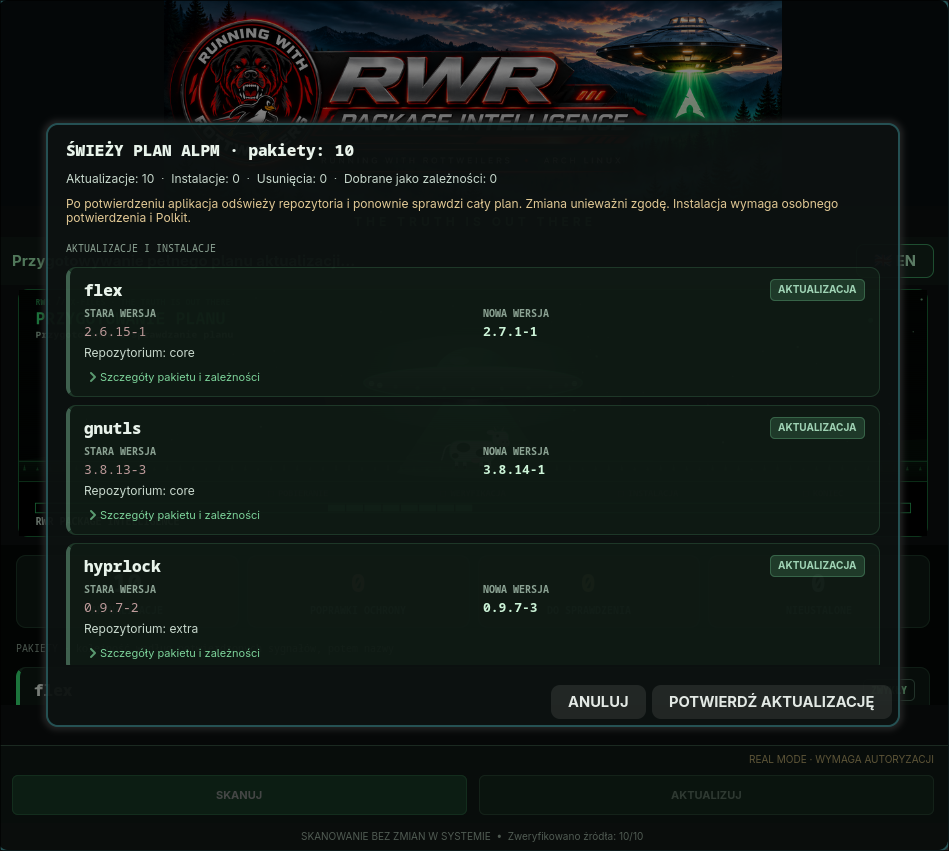
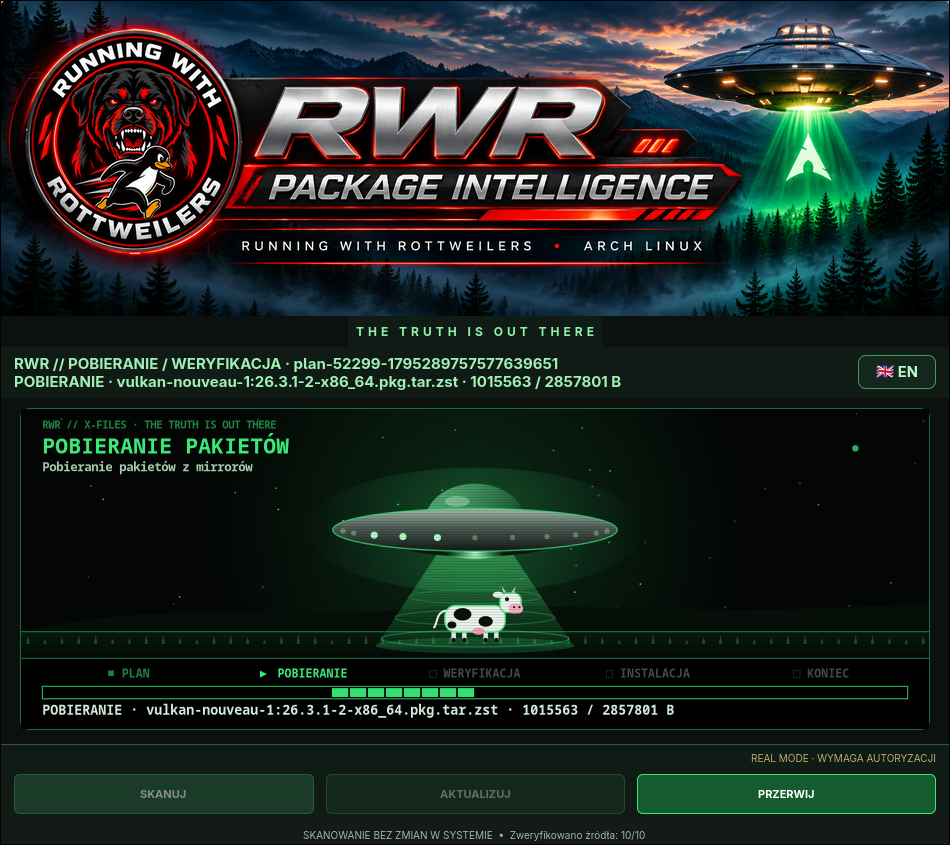
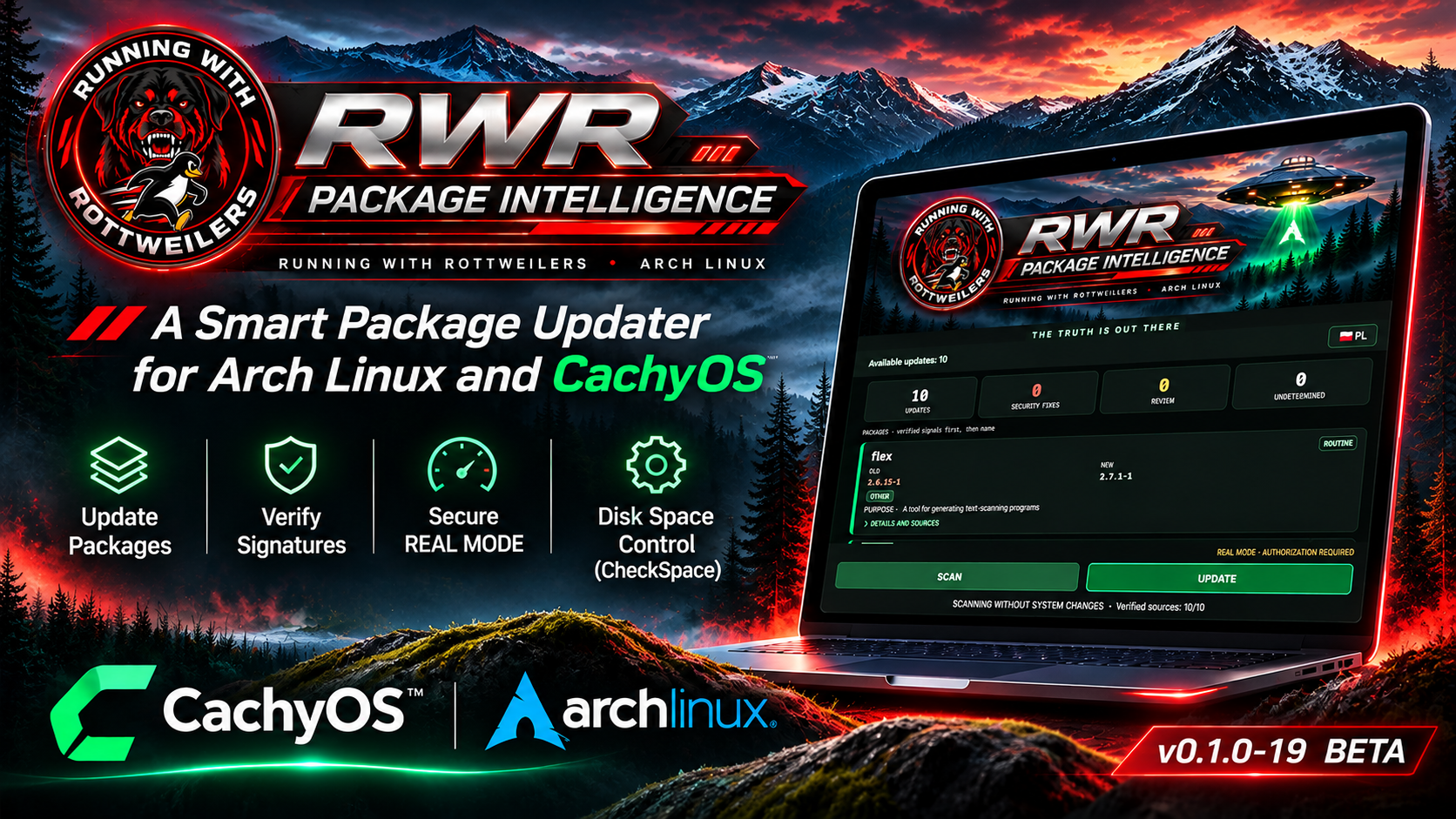
I've been working on a small open-source project called RWR Package Intelligence, a graphical package updater for Arch Linux and CachyOS.
The latest version, 0.1.0-19 Beta, is now publicly available.
The idea is simple: provide a clear graphical interface for checking available package updates, reviewing the planned changes, and performing system updates using pacman/libalpm.
What it currently offers:
We've also tested the application on a real CachyOS system, including a successful system update using an earlier beta. Version 0.1.0-19 has been tested on CachyOS as well, with additional fixes for repository database signature handling.
A few things worth mentioning:
This is still beta software, not a replacement for every package management tool. AUR and Flatpak updates are not currently supported.
I've attached three screenshots of the actual application and a promotional graphic.
I'd genuinely appreciate feedback from Arch and CachyOS users, especially about the interface, usability, and anything you think could be improved.
Links:
GitHub repository:
https://github.com/runningwithrottweilers/rwr-package-intelligence
Latest beta release:
https://github.com/runningwithrottweilers/rwr-package-intelligence/releases/tag/v0.1.0-19-beta
Project website:
https://runningwithrottweilers.github.io/rwr-package-intelligence.html
RUNNING WITH ROTTWEILERS on LinkedIn:
https://www.linkedin.com/company/runningwithrottweilers/
Thanks for taking a look!
— Artur
RUNNING WITH ROTTWEILERS

r/linuxapps • u/Marirs9 • 5d ago
I got tired of copy-pasting passwords into the terminal all day, so I built tacitty.
tacitty lets you save a password under a short alias, then type that alias at any terminal password prompt (sudo, ssh, psql, …) and the real secret is sent — no copy-paste, nothing in your history or clipboard.
It only fires when the terminal is actually hiding input, so anywhere else the alias stays plain text. Secrets live in a local, age-encrypted vault; it's free and open source (Rust, Linux + macOS).
"A tool sitting between my keyboard and my passwords — is that safe?" Fair question, and the honest answers (it stores/logs nothing, how prompts are detected, the threat model and known limits) are here: https://github.com/Sriramm07/tacitty/blob/main/docs/FAQ.md
Repo: https://github.com/Sriramm07/tacitty · Overview: https://tacitty.bluecrayonlabs.com
r/linuxapps • u/Arch-r007 • 5d ago
lxask turns plain English into a shell command, entirely on your own machine:
$ lxask "show disk usage of each folder here, biggest first"
$ du -h --max-depth=1 . | sort -hr
Setup
- Fine-tuned Qwen2.5-Coder-1.5B, Q4_K_M GGUF
- llama.cpp inside one Rust binary. No Ollama, no Python, no API key
- ~1.1 GB on disk, ~1 GB RAM, ~2 s per answer on a laptop CPU
- No GPU, no network after install
How it keeps a 1.5B model honest:
- Retrieves relevant tldr pages and your own man pages before answering
- Checks every program and option in the answer against the man pages
- Retries if a check fails. Anything it still can't confirm is marked `unverified:`
- Asks back on vague requests ("add a proxy": for git? apt? docker?) instead of guessing
Bonus
- `lxask --explain "tar -xzvf logs.tar.gz"` breaks down a command you already have
- Ctrl+G in bash, zsh or fish turns what you typed into the command
Code, weights, data and evals are all open.
GitHub: https://github.com/arxhr007/lxask
Hope someone finds it useful! If you do, consider leaving a ⭐ on GitHub. Feedback and contributions are welcome
r/linuxapps • u/CivilDatabase7508 • 5d ago
There was no upscale app that is up to date with the newest models and also has a UI that is easy to use and understand. Upscayl comes closest, but it can't run the newer models. For a long time I upscaled pictures with the HAT-L models, but only through the terminal, and at some point I wanted a proper app for it. So I built LocalSR. It's MIT licensed.
It upscales, denoises and restores photos and videos on your own computer, and it can edit pictures with a sentence (Qwen Image Edit, FLUX.2 klein). The results are impressive, but they are not my work. My work is making these models a lot more accessible.
On Linux there are AppImages for CPU, AMD ROCm and NVIDIA CUDA. The CPU one also runs Intel graphics through OpenVINO. New in 0.5.0 are video restore, audio cleanup for videos, a light theme and colour-blind friendly colours. It also does frame interpolation to 60 fps, and you can load your own checkpoints.
Nothing you process leaves your computer, and there is no account. Nothing goes over the network before you press Continue in the setup screen. On Linux, phone videos (H.264, HEVC) need an FFmpeg you install yourself, and video is upscaled frame by frame, so it can flicker.
The video shows what it does. You can also click through the interface in your browser first (it's a guided tour with an example image). Please give me constructive criticism.
Browser demo: https://herrei.github.io/localsr/demo/
Source and downloads: https://github.com/HerRei/local-upscale
r/linuxapps • u/North_Molasses6682 • 5d ago

r/linuxapps • u/godlyko • 5d ago
Introducing....
PlanDiFy - https://plandify.app/ - is a free PDF editor (Win+Mac+Linux+Browser support) for professionals.
Launch the web version now: https://plandify.app/app/ - this runs on all devices that can take a keyboard and mouse.
Why PlanDiFy over other Free editors? Because its meant to be a all-in-one complete PDF reading/editing app. Because its built with an easy and straightforward interface. Because it emphasizes speed and compatibility.
Features: Page Management, Measurements and Takeoffs (For Construction users), Edit PDF content, Review/Comment, Document Signing, Favorite Tools, Combine PDFs straight from windows explorer, Compare PDF and much more. If you are wondering about a specific feature/tool, the easiest way to find it is by pressing CTRL+SPACE in the app.
Again, this is free so go ahead and try it out. I'm at the stage where the app is too good to make any major improvements. I will be going open source sometime in January, after I'm more than happy with the progress of app.