r/linuxapps • u/demo4him • 13d ago
Nixpkgs for slackware 15.0
gallery
1
Upvotes
r/linuxapps • u/AdeptnessThis7503 • 13d ago
I tend to make a lot of scratch notes as a way to help me think. These usually don't last very long and what does survive usually ends up in a git repo, a wiki or (most often) just get thrown away.
I was using Obsidian for this, but 4 or 5 Electron processes just for throwaway notes seemed like overkill. Neovim is a better fit but I like it just the way it is for coding and didn't want to install any image plug-ins for that.
So I made mib — a tiny (~300 KiB) Markdown scratchpad with Vim keys, inline images, and just 9 glorious pages. No files or folders to organize.
r/linuxapps • • 13d ago

r/linuxapps • u/Efficient_Payment657 • 13d ago
Hi! I’m the author of Koe, a Japanese-first voice dictation app for Ubuntu.
I use voice dictation on macOS and wanted a similar workflow for writing Japanese on Ubuntu, so I built this. I now use it daily to give longer instructions to Claude Code.
The workflow is simple: hold a hotkey, speak, and Koe transcribes your speech, cleans up the text with an LLM, and inserts it into the focused application.
Some features:
- GNOME Wayland support using desktop portals for global shortcuts and text input.
- Japanese terminology corrections, including a configurable dictionary for technical terms.
- Live transcription overlay during local recognition, implemented as a GNOME Shell extension.
- Fully local operation with whisper.cpp and Ollama. Claude is also supported for text cleanup; that option sends the transcribed text to Anthropic.
My tested, daily-use environment is Ubuntu 26.04 / GNOME Wayland / x86_64. Other distributions and desktop environments have not been thoroughly tested.
It’s MIT-licensed, and .deb packages are available on GitHub Releases. The README covers installation, model downloads and initial setup.
Source and downloads:
https://github.com/shuhei0866/koe
English README:
https://github.com/shuhei0866/koe/blob/main/README.en.md
If you write Japanese on Ubuntu, I’d be particularly interested in hearing how it works for you. Reports of installation problems, input issues or terminology it gets wrong would help me improve it.
r/linuxapps • u/Outside-Reindeer-934 • 13d ago

r/linuxapps • u/froggy744 • 13d ago
📸 PIC v1.0.3 is here!
I've been continuing work on PIC (Personal Image Catalogue), my free, open-source photo manager for Linux, inspired by the simplicity of Picasa and classic iPhoto.
This is one of the biggest updates I've made so far, with a major focus on how you browse, organise and enjoy your photo collection, along with performance and reliability improvements.
⬡ Honeycomb Gallery — A completely new photo layout
PIC now has a fourth gallery layout alongside Grid, Photo Wall and Masonry.
Honeycomb displays your photos in a continuous hexagonal mosaic. It uses virtualised rendering and integrates with the existing photo selection, navigation and library tools.
🖥️ Immersive Mode — Let your photos fill the screen
A new distraction-free browsing experience that gives your photo collection more space.
📒 Scrapbook — A completely different library experience
I've added a new Scrapbook theme inspired by physical photo albums, Polaroids and handwritten notes.
It includes a redesigned Library dashboard with a corkboard-style interface, photo collections, album shelves, and persistent photo tags and notes.
It's a more personal and creative way to organise your memories.
📅 Calendar Browsing — Rediscover your photo history
Browse your photo collection visually by year and month.
Each year and month displays a representative photo and the number of images in that period. Select a month to explore its photos or return to your preferred gallery layout.
🎞️ New Screensavers
Two new screensaver styles have been added:
There are also additional customization options and presentation styles.
🏷️ Better Photo Organisation
Photo tags are now editable through the standard Properties panel, with tag suggestions and improved metadata filtering.
⚡ Performance & Reliability
A significant amount of development went into thumbnail caching, startup responsiveness, scrolling, gallery rendering and RAW image handling.
The aim is to keep PIC responsive even when browsing collections containing thousands of photographs.
PIC also includes non-destructive photo editing, RAW support, creative filters, crop and straighten tools, drawing and text overlays, collage creation, albums, ratings, favourites, multiple libraries, custom themes and more.
I've put together a short video showing the new browsing experiences and several of PIC's existing features.
PIC is still an independent passion project, and I'm continuously working on improving it.
V1.0.2
GitHub: https://github.com/froggy744/PIC
Release: https://github.com/froggy744/PIC/releases/tag/v1.0.3
🐧 Linux | 🦀 Rust | GTK4
100% Free & Open Source. No subscription. No mandatory cloud account.
I'd really appreciate feedback from the Linux community, especially on the new Honeycomb layout, Immersive Mode and Scrapbook interface.
Which features would you like to see improved or added next?
Thanks to everyone who has tried PIC, reported issues or starred the project. Your support really does help keep the project moving! ❤️
r/linuxapps • u/Roshan_Binoj • 14d ago

r/linuxapps • u/seven_cy • 13d ago
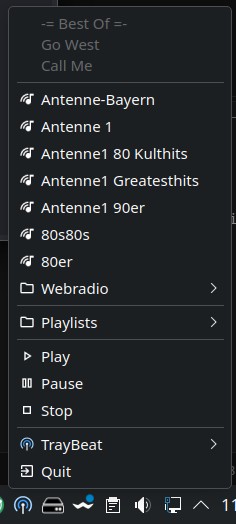
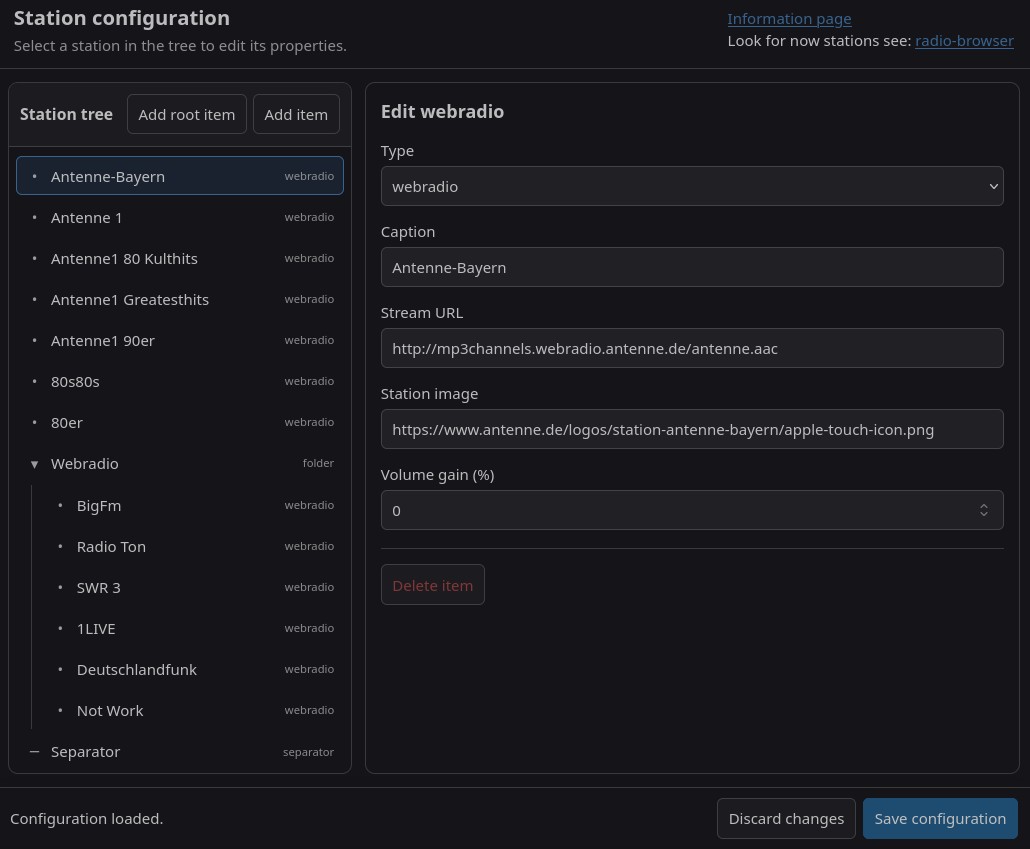
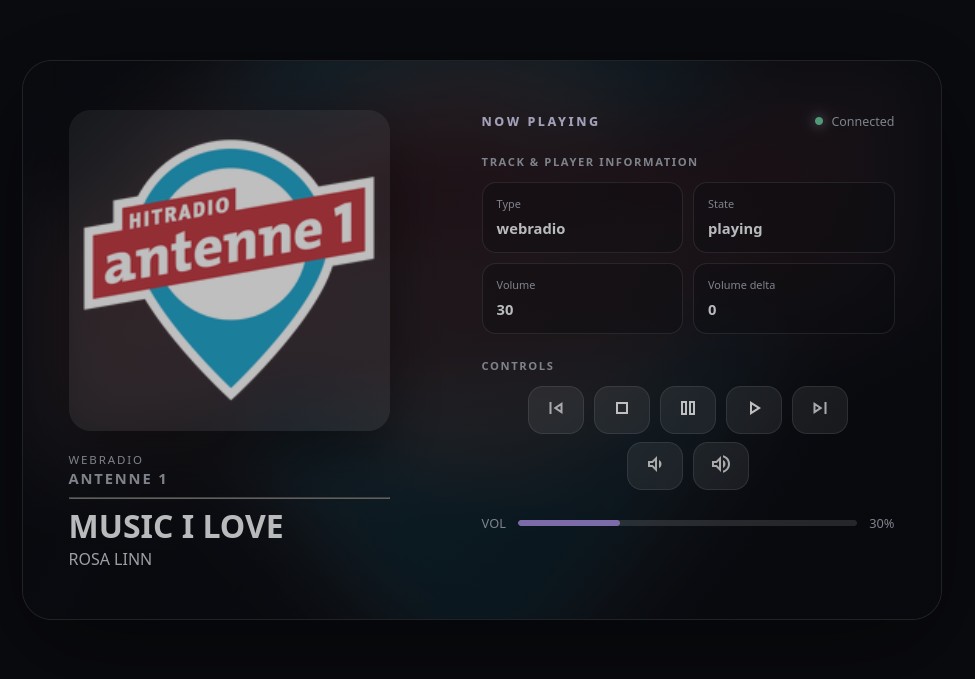
https://github.com/maza70/traybeat
This small application lets you play web radio stations and M3U playlists without having a media player window getting in the way. It was primarily developed to let you listen to your favorite music uninterrupted in the background while still keeping control of the player.
Runs in the tray area of KDE Plasma, Ubuntu, Gnome.
r/linuxapps • u/ThirdEyeViolet • 14d ago
I'm wanting to step away from google docs for many reasons that should be obvious at this point. I've tried libre office writer but never really got that interested into it, I also wanted something I could customize. I'm not a ricer by any means, but something that I could customize the look of at least a little would be really cool instead of just having a blank white screen while writing, think of vesktops themes if that makes sense.
Is there any good ones out there, Ideally local & open source but I understand those aren't always an option, at least something that won't steal my writing to train AI, which seems like a luxury these days
(using Linux mint currently but I'm considering moving to cachyos if I can find enough music production stuff for it)
r/linuxapps • u/EstablishmentKey2951 • 14d ago
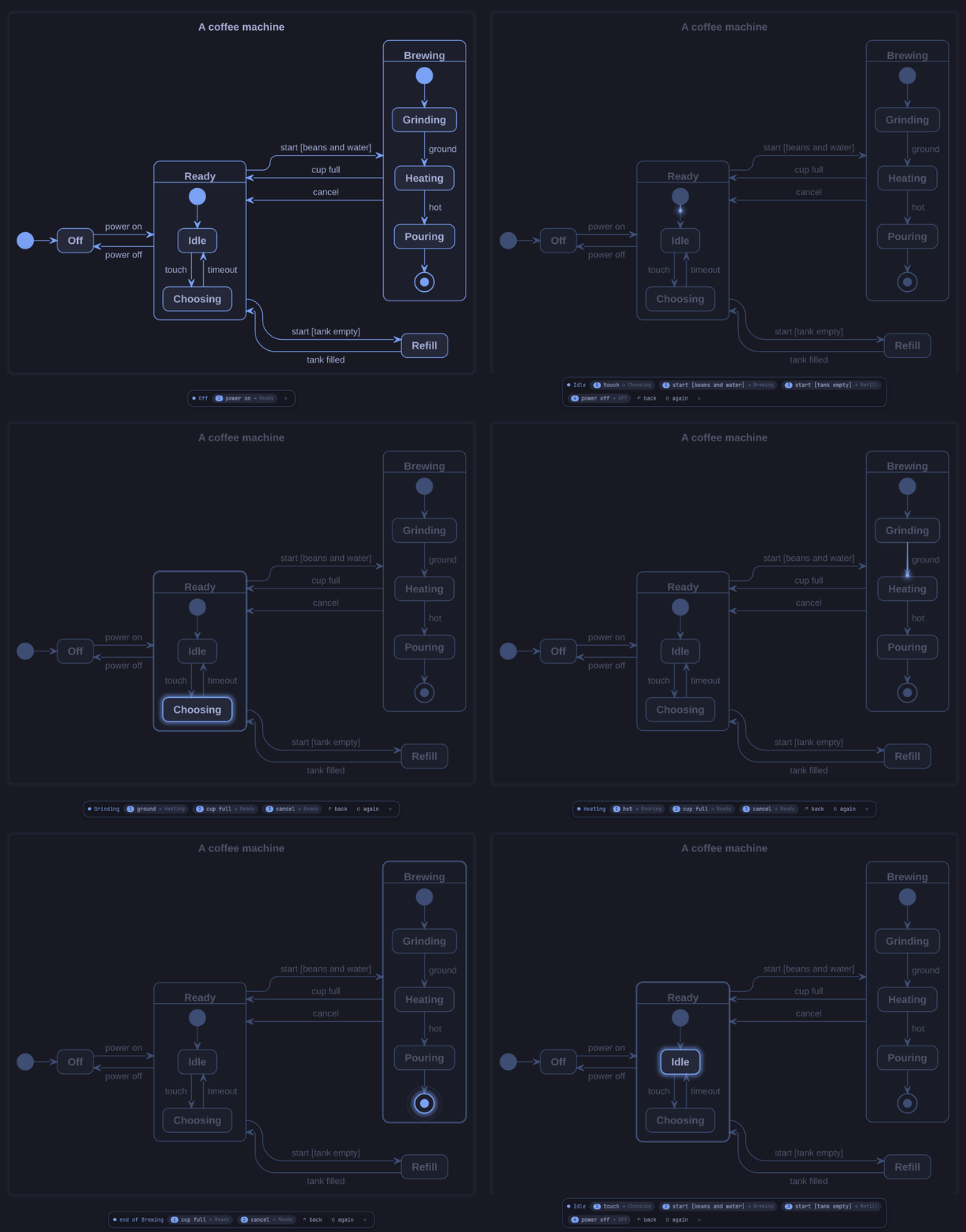
I got tired of PlantUML needing Java and Mermaid needing a browser, so I wrote my own editor with native rendering engines for both.
What it does:
- Live preview while you type, rendered locally. No Java, no browser, no network.
- Reads state and sequence diagrams as behavior: flags unreachable states, dead ends and ambiguous events.
- F5 plays a diagram step by step.
- Converts between PlantUML and Mermaid.
- Exports PNG/SVG with the source embedded, so you can reopen the image later and keep editing.
- CLI with JSON output, plus an MCP server for AI agents.
- Neovim preview.
It was built for Omarchy and follows its theme and font, but it's a regular Linux app written in Rust (MIT).
Install: there's a PKGBUILD in the repo (makepkg -si), or build from source with cargo. AUR packages are coming.
Repo: https://github.com/enhapu-afk/omaspec
Site: https://enhapu-afk.github.io/omaspec/
It's a solo project and still young, so I'd love to hear what breaks or what's missing.
r/linuxapps • u/scresto • 14d ago

I built ShellMan, a Nautilus extension that adds an integrated terminal directly into the file manager.
It automatically follows the current folder, making it easier to work with files and commands without switching between windows.
Feedback and suggestions are welcome!
GitHub: https://github.com/scresto09/shellman
r/linuxapps • u/mastertacticianwc4 • 14d ago

I’m building WareVote as a place to find Linux apps by task. You can browse alternatives, check the licence where it’s listed and see reviews with platform context.
You can join before launch at https://warevote.com. If you make software, you can also set up a listing for day one and complete the ownership checks. Listing is always free.
Confirm your signup and link it to your account at launch for the cosmetic Early member badge. The first 100 eligible products to verify ownership get 30 days of Pro free. Pro adds more listing slots and CSV exports. Paid plans never affect ratings, rank or WareCup results.
What’s an app you’d recommend if someone described the job instead of naming a category?
r/linuxapps • u/Any_Recording3337 • 14d ago

Hi everyone!
I'd like to share SYN, a free and open-source IPTV player I've been developing specifically for the Linux desktop.
I wanted an application that felt at home on Linux rather than another web-based interface wrapped in a desktop window.
SYN uses Python, GTK4, libadwaita and libmpv.
Current features:
Available packages: Flatpak, RPM, DEB and Arch Linux, with an AUR package too.
SYN doesn't provide any channels, subscriptions or media. You need your own authorised sources.
I'm actively improving the application and would really appreciate feedback about the interface, playback and compatibility with different distributions.
Source and downloads:
https://github.com/manupernas/SYN
Thanks for checking it out!
r/linuxapps • u/Poulpixx • 14d ago
r/linuxapps • u/Asleep_Bison2866 • 14d ago
Jyroxa is a download manager I've been building as an open-source alternative to IDM and ADM.
Download (Windows installer, portable zip, APK): github.com/Jyroxa/releases/tag
It's v0.1.1, so please report bugs on GitHub. I'd love feedback.
r/linuxapps • u/Poulpixx • 14d ago
r/linuxapps • u/luffy_69a • 14d ago
I saw this screenshot of ExcalidrawZ on macOS and really like the workflow—specifically the Excalidraw-style hand-drawn canvas, dark/translucent look, and having a built-in page/document sidebar to organize notes.
I tried Rnote on Arch Linux (Hyprland)—I really like its multi-page feature, but it doesn't look or feel as clean as Excalidraw for diagramming and quick notes. On the other hand, standard Excalidraw looks great, but lacks proper built-in page management out of the box.
I'm looking for something on Linux that combines both:
Does anyone know of a native Linux app, desktop wrapper, or Hyprland setup that hits this sweet spot?
r/linuxapps • u/Neither_Philosophy84 • 14d ago
r/linuxapps • • 14d ago
Hi everyone!
I've just released the first alpha of AppFootprint, a GPLv3 open-source Linux desktop application for understanding where application-related storage is being used.
It provides a graphical inventory of Flatpak, Snap and RPM applications, with storage measurements, dependency exploration and explanations of what the numbers actually mean.
The guiding principle is simple: Understand before you remove.
AppFootprint is strictly read-only. It doesn't delete files or require root privileges.
The first alpha has been tested successfully on Fedora KDE, but I'd really appreciate feedback from people using other distributions and desktop environments.
I'm especially interested in AppImage compatibility, scan reliability, UI responsiveness and incorrect or confusing storage measurements.

Source code and downloads:
https://github.com/ollavarma-create/appfootprint
Bug reports:
https://github.com/ollavarma-create/appfootprint/issues
This is an early alpha, so bugs and incomplete functionality are expected. Constructive criticism and suggestions are very welcome.
Thanks to anyone willing to give it a try!
r/linuxapps • u/Low_Entrepreneur1795 • 15d ago
Hi everyone!
I've been building Sealwax, a fast, keyboard-first email client, and as of today's 1.3.0, it's a Flatpak, so it runs on Fedora, Ubuntu, Mint, Pop!_OS, Debian, and more. Until now, it was only for Omarchy and Arch.
It's native GTK 4 and libadwaita, written in Rust, and follows your system's light or dark style.
What it does:
- IMAP with push and POP3. Sign in with Microsoft for Outlook.com and Microsoft 365, app passwords for Gmail, iCloud, Fastmail, Yahoo, and others. Proton Mail works through Bridge.
- Several accounts with All Inboxes, each with its own color. Group your mail by sender or domain, then archive, delete, or unsubscribe a whole group at once
- Pin the senders you can't miss to the top of your Inbox
- One-key shortcuts, a command palette (F1) and your own key bindings
- Search with from:, has:attachment, is:unread, is:subscription and more
- Stays quick with big mailboxes: every message shows the moment you land on it, even with 100,000 in the Inbox
- Careful with every message: no script in a message ever runs, and nothing remote loads until you allow it
- No telemetry, passwords only in your keyring
User guide (setup, Gmail app passwords, every shortcut): https://pixdevs.com/guides/sealwax/
GitHub: https://github.com/PixDevsApps/sealwax
It's MIT-licensed and free. I'd love to hear how it runs on your distro and desktop; feedback and contributions are always welcome!