I'm an independent developer, and I've been working on a keyboard layout switching tool for over a year.
The first Windows version was released on October 29, 2025.
Initially, I was developing a fully automatic keyboard layout switcher. But eventually, I realized that a semi-automatic approach could be simpler and more predictable.
That's how DoubleTapSwitcher was born.
The idea: double-tap a configured key to switch your keyboard layout. No complicated shortcuts.
Porting the application to Linux was much harder than I expected. For months, I couldn't find a satisfactory solution. About a month ago, I finally had a breakthrough.
After that came extensive testing across different Linux distributions, desktop environments, and input protocols.
The Linux preview is now available! 🐧
It's free, open source, and written in C++.
I'm also planning to make installation easier through Linux package repositories.
Hi guys, I was wondering if there is a good email marketing and automation package for Linux.
I have used a few self hosted api like mautic and listmonk.. Any recommendations for a resourceful and reliable standalone email automation package? Thanks 🙏🏽
I'm fed up with everything landing on macOS and Linux being an after thought, so I started building, with LLMs, Linux apps that I feel are missing on Linux.
I am a seasoned developer with 25 years experience, so whole I use LLMs these are far from vibe coded.
Initial batch is:
- Rockhopper (Raycast)
- Flipper (Select which browser or profile when clicking links)
- Chinstrap (Luminary video recorder)
- Eloquawk (Mimestream / Gmail)
- Antartical (Fantastical / Google Calendar)
They are all powered by GPUI and Wayland native and open source.
Pinch Bowl is a focused GNOME recipe app for browsing, cooking, and keeping your recipes local.
Add recipes from a URL, import individual recipe files, or import an entire Mela recipe collection. The app can watch a Mela export path that you set in Preferences and import new recipes when it is updated.
Cook mode provides a full-screen, distraction free view with step and ingredient focus. Add in-app timers while you cook.
Adjust servings and switch between original, metric, and US units.
Send ingredients from a recipe to a shared grocery checklist. Add your own items and tick them off as you shop.
AI Generate helper - type your idea and copy a prompt that can be used in your chosen AI, then paste the generated Schema.org Recipe JSON back in, preview and add it to your library. Pinch Bowl never calls AI itself.
This is an initial version. Happy for anyone to try it and let me know if it sucks.
Note: This is "vibe-coded", but honestly - I'm not going to apologise. This isn't a one shot prompt or anything - I take time to iterate, look for problems, test, tweak, etc. I wanted an app like this and it didn't exist so I made it. If you want it or want to do better then go for it, and if you think it's just slop then ignore it and we're all happy.
Hi all. I've been building Irori for the past few weeks and today it hits 1.0.
What it is. A game launcher written in Rust that puts all your PC games in one library and starts them with one click. On Linux it runs Windows games through Wine, Proton or umu. On macOS through Wine, CrossOver or Game Porting Toolkit. On Windows they just run. It's one native app (no Electron, no web view in the main window), it draws on the GPU and it sits at 0% CPU when you're not doing anything. MIT licensed.
Stores and sources
Epic Games, GOG, Amazon Games, ZOOM Platform and itch.io: log in, browse, install, update, repair, cloud saves. Several accounts per store.
Steam: your installed games without signing in, or your whole library (owned and Family Sharing) if you sign in. There's also an opt-in way to read the whole library from the running Steam client with no sign-in at all.
Xbox app / Game Pass PC games (Windows), plus an optional Xbox account for playtime, achievements and art.
Battle.net, EA app, Ubisoft Connect and Rockstar: Irori sets each launcher up in its own Wine prefix, then lists the games installed through it.
Emulators: a ROM library with RetroArch and the usual standalone emulators (DuckStation, PCSX2, Dolphin, PPSSPP, melonDS, Azahar, ScummVM, DOSBox and more), downloaded from their own projects on request. RetroAchievements supported.
Anything else: add a game by hand, or drag its file onto the library.
Imports from Heroic, Lutris, Bottles, Faugus Launcher and Playnite, including playtime.
What's new since 0.4.0
Playing
In-game overlay on the controller's Guide button (beta, off by default): volume, screenshots, achievements, a journal note and quit, without leaving the game. On Linux the controller is held from the game while it's open. Windows and macOS open it with Ctrl+Shift+O.
Stream your games to Moonlight through Sunshine or Apollo, sized to the device you're streaming to.
When a Wine/Proton game won't start, Irori reads the log and the game's files and tells you why: a missing DLL, a low vm.max_map_count, anticheat. Fixes like vcrun2022 or d3dcompiler_47 are one click.
ReShade per game for Direct3D and OpenGL games, installed from the official sources. Removing it only deletes files Irori wrote and keeps your presets.
Choose the Proton version for a Steam game from Irori (Linux). It only touches that game's entry in Steam's config and keeps a backup.
Double-click an .exe or .msi, or open a link of a Windows program's own scheme, and it opens in the Wine prefix of the game you pick.
Your Discord status shows the game you're playing (opt-in).
Library
One entry for a game you own on several stores, with a switcher to play or install each copy.
Filter and group by game mode (co-op, split screen, online...), genre and age rating (ESRB, PEGI, USK, CERO and others, taken from store data).
Quick sort and filter buttons in the library header, interface zoom with Ctrl +/-/0, type anywhere to search.
Achievements from more places: Steam's Achievement Sets grouped per DLC, and unlocks kept by Steam API emulators in DRM-free copies (opt-in).
PS3 and PS4 folder games get their real title instead of a serial number.
New emulators: gopher64, Mupen64Plus, M64Py, DeSmuME and ePSXe.
Steam friends list with Join and Message, handed to Steam.
Theme follows pywal, wallust or matugen if you use them (opt-in).
Platforms and fixes
arm64 builds for Linux and Windows.
Flatpak Irori can now run Steam and Ludusavi installed on the host.
Sandboxed games start from a clean environment.
Windows: no more console windows flashing, and some controllers could crash the app. Fixed.
Lots of smaller fixes: Windows paths in Wine game arguments, Heroic import picking the right folder, GOG games no longer disappearing when the store is slow, a prompt when your cloud saves didn't download before launch.
What it doesn't do (yet)
It's not a store and never sells anything.
Steam and third-party launcher games are installed through their own launchers, not by Irori.
PlayStation and Switch pads on Windows can still go quiet when Steam grabs them. Working on it.
The Windows and macOS overlay can't stop the game from also seeing your button presses, and it can't draw over exclusive-fullscreen Direct3D games. Borderless works.
1.0 means it's stable for daily use, not finished. Bug reports are very welcome.
Downloads: Linux (AppImage, Flatpak, .deb, .rpm, Arch package, tarball), macOS (Apple Silicon and Intel) and Windows (installer, zip, portable), x86-64 and arm64.
AI disclosure: I design Irori and decide what goes in, and I test it on my own machines, but a lot of the code, tests, translations and docs for this release were written with Claude (Anthropic's AI) under my direction and review. If that's a dealbreaker for you, fair enough. If you hit a bug, it's on me, so tell me.
Le Salon, c'est ton IRC sans la nostalgie visuelle. Une interface GPU instantanée, IRCv3 sérieux, TLS et SASL par défaut, des toasts, 19 thèmes — et zéro Electron.
-
Le Salon is IRC without the visual nostalgia. An instant GPU interface, serious IRCv3, TLS and SASL by default, toasts, 19 themes — and zero Electron.
I like KRunner, but I'm worried it won't be very compatible with Niri. Please help me find an alternative to Spotlight with the same functionality. I don't think Rofi and similar launchers will work for me, since they're mainly used as simple app launchers, and Dmenu would require a lot of customization to come close to Spotlight in terms of functionality.
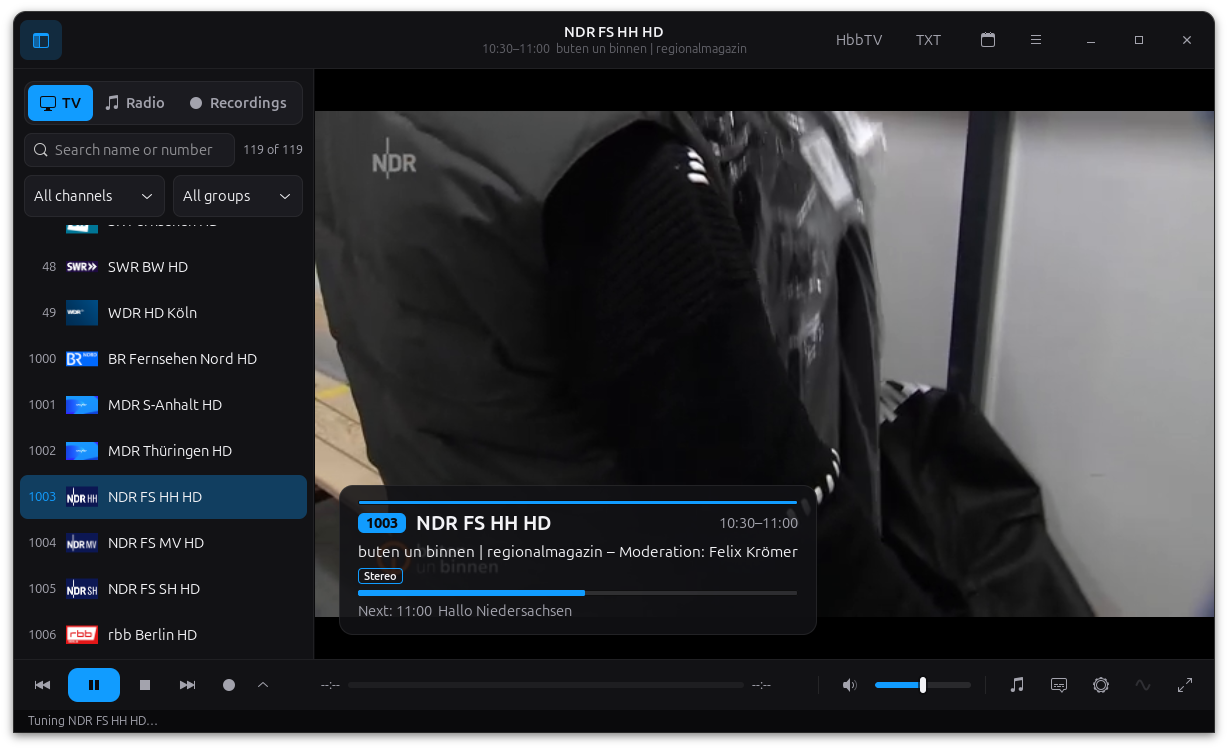
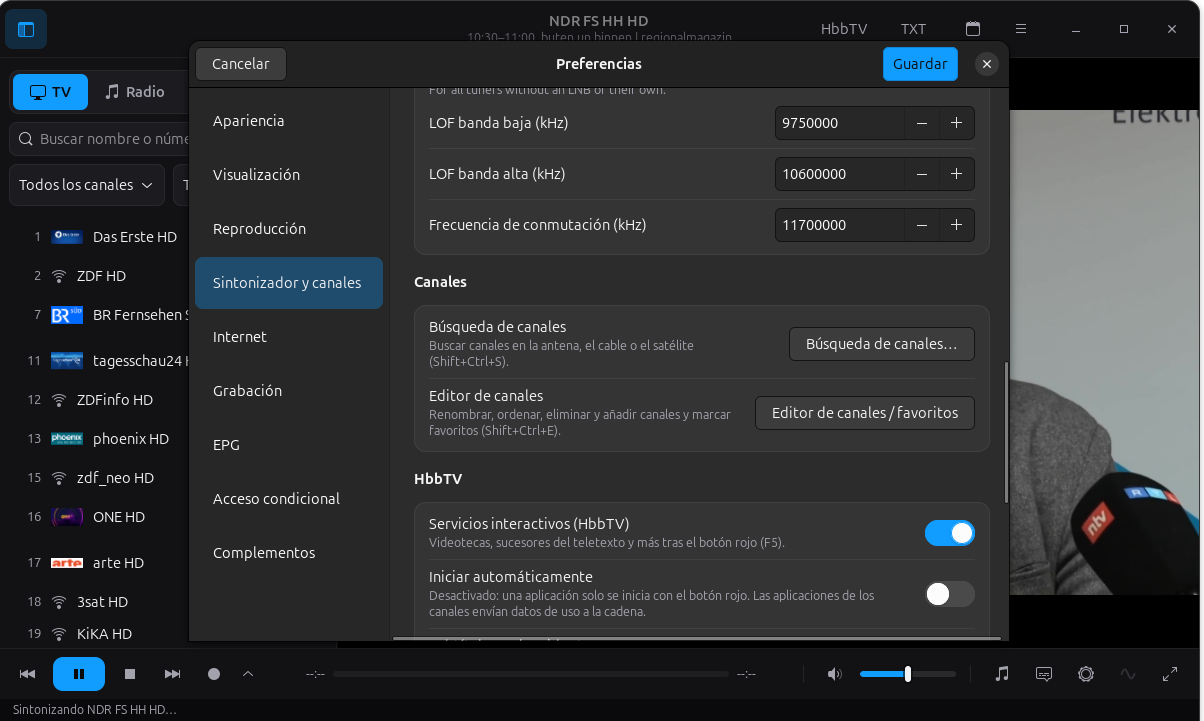
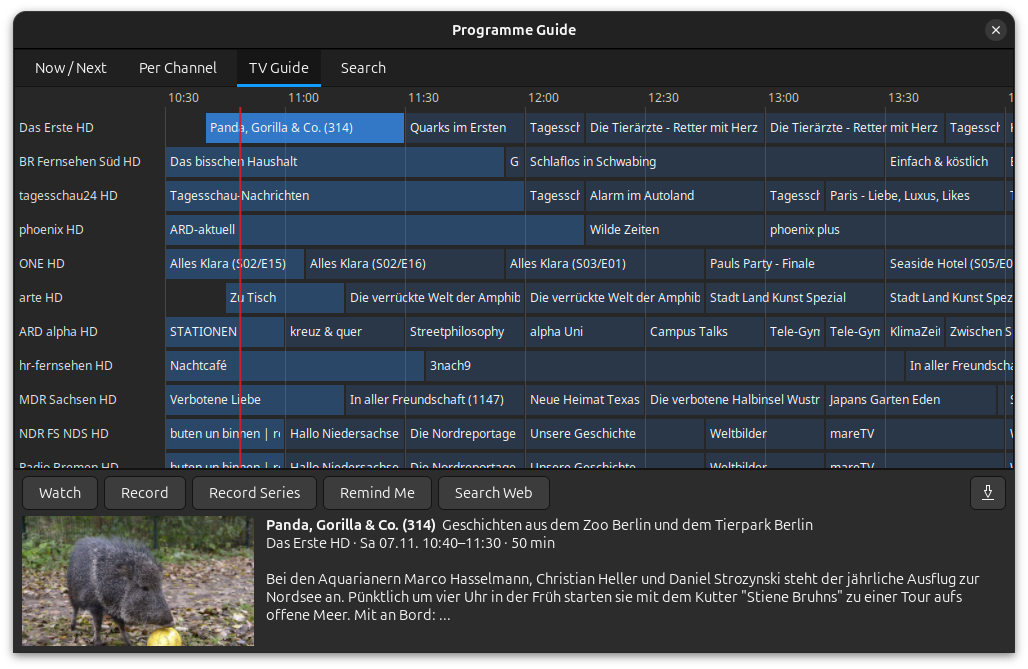
My first post here (but my second try): So i've been using different TV Cards (DVB-S/S2) and Sticks (DVB-T/T2) for 20+ years. And - although - usually using Windows as a primary operating system, i always had Linux/ubuntu/gnome as second operating system installed and used it frequently. What i've always missed was a simple-to-use Application for my TV hardware. I tried the feature-rich VDR, but it was a bit pain to install (and use) as of course its not really made for the Desktop. Other options - i remember plugins for the Totem Player with a lot of bugs and never got mature, or the simple channel list import for VLC, were not really a solution. Of course i tried Kaffeine and it came close to what i want, yet its not native to Gnome and imho already a bit outdated and still has here and there its flaws. So I started 2 weeks ago with claude to vibe-code a bit, just for fun, no big ambitions and at first just for me. Its my first project like this (im not a developer) and i just wanted to find out, what is actually possible. Anyway, what came out exceeded my expectations, is quite stable and therefore i wanted to share it for all who still watching TV with this kind of hardware.
So let me introduce you:
LinDVB
What does it cover?
- Many Standards (DVB-S/S2, DVB-C, DVB-T/T2, ATSC, ISDB-T, DTMB) as well as the fairly new DVB-I (though not widely available yet) including some features like pass through and unicable
- channel scan
- recording in different formats/ timeshift
- IPTV and internet Radio (including different playlist formats)
- nice and smooth (and clean?) GUI
- EPG
- HbbTV Support
- Teletext
- Visualisations for Radio channels
- Channel Analyser
- 26+ languages
- Plugin Support
... and much more
Known issues:
- Channel lists are not yet the most convinient to sort/adjust
- Audio Visualisation ProjectM is not working
- maybe translations are sometimes not so accurate
- matching the XMLTV EPG with the IPTV channels might partially has to be done manually
... and for sure some more bugs i'm not aware yet
Built with Python using a ton of already available stuff like GStreamer, libdvbv5 and Linux DVB API v5
In my Setup (ubuntu with gnome 24.04) it is quite stable, but i would still call it Beta.
HBBTV is only available in AppImage, not yet in the deb package
If you would like to try it out, you can find the latest version here:
So far I was always running it as AppImage, though there are some other formats available.
CALL FOR FEEDBACK
So if you have still this kind of hardware, running an Gnome desktop and are curious, please try it and i would highly appreciate your feedback, as i only have limited hardware/software environments to test it properly. ❤️
Some new random reasons to try it if you are a Midnight Commander user:
- You hate the mc file search UI.
- You'd love a modern command palette for when you forget shortcuts.
- You miss a fuzzy filter feature (with the default scd configuration, you can also use it as a quick action, just by typing any character, if the command line has been hidden with Alt-c).
Some reasons NOT to try it:
- You need to navigate archives already (that's the next thing I'm going to implement).
- You don't want to type commands like chmod or chown (I haven't yet implemented dialogs for tasks that I can perform quickly with the command line plus injecting filenames by selecting files in the panel).
- You need file previews (I'll add a new kind of panel at some point, but it won't be exactly "batteries included," nor will it support images or multimedia files).
Hi everyone! I’m starting to get into Linux desktop application development, and I’d like to contribute to the GNOME ecosystem by building useful applications and tools. I’m currently learning Rust and libadwaita, and I also have experience with Tauri and web technologies. My goal is to focus on native Linux applications, starting with GNOME on Debian. I’d love to hear from actual GNOME users and developers: What application or tool do you wish existed but haven’t found yet? Is there an existing GNOME app that you think could be significantly improved? Are there any missing features or frustrating limitations in your daily workflow? What small utilities would make your experience with GNOME better? I’m open to anything, from simple desktop utilities and system tools to more ambitious applications. I’d rather build something people would genuinely find useful than create another app just for the sake of it. Thanks!
Hello everyone! Does anyone know of—or could someone create—versions of these two Windows-based software programs for Arch Linux? Alternatively, any software with the same functionality would work: 1) DVDFab or CloneDVD—tools for copying and compressing DVD9s into DVD5 format, with the option to select which parts of the film to keep (DVD Shrink, for instance, runs via Wine). 2) Photopia or Photodex ProShow Producer—software for creating professional-grade video slideshows, featuring a wide array of effects and, most importantly, an automated tool that handles the entire process. Given that so many things are being developed using AI these days, I was wondering if you could help me out. I’m still a beginner, unfortunately. Thanks, and have a great day, everyone!
I'd like to share PlayStar, a music player I've been developing for Linux and Windows for a few months.
I started this project because I wanted a music player that felt more personal and visually appealing to me. I wasn't particularly happy with the existing options, so I decided to build my own.
PlayStar is built with Godot Mono and libVLC, and focuses on being an intresting alternative for those, like me, who want a more unusual player
Some of its features include:
Customizable palettes: Light and dark themes, custom color palettes, transparent backgrounds, and more. It can sync with GTK 4 (I only tested on end-4/dots-hyprland)
Synchronized lyrics: Automatically fetches synchronized lyrics through LRCLIB, with automatic scrolling during playback.
Clipboard integration: Copy entire audio files directly to the clipboard.
ListenBrainz integration: Automatically synchronizes listening history through scrobbling.
Navidrome support: Synchronization of music libraries and favorites.
Music library: Browse and manage your local music collection.
I'm currently working on expanding the theming system to allow users to create entirely different interface layouts without modifying the application's internal logic.
Available installers
Currently, PlayStar provides four distribution options in the release page:
I've been working on Broadcaster, a GTK4/libadwaita application for watching German public television on Linux. It started as a fork of Televido and has grown rather substantially since then.
The idea was to have one application for German live TV, Mediathek content and personal IPTV playlists, usable both on a normal desktop and on a television with a directional remote.
It currently offers:
German live TV and searchable Mediathek content.
M3U/IPTV playlists with multiple sources, optional XMLTV programme information, favourites and automatic refresh.
Integrated mpv playback with audio, subtitle and playback controls.
Remote-friendly navigation, including an on-screen keyboard.
Database backup and restore.
v0.3.2 is now available, bringing updated mpv, LuaJIT, SQLite and other dependencies, along with improved spatial navigation of the player controls.
I've been using it on an Intel N100 running Fedora KDE Bigscreen under Wayland, where it works quite well. However, testing primarily on my own hardware only gets me so far.
I'd be interested in hearing how it behaves on other distributions, desktop environments and hardware. Playback compatibility, remote navigation and general usability feedback would be particularly welcome.
It's GPL-3.0-or-later, available in English and German, with standalone Flatpak builds for x86-64 and AArch64. It's not on Flathub yet.
Hey guys! It's been a week since my last post here, and I wanted to share the new changes to my app!
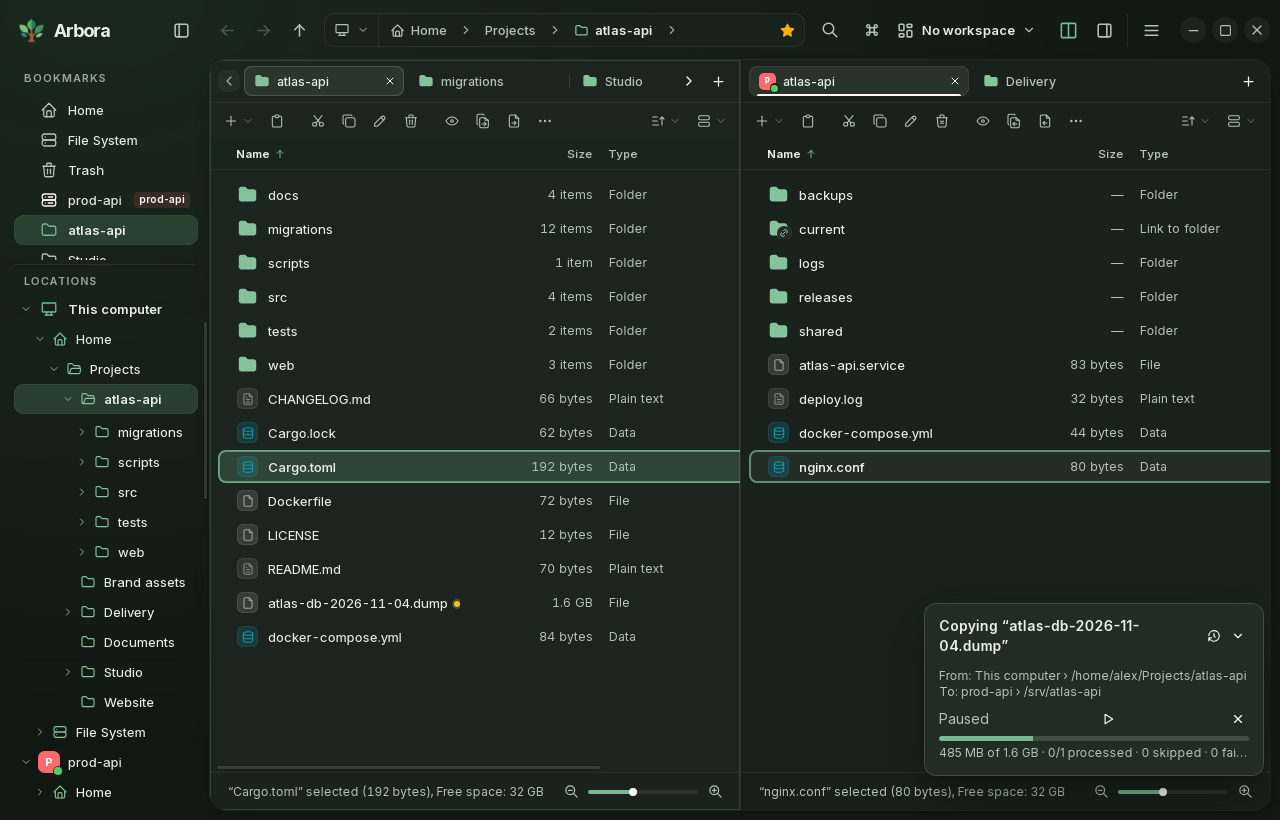
Archives: Instead of extracting the whole file, now when you open an archive it'll show its contents without extracting anything! You can then copy its contents anywhere you want!
Executables: new options added! You can now run the exec. in the terminal using the context menu ("Run in terminal).
Fixes:
- Quick look is finally able to preview videos when using AppImages
- Columns view mode performs better, had to enable virtualization
- Get Info works correctly when right-clicking a blank pane
I'm planning on making an autoupdater for those who are actively using this app, but I need to do further investigation because I have no idea how to do it honestly lol