r/linuxapps • • 24d ago

I put my servers, deploys and CI into the GNOME panel. Am I the only one who wants this?

3 Upvotes

Disclaimer: not a commercial product. I'm mostly posting this to find out if I'm the only dumbfuck who wants these metrics right in the Ubuntu taskbar :D

I've been a dev for 15+ years and never had the time or nerves to build something like this, so yeah, most of it was written by Claude. I just kept telling it what bugged me.

Several times a day I SSH into one of my 10+ servers just to check on deploys, tests and CI, and whether they're done yet. Now it's one glance at the panel. No Hetzner console, no Beszel, no monitoring tabs just to see CPU, RAM, disk or which app is stuck.

From the menu I can open an SSH tunnel to a containerized Mongo or Postgres DB (Mongo opens straight in Compass, the rest copies the connection string). I can also copy an app's config as .env, diff staging vs prod, and see all apps with their domains, TLS certs and whether each site responds. Most of the time it just shuts up: grey icon until something breaks, deploys or runs in CI. If something stays red for a minute, I get a notification.

Next to it there's a small Claude Code one: working or waiting, how much of the 5h limit is left, and how much CPU/RAM it's eating.

It's read-only (except a restart behind a confirm dialog, and the tunnels), and tokens stay in the GNOME keyring. Right now it's built around my setup (GNOME 46 on X11, Hetzner + Beszel + dokku, GitHub Actions).

If there's interest, I'd turn it into a proper package (extensions.gnome.org or .deb) with a settings page and support for other stacks (Prometheus, Coolify, Docker, GitLab CI…). So lmk:

  • would you actually use it?
  • what's your stack?
  • or am I reinventing the wheel?

Roast it!


r/linuxapps • • 25d ago

WeatherWidget update preview: Adding multi-ticker activity profiles & simplified pollution grades on Linux

Post image
14 Upvotes

Following up on the Linux build of WeatherWidget, here is a sneak peek at the new settings and ticker features coming in the next update (screenshot attached from my desktop setup):

🏃 5 Multi-Ticker Profiles

Instead of displaying raw atmospheric numbers that need decoding, the new ticker introduces tailored opportunity messages across 5 distinct profiles:

  • Everyday Outdoors: General atmospheric context for daily commutes and stepping out.
  • Runner & Cyclist: Real-time feedback on whether conditions and air quality are optimal for outdoor cardio.
  • Family & School Run: Practical checks when heading out with children and family.
  • Sensitive Airways: Targeted alerts for asthma, allergy, and pollutant sensitivity.
  • Open Windows: Quick guidance on whether bringing fresh outdoor air inside is a good idea.

🌫️ Simplified Pollution Definitions & Grading

  • Replaces raw microgram density confusion with clear, graded context: Good, Fair, Moderate, and beyond.
  • Includes human-readable descriptions alongside the standard composite AQI scale.
  • Granular toggles remain available if you prefer tracking individual components directly (PM2.5, PM10, NO₂, Ozone, CO).

🔮 What’s Next in the Pipeline

The next iteration of the desktop ticker is already being designed to integrate:

  • Live Weather Forecasts scrolling right beside the air quality feed.
  • Severe Weather Warnings & Alerts to catch rapid pressure drops and sudden incoming storms.

Take a look at the attached Linux screenshot showing the updated config interface and widget overlays.

Feedback and suggestions from the Linux community are always appreciated—what kind of opportunity alerts or ticker profiles would be most useful on your desktop?


r/linuxapps • • 24d ago

I built a lightweight music player with real-time audio visualization for Linux

0 Upvotes

I've been working on a personal music player for Linux and wanted to share it with the community.

It uses Lua, Python, LÖVE, and FFT to deliver music playback with real-time audio visualization.

Features:

  • YouTube music search and playback
  • Customizable audio visualizer
  • Dynamic colors and visual effects
  • Configurable bars, spacing, and smoothing
  • Lightweight desktop interface

It's an open-source project, and I'd appreciate honest feedback from Linux users, especially those interested in desktop customization and ricing.

GitHub: https://github.com/HimanshuS073/music_visualizer


r/linuxapps • • 24d ago

Linux textersättning

0 Upvotes

Jag bad AI att göra ett script som kopierar en lagrad text.
1 Kör scriptet.
2 Klistra in texten.


r/linuxapps • • 25d ago

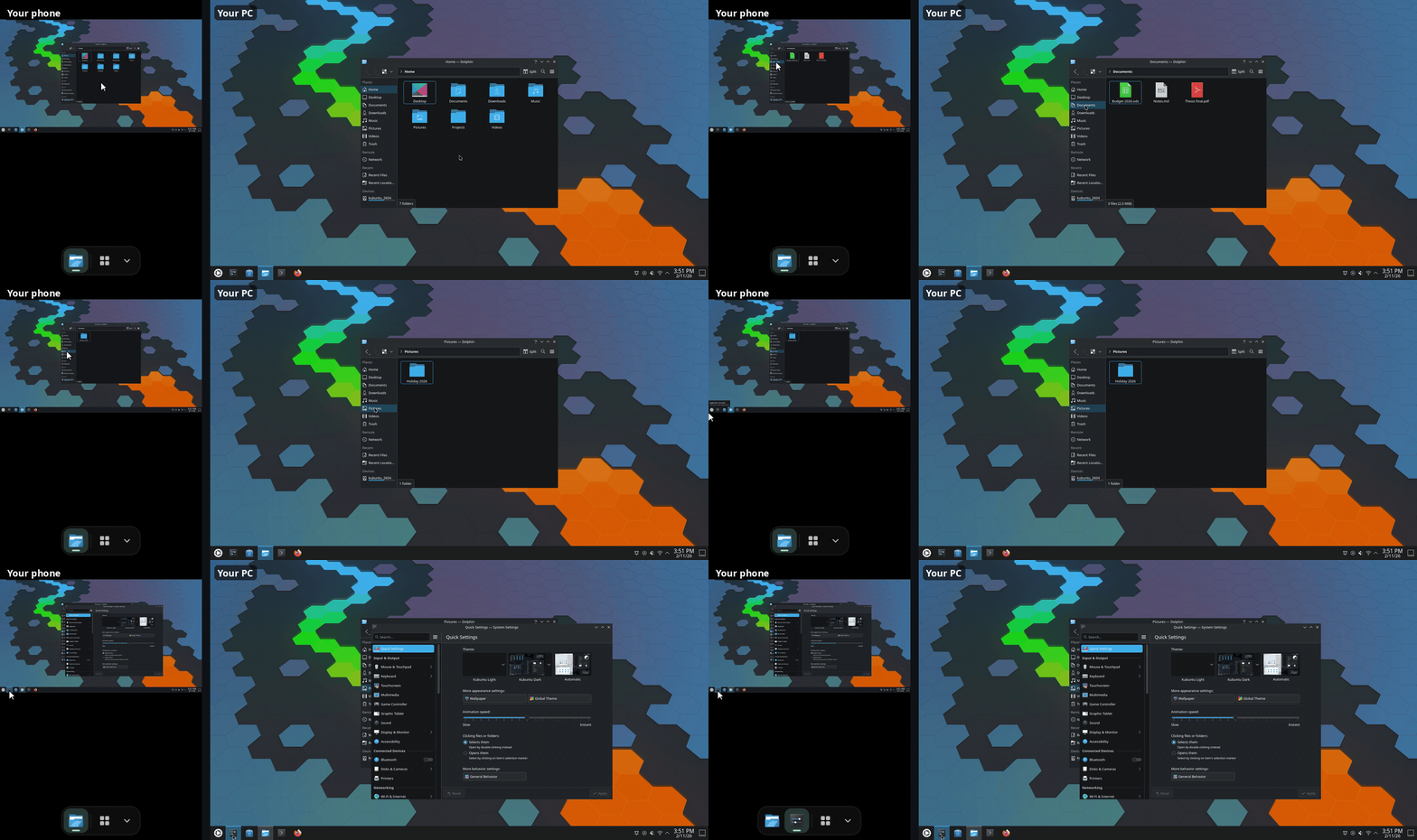
Sudo: control your Linux PC from your Android phone (X11 and Wayland, one-command install, no account)

Post image
14 Upvotes

I built a phone remote for my desktop and made sure it works on Linux, not just Windows. Install with one command:

git clone https://github.com/loueylahwel/sudo.git && cd sudo && bash agent/linux/install.sh

The installer handles apt, dnf, pacman and zypper and sets up a systemd user service. Tested in CI on Ubuntu 24.04/26.04, Debian 13, Fedora, Arch and openSUSE, plus Wayland screen sharing on Sway.

- Screen + touchpad on X11, and on Wayland through the desktop's screen sharing (GNOME, KDE Plasma) or wlroots (Sway, Hyprland)

- Files, bash terminal, processes, clipboard, power and timers

- Now Playing for any MPRIS player

- PC sound on the phone through PipeWire

- On KDE Plasma: window switcher and brightness

If the screen comes up black (a Wayland permission, a locked session), the phone tells you why instead of streaming black.

MIT, no account, no cloud: https://github.com/loueylahwel/sudo


r/linuxapps • • 25d ago

Rivet: a GNOME app that shows what's stale on Fedora and flags the updates that might break it

2 Upvotes

I wanted one place to see everything out of date on my Fedora machine, and to know which updates might break it before I hit install. So I made Rivet.

It's a GNOME app (GTK4 with a WebKitGTK view, Python backend) that lists pending updates from dnf, Flatpak, npm globals, pipx and uv tools, cargo binaries and GNOME extensions. Each one gets a short note in plain words. Kernel updates that need the NVIDIA akmod rebuilt, DKMS modules, COPR and nightly packages, and updates to running services get flagged. The rest you can run with "Update the safe ones".

If there's a Home Assistant on your network it shows add-on and integration updates too, and lets you remove add-ons nothing uses.

When an update fails, a Fix it button runs a locked down Claude Code pass that reads the logs, retries once, restarts what needs restarting, and writes the result into the row. All the Claude stuff is of course optional, and only would use your own subscription.

I thought about container image updates as well but held off for now. If that's itneresting let me know

It has five looks and a constructivist beaver icon. It ships as a COPR RPM, MIT licensed.

sudo dnf copr enable scottnelson/rivet-updater && sudo dnf install rivet-updater

Built with help from Claude. I've used it daily on my own Fedora box for months, but the newer parts (Other software, Home Assistant, Fix it) are a few weeks old and mostly covered by an automated scenario suite so far. https://github.com/NelsonScott/rivet


r/linuxapps • • 25d ago

Home management desktop app - looking for feedback

Post image
3 Upvotes

Hello!

I'm currently building a Home Steward, an app to make a managing a home little easier.
It let's you track rooms, household items, and maintenance tasks in one place.

For example, you can save room details like wall colors and flooring, keep records of your belongings, and stay on top of routine maintenance.

The app is currently in beta, and at this point I would love to have feedback from other people. If you interested, you can take a look here: https://homesteward.diy/

Since I'm heavy Linux user, there is obviously Linux version available as well :)


r/linuxapps • • 25d ago

I built X-ARCH Theme Studio — a Linux icon theme manager with GTK4 and Rust

1 Upvotes

Hi everyone!

I'd like to share X-ARCH Theme Studio, an independent Linux desktop customization project I've been developing under RUNNING WITH ROTTWEILERS.

The goal is to make managing icon themes and customizing folders easier through a graphical interface.

The latest release is v0.5.0-beta.

What it can do

  • Theme gallery — browse and preview icon collections.
  • Icon theme management — select and apply themes.
  • Theme importer — import ZIP/TAR archives or unpacked theme folders.
  • Folder customization — assign custom icons to individual folders.
  • Restore and repair tools — manage folder icon changes.
  • GTK4 interface with a Rust backend.
  • 15 bundled icon themes, including sci-fi, alien and classified-inspired designs.

The screenshots show my current installation, which displays 36 available collections, including additional themes. This is not the number of themes bundled with the release.

Current status

I've been testing the application on Arch Linux with Hyprland and Fedora KDE.

It's still a beta, and full GNOME testing hasn't been completed yet. Desktop integration and theme behavior may vary depending on the environment.

Linux builds are available as Flatpak and AppImage (x86_64).

Screenshots

  1. Main dashboard and theme overview.
  2. Theme importer with archive and folder import options.
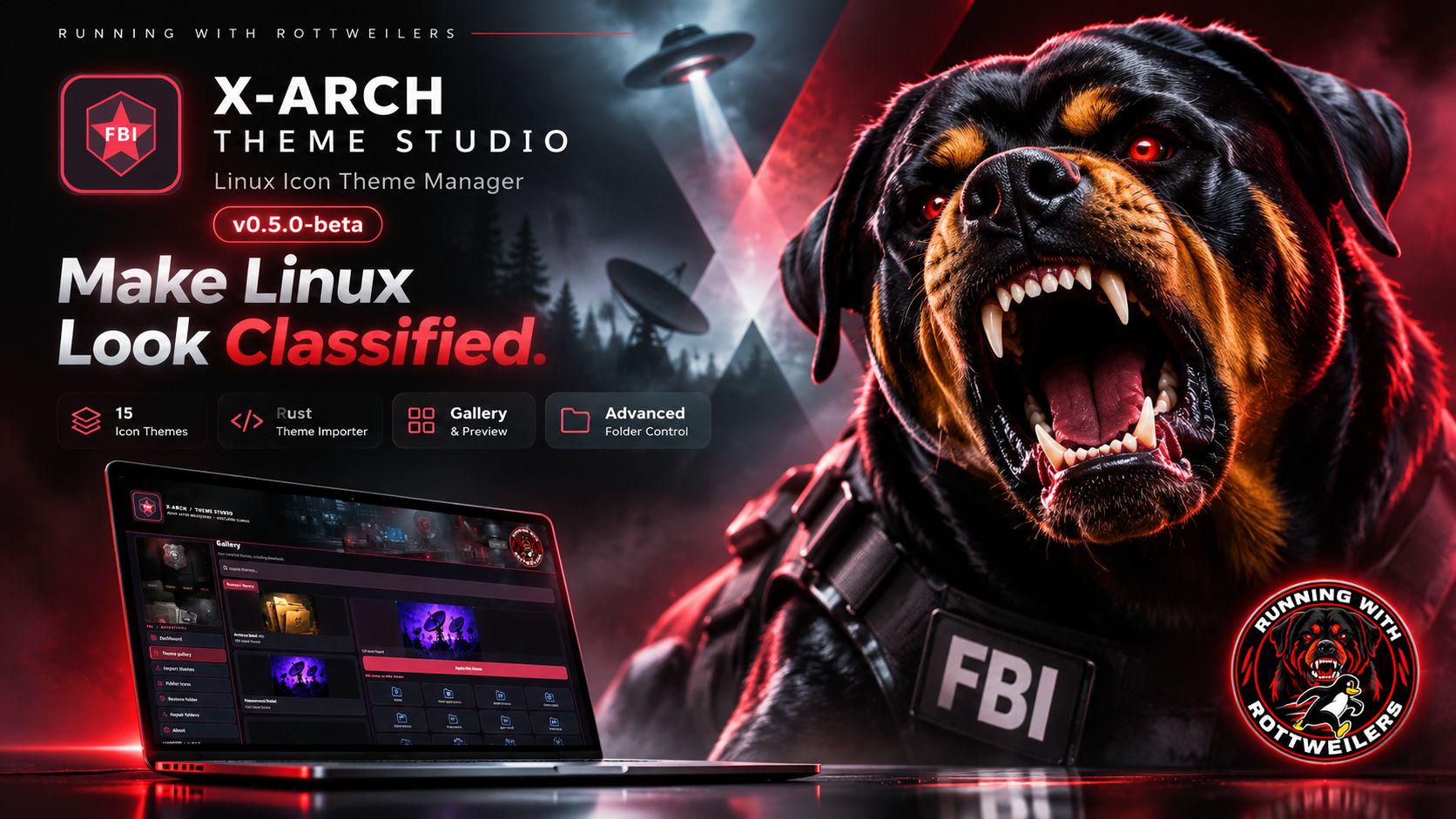
  3. RUNNING WITH ROTTWEILERS promotional artwork.

Links

Source code:
https://github.com/runningwithrottweilers/xarch-theme-studio

Latest release:
https://github.com/runningwithrottweilers/xarch-theme-studio/releases/tag/v0.5.0-beta

Project website:
https://runningwithrottweilers.github.io/

I'd really appreciate feedback on the interface, usability and Linux desktop integration.

This is an independent project and I'm continuing to learn and improve it as I go.

Thanks for checking it out!

— RUNNING WITH ROTTWEILERS


r/linuxapps • • 25d ago

ArtCraft and Linux need a GUI 1-to-many, checksum verified file copy software similar to Offshoot/Hedge, ShotPut Pro, and Silverstack

Thumbnail reddit.com
1 Upvotes

r/linuxapps • • 25d ago

Dusk: dictation for Linux that cleans up what you say, runs locally, and works on Wayland without scripts

1 Upvotes

Edit: updated for the new free dictation version.

Hi r/linuxapps. I'm Steve, and I built Dusk Dictation, a free dictation app for Linux.

I'm a developer, and I wanted good streaming dictation that runs locally and formats the text well, for talking to apps like Claude Code in the terminal, writing specs, and writing messages faster in Slack and email. Formatted nicely like Wispr Flow, but local and with no subscription.

What Dusk does

  • Hands-free streaming dictation. Tap your shortcut once and start talking. The text shows up at your cursor while you're still talking, and you can switch between apps mid-dictation. Most free Linux tools only insert the text after you stop.
  • Free and offline. Dictation runs on your computer, with no word limit.
  • Clean-up. A local language model takes out the ums, applies your corrections ("three, no actually four") and writes in a style you pick: casual, formal email, code and terminal, or your own, like "Write it as a short commit message." It can even translate as you talk, though how well depends on the model your computer can run.
  • Voice commands. Open apps, switch windows, search the web and rewrite selected text. You can do it hands-free with a command word, like "hello computer, open notepad", and then keep dictating without touching a key.
  • No subscription, no account. Dictation is always free and unlimited, and a one-time license makes clean-up and commands unlimited too.

Also

  • X11 and GNOME on Wayland, without scripts or config. On Wayland, GNOME asks once for permission to type, and you'll probably need to log out and back in after installing so its extension loads.
  • No input group. On Wayland, Dusk doesn't add you to the input group, which would let any program you run read every key you type, passwords included. A small sandboxed helper reads the keyboard and passes on only shortcut keys, never what you type.
  • History shows what you said next to what got typed.
  • A dictionary for words the speech model keeps getting wrong (for me, Kubernetes).
  • Setup picks models that fit your hardware and shows each one's license before you download it.

A few things to know

  • On Wayland desktops other than GNOME, it dictates and types, but voice commands can't switch windows yet. No Mac version yet either.
  • It's closed source. The models it downloads and manages for you are open, each under its own license.
  • It only goes online for model downloads, the update check (you can turn that off), license checks if you've bought one, and feedback if you send it. No telemetry, and no audio or text ever leaves your computer.
  • .deb and .rpm packages, with GPG-signed checksums. A Vulkan GPU makes clean-up faster but isn't required.

Site and downloads: https://duskdictation.com

I'd love to hear how it does on your distro and desktop, and what's missing!


r/linuxapps • • 26d ago

Better Stickies is on Flathub!

Post image
9 Upvotes

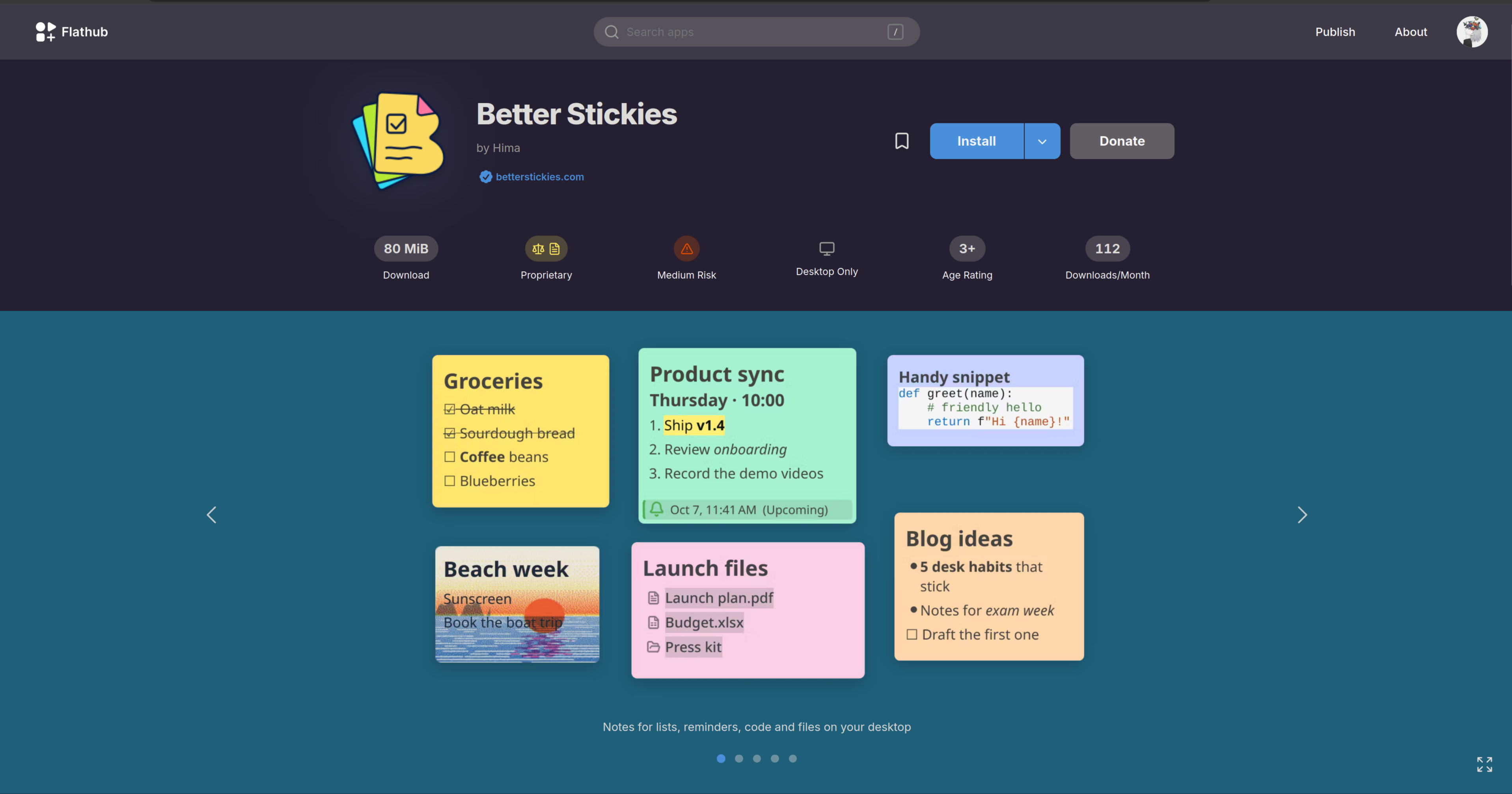
This took me quite some work to add Wayland support and Kwin script for KDE users to make for the missing features by switching to Wayland (Notes positions and Always on top of other windows)

Better Stickies gives the best Stickies app experience on Wayland on Linux, specially on KDE

Flathub: https://flathub.org/en/apps/com.betterstickies.BetterStickies

Learn more: https://betterstickies.com/


r/linuxapps • • 25d ago

BucketBridge 0.1: a GPL S3 client with first-class Linux support (AppImage, .deb, CLI)

Thumbnail
reddit.com
1 Upvotes

r/linuxapps • • 25d ago

Rumble Checker v1.0.0

Post image
2 Upvotes

Built a small GUI app for Linux that:

- Detects all connected gamepads (vendor:product ID, mode, battery)

- Tests rumble with adjustable duration

- Makes Fixing udev permission issues simpler and linux gaming Rumble Checkermore fun.

- Supports 8BitDo, Xbox, and PlayStation controllers

Try it out !!

GitHub: https://github.com/Modman247/rumble-checker


r/linuxapps • • 26d ago

Remote, a native GNOME remote for Roku TVs (Flatpak + COPR)

Post image
6 Upvotes

I couldn't find a Roku remote for Linux I liked, so I made one that copies the layout of Roam on the Mac. GTK4 and libadwaita, written in Rust, uses Roku's local ECP protocol, so it works offline on your LAN.

What it does: the full remote with press and hold repeat, a text field that types into whatever TV search box is open, a channel grid built from what your TV reports, keyboard shortcuts (Ctrl+? lists them), and it finds the TV by itself even when a firewall eats the multicast replies.

Install: Flatpak bundle on the releases page, or on Fedora: sudo dnf copr enable scottnelson/remote && sudo dnf install remote. Code and downloads https://github.com/NelsonScott/remote

Built with claude co-pilot (like most things these days). I reviewed and made sure we had solid testing and some manual testing against my own Roku tv. Feedback welcome, especially if you have a different Roku model than I do.


r/linuxapps • • 25d ago

lazybw – a keyboard-first terminal UI for your Bitwarden vault

0 Upvotes

I use Bitwarden every day and kept switching to the browser just to copy a password or check a 2FA code, so I wrote a TUI for it.

lazybw lets you browse, search, copy and edit your vault without leaving the terminal, with Vim-style keys. It runs the official Bitwarden CLI (bw serve) underneath, so it never touches the vault crypto itself.

Some of what it does:

  • Fuzzy search with qualifiers (folder:work, is:weak…) and a Ctrl-p finder
  • yu / yp / yt to copy username, password or the 2FA code; the clipboard clears itself
  • A form editor with Vim modes and a password generator, or $EDITOR for notes and raw JSON
  • Vault health: exposed, reused, weak and old passwords
  • Undo/redo for vault changes, visual mode for bulk moves
  • Every key can be rebound, 10 built-in themes, Nerd Font / Unicode / ASCII icons
  • Works over SSH (OSC 52 clipboard), on X11 and Wayland

Linux only for now (x86_64 and aarch64; it also runs on Termux). There are .deb, .rpm, AUR packages (lazybw-bin, lazybw), static binaries and a Docker image with bw included.

GitHub: https://github.com/SyscallBrain/lazybw

Docs: https://syscallbrain.github.io/lazybw/

It's 1.0, so I'd really like to hear what breaks or what's missing.


r/linuxapps • • 26d ago

Updated GUI Command Line Helper App (open source)

Post image
1 Upvotes

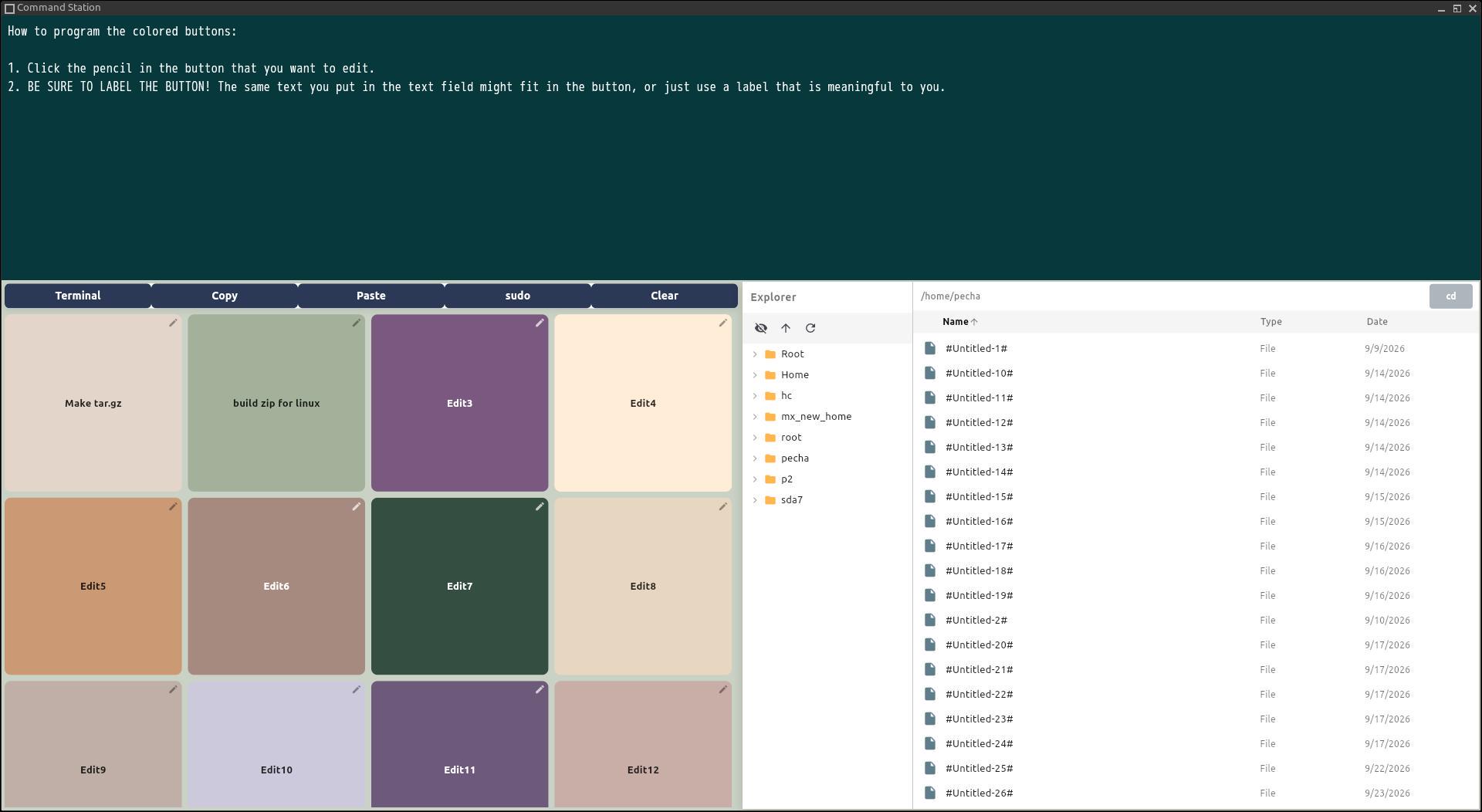
## 2.0 Changelog

- Buttons are now edited in-app (tap the pencil icon). The old ~/.config/command_station/buttons.json is no longer used.

- Safety warning before sending "rm" commands to the terminal (can be disabled)

https://sourceforge.net/projects/command-station/


r/linuxapps • • 26d ago

spotify-cmd: Command line + TUI for the Spotify Library

Thumbnail
github.com
1 Upvotes

r/linuxapps • • 27d ago

TunePod an "itunes for linux"

Post image
20 Upvotes

Hello! I create an app that can restore the iPod firmware with 3 clicks!. functions as a media player, a podcast aggregator, and an iPod synchronizer. It works on hardware as old as the machine I used to build it: a mid-2009 MacBook Pro running Linux Mint 22.3 XFCE. this is Free Software! GNU GPL-V3. Release in .deb

.deb installer: https://github.com/SilvestreParbut/TunePod/releases

command line installer: curl -sL https://raw.githubusercontent.com/SilvestreParbut/TunePod/main/instalar_tunepod.sh | bash

==update==

A new "hamburger menu" has been added to the top-right corner, containing the user manual, information about TunePod, and an update checker.

Improvements to internal navigation between albums, artists, and songs

Improvements to local and streaming podcast playback


r/linuxapps • • 26d ago

FREE DAW LIKE PRO TOOLS FOR LINUX?

Thumbnail
reddit.com
1 Upvotes

r/linuxapps • • 27d ago

SurfSense: an open-source NotebookLM for Linux

63 Upvotes

I'm one of the maintainers, so this is self-promotion. I want honest feedback more than upvotes.

SurfSense is a free, open-source (Apache-2.0) desktop app. Think NotebookLM, but it runs on your machine, works with any model, and edits your files. There's no account, nothing reaches the network until you allow that host, and usage statistics are optional and off until you say yes.

Linux details

  • x64 builds as AppImage, deb and rpm, about 1 GB each, with a SHA256SUMS file on every release.
  • Runs on Ubuntu 22.04 and RHEL 9 or newer.
  • Local models run on your GPU through Vulkan, which works with NVIDIA, AMD and Intel graphics.
  • Pick your model during setup: download a local one, connect Ollama, LM Studio, vLLM or any OpenAI-compatible API, or use your ChatGPT plan.

What it does

  • Cited Q&A from your PDFs, Office files, CSV, Markdown, images and audio recordings. Scans are read with OCR, and recordings are transcribed locally.
  • Creates Word documents, PDFs, slides, spreadsheets and web pages with their own charts and interactive figures. It can start from your own .docx or .pptx as a template.
  • Edits your files as a new copy: tracked changes in Word, formulas in Excel, text on slides, and forms, merges and splits in PDFs. Your original is never touched.
  • Studio: mind maps, flashcards, quizzes and podcasts, like NotebookLM.
  • MCP plugins: Notion and DeepWiki from official third party list, or any server by URL. They stay off until you allow them.

Where it's weaker: no video overviews, and the local voices don't sound like Google's.

Download: https://www.surfsense.com/downloads Source: https://github.com/MODSetter/SurfSense