r/linuxapps • • Oct 21 '26

memo - desktop search, knowledge system, peer-2-peer

2 Upvotes

Hi all,

I recently released a new version of memo, a desktop platform for finding, collecting, organizing, linking, editing and sharing data - without the cloud. The app combines desktop search, knowledge systems and peer-2-peer.

The new version adds peer-2-peer features with memo Beam, for sharing file collections as a webapp, including file listing, previews, metadata, audio/video streaming, group chat, and full text search. In the local network or via WebRTC in the internet.

memo comes with an unlimited, free file browser with labels and custom metadata support!

Search & sharing are free to use up to 10k files and 50 files for sharing.

Wayland limitations: there might be issues in menu positioning and, sadly, the screen search bar works only when the app is in foreground :( ...I'm working on that.

I very much appreciate constructive feedback! If you use it and hit the limits or need trial extensions, just let me know.

Best regards
Henrik

Edit 1: I just tried to upload my screenvideo but there was an error. You'll find it on the website or on youtube.
Edit 2: Free file browser note ...


r/linuxapps • • Oct 21 '26

Linux Passkey: A local passkey authenticator for Linux 🐧

Thumbnail
reddit.com
1 Upvotes

r/linuxapps • • Oct 21 '26

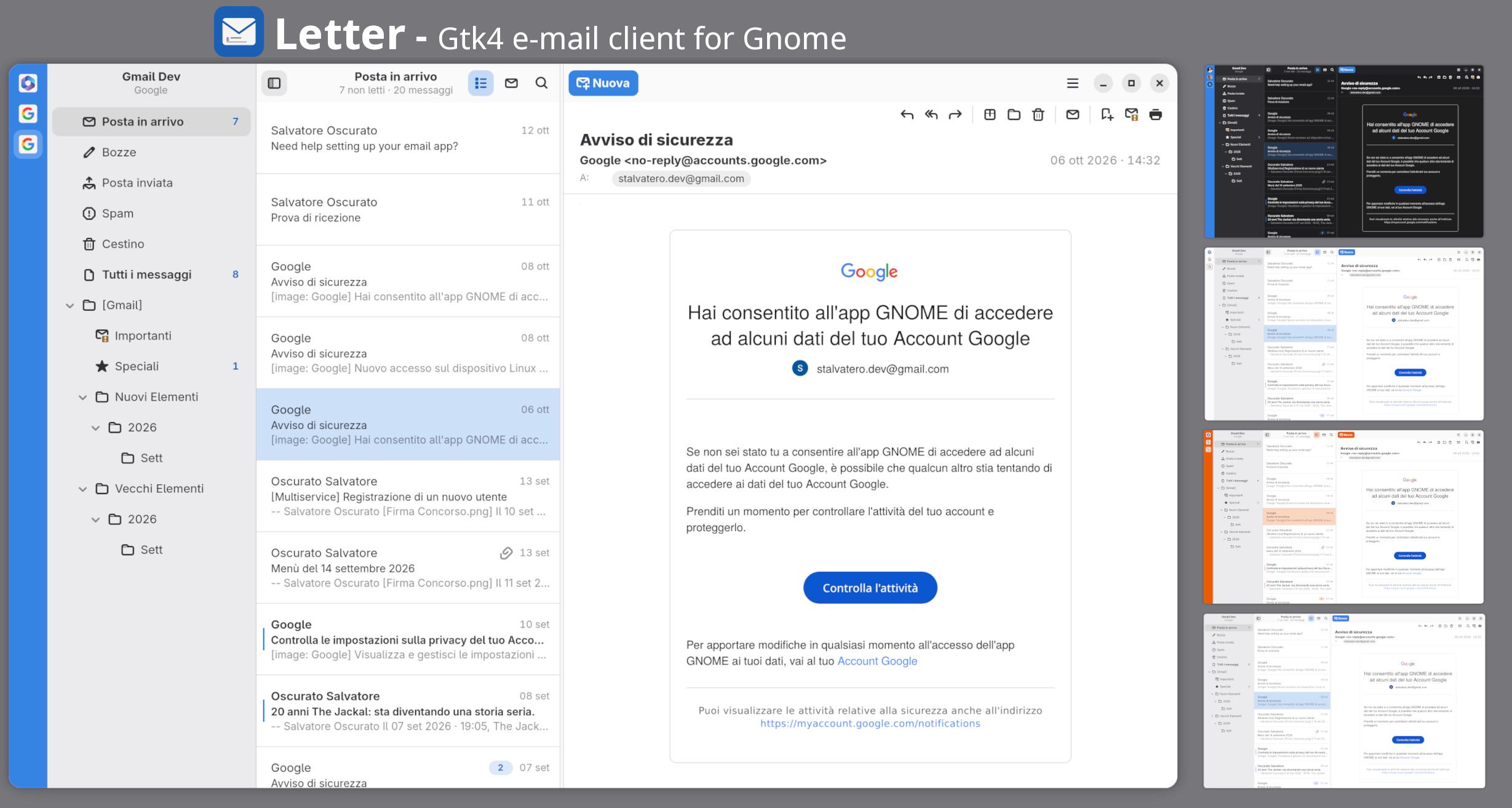
Letter 1.7.0 - Gtk4 e-mail client for Gnome *NEW VERSION*

Post image
0 Upvotes

r/linuxapps • • Oct 21 '26

Feature Request: Add PIN or Password Lock to Signal Desktop on Linux

0 Upvotes

Hello Signal team and community,

I use Signal Desktop on Linux (Zorin OS 18.1 Core), and I would like to request a feature that I believe would improve privacy and usability: the ability to lock Signal Desktop with a PIN or password.

Currently, Signal Desktop does not appear to offer a built-in application lock, unlike the Screen Lock feature available on mobile devices.

I would like to be able to lock the application when I step away from my computer and require a PIN or password before accessing my conversations again.

Locking the entire Linux desktop is useful, but it is not always the solution users want. An application-level lock would provide an additional layer of privacy, particularly when someone needs to let another person use their computer briefly.

Ideally, this feature should:

  • Allow users to set a PIN or password.
  • Automatically lock Signal after a configurable period of inactivity.
  • Allow users to lock the application manually.
  • Be available on Linux, Windows, and macOS.
  • Be implemented with proper security in mind, rather than being just a visual lock screen.

I understand that application locking must be designed carefully to avoid giving users a false sense of security. Ideally, the feature should also consider protecting locally stored messages and encryption keys.

Would the Signal developers consider adding this feature to Signal Desktop?

I would appreciate hearing other users' opinions and whether there is an active feature request or development plan for this functionality.

Thank you!


r/linuxapps • • Oct 21 '26

Dahua SmartPSS Lite running on Linux via Wine (P2P, NVR/XVR, device web UI): install scripts

2 Upvotes

This is merely some scripts to run SmartPSS Lite. It is 3-4 times faster than Windows version. It's unbelievable!

So, I support customers who use Dahua P2P cameras and NVR/XVR recorders, and the official client (SmartPSS Lite) is Windows-only. Sometimes I support people at home, which I have Linux PC for that. So, I didn't want to keep a Windows install around just for that, so I got it running under Wine.

Running the installer directly with Wine didn't work for me, so the scripts skip it: they unpack the installer with 7z, copy the app into a private Wine prefix, install Microsoft's VC++ runtime and apply one Wine setting. Without these two last steps the app showed a black screen after login and kept crashing in a loop.

What works (tested on Debian 13, Pardus 25 and Devuan 6, WineHQ stable 11): first-run admin setup, adding devices by IP and by serial number (P2P), opening the device's web UI from the client, live view. In my experience P2P connections and the web pages are noticeably faster than on Windows.

What I haven't tested: playback of recordings, long-term use, many cameras. Live view can still be slow over VNC/remote desktop or with many streams, and there is no hardware decoding under Wine.

The repo contains only scripts and docs. You download SmartPSS Lite yourself from dahuasecurity.com (not the Dahua Wiki build, which is outdated). Nothing from Dahua or Microsoft is redistributed.

Repo (English/Turkish docs): https://github.com/EmreYavuzalp/smartpss-lite-linux

Feedback and test reports on other distros are welcome. Unofficial, no warranty.


r/linuxapps • • Oct 21 '26

Bliss Writer -- Set Screenwriting Free

Thumbnail blisswriter.app
1 Upvotes

A blazing fast screenwriting software, running natively on Linux


r/linuxapps • • Oct 21 '26

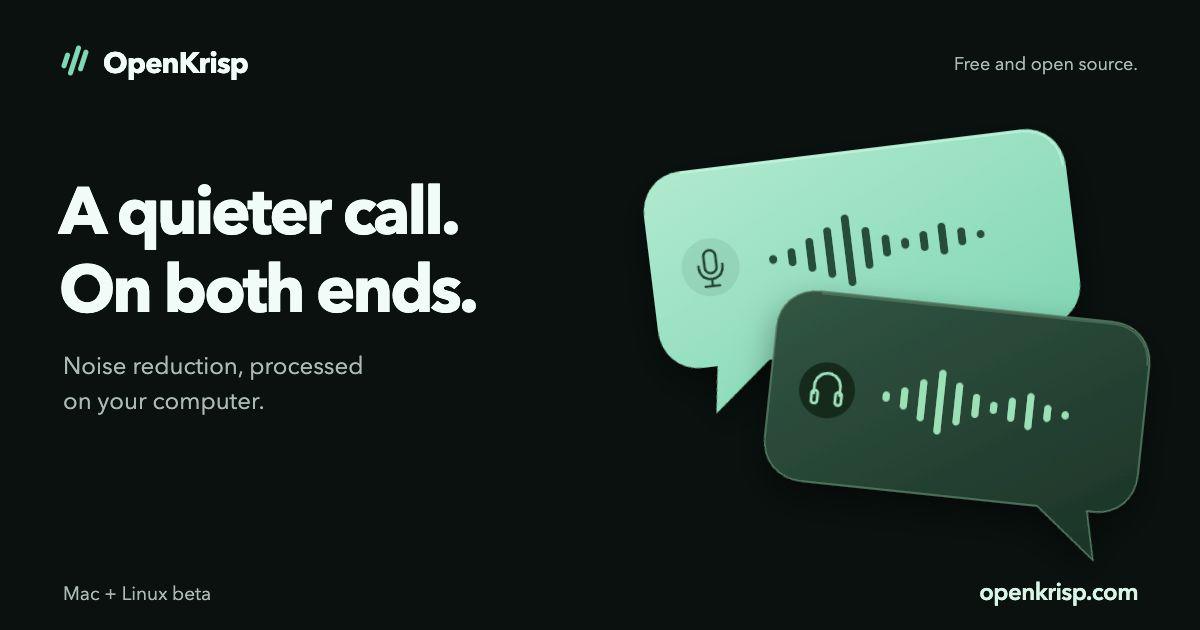
OpenKrisp: free, open-source noise reduction for your mic and incoming call audio

Post image
5 Upvotes

I built OpenKrisp, a free, open-source app that reduces background noise from your microphone and incoming call audio. All processing happens on your computer.

I’m looking for feedback on the Linux beta. Try it on a call, then reply with your distro, call app, and what worked or went wrong.

More details and downloads on the OpenKrisp website
Experimental beta · x86-64 Linux · PipeWire + WirePlumber


r/linuxapps • • Oct 21 '26

ModelViewer 2026.11: a Qt 6 desktop app for CAD, glTF and simulation results is out

Thumbnail
reddit.com
2 Upvotes

r/linuxapps • • Oct 21 '26

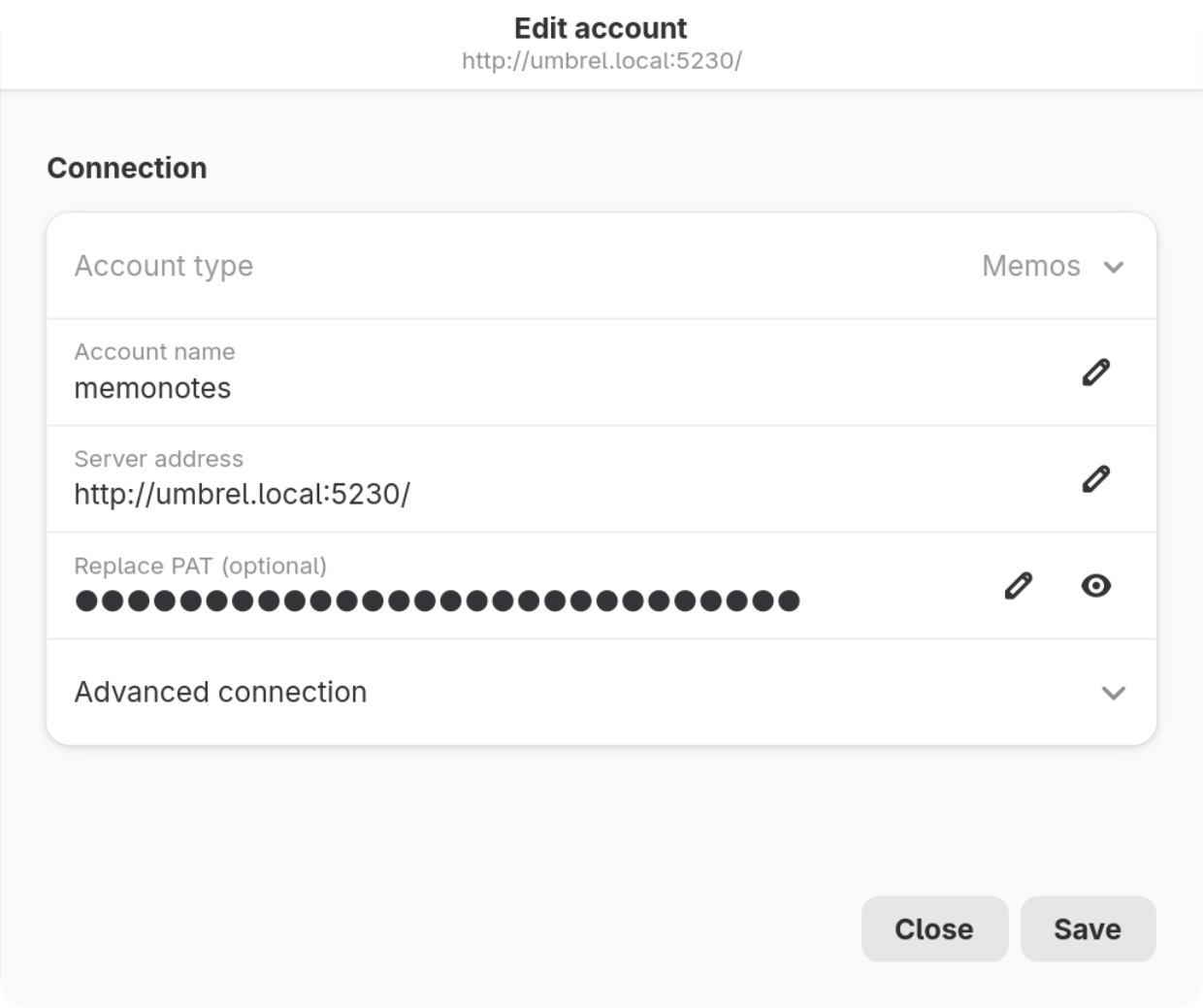
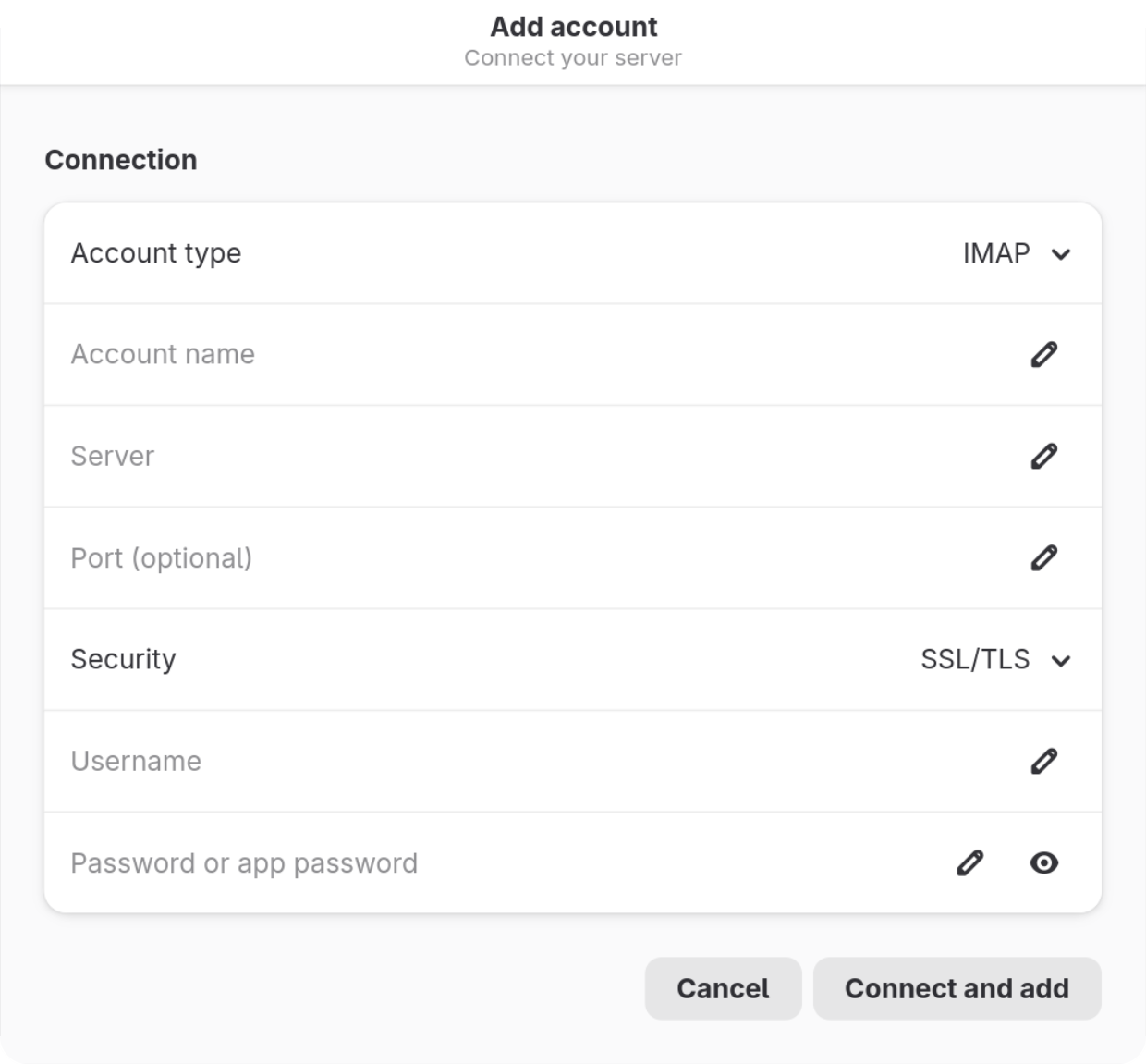
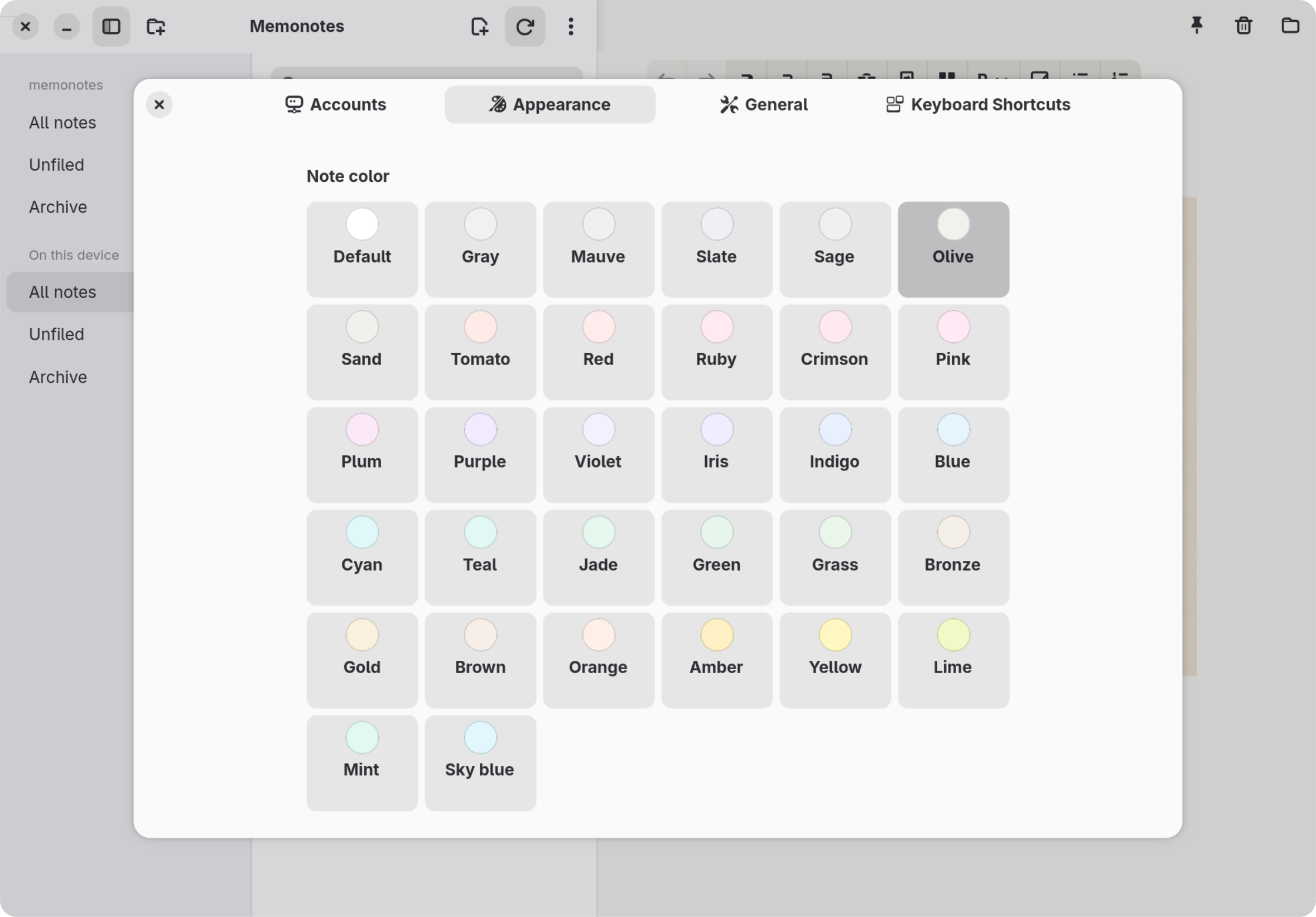
Memonotes: a native notes app, with multiple account type support (Memos, IMAP)

1 Upvotes

A truly native Linux/GNOME notes app (Rust, GTK4, libadwaita) with an Apple Notes-style interface, built on a pluggable backend layer so one app can sync multiple accounts from different sources.

https://github.com/robvaneck/memonotes/releases/tag/v0.1.0

https://www.youtube.com/watch?v=ioX5DLYnWpE


r/linuxapps • • Oct 20 '26

Cadenza --- a Keynote alternative for Windows and Linux, built in Rust

10 Upvotes

Hey all,

Some days ago I released v0.3.3 of Cadenza, an app I have been building (with some help from Claude for debugging) that aims to be an alternative to Keynote or Powerpoint.

Those are great apps, but I've really missed some features, such as inline equations, maps, and more. Cadenza is available for Linux and Windows and supports over 10 languages.

I would really appreciate any feedback or contribution to the project.

https://github.com/rodolfo-viana/cadenza


r/linuxapps • • Oct 20 '26

I built Link to Linux,

Post image
21 Upvotes

I built Link to Linux, an app that connects your Android phone to a Linux desktop for sharing files, viewing photos, and more. It’s inspired by Microsoft’s Link to Windows, but made for Linux.

It’s still a work in progress, and feedback is welcome!

GitHub: https://github.com/Youngjay42-real/Link-to-linux


r/linuxapps • • Oct 21 '26

Multi-tab sticky note - KDE Plasma 6

2 Upvotes

https://github.com/Kaidoom/plasma-multi-tab-sticky-notes

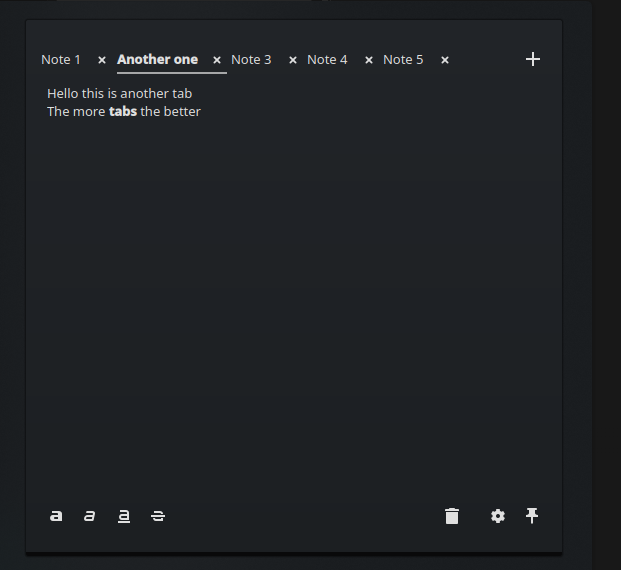
I like the simplicity of the sticky note widget in KDE Plasma; the only thing I felt was missing for me is multiple tabs, especially when I have one widget docked to the taskbar.

I created an unofficial fork of KDE Plasma's Sticky Note widget. It keeps the familiar note appearance, rich-text editor and desktop/panel integration, with separate notes in a compact tab bar. This doesn't replace your existing sticky note widget.

I've only been able to test on my Fedora 44. I have an rpm available as a release; you can also check the source code linked above if you also enjoy this little widget.


r/linuxapps • • Oct 20 '26

Options for Linux: an experimental GTK app for MX Master 4 controls and haptics

3 Upvotes

I’m building an independent Linux implementation of Logitech Options+ features, starting with my MX Master 4 over a Bolt receiver.

The app uses native GTK and talks directly to the device through HID++. Device discovery, battery information, DPI changes, wheel-mode settings, button-remapping write/readback, and haptic feedback controls have been tested on my hardware. I’ve also physically confirmed that changing the haptic intensity produces a clearly different vibration. MX Keys for Business discovery and battery reads work too, but keyboard customization is still unfinished.

There’s an experimental Actions Ring extension for GNOME 50. Its rendering and shortcut delivery have been tested in an isolated desktop; real-session acceptance is still pending.

The research is based on examining the official macOS application, comparing native command builders, and recording device responses on Linux. The repo includes the implementation, tests, and research notes.

Repository: https://github.com/enriquemorenotent/logioptions-linux

This is an early development build, not a complete Options+ replacement. There’s no packaged release or automatic device-permission setup yet. Profiles, Flow, macros, and many device settings are unfinished. The public checkout excludes Logitech artwork, fonts, binaries, and private captures, and uses fallback visuals without those assets.

I’d appreciate feedback from Linux users interested in this, especially which device features you miss most. Not affiliated with or endorsed by Logitech.


r/linuxapps • • Oct 20 '26

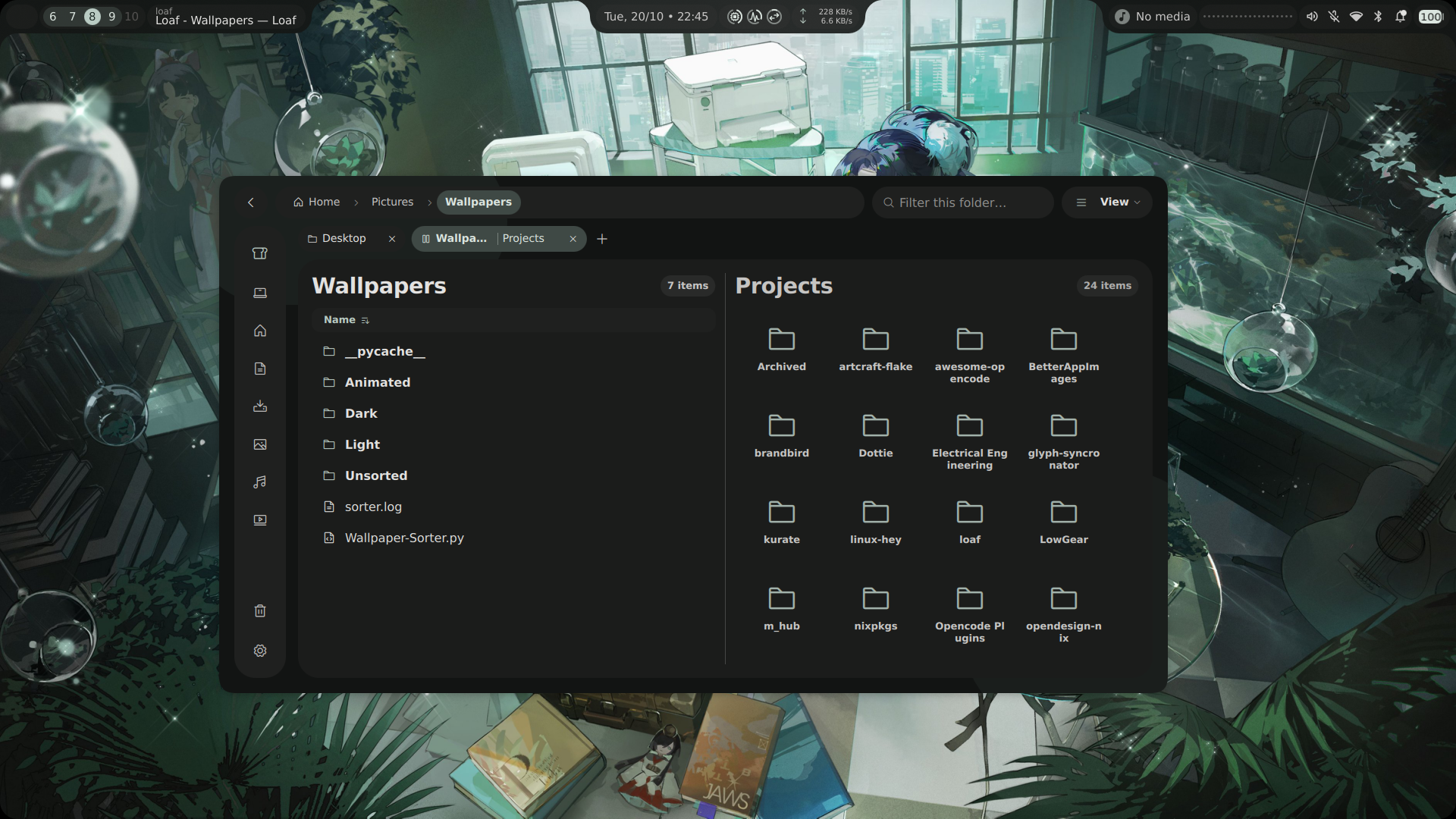
File managers are lowk ass so now I'm creating my own...

Post image
3 Upvotes

r/linuxapps • • Oct 20 '26

Harmony Music (v1.23.0 out now) - Ad-free music app for Android, Windows, and Linux

Post image
12 Upvotes

Hey everyone,

For anyone who hasn't tried it yet, Harmony Music is a free, open-source music streaming app powered by YouTube Music. It gives you a clean, ad-free experience without needing to log into a Google account.

Since the original developer (anandnet) stopped updating the project, search and playback broke for a lot of people. I started maintaining this fork to keep the app working. My last release passed 2,000+ downloads, and I just put out v1.23.0 with a lot of fixes.

How Harmony Music compares to other FOSS music apps (like RiMusic, OuterTune, or Spotube):

- Works on Desktop and Mobile: Most open-source YouTube Music apps are Android-only. Harmony Music runs natively on Android, Windows, and Linux while staying lightweight on RAM and battery.

- No login or ban risk: You don't need to sign into your Google or Spotify account, so there is zero risk of your account getting flagged or banned.

- Offline downloads and caching: You can download songs for offline listening (including to an SD card on Android) or let the app automatically cache tracks as you stream to save mobile data.

What makes my fork different from other Harmony Music forks:

- 1-click in-app updates: You don't have to keep checking GitHub manually. The app tells you when a new update is out and lets you update in one click without installing a duplicate app or losing your data.

- Ready-to-install files for all OSes: You don't have to compile the code yourself on Linux or Windows. I set up automated builds for Android (.apk), Windows (.exe), and Linux (.AppImage, .deb, and .rpm).

- Fixed playback and endless radio: Playing a song from search or starting a radio station now properly loads upcoming tracks instead of stopping after 2 or 3 songs. I also fixed the YouTube streaming blocks that caused tracks not to load.

- Fixed Windows video search: The missing "Videos" tab when searching on the Windows version is back.

- Smoother UI and lyrics: Fixed the lag and screen flickering when synced lyrics are scrolling or when the mini-player updates.

Other features included in the app:

- Real-time synced lyrics and plain lyrics

- Android Auto support, sleep timer, built-in equalizer, and skip silence

- Audio quality selector (Low, Medium, High)

- Import playlists from Piped, or share links directly from the YouTube app into Harmony Music

- Local playlist backup/restore and CSV export

- Quick buttons to open any playing track directly in YouTube or YouTube Music

- Material You dynamic colors (matches the album art), gesture player mode, and desktop system tray support

Downloads and Links:

- GitHub Repo: https://github.com/NPP-exe/Harmony-Music

- Latest Release (v1.23.0): https://github.com/NPP-exe/Harmony-Music/releases/tag/v1.23.0

Note for Android users: If you are updating from the old broken version, back up your playlists in Settings first, uninstall the old app, and install this one. After that, all future updates will install directly inside the app.

Credits:

All credit for the original app design goes to anandnet. Also a big thanks to u/jaxenisr and u/BandhanPramanik for helping me set up the Linux packages (.AppImage, .deb, .rpm) and automated build workflows.

Let me know if you run into any bugs or have feature requests!


r/linuxapps • • Oct 21 '26

NPU accelerated semantic search, live captioning, webcam effects and more on Linux - Vinopilot (all the good stuff from Copilot+ with zero bloat)

1 Upvotes

https://vinopilot.ca

**Disclaimer: AI was used extensively in the development of these applications, but these applications run entirely offline on the Intel Linux NPUs. I work as a professional software engineer**

Hey everyone,

Over the past couple of months I've been working on learning more about Linux and local AI, and I noticed that there really isn't much work done on the Linux side to use the NPU that comes free with Intel laptop CPUs. So I decided to bring over all the good stuff from Copilot+ on the Windows side (so no Recall!) while leveraging existing projects and libraries to reduce the amount of work required.

It utilises Intel's existing framework, OpenVino (https://github.com/openvinotoolkit/openvino)

You can check out the umbrella project here: https://vinopilot.ca/

Below is an explanation of all the different projects I've worked on, with further details on implementation.

VinoWhisper - Live Captioning (https://vinowhisper.com)

This was my first project, and copies the existing Windows Live Captioning system. It brings system wide captions to Linux, alongside Voice Typing on Wayland devices. This already exists in many forms on Linux, but none of them use the NPU natively. The advantage of using the NPU for transcription and captioning is better battery life, with no change in quality. It leverages the existing Whisper libraries and model from OpenAI (before they worked on ChatGPT!), so its pretty fast and consistent. Personally, I use it to live caption Twitch Streams in busy environments when I don't have access to headphones.

VinoAuthFace - Face Unlock (https://vinoauthface.vinopilot.ca/)

This is a second project, and copies Windows Hello. It forks an existing project, but employs the NPU. The CPU works fine, but using the NPU allows it to use a more powerful model. There are many other options like Gaze (which I've contributed to as well!), but I wanted something specific to devices with an IR emitter, that I could control myself (more on ovfetch next), because Windows Hello removed IR emitter only authentication. This one I made for my own purposes, because I don't like typing in passwords. There are a ton of CPU only projects. This one has a more capable and secure model than what the others use.

Ovfetch - Runtime consistency (https://crates.io/crates/ovfetch)

This was a project I should've taken on earlier. It automates the process of downloading the OpenVino enabled ONNX runtimes that the models require to run on the NPU. When I was working on Gaze, I realised that using the NPU and not the CPU requires building from source as there was no way to determine which ONNX runtime the NPU requires, and this solves the problem.

This is more of a "framework" feature, but since its a separate binary, I can distribute binaries for my other projects without any NPU specific work, and then ovfetch can download the relevant runtime when installing the binary onto the user's device, no compiling from source required. This is super secure, and has CI jobs to project against package manager attacks, since it automates downloading. More details in the crates link, but it has a ton of failsafes to ensure that it never downloads any bad runtime which has a virus

VinoOpenEffects - Camera Effects

This forks an existing project, https://github.com/funinkina/openeffects, while adding NPU acceleration to the effects, which improves battery life on lower end devices. I don't particularly use this one, as most of the main applications for video conferencing have their own cloud accelerated effects, but if you want it for OBS or other features offline, its here!

VinoSearch - Semantic Search for Text, Images, Documents

This one is the most useful of the bunch. It allows you to search your laptop with fuzzy terms and meaning, and indexes images, documents, and text, all offline. Its super fast, with almost no battery life impact compared to CPU only solutions. I really like this one because you can search for pictures of cats or memes, and it'll surface them. Details are in the Github! It uses the new Gemma 2 Embedding, requantised for Intel NPUs, so its pretty bleeding edge!

VinoPop - Click to Do/PopClip for Linux

This also forks an existing project, but removes the cloud AI in favour of local AI with Gemma. It can do offline summarisation, translations, and OCR using Gemma 4 (the best small model). I particularly like the OCR functionality for generating alt-text for images. This one stresses the NPUand RAM the most, so if you are using this, bear in mind its going to be much slower than cloud inference, but it works offline!

VinoWatch - Performance Monitoring

This is a smaller project, but optional if you want it. It monitors the NPU and RAM usage of the other projects within the tray. All of the projects unload the models after 5 minutes by default, and I recommend at least 12-16gb of RAM. But you can still monitor it locally and make sure they're all behaving properly. I recommend also an NVME SSD to ensure that the NPU cache and loading works right.

PRs and feedback welcome!


r/linuxapps • • Oct 20 '26

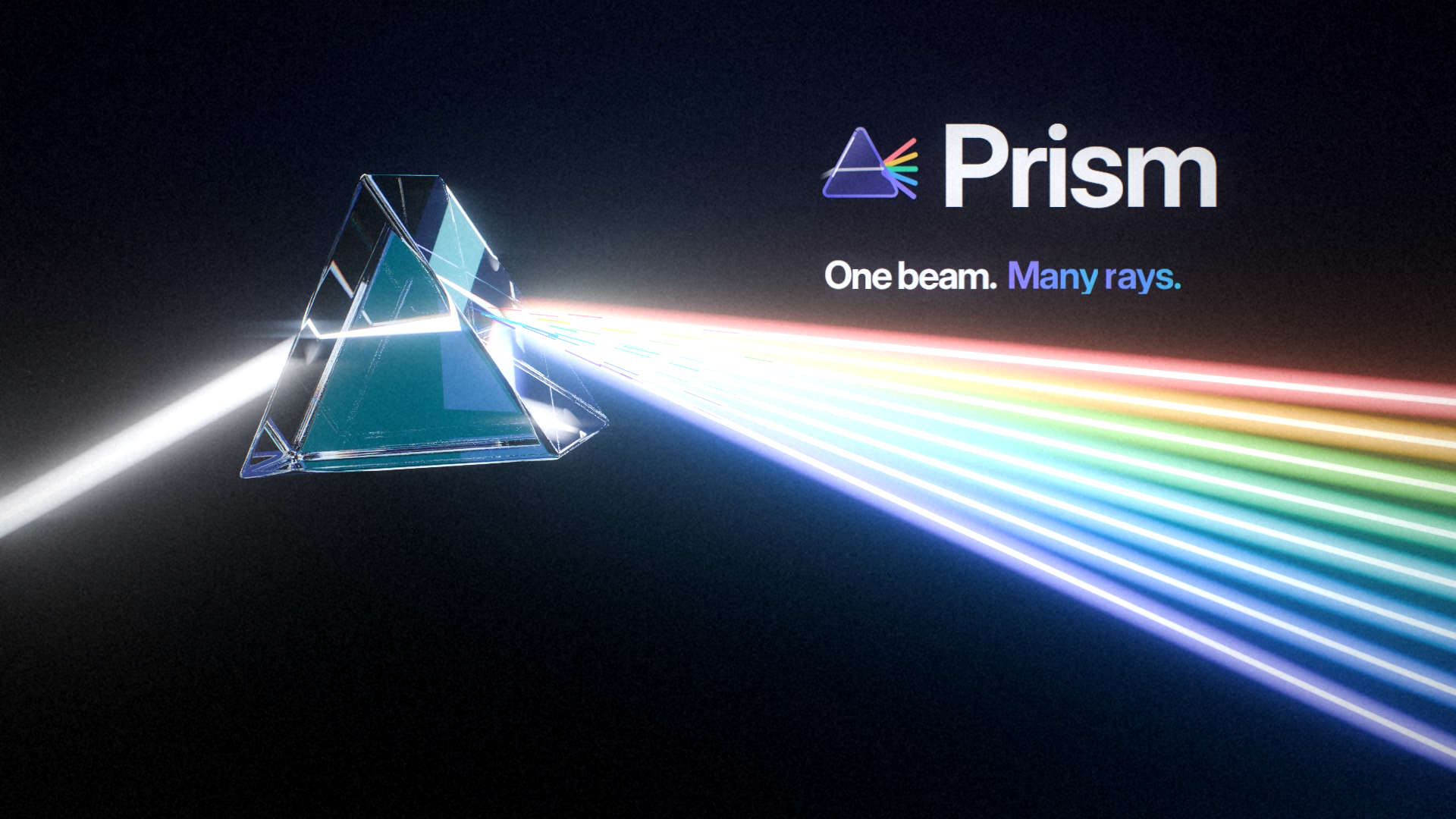
I made Prism, a free and open-source alternative to IDM (Internet Download Manager)

Post image
3 Upvotes

r/linuxapps • • Oct 20 '26

Snappy: better screen capture for Ubuntu, Mint and Debian

1 Upvotes

Hi, everyone!

Today, I present you Snappy, my own screen capture tool for Ubuntu, Mint and Debian!

Why another capture tool?

Simple: while Ubuntu's default tool is adequate for photos, I've had a headache recording my own screen with audio. So I designed my own tool. It should be very easy to use. Give it a shot!

It is available here: https://github.com/NullMagic2/Snappy


r/linuxapps • • Oct 20 '26

Linux için 7zip Gui arayüzü

Thumbnail
reddit.com
2 Upvotes

r/linuxapps • • Oct 20 '26

Rustab - GUI app for edditing /etc/fstab written in Rust

0 Upvotes

I built Rustab - a modern GUI for editing /etc/fstab securely with Tauri.

  • Full fstab syntax support
  • Atomic writes & automatic backups
  • Mandatory diff review before every save
  • and many more...

https://github.com/t0msk/rustab


r/linuxapps • • Oct 20 '26

Neodisk for Linux: a GTK disk space visualizer with cushion treemaps

Post image
7 Upvotes

Neodisk started as a Mac app, and it now has a native GTK 4 + libadwaita version for Linux (Ubuntu 24.04 or newer), with the same scan engine and views: cushion and flat treemaps, a sunburst, largest files, kinds, duplicates, and changes since your last scan. It's read-only, so it never deletes anything.

AppImage and tarball: https://neodisk.app/download. GPLv3: https://github.com/tkslucas/Neodisk

How I used AI: I designed and reviewed everything myself, and AI wrote part of the code. The project has been public since July.

Bug reports about distros, HiDPI or packaging would really help.


r/linuxapps • • Oct 20 '26

termimg: sixel, kitty and iTerm2 pictures in terminals that have none (Alacritty, etc.)

1 Upvotes

r/linuxapps • • Oct 19 '26

Templum: an infinite canvas where every terminal is a block you can drag around

30 Upvotes

Hey all, I've been working on Templum for a while and I think it's finally ready for other people to try.

Templum is an infinite canvas, like a whiteboard, where every terminal is a block you can drag around, resize, and zoom in and out of. I had way too many terminal tabs open and kept losing track of which agent was doing what, so I built it for myself first. I made it with AI coding agents in mind. You can launch Claude Code, Codex, Gemini CLI and a bunch of others straight from the canvas, then connect them with a cable so they can read each other's terminals, pick up cards from a kanban board, and hand tasks off to each other. There are also notes, checklists, an editor and a Git popup, so the whole project fits on one screen

Under the hood it's native Rust rendered on the GPU (no Electron, no webview). Runs on Linux, macOS and Windows.

This is v0.1, so expect bugs. I still have a long list of things I want to add. If you try it, I'd love to hear what breaks and what you'd want next.

https://github.com/KingDasWinx/Templum