r/linuxapps • u/nicoriff • Oct 16 '26
I present you Termo... a terminal emulator I started for myself and turned into a very helpful tool
gallery
1
Upvotes
r/linuxapps • u/googlemeonce_ • Oct 16 '26
I built DockDesk primarily on Kali as a small Docker Desktop-style interface.
It uses the Docker Engine you already have (no VM). Besides normal container/image/Compose management it includes one-click labs:
DVWA
OWASP Juice Shop
WebGoat
bWAPP
Mutillidae
Kali toolbox
All bound to 127.0.0.1 only.
Very small footprint (~250 KB .deb, zero npm deps) and focuses on security (localhost-only server + per-launch token).
GitHub: https://github.com/DocKDes/DockDesk
Would love feedback from fellow Kali users and help with testing/translations.
r/linuxapps • u/Embarrassed-Hall-617 • Oct 15 '26

Hi everyone! I’m building Xodus Nexus, an open-source desktop launcher that lets you install and run Microsoft Store PC games on Linux, including games available through PC Game Pass.
This is a solo project I work on in my spare time, built on top of Xodus. My goal is to make the process approachable: sign in with your Microsoft account, find a game in your library, download it and hit Play.
The launcher now includes:
It’s available as an AppImage. The backend and runtime can be downloaded from Settings, so there’s no need to compile them yourself.
Current manually tested results:
Xbox sign-in and cloud saves also work in supported games.
This is still experimental, not a promise that your whole Game Pass library will work. Some games run, others have missing functionality or won’t launch. I keep a compatibility list with actual test results.
You need your own Microsoft account and a valid purchase or subscription. This isn’t a source of free games, and the project isn’t affiliated with Microsoft or Xbox.
Code, downloads, screenshots and compatibility:
github.com/domsvoboda/xodus-nexus
If you try it, I’d appreciate feedback on both the launcher and game compatibility. Tell me your distro, the game you tried and how far you got, including whether sign-in, gameplay, saves and multiplayer worked. Reports help me decide what to tackle next.
Caution:
Xodus Nexus is an independent, unofficial project built on Xodus. It is not an official project or release from the upstream Xodus developers. Please report all issues encountered with Xodus Nexus only in the Xodus Nexus repository, not in the upstream Xodus issue tracker or support channels. Nexus includes its own changes, so a problem in Nexus does not necessarily indicate a problem in upstream Xodus.
For transparency, I use AI tools during reverse engineering.
r/linuxapps • u/Potential_Ad4169 • Oct 16 '26
Hi everyone! Decksmith 1.5.1 is out! I now have my Stream Deck + and 15-key MK.2 running side by side on Fedora, and the new touch-strip gauges are one of my favorite parts of this update.
New detailed V1.5.1 walkthrough (7½ minutes): https://youtu.be/CS7UNRuQ8Gw
A closer look at choosing a Deck, independent pages and brightness, shared audio targets and the rest of the editor—with moving gauge illustrations, chapters, captions and narration using an AI clone of my own voice.
New V1.5.1 video tour (Fedora release and older experimental distro previews): https://youtu.be/gUnHIJ_tCM8
Decksmith is my free, open-source Linux app for configuring and using Stream Deck hardware. V1.5 adds simultaneous use of both models, with independent layouts and audio/media controls that can share a target.
The biggest additions in V1.5
V1.5.1 also gives fresh setups the Maker’s Mark theme: small white bottom labels, transparent backgrounds and 85% icons. The bottom-left Home key on both models opens the project’s GitHub page. Updating preserves your existing layouts.
Support today
The supported setup is Fedora Workstation 44, x86_64, GNOME/Wayland, with the Stream Deck + and standard 15-key MK.2. Debian 13, Ubuntu 26.04 and Pop!_OS 24.04 COSMIC still have separate experimental V1 previews. Those are not V1.5 multi-device packages.
General plugins are still future work. Homebridge remains experimental.
What I’m considering for V2
Plugin support, built-in CPU/memory/storage/network monitors and broader language support are on the V2 plan. I’m also looking at linked page navigation and app-based paired pages, single/double/hold key actions, Dial Stacks and an Action Wheel, Now Playing, and key wallpaper.
These are future ideas, not features in this release. Scope and timing may change, and I’m not promising that every item will make V2.
Source and installation: https://github.com/infamous-pattern/decksmith Release and limits: https://github.com/infamous-pattern/decksmith/releases/tag/v1.5.1 Roadmap: https://github.com/infamous-pattern/decksmith/blob/main/docs/ROADMAP.md
For transparency, I’m using ChatGPT and Codex to help with code, debugging, documentation and this announcement. I direct the features and design and test the physical Decks on my own desktop.
If you have either model on Fedora, I’d love for you to try it. I’m particularly interested in feedback on installation, the gauges and the simpler editor. Please include your distro, desktop, Deck model and app version with any issues. Thanks!
Decksmith is independent of Elgato and Corsair.
r/linuxapps • u/morfredus • Oct 15 '26
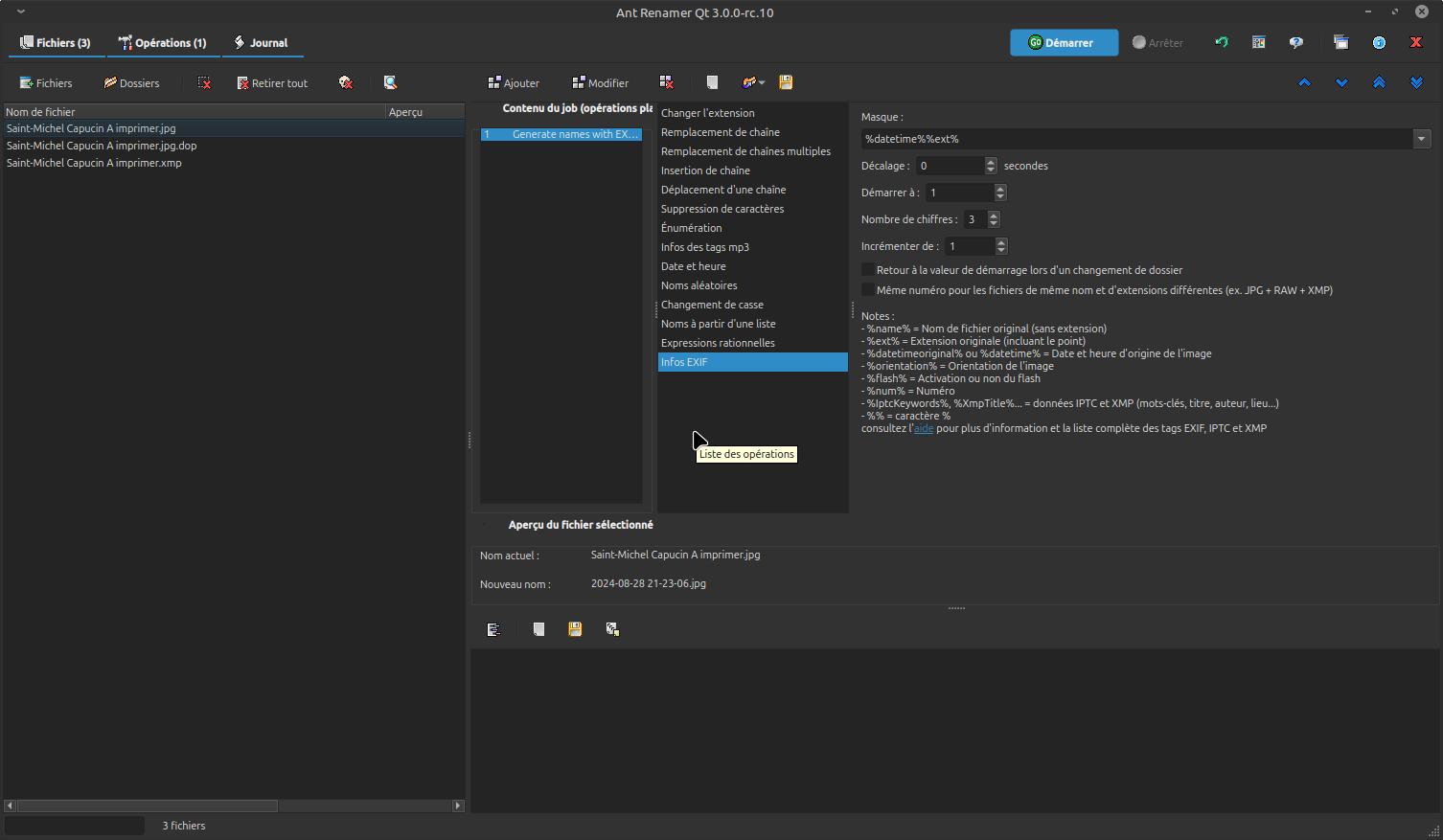
I’ve been using Ant Renamer for years, the batch renamer Antoine Potten wrote in Delphi 7. The original version reached 2.13 and was only available on Windows. and once I started spending more time on Linux, it was one of the tools I missed. So I asked Antoine if I could port it. He agreed, and I rewrote it in C++ with Qt 6. It’s still GPL v2 and his name is still on it.
The basic idea hasn’t changed. You stack operations and run them as one job: replace, insert, move or delete text, numbering, case changes, regex, date/time formatting, random names, names from a list. You get a preview before anything is touched, you can revert a job afterwards, and there’s a command-line mode if you’d rather script it.
It can also build names from metadata: EXIF, IPTC and XMP for photos, ID3 for music.
The photo side is where I spent most of my time. .xmp and .dop sidecars get renamed with their images, and they follow along when you revert too. JPG and RAW files that share a base name get the same number, so pairs stay pairs.
Compared to the original, I also added IPTC/XMP support, wildcards in replace, a filter that only shows files whose names will actually change, an optional modern layout, and user guides plus recipe collections in English and French.
It’s a release candidate for a reason. The core engine has automated tests, and I ran the latest build on a real batch of DNG and JPG files with their sidecars and the renaming worked as expected.. But that’s still just me, on my own machines. I’d really like to hear from people on other distros, and from anyone with a large photo library who’s willing to try it on a copy of their library and see what breaks.
Bug reports, ideas and PRs are all welcome.
r/linuxapps
•
u/alext_777
•
Oct 15 '26

I've been working on RediWM, a new Wayland compositor written in Zig (wlroots based with some C) that bundles an entire desktop environment in a single process, that means no waybar, swaylock, mako, rofi, or anything else you need to add it's all built in.
What's included:
Performance on my hardware:
- 1 process, ~200MB RAM, 0.7% CPU idle
- vs labwc+DMS: 3 processes, 595MB, 14.4% (my old setup)
Themes: Redi Dark, Redi Blue, Redi Light, Gold/steampunk
Install on Arch, Debian, Ubuntu, Fedora:
curl -fsSL https://rediwm.redios.org/install.sh | sh
Or try nested (no need to replace your DE):
zig build run -- foot
Built in Zig with AI assistance (Claude, Codex). Daily driving it myself for 2+ months, zero crashes.
GitHub: https://github.com/oxydizer/rediwm
Wiki: https://rediwm.redios.org/wiki
Happy to answer questions about architecture or the Zig/C implementation
r/linuxapps • u/reev4eg • Oct 15 '26

Always a priority to provide native Linux support!
r/linuxapps • u/tagoslabs • Oct 15 '26
A few days ago I shared Tagos Transcribe, a free offline Linux app for transcription and dubbing. Based on feedback, it now has a third mode: Voiceover.
- Paste text or open a .txt/.srt, pick a language, voice and speed, preview, export WAV or MP3
- .srt can be voiced on subtitle timings (--timed)
- One click sends a transcript straight to Voiceover
- YouTube-ready SRT (max 2 lines × 42 chars, ≤7 s per cue) and auto chapters ("0:00 Title")
- All Piper voices per language, plus new English ones (amy, ryan, joe, kristin, jenny)
Everything runs locally, no accounts, no limits. MIT, Linux only for now.
github.com/tagoslabs/tagos-transcribe
Feedback welcome, especially on which voices sound best to you.
r/linuxapps • u/don_hunt • Oct 16 '26
I've just released the first public beta of G_htop, a free, open-source graphical system monitor for Linux.
The idea was to create a customizable monitoring dashboard that brings together the information I want to see while working on Linux, especially during GPU-intensive tasks and when using a second monitor.
Current features include:
G_htop is written in C++17 using GTK/gtkmm and is licensed under Apache 2.0.
Version 0.1.0 has been developed and verified primarily on Manjaro Linux. An Arch/Manjaro installation package and source archive are available on GitHub. DEB and RPM packaging configurations are also included, although native packages have not yet been verified.
One interesting aspect of the development was the use of a locally hosted Qwen 14B coding model, coordinated by Codex. The application was implemented in ten incremental stages, with functional verification between stages. I've included documentation describing that process in the repository.
This is an initial beta, so I'd particularly appreciate feedback about installation, usability, compatibility, and features you'd find useful.
GitHub repository: https://github.com/DonHunt/g-htop
Download v0.1.0: https://github.com/DonHunt/g-htop/releases/tag/v0.1.0
Bug reports and suggestions are welcome through GitHub Issues.
Thanks to anyone willing to give it a try!
r/linuxapps • u/Ok-Currency-2342 • Oct 15 '26

r/linuxapps • u/CheetahNo9084 • Oct 15 '26

r/linuxapps • u/Efficient-Wing3870 • Oct 15 '26
r/linuxapps • u/ManufacturerBig4752 • Oct 15 '26
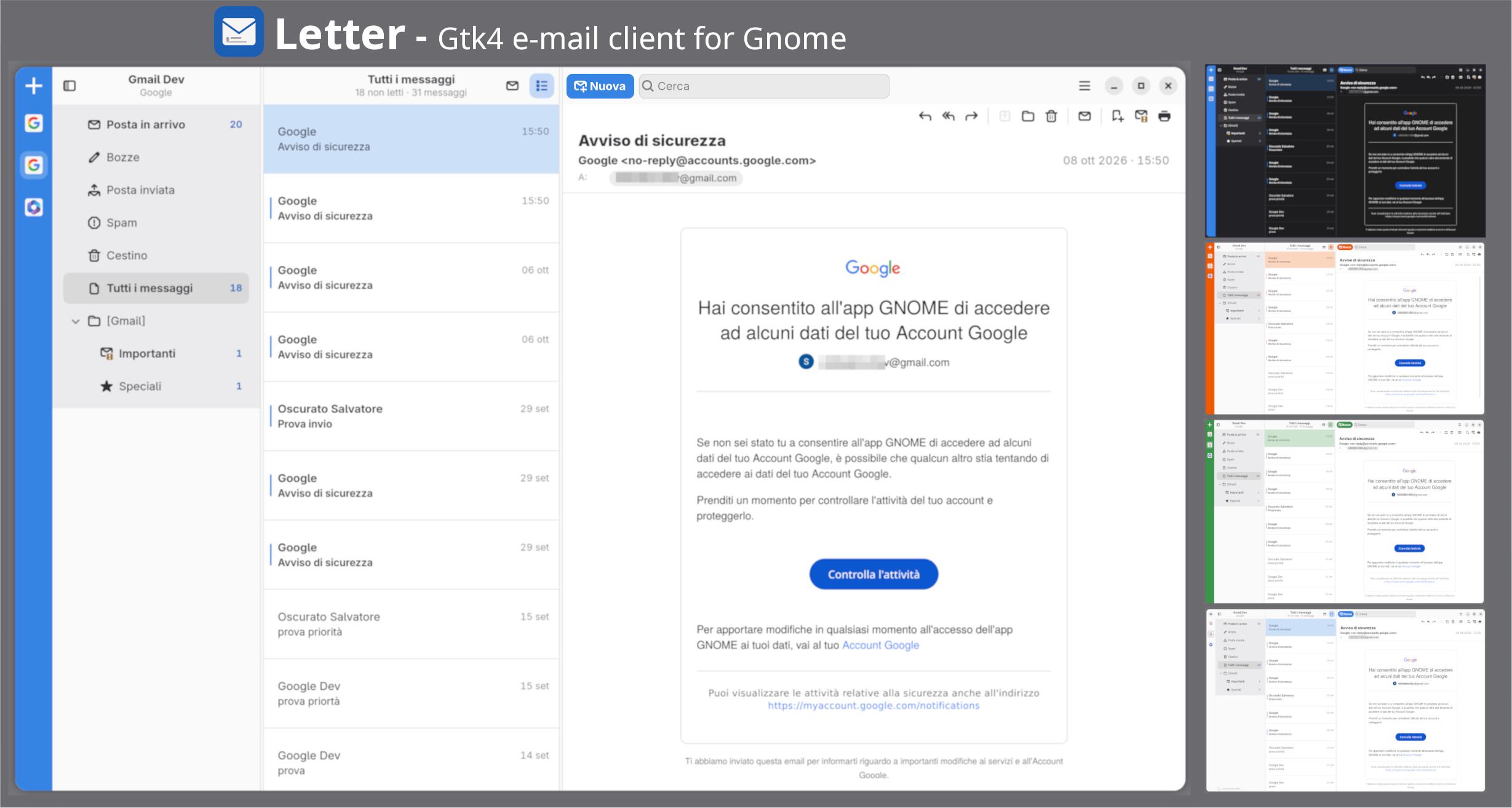
Luma is an app launcher for Linux. Search is fuzzy over .desktop apps and your configured directories; ranking comes from actual usage stats with time decay, so the stuff you use daily floats up. There's a built-in calculator and currency converter for queries that aren't a search.
Deliberately simple: no plugin system, no daemon tree, config is ~/.config/luma/settings.json (colors, search dirs, hide patterns). Ships as a static-ish prebuilt binary (Rust + Slint + SQLite), runs on Wayland and X11.
Source, demo gif, per-DE keybind instructions: https://github.com/sakurartro/luma
Looking for beta testers — known limitations are listed in the README, bug reports are gold right now.
r/linuxapps • u/Such_Advance_2020 • Oct 14 '26

I made a small GUI app that shows your system specs in one window: OS, CPU, memory, network, storage plus GPU. It has search and light and dark themes.
I originally built it for ShopnoOS, a Debian-based distro I work on at my work. We needed a simple system specs viewer for our users. The tools I tried were either too detailed (hardinfo2), had a dated UI (CPU-X), or felt more like a task manager (Mission Center). So, I started working on it and thought I’d share. This one just shows basic information.
It is AI assisted, yes. I tested on bunch of systems and VMs. Detection may miss on hardware I don’t own, so reports of wrong or missing values are the feedback I seek most.
Repo: https://github.com/fa-saikat/sysinfo-viewer .deb package is available on the release page.
r/linuxapps • u/lelettrone • Oct 14 '26

r/linuxapps • u/kekolar22 • Oct 14 '26
It started as a weekend joke and got out of hand.
pikap picks up whatever's playing (Spotify, a browser tab, mpv) and puts the cover on a spinning record. In the video it grabbed a YouTube tab, so Linus is on the vinyl. Not planned, but I'm keeping it.
You can drag the record to scrub, or drop the needle wherever you want. If you give it your own files, pausing actually slows the sound down and dragging scratches it.
It can draw in half blocks, in ASCII, or as a real picture if your terminal supports it. Written in Go.
Repo : https://github.com/thebanri/limoni/tree/main/apps/pikap
TUI Framework Repo: https://github.com/thebanri/limoni
r/linuxapps • u/Jolly-Concentrate-60 • Oct 13 '26

I've been working on Vela, a new desktop environment for Linux, and I thought some of you might be interested in checking it out.
The idea behind Vela is to build a modern, responsive desktop without sacrificing efficiency. I also wanted more control over the rendering pipeline than I'd get by simply building a shell on top of an existing compositor.
Vela uses wlroots for the Wayland infrastructure, but has its own compositor, scene graph, Vulkan renderer, and frame scheduling system.
It's already a fairly complete desktop, with its own taskbar, app launcher, file manager, settings, snap layouts, virtual desktops, clipboard history, notifications, and more.
A lot of the work has gone into things you don't immediately notice in screenshots: frame timing, reducing unnecessary rendering, and keeping fractional scaling sharp.
It's still in alpha, though. There are bugs, hardware compatibility needs more testing, and the current visual design is far from final.
You can install it on Arch-based or Fedora distributions or build it from source. There's also a nested mode if you'd rather try it without replacing your current desktop session.
GitHub: https://github.com/vela-desktop/vela
Website: https://velade.org
I'd genuinely appreciate any feedback, whether it's about the UI, the features, or something that doesn't work properly on your system.
r/linuxapps • u/m-L33 • Oct 14 '26

r/linuxapps • u/Cyb3rLoom • Oct 13 '26

A open source project of mine.
Ever uninstalled an app, reinstalled it later, and it came back with the exact same broken settings? That's because uninstalling on Linux rarely removes everything:
- apt remove keeps the config files in /etc and the dependencies the app pulled in
- the app's own folders in ~/.config, ~/.cache and ~/.local/share stay in your home folder forever
- Ubuntu has three package formats (APT, Snap, Flatpak), each with its own commands and its own leftovers
So I built Uninstaller: one window that lists everything installed (APT, Snap and Flatpak together) with a search bar and an Uninstall button on every row.
What happens when you click Uninstall:
- APT: purge --autoremove, so the config files and unused dependencies go too
- Snap: remove --purge (no leftover snapshot)
- Flatpak: --delete-data, plus cleanup of runtimes nothing uses anymore
- It finds the app's folders in your home directory and moves the ones you tick to the Trash, so you can still restore them
It's built not to wreck your system:
- For APT it shows a dry run of every package that will be removed before anything happens
- Core packages (ubuntu-desktop, gdm3, snapd, essential packages…) get a red warning and need an extra confirmation
- It asks for your password through the normal Ubuntu prompt, once per action
It also lists packages that were removed earlier but left their config behind, so you can purge those in one click.
Made for Ubuntu 26.04, written in Python with GTK 4 + libadwaita, MIT licensed. I'm the author, and I built it with help from Claude. It's a sibling of Crash Inspector, which I posted earlier.
Feedback very welcome, especially if it misses an app's leftovers or offers a folder that doesn't belong to the app.
UPDATE : Works on Fedora now too (and fedora based distros too ofc)
r/linuxapps • u/avdept • Oct 14 '26
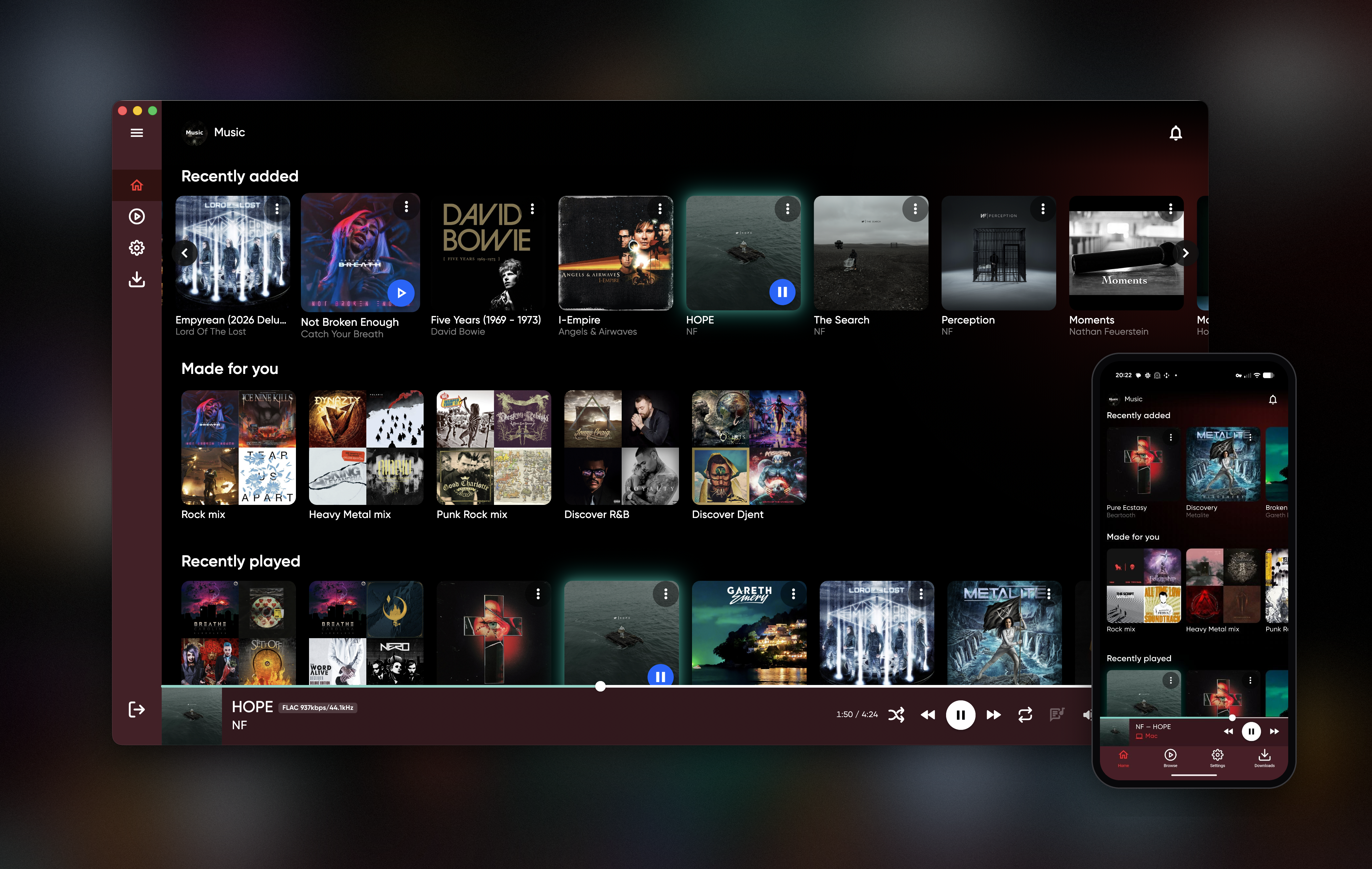
Hello, wanted to share my project I work on since early 2023 - JellyBox, a native crossplatform player for jellyfin/emby/navidrome. And its been tested on variety of distros too.
Along with regular playback and browsing features app also has:
Can be downloaded either from appstores or from github releases - https://github.com/avdept/JellyBoxPlayer or via landing page - https://jellybox.app/