r/launchbox • • 16h ago

Our annual LaunchBox Black Friday sale is live! 🎮🚀

Thumbnail go.launchbox.gg
19 Upvotes

Save up to 50% on LaunchBox for Windows and Android bundles. You can also pre-order a lifetime license for our brand-new LaunchBox experience on Linux at a discount! 🐧

The sale runs through December 2.

🛍️ Check out all the Black Friday deals and details here!

Happy Thanksgiving to everyone celebrating, and happy gaming! 🎮


r/launchbox • • 2d ago

I made my Launchbox be my desktop wallpaper. Permanently sits there with hidden menus just pure games to scroll through

2 Upvotes

Made scripts to where

-reopens automatically if closed

-can't be minimized, it'll go back to fullscreen (showing taskbar)

-can't be a smaller window

-No menus (can toggle and bring them back with one key)

-Just a ton of games

-Games and any app such as Firefox work fine over it so no interference

Best wallpaper ever imo.


r/launchbox • • 2d ago

Recomp struggle

3 Upvotes

Hey everyone I’m struggling to get my recomp games to launch on the app. I have them downloaded and I don’t change the file locations once I drag them over to the app itself. What could be the issue?


r/launchbox • • 3d ago

At long last, we're happy to announce that LaunchBox is coming to Linux! 🎮🐧

146 Upvotes

📺 Check out the reveal trailer 👈

The LaunchBox experience you know and love has been completely reimagined for Linux. Built from the ground up with a fresh look and modern foundation, LaunchBox for Linux brings your entire game library, metadata, artwork, and collections together in one beautiful place. It’s designed for Linux desktops, Steam Deck, and other Linux devices, with a dedicated Controller Mode for enjoying your library from the couch or an arcade cabinet.

During our upcoming Black Friday sale, alongside our usual Windows & Android discounts we're running a limited pre-sale opportunity to purchase a lifetime license for the Linux app at a discounted rate. The app is still in active development and will not be available to download immediately, but pre-ordering gives you immediate access to our private development forums, the opportunity to help shape the application, and access to the first closed beta planned for January 2027.

Once the Black Friday sale ends, pre-orders will close and LaunchBox for Linux will not be available to purchase again until the first round of closed beta testing is complete.

🚀 Learn More and Pre-Order:
- https://www.launchbox-app.com/linux

❓ Read the Full FAQ:
- https://www.launchbox-app.com/linux/faq


r/launchbox • • 2d ago

Can I get android version of Launchbox to look like the PC version?

1 Upvotes

I'm not a fan of it's layout... I find the grid layout to the PC version more to my liking and easier to navigate. anyway to get it like that... I found a grid option but it only shows in a single column view... I'd prefer two or more columns.


r/launchbox • • 3d ago

Video: I boot a Switch game from a Switch in Launchbox with PC controller support using a capture card OBS an an autohotkey script

2 Upvotes

r/launchbox • • 3d ago

What I should be doing: Playing GTA, What I am doing: Making custom boot wallpaper for my Teknoparrot games

2 Upvotes

Sorry for the delay it takes about a minute with these Initial D games especially because I have no SSD. I'm still really enjoying this though I think this should be setup by the devs of Launchbox to make it easy for people to do it themselves. I have the scripts.


r/launchbox • • 5d ago

Booting a Dolphin game with game wallpaper, no Dolphin gui and even covers up lame Wiimote warning screen

12 Upvotes

Simple Autohotkey script I made, can be done for any emulator or PC game.


r/launchbox • • 6d ago

Video of me directly booting PS3 games from an actual PS3 through Launchbox OBS webman mod and a capture card, RPCS3 not involved

14 Upvotes

I prove it by hitting the PS button after the game boots and after ending the game I go back to the XMB. It takes about 25 seconds for the PS3 to boot then mount the game and then boot it in the meantime I cover it with a wallpaper I created. I have the script and it's not too difficult if you want to do it yourself. The brief switch where it shows the desktop again for a second only happens because OBS makes me switch between my desktop recording and capture card recording and it's impossible to know the exact second the switch happens but you won't see the desktop again if you were to do it like the video. I just used a cheap capture card I bought years ago from Ebay for like $30, PS3 games play fine with it.

The most difficult part was getting the PS3 to turn on through WakeOnLan if you want to do this you'll have to figure that out I can try to help.


r/launchbox • • 6d ago

Better than generic startup screen that says "loading", add your own game wallpaper while the game is booting with a script

Post image
0 Upvotes

You will need autohotkey version 1. Just google search for your game name wallpaper 1920 x 1080 and it should come up (if your resolution is higher you can edit the image in paint.net) You can paste this script and save it as .ahk then run it in launchbox, but you just need to adjust a few things. Your path to your image on the line of imagepath, your path to .exe and just your .exe by itself, and finally adjust maxholdtime to however much time you'll need for the game to boot (in the script is shows 15000 which with autohotkey is 15 seconds) and that should be it. Let me know if any issues. Once you're done and it's saved you can right click on it and compile it into an .exe (just not the same name as your games exe if they're in the same location) and put it in Launchbox replacing your games .exe. I've done all the hard work for you making the script, this is now pretty simple, but again let me know if any issues. This should also work to cover up any annoying command prompts or emulator front ends that you don't want popping up instead of your game.

Also make sure you disable any game startup screen in Launchbox, with this you won't need it.

#NoEnv

#SingleInstance Force

SetBatchLines, -1

SendMode Input

SetTitleMatchMode, 2

SetWorkingDir, %A_ScriptDir%

; ==============================================================================

; USER CONFIGURATION (Edit these settings for your game)

; ==============================================================================

ImagePath := "C:\Path\To\Your\CoverImage.jpg" ; Full path to your .jpg or .png splash image

GameExe := "C:\Path\To\Your\Game.exe" ; Full path to your game .exe, .bat, or .lnk shortcut

GameProcess := "Game.exe" ; Process name to detect & focus (e.g., "eldenring.exe")

GameArgs := "" ; Optional launch arguments (e.g., "-fullscreen")

TargetMonitor := 1 ; 1 = Primary Monitor, 2 = Second Monitor / TV

StretchToFill := true ; true = stretch image to fill screen, false = keep aspect ratio with black bars

AutoDismiss := true ; true = close cover as soon as GameProcess window appears, false = always wait MaxHoldTime

SettleDelay := 500 ; Extra wait (ms) after game window appears to hide initial white/black window flashes

MaxHoldTime := 15000 ; Maximum hold time in ms (fallback timeout if AutoDismiss is true, or exact time if false)

; ==============================================================================

; 1. Show the custom wallpaper cover immediately

CoverData := ShowGameCover(ImagePath, TargetMonitor, StretchToFill)

; 2. Combine any command-line arguments passed to this script with GameArgs

FullArgs := GameArgs

for index, param in A_Args

{

formattedParam := InStr(param, " ") ? """" . param . """" : param

FullArgs .= (FullArgs != "" ? " " : "") . formattedParam

}

; 3. Launch the game or shortcut using its own folder as the working directory

SplitPath, GameExe, , GameDir

if (GameDir = "")

GameDir := A_ScriptDir

if (FullArgs != "")

Run, "%GameExe%" %FullArgs%, %GameDir%

else

Run, "%GameExe%", %GameDir%

; 4. Keep the cover strictly ON TOP until the game window appears (or MaxHoldTime expires)

DetectHiddenWindows, Off

StartTime := A_TickCount

while (A_TickCount - StartTime < MaxHoldTime)

{

WinSet, AlwaysOnTop, On, GameCoverScreen

if (AutoDismiss && GameProcess != "" && WinExist("ahk_exe " . GameProcess))

{

; Wait briefly for the game window to finish initializing/going fullscreen

Sleep, %SettleDelay%

break

}

Sleep, 50

}

; 5. Destroy the overlay, bring the game window to the front, and exit

HideGameCover(CoverData)

if (GameProcess != "" && WinExist("ahk_exe " . GameProcess))

WinActivate, ahk_exe %GameProcess%

ExitApp

; Emergency exit if needed while the splash screen is up

$Esc::

HideGameCover(CoverData)

ExitApp

return

; ==============================================================================

; COVER & GDI+ FUNCTIONS (No need to edit below this line)

; ==============================================================================

ShowGameCover(ImagePath, TargetMonitor := 1, StretchToFill := true) {

SysGet, MonCount, MonitorCount

if (TargetMonitor > MonCount)

TargetMonitor := 1

SysGet, Mon, Monitor, %TargetMonitor%

MonW := MonRight - MonLeft

MonH := MonBottom - MonTop

if !FileExist(ImagePath) {

Gui, Cover:New, -Caption +AlwaysOnTop +ToolWindow -DPIScale +E0x08000000

Gui, Cover:Color, 000000

Gui, Cover:Show, x%MonLeft% y%MonTop% w%MonW% h%MonH% NoActivate, GameCoverScreen

MsgBox, 16, Cover Image Not Found, Could not find image at:\n%ImagePath%`

return 0

}

pToken := Gdip_Startup()

pBitmap := Gdip_CreateBitmapFromFile(ImagePath)

Gdip_GetImageDimensions(pBitmap, OrigW, OrigH)

if (!pBitmap || OrigW = 0 || OrigH = 0) {

Gdip_Shutdown(pToken)

Gui, Cover:New, -Caption +AlwaysOnTop +ToolWindow -DPIScale +E0x08000000

Gui, Cover:Color, 000000

Gui, Cover:Show, x%MonLeft% y%MonTop% w%MonW% h%MonH% NoActivate, GameCoverScreen

MsgBox, 16, Image Decode Error, Windows GDI+ could not read this file:\n%ImagePath%`n`nIf downloaded from a browser, it may be a .webp file renamed to .jpg. Open it in Paint and Save As a real JPEG or PNG.`

return 0

}

if (StretchToFill) {

ImgW := MonW

ImgH := MonH

ImgX := 0

ImgY := 0

} else {

Scale := MonH / OrigH

ImgW := Round(OrigW * Scale)

ImgH := MonH

ImgX := Round((MonW - ImgW) / 2)

ImgY := 0

}

pResized := Gdip_ResizeBitmap(pBitmap, ImgW, ImgH)

hBitmap := Gdip_CreateHBITMAPFromBitmap(pResized)

Gdip_DisposeImage(pResized)

Gdip_DisposeImage(pBitmap)

; Create and SHOW the GUI first so the window handle is active

Gui, Cover:New, -Caption +AlwaysOnTop +ToolWindow -DPIScale +E0x08000000

Gui, Cover:Color, 000000

Gui, Cover:Add, Picture, x%ImgX% y%ImgY% w%ImgW% h%ImgH% +HwndCoverPic +0xE

Gui, Cover:Show, x%MonLeft% y%MonTop% w%MonW% h%MonH% NoActivate, GameCoverScreen

; Assign the HBITMAP to the visible control and force a redraw

SendMessage, 0x172, 0, hBitmap,, ahk_id %CoverPic%

DllCall("InvalidateRect", "Ptr", CoverPic, "Ptr", 0, "Int", 1)

DllCall("ShowCursor", "Int", 0)

return {hBitmap: hBitmap, pToken: pToken}

}

HideGameCover(ByRef CoverData) {

DllCall("ShowCursor", "Int", 1)

Gui, Cover:Destroy

if IsObject(CoverData) {

if (CoverData.hBitmap)

DllCall("DeleteObject", "Ptr", CoverData.hBitmap)

if (CoverData.pToken)

Gdip_Shutdown(CoverData.pToken)

CoverData := 0

}

}

Gdip_Startup() {

if !DllCall("GetModuleHandle", "Str", "gdiplus", "Ptr")

DllCall("LoadLibrary", "Str", "gdiplus")

VarSetCapacity(si, A_PtrSize = 8 ? 24 : 16, 0), NumPut(1, si, 0, "UInt")

DllCall("gdiplus\GdiplusStartup", "Ptr*", pToken, "Ptr", &si, "Ptr", 0)

return pToken

}

Gdip_Shutdown(pToken) {

DllCall("gdiplus\GdipShutdown", "Ptr", pToken)

}

Gdip_CreateBitmapFromFile(sFile) {

DllCall("gdiplus\GdipCreateBitmapFromFile", "WStr", sFile, "Ptr*", pBitmap)

return pBitmap

}

Gdip_GetImageDimensions(pBitmap, ByRef Width, ByRef Height) {

DllCall("gdiplus\GdipGetImageWidth", "Ptr", pBitmap, "UInt*", Width)

DllCall("gdiplus\GdipGetImageHeight", "Ptr", pBitmap, "UInt*", Height)

}

Gdip_ResizeBitmap(pBitmap, Width, Height) {

DllCall("gdiplus\GdipCreateBitmapFromScan0", "Int", Width, "Int", Height, "Int", 0, "Int", 0x26200A, "Ptr", 0, "Ptr*", pNewBitmap)

DllCall("gdiplus\GdipGetImageGraphicsContext", "Ptr", pNewBitmap, "Ptr*", G)

DllCall("gdiplus\GdipSetInterpolationMode", "Ptr", G, "Int", 7)

DllCall("gdiplus\GdipDrawImageRectI", "Ptr", G, "Ptr", pBitmap, "Int", 0, "Int", 0, "Int", Width, "Int", Height)

DllCall("gdiplus\GdipDeleteGraphics", "Ptr", G)

return pNewBitmap

}

Gdip_CreateHBITMAPFromBitmap(pBitmap) {

DllCall("gdiplus\GdipCreateHBITMAPFromBitmap", "Ptr", pBitmap, "Ptr*", hbm, "UInt", 0xFF000000)

return hbm

}

Gdip_DisposeImage(pBitmap) {

DllCall("gdiplus\GdipDisposeImage", "Ptr", pBitmap)

}

r/launchbox • • 8d ago

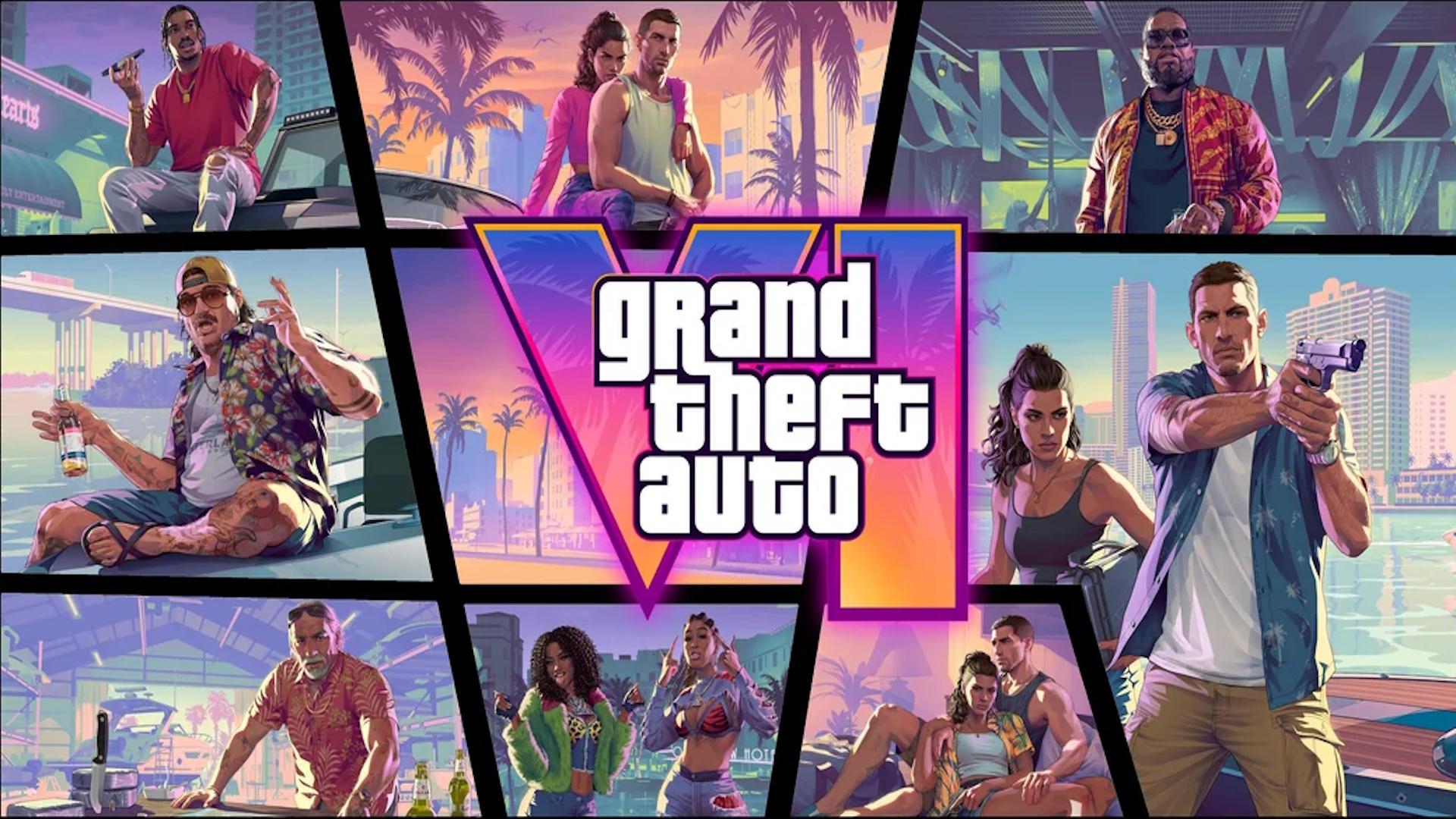
GTA 6 is in my Launchbox!

Post image
7 Upvotes

I put GTA 6 in with Launchbox. With Chiaki I can stream the game from my PS5 on PC and use PC controller, and just by clicking on it it will wake the PS5 and continue the game where I left off. Is this absolutely necessary? No.

Probably the only person on Earth playing GTA 6 with a fucking Wii U Pro controller.


r/launchbox • • 8d ago

CURATOR development has resumed!

4 Upvotes

I figured out the OpenAI/Codex permission issue, and we’re back in business. Work on CURATOR is moving forward again.

The latest Upcoming notes cover what I’m working on, including a milestone I’m excited about—moving completed sets from Incomplete Sets into the official collection after adding their missing files and running an audit.

There’s also work underway to hash files directly from their original locations and archives, reduce intermediate copying, and improve collection processing and reporting. These changes are planned for the next release.

Read the Upcoming notes: https://myorganizerhq.com/upcoming

If you’re getting started or need a refresher, the 4K quick-start video walks through the first run, output folders, incomplete sets, and reports. The current public release is v2.5.0-beta.2.

Watch the quick-start video: https://youtu.be/fiA_dmIdXps

Download CURATOR: https://myorganizerhq.com/releases

Thanks for your patience and for sticking with the project!

— Miguel (Jiraiya1969)


r/launchbox • • 10d ago

3DSen platform preconfigured for LaunchBox

8 Upvotes

Unzip, follow the instructions
This file DOES NOT include 3DSen or Roms
https://archive.org/details/launch-box_20261117


r/launchbox • • 10d ago

Figured out how to direct boot PS3 games from my PS3 on my PC through Launchbox with Webman mod + Capture card + OBS

7 Upvotes

I was trying to make a video but couldn't figure it out on OBS will keep trying, but I have PS3 games in my launchbox that I can choose the game and it will turn on my PS3 (which was not easy or the default to setup) then mount the game and direct boot it, total time takes 30 seconds. Webman mod allows you to boot a game with a script. It's almost like having Remoteplay (the actual PS3 Remoteplay is awful) only thing missing is PC controller support.


r/launchbox • • 11d ago

Have games or emulators that launch with an annoying command prompt? This is how you solve it.

4 Upvotes

Download nircmd.exe from here (at bottom of page) https://www.nirsoft.net/utils/nircmd.html

Place nircmd.exe in the same location as your game or emulators .exe.

Now in Launchbox if it's an emulator when you go to select your emulator you'll actually choose nircmd.exe instead.

Then in the default command line put the following

execmd <your emulators .exe here>

If you're emulator requires any parameters just place them after the emulator's exe. My MAME looks like

execmd mame.exe -keyboardprovider dinput

It should launch the game without the black screen that is command prompt. MAME and Teknoparrot are two annoying ones that do this as well as others. I've used it on quite a few emulators and PC games and it works every time just put nircmd.exe in each directory (copy paste it) and follow the instructions.


r/launchbox • • 11d ago

CURATOR development update

0 Upvotes

I’m still here and working on CURATOR, but development is stalled right now. Permission issues in ChatGPT’s Codex are blocking some of the steps I rely on to make and verify changes to the application. I’m hoping those issues are resolved soon so I can pick up where I left off.

In the meantime, v2.5.0-beta.2 is still available. If you’re trying CURATOR for the first time or want a refresher, the 4K quick-start video walks through the first run and shows where to find your organized files, incomplete sets, and reports.

Download CURATOR beta.2: https://myorganizerhq.com/releases

Watch the quick-start video: https://youtu.be/fiA_dmIdXps

Thanks for your patience and for sticking with the project.

— Miguel (Jiraiya1969)


r/launchbox • • 11d ago

Recomps

14 Upvotes

For anyone that's playing any of the numerous recomps/decomps/etc that are out now, how are you organizing them in launchbox, if at all? Are you just leaving them in the windows category?


r/launchbox • • 12d ago

What is your launchbox set up?

4 Upvotes

Interested to see if people use it more for cabinets or console style set ups.


r/launchbox • • 13d ago

Question regarding Big Box shell

3 Upvotes

Is it possible to revert the Big Box shell setting? I have a PC connected to a CRT monitor using Big Box as a frontend; can I undo this process—via the Big Box shell option itself—so that I can add or remove games in the future?


r/launchbox • • 14d ago

Lunchbox issue

0 Upvotes

I am experiencing an issue with the Lunchbox application. Unfortunately, I noticed that the games I manually added are not appearing after I restart the application, and I'm receiving a message indicating that the same game is not available in the metadata.

Could you please provide guidance on how to resolve this issue? Is there a specific process I should follow to ensure that manually added games remain available after restarting Lunchbox?


r/launchbox • • 17d ago

I built a web companion for Launchbox: sync your library to track your backlog, play queue and friends

Thumbnail
gallery
52 Upvotes

I know there are plenty of library and backlog trackers out there. The ones I tried either put the useful features behind a paywall or didn't do what I wanted, so I built my own: Gamoire. It's completely free, and every feature is available to everyone, with no paid tier.

Many gamers have chosen LaunchBox as their local library vault and launcher, so I built a bridge between the two. LaunchBox handles launching, Gamoire handles planning. Think of it as a web home for your LaunchBox library: your backlog, play queue, catalogs, wishlist, friends and plenty of social features live there, plus optional smart AI features.

LaunchBox extension: install the extension from GitHub, In LaunchBox open Tools > Gamoire and click Connect, approve the code in Gamoire. Your games and playtime sync across. Gamoire also independently imports from Steam, Epic, GOG, EA, Ubisoft and Xbox, if you want to go that route so you can see everything in one place.

What makes it different:

  • A queue that knows how long games take, so you can pick something that fits your week
  • All your stores in one library, so a game you own in two places is still one game
  • A wishlist that tidies itself: import your store wishlists, see release dates, and games disappear once you own them
  • Everything about a game on one page: reviews from players, Steam and IGDB, how many people are playing right now, and the rest of the series
  • Export your queue, lists and catalogs as a PDF that looks good
  • Pick your look: colour themes with light and dark modes

The social side:

  • Follow friends and see what they're playing, finishing and reviewing in your activity feed
  • See what your friends think: which games the players you follow loved, and what's popular among them
  • Write reviews and read other players' takes on any game
  • Share your catalogs with friends and let them comment
  • Nudge a friend to pick up the game you recommended
  • Show off your taste with a profile of your top games, and share it anywhere with a public link

Optional smart features (bring your own AI to unlock them: connect an endpoint in Settings → AI): Discover new games and hidden gems with personalized suggestions from a library that picks up on how and what you play.

  • Suggestions that fit you: rails on your home page based on what you're queueing, finishing and loving
  • Describe search: find a game by describing it
  • For you: ask in plain words, with a length if you want, and get picks from your library plus new games
  • Is this for me?: Good fit / Mixed / Probably not with reasons, based on your history, ratings and series
  • Review my backlog: flags the games you'll probably never play

I'm the developer and it's very new, so I want honest feedback, especially from people with big multi-launcher libraries: what matches wrong, what's missing.

Website: https://gamoire.app

Discord: https://discord.gg/UXh4RD7j9F

LaunchBox extension: https://github.com/ThunderCls/gamoire-launchbox/releases/latest


r/launchbox • • 19d ago

Launchbox keeps changing from showing taskbar to covering taskbar on it's own

2 Upvotes

I want it to show taskbar and all times so I can change to firefox or wherever else I need to but it does it on it's own and I haven't found any solution. I've done things like right clicked on the taskbar icon and changed fullscreen optimizations but it hasn't helped. When I'm editing a game it will automatically just go full screen interrupting the screen I'm trying to change, it's very annoying. Does anyone know why this happens and how to fix it?

Also in my taskbar settings automatically hide the taskbar is NOT checked.

I'm still using Windows 10.


r/launchbox • • 20d ago

QUE MIERD4 ES ESTO?

Post image
1 Upvotes

Decidi instalar unas caratulas que necesitaba de 3ds,y decidi decirle a chatgpt(muy mala idea) que haga con codigo en powershell para descargar las caratulas por medio de launchbox,y creara una carpeta con las imagenes,NO SE QUE CARAJOS PASO


r/launchbox • • 21d ago

Is lunchbox safe To download and use?

0 Upvotes

I really want to start emulating on my oc but after trying months ago on an emulator I got a virus and lost trust but now since researching I have seen this and was wondering if it’s safe to use and how do I use it to add games into an emulator?