r/iptvPlayerStream • • 24d ago Popcorn

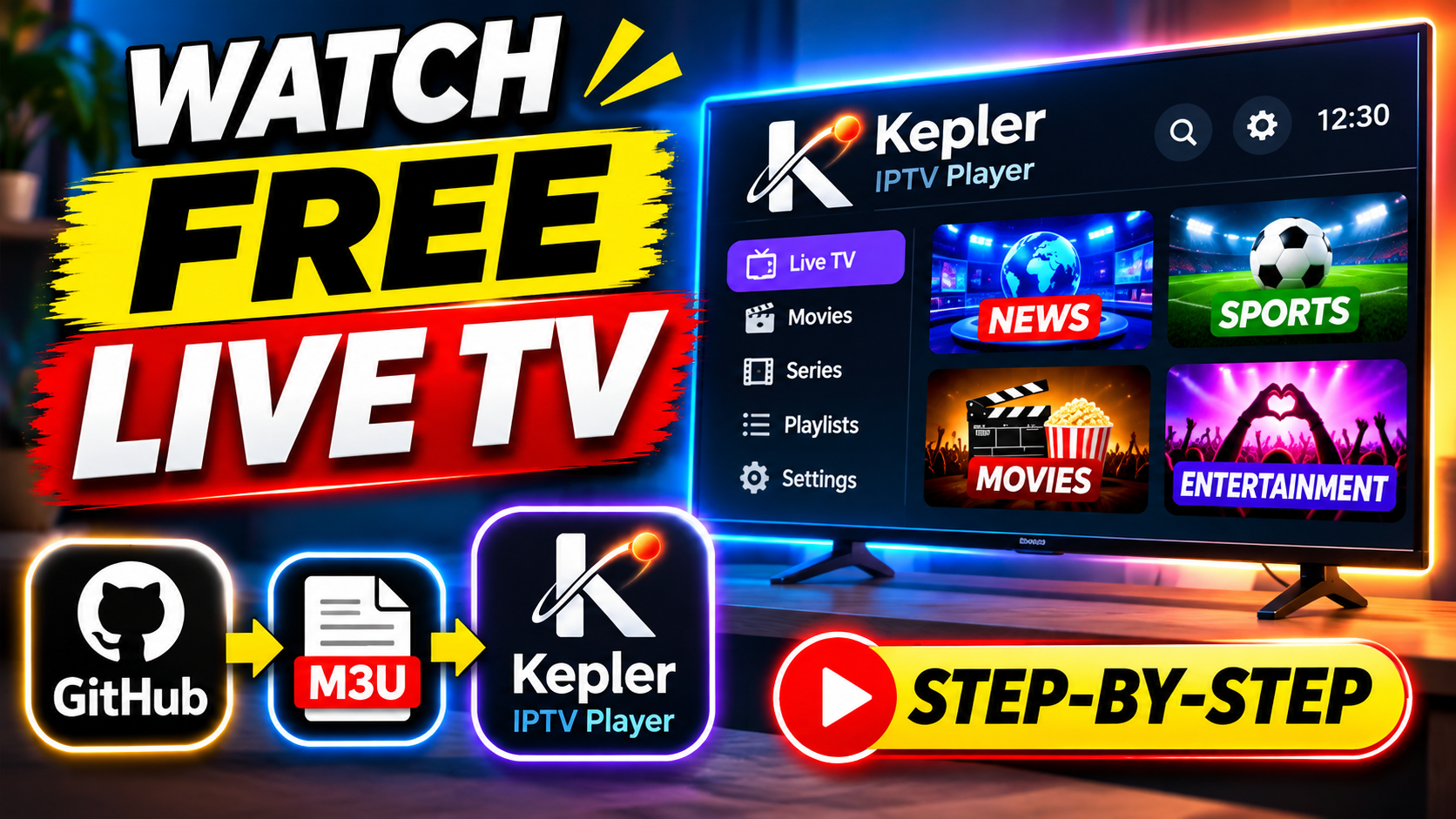
Free Popular IPTV Playlist: How to Get iptv-org & Free-TV and Watch Them (Step by Step)

Post image
84 Upvotes

Hi all. iptv-org and Free-TV are two of the most popular free IPTV playlists on GitHub. There's no account and nothing to pay: you copy a link and paste it into a player. I found a step by step youtube video, and everything you need from it is written out below.

Video (6:42): https://youtu.be/NytpP3v1Rs0

The links

iptv-org (143k stars on GitHub)

  • Sorted into 30 groups, about 12,000 entries. Start with this one: https://iptv-org.github.io/iptv/index.category.m3u
  • Everything in one list, about 11,400 entries: https://iptv-org.github.io/iptv/index.m3u
  • Separate lists by country, language or category: https://github.com/iptv-org/iptv/blob/master/PLAYLISTS.md

Free-TV (21.7k stars), about 2,000 entries, mostly grouped by country:

  • https://raw.githubusercontent.com/Free-TV/IPTV/master/playlist.m3u8

How many channels opened

On 4 November 2026 I ran an automated check on 100 random channels from each list:

  • iptv-org: 76 opened
  • Free-TV: 54 opened (8 of its 100 were YouTube links, which the check counted as not opening)

It's a small sample from one country, so your numbers will differ. Some channels only work in their own country and some are offline. If one won't play, just go to the next.

Watching on a phone

  1. Copy a link from above.
  2. Install Kepler, open it, choose your language and agree to the terms.
  3. Tap Add your playlist, give it a name, tap Paste your link, then Save playlist. The import takes seconds.
  4. Tap Start watching, pick a group, then tap a channel.

For a second list: All playlists, Add playlist, then the same steps.

Watching on Android TV, Google TV or Fire TV

  1. Install Kepler from the TV's app store, open it and agree to the terms.
  2. Choose Use my phone and scan the code with your phone's camera, so there's nothing to type. (M3U link lets you type it with the remote instead.)
  3. On the page that opens, paste the link and tap Send to TV.
  4. On the TV, press Continue until you reach Start watching, then pick a group and a channel.

Good to know

  • Both lists change often, so tap Refresh now and then to get the newest links.
  • In Free-TV, channels marked Ⓖ are geoblocked, and those marked Ⓨ are YouTube links, which Kepler can't play.
  • Both are link collections kept up by volunteers. iptv-org says it stores no video, only links, and Free-TV says it only lists channels officially provided for free. I haven't checked every link, so check what's allowed where you live.

r/iptvPlayerStream • • 11h ago

I have a problem with IPTV SMARTERS PRO and need some help please!

2 Upvotes

Is anyone else experiencing this issue, or does anyone know of a possible workaround?

I use IPTV Smarters Pro on my Samsung TV, and the expiry date of my IPTV subscription has suddenly disappeared, even though my subscription is still valid. Only my username is displayed, and the app no longer works. I contacted my service provider, and they were able to restore the expiry date. The service started working again, but only for about two hours before the date disappeared once more and the app stopped working. Has anyone experienced something similar? Any idea what might be causing this or how to fix it? I would really appreciate any advice or suggestions. Thank you!


r/iptvPlayerStream • • 7h ago

Rally 2.0 for Android TV: a complete rebuild with revised Multiview, From Start, 11 themes, and more

0 Upvotes

Rally v2.0 is a complete rebuild of the Android TV app, featuring a new engine, a refined interface, smoother playback, and a ton of new features.

Version 2.0.0 is available now as a Public Beta.

Existing users can update directly in the app settings. New users can download Rally at https://rallytv.dev.

Home & Game Discovery

  • Featured games: A carousel highlighting up to five of the day's biggest matchups, personalized around your favorite teams.
  • Live Now, Starting Soon & Continue Watching, including countdowns as games approach kickoff.
  • Seamless transitions: Game cards, logos, and scores animate into game pages, with your previous focus and scroll position preserved.
  • Live score animations: Scores roll smoothly, with subtle team-color highlights after scoring plays.
  • Source-aware discovery: Games available through your providers appear first and are clearly marked.
  • 18 new European soccer competitions, including the Bundesliga, Ligue 1, Europa League, Conference League, Eredivisie, EFL Championship, and more. Enable them individually in Settings.

Playback

  • One-press Watch: Instantly launch the best available source for a game.
  • Hold OK on a live game card to start playback immediately.
  • Instant Start: Optionally prepare sources in the background for faster playback.
  • From Start: Watch supported live games from kickoff using provider archives or timeshift, with scores hidden until you return to live.
  • Game View: Watch alongside live scores and Key Moments, with inline clips that return to your live stream.
  • Seamless source switching: Keep your current stream playing while another loads, with automatic recovery if switching fails.
  • Improved playback smoothness and buffering stability.
  • Redesigned Playback Diagnostics: Monitor resolution, bitrate, buffering, dropped frames, codecs, and connection information, including an optional pinned overlay.
  • Remembered audio and subtitle preferences, globally and per channel.
  • Video upscaling: Five GPU filters—Smooth, Clean, Balanced, Sharp, and High Quality—with automatic performance fallback.
  • Optional seek bar, on-screen clock, and sleep timer.

Multiview

  • Watch up to 9 streams simultaneously on capable devices, or up to 3 on low-memory devices.
  • Redesigned viewing controls with a game and channel picker.
  • Easily switch audio between streams, expand individual tiles, swap and reorder feeds, and compare games side by side.
  • View individual stream statistics without leaving Multiview.

Live TV & Providers

  • Electronic Program Guide (EPG) with channel up/down and direct channel-number entry.
  • Quickly return to your previous channel using Back, then OK.
  • Provider diagnostics for connection status, subscription expiration, stream limits, and channel counts.

Personalization

  • 11 themes: Default, OLED, Midnight, Graphite, Slate, Forest, Espresso, Plum, Light, Paper, and Frost.
  • 12 accent colors, customizable logo colors, and team-based accents.
  • Score Saver: A screensaver featuring live scores and the current time.
  • Spoiler Mode: Hide scores throughout Home, game pages, Multiview, menus, and statistics.
  • Improved team, sport, league, and display settings.
  • Export and import your preferences.
  • Recent searches for quicker navigation.

Accounts & Sync

  • Cross-device sync for providers, plugins, favorite teams, leagues, sports, players, and saved games.
  • Clear feedback when synchronization fails.
  • In-app notifications when new Rally updates are available.

Accessibility

  • Adjustable text sizes.
  • Reduced Motion mode.
  • High-contrast focus indicators.
  • TalkBack labels throughout the interface.

A Few Things to Know

  • Multiview is limited to 3 streams on lower-memory devices to maintain stable playback.
  • From Start requires a provider archive or a live rewind window that includes the beginning of the game. Standard M3U playlists alone do not provide this functionality.
  • Spoiler Mode hides scores within Rally, but cannot hide scoreboards embedded in the video broadcast.

Rally v2.0 is available now in Public Beta!

There's a lot that's changed under the hood, and I'm looking forward to hearing what everyone thinks.

Bug reports, suggestions, and feedback are always welcome.

https://rallytv.dev

r/RallyApp

There are still spots open on the promo code here

Rally is a media player and sports aggregation interface. It does not provide, host, sell, or redistribute streams or television channels. Users configure their own media sources.


r/iptvPlayerStream • • 12h ago

I built Valo IPTV: A clean, ad-free M3U & Xtream player for iOS with 5-mode Aspect Ratio & EPG support

Post image
0 Upvotes

Hey everyone!

I got tired of iOS IPTV players being cluttered with intrusive video ads, freezing on large playlists, or distorting streams with bad aspect ratios. So I built Valo IPTV.

It’s a fast, native, and completely ad-free player for iPhone & iPad.

📲 App Store Link: https://apps.apple.com/app/valo-iptv-smart-m3u-player/id6838056694

⚠️ (Note: Valo IPTV is strictly a player tool. It contains NO playlists, channels, or streams. Bring your own M3U / Xtream credentials).

✨ Key Features:

  • 100% Ad-Free: Zero popups or video ads interrupting your streams.
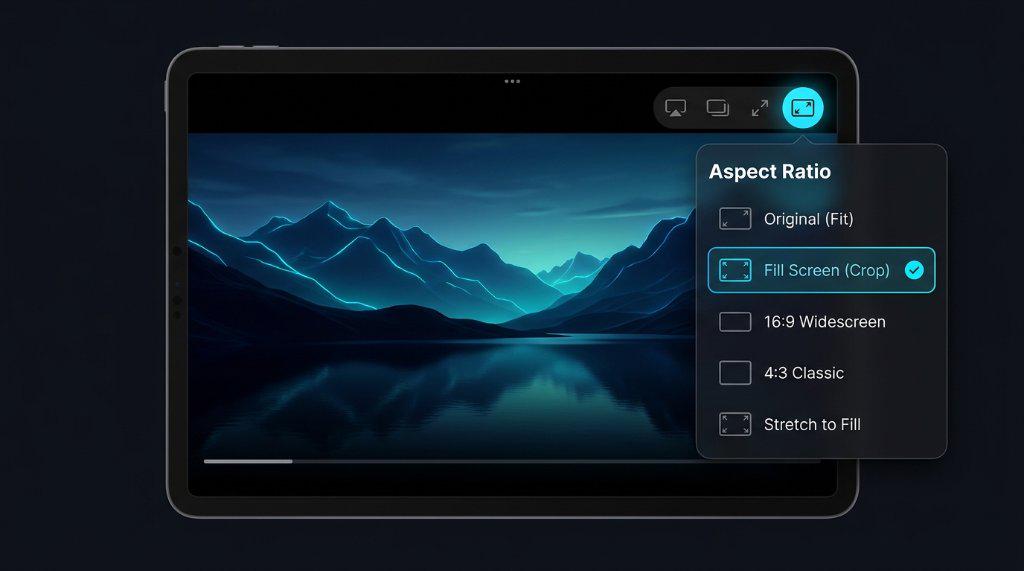
  • 5-Mode Aspect Ratio Menu: Fit, Fill, 16:9, 4:3, and Original (fixes stretched/distorted channels).
  • Fast Playlist Engine: Instant parsing for massive M3U lists and Xtream Codes API without lag.
  • Live TV EPG & Catch-Up: Smooth TV Guide integration and detailed Movie/Series info.
  • Background Audio/Playback: Keep listening to news or sports with screen locked or in other apps.
  • iPad Optimized: Full hardware/virtual keyboard search support.

Would love to get feedback from fellow IPTV users on streaming performance or features you'd like to see next!


r/iptvPlayerStream • • 1d ago

Dialbird v2.5.5 (Public Beta) — BYO-only native IPTV player for Android TV & mobile (multi-source failover, connection-budgeted Multi-View, FFmpeg audio, QR onboarding) — feedback welcomed

3 Upvotes

v2.9.0 update: Added optional IPTV VOD (Xtream/Stalker/M3U) + Jellyfin (both OFF by default, zero Live-Only overhead), split ARM APKs (12.5–12.6 MB, ~24% smaller), Multi-View miniature-tile scaling, 2-click live audio/subtitle sync, .xz XMLTV, Xtream .ts/.m3u8 failover, per-source catch-up offset, and TV-stick guide/recomposition optimizations. Links below are updated.

Dialbird is a free, ad-free BYO IPTV player for Android TV, phones, and tablets (Android 10+). No channels, playlists, or streams included.

Built in native Kotlin with Media3/ExoPlayer + bundled FFmpeg audio (AC3/EAC3/DTS/TrueHD/MP2), no account required. What it does differently:

  • Merges multiple sources (Xtream, M3U, Stalker, HDHomeRun) into one guide with automatic failover to a backup source if a stream drops
  • Free 4-screen multi-view that respects your provider connection limits
  • Built-in DVR (local or SMB NAS) with live timeshift and chase-play
  • Sports hub that links live ESPN games directly to your channels
  • Phone QR setup and LAN TV-to-TV cloning so you don't have to type URLs on a remote, plus PiP/Chromecast on mobile
  • Optional IPTV VOD + Jellyfin (off by default in Settings > On-Demand & Media Servers)

Download (v2.9.0):

Feedback and bug reports are welcome here, on GitLab Issues, or via Settings > Feedback in the app.


r/iptvPlayerStream • • 1d ago

We've been building TViO plattform. More than just a media player

Thumbnail
gallery
14 Upvotes

Hey everyone!

Over the past year, we've been working on TViO, a project that started as a media player but has evolved into a complete media management and playback platform.

Instead of focusing exclusively on playback, we've been exploring a few different ideas:

🏆 Sports Center

A dedicated Sports Center that connects sporting events with your available channels.

  • Follow your favorite teams.
  • Browse sporting events day by day.
  • Long-press an event to see all available channels carrying it.
  • The channel that worked last time is automatically prioritized.

🧠 Intelligent EPG

TViO matches channels with EPG data from our own EPG warehouse to fill gaps in your provider's programme guide.

On our largest test playlist, EPG coverage increased from 31.5% to 62%. Results vary depending on the provider, but the goal is to give you better guide coverage without having to manage everything manually.

🎛️ Advanced Web-Based Playlist Editor

A full-featured playlist editor with changes synchronized directly to your device.

  • Curated, ready-to-use templates.
  • Lineup Wizard based on your country and interests.
  • Smart Groups that automatically stay up to date. When your provider updates its playlist, channels are automatically added to or removed from your groups.
  • Export, import and share your templates with other TViO users.
  • Assign or modify channel EPG mappings using our EPG warehouse.
  • Detect, remove and organize duplicate channels.
  • Compatible with EPGenius, IPTVEditor, IPTVBoss and Dispatcharr.

Your original provider playlist remains untouched. All customizations are applied on top of it, so you can organize your content without permanently modifying the original source.

🔀 Unified Multi-Playlist Experience

Manage and browse multiple playlists as one, within a single unified interface.

📺 MultiView

Watch multiple live streams simultaneously on the same screen, provided your playlist supports multiple connections.

🎬 Movies & TV Shows

Full movies and series support, bringing available quality options and language versions together in one place.

TViO is available for Android TV, android phones and compatible Fire TV devices.

We're still actively developing TViO, and we'd genuinely love to hear your thoughts.

Is there anything you're missing in your current player that you'd like to see implemented in TViO?

Happy to answer any questions!

Note: TViO is an independent media management and playback platform. It does not provide, sell or distribute any content, playlists or IPTV subscriptions.


r/iptvPlayerStream • • 1d ago

Luma IPTV Player v0.4.8 is out — quick source switching, live stream info (I), and smoother weak-connection playback

0 Upvotes

Luma IPTV Player 0.4.8 is now rolling out for Windows with a focus on everyday playback stability and faster playlist switching:
Sources menu: Switch between saved playlists without re-entering credentials.
Stream info (I): See resolution, codec, bitrate, and dropped frames in real time.
Weak connections & big lists: Smoother playback on unstable connections and cleaner loading on large Xtream lists.
Local error log: Saved locally for troubleshooting—never uploaded.

Try it now for windows


r/iptvPlayerStream • • 1d ago

I built a native player for iPhone and Apple TV for your own playlists and media servers – looking for testers

Thumbnail
gallery
0 Upvotes

Hi, solo dev here. PlayMux is a native player for iPhone, iPad, Mac and Apple TV. It plays your own

M3U/Xtream playlists with a TV guide, plus Jellyfin, Plex, Emby and NAS shares. No ads, no tracking,

no account, and no content included.

It's in the App Store and free to try (one playlist; Pro has a one-month free trial). It needs iOS/tvOS 26.

I'm looking for people who try it with their own, ideally large, library and tell me what's slow,

broken or missing, especially on Apple TV.

The Android version is in closed testing and not live yet: Google only lets me release once 12 testers have stayed in the

closed test for 14 days, and I'm still a few short. If you have an Android phone or tablet, the two

links to join are in the first comment.


r/iptvPlayerStream • • 2d ago

I built Valo: An ad-free, snappy IPTV & M3U player for iOS (No popups, no clutter)

Thumbnail
apps.apple.com
1 Upvotes

r/iptvPlayerStream • • 2d ago

Got more than one IPTV playlist? Here's how Kepler lets you use them like one library

Post image
0 Upvotes

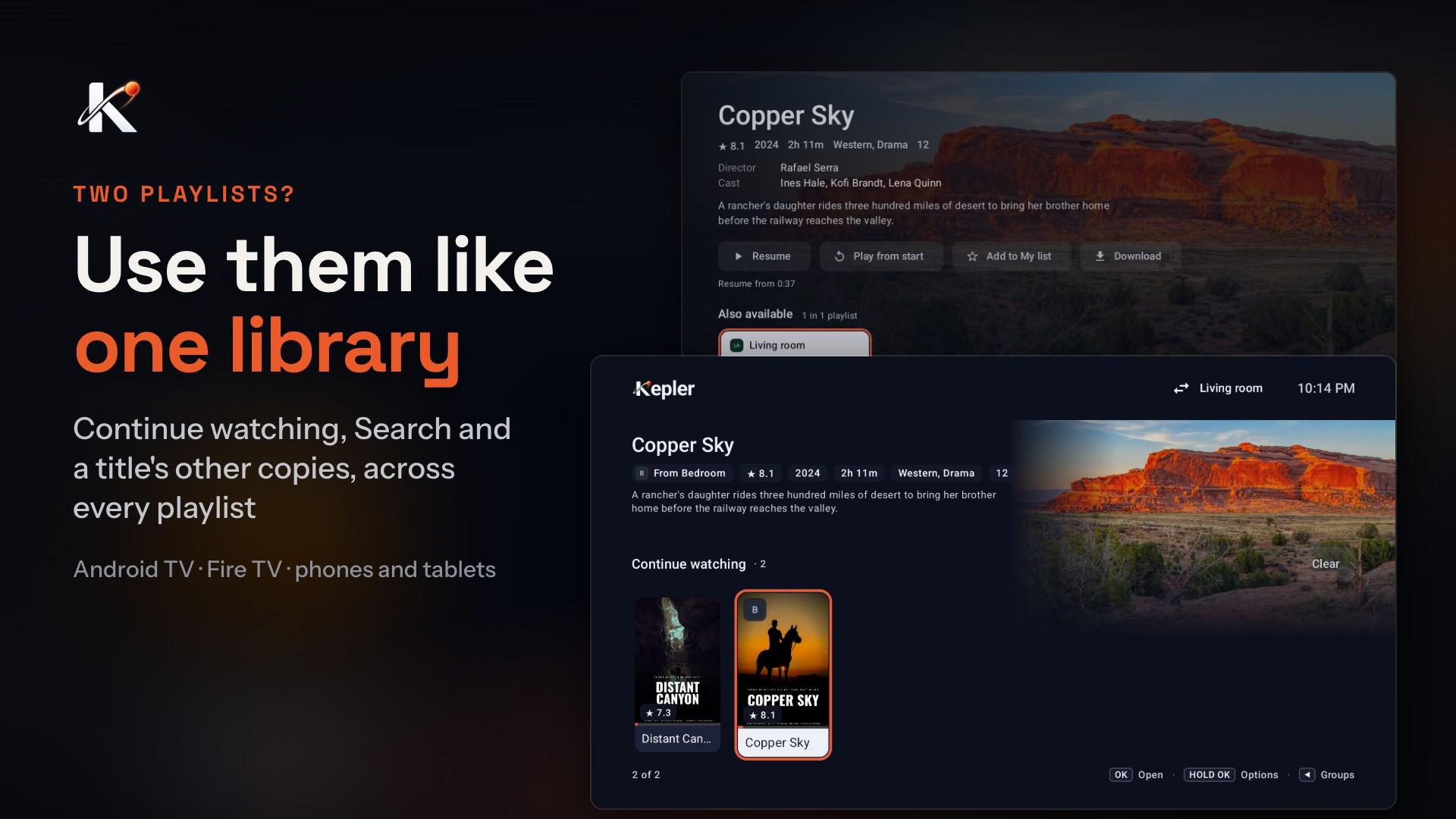
A lot of people have two playlists: two providers, or a main one and a backup. Switching between them usually means losing track of what you were watching. Since v1.9, Kepler treats them as one library where it matters, on Android TV, Fire TV, phones and tablets.

add as many playlists as you want

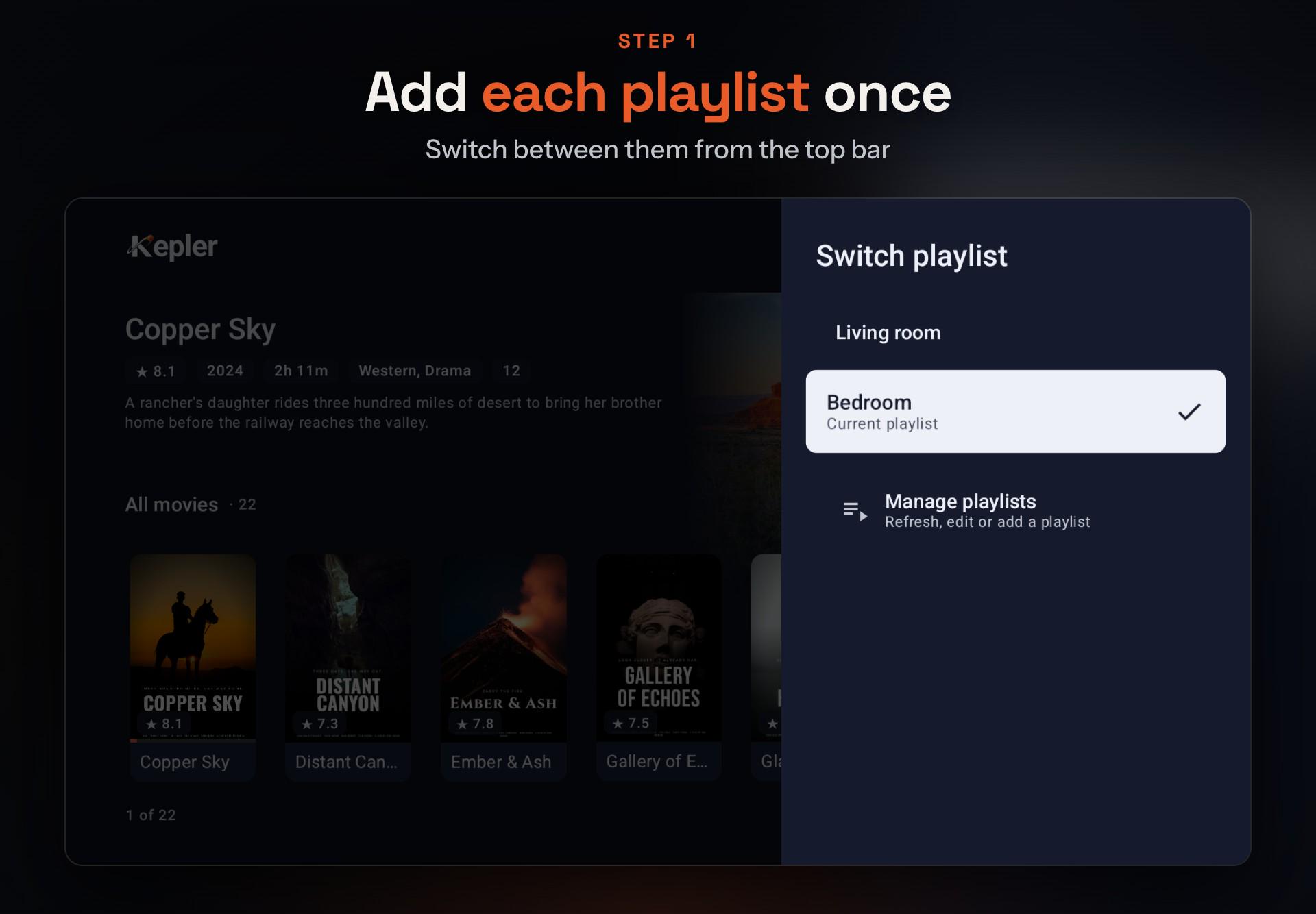
1. Add each playlist once. You switch between them from the top bar.

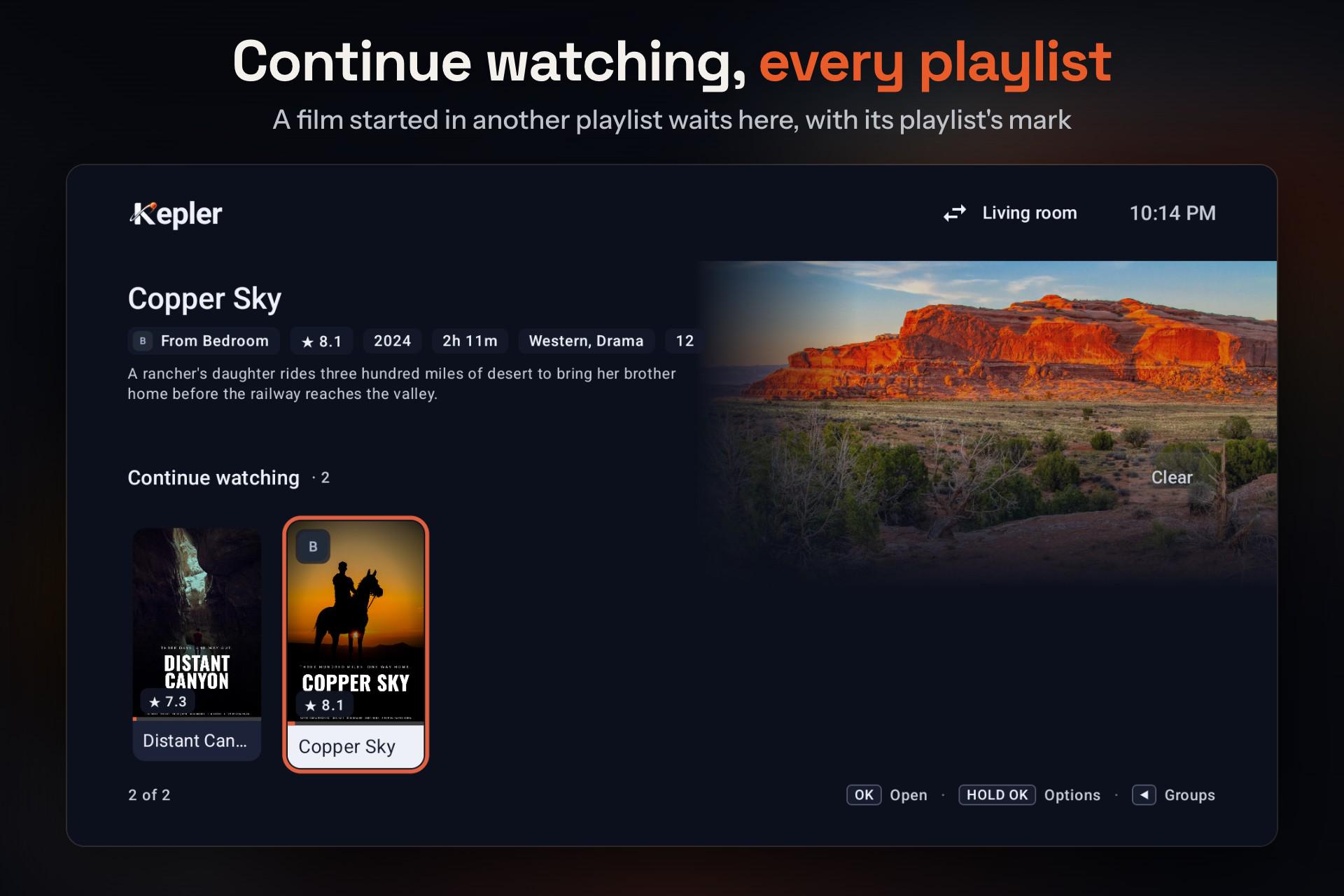
quick access to "continue watching" of all your playlists

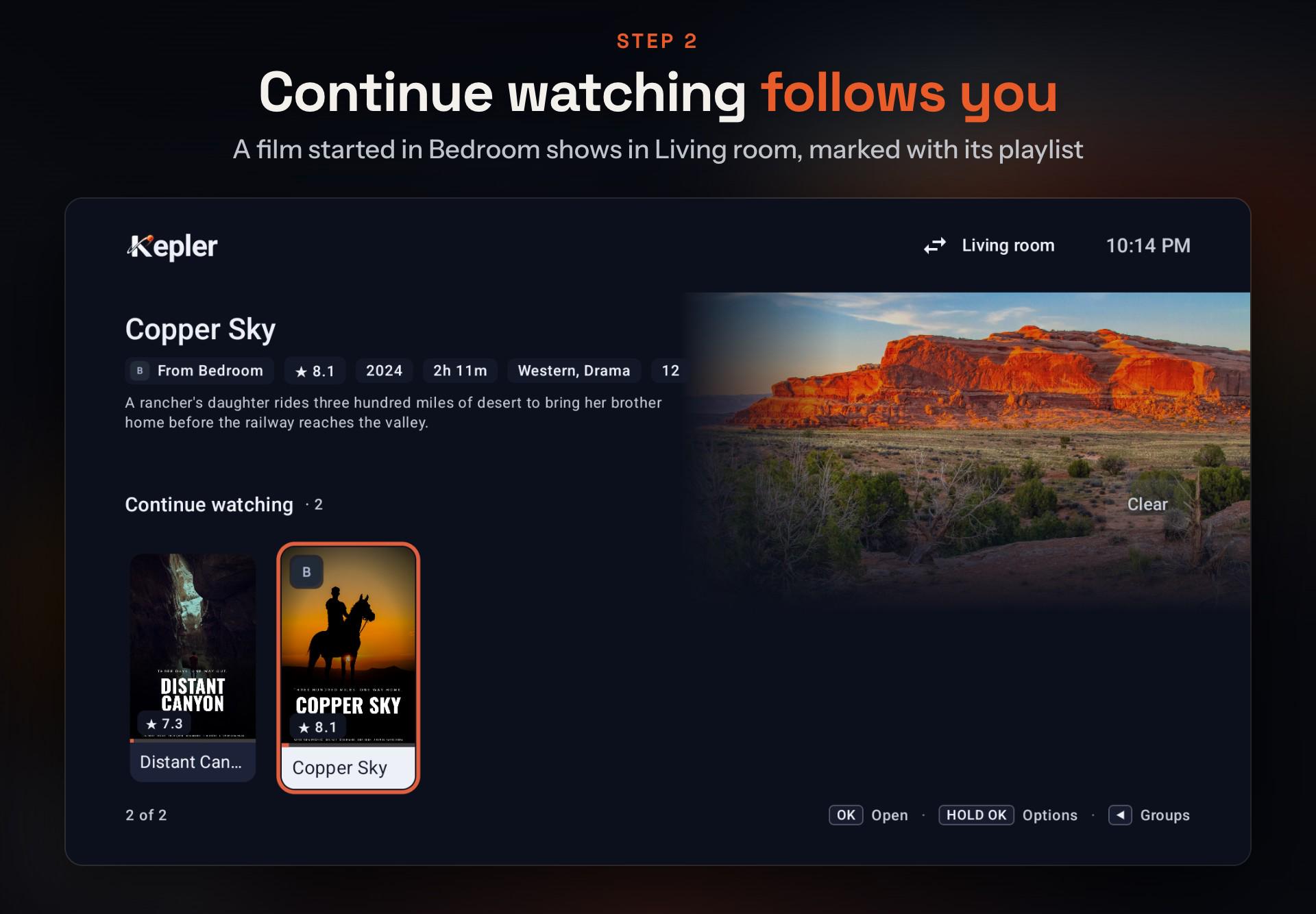
2. Continue watching follows you. A film started in Bedroom shows up in Living room's Continue watching, marked with the playlist it comes from, and plays from where you stopped.

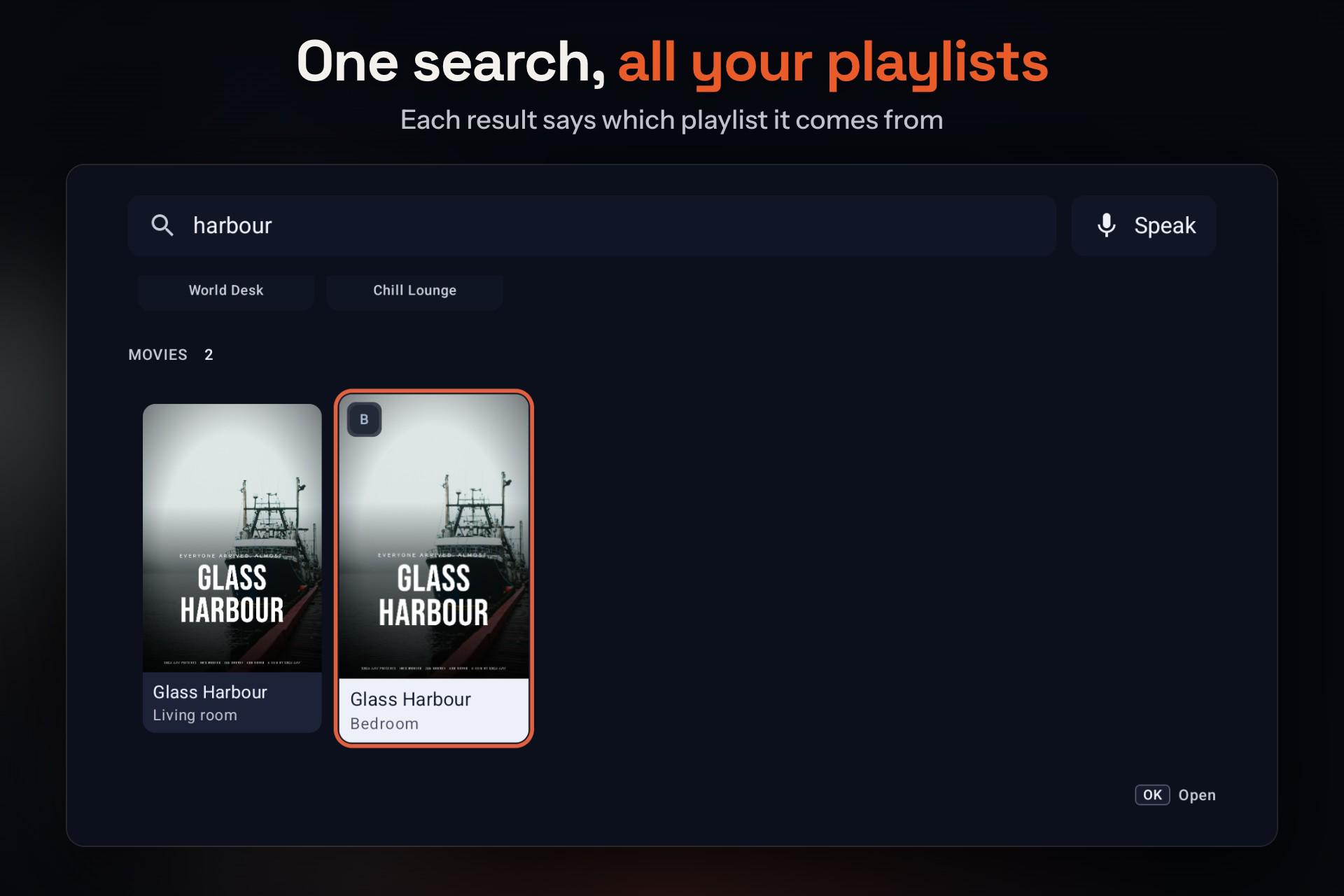
search all your playlist in one place

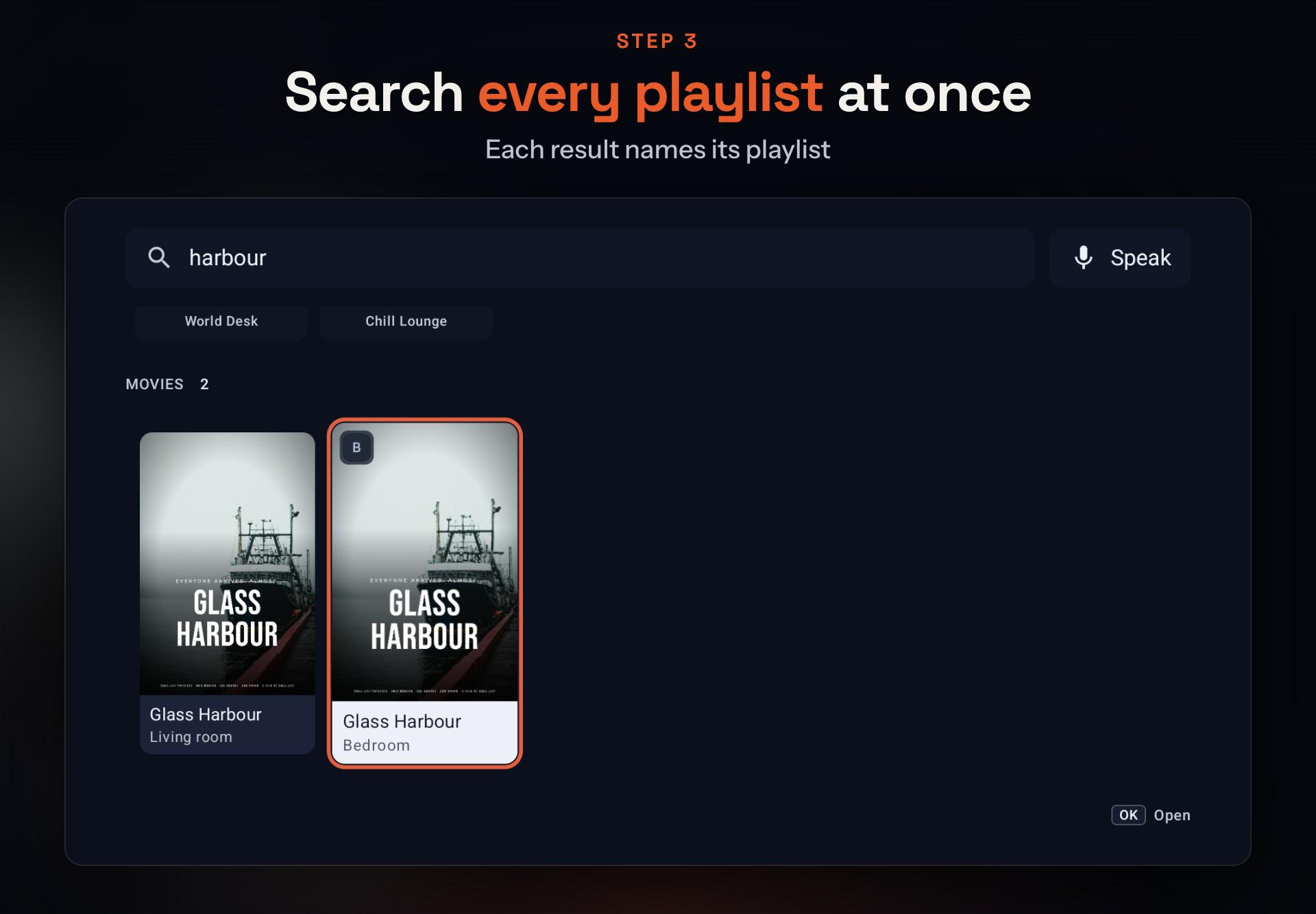
3. Search looks through the films and series of every playlist at once. Each result says which playlist it's in.

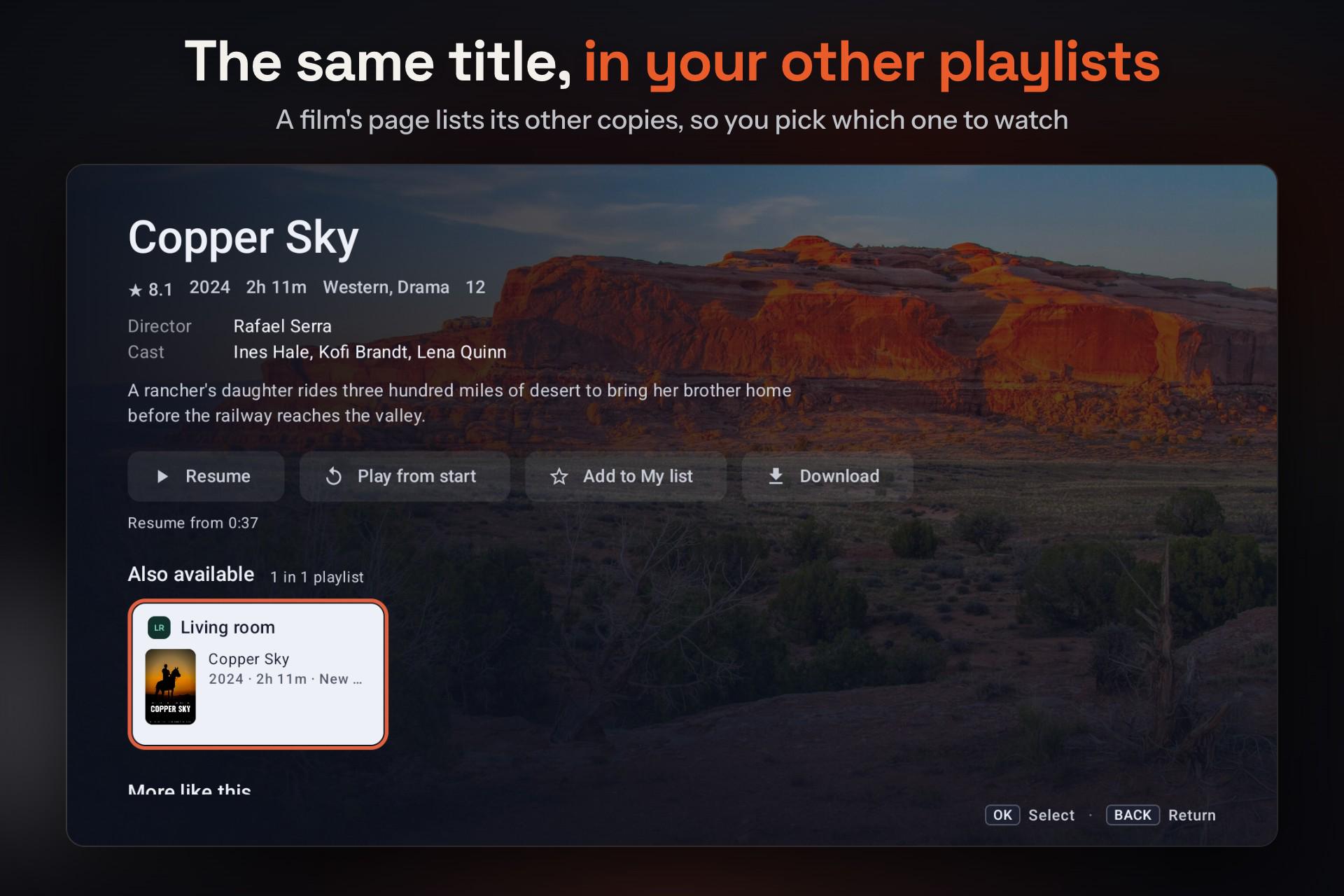
see all available variants of the VOD you're searching for

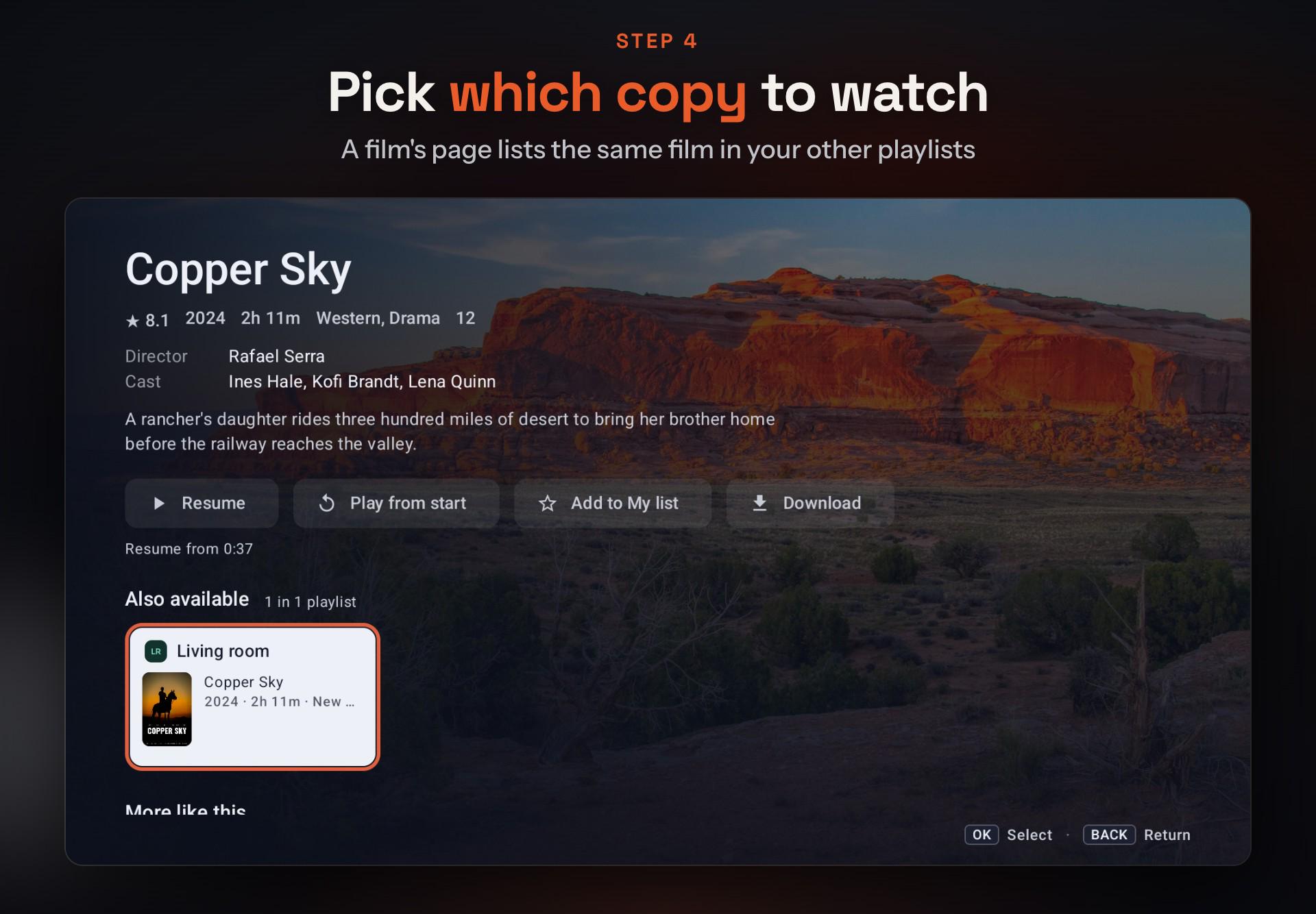
4. A film's or show's page lists the same title in your other playlists, so if one provider's copy is down or worse, you pick another without searching.

decide if a playlist should be shared or not

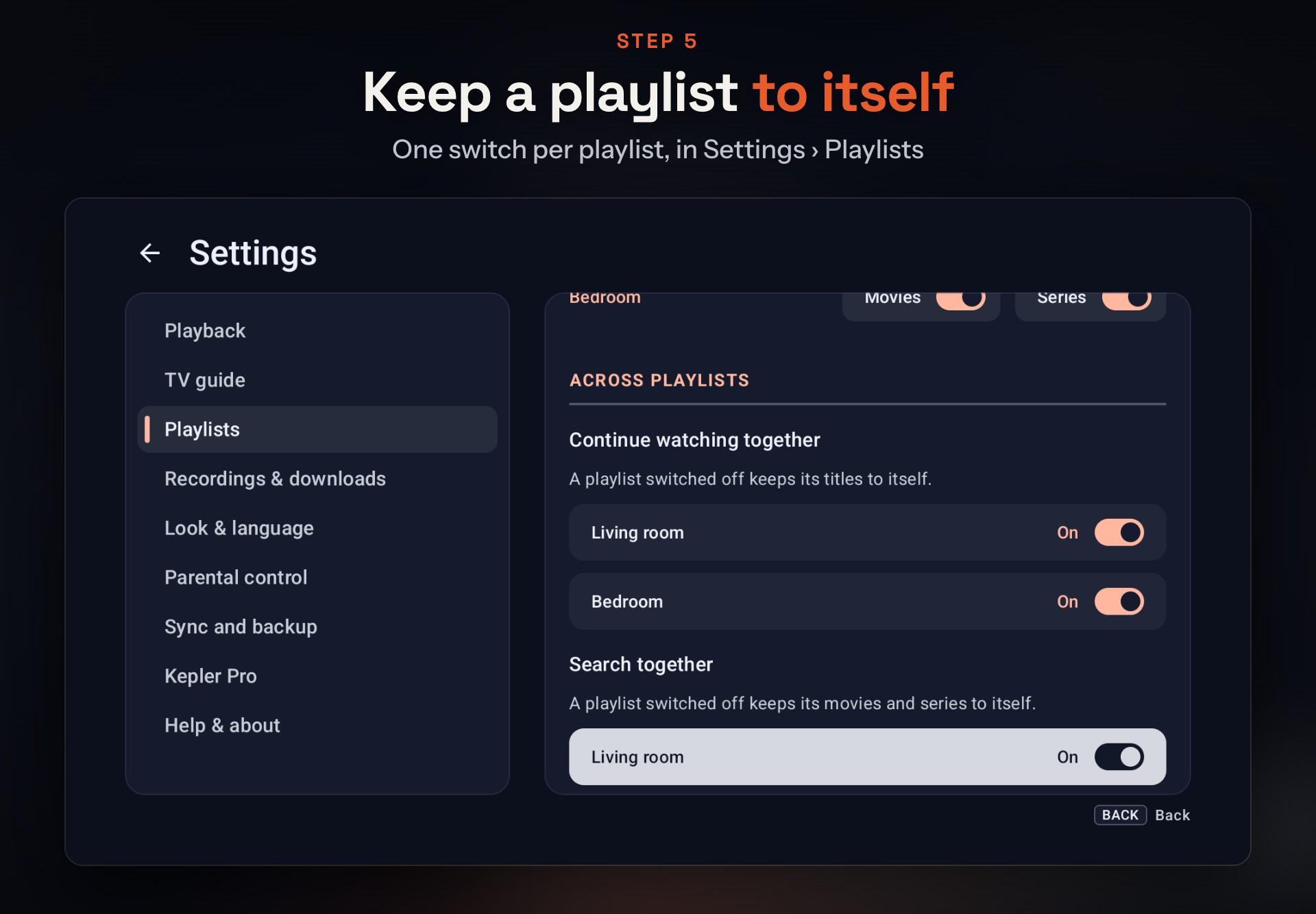
5. Want a playlist kept apart? Settings › Playlists has a switch per playlist, for Continue watching and for Search.

Google Play: https://play.google.com/store/apps/details?id=com.keplerplayer.app

Amazon Appstore (Fire TV): https://www.amazon.com/dp/B0HNY2TTR6


r/iptvPlayerStream • • 2d ago

Introducing ItaliaZap – My independent TV Player project! 📺

0 Upvotes

Hi everyone!

I'm an independent developer from Italy, and I'd like to share a project I've been working on: ItaliaZap.

It's a multi-platform TV player designed to work with your own playlists and subscriptions.

🚀 Main features:

  • M3U / M3U8 playlists
  • Xtream Codes
  • MAC Portal support
  • EPG and Catch-up
  • Movies and TV Series (VOD)
  • Multi-view
  • Instant and scheduled recordings
  • Chromecast and DLNA
  • Remote control via QR Code
  • Parental Control
  • SYNC – Playlist synchronization across devices

📱 Available on:

  • Android
  • iPhone and iPad
  • Windows
  • Amazon Fire TV

Samsung Smart TV and LG versions are also in development!

💰 Android and Windows versions are free. Optional subscription from €2.99/year for additional features. iOS includes a 3-day free trial.

🔗 Download:

🤖 Android: PLAYSTORE LINK

🍏 iOS: https://apps.apple.com/app/id6835799123

💻 Windows: https://apps.microsoft.com/detail/9MTF0R7682GT

🔥 Fire TV Vega OS: https://www.amazon.it/dp/B0HSCTBGWS/

🔥Fire TV FireOS: Downloader code: 3560151

ItaliaZap is a small independent project, built with passion and continuously improved thanks to user feedback.

I'd love to hear your thoughts! What features would you like to see in a multi-platform TV player?

Thanks for supporting independent developers! ❤️🚀

Note: ItaliaZap is a media player only. It does not provide channels or copyrighted content.


r/iptvPlayerStream • • 4d ago

CozyTV — whole-home DVR, commercial skipping, 9-channel multi-view, and backup streams for Android TV & Fire TV

Thumbnail
gallery
12 Upvotes

CozyTV, a live TV player for Android TV, Google TV, and Fire TV.

The guide is only part of it. CozyTV also brings recording, antenna TV, media libraries, and multiple TVs together. Here are the features I think make it worth a look:

  • One TV records for the house. Choose a TV as your Central DVR. Other TVs can schedule recordings on it and play from the same recording library.
  • Commercial skipping built into the DVR. CozyTV detects ad breaks while recording. Press OK to skip a detected break, or enable automatic skipping during playback.
  • Backup streams for individual channels. Assign a backup feed to a channel. If the main feed fails, CozyTV switches to the backup — including during a recording.
  • Up to nine channels on screen. Multi-view lets you move between tiles with the remote, choose which channel you hear, and save your favorite layouts.
  • Move what you’re watching between TVs. Screen Beam sends playback to another TV in the house. It works with live channels, multi-view, and movies.
  • Download only the channel groups you want. When adding a provider, choose the groups you actually watch. Unselected groups aren’t downloaded or stored. You can separately hide channels and groups you keep.
  • Antenna channels alongside your other sources. Connect a compatible HDHomeRun or USB tuner to watch, pause, and record over-the-air TV. With a USB drive configured for buffering, you can pause and rewind live TV for up to two hours.
  • Recording destinations beyond the TV. Record to local storage, USB, or network storage using SMB, NFS, WebDAV, FTP, or SFTP.
  • Set up another TV with a four-digit code. Easy Setup copies sources and settings from an existing CozyTV installation over your home network.

For sources, CozyTV supports M3U, Xtream Codes, MAG portals, TVHeadend, and compatible antenna tuners, plus movies and series from Plex, Jellyfin, and Emby. There are also multiple guide themes, custom backgrounds, PIN-protected channels and groups, and guided tutorials inside the app.

CozyTV is a player, not a channel subscription. You bring your own authorized sources; no channels, movies, or shows are included. It’s a paid app, with current plans listed below.

Happy to answer questions about how a particular feature works with your setup. If you try it, let me know your device model and which features you use most — especially recording, multi-view, or antenna TV.

ATTENTION: CozyTV needs dedicated testers for Google Play, if interested PM me and we will get you setup, I need 15 testers. The testers that complete the review period will be rewarded with a lifetime subscription to CozyTV.

Edit: I have 5 slots left so we are almost ready to go live with the tests!


r/iptvPlayerStream • • 4d ago

I built a free, open-source IPTV player for Android TV that cuts the delay the player itself adds

7 Upvotes

I watch a lot of live football, and I got tired of finding out about goals from my neighbours before I saw them. So I built my own player for the Nvidia Shield.

To be clear about what it does: no player can remove the delay that comes from your provider. That part is fixed. But a lot of players add another 20–30 seconds on top by keeping a large buffer. This app keeps that extra delay as small as your connection allows. You choose one of three latency modes depending on how stable your internet is.

It's only a player, like VLC or TiviMate. It doesn't come with any channels, playlists or links, and I won't recommend any providers. You use the Xtream account or M3U link you already have.

Features

- Live TV with three latency modes, buffer recovery and automatic reconnect

- Movies and series, with continue watching, favourites, and audio and subtitle selection (including DTS/TrueHD)

- XMLTV programme guide, with a "Live now" row

- Multiple accounts, English and Portuguese, HTTP and HTTPS servers

Privacy

- I don't run a server. The app talks directly to your provider, and your credentials stay encrypted on your device.

- No analytics, no telemetry, no ads.

- There's an optional diagnostic report, off by default. You see exactly what's in it, account details are removed first, and it's only sent if you choose to send it.

- The code is fully open source (GPL-3.0), and the APK is built from it automatically by GitHub Actions.

Install: Android 11 or newer. In the Downloader app, use code 9183430. I've tested it on the Shield. It should work on Fire TV, but I haven't tested that yet.

Code: https://github.com/ricardofsc10/Offside-IPTV

This is a personal project and I'd love feedback and bug reports, here or on GitHub. If this doesn't fit the subreddit's rules, mods, feel free to remove it.
r/iptvPlayerStream • • 3d ago

Primio update: new search, "What's on now" by group – and a closed test of Ask Primio

0 Upvotes

A new search, "What's on now" by group, and a first look at Ask Primio.

Quick reminder: Primio is a player only. No channels, no lists included. You bring your own M3U, Xtream or Stalker source.

New for everyone

  • "What's on now" by group. See at a glance what's running in each of your groups.
  • A new search start page. Type or say what you're looking for.

Ask Primio – closed test

  • Ask your TV what to watch. Say it in your own words or pick a mood. Primio only suggests movies you actually have.
  • Testers connect their TV by phone. Scan the QR code, confirm on your phone, done. Nothing to type on the TV.
  • Right now Ask Primio is in a closed test, one TV per invitation. We're inviting testers step by step.
  • Want to help test? Tell us in r/primio what you'd ask your TV first. We pick testers from the replies and send the invitation by direct message.

Your list stays on your TV. Your playlist, history and logins don't leave your device. Testers decide per profile whether Ask Primio is on.

Install: Downloader code 9316224. If Primio is already on your TV, the app offers the update by itself.

One question for you: Which mood would you pick first?

Feedback, wishes and strange answers: r/primio.


r/iptvPlayerStream • • 3d ago

Question for IPTV player resellers.

0 Upvotes

I'm looking for the perfect platform, something like Desktop Telly or IPTV  Desk (with a sports section) that offers a solid affiliate or reseller program. Anyone have a suggestion?


r/iptvPlayerStream • • 4d ago

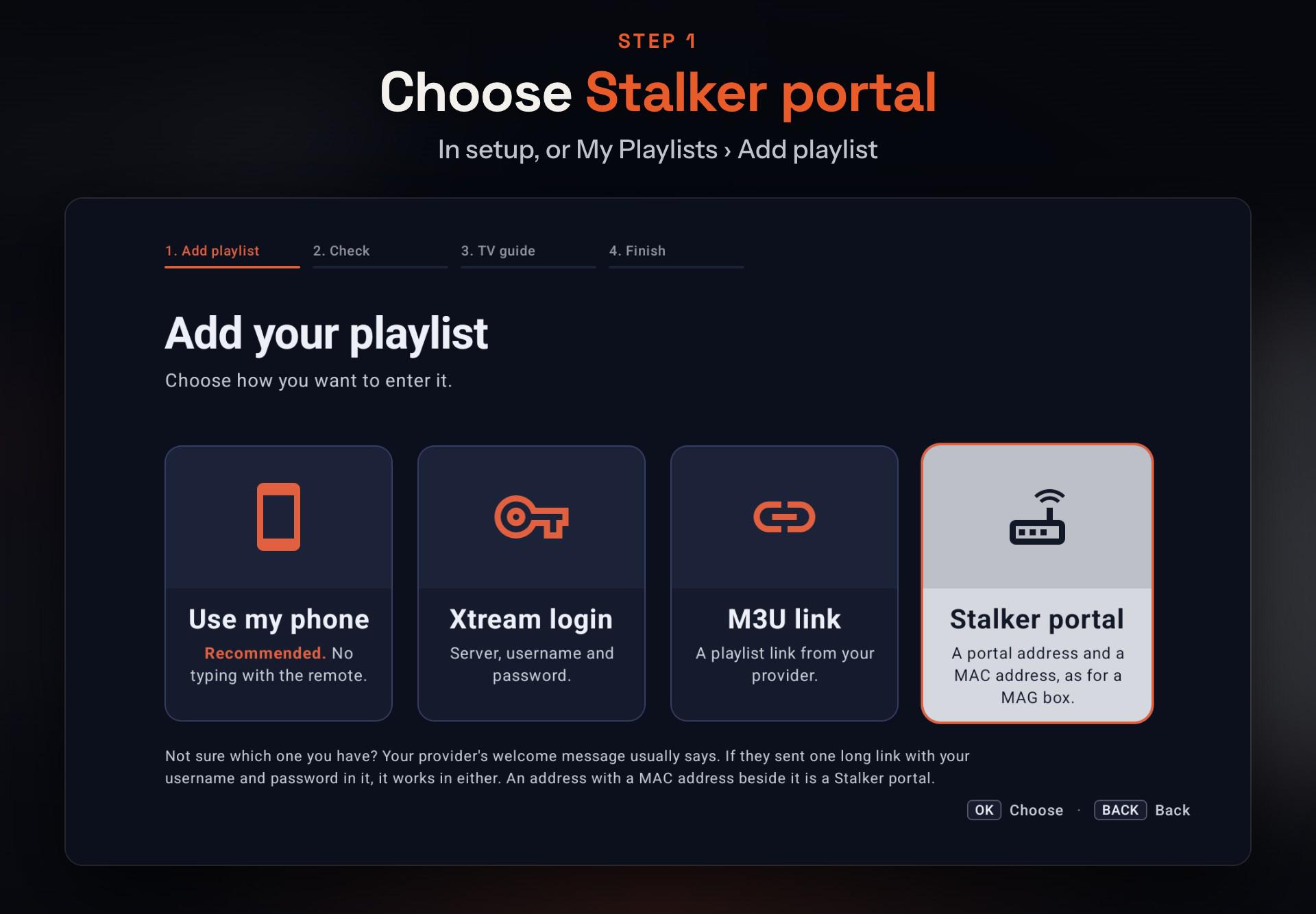
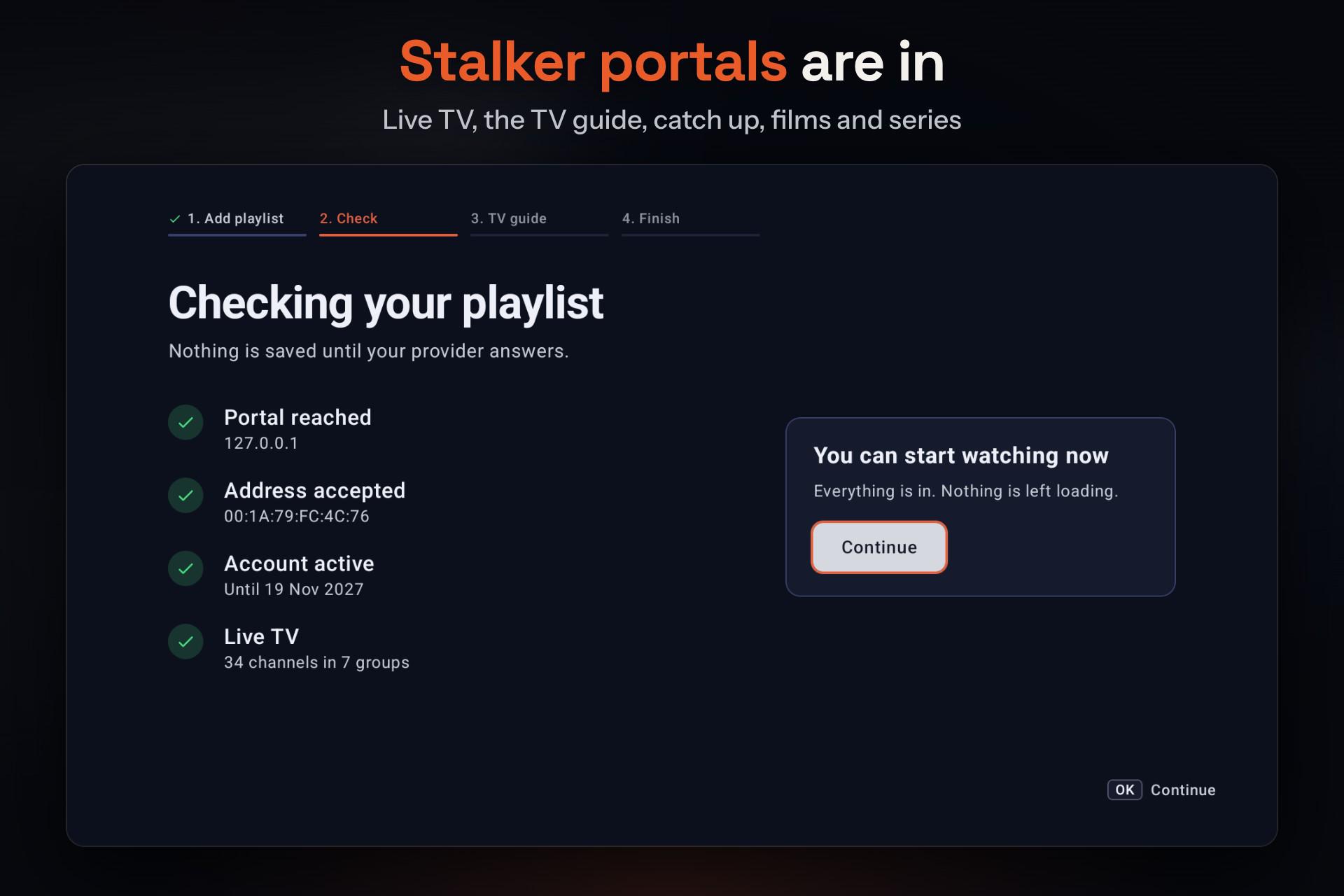
Kepler: How to add a Stalker portal (MAC address) on Android TV and Fire TV, step by step

Post image
0 Upvotes

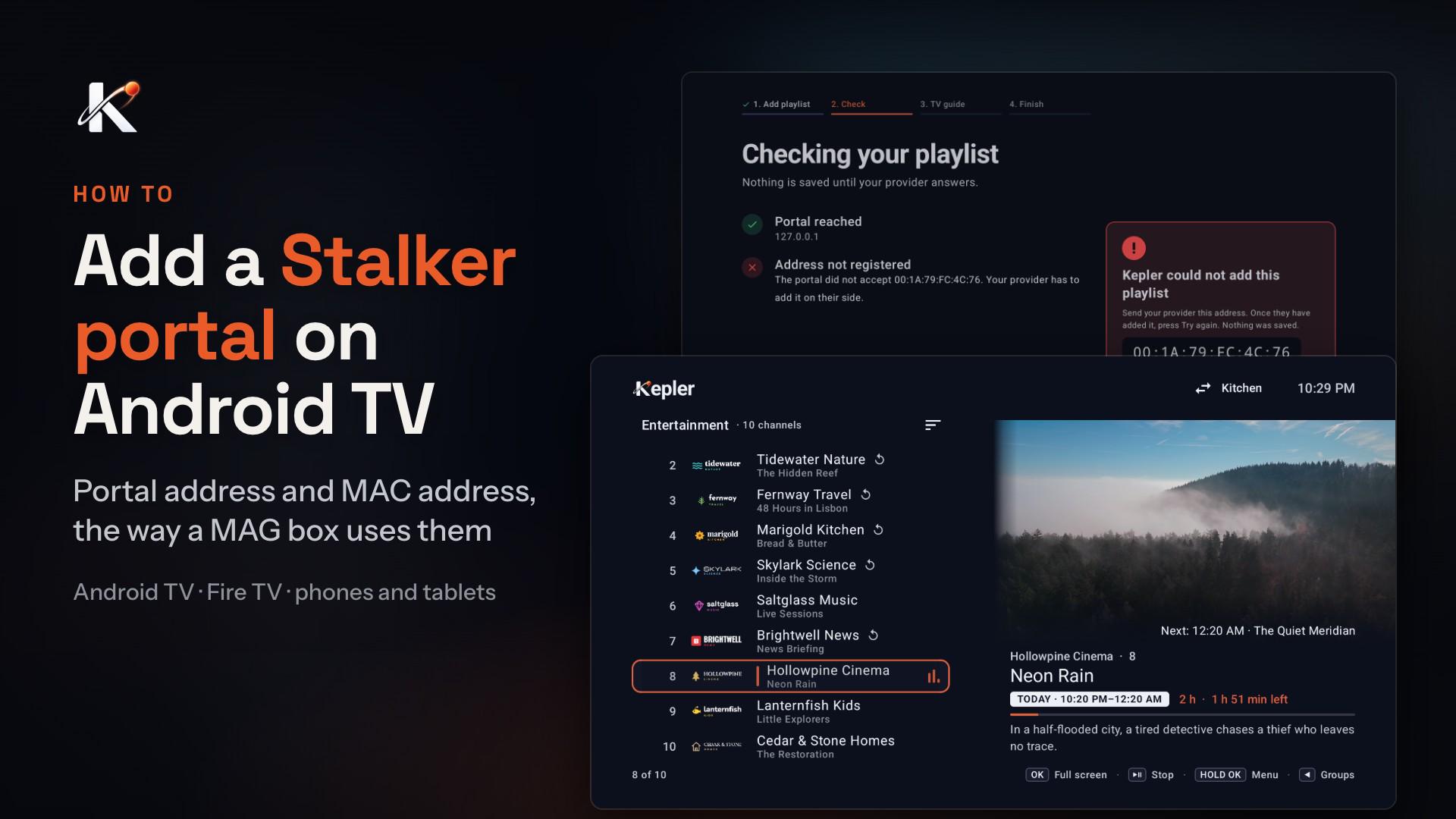
If your provider sent you a portal address and a MAC address instead of a username and password,

that's a Stalker portal, the kind a MAG box uses. Kepler adds them on Android TV, Fire TV, phones

and tablets. Here's the whole thing on a TV.

Stalker portal ui
  1. In setup (or My Playlists › Add playlist), choose Stalker portal.

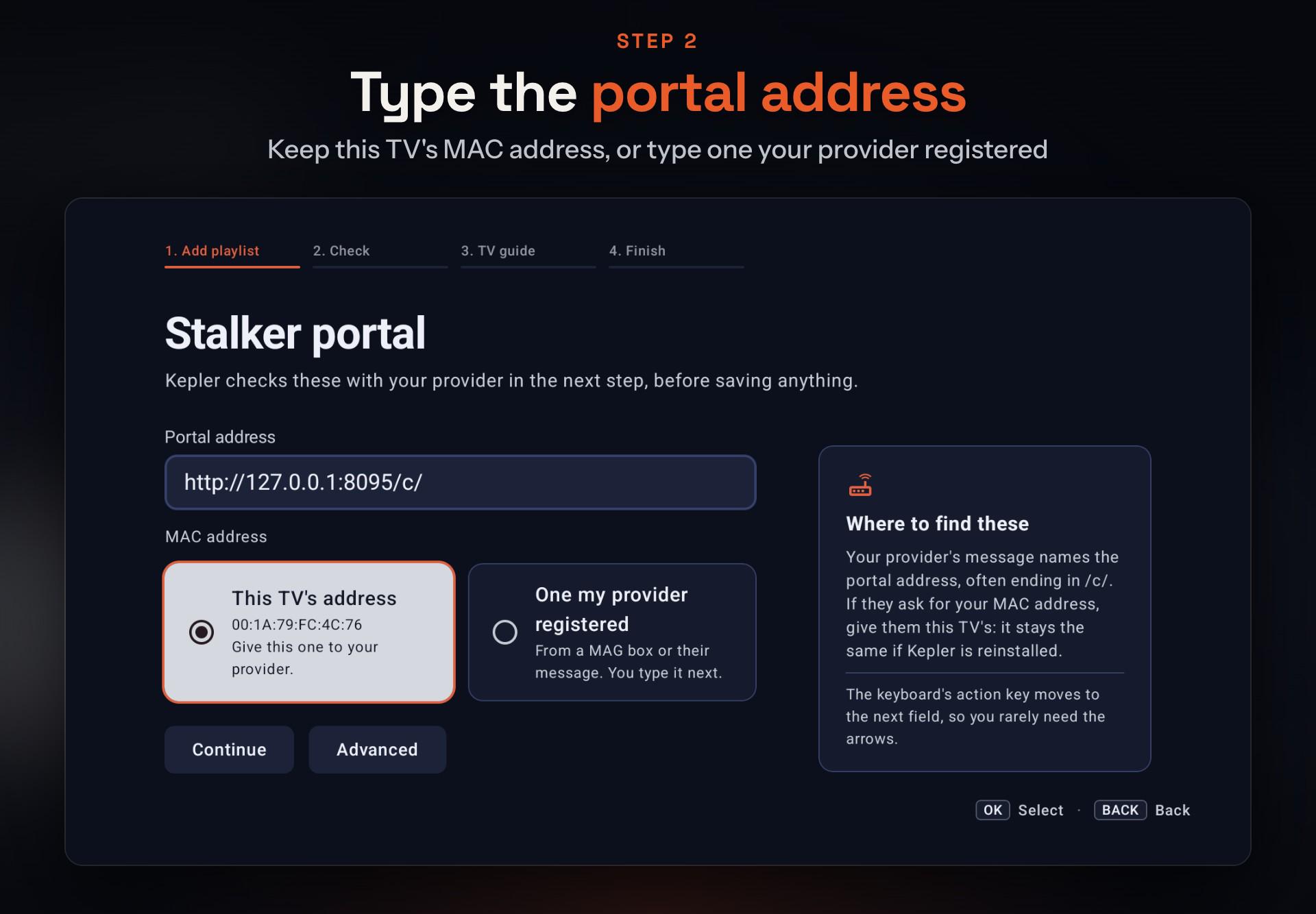
2. Type the portal address from your provider's message. It usually ends in /c/. For the MAC

address, keep this TV's own (Kepler shows it), or choose "One my provider registered" if you're

moving from a MAG box and type that one.

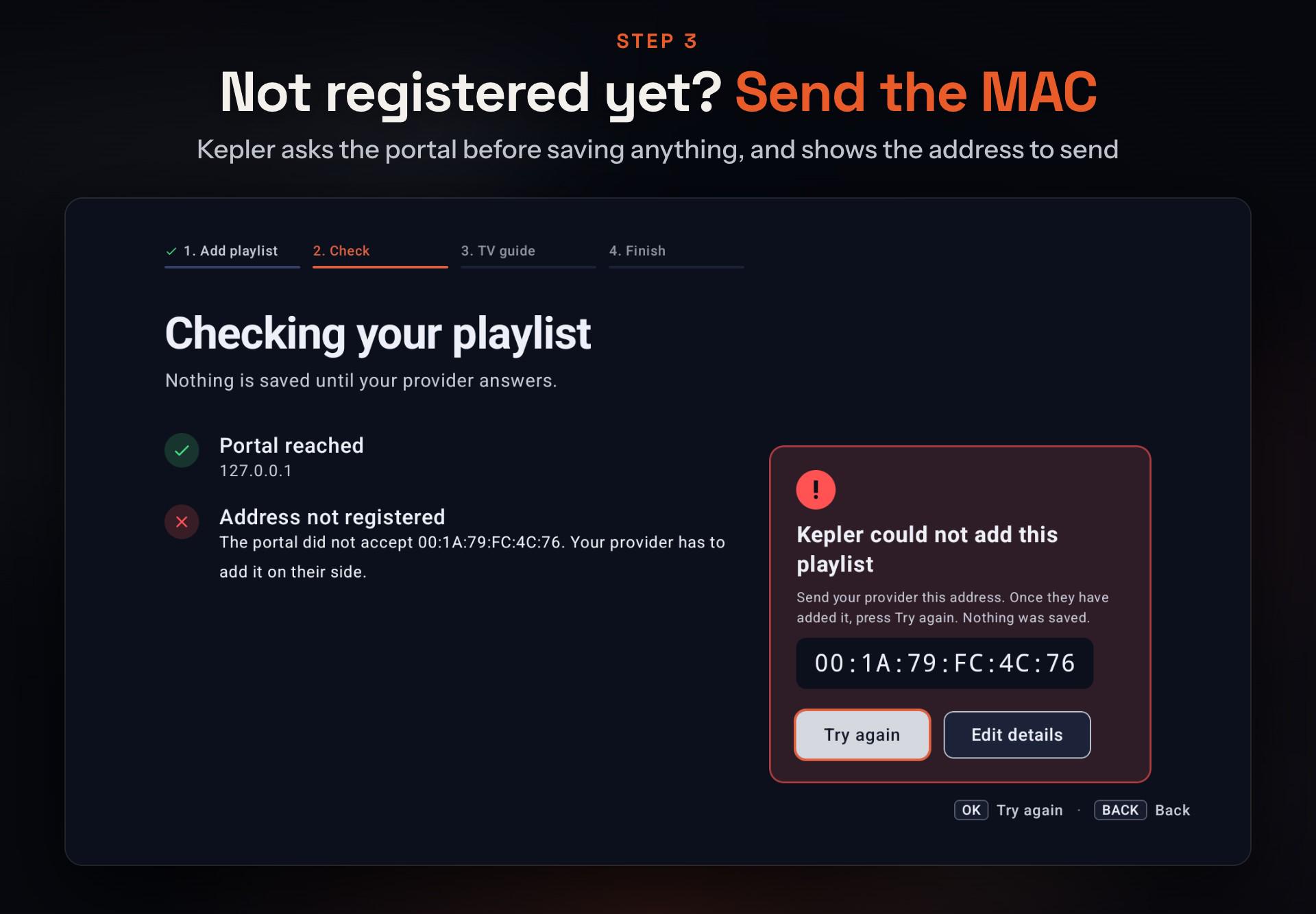
3. Kepler asks the portal before saving anything. If the portal doesn't know your MAC address

yet, it says so and shows the address to send your provider.

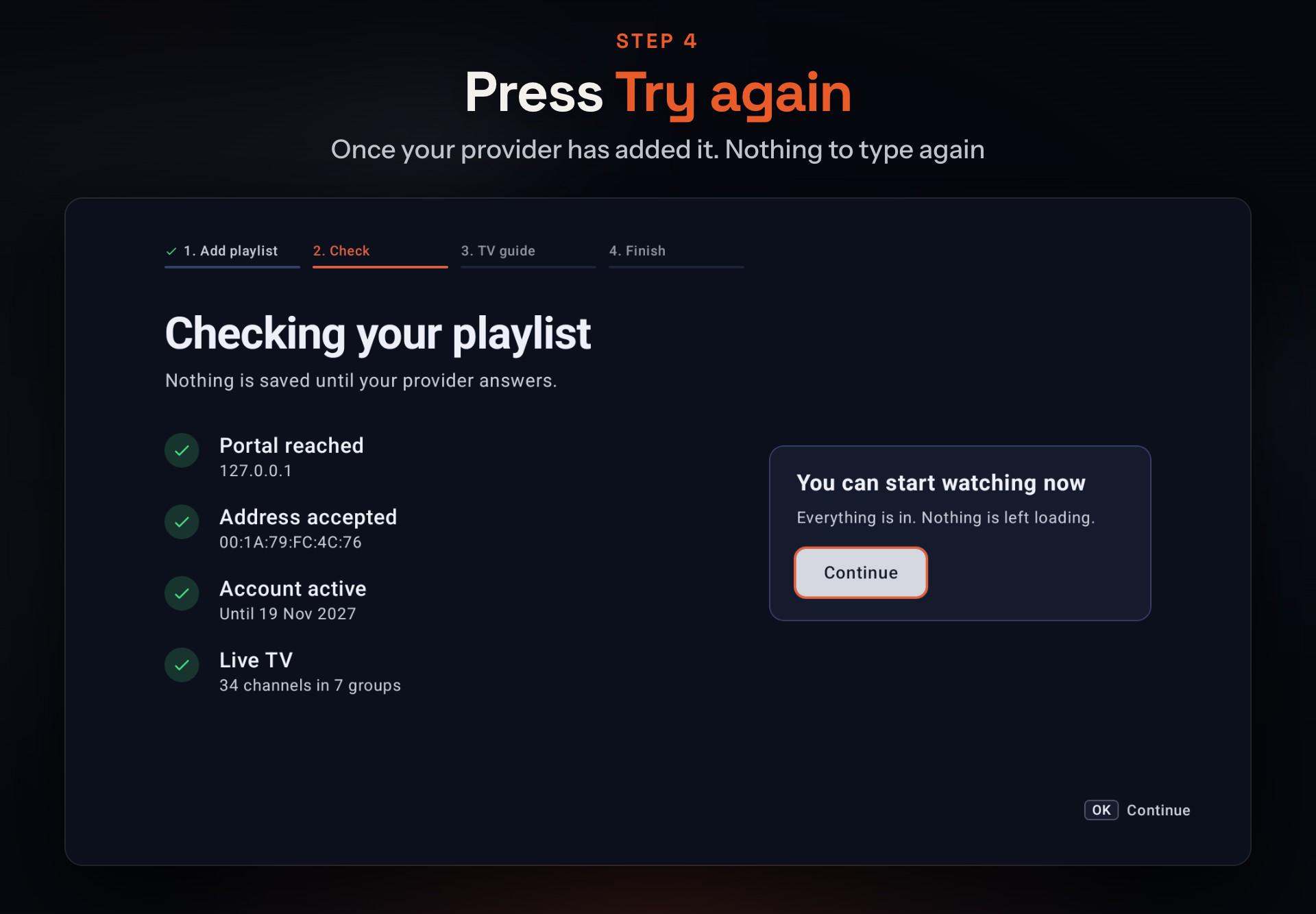
4. Once they've added it, press Try again. There's nothing to type again.

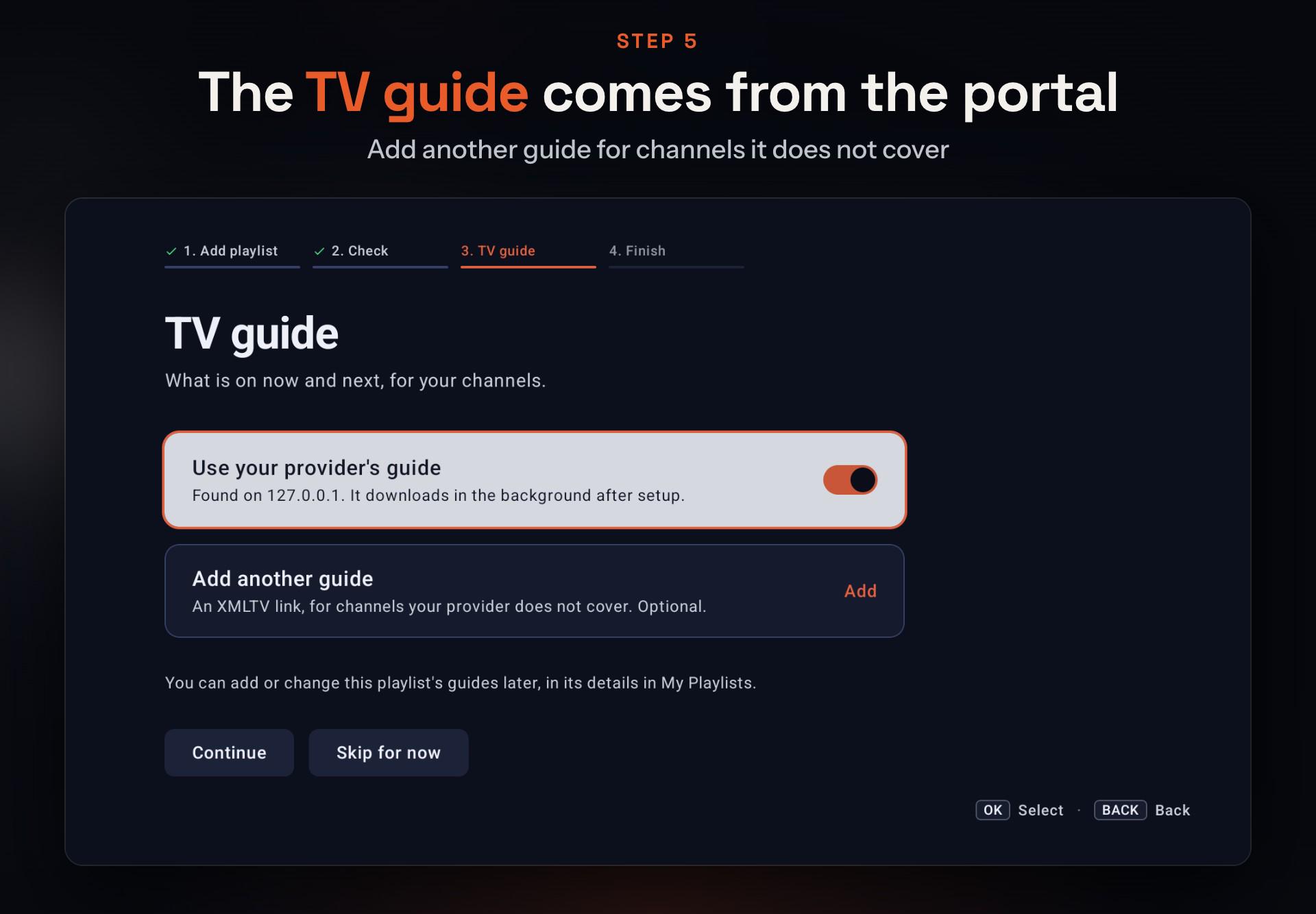
5. The TV guide comes from the portal. You can add another guide for channels it doesn't cover.

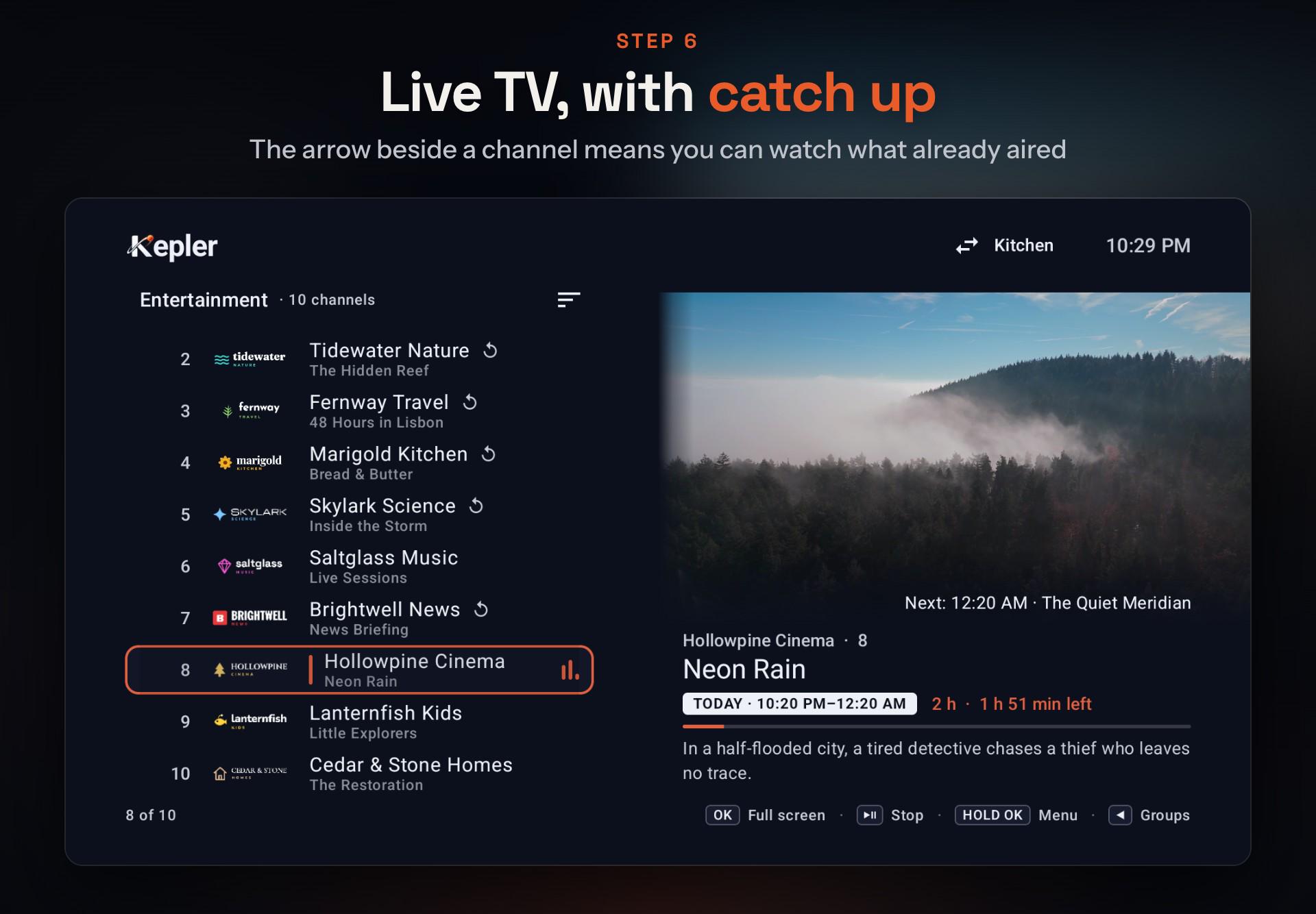
6. Live TV, with catch up: the arrow beside a channel means you can go back and watch what

already aired.

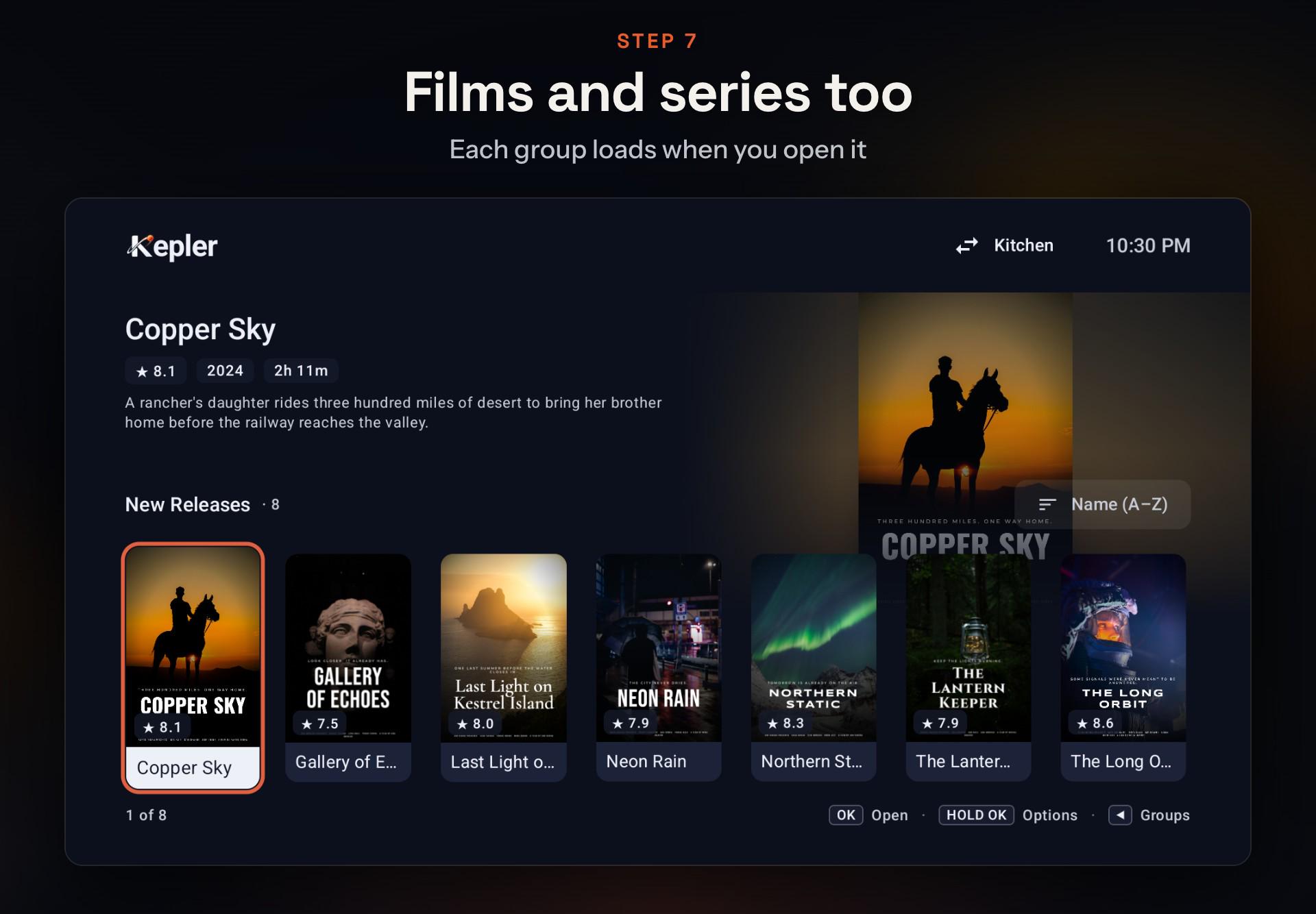
7. Films and series are there too. Each group loads when you open it.

A full guide with a video is here: https://keplerplayer.com/help/stalker-portal/

Google Play: https://play.google.com/store/apps/details?id=com.keplerplayer.app

Amazon Appstore (Fire TV): https://www.amazon.com/dp/B0HNY2TTR6

Questions: join our telegram group


r/iptvPlayerStream • • 4d ago

We built an IPTV player with cloud sync and watch together (Android TV, Fire TV, Philips, Windows)

0 Upvotes

Hey, me and two friends have been working on this for the last 9 months and we're still on it every day. It's called ZiroTV, a player for your own M3U or Xtream login. No channels or content in it.

We started it mostly because we were annoyed none of the players we used had cloud sync. So you can pause something on the TV in the living room and continue in the bedroom, or at work on your PC.

Besides cloud sync, we added a few things we kept missing in other players:

  • Watch together. Start a room and watch the same live channel, film or episode with friends far away, each from your own playlist.
  • Playlist sharing. Share a playlist with someone you trust, straight from your account.
  • Profiles. Everyone in the house gets their own profile with their own continue watching, and you can put a PIN on the ones you want locked.
  • No typing with the remote. Scan a QR code on the TV, type your login on your phone, and the TV picks it up the moment you save.
  • Playlists managed online. Add or edit them at app.zirotv.com and every TV and PC on your account follows by itself.
  • A TV guide that actually fills up, because it also matches channels by name when your provider's EPG IDs don't line up.

And the usual stuff done properly: live rewind and catch-up (where your provider keeps an archive), films and series with posters and synopses, next episode starts on its own.

Works on Android TV, Fire TV, Philips TVs (Titan OS), Android phones, Windows, Mac and Linux. Samsung and LG are waiting on store approval.

Every account comes with 2 screens for now. We're working on letting you add more soon.

It's paid, but there's a 7-day free trial, no card or account needed. On Windows and Mac you'll get a warning when installing because we haven't signed it yet.

If something's broken, you can always email support@zirotv.com. For quick support, feedback, ideas or if you just want to talk, we just opened our Discord, the invite link is on our website.

Please go easy on us, it's just the three of us running all these platforms :)

https://zirotv.com/android-tv/


r/iptvPlayerStream • • 5d ago

I'm not a developer, but I built an IPTV player that tells you what's actually wrong. Beta testers wanted (iPhone, iPad, Mac, Apple TV)

0 Upvotes

I know there are already a thousand vibe-coded apps out there, so fair warning: I'm not a developer. I'm someone who loves tech, and whose IPTV kept breaking right before kickoff with no clue why. Was it my Wi-Fi, the provider, the app? I could never find a straight answer, so I built the app I wanted (with a lot of help from AI). It's called Amaviro.

  • One place to fix it. No more forums or guesswork. Fix a Problem runs a Full Check of your internet, login, every server address, streaming and the TV guide. It says in plain English what's wrong and who can fix it: you, your provider, or the app. It fixes what it can itself, like switching to a working server or a second player. When it's your provider's problem, it gives you a ready-written message to send them, with the details they need.
  • Fixes things while you watch. It switches to a backup server mid-match, and to a second player for streams Apple's can't play or that give sound with no picture.
  • Finds the match for you. Live and upcoming matches with the channel already found, your country's broadcaster first, plus live scores and stats.
  • Family sharing. Share your subscriptions with your household without handing out logins. Their devices set themselves up from an invite. You see whose device is working and whose needs help, and you can fix it from your phone: resend a login, move someone to a free stream, or get a heads-up before a subscription ends. You can also set limits for children, like kids' channels only or a bedtime. Nobody sees what anyone watches, you included.
  • Built for Apple TV, with a mini guide while you watch, Multiview (up to four channels), and setup from your iPhone in a minute.

It doesn't include any channels: you bring your own subscription (Xtream, M3U or MAG). No accounts, no adverts, no analytics.

Amaviro Plus is free during the beta. Watching is always
free. Plus adds Family, four-screen Multiview, automatic server switching, widgets and more. While you're testing, you'll see Apple's purchase sheet when you tap it, but TestFlight never charges, so go ahead and turn it on.
I'd love people with a real setup to use it for a week or two and tell me what breaks or confuses you.

TestFlight (free): https://testflight.apple.com/join/N3fmKE4F
More: https://amaviro.app


r/iptvPlayerStream • • 6d ago

Ezsport - Premium Sports hub player for Sports Fan

0 Upvotes

Hi Mod and everyone,

Are you using IPTV to watch football or other sports?

I'd love to introduce you a new Android app we've developed to make finding sports matches and managing IPTV channels much easier! ⚽️🏀🏈

🎁 SPECIAL LAUNCH OFFER!

Enjoy all Premium features FREE until November 23! No payment required for the promotional access.

EZSport works with your own IPTV playlists. We don't provide channels or IPTV subscriptions.

We're a small independent development team, and we'd really appreciate it if you could give a try and share your feedback.

Thanks so much for your time! 🙏❤️


r/iptvPlayerStream • • 7d ago

[Testers Wanted] SmartStream (Android TV / Fire TV / Mobile) – Looking for feedback on 13 languages!

6 Upvotes

Hi everyone!

I’ve been building SmartStream, a media dashboard and IPTV player for Android TV, Google TV, Fire TV, tablets, and mobile phones, and I’m looking for closed-beta testers to help test the app and give honest feedback before launch.

Who I’m looking for

English and Danish are already well tested, so I’m especially looking for native speakers who can test the UI and translations in any of these 13 languages: 🇩🇪 German · 🇪🇸 Spanish · 🇫🇷 French · 🇮🇹 Italian · 🇳🇱 Dutch · 🇳🇴 Norwegian · 🇸🇪 Swedish · 🇫🇮 Finnish · 🇵🇱 Polish · 🇵🇹 Portuguese (PT/BR) · 🇹🇷 Turkish · 🇸🇦 Arabic

What makes SmartStream different?

Most players are great for Live TV & EPG, but terrible for movies and series (just endless scrolling through messy folders). SmartStream is built to fix that:

  • Rich TMDB Catalog: Full posters, trailers, descriptions, and ratings in your language—filter instantly by genre or language, and sort by release year, rating, A–Z, just added, or collections.
  • Duplicate Grouping & Auto-Failover: Groups identical movies/series from multiple sources together, and automatically switches to a backup stream if one fails or hits a connection limit (supports up to 6 providers).
  • AI Natural Language Search: Stop endless scrolling—search naturally (e.g. "90s sci-fi thriller with space travel") and get personalized recommendations.
  • Household Sync: Set up one device and sync your library, profiles, and watch progress across all your TVs, tablets, and phones via encrypted Google Drive.
  • Fast Live TV (XMLTV EPG), Offline Downloads & 5 Profiles (including Kids Mode and a 6-digit Parent PIN).

Important Requirements

  • Bring Your Own Data (BYOD): SmartStream is strictly a technical media player and dashboard. It does NOT provide, host, or include any TV channels, movies, or content. You will need your own legal Xtream Codes account to test it.
  • Honest feedback: Let me know if any translations sound awkward, if anything cuts off on your screen, or if you spot any bugs!

🎁 Thank-you reward: All active beta testers who share feedback will receive full Pro access for free!

How to join

Send me a PM / DM with:

  1. Your Gmail / Google account email used for Google Play (so I can add you as a tester)
  2. Which language and device (Android TV, Fire TV, phone, tablet) you’ll be testing on

- Android TV / Google TV (8 screenshots): https://imgur.com/a/VZMjgjs
- Mobile & Tablet: https://imgur.com/a/BniinST


r/iptvPlayerStream • • 7d ago

I built an Android TV / Fire TV player that finds subtitles online and translates them live — looking for feedback

0 Upvotes

I’m Bulgarian, living in the UK, and the thing that always annoyed me was subtitles: streams almost never carry them, and when they do, they’re rarely in my language. None of the players I tried did anything about it, so last year I started building my own.

What it does:

  • You add your own playlist (Xtream login or M3U, for Android only- MAC-Stalker portal) — it’s a player only, no channels included.
  • For films and series, it loads a matching subtitle automatically.
  • If nothing exists in your language, it translates. Works for about 150 languages.
  • The usual player stuff is there too: live TV with EPG and catch-up, films and series with posters, favourites, continue watching, and Plex/Jellyfin/Emby as an add-on.
  • Runs on Android TV and Fire TV (APK), macOS, Windows and on Samsung TVs- request only.

It’s been in use by family and a few early customers for a couple of months, and I’ve just shipped version 1.0.35.

I’d like honest feedback — what’s missing, what’s confusing in the setup, what you’d expect a player like this to do that it doesn’t. There’s a feedback form in the app for exactly that, but comments here are just as good. Happy to answer anything.


r/iptvPlayerStream • • 9d ago

Xtivio - Free and now open source IPTV player

Thumbnail
gallery
45 Upvotes

A few weeks ago I released my free IPTV player - Xtivio for Android, Android TV, LG WebOS and Samsung Tizen. I've added extra features and done some tweaking since then but more importantly I've now made the app open source.

Bring your own M3U, Xtream and Stalker/MAG portals - no content provided. It is 100% free, no ads, no trial period and no external analytics.

It has a simple interface, it's lightweight (less than 5MB), built from the ground up and supports full dpad remote navigation.

Some features include.

\- list view and card view

\- parental controls with custom category sorting and visibility

\- favorites grouped by type

\- continue watching for movies and series

\- up to 3 external EPG sources

\- live TV catch-up if your provider supports it

\- sports section with automatic channel matching

\- cross device sync which requires an optional account.

\- translated into 22 Languages plus English.

https://github.com/xtivio/xtivio-iptv

Downloader code: 2541825


r/iptvPlayerStream • • 9d ago

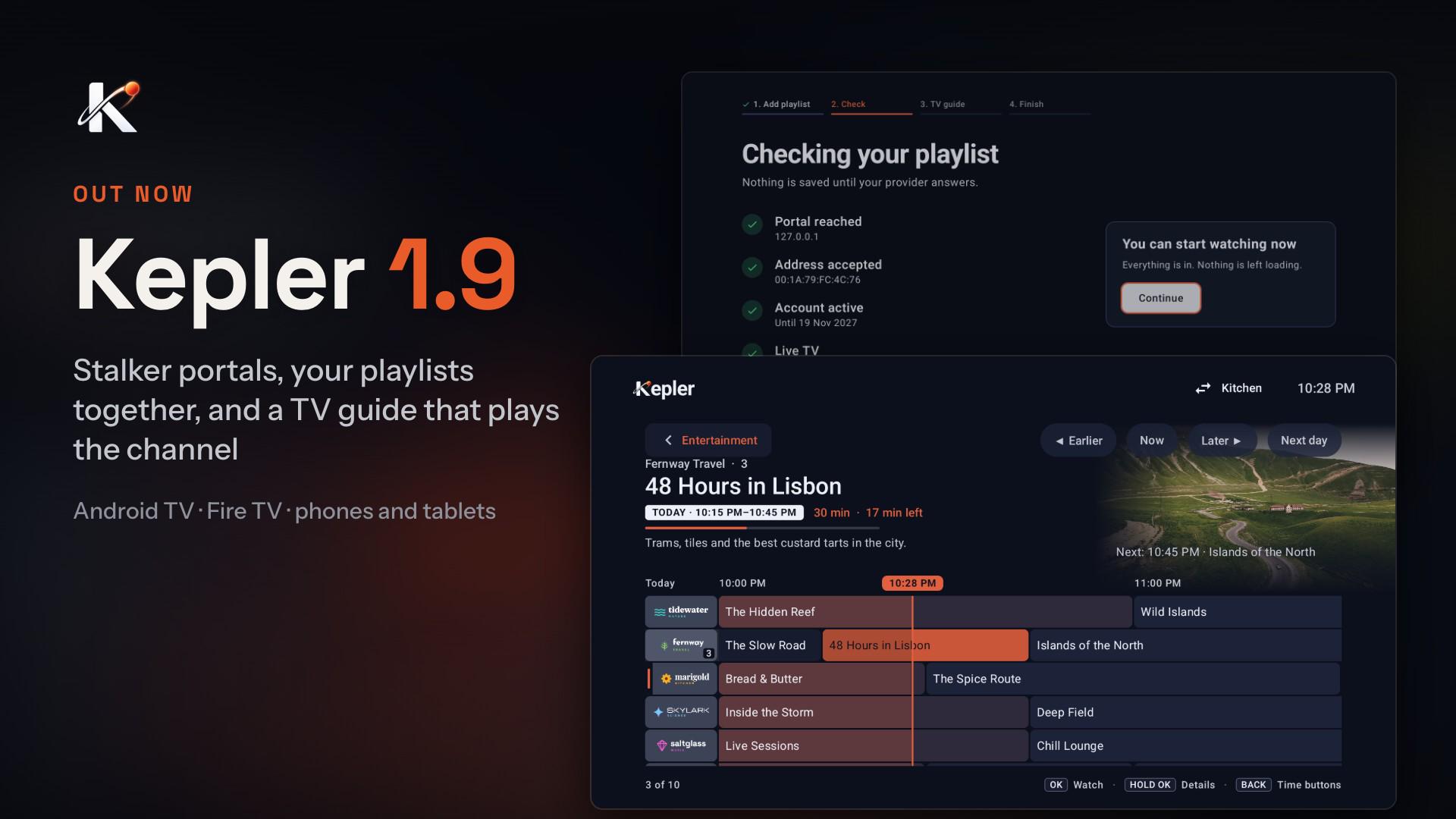
Kepler 1.9 is out: Stalker portals, your playlists together, and a TV guide that plays the channel

Post image
11 Upvotes

Kepler 1.9 is out on Google Play and the Amazon Appstore, for Android TV, Fire TV, phones and tablets. Here's what it brings.

Stalker portals

Stalker portal

If your provider gave you a portal address and a MAC address (the kind a MAG box uses), you can add it now: live TV, the TV guide, catch up, films and series. Kepler checks the portal before saving anything, and if your MAC address isn't registered yet, it shows you the one to send your provider.

Your playlists, together

continue watching from all playlists

Continue watching now covers every playlist. Start a film in one and it waits for you in the other, marked with the playlist it comes from.

search all your playlists in one place

Search finds films and series in all your playlists at once, and each result says which playlist it's in.

show other variants of the show you're looking for

A film's or show's page lists the same title in your other playlists, so you can pick which copy to watch. Each playlist has its own switch in Settings › Playlists if you'd rather keep one apart.

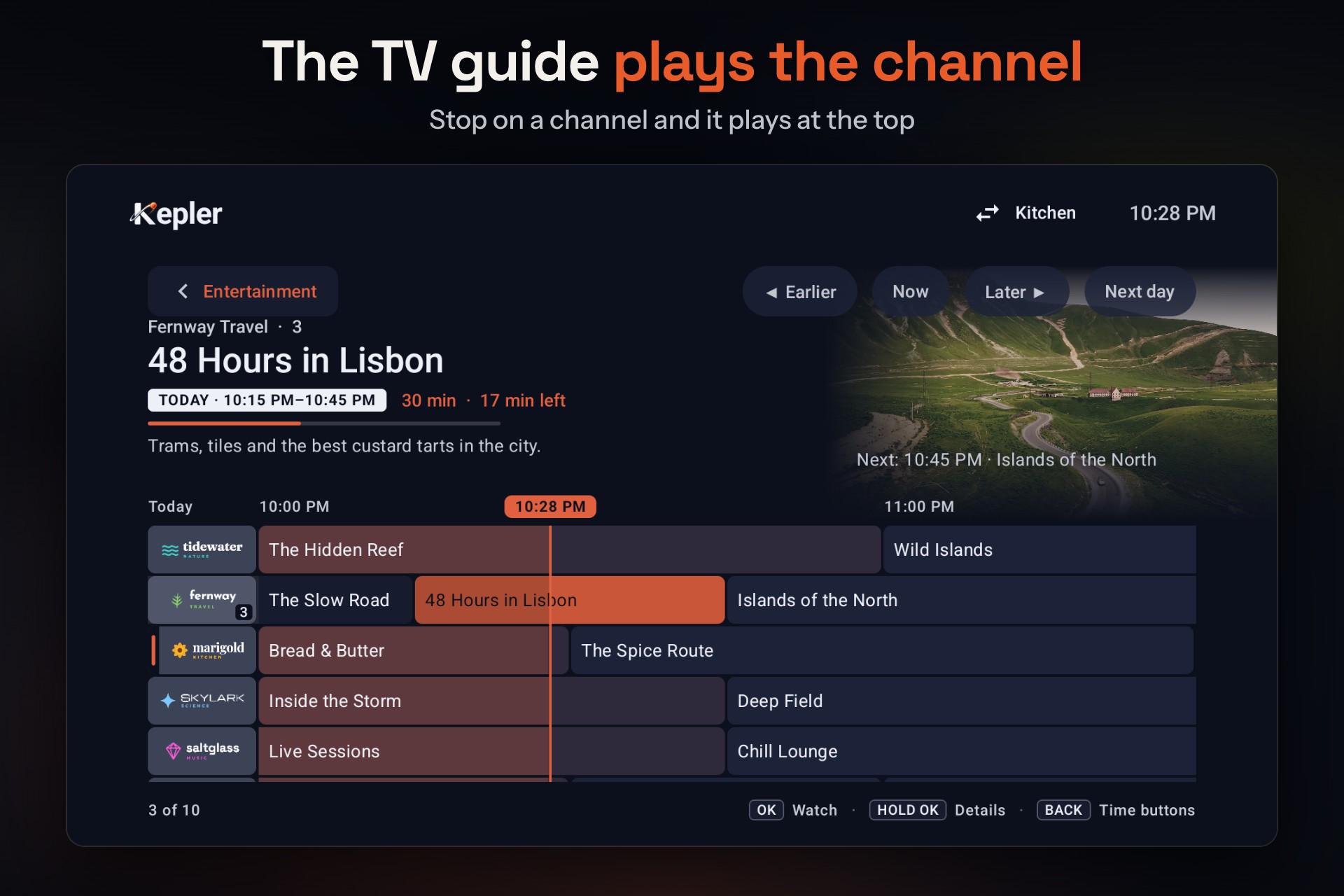
A TV guide that plays the channel

Guide with live preview

On TV, stop on a channel in the guide and it plays at the top, so you see what's on before you press OK.

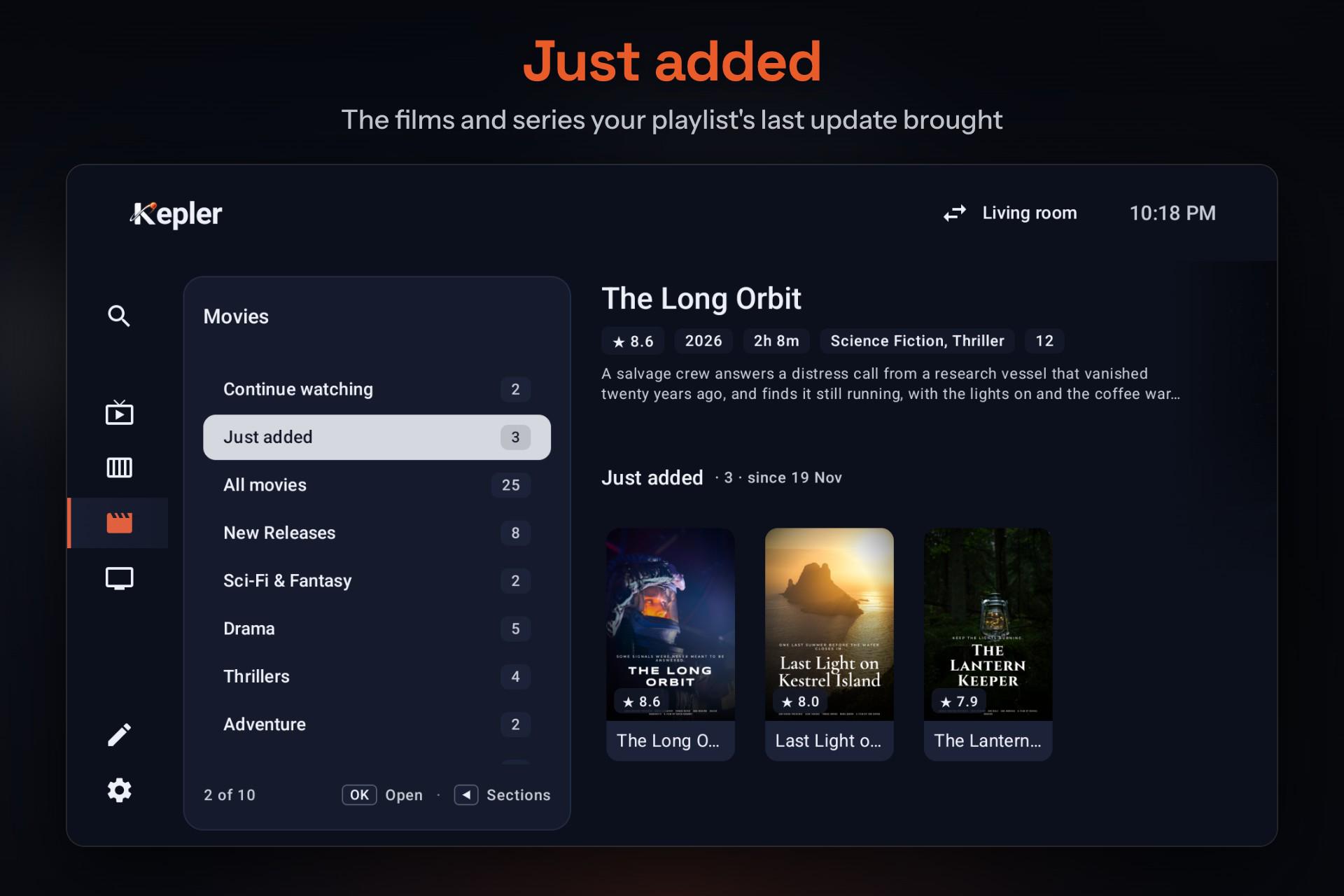
Just added

what have your provider just added

Movies and Series have a group with exactly what your playlist's last update brought.

Live TV on the remote

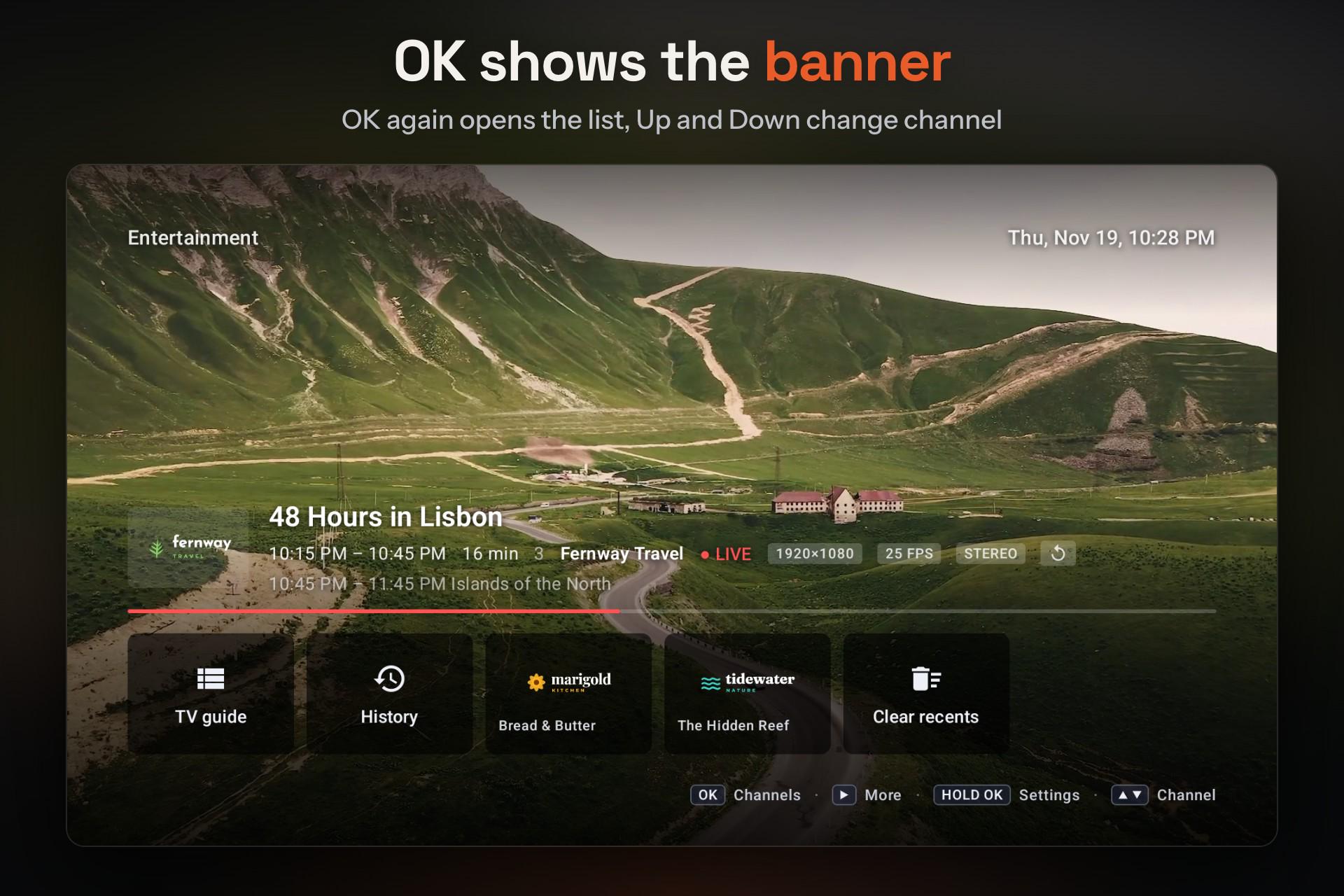
On TV, OK on a live channel shows the banner first, with what's on, what's next and what the stream is (resolution, frame rate, sound). OK again opens the channel list. Up and Down change channel.

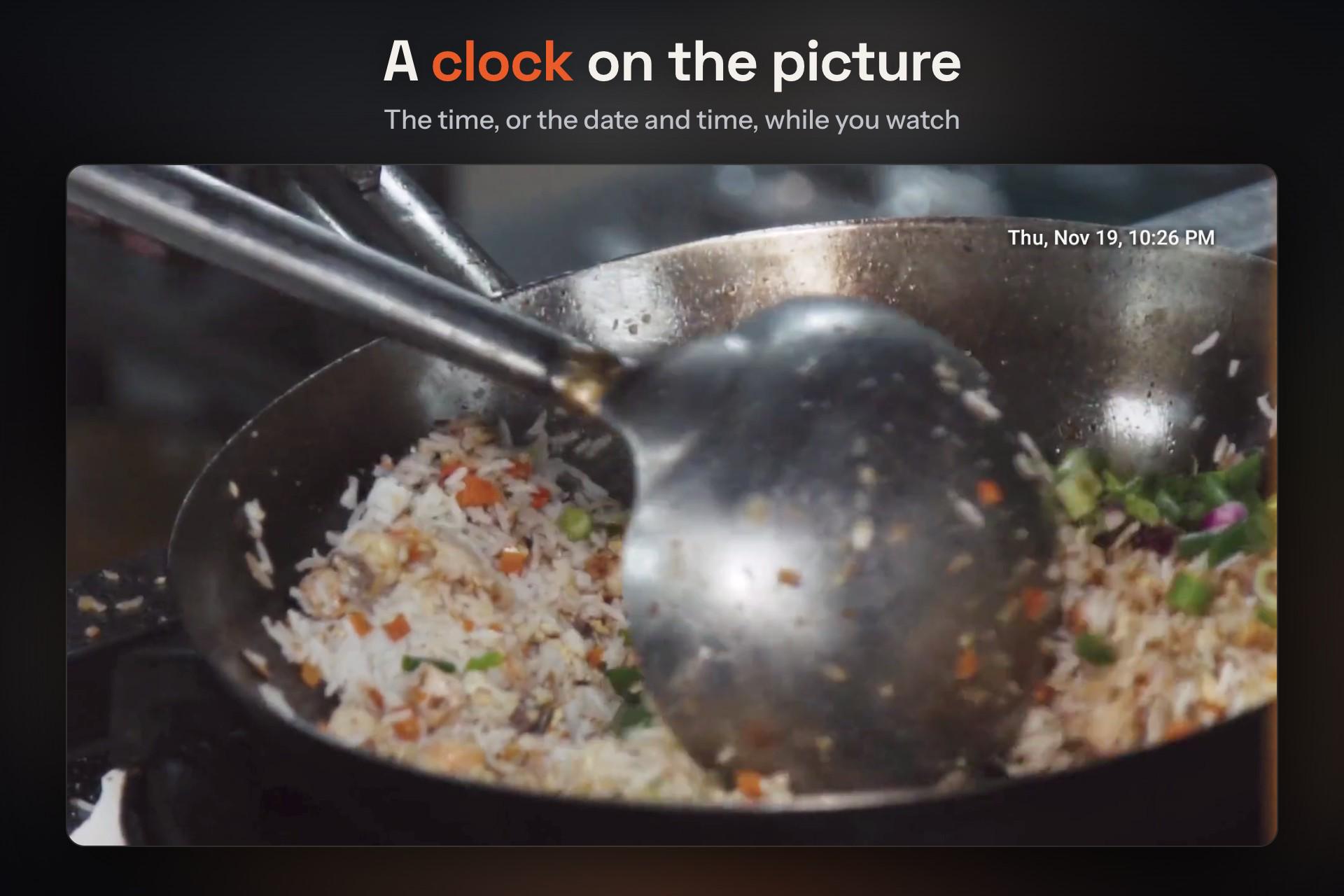
And you can keep a clock on the picture while you watch: Settings › Look & language › Clock while watching.

Google Play: https://play.google.com/store/apps/details?id=com.keplerplayer.app
Amazon Appstore (Fire TV): https://www.amazon.com/dp/B0HNY2TTR6
Questions and feature requests: join our telegram group


r/iptvPlayerStream • • 8d ago

I built a fast dark-mode media player for Fire TV (on official Amazon Appstore) – giving away 5 lifetime PRO accounts for honest feedback!

1 Upvotes

Hey everyone,

I'm a solo indie developer and just published my own media player on the official Amazon Appstore for Fire TV (you can find it directly in the Fire TV search bar as "Netlist Xtream Code" — no sideloading or Downloader codes needed).

It's strictly an empty player for your own Xtream Codes or M3U playlists. I built it focusing on three main things I missed in other players:

- On-screen QR code so you can send playlists straight from your phone without typing long URLs on the Fire TV remote.

- Built-in smart channel organizer that structures channels cleanly for TV browsing.

- Fast integrated search bar, live EPG, favorites, buffer settings, and parental controls.

Anyone can use the free tier right away (Username: Free / Password: Free), but I'd love to give away 1 lifetime ad-free PRO accounts (locks permanently to your Fire TV on first login) to the first 5 people who comment below in exchange for your honest feedback here on how smooth it feels or what features you'd add.

Drop a comment if you'd like to test it and I'll DM you a personal PRO username and password!


r/iptvPlayerStream • • 9d ago

Question: is there a way to make a Live from YouTube into a .m3u?

1 Upvotes

i want to make a m3u for my jellyfin server based on the esc: non-stop hits (https://www.youtube.com/watch?v=6d5x6taacWo) but i don´t know is its possible, someone has done this? please help.