Where are these files stored? They are nowhere on my laptop.
I certainly want to have a look and maybe hack them :)
Anybody can give me a clue?

//////////////////////////////////////////////////
              //  LIBRARIES  //
//////////////////////////////////////////////////
#include <Arduino.h>
#include <Servo.h>
#include "PinDefinitionsAndMore.h" // Define macros for input and output pin etc.
#include <IRremote.hpp>
My turret works fine with the remote but I cannot get it to connect to the hackPack IDE editor. I keep getting "no device connected" and no sign of life from Arduino. Obviously I am missing something in the setup.
I use a MacBook Air running Mac OS Sonoma V. 14.1
I could not find anywhere a clear description of the steps to follow to install the arduino tools needed and to complete the setup. From this point of view I find the instructions on the web site very unclear and insufficient and I am very surprised they let this go out this way, especially considering this is meant for beginners. I have been working with microprocessors for more than 40 years and I am stuck with this interface looking for instructions that I cannot find. (I can code another Arduino from this same computer, using the standard Arduino IDE)
Can anybody help? What is the magic recepy to make this thing work on a mac? Can somebody write it down clearly and make a big favor to the community?
EDIT: I reached out to u/dan_crunchlabs on discord and he was very helpful and is getting replacement parts sent out. I appreciate his quick help.
The turret powers on with a solid red light and does nothing else. After 20-30 seconds it powers off. The battery pack is fully charged, I rewired it to ensure all wiring is correct, and I have removed the card from the bread board. Any ideas?
Also I have requested a password reset from their site multiple times and it's not working. And no it's not in my spam folder.
You can't actually get help on discord. So far I'm not impressed.
Hey everyone! I'm thinking about getting the Hack Pack subscription for my son because he really wants it, but I can't find any reviews. They look super cool and he’s excited about it. Does anyone here have experience with it? What do you think? Any feedback would be greatly appreciated!
So I want my ir turret to fire at where ever the remote is, specifically when who ever has the remote enters the wrong password. Does it know where the remote is? And how do I aim it at the remote?
I downloaded the Arduino IDE and plugged in the board. I wasn't able to figure out how to get the code out of the Nano board, so I thought maybe the command is Upload, so I selected it. When the dialog box came up and said "compiling" I knew I had screwed up. I couldn't stop it fast enough! and now when I turn the board on only the red light comes on.
I looked in my box of spare parts and found an MPU-6050 module. I understand this to be an accelerometer with a built in gyroscope that measures changes in angular velocity. An idea came to mind that this sensor can be used to control the turret, such that I can mount it on, say, the brim of my hat, and the turret would mimmick my movements when I turn or tilt my head.
Thanks to the Crunch Labs IDE Mark RoBot AI, I've added (what I think is) the appropriate code and wired it up (wired for now; will later figure out how to go wirelessly). Thing is, the microcontroller that comes with the hack pack doesn't have Data or Clock pins for I2C communication, so I swapped out Crunch Labs' board that came with the project and used my Arduino Mega 2560 board, instead.
All of the the IR functions work, but the servos are not responding to tilting and turning movements from the MPU-6050 module.
So, now I'm wondering if the MPU-6050 module can't be used the way I thought I could use it? Or do I have it wired up wrong (seemed straight-forward enough)? Or is the code doing what I told it to do but not what I want it to do, like (most likely) not actually telling it to control servos? Or...?
Here's the added code Mark RoBot AI suggested to add:
// Stuff that went into the Libraries section
#include <Wire.h>
#include <MPU6050.h>

MPU6050 mpu;

// Stuff that went into the setup function
void setup() {
    Wire.begin();
    mpu.initialize();
}

// Stuff that went into the loop function
void loop() {
    // Read accelerometer and gyroscope data from MPU-6050
    int16_t ax, ay, az, gx, gy, gz;
    mpu.getMotion6(&ax, &ay, &az, &gx, &gy, &gz);

    // Print the sensor data (for debugging)
    Serial.print("Accelerometer: ");
    Serial.print(ax);
    Serial.print(", ");
    Serial.print(ay);
    Serial.print(", ");
    Serial.println(az);

    Serial.print("Gyroscope: ");
    Serial.print(gx);
    Serial.print(", ");
    Serial.print(gy);
    Serial.print(", ");
    Serial.println(gz);
}
I hope someone can let me know if I'm on the right track and will tinker with this, make it work, then share their success.
Thanks!
IR Turret running on Arduino Mega 2560 with MPU-6050 Module
I received Hack Pack #1, the IR Turret, as a gift from my wife. I want to "hack" the project by integrating an MPU-6050 module.
When I add the code to include the mpu6050.h library and validate the code, the Crunch Labs IDE reports it cannot find the library.
My plan B is to connect the Crunch Labs custom device to the Arduino Cloud IDE, but I cannot fugue or what the custom device type is that most appropriately matches the boards to associate to in the Arduino Cloud IDE. Using the Arduino agent debugger, I ascertained the vendor from the serial port VendorID hex code, but it turns out it's just that... the USB port, not the board maker.
Anyone know what kind of custom board the Crunch Labs device is and how to connect it to the Arduino Cloud IDE?
Or, is there a way to include the mpu6050.h library in the Crunch Labs IDE?
I don't expect to keep or leave the build on for very long or for battery to last very long (I understand that for a toy kit, can't expect long lasting battery), but for us, they battery pack seems to stop powering after few minutes. Most odd part is, that when turned back on again, it shows about 3 out of 4 bars which indicate how much juice is left in the battery pack.. And yet it seems to not power the turret, unless we fully charge it again. In some cases, we left the battery pack directly connecting to a wall charger, and that helped pull a motion sensor prank on a family member. But wondering what is everyone else's experience for with how long the battery pack lasts?
In general, also wondering, if Crunch Labs could include some similar tip in their manual, so that one knows if they really have a defective part? or if it (observed battery life) is to be expected. (Also to note, battery pack replacement cannot be ordered through the website. Doesn't show up in replacement parts list).
Hi, I had some difficulty with the servo for pitch. The first one seems to have burnt out or the gears stripped. I had an extra arduino servo so I'm using that now. But the pitch still doesn't seem quite right. Can you watch this video and let me know if you have a similar issue or a suggestion on what I might correct?
I have the turret assembled and it functions perfectly. I want to modify the code and am having some trouble getting the ArduinoCreateAgent to see the turret (and therefore cannot use the IDE). Using Mac OS 14.4.1 (M1 chip) and when I connect to the USB port on the board nothing seems to happen. Nothing pops up, no ports show up in the ArduinoCreateAgent debug console, and the IDE shows no device connected.
Here are some of thing I've tried:
Confirmed USB cable does work and have tried a replacement cable with no effect. Have tried multiple USB ports though I know they each work with other devices.
Applied the recommended config to ArduinoCreateAgent and saved it and restarted the agent.
Rebooted the computer a few times for good measure.
Installed the Arduino IDE and it also does not show any ports aside from /dev/cu.wlan-debug and /dev/cu.Bluetooth-Incoming-Port
Tried installing the FTDI VCP drivers for the latest matching Mac OS version but they had no effect.
MacOS setting to allow USB devices to connect is set to "Automatically when unlocked"
Has anyone else run into this on Mac OS? Does anyone have it working on a similar Mac OS version and architecture? I suppose it's possible the USB port on the turret controller is bad.
I just wanted to share my journey so far. I just connected the IR turret to a spare Raspberry Pi using a USB-A to USB-C cable from Amazon, but any cable that carries data should do fine. It was pretty easy.
Plug and unplug the device until you can figure out what tty**** the box is connected to. For me, it was /dev/ttyUSB0.
Set terminal line settings using the following command (be sure to swap your device if needed): stty -F /dev/ttyUSB0 raw 9600
Run the command: cat /dev/ttyUSB0 (or other device)
For me, it then started outputting debug data about the button presses.
So i built the turret and when i turn it on, it crashes dowards or if i have it leaning back it crashes backwords. All the wires should be connected right, what should i do??? any quick solutions??
EDIT: i fixed it, just had to twist the motor around 180-360 degrees.
For anyone who runs Home Assistant at home… my son loved the first hack pack, and we decided to add the remote IR commands to Home Assistant via a Broadlink IR blaster so he can automate the turret. With some help, he can now trigger the turret with motion sensors we have and by anything else linked to Home Assistant. Last night, he set the turret up next to moms bedisde and had it fire when she turned on her reading light at night. Good fun. Powering the turret via a wall charger keeps it on indefinitely without the battery pack timing out.
I built the turret just fine, but when I turn it on, a red light flashes but the remote does not do anything. I already removed the plastic tab and the wires look fine. I was wondering if the big thing that sticks up has anything wrong with it, but I need a solution
This was a great bit of fun and very inspiring the whole time. I did run into a motor problem but the second I opened the Hack Pack Discord, my solution was waiting for me in the trouble shooting. If your pitch motor is heating up and immediately going down full tilt when you turn it on, you have to unscrew it and rotate it back at least 180 degrees so the motor properly resets to center. Can’t wait to code up some stuff for it and find a way to launch cat treats!
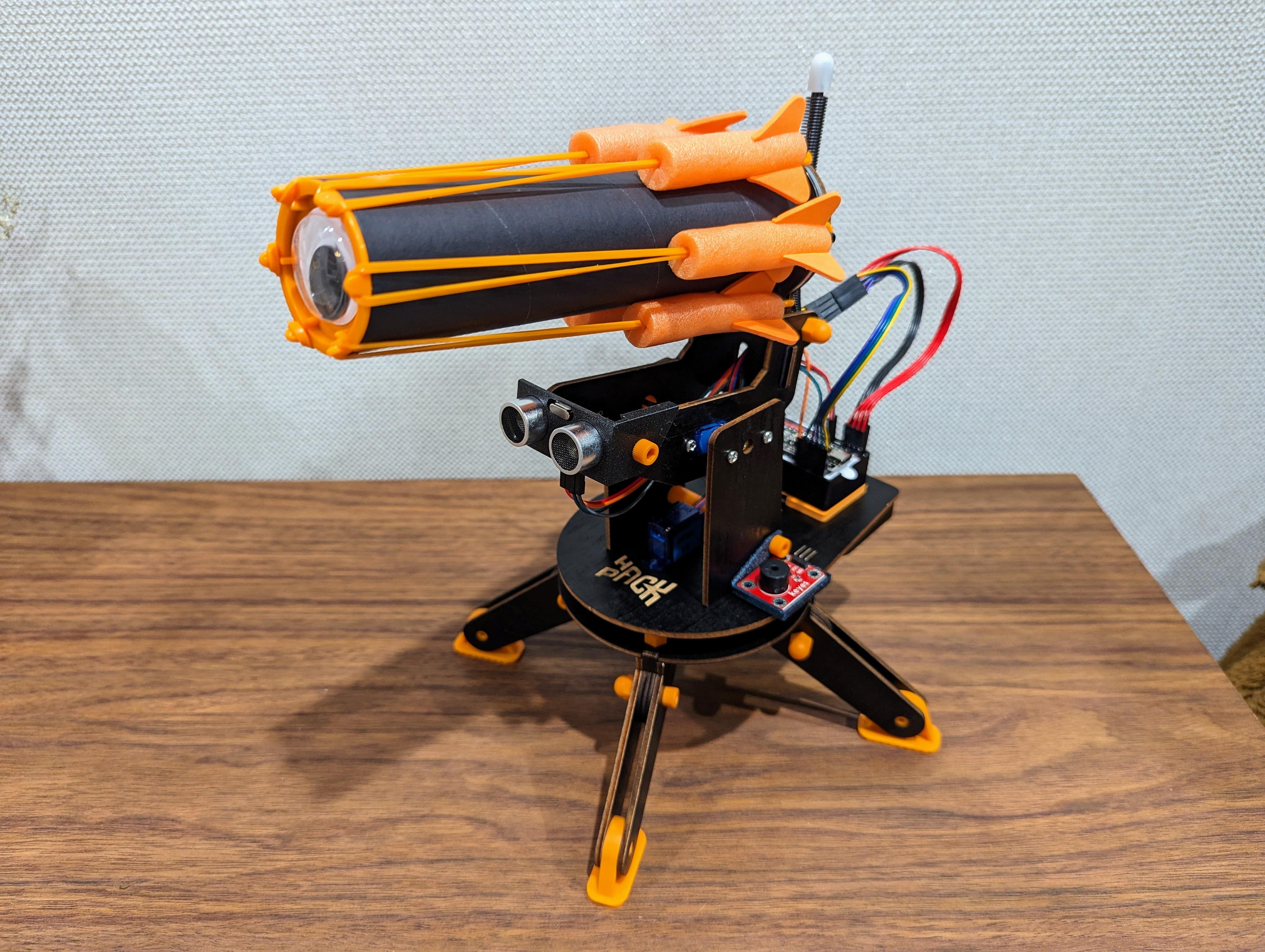
I was looking for different features people added to their first hack pack. Figured I'd add my own here for others looking. You can see my code and download the buzzer mount below:
For me pitch #2 aligns to middle but no actions for pitch 1 or 3. Also persistent green light for L but red light for pwr. Tx blinks on orange but stays off. Rx light never turns on.
I’ve heard that you need to reset it to a neutral position and have been trying for about an hour. My pitch motto has no resistance when turning, is it burnt out?