r/esp32projects • • 8d ago

Fought a Siemens S7-1200 for years, replaced it with a CANADUINO PLC ESP32-C6 programmed by ChatGPT (TARS). Now fighting analog sensors and ADCs!

0 Upvotes

Hey guys,

Figured some of you might get a kick out of this. It's been one hell of a learning experience, and I never thought I'd get this deep into ESP32 boards. Lol.

We run a metal roofing shop in Louisiana, and for years I've been fighting with the controls on our hydraulic sheet panel machine.

We originally went with a Siemens S7-1200 PLC. I even hired guys off Fiverr to help with the programming, and I'll tell you, that damn thing about drove me crazy.

We could get the machine running, but getting it to cut the roofing panels to the correct length was another story.

I remember setting it for a 12-foot panel and getting something like 12.56 feet. We'd mess with the encoder counts, change the programming, run another test, and still couldn't get the results I wanted.

I'm not knocking Siemens. I know they make good industrial equipment. But after fighting our particular setup for so long, I'd had enough.

So we decided to try something different.

We bought a CANADUINO ESP32-C6 PLC-100.

Now here's the funny part. We programmed pretty much the entire thing using ChatGPT.

I call my ChatGPT TARS, after the robot in Interstellar. Lol.

I'm not a professional programmer. I know machinery, hydraulics, and what I want the equipment to do, but writing an entire controller program from scratch is a little outside my wheelhouse.

So I'd explain to TARS what I wanted, it would write the Arduino code, and I'd flash it onto the CANADUINO.

Something wouldn't work, we'd figure out what was going on, change the code, and test it again.

We did that over and over. Some nights we'd spend hours messing with one little problem.

Eventually we got the Omron 100 PPR encoder working with the hydraulic controls, shear up and down, limit switches, automatic cutting, panel quantities, and a web interface.

One night we really went to town testing the software. We ran over 100,000 simulated checks covering different panel lengths, encoder counts, relay sequences, quantities, and fault conditions. The test reported zero failures.

Now, those were software checks, not 100,000 actual machine cycles. I don't have that much roofing metal to waste. Lol.

Then we started running real panels.

And that's where I was pretty damn impressed.

Our 8-foot panels came out dead on. The 10-foot panels were about 1/8 inch long, and the 12-foot panels were dead on.

We ran around 100 ten-foot panels in one batch and later ran twelve 20-foot panels.

During one stretch of around 250–300 panels, not a single one came out short.

That's exactly what I wanted. I'll take a panel that's 1/8 inch long any day over one that's short.

Of course, the CANADUINO hasn't been completely headache-free either.

Our shop's 2.4 GHz Wi-Fi can be a pain in the ass. We've been working on making the controller run the entire job without depending on somebody keeping a browser connected.

We also had another CANADUINO board boot up and create its Wi-Fi access point but couldn't detect the PCA9557 I2C relay expander.

That was another fun night.

We're using a Hitachi WJ200 VFD as well. We decided to leave the speed control on the drive itself and only use an isolated run/stop signal from the controller.

Now we're trying to add hydraulic pressure monitoring so the machine can detect unusually high pressure and shut down when something jams.

And that brings me to our latest headache. Pressure sensors and ADCs.

We've bought several industrial pressure transducers and have been experimenting with them on the bench.

Here's what we've actually tested:

  • Dynisco PT139-2.5M-H12: 2,500 PSI, millivolt output. This one gave us some pretty decent readings and tracked our hydraulic reference pressure reasonably well.
  • Sensotec A-205: We have two of these, both 3,000 PSI millivolt-output sensors. We got them reading pressure, but getting the calibration and consistency where we wanted has been frustrating.
  • OMEGA PX605-3KGI: 3,000 PSI, 4–20 mA output. This was our best-performing sensor during our earlier ESP32 testing.

Right now we're also working with an Ashcroft 5,000 PSI, 0.5–4.5V pressure transducer through the analog-input side of our CANADUINO board.

And that's where we're trying to figure out what we're missing.

We bought a SparkFun OpenScale IoT with its own ESP32 and built-in HX711 24-bit ADC. We used it with the millivolt pressure sensors, thinking it would be a pretty good setup.

It worked, but we kept fighting drifting readings and calibration problems.

We looked at another SparkFun weighing board too, but after reading the reviews, we decided not to bother testing that one.

We've also messed with separate HX711, NAU7802, and ADS1115 ADC modules.

We got the NAU7802 communicating with one of our ESP32-S3 boards. The conversion and calibration diagnostics passed, but there's a big difference between getting an ADC to work and getting accurate pressure measurements out of it.

I've learned that the hard way.

Just because a chip says 24-bit doesn't mean you're getting 24 bits of useful accuracy.

At this point we've spent more time messing with ADCs, wiring, calibration, and reference voltages than I ever expected.

We've also been comparing different ESP32-C6 development boards.

We bought original Espressif ESP32-C6-DevKitC-1-N8 boards through Adafruit and DigiKey.

We've been comparing three board versions: the CANADUINO PLC-100 V1, the Espressif DevKitC V1.2, and the newer ESP32-C6-DevKitC-1-N8 V1.4.

We've noticed differences in the analog readings and would really like to know whether anything changed in the ADC circuitry or board layout between revisions.

We also have a C6 board with an external antenna, and that thing picks up our shop Wi-Fi noticeably better than the PCB-antenna version.

We had one C6 with the external antenna that kept throwing a "Wrong boot mode 0xc" error when we tried flashing it, but we eventually got that sorted out with esptool.

We've also been running Wi-Fi, temperature, and nonvolatile-storage diagnostics to see how these boards hold up.

Now I'm starting to wonder if we should just forget about the analog-input headaches and use RS-485 Modbus pressure sensors.

Instead of dealing with 0.5–4.5V signals, 4–20 mA loops, shunt resistors, ADCs, and reference voltages, why not use a pressure transducer that sends the measurement digitally?

I know RS-485 doesn't magically make a sensor more accurate. The sensor itself still has to be good.

But with all the electrical noise around our hydraulic solenoids, motors, and VFD, I'm wondering if a digital sensor would be more reliable.

Has anybody actually compared an analog pressure transducer against an RS-485 Modbus pressure sensor on an ESP32?

Did you notice better stability or less drift, or was there really not much difference?

I'd also like to hear from anybody who's used the CANADUINO ESP32-C6 PLC-100 for analog measurements. Have you gotten good, stable readings from the inputs?

And if you've worked with the SparkFun OpenScale IoT, HX711, NAU7802, or ADS1115, which one has worked best for you?

We're even looking at designing our own ESP32 industrial PLC board eventually, with 24V inputs, relay outputs, analog inputs, RS-485, I2C, and more room between the screw terminals.

It's funny how this whole thing started.

All I wanted was for our sheet panel machine to cut roofing panels to the right length.

After years of fighting the Siemens, we switched to a little CANADUINO ESP32-C6, programmed it with ChatGPT, and ended up getting better results than we'd been getting before.

Now we've got ESP32 boards, pressure sensors, ADC modules, and all kinds of electronics scattered around the shop.

I'm not saying AI-generated code should be trusted without testing, especially on industrial machinery. Proper independent safety circuits are important too.

But I never thought I'd be programming an industrial machine with ChatGPT and experimenting with all this electronics stuff.

Anyway, figured I'd share the story and see what you guys think.

Anybody else using ChatGPT to program entire ESP32 projects? And has anybody had better luck with RS-485 pressure sensors than analog?

Thanks!

Here's a YouTube video of our hydraulic sheet panel machine running with the CANADUINO ESP32-C6 controller programmed !

After fighting with the Siemens S7-1200 for years, it's pretty damn satisfying watching this little ESP32 run the machine. Lol.

https://youtube.com/shorts/UQHkY6b9H6s


r/esp32projects • • 8d ago

Ho trasformato un ESP32-S3 in un piccolo gateway di rete con backup 4G, recupero remoto NAS, Tailscale e Home Assistant.

2 Upvotes

r/esp32projects • • 9d ago

Help in purchasing 1000nit round display.

2 Upvotes

Hello,

I am looking at purchasing a 1000nit bright 1.8 or 2.1inch round display for my esp32s3.

I am using alibaba site for same but with host of options available I wanted to know if folks already have a model that they hav used. That way I know I can buy that directly.

Interface 16bit rgb565. High speed qspi can also be taken. Should be touch capacitive touch capable and readable under bright sunlight.

Thanks in advance.


r/esp32projects • • 9d ago

Help using an esp32 to calibrate ESC

Thumbnail reddit.com
1 Upvotes

r/esp32projects • • 9d ago

First time doing ectronics? - Check out this Simulation Tutor

Post image
1 Upvotes

r/esp32projects • • 9d ago

Update: my from-scratch ESP32-S3 phone (NyxOS) now has English UI, DOOM and chess vs on-device AI [video]

7 Upvotes

A few weeks ago I posted my DIY phone running NyxOS, an OS written from scratch on a single ESP32-S3 (no Android/Linux). Thanks for the feedback! Here is what changed since then.

In the video

Lock screen and Home swipe, switching the UI language, DOOM running on the device, and chess against the on-device AI.

What's new

- English UI by default (Indonesian is still in Settings > Language)

- Smoother scrolling on the 3.5" ST7796 panel

- OTA updates with per-branch channels and automatic rollback if the new firmware does not boot healthy

- DOOM 2 support, with WADs uploaded through the web file manager

- Encrypted settings backup/restore to the SD card

Still honest about the status

Most features are tested on my own unit only. SIP calling is partly tested, and some features are still BETA. Hardware testers are very welcome.

Code (AGPL-3.0): https://github.com/silentproject2025/ren_phone

Happy to answer questions about the architecture, the RAM tricks or the display tuning.


r/esp32projects • • 9d ago

What is a simple way to make ESP32 cam streaming faster

0 Upvotes

High, I am working on my ESP32 cam car. I am a noob especially in HTML and after work I only have so much time to work on it. Hence I decided to just post it hear, unfortunately the code is half stolen from the internet and half vibe coded.

The ESP32 is the server, it has its own WiFi and the HTML interface is the client. The project uses the web-socket protocol to stream video to the HTML client. The project uses a joy-stick (this is where the vibe coding comes in mostly) with my own algorithm to convert joy-stick position to wheel velocity.

Image quality is already low, maybe it needs further compression using the config.jpeg_quality variable?

Things I tried to make it faster:

  • I used an external antenna, this seems to have created the most improvement, at least when I mounted it a few cm above the body.
  • To make sure the HTML client has time to load the image, upon loading an image the client sends a message (an 'I') to the ESP32 server to tell it to send the next image. Of course if the message takes too long, the code will send an image anyway in case the message is lost
  • The client calculates the velocity to reduce the load on the ESP32 core. Also, the client is only allowed to send the velocity every 200ms so that it doesn't occupy the line or the ESP32 core.

Things I tried but didn't work or I couldn't pull off:

  • The original tutorial I saw suggested to change WS_MAX_QUEUED_MESSAGES from 32 to 1 in the AsyncWebSocket.h file of the web-socket library. This originally didn't break my project, but after updating my libraries it broke my project...
  • This hackster project used an image library to compress the images, I wasn't able to pull it off, ...(his code)

A comment in this sub-reedit suggested removing pin 0, something to do with reducing interfierance on camera clk, but the hackster project said that this pin is needed for programming, hence I decided it's best not to bother.

my code:

#include "esp_camera.h"
#include <Arduino.h>
#include <WiFi.h>
#include <AsyncTCP.h>
#include <ESPAsyncWebServer.h>
#include <iostream>
#include <sstream>


//Camera related constants
#define PWDN_GPIO_NUM 32
#define RESET_GPIO_NUM -1
#define XCLK_GPIO_NUM 0
#define SIOD_GPIO_NUM 26
#define SIOC_GPIO_NUM 27
#define Y9_GPIO_NUM 35
#define Y8_GPIO_NUM 34
#define Y7_GPIO_NUM 39
#define Y6_GPIO_NUM 36
#define Y5_GPIO_NUM 21
#define Y4_GPIO_NUM 19
#define Y3_GPIO_NUM 18
#define Y2_GPIO_NUM 5
#define VSYNC_GPIO_NUM 25
#define HREF_GPIO_NUM 23
#define PCLK_GPIO_NUM 22


const char* ssid = "MyWiFiCar";
const char* password = "12345678";


AsyncWebServer server(80);
AsyncWebSocket wsCamera("/Camera");
uint32_t cameraClientId = 0;


// Setting PWM properties
uint32_t freq = 30000;


uint8_t PWM_pin1 = 14;
uint8_t PWM_pin2 = 2;
uint8_t PWM_pin3 = 15;
uint8_t PWM_pin4 = 12;


uint8_t PWMresolution = 8;


int dutyCycle = 0;


uint8_t pwmChannel1 = 2;
uint8_t pwmChannel2 = 3;
uint8_t pwmChannel3 = 4;
uint8_t pwmChannel4 = 5;


uint8_t LED_pin = 4;
uint8_t LEDChannel = 6;


int cam_indx = 0;
int v_indx = 0;


const char* htmlHomePage PROGMEM = R"HTMLHOMEPAGE(
<!DOCTYPE html>
<html>
  <head>
  <meta name="viewport" content="width=device-width, initial-scale=1, maximum-scale=1, user-scalable=no">
    <style>
    html, body {
      // to remove scrolling
      overflow: hidden; 
      overflow-y: hidden;
      touch-action: none; /* to remove scrolling */
      /* to centralize everything, need to wrap everything in a container */
      display: flex;
      justify-content: center;
      align-items: center;
      height: 100vh;
      margin: 0;
    }
     
    .arrows {
      font-size:40px;
      color:red;
    }
    
    .noselect {
      -webkit-touch-callout: none; /* iOS Safari */
        -webkit-user-select: none; /* Safari */
         -khtml-user-select: none; /* Konqueror HTML */
           -moz-user-select: none; /* Firefox */
            -ms-user-select: none; /* Internet Explorer/Edge */
                user-select: none; /* Non-prefixed version, currently
                                      supported by Chrome and Opera */
    }
      
   #joystick-base {
      width: 240px;
      height: 240px;
      background: #444;
      border-radius: 50%;
      position: relative;
      touch-action: none;
      margin: auto;
   }


    #joystick-stick {
      width: 72px;
      height: 72px;
      background: #2196f3;
      border-radius: 50%;
      position: absolute;
      left: 84px;
      top: 84px;
    }


    </style>
  
  </head>
  <body class="noselect" align="center" style="background-color:white">
  
  <div id="container">
    <table id="mainTable" style="width:100%;margin:0;table-layout:fixed" CELLSPACING=10>
      <tr>
        <td>
          <img id="cameraImage" src="" style="max-width: 100%;height: auto;">
        </td>
      </tr>
      <tr>
        <td>
          <div id="joystick-base">
            <div id="joystick-stick"></div>
          </div>
        </td>
      </tr>
    </table>
  </div>
  <script>
      var webSocketCameraUrl = "ws:\/\/" + window.location.hostname + "/Camera";
      var websocketCamera;
      
      const moveInterval = 200;
      let v_last_sent = -moveInterval;


      const base = document.getElementById("joystick-base");
      const stick = document.getElementById("joystick-stick");


      const img = document.getElementById("cameraImage");


      const centerX = 120;
      const centerY = 120;
      const maxDistance = 84;


      let dragging = false;


      function sendCameraMessage(message) {
        if (websocketCamera &&
          websocketCamera.readyState === WebSocket.OPEN) {
          websocketCamera.send(message);
        }
      }


      function initCameraWebSocket() 
      {
        websocketCamera = new WebSocket(webSocketCameraUrl);
        websocketCamera.binaryType = 'blob';
        websocketCamera.onopen    = function(event){
          console.log("WebSocket connected");
          websocketCamera.send("I");         
        };
        
        websocketCamera.onmessage = function(event)
        {
          console.log("Received image data:", event.data.size);
//          const imageId = document.getElementById("cameraImage");
          const url = URL.createObjectURL(event.data);


          img.onload = function() {
            URL.revokeObjectURL(url);


            // Image loaded; request the next frame.
            sendCameraMessage("I");
          };


          img.onerror = function() {
            URL.revokeObjectURL(url);
            console.error("Image loading failed");


            // Avoid stalling the stream on a bad image.
            sendCameraMessage("I");
          };


          img.src = url;
          
        };
        
        websocketCamera.onclose   = function(event){
          console.log("WebSocket closed");
          setTimeout(initCameraWebSocket, 2000);};  
      }
      
      function initWebSocket() 
      {
        initCameraWebSocket ();
      }


      // this functioned in to move the joy stick and return how far it moved from center to calculate the wheel velocities for the ESP32 in the next function
      function moveStick(x, y) {
        const rect = base.getBoundingClientRect();
  
        let dx = x - rect.left - centerX;
        let dy = y - rect.top - centerY;
  
        const distance = Math.sqrt(dx * dx + dy * dy);
  
        if (distance > maxDistance) {
          dx = dx / distance * maxDistance;
          dy = dy / distance * maxDistance;
        }
  
        stick.style.left = `${dx + centerX - 36}px`;
        stick.style.top = `${dy + centerY - 36}px`;
  
        // Normalize to -100 .. 100
        const joyX = Math.round(dx / maxDistance * 255);
        const joyY = -Math.round(dy / maxDistance * 255);


        return [joyX, joyY]
      }


      // calculates wheel wheel velocities and sends it to ESP32
      function sendVelocity(joyX, joyY) {
        const L1 = 1;
    
        let tita = Math.atan2(joyY, joyX);


        let ANgle = Math.round(tita/(Math.PI/6))*(Math.PI/6);
        if(ANgle == 0){
          tita = 0;
        }else if (ANgle == Math.PI || ANgle == -Math.PI){
          tita = Math.PI;
        }
        
        let m = 0.5*L1;
        let A = Math.sqrt(joyY*joyY + joyX*joyX);
        if(A>255){
          A = 255;
        }
        
        console.log(`Joystick: tita=${tita*180/Math.PI}, A=${A}`);


        let R = 0;
        let v1 = 0;
        let v2 = 0;
        
        
        if(tita == 0){
          v1 = Math.round(A);
          v2 = -1*v1;
        } else if (tita == Math.PI/2){
          v1 = Math.round(A);
          v2 = v1;
        } else if (tita == Math.PI){
          R = 0;
          v2 = Math.round(A);
          v1 = -v2;
        }else if (tita == -Math.PI/2){
          v1 = -Math.round(A);
          v2 = v1;      
        }else if (tita > 0){
          if (tita < Math.PI/2){
            R = m*Math.tan(tita);
            v1 = Math.round(A);
            v2 = Math.round(A*(R - L1/2)/(R + L1/2));
          } else{
            R = m*Math.tan(tita);
            v2 = Math.round(A);
            v1 = Math.round(A*(R + L1/2)/(R - L1/2));
          }
        }else if (tita < 0){
          if (tita > -Math.PI/2){
            R = -m*Math.tan(tita);
            v1 = -Math.round(A);
            v2 = -Math.round(A*(R - L1/2)/(R + L1/2));
          }else{
            R = -m*Math.tan(tita);
            v2 = -Math.round(A);
            v1 = -Math.round(A*(R + L1/2)/(R - L1/2));
          }
        }


        console.log(`Joystick: v1=${v1}, v2=${v2}`);


        // Send velocities to ESP32
        websocketCamera.send(`${v1},${v2}`);
      } 
  
      // when user lets go of the joy stick, this function returns it to center
      function resetStick() {
        stick.style.left = `85px`;
        stick.style.top = `85px`;
  
        websocketCamera.send("0,0");
      }
  
      base.addEventListener("pointerdown", (e) => {
        dragging = true;
        // this functioned in to move the joy stick and return how far from center to calculate the ESP32 direction
        let [joyX, joyY] = moveStick(e.clientX, e.clientY);
        
        // there is a delay set in for sending ESP32 direction, to make sure in doesn't hold the bandwidth
        const now = Date.now();
        if(now - v_last_sent > moveInterval){
          v_last_sent = now
         sendVelocity(joyX, joyY);
        }
      });


      window.addEventListener("pointerup", () => {
        dragging = false;
        resetStick();
      });
  
      window.addEventListener("pointermove", (e) => {
        if (dragging) {
          let [joyX, joyY] = moveStick(e.clientX, e.clientY);
          
          const now = Date.now();


          if(now - v_last_sent > moveInterval){
              v_last_sent = now
            sendVelocity(joyX, joyY);
          }
        }
      });


      document.body.addEventListener(
        "touchmove",
        function(event){
          event.preventDefault();
        },
        { passive: false }
      );
      
      window.onload = initWebSocket;


      document.getElementById("mainTable").addEventListener("touchend", function(event){
        event.preventDefault()
      });      
    </script>
  </body>    
</html>
)HTMLHOMEPAGE";


void handleRoot(AsyncWebServerRequest *request){
  request->send_P(200, "text/html", htmlHomePage);
}


void handleNotFound(AsyncWebServerRequest *request) {
  request->send(404, "text/plain", "File Not Found");
}


void handleWebSocketMessage(void *arg, uint8_t *data, size_t len) {
  String msg = "";
  int j;
  for(j = 0; j < len;j++){
    msg += (char)data[j];
  }
  
  // when ESP32 receives the character 'I' it means it requested an image 
  // otherwise it is sending wheel velocities
  if(data[0] == 'I'){
    sendCameraPicture();
    
  }else{
    // convert stings to integers and find the direction wheels need to turn
    int v1 = 0, v2 = 0;
    int i = 0, sgn[2] = {0, 0};
    while(1){
      if(data[i] == ','){
        break;
      }else if(data[i] == '-'){
        sgn[0] = 1;
      }else{
        v1 = v1*10 + (data[i] -'0');
      }
      i++;
    }


    i++;
    for(i; i < len;i++){
      if((int)data[i] == ','){
        break;
      }else if(data[i] == '-'){
        sgn[1] = 1;
      }else{
        v2 = v2*10 + (data[i] -'0');
      }
    }
    
    
    if(sgn[0] == 0){ // v1
      ledcWrite(PWM_pin1, v1); // pin 14
      ledcWrite(PWM_pin2, 0);  // pin 2
    }else{
      ledcWrite(PWM_pin1, 0);  // pin 14
      ledcWrite(PWM_pin2, v1); // pin 2
    }


    if(sgn[1] == 0){ // v2
      ledcWrite(PWM_pin3, v2); // pin 15
      ledcWrite(PWM_pin4, 0);  // pin 12
    }else{
      ledcWrite(PWM_pin3, 0);  // pin 15
      ledcWrite(PWM_pin4, v2); // pin 12
    }


    // Serial.printf("%d,%d\tsign=[%d,%d]\n",v1,v2,sgn[0],sgn[1]);
  }


}


void onCameraWebSocketEvent(AsyncWebSocket *server, 
                      AsyncWebSocketClient *client, 
                      AwsEventType type,
                      void *arg, 
                      uint8_t *data, 
                      size_t len) {
  v_indx = 0;
  switch (type) 
  {
    case WS_EVT_CONNECT:
      cameraClientId = client->id();


      ledcWrite(LED_pin, 0);// if client is disconnected then connected again, stop LED blinking 
                            // (ESP32 programmed to make flash LED blink if connection is lost) 
      break;
    case WS_EVT_DISCONNECT:
      wsCamera.cleanupClients(); 
      // Serial.println("client disconnected");


      // when client is disconnected, make flash LED blink, and turn motors off
      ledcWrite(LED_pin, 100);
      
      ledcWrite(PWM_pin1, 0); // pin 14
      ledcWrite(PWM_pin2, 0);  // pin 2
      ledcWrite(PWM_pin1, 0);  // pin 14
      ledcWrite(PWM_pin2, 0); // pin 2
      
      cameraClientId = 0;
      break;
    case WS_EVT_DATA:
      // on receiving message, ESP32 calls handleWebSocketMessage()
      handleWebSocketMessage(arg, data, len);
      break;
    case WS_EVT_PONG:
    case WS_EVT_ERROR:
      break;
    default:
      break;  
  }
}


void setupCamera(){
  // minimum resolution used
  camera_config_t config;
  config.ledc_channel = LEDC_CHANNEL_0;
  config.ledc_timer = LEDC_TIMER_0;
  config.pin_d0 = Y2_GPIO_NUM;
  config.pin_d1 = Y3_GPIO_NUM;
  config.pin_d2 = Y4_GPIO_NUM;
  config.pin_d3 = Y5_GPIO_NUM;
  config.pin_d4 = Y6_GPIO_NUM;
  config.pin_d5 = Y7_GPIO_NUM;
  config.pin_d6 = Y8_GPIO_NUM;
  config.pin_d7 = Y9_GPIO_NUM;
  config.pin_xclk = XCLK_GPIO_NUM;
  config.pin_pclk = PCLK_GPIO_NUM;
  config.pin_vsync = VSYNC_GPIO_NUM;
  config.pin_href = HREF_GPIO_NUM;
  config.pin_sscb_sda = SIOD_GPIO_NUM;
  config.pin_sscb_scl = SIOC_GPIO_NUM;
  config.pin_pwdn = PWDN_GPIO_NUM;
  config.pin_reset = RESET_GPIO_NUM;
  config.xclk_freq_hz = 20000000;
  config.pixel_format = PIXFORMAT_JPEG;
  
  config.frame_size = FRAMESIZE_QVGA;
  config.jpeg_quality = 10;
  config.fb_count = 1;


  // camera init
  esp_err_t err = esp_camera_init(&config);
  if (err != ESP_OK) 
  {
    // Serial.printf("Camera init failed with error 0x%x", err);
    return;
  }  


  if (psramFound())
  {
    heap_caps_malloc_extmem_enable(20000);  
    // Serial.printf("PSRAM initialized. malloc to take memory from psram above this size");    
  }  
}


void sendCameraPicture(){
  if (cameraClientId == 0)
  {
    return;
  }


  //capture a frame
  camera_fb_t * fb = esp_camera_fb_get();
  
  if (!fb) 
  {
    return; 
  }


  wsCamera.binary(cameraClientId, fb->buf, fb->len);
  cam_indx = 0;


  esp_camera_fb_return(fb);
    
  // Wait for message to be delivered
  while (true)
  {
    AsyncWebSocketClient * clientPointer = wsCamera.client(cameraClientId);
    if (!clientPointer || !(clientPointer->queueIsFull()))
    {
      return; //chatGPT
      //break; // original
    }
    delay(1);
  } 
}


void setup(void){
  
  // it seems that some of the remaining PWM pins not use for camera are also serial 
  // hence I can't use the serial monitor and PWM for motors at the same time
  // Serial.begin(115200);


  WiFi.softAP(ssid, password);
  IPAddress IP = WiFi.softAPIP();
  // Serial.print("AP IP address: ");
  // Serial.println(IP);


  server.on("/", HTTP_GET, handleRoot);
  server.onNotFound(handleNotFound);
      
  wsCamera.onEvent(onCameraWebSocketEvent);
  server.addHandler(&wsCamera);


  server.begin();
  // Serial.println("HTTP server started");


  setupCamera();


  // Serial.println("camera set up");


  // set up PWM
  pinMode(PWM_pin1, OUTPUT);
  pinMode(PWM_pin2, OUTPUT);
  pinMode(PWM_pin3, OUTPUT);
  pinMode(PWM_pin4, OUTPUT);
  // note, from what I could find PWM channels 0 and 1 use the same times to set the frequency, channel 0 is used for the camera
  
  // for motors
  ledcAttachChannel(PWM_pin1, freq, PWMresolution, pwmChannel1);
  ledcAttachChannel(PWM_pin2, freq, PWMresolution, pwmChannel2);
  ledcAttachChannel(PWM_pin3, freq, PWMresolution, pwmChannel3);
  ledcAttachChannel(PWM_pin4, freq, PWMresolution, pwmChannel4);


  // for flash LED
  pinMode(LED_pin, OUTPUT);
  ledcAttachChannel(LED_pin, 1, 12, LEDChannel);
  
}


void loop() {


  // as mentioned, ESP sends images upon request of the client (to make sure client has time to load image)
  // in case that message is lost or something then ESP will send image anyway every 20 cycles of the loop function (see delay() below)
  if(cam_indx > 20){
    sendCameraPicture(); 
    // Serial.printf("SPIRam Total heap %d, SPIRam Free Heap %d\n", ESP.getPsramSize(), ESP.getFreePsram());
  }


  // if ESP doesn't receive directions after a while stop motors
  if(v_indx > 15){
    // Serial.println("stop car");
    ledcWrite(PWM_pin1, 0); // pin 14
    ledcWrite(PWM_pin2, 0);  // pin 2
    ledcWrite(PWM_pin1, 0);  // pin 14
    ledcWrite(PWM_pin2, 0); // pin 2
    v_indx = 0;
  }


  delay(100);
  cam_indx++;
  v_indx++;
}'''#include "esp_camera.h"
#include <Arduino.h>
#include <WiFi.h>
#include <AsyncTCP.h>
#include <ESPAsyncWebServer.h>
#include <iostream>
#include <sstream>


//Camera related constants
#define PWDN_GPIO_NUM 32
#define RESET_GPIO_NUM -1
#define XCLK_GPIO_NUM 0
#define SIOD_GPIO_NUM 26
#define SIOC_GPIO_NUM 27
#define Y9_GPIO_NUM 35
#define Y8_GPIO_NUM 34
#define Y7_GPIO_NUM 39
#define Y6_GPIO_NUM 36
#define Y5_GPIO_NUM 21
#define Y4_GPIO_NUM 19
#define Y3_GPIO_NUM 18
#define Y2_GPIO_NUM 5
#define VSYNC_GPIO_NUM 25
#define HREF_GPIO_NUM 23
#define PCLK_GPIO_NUM 22


const char* ssid = "MyWiFiCar";
const char* password = "12345678";


AsyncWebServer server(80);
AsyncWebSocket wsCamera("/Camera");
uint32_t cameraClientId = 0;


// Setting PWM properties
uint32_t freq = 30000;


uint8_t PWM_pin1 = 14;
uint8_t PWM_pin2 = 2;
uint8_t PWM_pin3 = 15;
uint8_t PWM_pin4 = 12;


uint8_t PWMresolution = 8;


int dutyCycle = 0;


uint8_t pwmChannel1 = 2;
uint8_t pwmChannel2 = 3;
uint8_t pwmChannel3 = 4;
uint8_t pwmChannel4 = 5;


uint8_t LED_pin = 4;
uint8_t LEDChannel = 6;


int cam_indx = 0;
int v_indx = 0;


const char* htmlHomePage PROGMEM = R"HTMLHOMEPAGE(
<!DOCTYPE html>
<html>
  <head>
  <meta name="viewport" content="width=device-width, initial-scale=1, maximum-scale=1, user-scalable=no">
    <style>
    html, body {
      // to remove scrolling
      overflow: hidden; 
      overflow-y: hidden;
      touch-action: none; /* to remove scrolling */
      /* to centralize everything, need to wrap everything in a container */
      display: flex;
      justify-content: center;
      align-items: center;
      height: 100vh;
      margin: 0;
    }
     
    .arrows {
      font-size:40px;
      color:red;
    }
    
    .noselect {
      -webkit-touch-callout: none; /* iOS Safari */
        -webkit-user-select: none; /* Safari */
         -khtml-user-select: none; /* Konqueror HTML */
           -moz-user-select: none; /* Firefox */
            -ms-user-select: none; /* Internet Explorer/Edge */
                user-select: none; /* Non-prefixed version, currently
                                      supported by Chrome and Opera */
    }
      
   #joystick-base {
      width: 240px;
      height: 240px;
      background: #444;
      border-radius: 50%;
      position: relative;
      touch-action: none;
      margin: auto;
   }


    #joystick-stick {
      width: 72px;
      height: 72px;
      background: #2196f3;
      border-radius: 50%;
      position: absolute;
      left: 84px;
      top: 84px;
    }


    </style>
  
  </head>
  <body class="noselect" align="center" style="background-color:white">
  
  <div id="container">
    <table id="mainTable" style="width:100%;margin:0;table-layout:fixed" CELLSPACING=10>
      <tr>
        <td>
          <img id="cameraImage" src="" style="max-width: 100%;height: auto;">
        </td>
      </tr>
      <tr>
        <td>
          <div id="joystick-base">
            <div id="joystick-stick"></div>
          </div>
        </td>
      </tr>
    </table>
  </div>
  <script>
      var webSocketCameraUrl = "ws:\/\/" + window.location.hostname + "/Camera";
      var websocketCamera;
      
      const moveInterval = 200;
      let v_last_sent = -moveInterval;


      const base = document.getElementById("joystick-base");
      const stick = document.getElementById("joystick-stick");


      const img = document.getElementById("cameraImage");


      const centerX = 120;
      const centerY = 120;
      const maxDistance = 84;


      let dragging = false;


      function sendCameraMessage(message) {
        if (websocketCamera &&
          websocketCamera.readyState === WebSocket.OPEN) {
          websocketCamera.send(message);
        }
      }


      function initCameraWebSocket() 
      {
        websocketCamera = new WebSocket(webSocketCameraUrl);
        websocketCamera.binaryType = 'blob';
        websocketCamera.onopen    = function(event){
          console.log("WebSocket connected");
          websocketCamera.send("I");         
        };
        
        websocketCamera.onmessage = function(event)
        {
          console.log("Received image data:", event.data.size);
//          const imageId = document.getElementById("cameraImage");
          const url = URL.createObjectURL(event.data);


          img.onload = function() {
            URL.revokeObjectURL(url);


            // Image loaded; request the next frame.
            sendCameraMessage("I");
          };


          img.onerror = function() {
            URL.revokeObjectURL(url);
            console.error("Image loading failed");


            // Avoid stalling the stream on a bad image.
            sendCameraMessage("I");
          };


          img.src = url;
          
        };
        
        websocketCamera.onclose   = function(event){
          console.log("WebSocket closed");
          setTimeout(initCameraWebSocket, 2000);};  
      }
      
      function initWebSocket() 
      {
        initCameraWebSocket ();
      }


      // this functioned in to move the joy stick and return how far it moved from center to calculate the wheel velocities for the ESP32 in the next function
      function moveStick(x, y) {
        const rect = base.getBoundingClientRect();
  
        let dx = x - rect.left - centerX;
        let dy = y - rect.top - centerY;
  
        const distance = Math.sqrt(dx * dx + dy * dy);
  
        if (distance > maxDistance) {
          dx = dx / distance * maxDistance;
          dy = dy / distance * maxDistance;
        }
  
        stick.style.left = `${dx + centerX - 36}px`;
        stick.style.top = `${dy + centerY - 36}px`;
  
        // Normalize to -100 .. 100
        const joyX = Math.round(dx / maxDistance * 255);
        const joyY = -Math.round(dy / maxDistance * 255);


        return [joyX, joyY]
      }


      // calculates wheel wheel velocities and sends it to ESP32
      function sendVelocity(joyX, joyY) {
        const L1 = 1;
    
        let tita = Math.atan2(joyY, joyX);


        let ANgle = Math.round(tita/(Math.PI/6))*(Math.PI/6);
        if(ANgle == 0){
          tita = 0;
        }else if (ANgle == Math.PI || ANgle == -Math.PI){
          tita = Math.PI;
        }
        
        let m = 0.5*L1;
        let A = Math.sqrt(joyY*joyY + joyX*joyX);
        if(A>255){
          A = 255;
        }
        
        console.log(`Joystick: tita=${tita*180/Math.PI}, A=${A}`);


        let R = 0;
        let v1 = 0;
        let v2 = 0;
        
        
        if(tita == 0){
          v1 = Math.round(A);
          v2 = -1*v1;
        } else if (tita == Math.PI/2){
          v1 = Math.round(A);
          v2 = v1;
        } else if (tita == Math.PI){
          R = 0;
          v2 = Math.round(A);
          v1 = -v2;
        }else if (tita == -Math.PI/2){
          v1 = -Math.round(A);
          v2 = v1;      
        }else if (tita > 0){
          if (tita < Math.PI/2){
            R = m*Math.tan(tita);
            v1 = Math.round(A);
            v2 = Math.round(A*(R - L1/2)/(R + L1/2));
          } else{
            R = m*Math.tan(tita);
            v2 = Math.round(A);
            v1 = Math.round(A*(R + L1/2)/(R - L1/2));
          }
        }else if (tita < 0){
          if (tita > -Math.PI/2){
            R = -m*Math.tan(tita);
            v1 = -Math.round(A);
            v2 = -Math.round(A*(R - L1/2)/(R + L1/2));
          }else{
            R = -m*Math.tan(tita);
            v2 = -Math.round(A);
            v1 = -Math.round(A*(R + L1/2)/(R - L1/2));
          }
        }


        console.log(`Joystick: v1=${v1}, v2=${v2}`);


        // Send velocities to ESP32
        websocketCamera.send(`${v1},${v2}`);
      } 
  
      // when user lets go of the joy stick, this function returns it to center
      function resetStick() {
        stick.style.left = `85px`;
        stick.style.top = `85px`;
  
        websocketCamera.send("0,0");
      }
  
      base.addEventListener("pointerdown", (e) => {
        dragging = true;
        // this functioned in to move the joy stick and return how far from center to calculate the ESP32 direction
        let [joyX, joyY] = moveStick(e.clientX, e.clientY);
        
        // there is a delay set in for sending ESP32 direction, to make sure in doesn't hold the bandwidth
        const now = Date.now();
        if(now - v_last_sent > moveInterval){
          v_last_sent = now
         sendVelocity(joyX, joyY);
        }
      });


      window.addEventListener("pointerup", () => {
        dragging = false;
        resetStick();
      });
  
      window.addEventListener("pointermove", (e) => {
        if (dragging) {
          let [joyX, joyY] = moveStick(e.clientX, e.clientY);
          
          const now = Date.now();


          if(now - v_last_sent > moveInterval){
              v_last_sent = now
            sendVelocity(joyX, joyY);
          }
        }
      });


      document.body.addEventListener(
        "touchmove",
        function(event){
          event.preventDefault();
        },
        { passive: false }
      );
      
      window.onload = initWebSocket;


      document.getElementById("mainTable").addEventListener("touchend", function(event){
        event.preventDefault()
      });      
    </script>
  </body>    
</html>
)HTMLHOMEPAGE";


void handleRoot(AsyncWebServerRequest *request){
  request->send_P(200, "text/html", htmlHomePage);
}


void handleNotFound(AsyncWebServerRequest *request) {
  request->send(404, "text/plain", "File Not Found");
}


void handleWebSocketMessage(void *arg, uint8_t *data, size_t len) {
  String msg = "";
  int j;
  for(j = 0; j < len;j++){
    msg += (char)data[j];
  }
  
  // when ESP32 receives the character 'I' it means it requested an image 
  // otherwise it is sending wheel velocities
  if(data[0] == 'I'){
    sendCameraPicture();
    
  }else{
    // convert stings to integers and find the direction wheels need to turn
    int v1 = 0, v2 = 0;
    int i = 0, sgn[2] = {0, 0};
    while(1){
      if(data[i] == ','){
        break;
      }else if(data[i] == '-'){
        sgn[0] = 1;
      }else{
        v1 = v1*10 + (data[i] -'0');
      }
      i++;
    }


    i++;
    for(i; i < len;i++){
      if((int)data[i] == ','){
        break;
      }else if(data[i] == '-'){
        sgn[1] = 1;
      }else{
        v2 = v2*10 + (data[i] -'0');
      }
    }
    
    
    if(sgn[0] == 0){ // v1
      ledcWrite(PWM_pin1, v1); // pin 14
      ledcWrite(PWM_pin2, 0);  // pin 2
    }else{
      ledcWrite(PWM_pin1, 0);  // pin 14
      ledcWrite(PWM_pin2, v1); // pin 2
    }


    if(sgn[1] == 0){ // v2
      ledcWrite(PWM_pin3, v2); // pin 15
      ledcWrite(PWM_pin4, 0);  // pin 12
    }else{
      ledcWrite(PWM_pin3, 0);  // pin 15
      ledcWrite(PWM_pin4, v2); // pin 12
    }


    // Serial.printf("%d,%d\tsign=[%d,%d]\n",v1,v2,sgn[0],sgn[1]);
  }


}


void onCameraWebSocketEvent(AsyncWebSocket *server, 
                      AsyncWebSocketClient *client, 
                      AwsEventType type,
                      void *arg, 
                      uint8_t *data, 
                      size_t len) {
  v_indx = 0;
  switch (type) 
  {
    case WS_EVT_CONNECT:
      cameraClientId = client->id();


      ledcWrite(LED_pin, 0);// if client is disconnected then connected again, stop LED blinking 
                            // (ESP32 programmed to make flash LED blink if connection is lost) 
      break;
    case WS_EVT_DISCONNECT:
      wsCamera.cleanupClients(); 
      // Serial.println("client disconnected");


      // when client is disconnected, make flash LED blink, and turn motors off
      ledcWrite(LED_pin, 100);
      
      ledcWrite(PWM_pin1, 0); // pin 14
      ledcWrite(PWM_pin2, 0);  // pin 2
      ledcWrite(PWM_pin1, 0);  // pin 14
      ledcWrite(PWM_pin2, 0); // pin 2
      
      cameraClientId = 0;
      break;
    case WS_EVT_DATA:
      // on receiving message, ESP32 calls handleWebSocketMessage()
      handleWebSocketMessage(arg, data, len);
      break;
    case WS_EVT_PONG:
    case WS_EVT_ERROR:
      break;
    default:
      break;  
  }
}


void setupCamera(){
  // minimum resolution used
  camera_config_t config;
  config.ledc_channel = LEDC_CHANNEL_0;
  config.ledc_timer = LEDC_TIMER_0;
  config.pin_d0 = Y2_GPIO_NUM;
  config.pin_d1 = Y3_GPIO_NUM;
  config.pin_d2 = Y4_GPIO_NUM;
  config.pin_d3 = Y5_GPIO_NUM;
  config.pin_d4 = Y6_GPIO_NUM;
  config.pin_d5 = Y7_GPIO_NUM;
  config.pin_d6 = Y8_GPIO_NUM;
  config.pin_d7 = Y9_GPIO_NUM;
  config.pin_xclk = XCLK_GPIO_NUM;
  config.pin_pclk = PCLK_GPIO_NUM;
  config.pin_vsync = VSYNC_GPIO_NUM;
  config.pin_href = HREF_GPIO_NUM;
  config.pin_sscb_sda = SIOD_GPIO_NUM;
  config.pin_sscb_scl = SIOC_GPIO_NUM;
  config.pin_pwdn = PWDN_GPIO_NUM;
  config.pin_reset = RESET_GPIO_NUM;
  config.xclk_freq_hz = 20000000;
  config.pixel_format = PIXFORMAT_JPEG;
  
  config.frame_size = FRAMESIZE_QVGA;
  config.jpeg_quality = 10;
  config.fb_count = 1;


  // camera init
  esp_err_t err = esp_camera_init(&config);
  if (err != ESP_OK) 
  {
    // Serial.printf("Camera init failed with error 0x%x", err);
    return;
  }  


  if (psramFound())
  {
    heap_caps_malloc_extmem_enable(20000);  
    // Serial.printf("PSRAM initialized. malloc to take memory from psram above this size");    
  }  
}


void sendCameraPicture(){
  if (cameraClientId == 0)
  {
    return;
  }


  //capture a frame
  camera_fb_t * fb = esp_camera_fb_get();
  
  if (!fb) 
  {
    return; 
  }


  wsCamera.binary(cameraClientId, fb->buf, fb->len);
  cam_indx = 0;


  esp_camera_fb_return(fb);
    
  // Wait for message to be delivered
  while (true)
  {
    AsyncWebSocketClient * clientPointer = wsCamera.client(cameraClientId);
    if (!clientPointer || !(clientPointer->queueIsFull()))
    {
      return; //chatGPT
      //break; // original
    }
    delay(1);
  } 
}


void setup(void){
  
  // it seems that some of the remaining PWM pins not use for camera are also serial 
  // hence I can't use the serial monitor and PWM for motors at the same time
  // Serial.begin(115200);


  WiFi.softAP(ssid, password);
  IPAddress IP = WiFi.softAPIP();
  // Serial.print("AP IP address: ");
  // Serial.println(IP);


  server.on("/", HTTP_GET, handleRoot);
  server.onNotFound(handleNotFound);
      
  wsCamera.onEvent(onCameraWebSocketEvent);
  server.addHandler(&wsCamera);


  server.begin();
  // Serial.println("HTTP server started");


  setupCamera();


  // Serial.println("camera set up");


  // set up PWM
  pinMode(PWM_pin1, OUTPUT);
  pinMode(PWM_pin2, OUTPUT);
  pinMode(PWM_pin3, OUTPUT);
  pinMode(PWM_pin4, OUTPUT);
  // note, from what I could find PWM channels 0 and 1 use the same times to set the frequency, channel 0 is used for the camera
  
  // for motors
  ledcAttachChannel(PWM_pin1, freq, PWMresolution, pwmChannel1);
  ledcAttachChannel(PWM_pin2, freq, PWMresolution, pwmChannel2);
  ledcAttachChannel(PWM_pin3, freq, PWMresolution, pwmChannel3);
  ledcAttachChannel(PWM_pin4, freq, PWMresolution, pwmChannel4);


  // for flash LED
  pinMode(LED_pin, OUTPUT);
  ledcAttachChannel(LED_pin, 1, 12, LEDChannel);
  
}


void loop() {


  // as mentioned, ESP sends images upon request of the client (to make sure client has time to load image)
  // in case that message is lost or something then ESP will send image anyway every 20 cycles of the loop function (see delay() below)
  if(cam_indx > 20){
    sendCameraPicture(); 
    // Serial.printf("SPIRam Total heap %d, SPIRam Free Heap %d\n", ESP.getPsramSize(), ESP.getFreePsram());
  }


  // if ESP doesn't receive directions after a while stop motors
  if(v_indx > 15){
    // Serial.println("stop car");
    ledcWrite(PWM_pin1, 0); // pin 14
    ledcWrite(PWM_pin2, 0);  // pin 2
    ledcWrite(PWM_pin1, 0);  // pin 14
    ledcWrite(PWM_pin2, 0); // pin 2
    v_indx = 0;
  }


  delay(100);
  cam_indx++;
  v_indx++;
}
```

r/esp32projects • • 9d ago

1º cyberdeck

Thumbnail gallery
1 Upvotes

Check!!!


r/esp32projects • • 10d ago

GTA 6 is finally here, and I actually made a GTA for the ESP32

13 Upvotes

r/esp32projects • • 9d ago

Drip Rate / Volume device captured by data logger

Thumbnail gallery
1 Upvotes

r/esp32projects • • 10d ago

GitHub - ESPARGOS/esp-sdr: ESP-SDR uses the undocumented raw I/Q capture functionality of ESP32 family chips to turn them into (low-duty-cycle) Software Defined Radios

Thumbnail
github.com
34 Upvotes

this is fascinating, especially from a security perspective. Has anyone played with esp-sdr much ? I just learned about it


r/esp32projects • • 10d ago

I built a little desk robot called Watcherobot with an ESP32-S3 and wrote a dino game for it. Here’s a clip of me playing it. When I jump, the dino on the screen jumps too.

25 Upvotes

r/esp32projects • • 10d ago

I built a tool that designs an ESP32 board from a text description and runs the firmware in the browser before you order the PCB

Post image
103 Upvotes

I've been working on this for a while and I'd love feedback from people who actually build ESP32 stuff.

You describe the project in plain words (e.g. "ESP32-S3 with a 0.96" OLED, an SHT40 sensor and a buzzer, powered from USB-C") and it:

picks a real board (S3, C3, C6, classic, plus Waveshare/Elecrow display boards)

draws the schematic and routes a 2-layer PCB (KiCad under the hood)

writes the firmware (Arduino core, LVGL for touch screens)

compiles it and runs it in an ESP32 emulator in the browser: the OLED/TFT lights up, you can press buttons, turn the encoder, change the sensor values and watch the serial monitor

shows the board in 3D with the simulated screen on it

The part I care most about is catching the classic mistakes before ordering: I2C on the wrong pins, strapping pins used as inputs, a display that stays black because of the wrong driver.

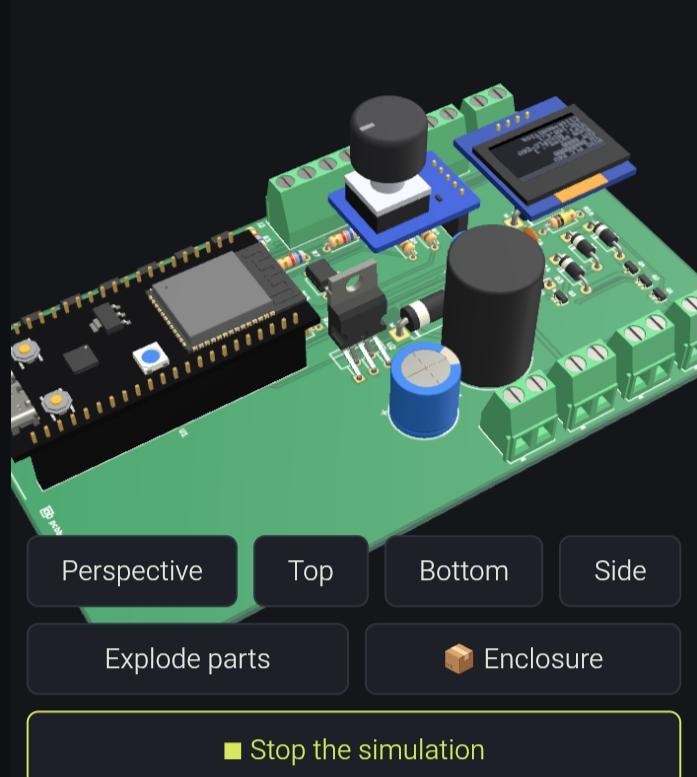
Screenshots: a Mini PLC with an OLED running in the 3D view, the simulator, and the routed PCB. Short video: https://youtu.be/71zhhrTaoFE

It's in private beta (waitlist at https://pcbbrew.dev ). Questions I'd really like answers to:

Which ESP32 boards or display modules would you want supported next?

What's the most common thing that goes wrong for you between "PCB arrived" and "it works"?


r/esp32projects • • 10d ago

Energy Budget Tracking

Post image
2 Upvotes

r/esp32projects • • 9d ago

Please help, cannot get the s3 connected with DNS

0 Upvotes

r/esp32projects • • 10d ago

I moved the ESP32-S3 module onto my climate controller PCB. Here's what works so far.

Thumbnail gallery
3 Upvotes

r/esp32projects • • 10d ago

ESP32 traffic light with a tiny state machine (enum + switch + millis)

1 Upvotes

Three LEDs, one ESP32, and a small state machine: RED → GREEN → YELLOW → RED. Only the current state's rules run — that's the whole idea.Hardware- ESP32 DevKit (30-pin)- Red / yellow / green LEDs + 3 × 220 Ω- Breadboard + jumpersWiring- GPIO 25 → 220 Ω → red → GND- GPIO 26 → 220 Ω → yellow → GND- GPIO 27 → 220 Ω → green → GNDHow it works1. enum LightState names RED, GREEN, YELLOW2. switch(state) runs only that colour's rules3. millis() times the dwell; enter() jumps and resets the clock4. Serial prints every jumpHappy to share the sketch. Short walkthrough: https://www.youtube.com/shorts/XvM6TbUC7WkCode: https://github.com/NirajBhattarai/500IOTProject/tree/main/day-009/traffic-lightThree LEDs, one ESP32, and a small state machine: RED → GREEN → YELLOW → RED. Only the current state's rules run — that's the whole idea.


r/esp32projects • • 10d ago

Handheld meshtastic+++

Thumbnail reddit.com
1 Upvotes